

With mods, you can customize Valheim and bring new features to the game that it normally does not offer. MeinMMO explains how to install mods and which mods are worth it.

What are mods? A mod, short for “modification”, changes the game and adds new options and features. Most mods aim to make Valheim easier or more enjoyable – some even add more realism or make the game even harder than it already is.
In many cases, however, new possibilities are merely opened up that the game alone does not provide.
Update from September 4, 2026: We have reviewed the post and made slight structural adjustments.
Installing Valheim Mods: Here’s How
You can install mods either manually or through a mod manager. We recommend the Vortex manager, which you can find on the Nexusmods website. Nexusmods is one of the largest providers for mods. To download, you need an account on the site.
- Here you can find the download page for Vortex on Nexusmods
Download Vortex and install the program. In the “Games” tab, you must then allow the manager to manage Valheim. You may need to download additional settings.
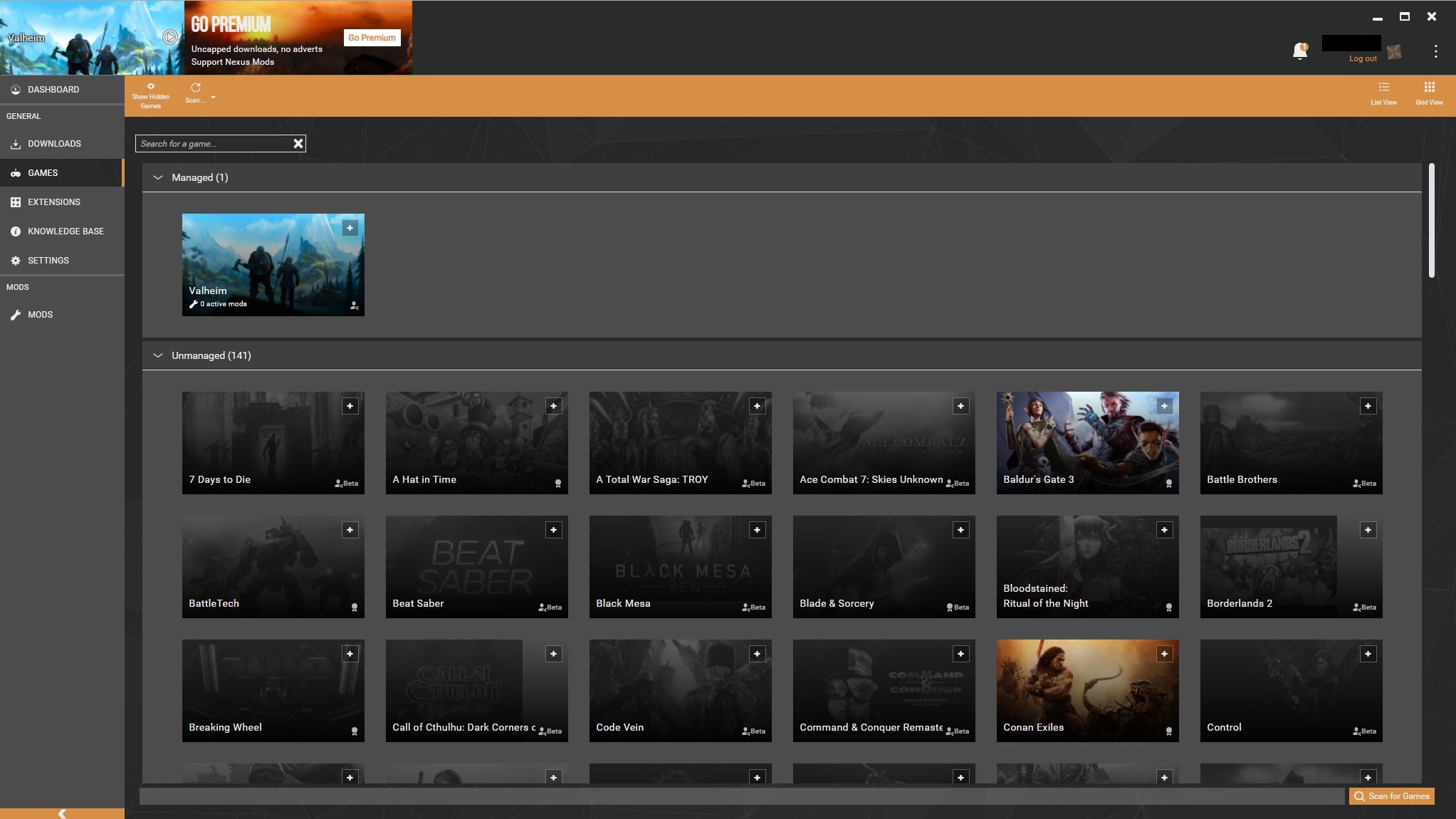
After that, you can install the listed mods from their pages with a click on “Mod Manager Download” via Vortex. However, you may need two additional tools beforehand.
BepInExPack Valheim is a loading tool for modding in Valheim and is required for most major mods. Download the tool and extract it to a folder (not the game folder). Then move the contents of the folder to “[…]steamappscommonValheim”. You can find the download for BepInEx and an installation guide here.
InSlimVML is another loading tool. Similar to BepInEx, you can simply download the tool, extract it, and then copy the files to the Valheim folder. Replace all files that need to be replaced. You can find InSlimVML here on Nexusmods.
If you want to use both loaders, it is easier to install BepInEx first and then InSlimVML.
The Best Mods for Combat and Gameplay
Here we present you with the best mods that can make fighting and the overall gameplay in Valheim more enjoyable.
Better Valheim with Valheim Plus
Valheim Plus reworks most of the game’s features. It adjusts many values, allows for more building options, and speeds up the fermentation of mead and the smelting of ores.
For builders, there is also the option to rotate building components along all their axes. This way, you can build various items in completely new ways.
Valheim Plus also comes with the option to work on many hosted servers. In our guide, you will learn how to rent servers in Valheim and play with friends.
Better Inventory with Equipment and Quick-Slots
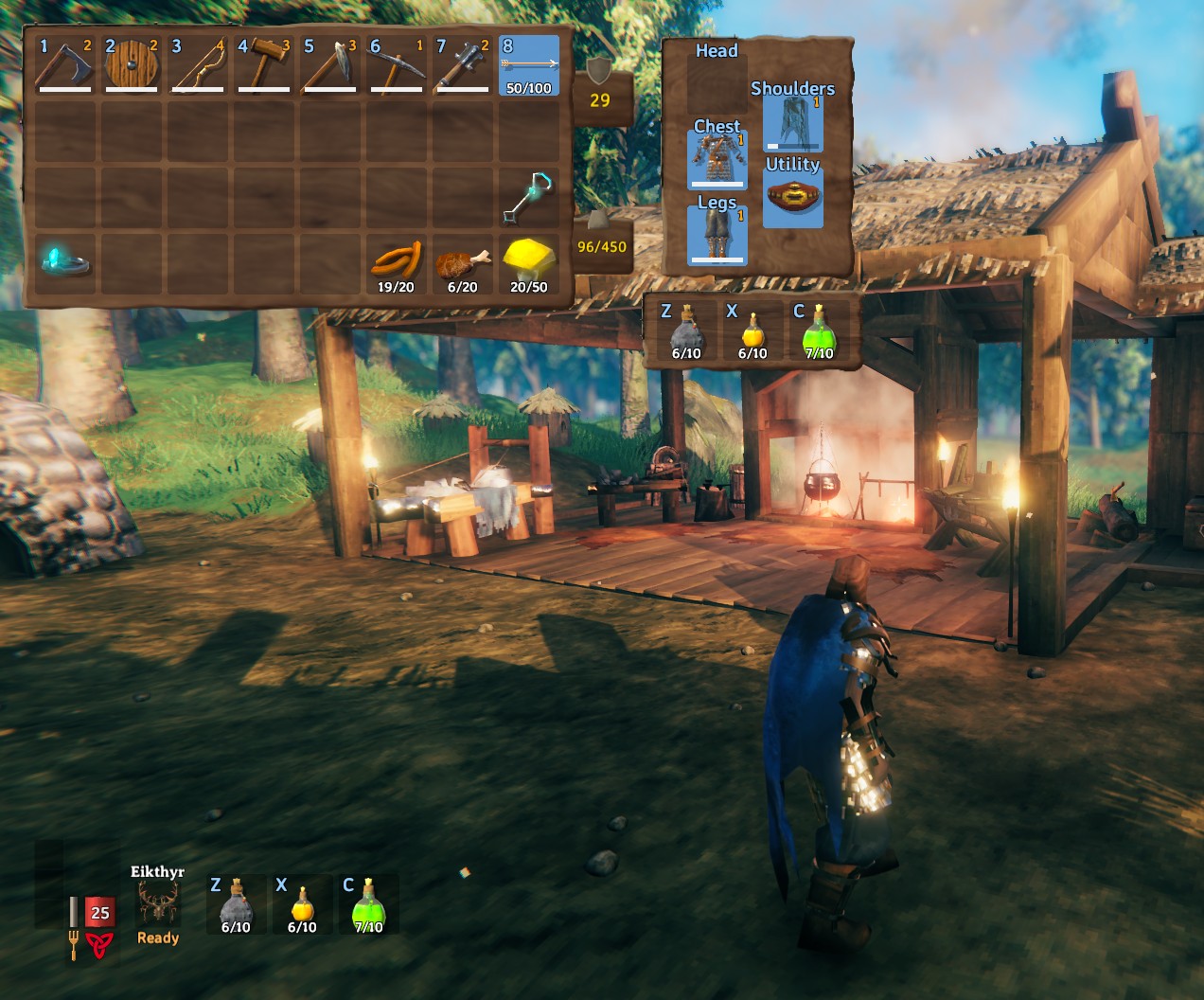
This mod improves your inventory by granting you additional slots for your quick access and equipment. Armor and potions are located outside the inventory in an additional UI, allowing you to save space in your inventory. Only weapons are not included yet.
Transport Ores with Unrestricted Portals
With Unrestricted Portals, you can take any items through a portal, including ores and metals. These usually prevent teleportation. However, you can also prohibit additional items with this mod to make the game a bit more complicated for yourself.
Alternatively, you can also dig canals through the islands to make sailing easier with the ship or pull your friends behind you across the sea with a harpoon.
The Best Mods for Building and Crafting
With these mods, we show you options to beautify your own houses and bases. They also serve for easier crafting and to share your achievements with friends.
Easier Crafting with Craft Build Smelt Cook Fuel Pull From Containers
Behind the very cumbersome name of the mod hides a rather simple function. The mod allows you to perform all crafting and building activities without having to have the resources in your pockets. It is sufficient if they lie in your chests in the storage.
This way, you can craft items, light fires, smelt ores, or build structures without constantly having to run to the chest.
More Agriculture with Planting Plus
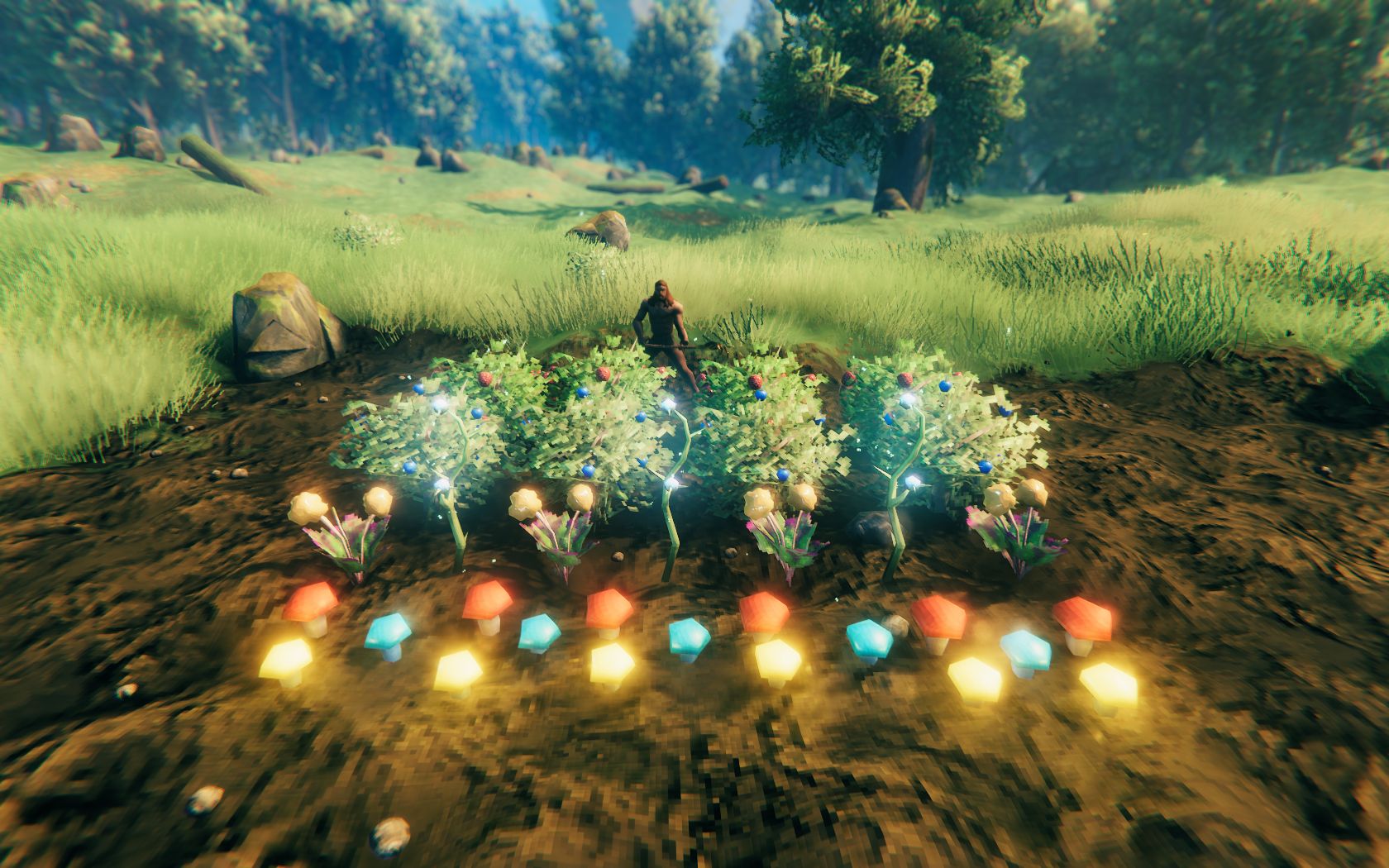
Planting Plus allows you to grow more plants in your garden. These include:
- all kinds of berries (raspberries, blueberries, and cloudberries)
- yellow, red, and blue mushrooms (the latter only available via console)
- thistles and dandelions
- birches, oaks, and ancient trees
Without the mod, you can only plant carrots, beets, and a few trees. Gardening is a big need for players: Many Vikings prefer to grow berries and mushrooms instead of fighting.
BuildShare
BuildShare saves your constructions as its own blueprint (a “.vbuild” file) in a folder. This way, you can save certain buildings and rebuild them or send the file to friends to give them your own base as a model.
More Useful Mods
Here you will find more mods that can be useful but do not fit into the other categories.
Truly Tame Everything with AllTameable
AllTameable allows you, as the name suggests, to tame every creature in Valheim. Some players already use the mod to keep and breed trolls as pets. You can also tame bosses and hatch dragon eggs.
With the mod you can adjust which creatures can be tamed, how long it takes, what food works, and how fast they reproduce. In our guide, you will learn in detail how to tame animals in Valheim.
Harder Valheim with Survival Mods
Some players find Valheim too easy or not realistic enough. For this type of Viking, there are several mods that make the game even harder. They ensure that you:
- can dehydrate and starve
- can no longer parry ranged attacks with shields
- need materials for repairs
- face tougher enemies
You can find the various mods in detail in our post: 3 mods that make Valheim even harder.
See Valheim from the Perspective of the Vikings with First Person View
The First Person View mod adjusts the camera position so that you can always look through your character’s eyes. You play Valheim in the first person and can feel a bit more like a real Viking in Valheim.
Mods are not only intended to make the game easier or harder, but also provide many players with a better quality of life. Especially if they feel they have seen everything, they can still present new challenges with mods or discover the world in new ways.
Even without mods, Valheim offers enough content for hundreds of hours of fun. We spoke with a frequent player and learned from him how Valheim is still fun after 267 hours.

Your opinion is important to us!
Do you like the article? Then let us know!
Comments