

You bought the PS5 and are considering subscribing to “PS Plus”, but you don’t know how to cancel PS Plus? Or you purchased PS Plus and now want to cancel or change the subscription. MeinMMO provides you with all the important information about PlayStation Plus.
What is PS Plus? PS Plus is a paid service from Sony Interactive Entertainment. A subscription costs on average 60 Euros. Sony has now introduced a new “PS Plus” model. All information about the new PS Plus can be found directly with us.
How much does PS Plus cost? As of now (June 2022), there are three subscription models for PS Plus:
- PS Plus Essential: 8.99 Euros per month, 24.99 Euros for 3 months or 59.99 for 12 months.
- PS Plus Extra: 13.99 Euros per month, 39.99 Euros for 3 months or 99.99 Euros for 12 months.
- PS Plus Premium: 16.99 Euros per month, 49.99 Euros for 3 months or 119.99 Euros for 12 months
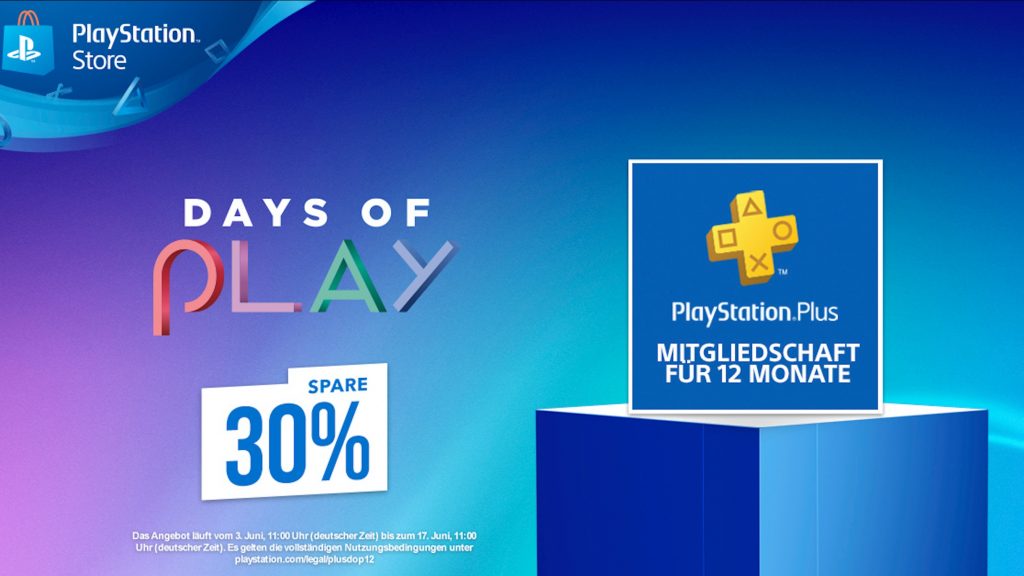
You regularly get good offers for PS Plus, saving you usually several Euros. These include Sony’s “Days of Play”, Prime Day at Amazon, or Black Friday deals.
What benefits does PS Plus offer me? PS Plus provides you with various advantages, which we want to list here:
- You need PS Plus, for example, to play certain games in multiplayer. Without a subscription, you won’t have access to multiplayer.
- You get access to PSN cloud storage, where you can automatically back up your save data.
- As a PS Plus member, you typically get 3 games each month as a digital download in the PlayStation Store at no additional cost. Usually, 2 games are for PS4 and one game is exclusive to PS5.
- You also receive discounts on certain games and special deals in the official PlayStation Store. During the “Double Discounts” promotion in the PS Store, you always save real money with PS Plus.
With the more expensive subscription models PS Plus Extra and PS Plus Premium, you also get access to additional free games. We present all the games again in the following article:

Cancel or change PS Plus – Here’s how
You have subscribed to PS Plus but want to cancel or don’t want the subscription to renew automatically? MeinMMO explains what you need to pay attention to.
Cancel PS Plus on PC or mobile: On PC and mobile, you go through any browser. In the browser, you do the following:
- Log into the Account Management.
- Then select “Subscription” from the left menu.
- For PS Plus, select “disable auto-renewal”. This will stop your subscription from renewing.
Cancel “PS Plus” subscription on PS5: On the PS5, it’s even simpler, as you can do it directly on the console:
- On the PS5, go to Settings and then select “Account”.
- Then select “Payment and Subscriptions” and here “Subscriptions”.
- Here, select PS Plus and choose “disable auto-renewal”.
PS Plus – How long does my subscription last? This way you can check how long your subscription still runs:
- On the PS5, go to Settings and select “Account”.
- Then select “Payment and Subscriptions” and here “Subscriptions”.
- In the next window, you will find an overview of all subscriptions and select “PlayStation Plus” here.
- Here you will see all the information about the subscription, including the expiration date.
PS Plus cancellation: When will I get my money back?
When do you get your money back? If you purchased a “PS Plus” subscription in the PlayStation Store, you can cancel the subscription within 14 days.
To do this, you need to contact Sony Support directly; direct cancellation is not possible. Whether the cancellation is successful depends solely on whether you applied for cancellation within the 14 days.
If it works, you will be refunded in the form of PSN credit. You can then use this credit, for example, for a few strong PS5 games at the launch of the console:

Cancel PS Plus: Are all games gone?
What happens when you cancel? All games in the “PS Plus” subscription are provided to you for free. However, this also means that you lose access to all games as soon as the subscription expires.
This also applies to the PS Plus Collection, which PS5 players can receive for free. If you end your subscription, you also lose access to the games and the cloud storage where your save data is stored.
When can I play again? If you subscribe to a new plan, you can, as usual, access the titles again and also use the cloud storage.
This applies, by the way, to all free games. If you have secured the monthly “PS Plus” games, then all games are available to you again.
If you have subscribed to PS Plus, you can also get 20 games for your PS5 for free. Here, we explain how it works:
How to get the 20 free games from the PS Plus Collection if you have a PS5

Your opinion is important to us!
Do you like the article? Then let us know!