


Have you ever had trouble defeating bosses in Genshin Impact? Then your world level might be too high and you should lower it. Here you will find an overview of which adventure rank corresponds to which level, how you can adjust the world level, and what you should consider.

What is a world level in Genshin Impact? The world level determines the difficulty of your world but also the quality of the rewards you can obtain.
How can you increase the world level? The world level depends on your adventure rank. This means: When you level up a certain rank in adventure, your world level will also increase.
This has three consequences for you:
- You will find better treasures
- You will receive better rewards
- At the same time, the enemies will also get stronger
Here is the trailer “The Exquisite Night Chimes” for version 3.4:
How many world levels are there in Genshin Impact
How many world levels are there? Once you reach adventure rank 20 in Genshin Impact, the world level increases by 1 level for every 5 adventure ranks.
At some levels, this happens automatically, and at others, you must complete a special quest, an “adventure rank ascent,” beforehand so that the adventure rank and thus the world level can be further increased.
Here’s an overview of how the adventure ranks are related to the world levels and when you need to complete an ascension mission to level up the world:
- World level 0: Automatically at the beginning of the game
- World level 1: Adventure rank 20
- World level 2: Adventure rank 25 with ascent quest
- World level 3: Adventure rank 30
- World level 4: Adventure rank 35 with ascent quest
- World level 5: Adventure rank 40
- World level 6: Adventure rank 45 with ascent quest
- World level 7: Adventure rank 50 with ascent quest
- World level 8: Adventure rank 55
How to adjust the world level
How can you adjust the world level? From adventure rank 40 and thus world level 5, you can decrease the world level by 1 or restore the corresponding world level.
To do this, go to the menu in your player profile and click the “i” next to the world level display. You can find this directly under your adventure rank. Then the option to adjust the world level opens up:

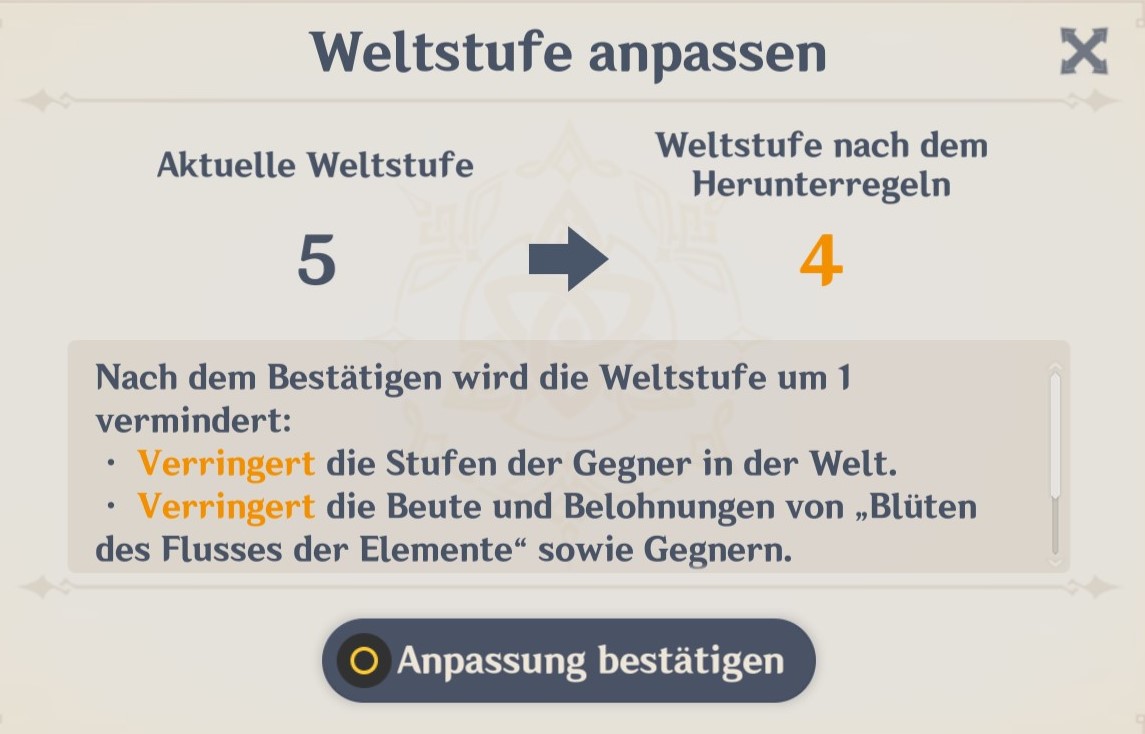
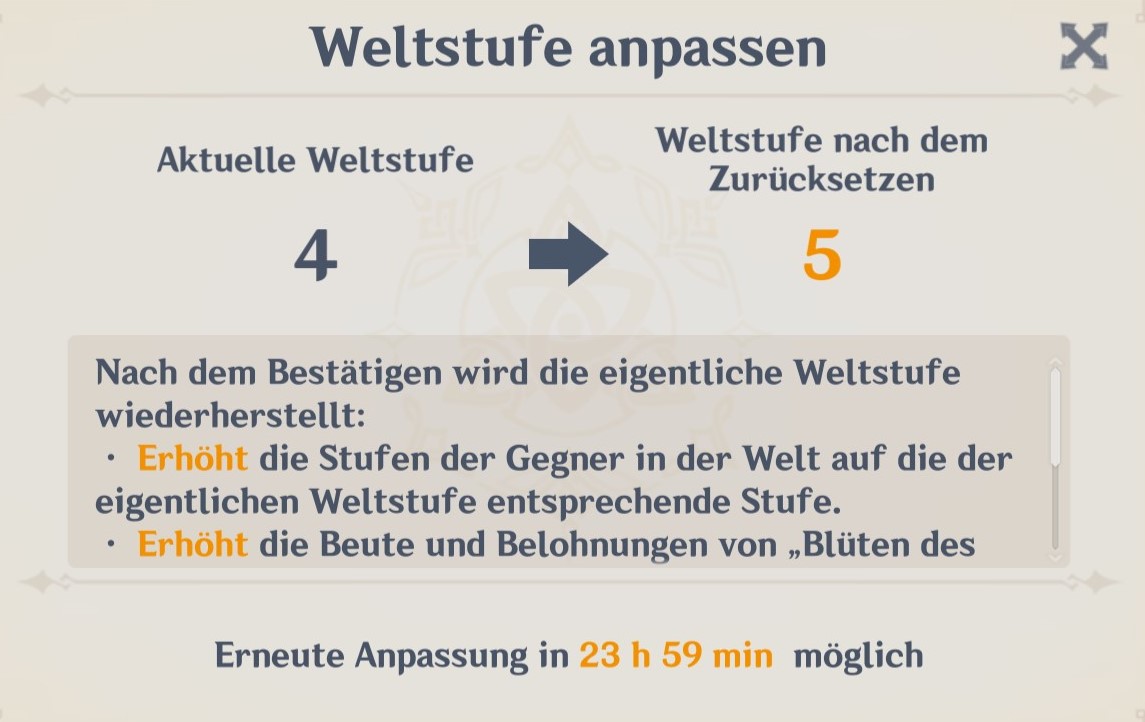
What should you consider? If you change the world level, you cannot change it again for 24 hours. You can then see how long you cannot change the setting using a timer.
It doesn’t matter whether you lower the world level or want to reset it to the original: each time you must wait 24 hours afterwards.
The world level also becomes important when you want to join another player’s world in multiplayer mode. For some players, you will see the note on the right: “Joining from world level XY” and you cannot send a request.
This is because you can always switch from a higher world level to the same or a lower one. However, if the other player has a more advanced world level than you, you cannot join.
How can you use the world level setting for yourself? The world level setting is especially useful when you notice that the enemies are currently too strong for your group and you are having trouble fighting.
You can also lower the world level if you have received one or more new characters that you still need to level up properly but want to play with right away.
Conversely, a higher world level is especially suitable when you already have a correspondingly strong team or want to farm the best items. In that case, you should play at the highest possible world level you can set with your adventure rank.
Ultimately, having the ability to set the world level gives you greater flexibility when you want to play with other players who may be a level below you but still want to visit you in your world.
Here you can find a list of all Genshin Impact guides on MeinMMO: All tips and builds at a glance.

Your opinion is important to us!
Do you like the article? Then let us know!