


In this guide, you will find an explanation of what you can use Steam gems, also known as Steam Gems, for and what you can pack them into a bag for. There are also instructions on how to buy or sell your Steam gems.
With the Steam gems themselves, you can initially do very little. They become interesting mainly when you trade with them or exchange them for booster packs on the platform.
Here you will find various ways to obtain Steam gems and a guide on how you can convert or sell them.
What you can use Steam gems for
What are Steam gems used for? The gems represent a virtual currency on the platform. You can use them to purchase booster packs and thereby expand your inventory of Steam trading cards.

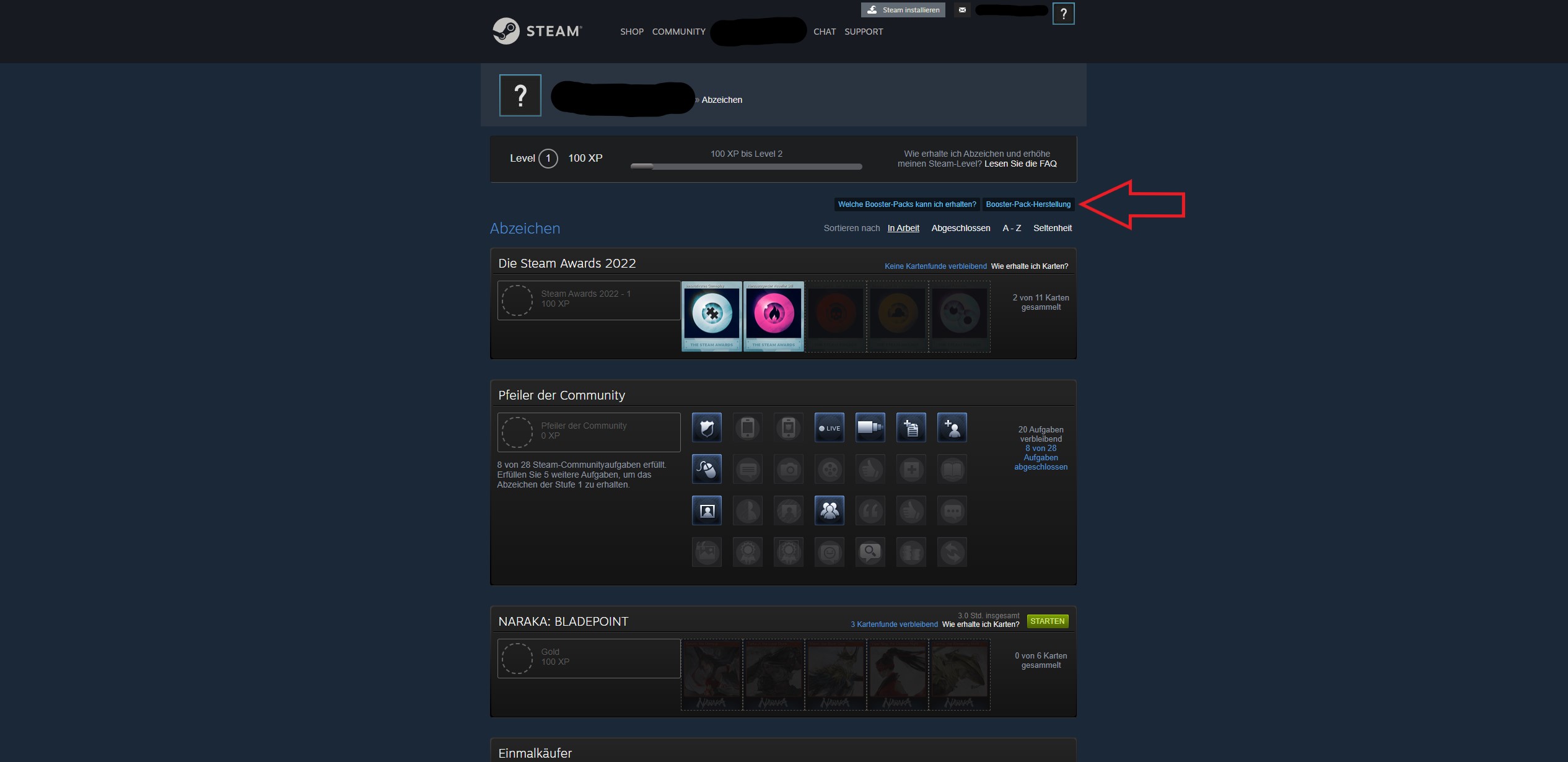
Where can I find Steam gems? To view your gems, proceed as follows from your Steam homepage:
- Step 1: Click on your profile name at the top of the bar
- Step 2: Select the menu item “BADGE”
- Step 3: Go to “Booster Pack Crafting” in the top right
In the menu, you will now see a display with the number of your gems and can exchange them for booster packs from there.

You can also access your inventory through your profile name. There you will also find your collected gems and can craft booster packs or pack the gems into a bag from there.
Both options to view your Steam gems work the same way in the Steam client.
What does “packing Steam gems into a bag” mean? With this function, you can select your gems and sell them as a whole package on the community market. Gems can only be offered there if they have first been packed into a bag.
To fill a bag, you need 1000 gems. If you have fewer, you can click on the function “Packing gems into a bag,” but you cannot apply it.
If you want to craft booster packs, you do not put the gems into a bag, but leave them as single items.
This is how you can obtain Steam gems
How can you obtain Steam gems? You receive Steam gems through two ways:
- Convert trading cards into gems
- Purchase via the community market
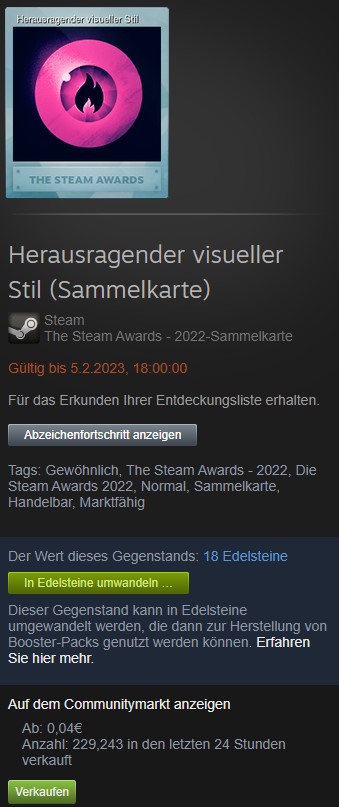
How do I convert trading cards into gems? To exchange a trading card for gems, first go to your inventory on Steam. Then select the item you want to convert into gems. On the right in the item information, you will find the green button: “Convert to gems…”
A window will appear where you can confirm the conversion. This process cannot be undone afterwards.
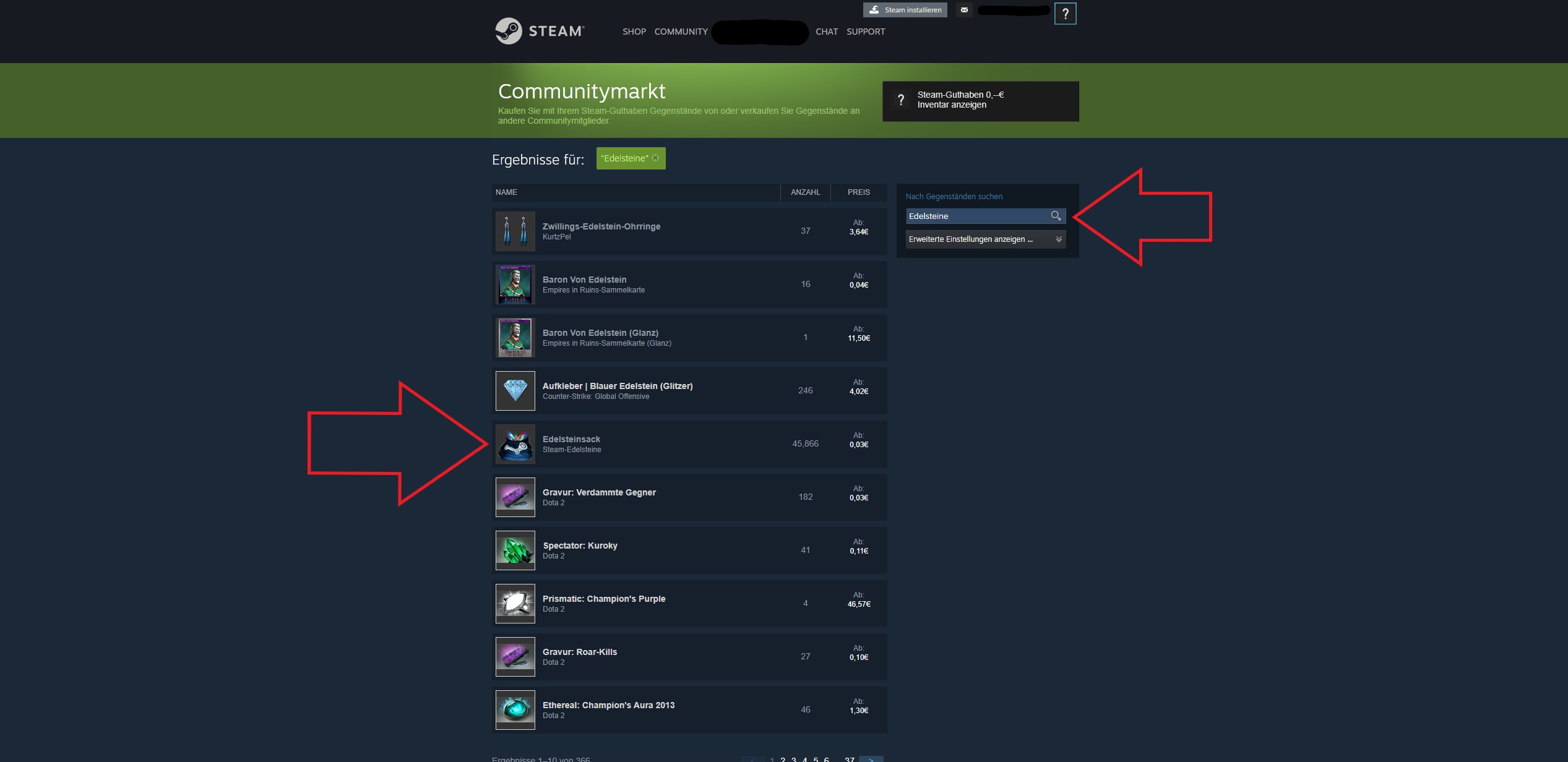
How do I buy gems on Steam? If you want to get more gems, you will find them in the community market on Steam:
- Step 1: Click on “COMMUNITY” at the top of the bar
- Step 2: Then go to “MARKET”
- Step 3: Enter “gems” in the search bar on the right, among the listed items you will see the offered Steam gems
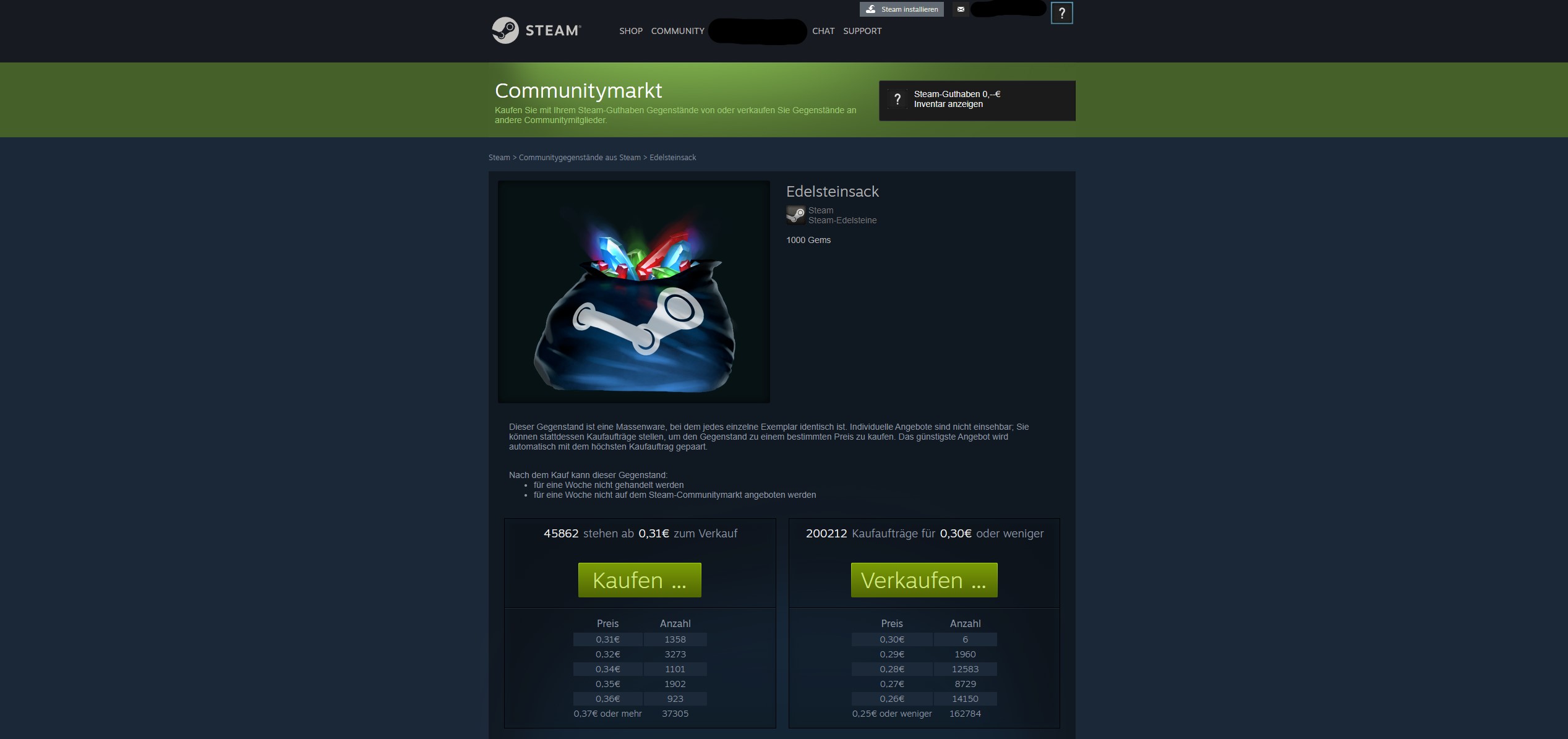
- Step 4: Click on the Steam gems and then on the green button “Buy…”

This is how you can sell Steam gems
How can I sell Steam gems? If you have packed your gems into a bag, you can also sell them through the community market.
Remember that this is only possible starting from a quantity of 1000 gems and in a bag. Otherwise, your items will not be displayed as selectable elements when you click on “Sell…”.
Here you can find a hidden feature on Steam that is practical for anyone who uses more than one hard drive

Your opinion is important to us!
Do you like the article? Then let us know!