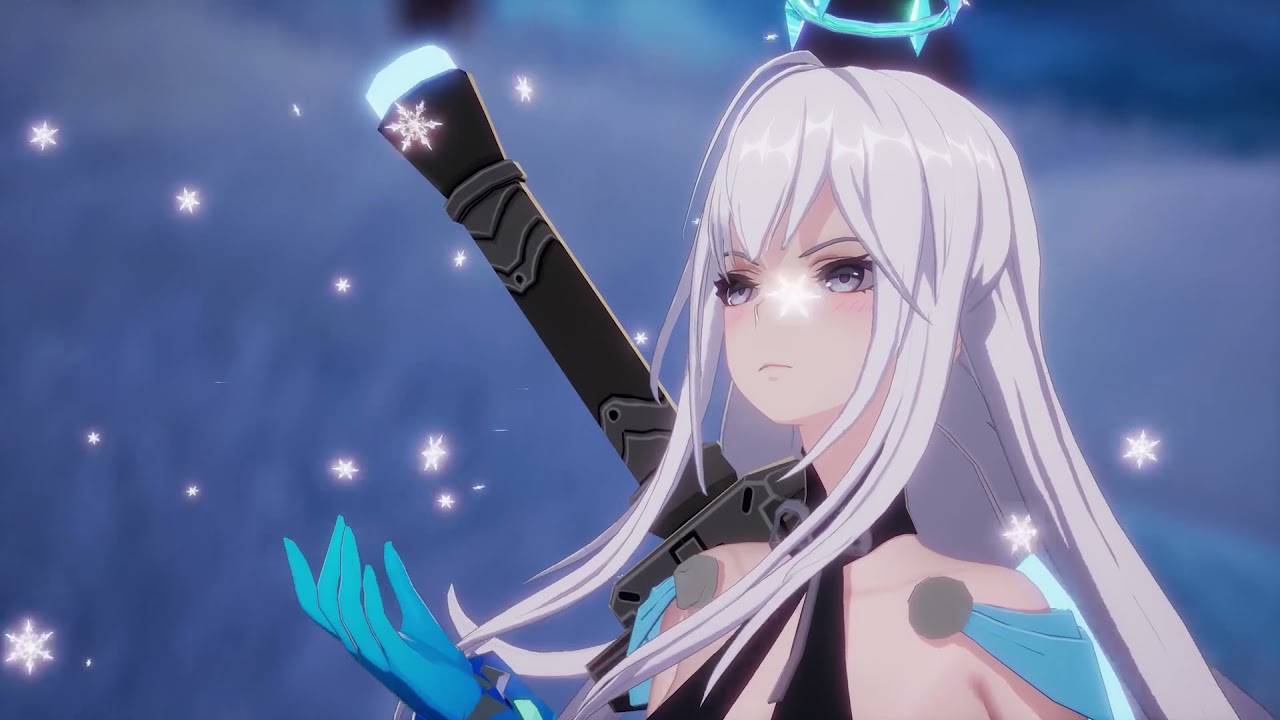
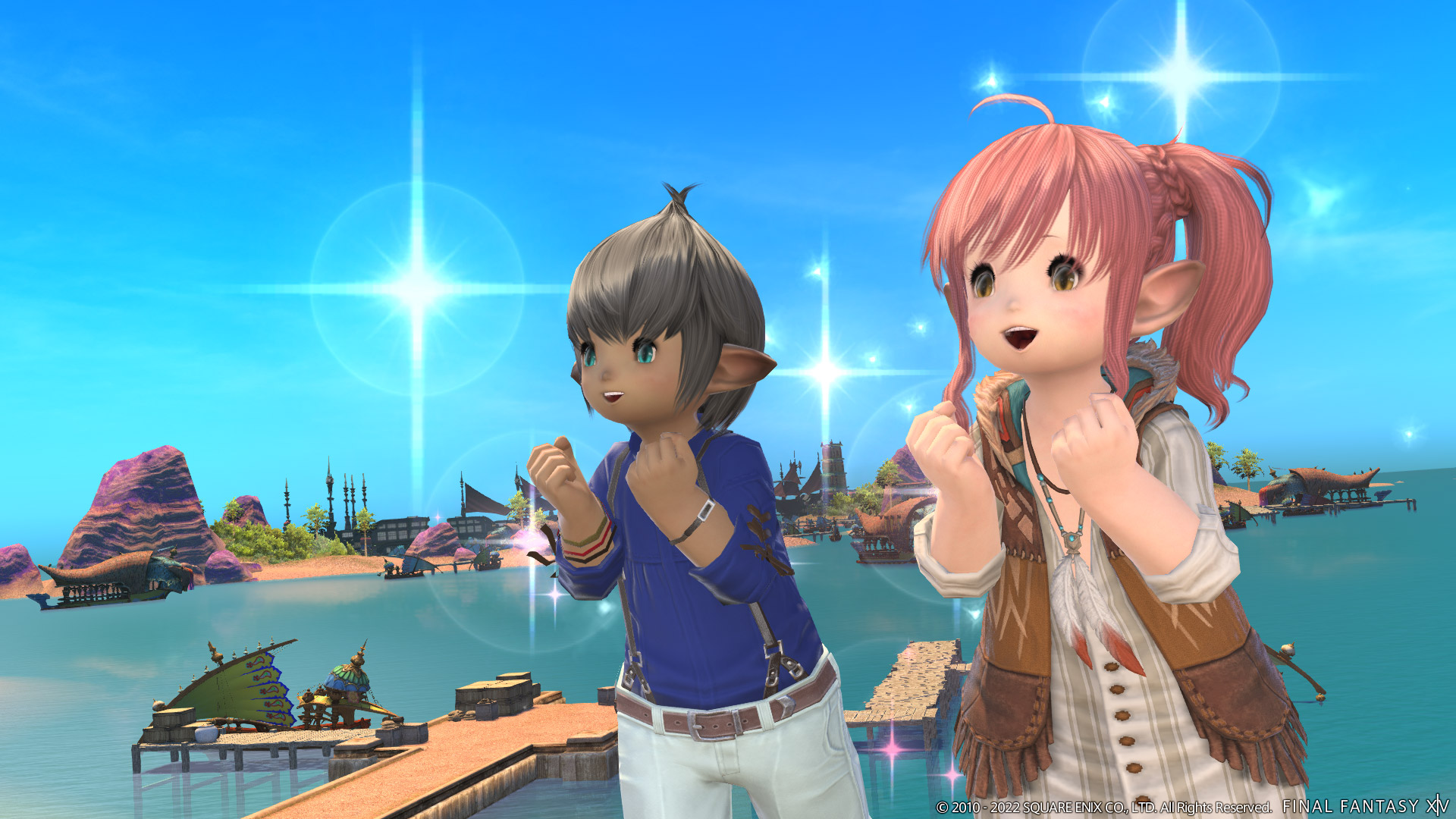
The anime MMORPG Tower of Fantasy will be available on Steam starting Thursday, October 20, 2022. Additionally, the Vera update is coming, which continues the main story and introduces new content to the game.
Tower of Fantasy was released in August 2022. It is developed by Hotta Studios and published by Level Infinite. Until now, you could only play the MMORPG on its own client, but with the update, Tower of Fantasy will also have a Steam version.
Moreover, there are many new contents, new bosses, characters, and a new area including a capital city where the main story continues. In a stream on October 13 (via YouTube), the developers revealed more details about the update.
A desert landscape with new enemies
The Vera update is the first expansion of Tower of Fantasy. You will enter a desert landscape where you can discover new content. There will also be a new city where the main story will continue – Mirroria City. As the desert is uninhabitable, nearly all the inhabitants of the zone live in the cyberpunk metropolis.
The city floats in the air and is shaped like a pyramid. From the outside, Mirroria City is completely covered by solar panels that generate electricity inside. Consequently, it’s dark inside. Only the numerous neon signs illuminate the city. Details about the dark lore were already revealed by the developers at this year’s Gamescom.
Here you can see the trailer for the Vera update:
Start video
Tower of Fantasy – Trailer for the Vera Update
In the desert, you will encounter new enemies. Among them is the boss Rudolph, a metal reindeer. He fights with volt and fire attacks. You may also meet the lizard-like creature Magma. It combats you with fire attacks and creates a shield around itself.
For the endgame, the developers also announce the boss Puppet Singer, who drops valuable rewards when you defeat him. Additionally, there is a boss named Abysannt Weaver, which looks like a metal giant spider.
New characters promise exciting gameplay
With the ongoing story, two new characters will also be introduced, who will be presented in the developers’ stream:
Ruby is a shy little girl who holds her doll Dolly in her arms. By her side flies a small robot named Spark – she calls them her best friends.
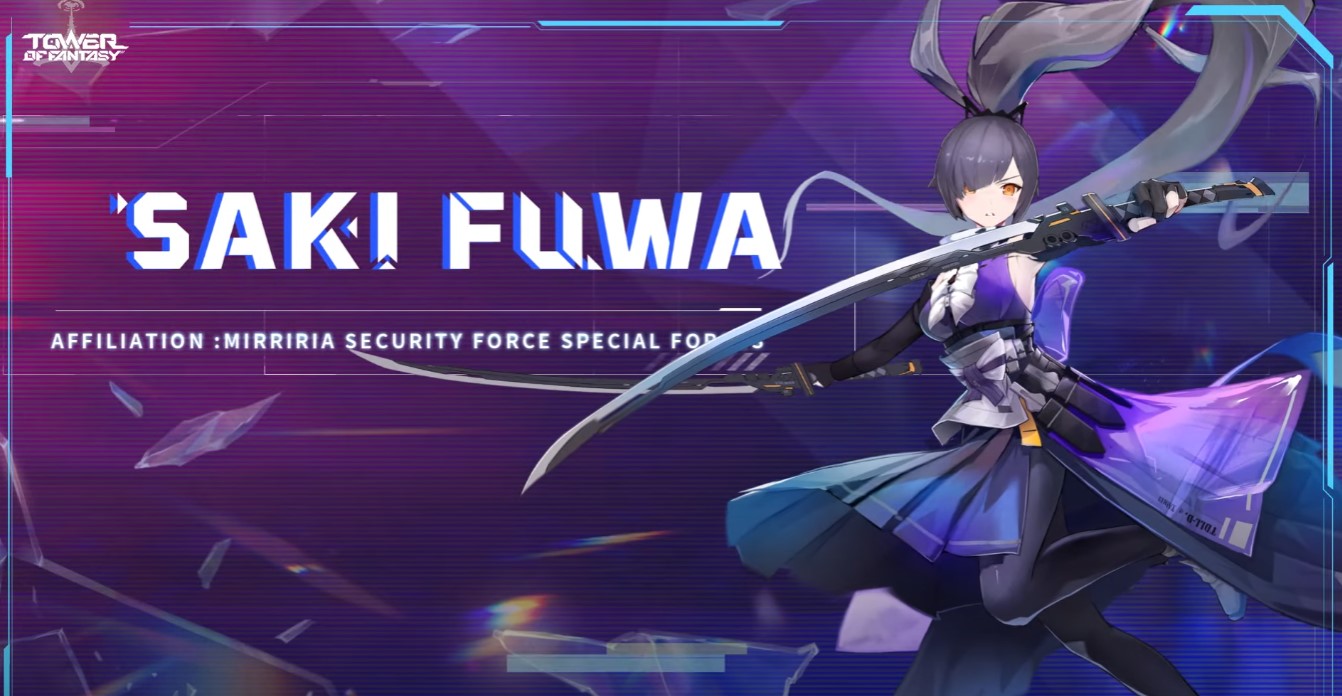
Saki Fuwa leads the security forces in Mirroria City. She has short dark hair and fights with a long sword.
Is it worth joining? The update brings events and rewards that are particularly interesting for new players. New players can complete the beginner mission “Staraph Navigation” and receive an SSR weapon of their choice 21 days after character creation, which is essentially one of the strongest characters in the game. Additionally, you get 5x golden nucleus and upgrade material.
Furthermore, the rewards for pre-registration for Tower of Fantasy are still active. Anyone who registers no later than 180 days after the launch will receive 10x golden nucleus, dark crystals, and cosmetic items. The event ends nearly 6 months after release, so it will continue until the end of the year.
Also, returnees should take a look at the new content and scoop up rewards. There are numerous cores to possibly draw new SR or SSR characters. Additionally, you will receive cosmetic items and other goods.
Can you log in with an existing account on Steam? Unfortunately, there is currently no information about this, so we will have to wait for the Steam release. The developers said in the interview that it might be possible, but nothing more specific has been promised. Whether you have to start anew on Steam or can continue playing remains to be seen.
This is an AI-powered translation. Some inaccuracies might exist.
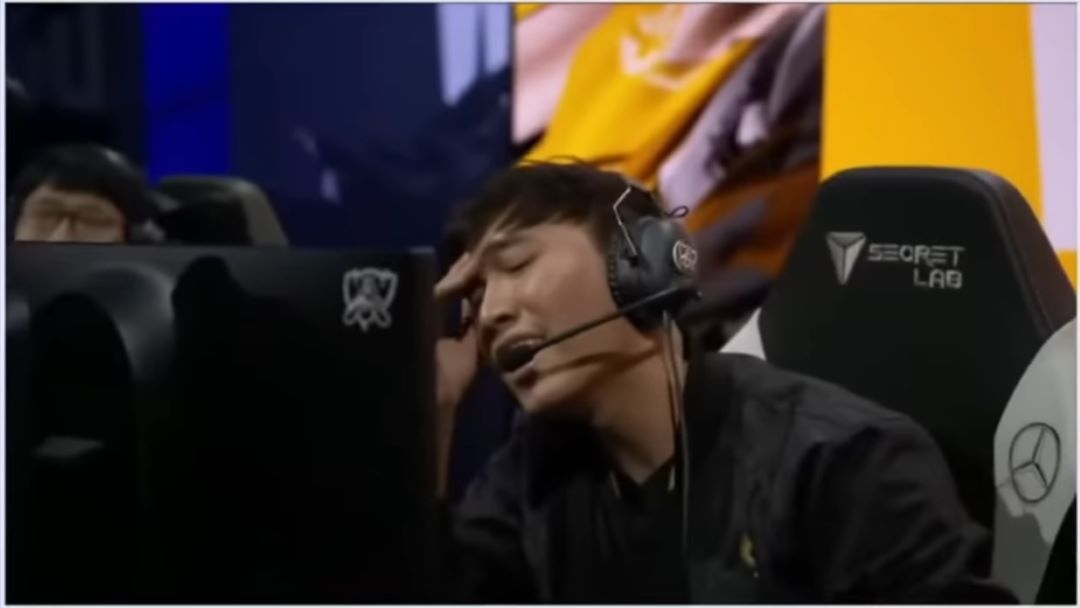
During the group stage of the Worlds 2022 of League of Legends, GAM Esports faced Top Esports. While GAM Esports was already out of the tournament, Top Esports still had the chance to reach the knockout stage if they won the game. For the LoL team from China, it was all or nothing.
What is the situation? In minute 39, the players of GAM Esports initiate the fight for the dragon. They are actually trying to lure the players of TES into a trap by attacking the dragon. The jungler “Tian” from TES attempts to join in at the dragon but is killed by GAM.
As the Vietnamese turn their attention back to the dragon, “JackeyLove” and “knight” from TES join in and try to make an impact. They steal the dragon and manage to defeat the players of GAM. With long death timers of 54 seconds in the endgame, games are almost decided when several players from one team die.
However, the last player from GAM was revived just as the opponents were about to tear down the base:
TES, on the other hand, aims to destroy the nexus now, to end the game quickly and secure their spot in the knockout stage. They strive to destroy the towers and the nexus just before the players of GAM respawn.
GAM Esports vs Top Esports – Showcasing the most exciting game
GAM Esports manages to actually defend their base and now tries to end the game themselves. The crowd is roaring like crazy, cheering on the players of GAM. As they tear down the base of TES, the players of TES are just being revived and arrive too late to defend the base.
If you can’t get enough of the Worlds 2022, we have a video for you:
Start video
The LoL Worlds 2022 have their anthem – Song shows e-sports as anime battle, excites the fans
Top Esports completely flies out of the Worlds
What is the game about? In this game, it was about advancing to the knockout stage. TES, one of the favorites to win the Worlds, still had a chance to continue in the Worlds. They finished the group stage with three wins and three losses.
That was only enough for 3rd place, causing a title favorite to be eliminated before the quarter-finals. Rogue and DRX, on the other hand, ended up with four wins and two losses, claiming 1st and 2nd place in Group C.
With a victory, TES would have opened the battle for the knockout stage and would have been in a tiebreaker with Rogue and DRX. This would lead to more games needing to be played to see who advances from the group stage.
In a tiebreaker among the 3 teams, it would have led to an unexpected battle, where Europe’s last hope would not be safe to advance. In the aftermath of the game, there were calls to question whether the last fight between GAM and TES involved a bug that denied TES the victory.
GAM is the strongest team from Vietnam and claimed all titles in the 2022 season. The team had no chance of advancing with a 0-4 record in the group stage. Nevertheless, they wanted to show what they could do and not give up without a fight.
TES was seen as a title favorite before the match days. At that time, with a 1-2 record, they had poor prospects for winning the group. The team from China had consistently been performing well this season and also secured 2nd place in the playoffs alongside the Summer Split title.
After the matchday, both teams were eliminated from the tournament. However, they were able to show what they were made of and that they did not come to the Worlds for nothing.
Today, one of the biggest updates yet is being released for New World. Included are a new area, a new weapon, and extended maintenance during which the servers will be offline. We at MeinMMO will tell you everything important about the new patch Brimstone Sands.
When is the update being released? The patch will go live today, on October 18, at 12:00 PM German time. This will be followed by maintenance lasting approximately four hours. The servers are expected to be available again by 4:00 PM.
Below you will find the complete patch notes for the new update (via New World).
Brimstone Desert
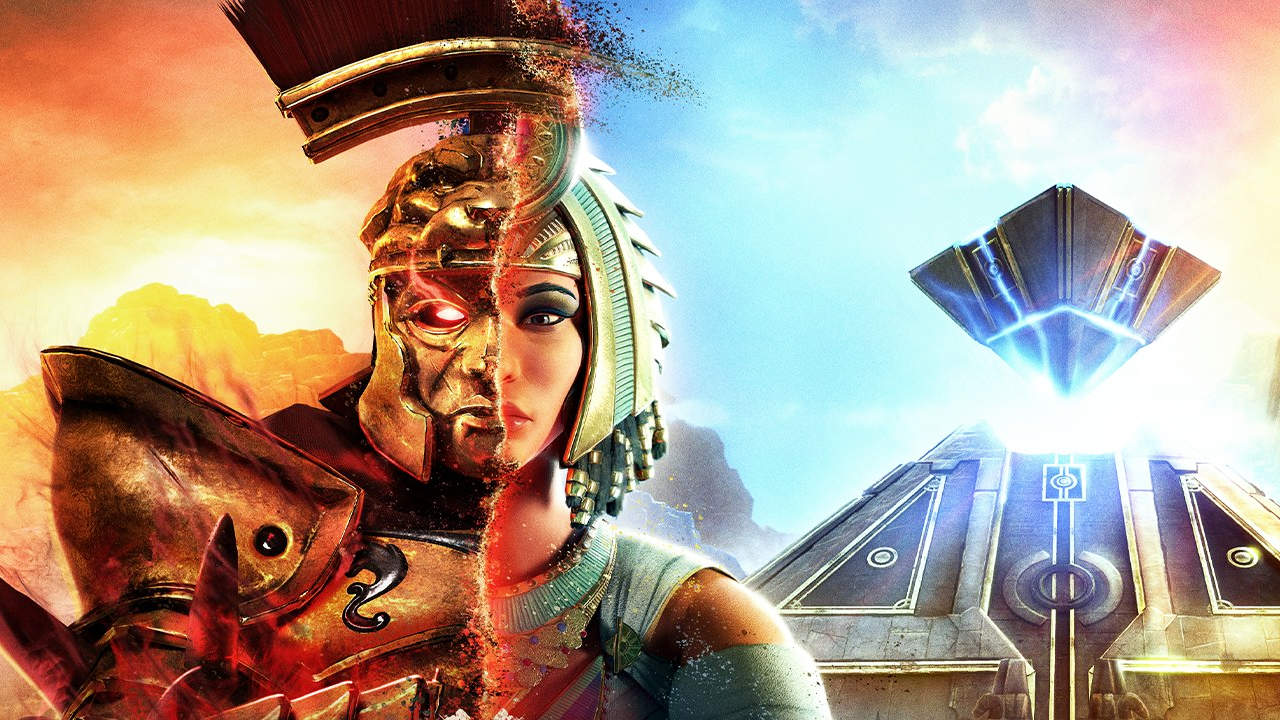
The Brimstone Desert is a new area that is completely different from anything else in Aeternum. This area, which is about two and a half times the size of Everfall, features new enemies, a new area to conquer, and new stories to discover.
Over the scorched wasteland of the Brimstone Desert hovers death, whose thirst remains unquenched even after centuries of war and conflict. Here, the ancient Egyptians first encountered the godlike Ancestors and erected monuments and massive cities that were part of a flourishing civilization thousands of years ago. Their civilization has long since met its end, and few of those original inhabitants remain, including the mysterious sorcerer Imhotep, with whom players must collaborate to uncover the secrets of the desert.
The most immediate threat in the Brimstone Desert comes from the insane Remnants of the 19th Legion of the Roman Empire. It must be discovered what exactly happened to the Romans, as they have succumbed to corruption and now besiege the ancient ruins of a mysterious pyramid known as “Akhet.” They are certain that they will find the secret of their salvation and the long-awaited revival of the Roman Empire within it.
The Ennenade Expedition
Venture into the ruins of the Ancestors, where you must face the vigilant Anubis guardians and solve hieroglyphic puzzles to gain new powers.
Players explore ancient secrets with Imhotep, fight powerful sand demons, and may – if persistent – reinstall the rightful ruler to finally bring order and hope to the region after centuries of chaos.
Improved Gameplay Introduction
We have completely redesigned the starting levels of New World, so players who begin the game or create a new character will experience brand new stories and tasks. We listened to player feedback on the introduction to New World and made the following changes:
Optimized Quest Flow
The quest flow through the areas has been optimized with NPCs that move through a story across the world, guiding players through each region of the game and unlocking side content to expedite the gameplay.
New Quest Dynamics
We have added a variety of new quest dynamics, from wave events to chase and traversal challenges, puzzles in the ruins, unique interactions with the world, and dynamic events that players will encounter.
Optimized Story
We have redesigned the introduction to focus on the central story by introducing the legacy of King Arthur in King’s Vale and a curse and famine through the witch Medea in Wind Circle. Players still meet the hermit Yonas to begin the path to the Soul Guardian, but Yonas’ quests have all been consolidated in Everfall. The hermit himself is now more mobile, and the story and quest flow have been significantly improved.
Upgrades in Areas
We have also given the areas and settlements in King’s Vale and Everfall much more character, with new enemies, new key locations, and new challenges in the quests and open world.
Veil of Night
Shaping in the mist! Screams in the night! The demon Baalphazu, Marquis of Terror, and his horde of spooky pumpkins create a true nightmare in Aeternum. Help Salvatore the Mad in his mission to banish these vile horrors and collect a wealth of limited-time rewards during the Veil of Night. This event runs from the release of the Sulfur Sand Desert until November 1. Characters must be at least level 35 to start the questline.
Greatsword Weapon
Get ready for a new weapon – the Greatsword. This blade utilizes offensive and defensive stances. Adapt to various situations to survive in combat. Both weapon skill trees offer versatile tactics for different playstyles:
The “Butchery” tree embodies relentless offense and focuses on defeating enemies before they can take you out.
The “Defiance” tree features aggressive defense, allowing you to survive and deal damage to multiple opponents.
The Greatsword scales evenly with Strength and Dexterity, making it a good pair for many other melee weapons.
Heart Jewel Abilities
Adventurers can now further customize their playstyle using Heart Jewel abilities:
Explode: Overload yourself with arcane energy to explode, dealing significant damage in a large radius around you. Players can move and attack while the ability is active.
Entwining Vines: Strike the ground with your fist to unleash vines around you, immobilizing all nearby enemies.
Stone Form: Turn to stone and become immune to staggering, knockdowns, stuns, immobilizations, and slow effects. Players can move and attack while this ability is active.
Cannon Shot: Draw a large, portable cannon and fire a cannonball that deals significant damage upon impact.
Dark Ascension: Grow corrupted wings and fly high into the air, hovering briefly before crashing down with force to stagger and damage all nearby enemies.
The Heart Jewel is charged by various combat actions such as dealing and receiving damage, blocking hits, and healing allies. When fully charged, players can activate a skill. Using it resets the charge. Experiment with each Heart Jewel and upgrade it to find your favorite.
Game World
General
The vertical wood-cutting animation has been accelerated and better aligned with the horizontal wood-cutting animation.
The “Hearty” bonus now grants 25% more health instead of 50% based on player feedback.
The rope railing in the Traitor’s Keep now has consistent collision.
The voice lines of NPCs Nessa Harrower and Cornil Reynolds are now more synchronized.
A mountain lion has been replaced by a grizzly bear south of the Vision Crypt.
Important Bug Fixes
Fixed a bug where Magistrate Bond had voice lines in the wrong language.
Fixed a bug where Sule Bankole’s voice lines did not play in Lightwood.
Fixed a bug where the icon for the waypoint “Cat’s Den” was displayed as “Wolf’s Den.”
Fixed a bug where player weapons were not hidden during cutscenes.
Fixed a bug where the camera rotated uncontrollably.
Fixed a rare crash when initially loading into a world.
Fixed a bug where achievements were not synchronized with the player.
Fixed a bug where the bulletin board and journal displayed incorrect information after leaving an expedition.
Fixed a bug with collision and lighting in the Montore Expedition area.
Fixed a bug where musical performances did not start correctly.
Fixed a bug where players held their main weapon while playing an instrument.
Fixed a bug where the sound for drawing was not played when selecting an instrument during musical performances.
Fixed a bug where players fell from the ramparts when leaving bastions in war.
Expeditions
Barnacles and Gunpowder
Fixed an issue where Admiral Gunpowder would play his introduction with his cannon in hand rather than behind his back.
Collision added so players can no longer use the hut next to the pier as a safe retreat.
Adjusted collision in the crow’s nest so players cannot leave the combat area.
AI can no longer be directed with aggro to the Nereid.
Fixed an issue where status effects from the Nereid were still displayed after death.
Fixed an issue where Nereid spears did not disappear after team wipe.
Fixed an issue where some Nereid sound effects were not played correctly.
Fixed client crash when moving within the expedition.
Fixed an issue where players could not use “unstuck” at certain locations.
The Depths
Fixed an issue where the fight with Captain Thorpe did not start.
Heart of the Stormwind
Corrected the position of the ancient chest that was previously hidden under geometry.
Reduced the perception radius of Ekheke so he no longer targets respawning players.
Garden of Origins
Fixed an issue where the encounter with the alluvium clay did not start correctly in mutated versions.
Fixed an issue causing flickering water in the environment.
Collision added so players cannot leave the fight with the Guardian of Origins.
Shipyard of the Dynasty
Fixed an issue where the room name on the map was not updated.
Fixed an issue where the miniboss Commander Chen ended up in the wrong position when lured far enough from his original spawn point.
Fixed pathfinding issues in the battle against Commander Chen in the shipyard of the dynasty.
Fixed an issue where animations during the encounter in the barracks were choppy.
Fixed an issue where Joven or Oro got permanently stuck in their cages.
Lazarus Instrumentation
Fixed an issue where Cilla did not clear her encounter.
Starstone Grave Hill
Corrected areas where players could lose AI aggro.
Fixed an issue that caused flickering water in the environment.
The protective bubble in Starstone Grave Hill now plays music when activated.
Mutators
Mutators Achieve Improvements
Gold and silver ranks have been adjusted to 50,000 and 25,000.
Mutations now grant more shadow shards at lower difficulty levels.
Chests have been moved to the end of a mutation run.
Collectible items now contribute to the mutation score.
Bosses and minibosses now contribute to the mutation scores, similar to named enemies.
Fixed an issue where a double penalty for team wipes (respawns + team wipes) was caused by active participants being deducted from the respawn count when team wipes occurred.
Bug Fixes
Fixed an issue where “Berserker” and “Ice Pillar” triggered the “Fatigue” effect outside of combat in mutators. “Berserker” and “Ice Pillar” no longer activate the combat status when activated.
Fixed an issue where the mutation effect “Fiery” remained on players who died or were on the brink of death.
Fixed an issue where some effects for low-level Ever-Mutators in Expeditions did not work.
The radius of the mutation effect “Shivering” has been reduced from 10 to 4 m to align with the graphic effects and intended area of effect.
The mutation “Fatigue” has been updated, and the display only fills when players are in combat.
The tooltip of the mutator “Fatigue” now indicates that it is only active in combat.
The brightness of unstable orbs in the “Raging” expedition mutation has been reduced for players with photosensitivity.
Shadow shard rewards have been adjusted, and there are now more of them at lower difficulty levels.
Fixed an issue where casting skills did not reset the progress of the mutator “Fatigue”.
Quests
The PvP faction missions “Dominate” (kill players of the opposing faction) and “Conquer” (capture fort) have been removed, as we plan more comprehensive changes to “Influence.” It was often difficult for players to complete Dominate within the time frame of a race for Influence, and Conquer could not be completed at all when the fort was locked.
The faction mission board incorrectly stated that no influence could be gained when an invasion was planned. The board now continues to display the influence indicator when an invasion is planned, instead of the invasion notifications.
The marking for available quests in settlements now displays as “Main Story/Progress Available” when a relevant quest is available in the settlement.
In the Deep Gorge, the position of two of the infiltration/intelligence gathering/protection mission chests has been changed to increase the functional area of these PvP missions.
AI Updates
World AI
Fixed a bug that caused inconsistent hit registration against the Forest Spriggan.
Fixed a bug that caused the flame breath attack of the undead huntress to trigger when placed in enclosed spaces.
Fixed a bug that made the transition of some AI characters between patrol points stutter.
Fixed a bug that caused alligators to take long pauses after their leap attack.
Enemies with “Creeper” traits are now much less likely to die while retreating.
Fixed a bug that made the pirate wraith seem to freeze mid-animation for some players.
Fixed a bug that caused summoner Yau to reset too quickly when players went too far away.
Bears
Daze reaction has been removed from all swings.
The damage from strikes has been reduced by 20% and from swings by 50%.
All bleeding has been removed.
The time between attacks has been adjusted to create more opportunities for counterattacks.
Huzzeligs
Invulnerability has been removed from all dodging actions.
Bravery has been removed from the attacks “Lunge,” “Spit,” and “Frenzy.”
Daze reaction has been removed from lunge and spit attacks.
Dodging actions have been removed in close range for low-level Huzzeligs.
Corrupted Workers
Removed stamina from dash attacks, slash flurry attacks, 2H swings, and overhead attacks.
Removed stagger reaction from headstand attacks and reduced damage by 50%.
Removed bleeding from triple stab.
Lost Navigator
Removed stamina and stagger reaction from combo swings.
Removed invulnerability from backflip.
Removed knockback from melee attacks.
Improved decision-making between shooting and melee combat.
Lost Gunfighter
Removed stamina from shield basher attacks.
Some transitions back to blocking after attacks and reactions have been improved to better convey the reinstatement of blocking.
Lost Berserker
Removed stamina from dual swing attacks.
The upward hook swing has been changed to a standing stagger reaction instead of a knockdown reaction.
Sailors
Splitting has been removed from the simple attacks.
Knockback has been reduced in all attacks, and knockback from blocking all attacks has been removed.
The combo slash with two hits has been removed from sailors with shields.
The overhead attack from shield and sword sailors has been removed.
Wolves
Removed stagger reaction from knee strike attacks.
Removed invulnerability from dodges.
Reduced stagger reaction to jump attacks.
Ancestors’ Guardian Skeletons
Reduced damage from one-handed slashes by 20% and from swings by 40%.
Removed courage from running attacks, slash flurries, two-handed swings, overhead, ground pounders, and archer’s charge attacks.
Removed stagger reaction from headstand attacks and reduced damage by 50%.
Removed bleeding from triple stab (sword and spear).
Wild Boars
Courage has been removed from charge attacks.
Recoil from light and charge attacks has been reduced.
Vines of Corruption
Reduced aggro removal range of non-breaking vines to 12m.
Removed double strike combo from low-level vines.
Decreased overall attack rate and increased cooldown of the strike attack.
Swarmers of Corruption
Reduced aggro radius outside of combat to 12m (from 20m) to align with other melee characters.
Creatures of Corruption
Removed courage from overhead strike, running swing, and pack bite attacks.
Removed stagger reaction from overhead strikes and running swings.
Changes in Combat
Mechanics
Added delay based on equipment weight before a target can start running after a melee hit:
Light equipment weight: 1.5 sec. (instead of 1.75 sec.)
Medium equipment weight: 1.0 sec. (instead of 1.75 sec.)
Heavy equipment weight: 0.5 sec. (instead of 1.75 sec.)
While the delay is active, the dodge transition for light and medium is reduced by 20%.
The cooldown of the block break reaction has been reduced from 50 frames to 30 frames to make block breaks less punishing.
Fixed an issue that caused blocked hits to activate the run delay of the equipment weight.
Weapon Updates
Major Bug Fixes
Fixed a bug that caused players to be stuck in a zoomed state when returning to the open world with aim held after leaving an instantiated game mode like Outpost Storm.
Fixed a bug that caused ranged weapon shots to sometimes miss nearby targets at different angles.
Fixed a bug that caused players to be exhausted after taking a hit even though they still had stamina.
Fixed a bug that allowed players to ignore stuns when in the inventory and the stun did not come from a direct hit.
Fixed a bug that caused certain effects on hits to trigger the “finger gun” emote.
Fixed a bug that caused projectiles to freeze at the player position when activating free camera, even when players changed location.
Fixed a minor bug that caused a small player movement when pressing F5 repeatedly.
Fixed a bug that caused weapons to not show in player hands when a coating was applied immediately after starting to draw. Now players must fully hold the weapon in their hands before the coating is applied.
Fixed a bug that caused animations to not play while wading through deep water.
Fixed a bug that caused tooltip warnings for thrown items to not appear at the correct time.
Fixed a bug that caused sheathed weapons to trigger their gem graphical effects in certain situations (e.g., when throwing an axe or spear).
A new animation for wading in shallow water has been added when the weapon is sheathed.
Reduced input buffer window during staggering reactions. This should reduce unintended attacks outside of reactions.
Thunder Cannon
Players can now cancel the mortar shot when they press the right mouse button while the skill is active.
Fixed an issue that caused the ultimate skill “Doubling” of the Thunder Cannon to go on cooldown if a skill was interrupted before its execution.
Fixed an issue that caused the Thunder Cannon to send enemies to the brink of death and kill them with one shot.
Removing haste from passive “Run and Gun” skills of the Thunder Cannon has been removed.
These skills now provide a continuous 40% haste for 1 second after the start of a reload to increase movement speed during reloading.
Fixed an issue where the grenade launcher went on cooldown without firing if executed quickly after a weapon switch.
Bow
Fixed an issue that caused passive haste skills of the bow to last shorter when haste consumables were active.
Fixed an issue that nullified the damage effect of “Arrow Rain” if weapons were switched after shooting.
Fixed an issue that triggered incorrect animations of the bowstring when players were interrupted while aiming.
Fire Staff
Fixed an issue that caused the effect “Empowering Meteor Shower” to activate from damage instances of the passive skill “Blazing Spectacle”.
Fixed an issue that restarted the timer for “Unhindered Casting” after expiration.
Fixed an issue that caused the ultimate effect “Afterburner” to get stuck on a player indefinitely.
Activating “Burned Out” no longer causes delays in running and does not break automatic running.
Battle Axe
Fixed an issue where “Maelstrom” occasionally stopped ice spikes or beacons from allies.
Fixed a typo in the description of “Source of Gravity”.
Fixed an issue where kills with “Source of Gravity” were not displayed correctly in the respawn menu.
Start and recovery of “Execution” have been shortened, and the target acquisition of the skill has been improved.
The tooltip for “Execution” now correctly explains how damage against targets with under 50% Health is calculated. The attack damage was not increased to 300%, but the base damage was increased by 50%.
Fixed an issue where the Battle Axe skill “Brawler’s Fury” did not consistently increase damage.
A bug with the skill “Harvesting” was fixed that caused the target to pass through the player and then move back in front of the player when it was pulled.
Fixed an issue where the root applied by Source of Gravity did not display the symbols in red.
Axe
Fixed an issue where the passive Axe skill “Rejuvenating Critical Hits” did not trigger on headshots.
Status effects “Infected Shoot Diseases” and “Weakened” have been split into two separate effects.
Aerogenic Transmission: Weakening and disease debuffs now correctly persist on affected targets when the disease cloud disappears.
Ice Gauntlets
Fixed an issue where “Maelstrom” occasionally stopped ice rain from allies.
Added additional damage information to the tooltip for “Ice Wind”.
Fixed an issue where ice damage effects caused the passive Ice Gauntlets skill “Severe Frostbite” not to function.
Cold Touch: The description now makes it clearer that players must have full health instead of just 99% for this passive skill to activate.
Ultimate Chill no longer weakens targets, now only increases the damage of the player who has the upgrade against chilled targets.
Weakened Gale no longer weakens targets, now increases damage from “Ice Storm” on targets below 50% health by 10%.
Pillar Eruption: Burst damage to enemies within 3m now occurs every 2 seconds, instead of every time the ice pillar fires.
Life Staff
Fixed an issue where the effect area of the beacon was destroyed when neutral targets were hit.
Resolved several issues with targeting skills’ line of sight.
Except for Hotkey 1, activating hotkeys for targeted healing of group members will no longer cast when players are not in a group. Hotkey 1 will heal the caster.
Tooltips for “Divine Embrace” and “Embrace of Light” now clarify their function.
Fixed a bug where the combination of the upgrade “Purification” of “Light Splash” with the effect “Purity of Light” cleared additional debuffs.
Musket
Cancel windows for “Manstop effect” are triggered after reloading has begun. This should better match the cancel windows of other weapon skills.
Fixed a bug where impact effects for the musket were displayed even when the server declared a shot invalid.
Fixed a bug where the aiming camera remained active even after exiting the shooter stance.
Fixed a bug where the shot counter of “Shooter Stance” did not count down correctly.
Fixed a bug where the bomb was dropped if the right mouse button was held down when activating “Sticky Bomb.” Now, if the right mouse button is released while aiming with “Sticky Bomb,” the musket is pulled out again.
Status effects “Rooted” and “Ripped” split into 2 different effects.
Rapier
We found that the rapier was primarily used as a weapon for escaping, which was never its intended purpose. We want players to use the weapon’s mobility to gain a tactical position in combat, not to flee. Additionally, we felt that the fight against riposte was frustrating, as mistakes in using the ability were not punished. By making the ability a bit riskier (especially in fights against multiple enemies), this effect should be reduced. We will continue to monitor the rapier and make the necessary changes.
“Allegro” and “Inhale” are no longer triggered immediately upon activation of the ability. They are now triggered only after successfully dodging an attack.
Riposte:
The animations for the counterattack and cancellation have been extended by an additional recovery phase.
The invulnerability window at the end of the counterattack has been slightly reduced.
The size of the hitbox for counterattacks has been reduced to decrease the likelihood of hitting multiple targets.
The probability of a counterattack hitting only a single target has been increased.
The ranged weapon sounds for the rapier fléche have been updated based on player feedback.
To top it off: On successful riposte, you gain power that increases damage by 10% for 3 seconds; you are no longer uninterruptible.
Tondo and Sweep now use slash damage instead of thrust damage.
Spear
Fixed an issue where the spear’s passive defense stance property was triggered by damage-over-time ticks when using the Bleeding Sweeper effect.
Revitalizing critical hits: Fixed an issue where headshots with the spear thrower did not trigger this passive skill.
Fixed an issue that caused the Revitalizing Combo of the Cyclone not to grant stamina when “Strong Dynamics” was unlocked.
Sword and Shield
“Defiance Stance” has been renamed to “Defender’s Resolve” to avoid a conflict with Great Sword stances.
Fixed an issue where “Courage” was canceled before the active frames of the sword skill “Shield Basher”.
Improved the targeting of “Sword and Shield”, where it did not function as smoothly and consistently as expected.
Fixed an issue that caused the defensive formation enhancement of Sword and Shield to persist outside of combat.
Woe’s Gauntlets
Fixed an issue where the Woe Blades effects of other players were invisible.
Fixed an issue where the Woe Gauntlets status effect “Chained Focus” persisted while traversing the world.
Fixed an issue where the Woe Blade was not displayed correctly when equipped while running.
Activating the Woe Blade no longer causes a delay while running.
The ranged weapon sounds for the Woe Gauntlet ball have been updated based on player feedback.
Warhammer
Fixed an issue where the Warhammer attack “Shockwave” could not be blocked and stunned through blocks.
Effects
Bag effects ‘Ammo in Abundance’ and ‘Endless Ammo’ revised:
‘Endless Ammo’ is now ‘Ammo in Abundance’ and indicates that it returns all ammo from hits with ranged weapons.
Existing bags with the ‘Ammo in Abundance’ effect now have ‘Ammo in Abundance’ instead.
Anchor Trace: One of the ‘Refreshing Shield’ effects has been replaced by ‘Enchanted’.
Debilitating Bullet: The description now states that this effect does not shorten the duration of bonuses from consumables.
Eager Slasher: Typo in the description corrected. Bleed damage is now correctly stated as 10% weapon damage instead of previously 7%.
Fixed a bug where the lifestyle bonus ‘Healthy’ was not stacking correctly with other effects that increase maximum health.
Additional description added to the tooltip for the effect ‘Debilitating Shieldbreaker’ that does not shorten the duration of bonuses from consumables.
Text ‘PvP Only’ added to the effect ‘Critical Retaliation’ because it only works on players.
Tooltip for the effect ‘Toughness’ now states ‘PvP Only’, clarifying that it does not work against AI hits, as the AI can no longer trigger critical hits.
Chain effects can now occur on all magical items and not just those that match their damage type.
Fixed an issue where Nguyen’s jagged spear had two spear effects.
Fixed an issue with “Exhausted Exploitation” that made the slowing effect less effective with repeated use.
Fixed an issue where axes did not correctly roll the “Head Severed” effect.
Fixed an issue where some effect cooldowns were not removed or applied correctly.
Fixed an issue where the Azoth bomb did not trigger healing from the draining effect of the Azoth shrapnel explosion.
Fixed an issue where the “Amplified” effect did not function correctly in certain applications of “Amplification.”
Tooltip for “Malevolent Beacon” now better reflects the behavior of the effect.
“Severing Shockwave” no longer applies the effect to blocking targets.
“Malevolent Beacon” has been renamed to “Eager Beacon.” This name better fits with other effects with a chance for critical hits.
“Accelerated Defiance” has been renamed to “Accelerated Determination” to avoid a conflict with greatsword stances.
Fixed an issue where the “Elemental Damage Counter” effect was inconsistently triggered by the Ice Cuffs’ pillar attacks.
Icon for “Additional Pockets” has been revised.
Fixed an issue where the elemental damage counter and tuning effects triggered other effects and passive skills.
Fixed an issue where the debilitation purification counter effect cleansed Nereid’s Erosion debuff.
The following effects will no longer carry over when changing weapons, even if they are contained in armor:
Amplifying Shield Charge
Accelerating Traps
Empowering Shooter’s Stance
Empowering Explosive Arrow
Wandering Claw Shot
Amplifying Piercing
Healing Protection
Empowering Meteor Shower
Eager Effects
Fixed an issue that caused the “Persistent Consumption” effect to not work with the item “Roasted Monster Turkey Meal.” Additionally, the tooltip for the effect has been updated to remove coatings, as this effect does not work with them.
Eager Tempo:
The duration of the 20% haste bonus on critical hits has been reduced from 10 to 5 seconds.
It now has a cooldown of 10 seconds.
Energy Boost Counter:
Dodging an attack with light equipment now grants 15 stamina. The effect previously granted 20.
It now has a cooldown of 6 seconds.
The stamina range has been reduced from 10 to 29 stamina to 5 to 15 stamina.
Refreshing Distance Throw: Fixed an issue that caused the effect to reduce the cooldown of all Axe skills instead of just Social Distance Keeping.
Refreshing Fire Pillar
The cooldown reduction of the skill has been increased from 25% to 30% per hit enemy.
The maximum stacks have been reduced from 3 to a maximum of 2 hits.
Efficient Burnout
Fixed an issue where the mana regeneration from “Energy Delivering Burnout” was removed on a hit along with the damage bonus.
Fixed an issue where the flamethrower retained an 8 second damage bonus instead of removing the bonus on a hit. The actual flamethrower attack (not damage over time) is now considered a hit for all applicable hit-based actions.
The tooltip has been updated to clarify: After using “Burned Out”, you will receive a 132% mana regeneration rate for 8 seconds. Additionally, your next attack will deal 33% more fire damage.
Changes in Game Modes
War
Fixed an issue where some areas of effect and projectiles passed through gate walls.
Fixed an issue where capture points were not displayed correctly in further matches.
The cooldown of Elixir of Purification has been increased from 10 sec. to 30 sec.
Fixed an issue where the emblems of attackers and defenders were swapped on the map during the war resolution phase when the attackers won.
War/Invasion arsenal is now bound upon pickup.
Invasions
Fixed an issue with teleportation and stuttering of elite enemies when attacking a control point.
Fixed an issue where capture points were not displayed correctly in further matches.
Cooldown for purchasing “Elixir of Purification” in the invasion armory has been extended from 10 to 30 sec.
Outpost Rush
To improve gameplay balance, the armor value of an item that is below 600 will be raised to 600 upon entering Outpost Rush for the duration of the mode.
Fixed an issue where removed players could see through fort walls to safe zones.
Fixed an issue where some projectiles passed through collision.
Fixed an issue where areas of effect broke through the spawn barrier and harmed other players.
Fixed an issue where repaired turrets in Outpost Rush continued to fire automatically if they were destroyed while firing.
In PvP arenas and Outpost Rush, it is now explained that there is armor scaling.
PvP Arenas
To improve gameplay balance, the armor value of an item below 600 will be raised to 600 upon entering PvP arenas for the duration of the mode.
To avoid uneven teams, arena matches will only begin when all players have accepted their invitation.
Bullet and arrow trails are now more visible against the environment.
Arena invitations will no longer be mistakenly retained during character switches.
Fixed a bug that caused active game mode invitations to be retained when leaving a group.
Fixed a bug where countdowns for arena invitations were not ending correctly.
Fixed a bug that caused players to be removed from their group when the time for their arena invitation expired.
Fixed a bug that caused the arena reward screen to be displayed longer than intended.
Fixed a bug that caused arena leaderboards to not display correctly.
Fixed a bug where quick bar slot icons for consumable items were not resetting correctly between rounds.
Fixed a bug where status effects from consumable items that scale with player level adjusted their value upon leaving the arena.
Fixed a bug where the PvP arena occasionally displayed incorrect rewards.
Economy, Progress & Equipment
Endgame
We aimed to provide level 60 players with more guidance on endgame systems such as expertise, gypsum, etc. Upon reaching level 60, there is now a new banner linking to a new section in the journal detailing these systems. Additionally, reminders will be displayed during the next three logins.
Territory Ownership
The revenue structure for territory ownership has been updated. All revenue generated in a world will now be aggregated, and a percentage will be distributed to each governing company. The percentage depends on the territory and the level of the town, ranging from 5% to 12.5%.
The costs for territory maintenance have been updated and now scale linearly with the level of the town. The maximum territory maintenance costs at town level 39 now depend on the percentage allocation of the territory’s income. This change removes the breakpoints that discouraged territory owners from upgrading the town level.
All tax rates for territories have been fixed. The base tax is 1%, crafting fees at x0.5, refining fees at x0.5, and the trading tax is 2.5%.
The average skill now only considers shield proficiency when a shield is equipped.
Refinement counter added to tooltip descriptions for gypsum.
Tooltip for the Topaz Gypsum Infusion Potion has been updated to display the number of gypsum drops players can receive per day.
New text for crafting materials with effects now describes which items the effects can be used with.
The Archaeologist’s Lantern no longer drops with an installed Ice Gem.
The appearance of the Chardis boss armor dropping from Lazarus Instrumentality mutators has been corrected. Existing pieces of this armor are not affected; their appearance remains the same. However, all new drops of this armor will have the new appearance.
The armor value of the longsword “Captain’s Command” has now been increased to the correct value of 350.
The armor value of the longsword “Swordbound Malikor” has now been increased to the correct value of 350.
The armor value of the “Gruesome Longsword” has now been increased to the correct value of 350.
For most named items of rank 2 to 4, there are comprehensive improvements. These include a higher gear score, improved effect combinations, lower level requirements, and higher durability. Existing named items in the player’s inventory are not affected and retain their current values and effects. However, all newly dropped or crafted named items have the new values and effects.
Named items of rank 5 that previously dropped between gear score 500 and 600 now always drop with a gear score of 590. They no longer scale with player skill, as players can now use them at a gear score of at least 590. If players increase their skill for the respective slot to 600, they can upgrade these items.
Note: This change affects the majority of named items. However, there are exceptions and categories that have not been updated. That is intentional. Due to the sheer number of items, we cannot provide a complete list in these release notes.
The item “Orange Summer Ray” now has the quality “epic” corresponding to its blue counterpart.
Named items now have an animated header and a border to distinguish them from other items.
The thunder gun “Celebrant’s Firework” previously had the wrong appearance. This has been corrected.
The material requirements for the Corrupted Heart Spear have been adjusted. More wood is now required.
Crafted “Stormwind” items should now require the correct amount of materials and provide the correct amount of experience.
The thunder gun of corruption now has the correct appearance.
The cooldown of the Topaz “Gibts” tuning potion has been updated from 20 to 24 hours.
The tooltip has been updated to show the number of drops that players can receive per day.
The Rank 3 warhammer “Crystal Crusher” now looks more crystalline.
Shields will no longer be dyed for free when exiting preview mode.
Bug in the name of the skin “The Devil Came to Aeternum” has been fixed.
Graphical bug with the collision of the Forest Warden cloak has been corrected.
Item icons for faction axes have been revised.
Color channels for light cursed Zealot armor have been corrected.
The warhammer “Dream Destroyer” should no longer be incorrectly classified as a legendary item with 4 effects.
Changes to Equipment, Loot, and Rewards
Named items received in Outpost Rush can now upgrade from “epic” to “legendary” with a gear score of 600 when improving the competency.
The Outpost Rush reward chest now contains a named Thunderer.
The Outpost Rush Conqueror set now includes a Tower Shield.
The War Reward Set now includes a Tower Shield.
The Dynasty Warrior Musket has been removed from drop tables.
The Outpost Rush reward chest now guarantees a competency boost.
Page-2 sheet music for “The Young King Stanley” can now drop in waypoints around Rabbit Island.
Some non-functional crafting materials have been removed from drop tables and trading posts.
“Stonemason Hat” is now called “Stonemason Glasses”.
Summer Scheme recipes now have their own category in the crafting window.
New equipment can be obtained in Elite waypoints:
Bracers of Corrupted Wrath
The Marker
Primordial Spear
Primordial Warhammer
Primordial Woe Gauntlets
Primordial Ice Gauntlets
Soulsmith’s Woe
Shards of One
Raucous Exit
The War reward chest contains a new named Thunderer.
Important Fixes
Fixed an issue where the mutator boss loot sometimes yielded nothing for players. This change also slightly alters how mutator loot is provided. Bosses with difficulty 10 now grant an additional roll for a piece of their unique armor and weapons.
Fixed an issue where Captain Thorpe and Empress Zhou did not drop “Timeless Shards” at the correct rate.
Fixed an issue where the Invasion Obsidian Gauntlets did not drop.
Fixed an issue where rewards for quests displayed in the journal and when accepting tasks did not show item quantities greater than 1.
The named items “Malicious Defender” and “Elegant Lamp Lighter” were previously not dropped correctly. This has been fixed. They can drop from the Protector Equipment Chest.
Fixed an issue where the war hammer “Furious Wrath” had an armor effect.
Fixed an issue where Invasion Shields dropped from the wrong table.
Fixed an issue where named war items did not drop from War Reward Chests.
Fixed an issue where the tooltip for “Armored Armor of the Scorpion Queen” displayed the description instead of the name.
Fixed an issue where no page numbers were displayed for sheet music for “The Path of the Wide World”.
Fixed an issue where low-level regeneration potions dropped at high levels.
Fixed an issue with the symbol for the Engineer’s Hat.
Corrected tooltip for “Stuffed Blue-Blooded Barbel”.
Fixed typos in various thunder guns.
Fixed an issue where symbols for certain crafting attire were stretched in the tailor’s shop.
Corrected symbols for PvP armor “Dragatacht”.
Corrected symbols for Rank 5 Jewelcrafting and Tanning Pants.
Fixed an issue with the symbol of “Roaring Discharge”.
Fixed an issue where the symbol of “Helm of the Forgotten” Rank 4 did not match the model.
Fixed graphics issues with the Armor Smith armor set and added fabric.
Fixed graphics issues with the Twitch armor “Azure Plains”.
Fixed graphics issues with the skirt “Dancing Flames”.
Fixed graphics issues with the chest piece of “Death’s Embrace”.
Fixed graphics issues with the cloak of “Death’s Embrace”.
Fixed graphics issues with “Smyhle Chestplate”.
Fixed cases where clothing items were incorrectly deformed on characters.
Corrected icon for PvP armor sets without prestige.
Fixed a bug that removed an effect from rank-2 weapons. They now spawn as rank-4 weapons with the expected rarity and number of effects.
Corrected missing texture for the axe “Blood and Flesh”.
Fixed a bug where “Vengeance of the Wayfarer” had an armor effect.
Fixed a bug where certain armors/armor skins clipped through the arms in the main menu when no gloves were equipped.
Fixed a bug where some new microtransaction weapons had no sound effects for sheathing.
Corrected unintended indentation in the Unholy Bracers description.
Fixed graphics issues with the Green Trapper’s cloak.
Corrected color channels for Nereide shields.
Fixed distortion and clipping issues with the Alchemist set.
Fixed graphics issues with engineering set clothing.
Fixed graphics issues with the “Corrupted Cloak” when opening the inventory.
Fixed multiple bugs where bows were assigned bracers instead of quivers.
Dismantling
Soft boots of agility can now be dismantled.
Fixed an issue where some collector armor did not use the Perfect Dismantling system when dismantling.
Equipment rewards for Outpost Rush and War can now be perfectly dismantled.
Legendary fishing rods now provide the correct scrap when dismantling.
Fixed an issue where there was no perfect dismantling for PvP items from the reward track.
Fixed an issue where the confirmation popup when dismantling named items stated they were guaranteed drops, even though the chance of obtaining them was below 100%.
Fixed an issue where the named amulet “Zane’s Chain” was not dismantled into expedition matter. It can now also be crafted in the tailoring with Lazarus matter.
Housing
Dismantling lock has been added based on player feedback regarding furniture to prevent accidental dismantling.
The descriptions of housing trophies that provide crafting benefits are now clearer.
Texts for storage chests for housing now accurately indicate their storage values.
Fixed an issue where the “Singing Fish” stopped playing music.
Fixed an issue where abandoning a house at maximum settlement storage dropped house items as bags, causing players to potentially lose items. Players must now have at least one unique item slot in the settlement storage to abandon a house. Excess items go into hidden storage.
Corrected several tooltip issues in the housing guide.
Fixed an unintended inclusion in the descriptions of “Ray-finned Barb” and “Blue-blooded Barb.”
Corrected a situation that prevented players from exiting their houses.
Shadow Shards
Outpost Rush shields do not become “legendary” when upgrading with shadow shards anymore.
Skills
Manufacturing
Runenglass Gems
Players can now combine Ancestor Glyph Stones found at secret locations with charged sand from sandstone to create powerful Runenglass Gems. These resources are only available in the Sulfur Sand Desert.
Runenglass Gems combine the effects of any gems with additional power, depending on which Ancestor Glyphs they were made with. Players can place their Runenglass Gems in any gem slot of armor or weapons to receive both effects.
Effects gained from the Glyph Stones always provide an attack bonus, even when they apply to armor. This means players need to consider new strategies for their equipment.
Runenglass Gems and the resources needed to craft them can be freely bought, sold, and traded to support collectors and makers in the game.
There is a new first crafting bonus on skill XP that activates when you craft a specific item for the first time.
We want to encourage players to craft a variety of different items instead of repeatedly crafting the same ones. Therefore, there is double skill XP when you craft an item for the first time.
Players who utilize this effectively can accelerate their crafting progression.
Items with a first crafting bonus can be recognized by the chevron symbol in the crafting selection. The symbol disappears after the bonus is consumed.
We have added a new crafting material, the Golden Scarab.
When this material is used in special crafting plans, it gives the craftsman the ability to choose 2 crafting effects for his craft.
These plans also require 3 timeless shards and 25 crafting mods.
The Golden Scarab can be found in the new area, the Sulfur Sand Desert. It is a rare loot piece in Glyph, Sulfur, and Elite chests.
New recipes for consumables
Players can prepare new recipes to increase attributes using fresh scorpion, armadillo, and enriched dark meat that they obtain from animals native to the sulfur sands desert.
A refreshing “Desert Sunrise” can be mixed from cactus flesh, minimizing all damage-over-time ailments of the player.
Aloe gel can be harvested from desert succulents to create Alkahest or Acid Tincture. The latter is especially helpful when battling through the dangerous acid pools of the area.
Three new dyes celebrate the desert culture of the sulfur sands desert: Turquoise Oasis, Cactus Sage, and Baked Red Clay. These new colors can be made almost entirely from pigments harvested from the Desert Rose Prism Bloom – a plant native to this area.
Cooks in the sulfur sands desert have a secret ingredient that gives their dishes a unique flavor: fish sauce. This new ingredient offers anglers a new way to enhance the value of their daily catch.
Chitin
This new raw material, harvested from scorpions, can be used to craft chitin armor sets that have increased acid resistance.
Chitin can also be used to create chitin padding, which can be integrated into armor pieces to boost acid resistance.
Chitin can also be refined to create a new rank 5 material, chitin plate, which can be used as a rank 5 material in other armor recipes.
The rarity of rank-5 weapon crafting plans is now consistent.
Fixed an issue where crafting plans were not correctly highlighted in the crafting screen when they were part of an active quest.
Message added for crafting plans when the item’s armor value is based on your skill.
The required skill levels for created named items have been lowered. Rank 2 now requires level 1, rank 3 requires level 50, and rank 4 requires level 100.
Crafting a flawless opal earring with a runestone stopwatch no longer yields a flawless onyx earring.
Crafting a flawless onyx earring with a runestone stopwatch no longer yields a flawless opal earring.
When hovering the mouse pointer over crafting skills in the crafting screen, it now displays how much is left until the next level.
Fixed an issue where the name of plans for garnet plaster balls was displayed incorrectly.
Fixed an issue where crafting items like the runestone stopwatch displayed incorrect attribute probabilities.
Material requirements for heavy expedition replica boots have been reduced to match other crafted boots and replicas.
The crafting costs for legendary non-arena patterns have been reduced by 66%.
Topaz plaster tuning potions now provide experience for the Arcana skill when crafted.
Fixed an issue where certain dynasty furnishings provided less woodworking XP when crafted.
Gathering
Stamina now regenerates while gathering.
The level requirements for some of the gatherable resources have been adjusted to either increase accessibility or to make room for the new materials from the Sulfur Sand Desert.
Forestry
Young Cacti level 0 added.
Mature Cacti level 50 added.
Tropical Wood is now level 150, was 175.
Mining
Sandstone level 105 added.
Sulfur level 130 added.
Magnetite is now level 75, was 105.
Orichalcum Ore is now level 150, was 175.
Harvesting
Aloe Gel level 105 added.
Wire Fiber is now level 150, was 175.
Based on feedback from the public testing area, we have reduced the level ranges for the Skinning skill from 16 to 4. This significantly expands the availability of creatures for players of all levels. The new ranges are as follows:
Skill level 0-49 can skin animals up to level 30.
Skill level 50-99 can skin animals up to level 45.
Skill level 100-149 can skin animals up to level 60.
Skill level 150 can skin animals up to level 67.
Refining
We have added new recipes, which are all known by default, for refining material conversion to provide players with an additional way to produce a limited number of rare resources per day.
Fishing
Fixed an issue where accepted messages did not properly interrupt fishing when opening other screens.
Completed fishing tasks now provide fishing XP.
While fishing, the game now remembers the last selected bait.
Fixed an issue where players entered a faulty character state when teleporting while fishing.
Fixed an issue where the bait menu could still be opened after exiting fishing mode.
Legendary fish now count towards progress in fishing tasks!
Fixed an issue with player movements while holding a fishing rod.
Backend check added to prevent players from activating fishing when they are actively in combat.
Fixed an incorrect message “Fishing tool required” when switching to fishing mode with a full inventory.
Fixed an issue where naming fishing spots in the gathering skills screen was unreadable in some languages.
Musical Instruments
Certain actions (like setting up a camp) will no longer be queued when triggered immediately after creating a music performance.
Fixed faulty animations that occurred when accepting an invitation to a music performance while resting in a camp.
Fixed a bug where the client could crash in rare cases during a music performance.
Fixed a bug where, in rare cases, two zones for music performances could be created directly next to each other.
The ground effect during music performances no longer extends to all floors in multi-story houses.
Bonuses for music performances are now listed alphabetically, with “No Effect” at the top.
There is now an X symbol for unavailable songs/instruments.
Result banner is now smaller, differently placed, and has shiny stars/a circular glyph frame.
Time to leave performance reduced to 0.5 seconds.
Backend check added to prevent players from activating music performances while engaged in combat.
Fixed a bug that caused a performance area to disappear when quickly switching between areas.
Fixed a bug where players leaving performances could cause other players to drop their instruments during an ongoing performance.
Removed redundant text from tooltips for bonuses through music performances.
It is no longer possible to access the “PvP on/off” popup during a music performance.
The player counter in the songbook for music performances now shows the possible range (e.g. “1-5”) instead of the maximum number of players.
Fixed a bug in the German version where unlocking multiple sheets caused overlapping texts.
Corrected faulty UI message that occurred when attempting to start a music performance during invasion/war. The incorrect message suggested that music performances are allowed during invasions/wars. They are not.
Grammar mistakes in several musical instrument achievements corrected.
Players can no longer perform a song if there is an object above them that would prevent them from standing.
Progress achievements for music skill added at levels 20/40/80/140/200.
Plans for crafting and dismantling instruments updated. Instruments rank 2 to 4 are now dismantled into a new instrument adornment, with which the higher-ranked instrument can be crafted. The instrument itself is no longer used. This change was made because the previous crafting plans could lead to the wrong item being consumed during crafting. We really like the idea of upgrading an instrument in rank, and we think this change still captures that while being safer for players in terms of managing their items.
Note bars in performances now have colors based on the armor value of the equipped instrument and the impact on the hit zone.
Changed the size, font, and graphics of the result banner at the end of the performance.
UX/UI & Social
Trade
Fixed an issue where coins disappeared when received during a trade and the amount of coins sent to the player would exceed the wallet limit.
Corrected the icons for ‘Cheers!’ and ‘Drop Micro’.
Group Search
Blocked player lobbies no longer appear in the group search list.
Notification on being removed from a group changed to clarify that players were ejected and did not leave voluntarily.
In-Game Shop
Fixed an issue where shop items were marked as quest items in the tooltip.
Corrected character transfer item in the shop to show the correct amount of character transfer tokens credited to your account.
Fixed an issue where weapons did not display in player hands when previewing weapon skins.
Fixed an issue that caused crashes when using the shop.
When selecting a weapon skin, if none is equipped, the character no longer switches from weapon drawn to weapon sheathed during the skin preview. Instead, the base is selected and displayed.
Shop search is now case insensitive.
Fixed an issue that caused a rare program crash when viewing items in the shop.
Fixed an issue where the fabric of skins remained on armor during dyeing.
Fixed an issue that broke the off-hand animation after previewing shield skins.
Trading Post
Fixed an issue where the effect list in the trading post did not display information on effects scaling up on weapons.
Fixed an issue where expired contracts displayed the wrong completion time.
Fixed an issue where the trading post did not process actions in the queue when players teleported.
Fixed an issue where the rarity of items with effects was incorrectly displayed as ‘common’.
Key Bug Fixes
Players can now assign actions to arrow keys and the end key.
Blocked player lobbies no longer appear in the group search list.
Rotation of the Lost’s war axe icon corrected.
Fixed a bug where the cooldown of skills was not displayed correctly when players switched weapons outside of combat.
Changed font of rewards in the journal.
Progress reward in faction rank now displays the correct rank name.
The icon for event currency no longer disappears when quickly scrolling through the event shop.
Faction intake checks now have a label.
Notifications now correctly display which company name was changed.
Fixed a bug where the target circle occasionally displayed ammunition counts for melee weapons.
Fixed a bug where the tooltip for an item displayed the skin icon even when no skin was applied.
Fixed a bug where the musket ability ‘Mortar Charge’ showed inconsistent ammunition counts when players approached an obstacle.
Fixed a bug where the display for targeted healing of group members continued to appear in menus.
Fixed an issue with sharing azoth vial stacks when players were at or near their azoth limit.
Corrected icon for Heavy Greaves (Orichalcum).
Corrected icon for Tower Shield (Orichalcum).
Corrected time penalty for exceeding completion time in mutated expeditions.
The user interface for music performances no longer overlaps with that for faction control points.
Fixed a bug where target markers disappeared when returning to the main menu and logging back into the game world.
Fixed a bug where right-clicking on the map occasionally did not set a waypoint and the cursor jumped to a random point on the map.
Help, recruitment, and trading chat now default to showing the feed instead of notifications.
Translations for crafting yield boosts have been revised for all languages to avoid text overlaps.
Help chat is now area-bound based on the game mode players are in.
Fixed a bug where the login queue did not report correct information.
Fixed a bug where target markers disappeared upon returning to the main menu after logging back in.
Fixed a bug where song titles could overflow the selection field for music performances.
Music rewards are now updated when players’ music skill levels rise.
Fixed a bug where the notification banner was displayed again after switching game modes.
Fixed a bug where players could still move while interacting with storage sheds.
Corrected a typo in the mission area of the achievements window.
Fixed a bug where default data was displayed in the friends list.
Fixed a bug where the loot ticker was filled but not updated with new items after continuously picking up items.
Fixed a bug where only the loading screen for invasions was displayed after participating in an invasion.
Fixed a bug where players could not open reward containers after opening too quickly those containing coins/azoth/azoth salt.
Fixed an issue where pressing (i) in the tutorial opened the map.
Fixed an issue where prices for faction items were not updating when players were in the faction store in balance while the territory changed ownership, resulting in a change in discount.
Fixed an issue where a blank rewards screen was displayed when quickly opening reward containers.
Fixed an issue where players started moving while trying to split stacks in their inventory using the corresponding hotkey (Ctrl).
Fixed an issue where the title ‘Completed’ of city projects was not translated.
Fixed an issue where the button to leave an invasion was not displayed in the escape menu.
Fixed an issue that caused incorrect rarity animations when players quickly opened multiple reward containers in succession.
Fixed an issue where text from fishing spots overlapped in the fishing skill screen in some languages.
Fixed an issue where the scrollbar in the city project overview blocked the total progress and parts of the mission maps during an event.
Fixed an issue where the incorrect negative value was displayed on the victory screen when players completed a mutated run over the target time.
Fixed an issue where incorrect player animations were triggered when previewing weapon and tool skins.
Fixed an issue where the ‘Open Next’ button in the popup when opening reward containers did not select the last opened container type.
Fixed an issue where players could use ‘Recall to Inn’ in the starting area before they reached the city.
Corrected inconsistent colors of the symbols for Orichalcum ore and bars. Updated the symbol for Asmodeum bars to better distinguish it from that of Orichalcum bars.
Fixed an issue where there was text overflow in the event button in the main menu in some languages.
Corrected unnecessary capitalization in loading screen tips.
Corrected various inconsistencies in capitalization in the settings menu.
Corrected various messages that incorrectly referred to wars when players attempted to leave 3v3 arenas.
Fixed an issue where the appropriate sounds were not always played when equipping and unequipping.
Fixed an issue where some players could not see the members of their company under “Members”.
Fixed an issue where the character counter in the chat became inaccurate when linked items were deleted from the chat text.
Fixed an issue where players could not interact with NPCs when they stood too close to them.
Fixed an issue where graphic effects from remains persisted after they should have been destroyed.
Corrected some lighting issues at the “Deceit” waypoint in Edenhain, which previously caused rectangular and unnaturally looking illuminated spots.
Corrected the graphic of a fishing spot that was underwater in the Boarding Knife Reef.
Fixed an issue where players did not receive a prompt to leave when they obstructed the setup of their tent.
Fixed an issue that allowed players to establish camps in settlements under certain circumstances.
Fixed an issue where the dialogue screen did not reappear after completing a quest.
Fixed an issue where the Ancestors’ Bridge was not displayed on the map in the Weaver Marsh.
Fixed an issue where players could get stuck in equilibrium at certain locations in the settlement.
Corrected multiple fishing spots that were not displayed on the map.
Corrected the spawn location of the Timeless Lion.
Fixed an issue where the falling sound was triggered twice when jumping down stairs.
Fixed an issue where the delay setting in chat was reset to a lower value when set above 255.
The “Retry Connection” button that appears in the main menu during connection issues has been translated into all languages.
The house purchase screen now displays your correct amount of Talers.
Fixed an issue where the pinned quest objectives UI overlapped with the armory during war preparation.
Fixed an issue where enemy nameplates were displayed above the invasion HUD.
The status effects on boss nameplates are no longer cut off when the nameplate is at its highest point on the screen.
Fixed an issue that caused the tooltip of the War Bread to display an incorrect value for damage absorption. It now shows 5% instead of 15%.
Comfort Improvements
There is now a two-second delay between instrument swaps for players to address issues with too many simultaneous notifications.
The expedition mutator screen now has additional messages regarding gear scaling.
Key terms and values are now highlighted in all tooltips for weapon skills.
Fixed an issue where extra Azoth salt received for unselected rewards was not displayed when a PvP reward series was completed. This was purely a visual issue. You still received the correct amount of salt.
Fixed an issue where the order of crafting recipes changed after opening a new crafting station.
Fixed an issue where the health indicators for siege weapons were misaligned.
Players are now better informed about coin limits when dismantling.
The opening sequence for learning blueprints, plans, and sheet music has been improved and aligned with the flow of opening a chest.
Skills in “Select Ability” in mastery skill trees are now arranged in the same order as elsewhere.
Music performances now have an updated audience interface with colors indicating the difficulty of songs and clearer labels.
The spend-points banner is now displayed less frequently in the HUD.
Regions in the storage shed are now sorted by name.
Various effects now have more appropriate symbols.
Mass crafting of items is now more efficient.
The “In Combat” icon now has improved animations when players enter or leave fights.
Removed the hotkey assignment for “Take All” from the storage to prevent players from triggering it accidentally when opening the storage.
The symbols for progress milestones have been updated to emphasize the primary rewards.
UI notifications for war and invasion declarations are no longer triggered when players are in an instance such as an expedition, outpost rush, or a 3v3 arena match. They will now display after players exit the instance.
New character names can now also use certain non-English characters, such as “ß”.
The faction switch now costs no Azoth.
Retreating opponents now display “Immune” when hit.
Unlocking a new inventory slot now has a sound effect.
Removed outdated information from the war declaration menu.
Removed a chest that would have lowered the weight capacity of the settlement storage below current usage. Excess items will no longer be placed in a discarded bag.
Added the missing waterfowl compass symbol.
The popup when inviting players to a company from the company flyout has been added to the social flyout.
There is now a small notification when players try to use a consumable that cannot be used in combat.
There are now audio cues when a respawn point has a timer or gets unlocked.
Faction mark symbols now have faction colors.
The character list box in the main menu now aligns better with the character dropdown.
Boss markers now show a maximum of five status effects.
The inventory can now be opened at all water depths, up to ‘Deep/Drowning’. When drowning, inventory and the fishing status will now be exited.
The opening of craftable containers on the crafting screen has been disabled, as currently only the opening of a stacked item is supported.
The faction mission board now shows territory reputation instead of invasion messages.
The weight of each storage location is now displayed in the storage dropdown to make it easier to see where you have stored your items.
Players on probation can no longer interact with the company account for war declarations.
Fixed an issue where player damage numbers were not displayed when players had floating damage numbers disabled.
Fixed an issue where multipliers on the experience bar displayed more than two decimal places.
Fixed an issue where the AFK warning did not function correctly after players entered an expedition while the AFK warning was active.
Fixed an issue where some wars were canceled rather than postponed due to a server crash.
Markers for territory claim points are now always visible during the outpost rush.
Fixed an issue where switching ingredients in a way that lowered the item’s potential gear score caused the amount of Azoth able to be spent on crafting not to update.
Fixed an issue where players did not receive progress for gear attribute achievements.
Fixed an issue where players lost musical instrument bonuses after logging out or crashing.
Fixed an issue where achieving certain achievements did not count towards the total number of achievements reached.
Audio
Fixed an issue where audio occasionally cut out when switching to lower settings.
Gameplay music (Duel, PvP Arena, Dungeon, Outpost Rush, Siege War, and Invasion) is now reset when the loading screen is displayed.
Fixed an issue where background music from the Boarding House Reef played during the “Barnacles and Black Powder” expedition.
There are new sounds for leaving and staying on the character selection screen.
Fixed an issue where recently played dialogue lines took precedence over new ones when players interacted with a different NPC.
Fixed an issue where equipping and unequipping the fishing rod had incorrect sounds.
Fixed an issue where no sounds were played during the mortar reload animation.
The “Sad Violin” emote is now quieter.
The audio atmosphere within various settlements of Aeternum has been updated.
The detection of what type of surface a player is walking on has been updated for better sound matching.
Fixed an issue that caused the music from the Corrupted Breaches to continue playing even after the event was completed.
What do you think of the update? Does the patch convince you, or are you waiting for the “Fresh Start” servers? Feel free to share in the comments.
This is an AI-powered translation. Some inaccuracies might exist.
In Destiny 2 can the weapon meta change quickly overnight. To avoid any nasty surprises, a YouTuber has looked at the preliminary patch notes for update 6.2.5 and suggested 3 weapons to keep an eye on that could soon be strong.
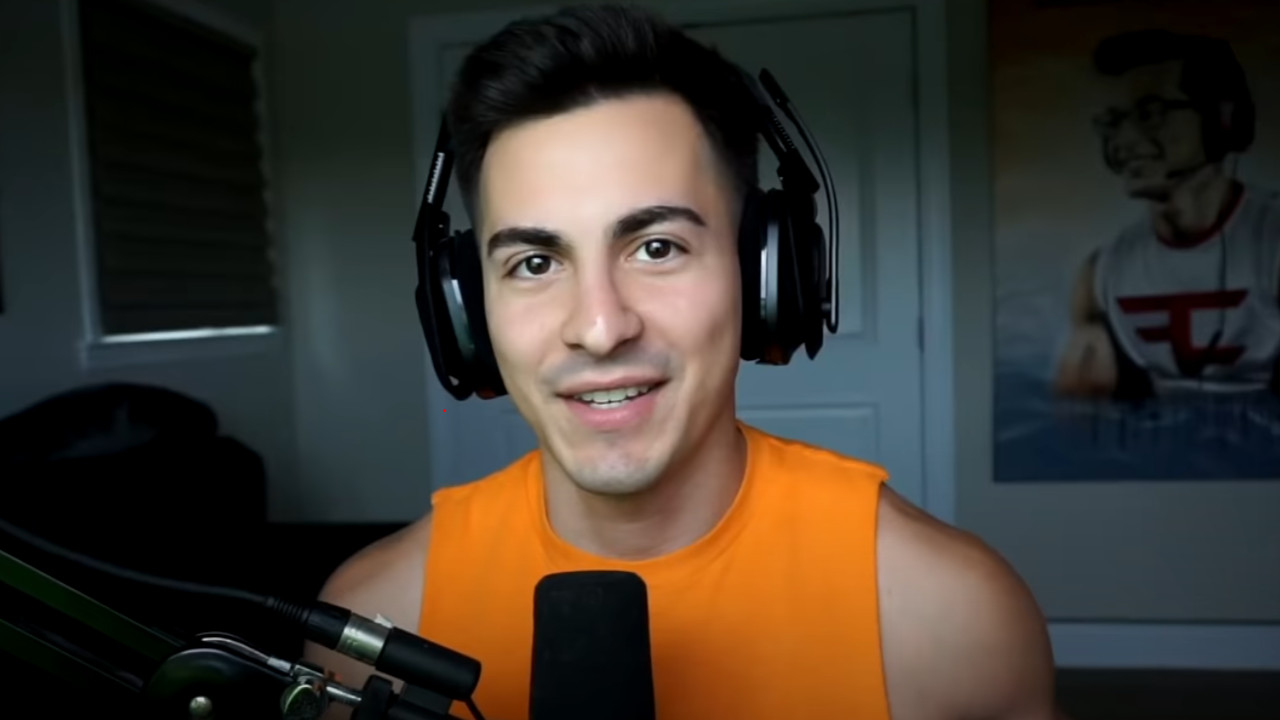
Which YouTuber is giving the tips? This is Destiny YouTuber “Fallout Plays”. Fallout is known for his very informative videos on weapon tests and guides surrounding the loot shooter. He enjoys discussing damage numbers and changes regarding the meta in PvE and PvP and likes to inform the community about gems they might have overlooked.
On Tuesday, October 18, patch 6.2.5 rolls out to the servers and it brings some weapon changes that will make some guns shine again. Among them, Fallout (via. YouTube) suggests that you should definitely check these out after the patch. They are the following weapons:
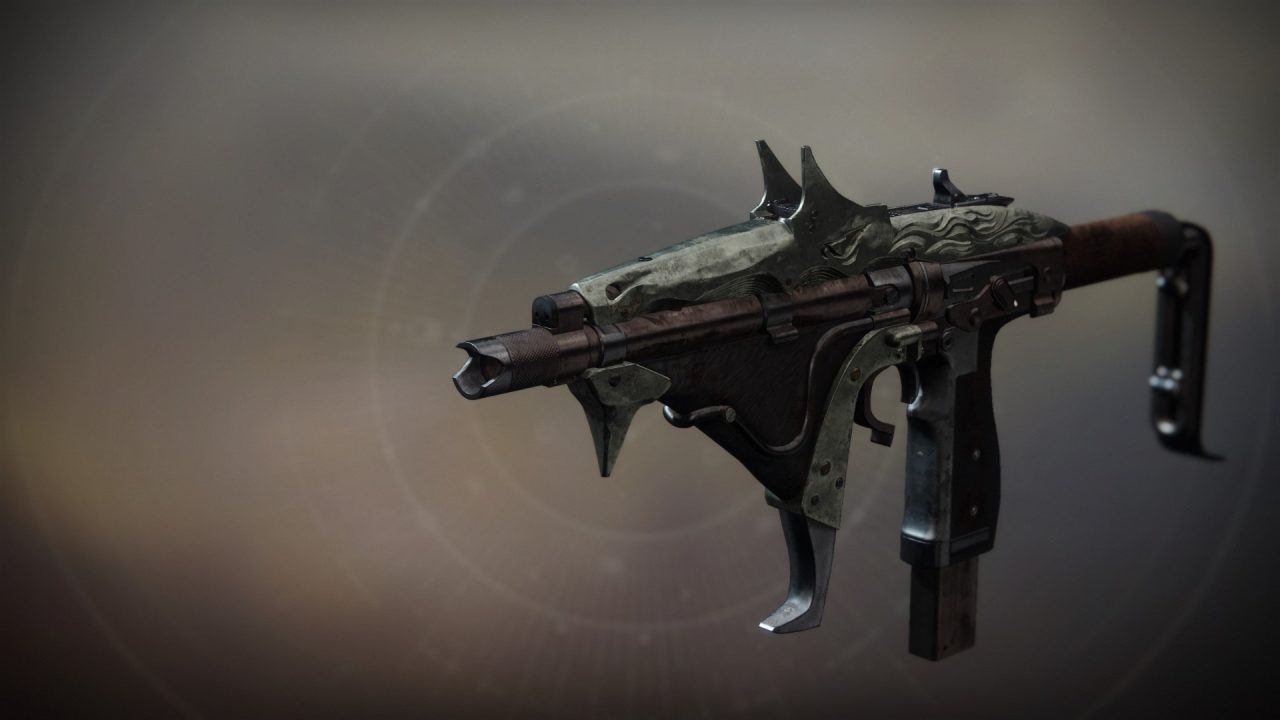
Tarrabah – An exotic SMG from the “Crown of Sorrow” raid
We explain in the following section why you should definitely take a closer look at these weapons after the patch.
1. Tarrabah
Tarrabah
Why will the weapon be strong? According to Bungie and their latest TWaB, some dominant SMGs are getting adjusted. Among them is the popular Shayura’s Wrath, which resembled a rapid-firing and deadly auto rifle in PvP.
The development team decided to reduce the zoom of the precision-frame SMGs Shayura’s Wrath and Revenant from 16 to 15.
These changes now propel Tarrabah into a strong position, as it will still be one of the last SMGs offering a 16 zoom in its stats. The second and last one is Escape Velocity. All other specimens have been sunset, meaning they are no longer relevant.
This makes the exotic especially a top choice in PvP if you want to fight at longer distances.
Why is zoom so important? In Destiny 2, there is a value called zoom. This value is important for SMGs, as it allows you to determine your effective range in combat. The higher this value, the further you can shoot without damage falloff.
2. Pain of Merrain
Pain of Merrain
Why will the weapon be strong? Pain of Merrain is also set to be a killer with update 6.2.5. According to Bungie, pulse rifles with adaptive frames will receive a better crit multiplier. This will be raised from 1.60 to 1.65. This allows you to send opponents below level 4 resilience into oblivion with two headshot salvos.
If you combine this with Adrenaline Junkie or Frenzy, you can eliminate any opponent, regardless of resilience level, with two headshot salvos. Fallout therefore recommends forging a Pain of Merrain in the enclave and equipping it with enhanced perks. This way, your damage buff from Adrenaline Junkie and Frenzy lasts up to 5 seconds.
3. Drang (Baroque)
The Drang (Baroque)
Why will the weapon be strong? Drang was already considered a strong weapon before patch 6.2.5 that players could carry in their arsenal.
Now with the new changes, especially console players will have fun with the weapon. Pistols unfortunately often proved to be a poor choice due to their effective range, as the auto-aim of your bullets did not function as it should.
In short, Bungie adjusted the problem after update 6.2.5 and ensured that your bullets from your pistol now hit targets better at longer distances.
Due to the high zoom of the pistol “Drang”, which has one of the highest ranges in its class within the game, this pistol now makes a very good choice in your loadout.
These were all the weapon recommendations you should keep an eye on. What do you think about Bungie influencing the weapon meta again and some weapons regaining dominance? Please let us know in the comments!
If you are still looking for an overview of which weapons are currently up to date in PvP, you can find that in this MeinMMO article:
In FIFA 23 there is currently an Icon SBC that can bring you an icon for your team. But is it worth completing? We’re looking at all possible icons.
What is this Icon SBC? The SBC is called “Max.-86-Icon-Upgrade” and is available in Ultimate Team for another two days.
Here you can get a base icon with a maximum overall rating of 86. To do this, you need to fulfill the following tasks:
Submit a team with an overall rating of 84
Submit a team with an overall rating of 86 and a TOTW player
Since you don’t have to consider any chemistry conditions, the SBC is at least easy to complete from a construction aspect. You just need high-rated players – but they can be expensive. If you need coins for that, you can get them through trading in FIFA 23.
How much does the Icon SBC cost? Looking on the portal futbin, the SBC is estimated to have a total price of about 140,000 coins (as of October 18, 1:00 PM).
This only applies if you need to buy all players new. If you already have SBC fodder in your club, the challenge can be cheaper.
But is the SBC even worth it? We list all available icons with current prices.
All icons you can get from the “Max.-86-Icon-Upgrade” SBC in FIFA 23
What is this list? Here you can find all icons sorted by price (via futbin) (as of 10/18/2022, 2:00 PM). Keep in mind that the transfer market in FIFA 23 is dynamic and subject to constant changes – prices may vary. However, the list provides a way to gauge whether the SBC is right for you.
All icons from the SBC with market price
These are the risks: You should consider several points to decide whether the SBC is worth it for you.
The icon is untradeable – you cannot sell it. It won’t earn you any coins on the transfer market.
The chance of pulling one of the weaker icons is there. In the worst case, you pull an icon that doesn’t help you.
Icons are not as useful in the new chemistry system. Some are difficult to incorporate.
If you already have many high-rated players in your club that you want to get rid of anyway, the SBC might be worth it.
Is the SBC worth it? Since it’s entirely random which icon you get, it’s hard to judge.
If you get a card like Gullit, Vieira, or Carlos, the SBC is great. But if you pull more like Laudrup, Vieri, or Schmeichel, you might end up disappointed. Absolutely top icons above 86 are definitely missing.
One thing is clear: If you’re currently trying to improve your team, you should not rely on the Icon SBC. It’s better to invest your coins in players from the transfer market, where you know what you’re getting.
Try to only participate in the Icon SBC if your team is currently solid and you can reduce the cost of the SBC with players from your club. The chance of getting one of the top icons from the list is low – and the icons from the challenge cannot be sold on the market.
The vampire-MMORPG Shadow’s Kiss can finally be played by everyone in December, just not on Steam. At least not in Germany, as the game, focusing on BDSM and Gore, is not available on Steam here. We at MeinMMO summarize.
What kind of game is this? Shadow’s Kiss is said to be an MMORPG for adults, and this is reflected throughout the game. There are strong depictions of violence, as well as playable sex between the different creatures in the game.
However, the MMO mechanics are not neglected, as in the classless character system you can continue to specialize and improve in one direction. In line with the setting, you can enhance your art of seduction, but melee combat and necromancy are also part of your talents.
Aside from levels and attributes, progress in Shadow’s Kiss mainly occurs through finding better items. So there is a bit of grind in the MMORPG. While the developers say that the game can also be played well solo, most areas offer group content as well.
What features does it offer? The MMORPG is said to offer much more than just blood and sex for adults. You can look forward to the following features:
A large character editor where you can define not only your appearance but also your story and sexuality.
No holy trinity between healer, tank, and DPS. Instead, a classless character system in which you can further specialize.
The ability to further develop and specialize your vampire. Here you can become, among other things, a necromancer or a lustful succubus.
When can you play Shadow’s Kiss? So far, there have only been individual beta dates that you could participate in with luck, or not. But in December, the game is finally supposed to open and start a permanent beta. However, a specific date for this is not yet set.
There, all supporters of the title on Patreon and Kickstarter, and those who purchase access directly on the game’s website, can participate. The developers announced this via Facebook (via Facebook).
Steam yes, but not in Germany: Although the early access is still supposed to run on Steam, the product page for Shadow’s Kiss is no longer available in Germany. There is no exact explanation for this, but it is likely that the game contains explicit and sexual, uncensored content.
Since the end of 2020, Steam has been blocking such adult games for German users. This is likely a consequence of a complaint from the media authority Hamburg/Schleswig-Holstein. The problem is likely not the games themselves, but the screenshots on the game store pages, as reported by our colleagues at GameStar.
Whether this is the exact reason for the ban of Shadow’s Kiss in Germany, we cannot say, but it is conceivable. Also, since when the game has not been available on German Steam is unclear. Following our theory, it should have been the case since May, when the screenshots on the Steam page were changed (via SteamDB).
If you want to join, you can still do so via Patreon, Kickstarter, and the website itself, as the MMORPG works through its own launcher.
What do the players say? Many people are a bit put off by the graphical quality of Shadow’s Kiss. For a game in 2022, the visualization and the animations seem very outdated and not as smooth as they expected.
Furthermore, some users are skeptical about the funding of the game. Originally, Shadow’s Kiss started on Kickstarter and reached its goal there within just 36 hours, but also set an extremely low budget target of $25,000 for an MMORPG.
Other fans are convinced that the game does not need particularly strong graphics to be good. The approach of Shadow’s Kiss seems to appeal to enough people to quickly fill a Kickstarter goal, say the fans (via reddit).
What do you think? Will you give Shadow’s Kiss a chance? What do you think about the fact that the title does not appear on Steam for us? Feel free to let us know in the comments here on MeinMMO.
Kaitlyn Siragusa (28) is one of the most successful personalities on Twitch as Amouranth. On Sunday, October 16, she revealed that she is married – while also making serious allegations against her husband. After that, nothing was heard from her. Many viewers were concerned about the influencer after her stream. Now there is a sign of life from Amouranth.
Content Warning: This article discusses the issue of domestic violence. If you or someone you know is affected, you can reach the helpline “Violence Against Women” at 08000 116 016. The helpline “Violence Against Men” can be reached at 0800 1239900. The general telephone counseling service can be found here.
What was going on with Amouranth? On the morning of October 16, 2022, German time, there were several revelations in a livestream from Amouranth:
As indicated by Amouranth, she is stuck in a toxic marriage. The streamer explained that her husband controls and blackmails her. He threatened to kill her dogs, waste her money, and also forced her to stream excessively.
After the revelations, nothing was heard from Amouranth. Concerned colleagues and fans inquired about her safety, and the streamer Natalia “Alinity” Mogollon even involved the police.
On October 17, there was a first sign of life from Amouranth. She started a stream on Twitch but ended it immediately before she could say anything. Only a message appeared on her screen: “The police are here, I will get back to you later.”
A member of her team, her content lead “Marz”, posted an update via Twitter: The police had been to Amouranth multiple times but could not take action as long as she said she was okay.
However, the team was able to communicate with Amouranth, according to Marz.
On the morning of October 18, German time, the long-awaited update came from Amouranth herself.
Prime Gaming was a real game changer for content creators like Amouranth.
Start video
Prime Gaming, the secret behind Twitch’s success
Amouranth Takes Control of Her Life Back
How is she doing now? Amouranth seemed still quite shaken by the events. She stated that she can’t decide between having a drink and water. Still, she remained optimistic:
I look forward to the future with a positive outlook. I am glad to be free. I am relieved that the dogs are doing well. […] As long as the animals are okay, I am fine.
Amouranth
You can watch the full Twitch stream on Amouranth’s channel, journalist Jake Lucky has published some important excerpts:
Recommended editorial content
At this point you will find external content from Twitter that complements the article.
I consent to external content being displayed to me. Personal data can be transmitted to third party platforms.
Read more about our privacy policy.
Streamer Looks Forward to Streaming with Animals, Wearing More Clothes Again
What’s next? Amouranth stated that her partner is not at home, he is seeking help. Due to the recordings, her husband has become aware of his misconduct for the first time, according to the streamer.
Amouranth mentioned that she also wants to seek legal and emotional support. Additionally, she has regained access to her finances and her accounts. Furthermore, Amouranth thanked everyone who reached out to her for support, saying she truly appreciates it.
When she will return to her normal streaming schedule, Amouranth could not yet say. She wants to take it slowly at first and give herself time to process everything. However, the streamer has already announced some changes:
In the future, she plans to stream much more with her animals, and she is also looking forward to wearing more clothes in her streams again. Amouranth hopes that people will still watch her, even if she doesn’t present herself as revealing anymore.
It was really that bad: Amouranth hinted at the extent of the control her husband had over her. Among the freedoms she can now enjoy again are watching television, wearing clothes without cleavage, and sleeping 8 hours a night – previously, she was only allowed 3-5 hours (via Twitter).
Moreover, she can finally create the kind of content she wants, without being yelled at. Meeting with friends or participating in events is possible again, as she no longer has to stay at home and earn even more money.
It seems that Amouranth is seeking to separate from her husband. She no longer wants to date, but instead wants to fully devote herself to her animals.
Recommended editorial content
At this point you will find external content from Twitch that complements the article.
I consent to external content being displayed to me. Personal data can be transmitted to third party platforms.
Read more about our privacy policy.
What is Amouranth accusing him of? While Amouranth thanked her friends and viewers for their support, one did not come off well: her content lead and cameraman Marz.
He had known her longer than all her other employees. He was also said to have known about her situation for a long time. She finds it odd that he now accuses others of being “enablers”.
Amouranth hinted at further misconduct from the content lead: His behavior is not okay, especially in light of what happened at TwitchCon. He escalated the situation against her will and sent people to her home – meanwhile, she had always been concerned about protecting her privacy.
In the Twitter biography of Marz, it now states “(Ex) Content Lead of Amouranth”. We will keep you updated if there is further information.
We have reported on the Twitch stream that brought the revelations to light and dominated discussions on social media in recent days on MeinMMO:
As electricity prices have risen dramatically recently, some gamers might be wondering whether they should spend less time on their favorite hobby to save money. Therefore, this article will answer how much power the two consoles of the “Xbox Series” range consume and what they typically cost you.
Due to the energy crisis, electricity prices are still rising sharply. Does this mean that passionate gamers need to reduce their screen time? To answer this question, we will calculate the power consumption of the Xbox Series X and S in this article.
A similar article was recently published about the power consumption of the PS5 and PS4 Pro. You can read it here:
In a recent survey by MeinMMO, about 50% of our readers stated that they play for about 20 hours a week. Therefore, we will use this number as a benchmark for the following calculation.
This is the power consumption of the Xbox Series X and S
How much power does your console consume? Clearly, the hardware of the Xbox Series X and S enables significantly better performance than older Microsoft consoles. Unfortunately, due to the increased power, they also have a quite considerable energy consumption.
At least the manufacturer managed to make their new consoles significantly more energy-efficient than they were with the Xbox One, for example.
However, how much power your Xbox Series X or Series S consumes greatly depends on what you are doing with the console.
Status
Ø Series X
Ø Series S
Off
0.3-2 watts
0.3-1.5 watts
Idle
6-10 watts
6-10 watts
Menu
40-50 watts
29 watts
Stream
50-70 watts
40 watts
Game
max 200 watts
max 88 watts
Direct comparison of power consumption between the XSX and the XSS during different activities.
Interestingly, the consoles also consume a little power even when they are turned off but still plugged in. For the Series X, the values here are between 0.3 and up to 2 watts. For the smaller model, the consumption in the off state is slightly lower and is between 0.3 – 1.5 watts.
In standby mode, the new Xboxes consume an average of about 6 watts. However, if you have activated the console’s quick start feature, the consumption can jump up to 10 watts. Thus, the power consumption in standby is higher than that of the PS5.
If you are in the menu of the Series X, you consume about 40 to 50 watts, and during streaming, the consumption is between 50 and 70 watts. Here too, the values for the Series S are lower due to the weaker hardware: about 29 watts on the dashboard; an average of 40 watts while streaming.
However, the console has the highest power consumption for what it is mainly used: gaming. Depending on which game you play, the consumption varies.
For graphically demanding and newer games, the peak values for the XSX are around 200 watts, which is slightly lower than that of the PS5. The maximum power requirement during gaming on the Series S is significantly lower: here, a maximum of around 88 watts is reached.
In principle: the higher the resolution of a game, the higher the energy consumption. So if you want to save on electricity, you should play your games in performance mode rather than 4k mode.
Additionally, you should definitely always turn off the console or at least put it in standby mode when you are not using it actively.
Electricity Cost Calculation: Xbox Series X and Series S
How expensive is electricity currently? In principle, this depends on several factors, such as your location and provider. According to the comparison portal Verifox, the current electricity price is on average about 54 cents per kilowatt-hour. This is higher than ever before in Germany (via verifox.de).
Year
Electricity price per kWh
2022
39.92 ct/kWh
2021
30.73 ct/kWh
2020
29.36 ct/kWh
2019
29.51 ct/kWh
2018
27.82 ct/kWh
The electricity prices of the last five years on average (Source: Verivox).
So if we assume a “worst-case scenario” and take the maximum measured consumption of a “next-gen” title of 200 watts or 88 watts and calculate it with our readers’ average gaming time of 20 hours a week, this results in a power consumption of:
Console
Time
kWh
€
Series X
Day
0.57
0.31
Week
3.99
2.15
Month
15.96
8.62
Year
207.48
112.04
Series S
Day
0.25
0.14
Week
1.76
0.95
Month
7.02
3.79
Year
91.29
49.30
The electricity costs of the Xbox Series X and Series X.
Compared to the PS5, both consoles of the “Xbox Series” range are currently well available. The Xbox Series S is even currently 12% off on Amazon:
Oops, unfortunately this affiliate widget is no longer available.
Oops, unfortunately this affiliate widget is no longer available.
Conclusion
The good news first: Playing with your Xbox console will not drive you into financial ruin in the future. However, it is also quite clear how much the hardware built into the console influences power consumption.
If you want to save money in double measure, you should get an Xbox Series S. But even the Xbox Series X has marginally lower power costs than, for example, the PS5, where you can expect values from our calculation of about 117 € in the year.
Links marked with a shopping cart are called affiliate links. When purchasing through these links, we receive a small commission depending on the provider – without affecting the price.More info.
This is an AI-powered translation. Some inaccuracies might exist.
Steven Sharif, the founder and head of Ashes of Creation, shared many new details about his MMORPG in an Ask me anything. We at MeinMMO summarize the most important points for you if you don’t want to watch the full 63 minutes.
What major innovations did Sharif share?
The classes in Ashes of Creation consist of two different archetypes. Overall, there are 8 archetypes and thus 64 class combinations. Each archetype is expected to have around 35 to 40 skills. However, the number of skill points will prevent you from unlocking all skills at once.
Healing is said to be very skill-based and you will need to aim with your abilities. This sounds a bit like the system from Wildstar back in the day.
Professions will be divided into three types – Gathering, Processing, and Crafting. This strongly resembles New World.
Questing and grinding are said to be the best methods to level up a character. However, there will also be XP for PvP and Crafting.
What does he say about future tests? Alpha 2 is supposed to start when the core mechanics of Alpha 1 have been expanded and new content for Alpha 2 has been created. Core mechanics include character progression, skill trees, server technologies, leveling the nodes, and a combat log.
Based on this, new content can be developed, such as new quests, the missing classes, and the naval system. Development is currently focused on these contents as well as on bugs and issues that should not be present in a public version.
However, Sharif did not reveal when the next Alpha will start. You can watch the complete video here:
Recommended editorial content
At this point you will find external content from YouTube that complements the article.
I consent to external content being displayed to me. Personal data can be transmitted to third party platforms.
Read more about our privacy policy.
Ashes of Creation is far beyond the planned release – and gets criticism for it
What else did Sharif talk about? The AMA also covered topics such as the differences between staves and spellbooks, the field of vision at sea, possible server mergers after release, and the display of names in the game. However, these questions were either very specific or were only vaguely answered.
How is the development of Ashes progressing? Rather sluggish. Although there are regular updates from Steven Sharif and his team, including a monthly livestream, they are far behind the original schedule.
Ashes of Creation was originally supposed to be released in 2019, but by the end of 2022, it couldn’t even manage to have a permanent Alpha active. Nevertheless, Ashes of Creation is considered a major Western MMORPG hope – especially due to Sharif’s visions.
If you want to learn more about the content and the development of the game, we have summarized everything important for you here on MeinMMO:
The RTX 4090 from Nvidia is currently the fastest graphics card. It is so powerful that you can even crack passwords with it. An expert shows how and uses not just one, but almost a dozen of them.
After the presentation of the RTX 4080 and RTX 4090, there are now also the first independent tests of the RTX 4090. And they show how fast this new GPU from Nvidia is. At the current time (10/18/22), you cannot get a graphics card with more performance.
An expert has now shown another way to use the performance of the RTX 4090. He has tested with a handful of graphics cards how quickly passwords can be cracked. And the result is impressive.
The well-known password cracking tool Hashcat in version 6.2.6 was used. This allows targeted attacks on hashes. The program is mainly used by security researchers, and Sam Crole was one of the developers behind this tool.
In the test, 8 “GeForce RTX 4090” graphics cards were able to crack a hashed password in 48 minutes, which is quite impressive. The RTX 4090 is therefore twice as fast as the RTX 3090, which until now was said to be the leader.
Theoretically, anyone who has enough money for an RTX 4090 could crack fairly secure access codes in a few days. However, many users spend little time on their passwords or use very simple codes. Here, an RTX 4090 would likely be even faster.
However, there is a disadvantage for the “hacker”: The user needs access to the hashed password.
Tips for strong passwords: Are you looking for tips and tricks for passwords and want to know how to better protect your data or access? Then take a look at our tips. Here we explain how you can make your access codes stronger and more secure:
Have the well-known gaming steering wheels been too expensive for you so far? With the T128 from Thrustmaster, a new device has hit the market, enticing with a competitive price. We show you here what this device can do.
What was presented? The new T128 Force Feedback racing wheel from Thrustmaster has been unveiled. It was specifically designed for entry into the world of racing simulators.
In the overview, we show you the details of the technology used, first press photos, and how this device differs from other competitors.
T128 – Images, Price, Availability, Features
How much does the T128 cost? The gaming steering wheel is available in an Xbox version and also in a PlayStation version. Both models are compatible with PC.
Xbox/PC version at a suggested retail price of €199.99 from October 17 in Europe
Compatible with PC, Xbox Series X|S, and Xbox One
PlayStation/PC version at a suggested retail price of €199.99 from October 27 in Europe (pre-orders available from October 17)
Compatible with PC, PS5, and PS4
Images: The following gallery gives you an insight into the steering wheel-pedal combo, the Thrustmaster T128.
Xbox:
PlayStation:
What technology is inside? The T128 is like the little brother of the T248 steering wheel. This is evident in the fact that a similar technology is used. The new model also utilizes hybrid drive technology: it combines a belt and gear mechanism. The force feedback is said to be 20% stronger than in the previous T150 and TMX steering wheels from Thrustmaster.
The force feedback is expected to be even more realistic, providing a more intense perception of bumps, impacts, and loss of control while driving
A four-color LED display on the steering wheel symbolizes the RPM and blinks when you should shift
Magnetic shift paddles that are quieter than those of the T248
Magnetic pedals for precise braking and accelerating
You can already find the new T128 on Amazon:
Oops, unfortunately this affiliate widget is no longer available.
This is included: If you purchase the Xbox/PC version of the T128, you will also receive one month free of the Xbox Game Pass Ultimate. This includes racing games like Dirt 5, Forza Horizon 4 and 5, Grid Legends, and Wreckfest, which provide a lot of fun with a steering wheel.
With a price of €200, it targets beginners in racing simulators. Especially if you’re unsure whether racing sims are right for you, a lower price can be important. The popular Logitech G29 is available for about €240, the Logitech G923 for about €275, and the Thrustmaster T248 for about €295 (as of October 18, 11:55 AM).
In Fortnite the servers will be down today, on October 18th, across all platforms (PC, Mac, PS5, Xbox Series X|S, Xbox One, Switch, Android). The maintenance work will be used to upload the new update 22.20 to the servers. Preliminary patch notes for the update are available here.
What is happening today in Fortnite? This time a patch is expected. For this, the servers will be taken offline for maintenance and the new patch 22.20.
This patch finally brings the long-awaited “Fortnitemares”, the Halloween update to Fortnite. So if you have been waiting for the spooky things of the colorful battle royale, now is the time.
Update 12:00 PM: The update can be downloaded on all platforms and is 3.725 GB on the PS5. The servers are also up and you can log in now. We have listed all the patch notes for you.
Patch Notes for Patch 22.20 on October 18
Fortnitemares has started: Like every year, a Halloween event starts in Fortnite. This time, Fortnitemares 2022 is also starting and you can test free items, monsters, and many spooky and new modes until November 2.
Here is the trailer for the launched event in Fortnite:
Start video
Fortnite shows the Fortnitemares 2022 in the trailer – Features a new crossover with Rick and Morty
New weapon: In Fortnite, you will be able to find a new weapon called the “Howler Claws”. This melee weapon has many cool effects that you can use in combat.
By howling with the claws, you can spot enemies in the vicinity and even see through walls. In combat, you can then execute a four-claw combo that makes you a deadly beast.
To acquire the weapon, you must perform a ritual at an altar of your choice on the map. These altars are scattered all over the map.
The claws in action
Additionally, you will also find candies on the ground and the famous pumpkin rocket launcher during your matches.
New Horde mode without building: In Fortnite, you will have the opportunity to participate in a new mode called the Zero Build Horde mode. This mode lets you fight against many monsters, earn points, and have fun with friends. If you complete the quests for this mode, you will receive a secret reward.
Free items in Fortnitemares: You also get the chance to earn cool free items again. These include a chrome glider, a pickaxe, and a back bling.
You have until November 1st to earn these items before Fortnite takes the opportunity away from you. So don’t miss your quests.
These items you can earn for free
New skins: And with every new update, there are also new skins that players can purchase in the shop. The following examples were recorded by Shiina in his video.
Recommended editorial content
At this point you will find external content from YouTube that complements the article.
I consent to external content being displayed to me. Personal data can be transmitted to third party platforms.
Read more about our privacy policy.
With the exception of map changes, the Fortnitemares changes are not included in competitive playlists.
Bug fixes:
Revive cards no longer sink if the player was eliminated in water.
Players can once again track the progress of their EvoChrome weapon upgrades in competitive playlists.
Moving the right stick on the controller will no longer unintentionally navigate through menus.
A problem on mobile devices was fixed where water appeared to be floating above the ground.
Fortnite: Server Down – When and how long is it offline?
This is the downtime in the morning: The servers are expected to be shut down by Epic Games at 10:00 AM German time to install update 22.20. Matchmaking will be disabled 30 minutes prior, so you won’t be able to search for new matches from 9:30 AM.
Recommended editorial content
At this point you will find external content from Twitter that complements the article.
I consent to external content being displayed to me. Personal data can be transmitted to third party platforms.
Read more about our privacy policy.
When can you play again? The servers are usually offline for several hours during such maintenance work, and playing is then not possible. Downtime is expected to last between 30 minutes and 2 hours. This has been shown by the updates from previous weeks.
During such maintenance, there can also always be technical problems, bugs, and delays. If such complications occur, we will report on it here immediately.
When will the patch notes come? Epic Games usually releases a short list of patch notes on their site after the update. If that happens, we will list them here briefly and clearly.
What new content does update 22.20 bring?
What’s new for the Battle Royale mode? We still don’t know anything concrete yet, but leakers have often proven to be reliable sources with their predictions. According to Hypex, you can expect:
Fortnitemares 2022 with free items
Pumpkin Shockwave Cannon
POI changes
Halloween boss and mythic weapons
Diagonal movement on PC
Zero Build Horde Rush release/info
What do you think about today’s update? Are you excited about what Epic Games is bringing to the game with Fortnitemares? Feel free to share your opinion in the comments!
In the meantime, there is a crazy weapon in Fortnite that could be nerfed soon:
A Twitch streamer averaging 45 viewers is likely the worst player you can have on your team in League of Legends. The streamer has resolved to ruin every LoL match he is assigned to.
The streamer aims to die as often as possible in a match, driving his teammates crazy in the process. While doing this, he wears a mask on Twitch and dances quite absurdly.
If teammates explain to him how terrible he is, he links his Twitch account in the chat.
Start video
A spectacular video about League of Legends has now 138 million views – Shows how huge LoL is
What does the player do that drives people insane? The streamer plays things like “Disco Nunu”: that’s what it’s called when you play the hero Nunu but do absolutely nothing with him, just standing in the mid lane and dancing.
When he pretends to play seriously, he takes completely irresponsible risks, claiming “I’m soloing the tower now,” only to get taken down in two hits.
To support his goal of feeding as often as possible with gameplay decisions, he uses abilities like Ghost and Teleport. This way, he gets to the enemies faster, who kill him.
Recommended editorial content
At this point you will find external content from Twitch that complements the article.
I consent to external content being displayed to me. Personal data can be transmitted to third party platforms.
Read more about our privacy policy.
Apparently, the streamer has set out to ruin his teammates’ ranked matches in LoL: When he plays like this, his own team lacks a player, effectively playing 4v5, and the opponent becomes stronger, as every death gives the opposing team experience points and gold.
The streamer shows proof of his audacity in a tweet that on October 2nd, he set the rank 1 for most deaths in a game with Rammus – having 200 deaths (via twitter).
However, this is still far from the insane record set by another Nunu:
Has he succeeded with this? The streamer is not really successful with his tactics on Twitch: he averaged 45 viewers over the last 365 days. Even when he became popular for a short time through a reddit thread, the viewer numbers only rose briefly – his style of play apparently offers not much entertainment value.
Player allegedly wants to provoke a permanent IP ban
What happens to him? As reported by Dotesports , the player has now been permanently banned by Riot with 708 different accounts. The toxic behavior known as “griefing” is penalized in LoL by an automated ban system.
But this seems to not bother him, as people on reddit say, he simply buys new accounts for little money to jump back into ranked immediately.
It is said that he wants to demonstrate a flaw in League of Legends’ ban system, which apparently consists of the fact that he cannot truly be banned from the game, but only his current account. Dotesports states that he wants Riot to permanently ban his IP.
Players demand Twitch ban for streamer
How is this being discussed? On reddit, people do not find his behavior funny at all. They criticize Twitch, stating that such behavior should also be punished with a permanent ban from the streaming platform. They cannot understand how someone like this could become an affiliate at Twitch.
Users on reddit also ask what drives someone to carry out this hollow behavior, giving some ugly speculations about the mental state of the streamer.
Doug “Censor” Martin was a successful professional player in the Call of Duty: League. After his playing career, he is now focusing on a career as a content creator and recently made headlines with an action. However, this has consequences: He claims to have been excluded from a major tournament in CoD: Warzone – due to harassment.
This is what has happened so far:
Nadia Amine streams as “Nadia” on Twitch and is the most successful female streamer of Call of Duty: Warzone. In terms of “Watch Time,” she currently ranks 2nd among all Warzone streamers (via sullygnome.com).
The streamer has been facing a modern-day witch hunt for some time. Other content creators accuse her of cheating, and many users on Twitter support the theory that she could be cheating. She says herself: ‘Accept that a woman is better’.
The former CoD pro Doug “Censor” Martin then announced a video to reveal the “truth about Nadia.” Many users thought it was about the cheating allegations against Nadia. However, the video featured, among other things, a marriage proposal to Nadia.
MeinMMO shows you how the story continues and what Censor says about the entire action. This all happens just before the release of the new Modern Warfare 2 and Warzone 2.0. We include a trailer for you here:
Start video
CoD Modern Warfare 2: Trailer shows multiplayer and Warzone 2.0 – New third-person perspective is included
Censor is disliked by many users, now also by CoD
What happened after the marriage proposal? The video about the “truth about Nadia” attracted a lot of attention around Censor.
Especially for users who agree with the hacking allegations against prominent Twitch streamers like Nadia, Censor became a sort of hero – the ex-pro who is cleaning up in the scene. After the video, the tide turned accordingly. In this part of the community, he attracted a lot of hate.
But even in other parts of the community, his action did not find much favor. Censor has always been seen as a poser. With the Nadia video including the marriage proposal, he may have gone too far and made it clear that it was only about clicks, about attention.
The people responsible at CoD publisher Activision seem to be taking it a step further. Censor stated on Twitter that he was not allowed to participate in a $100,000 tournament due to harassment. The tweet was deleted but saved:
Recommended editorial content
At this point you will find external content from Twitter that complements the article.
I consent to external content being displayed to me. Personal data can be transmitted to third party platforms.
Read more about our privacy policy.
Tweet translation: “Activision has excluded me from the $100,000 tournament on Fortune’s Keep because Nadia is playing too. They said I would ‘harass’ her. I found that a bit hysterical, to be honest.”
How does Censor explain himself? In a podcast, he explained the background of his action (via youtube.com). For him, it is all entertainment, as is for Nadia.
Censor says: “Nadia’s gimmick right now is that people want to see her get caught cheating. That makes her unique at the moment. Plus, she is pretty and really good at Call of Duty. When you combine all that, it makes sense that she is growing so much [as a streamer] right now.”
She is great and smart to profit from this situation. Censor saw it as an opportunity and wanted to use the attention around Nadia for himself.
I love the attention and the clout yes. But I delivered in what I said I was going to deliver, internet played themselves.
Censor: “She trolls the internet every day,” plays with the accusations and does not let herself be beaten. He finds that fantastic and wanted to join in a little. He had already explained before the “truth about Nadia” video that he could not expose Nadia, even if she was cheating.
The ex-pro says that the internet made it look like he was proving that Nadia cheats with his dangerous half-knowledge. For him, it was nothing more than a PR stunt, where people on the internet twisted the facts so that he looked like a liar.
He has always clearly communicated that he could only expose cheaters in ranked mode of CoD Vanguard – not in Warzone.
Censor says he knew all the time what he was doing and he doesn’t care what people say about him now. Nadia gained many Twitter followers from the action, and his channel has also grown. They depend on each other in the scene to grow.
Censor saw the opportunity to grow and seized it.
Leave your opinion on the topic. Do you find the ban justified? What do you think of Censor? Is he overdoing it with his craving for attention? Leave a comment.
Final Fantasy XIV releases Patch 6.25 today with its new content. How to unlock the new quests and dungeons can be found here.
This is the situation: Today, on October 18th, the new update 6.25 goes live in FFXIV. It brings a whole range of new content, which is why there will be a 4-hour long maintenance of the servers beforehand.
Meanwhile, the patch has already been deployed, and you can download it to start right after the maintenance ends.
How long does the maintenance last? The server maintenance ended as scheduled at 12:00 PM. The servers are online, but you can expect queues of about 500 players.
Start video
Final Fantasy: New trailer for update 6.2 shows the Animal Crossing island that so many have been waiting for
Return of Hildibrand
The meeting of the legendary smiths.
This is one of the prerequisite quests for the new “Relic Weapons,” which are called “Manderville Weapons” this time. Unlocking them is tied to the entire Hildibrand questline.
How to unlock the quest:
Name of the starting quest: Attack of the Außerætheric
Quest NPC: Nashu Mhakaracca
Location: Radz-at-Han (X:11.8 Y:11.2)
Requirements: A combat or mage job at level 90. Completion of the previous Hildibrand quests “A man who awakens desire with honor”
Manderville Weapons
This traditional type of weapons is unlocked through a quest and is upgraded and improved continuously over an expansion. By the end of the expansion, they thus become temporarily the strongest weapons in the game.
How to unlock the quest:
Name of the starting quest: Make a piece out of Manderville
Quest NPC: Servants of the Mandervilles
Location: Radz-at-Han (X: 11.8 / Y: 11.2)
Requirements: A combat or mage job at level 90. Completion of the previous Hildibrand quests “Copy of an Unreplicable”.
The Omikron Tribe
The new hub of the Omikron tribe.
The tribe features new dailies, of which you can complete 3 daily (6, if you manage to do the first batch before the reset today at 5 PM). For the Omikron, you complete the daily quests with your gathering classes. They provide a lot of EXP for your gatherers, in case they are not yet at level 90.
How to unlock the quest:
Name of the starting quest: The Seed of Peace
Quest NPC: Jammingway
Location: Ultima Thule (X:25.4 Y:26.3)
Requirements: A gatherer at level 80. Completion of the quest to the dungeon “Stigma Holometrics”.
Unstable Vault: The Undercity of Sil’dih
One of the enemies of the Undercity.
The new dungeon is designed for 1 to 4 players and offers variety compared to the usual dungeons in FFXIV. You access the content through the new “Vault visits” in your main menu, under game content.
How to unlock the quest:
Name of the starting quest: A Key to the Past
Quest NPC: Shallow Marsh
Location: Old Sharlayan (X:12.0 Y:13.3)
Item Level: 575
Requirements: A combat or mage job at level 90. Completion of the quest “Under Protective Wings”. Then speak with Osmon in Old Sharlayan (X:11.9 Y:13.3).
The dungeon seems to be a mix of the Deep Vault and contents like Bozja and Eureka. On one hand, there are no restrictions for group composition here. You can enter with 4 tanks or 3 healers and one DPS.
On the other hand, there are special commands that are exclusive to the dungeon. They are called “unstable commands” and have effects that are usually reserved for other jobs. These include healing and reviving teammates. You can set up two different sets with up to 5 commands.
The Curious Undercity of Sil’dih
The Curious Undercity is a harder version of the unstable vault. It is designed for 4 players, who must form a group consisting of 1 Tank, 1 Healer, and 2 DPS. Depending on the group composition and commands, players receive a bonus to their damage.
How to unlock the quest:
Quest NPC: Osmon
Location: Old Sharlayan (X:11.9 Y:13.3)
Item Level: 610
Requirements: A combat or mage job at level 90. Completion of the quest “A Key to the Past”.
Loot Exchange: Trisassant in Old Sharlayan (X:11.9 Y:13.3)
The revival in the content is limited. Each participant receives access to the command “Revive II,” which can only be used once and then can only be activated again after a certain time. All other revival effects are ineffective.
The Curious Undercity of Sil’dih (Epic)
Players looking for a special challenge can find it in the epic version of the Undercity. It can only be entered by an existing group of players, and here too the Tank-Healer-DPS rules apply.
How to unlock the quest:
Quest NPC: Osmon
Location: Old Sharlayan (X:11.9 Y:13.3)
Item Level: 610
Requirements: A combat or mage job at level 90. Completion of the Curious Undercity of Sil’dih.
Loot Exchange: Trisassant in Old Sharlayan (X:11.9 Y:13.3)
Basically, the same rules apply here as in the normal version, but with the difference that unstable commands cannot be used here. Also, death is punished more harshly here.
There is no revival
Dead characters cannot return to the start of the dungeon and stand up
In the case of a group wipe, the dungeon resets
If a character disconnects or loses connection during the content, it is also considered death.
If the group cannot complete the dungeon within a certain time, the enemies in it receive a boost. Their dealt damage increases significantly, and the damage received decreases.
New furniture from the design competition has been added.
A new emote has been added.
A new outfit has been added.
New mounts have been added.
New companions have been added.
New fashion accessories have been added.
The power of transcending in “Pandæmonium – Asphodelos (epic)” has been increased to 15%.
For players who are the target of the Paladin PvP command “Guardian,” the effect “If the target interacts with an object, the command has no effect” does not apply when they interact with an object they possess.
New crafting recipes have been added.
New gathering points have been added, and new items can be found at old gathering points.
New fishing spots have been added, and new fish can be caught at old fishing spots.
The name of the fishing spot Elegeia has been changed to Domicile of the Ea.
The fishing spots “Fount of Remorse” and “Domicile of the Ea” in Ultima Thule have been lowered from level 90 to 84. The yellowed Ophiotauros leather treasure map can no longer be found there.
New achievements and titles have been added.
The Adventurer Pass and portrait have been enhanced with new decorations.
If after a world transfer or data center journey the home world has not been visited for a long time, a recommendation to return to the home world will be shown.
New trophies have been added. (Only in the PlayStation®5 version)
New background music and sound effects have been added.
What do you think of the patch? Will you start right after the maintenance ends, or is it “Never play on Patch Day” for you? Let us know in the comments.
What does Shavka use the speed for? Basically, to show off a little playfully, to amaze roleplayers, and simply to get around the world faster. However, this set is also good for quickly farming dungeons or old raids to collect mounts, toys, or achievements. Because often, in the old content, the long running times are the problem, and any speed increase ensures that you can farm the content faster and thus more efficiently.
How fast can a character in World of Warcraft get? The answer: Very. Even epic mounts look old in comparison.
If you want to get around quickly in World of Warcraft, you buy a mount, preferably a fast one. However, many players might be surprised when the Reddit user “CASMTHD” runs past them in Azeroth.
Because even on foot, he is faster than others on a mount – and that continuously. He published a video showing his rogue Shavka – with insane speed.
What can be seen? The video shows only the rogue and her gear in the first few seconds, allowing everyone to get an impression of how these massive bonuses come about.
Shortly afterwards, Shavka starts moving with a speed that would likely catch the attention of many onlookers in Stormwind. He dashes through the city in a constant sprint, causing many to look around confusedly for the rogue.
Recommended editorial content
At this point you will find external content from YouTube that complements the article.
I consent to external content being displayed to me. Personal data can be transmitted to third party platforms.
Read more about our privacy policy.
Since she is in a capital city, Shavka can also permanently activate the Night Fae soul shape and use the soulbind bonus “Somnambulist.” The appearance of the soul shape is disabled using some toys, allowing the character to maintain her original appearance.
This allows Shavka to continuously race through the streets and alleys of Stormwind at an impressive 314% of her original movement speed.
By the way: Don’t let the “32%” in the character screen confuse you. There, World of Warcraft does not summarize all speed increases, but only those from the tertiary stat.
How is this possible? The rogue combines a large number of different effects for these insane speeds. This primarily includes the tertiary stat “Movement Speed” (“Speed”), but also other bonuses, such as still active Azerite bonuses from “Battle for Azeroth.” Together, Shavka achieves 207.45% movement speed – all from passive effects that work continuously.
If he adds more bonuses that have only a short duration, he briefly reaches up to 374% – just barely behind the speed of fast flying mounts.
What does Shavka use the speed for? Basically, to show off a little playfully, to amaze roleplayers, and simply to get around the world faster. However, this set is also good for quickly farming dungeons or old raids to collect mounts, toys, or achievements. Because often, in the old content, the long running times are the problem, and any speed increase ensures that you can farm the content faster and thus more efficiently.
Riot Games, the developer behind League of Legends and Valorant, has acquired the studio Wargaming Sydney. This studio was responsible for the technology and code behind games such as World of Tanks and World of Warships. Now, it will help Riot to release new MMOs and console versions faster.
Who exactly has Riot Games acquired? BigWorld was founded in 2002 in Sydney and was acquired by Wargaming for $45 million in 2012. It is one of the largest development studios in Australia.
They could all benefit from the experience of Wargaming Sydney.
What will change in the company? According to the official press release, not much. All developers are expected to be integrated into Riot’s team and continue to work in Sydney. Only the publishing team will remain with Wargaming to continue operating the games there. Wargaming also retains the rights to “Bigworld Technology” and continues to operate its games with it.
Head of Riot Sydney will be Molly Mason-Boule, who was employed at EA from 2004 until May 2022. Naresh Hirani, the Head of Development at Riot Sydney, commented on the acquisition:
We were really impressed by the alignment of the work culture we noticed in dealing with the people at Riot, and we can’t wait to bring our expertise in global development into the relevant teams. I’m sure I speak for the entire team when I say we are all very much looking forward to being a part of Riot and helping provide players with incredible experiences.
Additionally, the press release states that the studio in Australia will continue to expand and be supplemented with talented personnel.
Support in the technical department is something Riot Games could use in the view of some players. Recently, the well-known streamer Tyler1 expressed dissatisfaction with the LoL client:
Today, on October 18, the Spotlight Hour with Trevenant starts in Pokémon GO. We show you everything about the bonuses, Shiny Trevenant, and whether this event is worth it for you.
What kind of event is this? Every Tuesday, a Spotlight Hour starts in Pokémon GO. In the evening, the event runs for an hour and makes a selected Pokémon significantly more common in the wild. At the beginning of each month, the developers decide which Pokémon will be in the spotlight on Tuesdays.
Several bonuses are provided to enhance the event. Today, you will encounter Trevenant during the Spotlight Hour, and there is a bonus for double candy. We show you all the details here.
Spotlight Hour on October 18 – Start, Bonuses, Shiny
When does it start? The Spotlight Hour begins at the usual time of 6:00 PM. The event will end again at 7:00 PM.
What bonuses are there? During the event, you will encounter Trevenant nearly everywhere in the wild. If you light a lure, it will also attract the event Pokémon more frequently.
You will receive double the amount of candy for catching Pokémon. A good bonus if you are still on the way from level 41 to 50.
Is there a Shiny Trevenant? Yes, you can catch Shiny Trevenant in Pokémon GO. In the following graphic, we show you Shiny Trevenant and Shiny Trevenant in comparison.
Is the Spotlight Hour today worth it? Unfortunately, neither Trevenant nor its evolution Trevenant are interesting in trainer battles or raids. The two attackers cannot keep up with other ghost-type Pokémon. The event is especially worthwhile for collecting experience points.
Will you participate in the Spotlight Hour with Trevenant today, or do you not want to play the event this time? Share your thoughts in the comments here on MeinMMO.
This is an AI-powered translation. Some inaccuracies might exist.
If you have a Nintendo Switch and, like me, are not really satisfied with the included Joy-Cons, fortunately there are now many good and affordable alternatives. The previous favorite controller of MeinMMO editor Maximilian Dettenthaler now has a successor with the Split Pad Compact. In this review, you’ll find out if the device is worth it for you.
On one hand, I am a big fan of innovative gamepads and on the other hand, I play a lot with my Switch in handheld mode. However, since I find Nintendo’s standard Joy-Cons really uncomfortable over time, I absolutely needed another controller.
With the Split Pad Compact, it now officially has a successor since October 14, which the manufacturer promises will provide a Pro-Controller-like experience in handheld mode (via Hori).
To check if that’s really the case, I had to get a copy immediately, which I tested for you based on the following criteria:
6.3 cm (Length) x 10.4 cm (Height) x 4.2 cm (Width)
Weight
Left and right controller each approx. 70 g
Price
54.99 Euro (RRP)
Oops, unfortunately this affiliate widget is no longer available.
Appearance and Size
The Split Pad Compact comes with a recommended retail price of 54.99 € and in two designs – Apricot Red and Light Gray-Yellow, of which I tried the latter. In the future, there should also be more designs. For example, you can already pre-order a controller with a Gengar design on Amazon. According to Amazon, the version is supposed to be released on November 4, 2022.
The Split Pad Compact by Hori.
Aesthetically, I immediately notice that the Split Pad Compact has slimmed down significantly compared to its larger brother, the Split Pad Pro.
Since I have played with the predecessor for a long time, I personally find the Split Pad Compact a bit too small so far. However, this may also just be a matter of getting used to.
Fortunately, the grips of the controller are still larger than those of the standard Joy-Cons, which I really appreciate. Because after longer sessions, my hands occasionally hurt with the normal Switch controllers due to the cramped and uncomfortable position.
The gamepad is definitely suitable not only for children’s hands but also for adult hands.
Size comparison – Standard Joy-Cons (top), Split Pad Compact (middle), Split Pad Pro (bottom)
Build Quality and Ergonomics
Besides the appearance, I really like how high-quality the device feels – especially for the price. It is stable and well-made, as one would expect from other Hori controllers.
With the many rounded edges, the new Split Pad feels noticeably more ergonomic to me. This is an immense improvement compared to Nintendo’s Joy-Cons, which are completely straight and therefore not ergonomic at all.
The image shows how rounded and ergonomic the gamepad is compared to a standard Joy-Con.
While the top of the Split Pad Compact is smooth, the bottom is somewhat rougher for better grip. Therefore, the grips fit well in the hand and feel really comfortable and compact. So the controller lives up to its name.
The Split Pad Compact fits well in the hand. The rear trigger buttons are also easy to reach.
Functionality
Unlike the Joy-Cons included with the console, the Split Pad Compact has a real D-Pad on the left grip that feels fantastic.
The normal Joy-Cons are obviously multifunctional and designed to be attached to the included controller adapter to form a “real controller”. They can also be used in tabletop mode. In this mode, the Switch stands on a surface while the Joy-Cons are disconnected and can be held in the hands by one or more players.
However, since the Split Pad Compact does not have its own battery like the standard Joy-Cons, it draws power directly from the console itself. Nevertheless, I don’t notice a significant increase in my Switch’s power consumption.
This, however, also means that the Split Pad Compact is purely a handheld mode controller, with which you cannot play in docked or tabletop mode. Personally, this is not a problem for me, as I own a Switch Pro Controller for playing on the TV and do not use the Joy-Cons.
The buttons are not mostly made of rubber like the predecessor, but are all made of plastic. And especially with these, the Split Pad Compact stands out for me personally.
The buttons have a good height and a great resistance.
Because I have not played with any Joy-Con replacement for the Switch that felt as good as the buttons on the Split Pad Compact. From the important buttons on the right grip to the screenshot and home buttons to even the small plus and minus buttons – each individual button has perfect resistance and optimal height. To be honest, I even find them a good bit more comfortable than my previous favorite controller.
And also with the shoulder buttons, Hori has made significant progress. In the predecessor, the Split Pad Pro, they are somewhat larger, but in my opinion also a lot softer. The responsiveness of the shoulder triggers is therefore much better on the Split Pad Compact.
The shoulder buttons of the Split Pad Compact.
In my opinion, the biggest improvement is clearly the analog sticks of the Split Pad Compact. The textured rubber on the concave thumbsticks prevents slipping compared to the smooth surface of the predecessor and the regular Joy-Cons (which are convex, by the way).
Convex thumbsticks have a surface that curves upward. Concave thumbsticks are indented downward. This is designed to reduce slipping on these control sticks.
But not only that, both analog sticks of the Split Pad Compact feel very precise and have a significantly larger range of motion than the standard Joy-Cons of the Switch. By the way, I found the sticks on those to be far too stiff, while the ones on the Split Pad Pro were almost too soft. So full marks for the Split Pad Compact here as well.
In addition to all these features, the Split Pad Compact also has three additional buttons on both sides of the controller that are not available on the standard Joy-Cons.
For both grips, there is a button with a turbo function. This can be assigned to any button, as well as the D-Pad. This effectively tells the controller that you are pressing the selected button in a high-frequency tempo or even holding it down continuously. The frequency of this turbo can be individually adjusted to your needs on both grips.
Additionally, both grips have another trigger button at the back of the controller that can also be manually assigned to a button using the assign button on the front. Many Pro controllers on other consoles now have this feature, and I find it incredibly practical.
The buttons with which you program the additional functions of the Split Pad Compact, like the rear trigger.
Missing Features
Unfortunately, the Split Pad Compact is also missing a few features of the normal Joy-Cons. For example, it does not have gyrosensors and thus no motion control. Since this is not used in many games anyway, I find this generally acceptable.
However, I find the complete absence of vibration much more unfortunate. Especially from playing with the PS5, I am now used to HD rumble features and wouldn’t want to miss it – except for competitive shooters. I simply find that good vibration can make the gaming experience feel much more immersive.
You can read about the latest stirrers around the Switch topic in this article:
If you are looking for a good alternative to the normal Joy-Cons of the Switch for handheld mode, I can highly recommend the Split Pad Compact. With its good build quality, ergonomics, precision, and great additional features, Hori has really developed an outstanding gamepad that clearly puts the standard Joy-Cons in the shade for me personally. Purchasing the controller also makes sense from a financial perspective.
The only small downsides for me are the missing gyrosensors, the lack of vibration, and the size, which may not fit everyone. But even so, in my opinion, it is an almost perfect Joy-Con replacement that gives my previous favorite controller solid competition.
Pros
Build quality
Practical additional features
Good height and resistance of buttons
Precise, concave thumbsticks
Good ergonomic grip
Weight
Compatible with Nintendo Switch OLED
Good value for money
Cons
Missing gyrosensors and thus no motion control
No vibration
The size may not be suitable for everyone
More recommendations around the Nintendo Switch: Are you looking for more tips around the Nintendo Switch? Then take a look at the following article: Here we explain how you can significantly improve your console for around 15 euros:
Links marked with a shopping cart are called affiliate links. When you purchase via these links, we receive a small commission depending on the provider – without affecting the price.More info.
This is an AI-powered translation. Some inaccuracies might exist.
FIFA 23 offers you another way to get free packs: FGS Exchange / FGS Swaps. If you watch certain streaming events on Twitch or YouTube, you will earn FGS Tokens. These can be exchanged for packs. How it works is explained by MeinMMO.
What rewards are there? FIFA 23 offers, like its predecessor, “FGS Swaps“: You watch specific FIFA streams on Twitch and YouTube and receive FGS Tokens in return, which can be exchanged for packs in the game:
You must link your EA accounts with Twitch and/or YouTube and watch specific event streams. In return, you will receive tokens that you can use in FIFA 23 for special SBCs. These FGS SBCs can be repeated as often as you like.
All details on participation are shown here. If you want to pick up some tips on the power shot, check out the video:
Start video
FIFA 23: Use the power shot correctly – This is how you score epic goals
FIFA 23: FGS Exchange – Participation, Streams, Tokens
How can I participate? You need to link your FIFA/EA account with the streaming platforms. We will provide the German instructions for this:
What do I need to watch? Once you have linked your accounts, you need to search for specific channels on Twitch that have “drops available”. For this, select the “Browse” tab and then “Live Channels”. Filter by “FIFA” and check the icons under the streams.
You can ensure you’re in the right place by regularly checking the official Twitch channel of EA Sports FIFA: FIFA Channel via twitch.com.
Currently, there is no list of specific streamers who will definitely provide you with drops. Streams are expected to be part of the “EA SPORTS Cup”, where the best FIFA players compete against each other.
The days on which the streams will run can already be listed:
Twitch Dates FGS Tokens
October 17
October 24
October 31
November 7
November 14
November 21
November 28
December 5
January 16
January 18
January 21
More dates and the events on YouTube will be announced during the season. In total, there should be 25 FGS events, and thus theoretically 50 tokens could be earned. In practice, however, this number is hard to achieve.
What do I need to know about the tokens? To receive a token, you must watch the selected streams for at least an hour with a linked account.
You can collect one token per event on each platform – that is, 2 per event. However, you can only have one token of an event in your FUT clubs inventory at a time.
If you obtained the Twitch token from October 17, you must spend it before you can receive the YouTube token from October 17. You can then keep that. If you only get one token, you can save it until the end of the event (expected in January).
However, EA states that it can take up to 24 hours for the token to appear in your FIFA account. How well the “2 tokens per event” system works will have to be seen.