Cheap indie shooters are a great alternative to AAA shooters. These games offer great gameplay, interesting mechanics, and good stories at a low price. MeinMMO author Marko Jevtic recommends here the 10 best single-player shooters under €20 that you can play in 2022. Perhaps your new favorite game is even among them.
Especially at a time when the big AAA shooters often disappoint, one should try the best indie shooters. They not only provide great action that you may not find in expensive blockbuster games. They are also cheap, and most should run smoothly even on older hardware – but it’s better to double-check the system requirements of the games.
Update from January 22, 2022: This article was originally a Christmas article titled “The 10 best single-player shooters under €20 that you can play during the holidays.”
Thus, the games were presented in the context of gift ideas. Since the games can also be recommended regardless of that, this list has been adjusted and formulated to be ‘timeless’.
Therefore, I recommend here my 10 favorite shooters from the past years that you can play in single-player mode. All of these are also available for under €20 without any offer. These are not only personal favorites – they are also highly recommended on Steam.
About the author Marko Jevtic: Marko is not only an enthusiastic shooter lover. Since his earliest childhood, he has been playing everything he finds remotely interesting. He suspects that he has played over 1,000 games by now. The more mechanical depth and creativity a game offers, the more excited he is accordingly.
Privately, he is also a shooter expert beyond gaming. He is frequently in contact with legends of the shooter community, such as KovaaK (known for his popular aim trainer). Thus, he helps as a co-leader of several Discords normal players as well as streamers and esports professionals to find the right settings and devices for shooters. This resulted in an expertise for all the nuances of the shooter genre.
What you should consider: This list is not ranked – with one exception. Number 1 is actually my favorite game from the list. If I could only choose one game from the list, I would take that one. From number 2 onwards, the recommendations are thus listed in alphabetical order. The prices and Steam ratings were checked on December 22, 2021.
[toc]
1. ULTRAKILL – Sheer endless mechanical depth
Developer: Arsi “Hakita” Patala | Publisher: New Blood Interactive | Platform: PC | Release: 2020 (Currently in Early Access)
Steam rating: Extremely positive – 99% with currently about 16,000 ratings (via Steam)
Price: €16.79
Trailer:
Recommended editorial content
At this point you will find external content from YouTube that complements the article.
I consent to external content being displayed to me. Personal data can be transmitted to third party platforms.
Read more about our privacy policy.
ULTRAKILL is by far the best shooter I have played in recent years. And that, even though it is still in Early Access. The game’s website is DevilMayQuake, and that’s the best summary of ULTRAKILL: Like in Devil May Cry, you have to perform stylish combos in ULTRAKILL, but you do it from a first-person perspective.
This combo system at a high gameplay tempo offers virtually endless possibilities to unleash your creativity. You can parry enemy projectiles, dash and slide, use a grappling hook, perform double jumps and wall jumps, reflect bullets with a coin, stomp on enemies… and combine all of that skillfully and intelligently.
Many levels, infinitely deep mechanics, a great soundtrack, tons of replay value – despite the retro look, ULTRAKILL is one of the most modern shooters in recent years in terms of gameplay. The game already has more content in Early Access than some full-price games after all their DLCs. With every content update, the game becomes bigger and better.
I can’t stop raving about it. But that’s not just for me: Looking at user ratings, ULTRAKILL, with a 99% positive rating, is one of the best games on Steam (via Twitter).
2. Black Mesa – The legendary Half-Life gleams anew
Black Mesa is a fan remake of the legendary shooter Half-Life. It is so good that even Valve developers see it as the best version of the classic (via PCGamer). Whether you want to reminisce or experience the shooter icon Half-Life for the first time – Black Mesa is a fantastic game in any case.
Because the gameplay of Half-Life is just as much fun today as it was in 1999, Black Mesa plays excellently. The completely revamped graphics are the most notable improvement in this project. Connoisseurs of the original will especially appreciate the significantly improved Xen levels.
3. BPM: Bullets Per Minute – Shooter action as a rhythm game
Developer: Awe Interactive | Publisher: Awe Interactive | Platform: PC, PS4, Xbox One | Release: 2020
Steam rating: Very positive – 95% with currently about 6,500 ratings (via Steam)
Price: €16.79
Trailer:
Recommended editorial content
At this point you will find external content from YouTube that complements the article.
I consent to external content being displayed to me. Personal data can be transmitted to third party platforms.
Read more about our privacy policy.
No matter whether you shoot, reload or dodge: Everything you do in BPM: Bullets Per Minute must happen to the beat of the music. Thus, reloading animations become a multipart act that requires several inputs in the right rhythm. This makes weapons like the revolver particularly fun when each of the 6 bullets is loaded into the chamber to the beat of heavy metal music.
A major inspiration for BPM: Bullets Per Minute is the roguelite Crypt of the Necrodancer. Thus, BPM itself is also a roguelite. With several unlockable characters, you play through several shorter levels. The equipment available is distributed randomly in each new game session. A death also forces you to start over. It takes about an hour from the beginning to the final boss – a perfect length for a roguelite run. This invites for many new attempts without quickly becoming frustrated.
4. Bright Memory: Infinite – Combos in full ray-tracing glory
Developer: FYQD-Studio | Publisher: FYQD-Studio, Playism | Platform: PC, soon Xbox Series | Release: 2021
Steam rating: Very positive – 93% with currently about 24,000 ratings (via Steam)
Price: €16.79
Trailer:
Recommended editorial content
At this point you will find external content from YouTube that complements the article.
I consent to external content being displayed to me. Personal data can be transmitted to third party platforms.
Read more about our privacy policy.
Bright Memory: Infinite has some similarities to ULTRAKILL at first and even second glance: Both games focus on fast combo action where melee attacks are just as important as firearms. But despite these similarities, there are some exciting differences that make both games worth playing. If ULTRAKILL is Devil May Quake, this game is Ninja Gaiden meets Titanfall.
Also noteworthy is the graphics of Bright Memory: Infinite. They are impressively detailed and realistic, even ray tracing is included in the game. If you have trouble with the retro look of ULTRAKILL, this game is the next best choice. However, the levels where you don’t shoot but sneak, drive cars, or jump over flying airplanes are particularly enjoyable.
Unfortunately, the game is very short with about 2 – 3 hours of gameplay. However, it is still a lot of fun to replay, as you receive a kind of score upon completion that encourages you to improve.
Cruelty Squad is undoubtedly the most disgusting game you can play. The graphics are an assault on the senses, the music is unbearable, and the characters are obnoxious in every way. But there’s a reason for this: The game cynically comments on the violence and ugliness of shooters while making that violence and ugliness incredibly fun at the same time. Even though it may be hard to believe: I wholeheartedly recommend Cruelty Squad.
The surreal genius of Cruelty Squad is a so-called immersive sim. Youtuber Super Bunnyhop aptly describes it as a mix of Hitman and Quake (via YouTube). Each level offers players a lot of space and a list of people they need to kill. How you do that is completely up to you.
What you can do is not always clear because of the graphics. Thus, even the most experienced gamers need to ‘relearn’ playing to some extent. And because you need to learn to understand Cruelty Squad in a process, the game can reveal its deep and fun mechanics.
6. Devil Daggers – Arcade horror with high addictiveness
Devil Daggers is the cheapest game on the list, and it has the least content. There is one level, one weapon, only a handful of enemies, no music, and a timer. However, I have already played it for almost 100 hours. This is due to the high addictiveness that this arcade horror game evokes.
The game takes place in a completely flat arena where you are continually attacked by more and more monsters as time goes on. The goal is simply to survive as long as possible – success is measured in seconds. However, you quickly realize that surviving requires not only improvisational skills but also a lot of strategic thinking under pressure.
This quickly puts you into a fascinating trance. The outstanding sound design also contributes to this. Surpassing my previous record by just one second feels incredibly rewarding. I want to experience that as often as possible.
7. DUSK – The best modern retro shooter
Developer: David Szymanski | Publisher: New Blood Interactive | Platform: PC, Mac, Switch | Release: 2018
Steam rating: Extremely positive – 98% with currently about 12,700 ratings (via Steam)
Price: €16.99
Trailer:
Recommended editorial content
At this point you will find external content from YouTube that complements the article.
I consent to external content being displayed to me. Personal data can be transmitted to third party platforms.
Read more about our privacy policy.
The publisher New Blood Interactive specializes in releasing modern shooters with the classic gameplay mechanics from the FPS games of the 1990s. DUSK is undoubtedly one of the best “boomer shooters” – so named because they are intended to appeal to the older generation of “baby boomers”.
If you have nostalgic feelings for DOOMs, Quakes, and Duke Nukems from the last century, DUSK is your best choice. But even those who missed this type of game should check out DUSK: With fantastic level design, great weapons, many creative levels, clever secrets, and a great atmosphere, DUSK is one of the best shooters you can currently play.
Steam reviews also confirm this – an outstanding 98% of players have left a positive review.
8. Gunfire Reborn – Roguelite-Borderlands with cute animals
Developer: Duoyi Games | Publisher: Duoyi Games | Platform: PC, on consoles in 2022 | Release: 2021
Steam rating: Very positive – 94% with currently about 56,800 ratings (via Steam)
Price: €16.79
Trailer:
Recommended editorial content
At this point you will find external content from YouTube that complements the article.
I consent to external content being displayed to me. Personal data can be transmitted to third party platforms.
Read more about our privacy policy.
Gunfire Reborn is a highly enjoyable roguelite loot shooter. In charming comic style, you choose one of 6 cute animal heroes, each with their own strengths and build options. As is typical for roguelites, you start in Gunfire Reborn from scratch with each game session. With randomly selected level layouts, weapons, skill options, and enemies, you fight your way to the final boss – if you succeed or die, you start over again.
The gameplay loop is very fun. Despite a quite challenging difficulty level, it always feels fair. The game pace is generally somewhat more relaxed than in other action roguelites, but it remains enjoyable throughout. The high addictiveness and the permanent upgrades you can buy encourage many gaming sessions. Additionally, the game can also be played in multiplayer mode with up to 4 players.
Even though I consider Roboquest to be the better roguelite FPS (more on that later), Gunfire Reborn is a great game that I can highly recommend. For a deeper look at the game, I recommend the article by my colleague Irina Moritz:
Do you remember QWOP – the famous browser game where you have to control each joint of a marathon runner separately? Receiver 2 follows a similar philosophy, only instead of controlling the legs of a runner, you control the actions of a weapon. In other shooters, only 3 buttons handle all the functions needed to shoot: the left mouse button shoots, the right mouse button aims, and R reloads. Not so in Receiver 2:
Each function of your weapon is controlled by its own button. The magazine must be removed and then replaced, each bullet must be loaded individually, and malfunctions must be precisely detected and properly handled. This provides a realism that is unprecedented even in VR games. With this gimmick, every FPS standard becomes a tactical and mechanical challenge.
The gameplay is slower than any other game on this list, but the intensity of a single fired bullet in Receiver 2 is high, like a boss battle in some other games.
10. Roboquest – The current best roguelite shooter
Developer: RyseUp Studios | Publisher: RyseUp Studios | Platform: PC, soon Xbox One & Series | Release: 2020
Steam rating: Very positive – 94% with currently about 2,400 ratings (via Steam)
Price: €16.79
Trailer:
https://www.youtube.com/watch?v=BSz7HNVWYIU
As great as Gunfire Reborn is: For me, Roboquest is not only the better roguelite shooter but one of the best roguelites on the market. The two games are very similar at first glance: Both are roguelites with permadeath mechanics, both have a comic style, both have loot shooter gameplay like Borderlands, and both have optional coop.
However, Roboquest caters to a different niche than Gunfire Reborn. The game pace is significantly higher in Roboquest – with some practice and experience, much faster action is possible here even than in the trailer. The movement encourages you to keep moving and jump from one enemy to the next. Higher rewards for quick level completion also awaken the ambition to discover the inner speedrunner.
Roboquest is still in Early Access and thus has not yet fully tapped its enormous potential. But what is already in the game absolutely deserves your attention and time.
Bonus: Game Pass
This recommendation is a bonus recommendation because I want to recommend several games here that would individually cost over €20. However, they are all included in the Game Pass. The Game Pass is available on PC and Xbox consoles and costs €12.99 monthly for the most expensive version. The Game Pass only for PC or Xbox costs €9.99. Both versions can be canceled monthly.
If you don’t have the Game Pass yet, MeinMMO has a perfect tip for you: Because you can currently get the Game Pass exceptionally cheap and save a lot of money.
With the Game Pass Ultimate, you can also play selected games via the cloud – you would only need a compatible browser on the device of your choice. If you want to use your tablet or mobile with Android or Apple for this, I additionally recommend a controller. As long as it can be connected via Bluetooth, that should be technically easy to do.
My shooter recommendations in the Game Pass (sorted alphabetically):
DOOM (Console, PC, Cloud)
DOOM Eternal (Console, PC, Cloud)
Enter the Gungeon (Console, PC, Cloud)
Halo Infinite (Console, PC, Cloud)
Prey (Console, PC, Cloud)
Prodeus (PC)
Titanfall 2 (Console [requires Game Pass Ultimate], PC)
If you want a large selection of AAA shooters, the Game Pass is an excellent option.
These are the 10 single-player shooters under €20 that I can warmly recommend for 2022. Do you have another recommendation that I haven’t listed here? Is there a game from this list that has already become your favorite? Let me know in the comments – I always love hearing that.
If you’re also looking for the best multiplayer shooters, we also have a list for you:
You told us how much money you would be willing to invest in a graphics card in 2022. And you are ready to spend a lot of money on newhardware.MeinMMO presents the results.
Anyone looking to buy a graphics card currently is not having an easy time. While it is difficult to buy a graphics card for a fair price, it is significantly easier, to spend thousands of euros on eBay for an RTX 3080.
How was the voting done? Until January 18, 2022, a total of 1802 people participated in the survey. Each participant could cast one vote.
The majority does not want to spend more than 800 euros on a graphics card
This is how the voting went: The majority of you (75.14%) told us that you do not want to spend more than 800 euros on a graphics card. That means a total of 1354 participants out of 1802 people. What is especially interesting here is that at this time, there are hardly any graphics cards available for under 800 euros.
Only one-fifth of all participants (21%) are also willing to spend 1000 euros or more on a graphics card.
Survey results from January 2022:
Price
Voting result
100 €
22 (1 %)
200 €
31 (2 %)
300 €
143 (8 %)
400 €
174 (10 %)
500 €
319 (18 %)
600 €
219 (12 %)
700 €
227 (13 %
800 €
219 (12 %)
900 €
64 (4 %)
1000 €
176 (10 %)
Up to 1500 €
127 (7 %)
More than 1500 €
81 (4 %)
This is what our readers think: Some of our readers also commented on the survey, and the reactions vary widely. Many users are indeed willing to invest money but do not want to pay the current prices for graphics cards.
For example, our user Luripu says: ‘My limit is at 550 €, but certainly not for a 3060. As long as the moon prices remain, I will not buy at all. Mine is only 2 years old. I can wait.’
And user Desten96 comments: ‘With the prices, I stick with my Gtx1070ti even though it annoys me massively. By the end of this year or so, as soon as you can buy GRAPHICS CARDS normally, I’ll build myself a new PC, but 2000 euros for a new graphics card is out of the question. I don’t earn like a millionaire either.’
A third explains even that he does not want to buy any more hardware for gaming. With cloud gaming, he does not need it anymore. Thus, jolux writes on MeinMMO:
Nothing at all. And never again. The times for expensive gaming hardware are over for me. I used to regularly spend thousands of euros on new hardware. That is simply no longer necessary. Cloud gaming is the future. And for me, it has been the present for almost 2 years now […].
The user is not the only one thinking about the possible future of gaming this way. The acquisition of Activision Blizzard by Microsoft could mean more than some think:
Here, more than half of all participants (51%) wanted to spend between 500 and 800 euros on a new graphics card. Comparing this with the numbers from 2022, it becomes clear that people are willing to spend more money. If we sum up all participants in 2022 between 500 and 800 euros, we get 55%.
Compared to 2021, the willingness to invest more money has generally increased. In 2021, it was still 15% of users who wanted to spend 1000 euros or more on a graphics card, while in 2022 it is already 21%.
However, nothing has changed in users’ disappointment about the high prices. Many users continue to hope that prices will finally stabilize again.
Survey results from March 2021:
Price
Voting result
100 €
11 (1 %)
200 €
44 (4 %)
300 €
119 (12 %)
400 €
137 (14 %)
500 €
173 (18 %)
600 €
125 (13 %)
700 €
97 (10 %)
800 €
102 (10 %)
900 €
28 (3 %)
1000 €
70 (7 %)
Up to 1500 €
39 (4 %)
More than 1500 €
41 (4 %)
What do you think about the numbers? Are you also fundamentally willing to invest a lot of money in a graphics card, or is this just a reaction to the current situation? Do you recognize yourself in the survey results?
On the occasion of the first Community Day Classic, you can currently find an event ticket for just €1 in Pokémon GO, which grants you a special research task. We at MeinMMO have looked at what tasks and rewards await you and whether the ticket is worth it for you.
What kind of ticket is this? On each Community Day, Pokémon GO provides you with a special paid research task. This revolves around the specific monster that is the focus of that day.
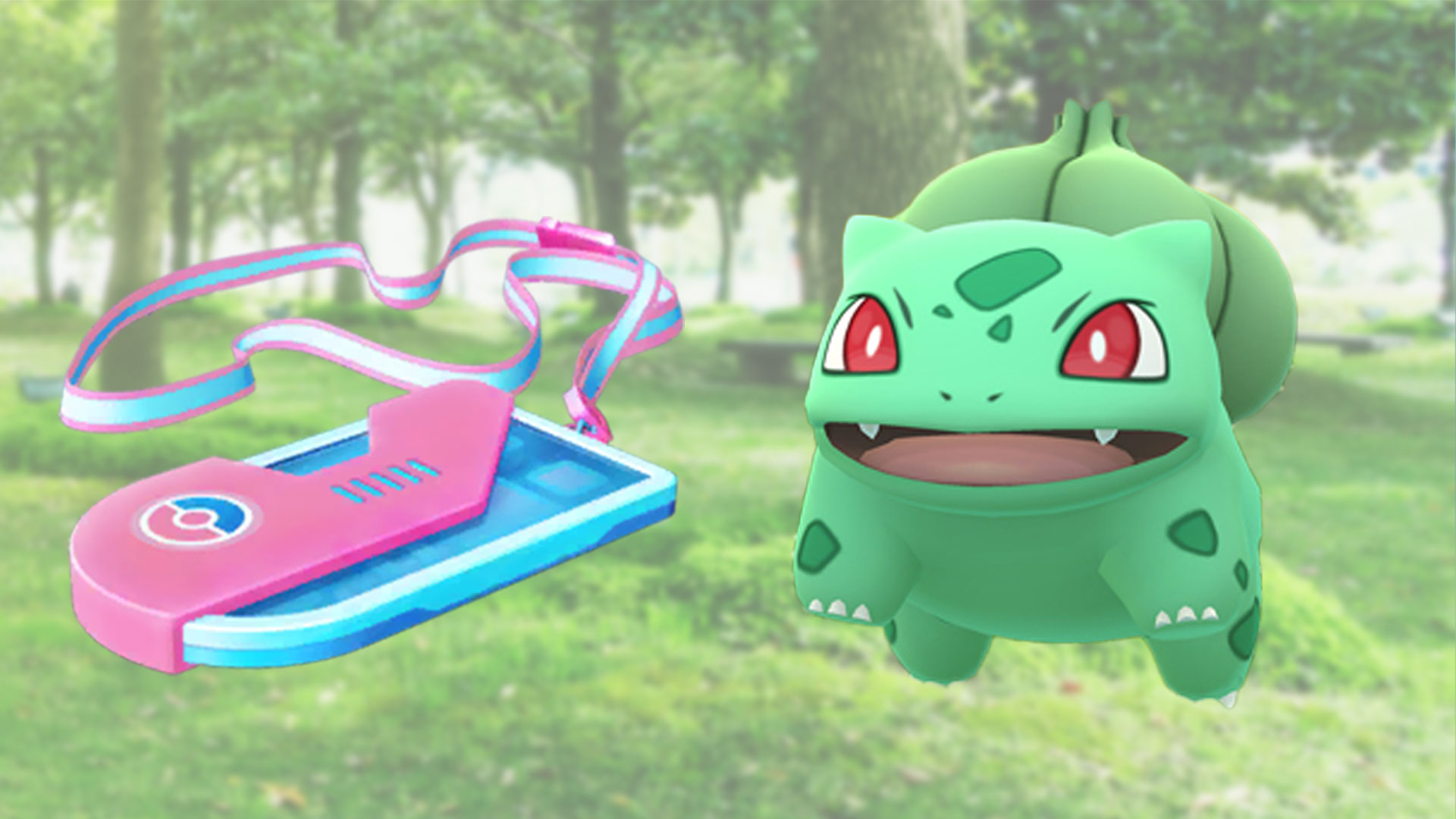
Even for the Community Day Classic with Bulbasaur, you can find such an event ticket, behind which the special research is named “Community Day Classic with Bulbasaur”. We will show you which quests and rewards are included, so you can decide whether you want to secure this research.
How do you get the ticket? To secure the special research for Bulbasaur, you can purchase a special event ticket in the game for about €1. In your in-game shop, you will find the “worldwide events” section below the boxes. The corresponding ticket is stored here.
If there is no ticket or one under a different name at this point, restart your game once. Afterwards, the correct ticket should be available.
Event ticket for the C-Day Classic with Bulbasaur – The Research
Where did we get the information about the quests? The Community Day Classic starts today, on January 22, 2022, at 14:00 local time. Due to time zone differences, the event has already started in other parts of the world. These trainers have thus been able to access the special research and have shared the respective information on social media (via reddit.com).
Bulbasaur Research for the C-Day Classic 1/4
Task
Reward
Use 10 Power-Ups on Pokémon
15 Pokéballs
Catch 15 Bulbasaur
Encounter with Bulbasaur
Land 5 great throws
20 Bulbasaur candies
Stage reward: If you complete all 3 tasks from this task block, you will also receive 2,000 Stardust, a smoke, and an encounter with Bulbasaur.
Bulbasaur Research for the C-Day Classic 2/4
Task
Reward
Catch 15 Bulbasaur
30 Bulbasaur candies
Send 10 Pokémon
Encounter with Ivysaur
Evolve 3 Bulbasaur
10 Razz Berries
Stage reward: If you complete all 3 tasks from this task block, you will also receive 1,500 XP, a smoke, and an encounter with Bulbasaur.
Bulbasaur Research for the C-Day Classic 3/4
Task
Reward
Land 3 great curveball throws
50 Bulbasaur candies
Evolve an Ivysaur
1 Star Piece
Send 10 Pokémon
15 Ultra Balls
Stage reward: If you complete all 3 tasks from this task block, you will also receive 2,500 XP, 15 Hyper Balls, and a Rocket Radar.
Bulbasaur Research for the C-Day Classic 4/4
Task
Reward
Already completed
50 Mega Energy for Venusaur
Already completed
50 Mega Energy for Venusaur
Already completed
50 Mega Energy for Venusaur
Stage reward: If you complete all 3 tasks from this task block, you will also receive 3,000 Stardust, 150 Mega Energy for Venusaur, and an encounter with Venusaur.
Is the event ticket for Bulbasaur worth it?
In the rewards of the special research, you can expect some interesting items, such as a Rocket Radar, two smokes, a Star Piece, and plenty of balls. Overall, the value of the items is significantly higher than the purchase price of nearly €1 that you had to pay for the ticket.
A Rocket Radar regularly costs 200 Poké Coins in the in-game shop, which is about €2.
2 smokes can be obtained in the game for a total of 80 Poké Coins, which corresponds to about €0.80.
A Star Piece can be purchased for 100 Poké Coins in the shop, which is equivalent to about €1.
Moreover, the special task offers you the chance to replenish your stock of Mega Energy and collect some Stardust and XP.
This research is especially worthwhile for trainers who would have bought these items in the shop anyway or urgently need Mega Energy. These come with the ticket, cheaper compared to the in-game shop. However, if you have no interest in the rewards, you can comfortably play the Community Day Classic with Bulbasaur even without purchasing the special research.
What do you think of the tasks and rewards of the special research “Community Day Classic with Bulbasaur”? Will you secure the ticket or will you participate for free in the Community Day Classic? Feel free to share your opinion here on MeinMMO in the comments and exchange ideas with other trainers.
The Community Day Classic starts on January 22 with Bulbasaur in Pokémon GO. We will show you here the bonuses and Shinys and how to get the most out of the event.
What kind of event is this? The Community Day Classic takes place in January 2022 for the first time in Pokémon GO. For years we have known the “normal” Community Days. With the Classic format, they want to bring back old, popular C-Day events. However, the Classic event runs shorter than the “normal” event days.
We will provide you with an overview of everything you need to know about the C-Day with Bulbasaur in January 2022. From Shinys to bonuses to exclusive moves.
Community Day Classic in January 2022 – start time, bonuses, shiny
What is this?
The Community Day Classic with Bulbasaur. The Community Day Classic differs from the ‘normal’ Community Day in that it brings back a Pokémon that has already had a C-Day. In addition, it lasts only 3 instead of the usual 6 hours.
When does the event start?
The Community Day Classic starts on Saturday, January 22, at 2:00 PM and runs until 5:00 PM.
Pokémon of the day?
Bulbasaur spawns significantly more frequently in the wild, from incense, and from lures during the event.
What attack is available?
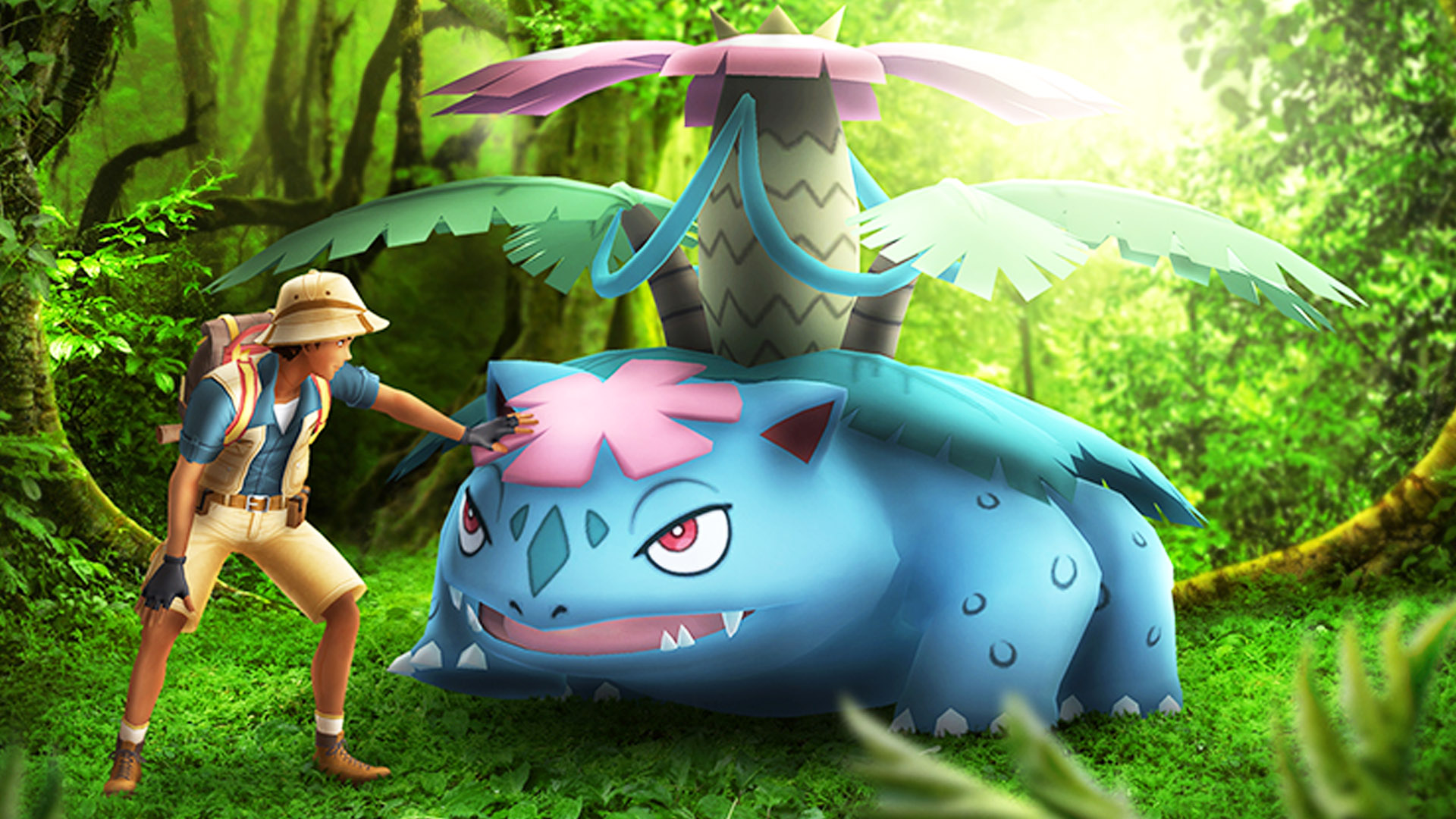
Venusaur can learn the charged move Flora Statue during the event and for up to two hours afterwards.
What bonuses are there?
– Triple catch XP – Lures and incense last for 3 hours – Free box with 30 Ultra Balls in the shop – Event box for 1280 coins in the shop
Special Research: There is again a special research for €1 that you can purchase. This type of research usually provides items like Stardust, star pieces, lucky eggs, balls, encounters with the event Pokémon, and balls. The contents of the C-Day research for January 22 can be found here:
Can you catch Shiny Bulbasaur? Yes, the Shiny version of Bulbasaur has been in the game for a long time. We will show you the Shiny family of Bulbasaur with Ivysaur and Venusaur in the following graphic.
How to make the most of Community Day
What you should know: If you use incense or lures during the event time from 2:00 PM to 5:00 PM, they will last for three hours and attract many Bulbasaur during the event.
How to prepare: The event lasts only three hours this time, instead of the usual six hours. During this time, you will encounter many Pokémon. To avoid having to clear your collection every few minutes, we recommend creating enough space in your Pokémon collection beforehand. The tagging feature in Pokémon GO is very helpful for sorting your collection.
You will need many balls for this. Fewer than on the Classic Community Days. But for casual players, you should have 150 to 200 balls with you. If you want to farm a lot of candy, it’s advisable to pack even more balls.
Additionally, you can activate Mega Pokémon like Venusaur or Beedrill during the event to earn an extra candy per catch.
Which items are worth it?
If you want to evolve many Bulbasaur, you will need a lot of candy. So start with Razz Berries and use incense and lures.
Those who want to earn a lot of XP should also activate lucky eggs. They further increase your XP bonus when catching for the event bonus. It’s advisable to level up your friendships on this day to receive the strong bonuses.
Using star pieces can also be worthwhile, as you will encounter many Pokémon.
Is the Community Day with Bulbasaur worth it?
How strong are Bulbasaur and its evolutions: Bulbasaur evolves into Ivysaur and then into Venusaur. We have looked at the strength of all evolutions to assess whether the event is worth it.
Bulbasaur in its normal form is not a good attacker in raids or PvP.
Ivysaur is not really interesting for raids in PvE. In PvP, it plays in the upper midfield in the Super League but has stronger competitors.
Venusaur is among the best grass attackers in Pokémon GO alongside Roserade, Sceptile, and Zarude. Particularly in its shadow form or as Mega Bulbasaur, it is very strong. It’s worth keeping a few strong specimens of Venusaur (also as shadow) in your collection.
In PvP, Venusaur is also very strong in the Super League and ranks near the top. In the Hyper League, it can hold its own in the upper midfield, and in the Master League, Venusaur is more in the lower midfield.
You need the event move: Only by learning Flora Statue does Venusaur become really strong. If you evolve Ivysaur into Venusaur during the Community Day, Venusaur will automatically learn the move Flora Statue. You have up to two hours after the event to evolve your Ivysaur into Venusaur so that it learns Flora Statue. The evolutions can happen between 2:00 PM and 7:00 PM on January 22.
For whom is the event worthwhile? The Community Day Classic with Bulbasaur is worthwhile in many areas. Players who took a longer break from Pokémon GO and do not have strong Venusaur or only little candy should definitely participate.
PvP players can also acquire medium to strong attackers here and expand their grass selection.
Shiny collectors should find participation worthwhile, as Community Days usually offer good chances for shiny Pokémon.
Those who are still gaining experience points in Pokémon GO can catch up quite a bit during the event with the XP bonus.
This is an AI-powered translation. Some inaccuracies might exist.
The best counters against Tornupto in Pokémon GO in the guide. We show you the best attackers and movesets. This way, you are optimally prepared for the raids against Tornupto.
What kind of Pokémon is Tornupto? Tornupto comes from the second generation of Pokémon and is of the Fire type. You will regularly encounter it in Level 3 raids.
We will show you here the best counters against Tornupto and which types it is weak against (type effectiveness).
Tornupto Counters
Mega-Blastoise with Water Gun and Hydro Pump
Mega-Aerodactyl with Rock Throw and Rock Slide
Mega-Gyarados with Waterfall and Hydro Pump
Shadow Swampert with Water Gun and Hydro Pump
Shadow Tyranitar with Rock Slide and Stone Edge
Rampardos with Rock Slide and Rock Slide
Shadow Gyarados with Waterfall and Hydro Pump
Kyogre with Waterfall and Surf
Shadow Aerodactyl with Rock Throw and Rock Slide
Landorus (Therian Form) with Mud Shot and Earthquake
Rhyperior with Mud Slap and Rock Wrecker
Shadow Salamence with Dragon Tail and Hydro Pump
Terrakion with Rock Slide and Rock Slide
Garchomp with Mud Shot and Earth Power
Kingler with Bubble and Crabhammer
Landorus with Rock Throw and Earth Power
Shadow Amorphous with Rock Throw and Hydro Pump
Shadow Mewtwo with Confusion and Psystrike
Feraligatr with Water Gun and Hydro Pump
Empoleon with Waterfall and Hydro Pump
Weaknesses of Tornupto: The Pokémon is of the Fire type and has weaknesses against Ground, Rock, and Water. So, focus on attacks and Pokémon of these types in raids.
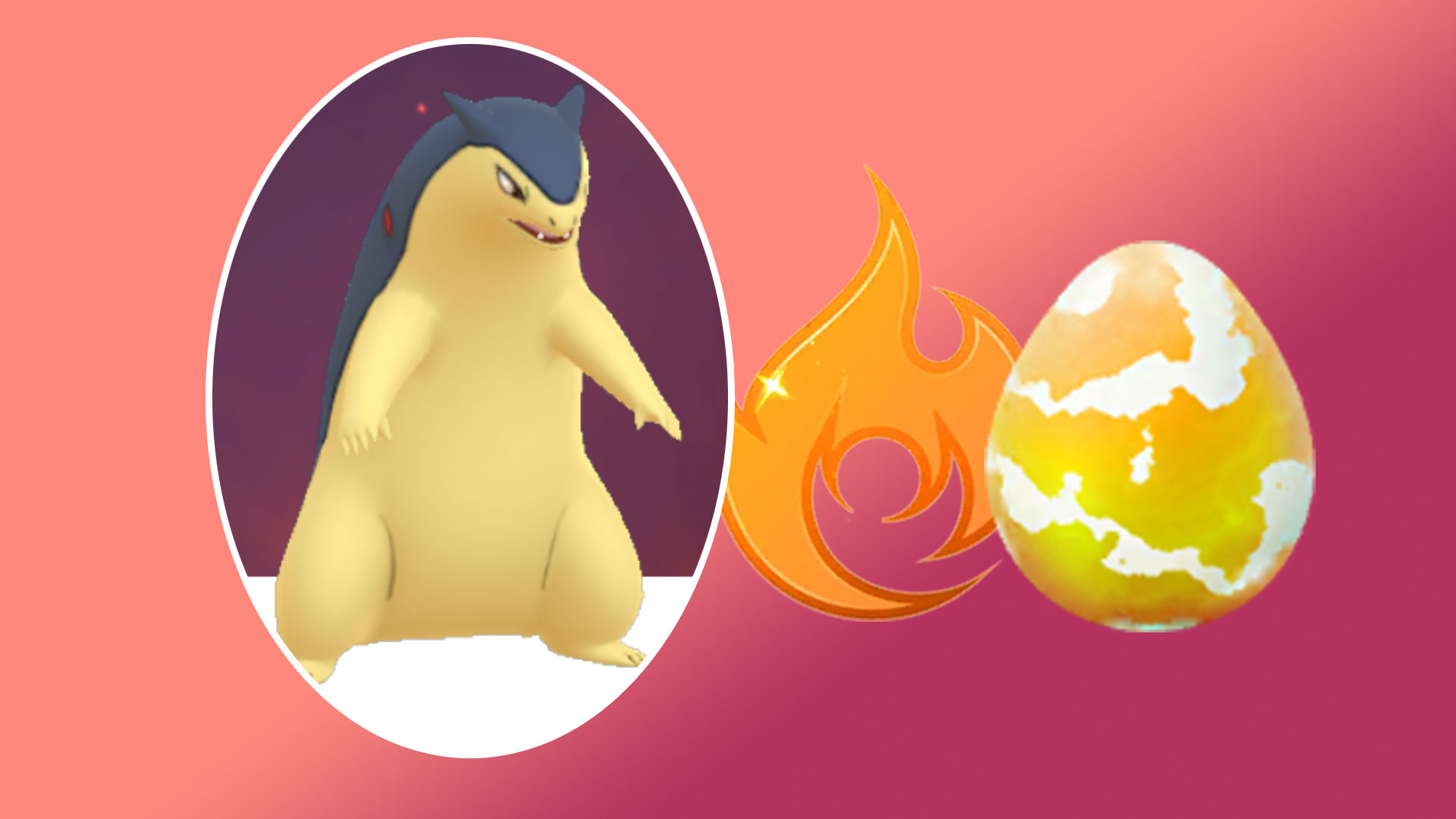
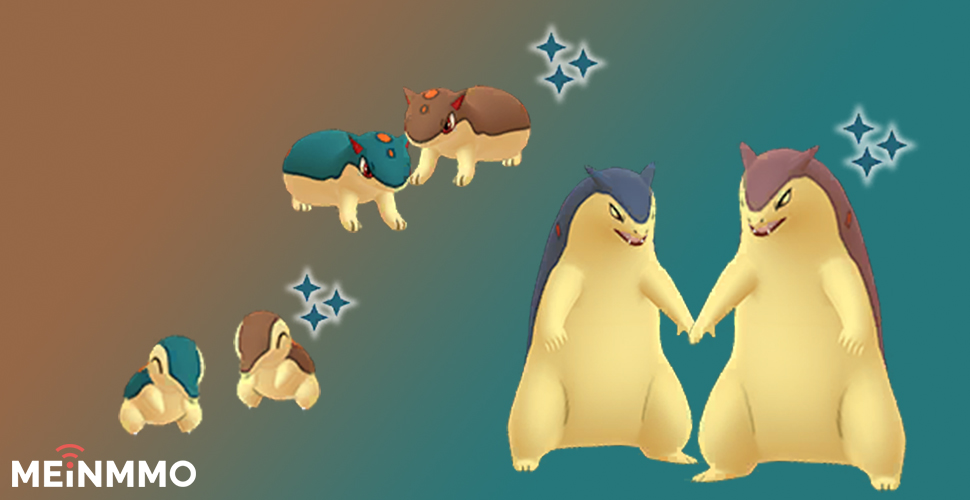
Is there a Shiny Tornupto in Pokémon GO? You cannot catch Tornupto directly as Shiny. However, you can evolve Shiny Cyndaquil into Quilava and finally into Tornupto. We show you what the Shiny looks like in the overview:
How many trainers are needed? If you have the top counter Pokémon and have already reached a high level (40+) in Pokémon GO, you can easily take on Tornupto alone. With lower levels, but strong counters, it should still work with two trainers.
This is an AI-powered translation. Some inaccuracies might exist.
PUBG Battlegrounds is a realistic shooter where every fraction of a second can count. That’s why we reveal the 8 most important settings that can improve your gameplay thanks to more FPS and better visibility.
No matter how beautiful games can be with high graphics settings – players who want to win a lot maximize their frames per second (FPS). This applies to Fortnite as well as to PUBG.
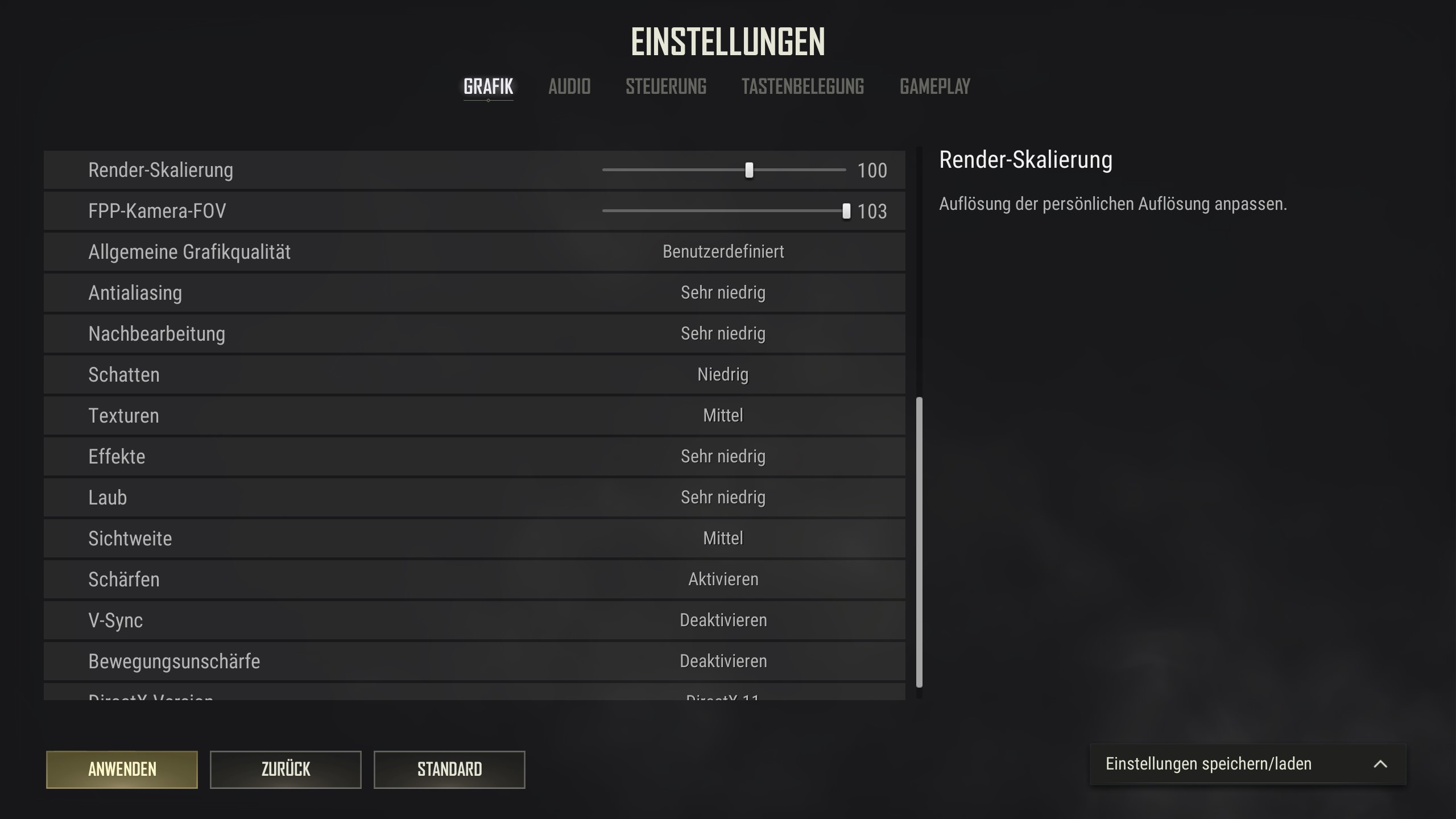
For this reason, we recommend the 8 most important settings you can use in PUBG in 2022. These settings directly and indirectly improve your gameplay, thanks to higher FPS and better visibility. This gives you huge advantages:
You can react better and faster to enemies
Aiming at enemies becomes easier because movements are displayed more smoothly
Enemies at a distance are clearer and recognizable earlier
Our recommendations are based on personal experiences, as well as compiled settings from professionals, streamers, and experienced players. The professional settings can be viewed anytime on sites like prosettings.net.
These are the 8 most important settings. You can adjust the other settings as you like. In the image above, you can see how we prefer the remaining settings.
Why these recommendations?
FPP camera FOV:
This FOV value is not particularly high compared to the maximum in other games, so it does not distort your field of view or make enemies appear too small. At the same time, with a higher field of view, you have a better overview of your surroundings and are less likely to be surprised by enemies.
Antialiasing, post-processing, effects:
We have set these settings to Very Low because they have the greatest impact on your FPS and largely only enhance rare effects or details. The image quality would be noticeably better if these values were higher, but the FPS would also suffer. We do not want to make this trade.
Shadows, textures:
We have the most leeway with these values regarding personal preferences. The lower we set these settings, the higher the FPS – but the game will also become noticeably uglier. We have chosen compromise values here, but you can reduce or increase them according to your preferences. If you want the game to look nicer, set the values higher; lower if every frame matters to you.
Foliage, view distance:
The settings for foliage and view distance are the most controversial among PUBG experts. The lower the values are, the less foliage, shrubbery, trees, and buildings can be seen at a distance. This helps to see enemies better but can conversely make important map elements ‘invisible’.
For foliage, we have chosen Very Low because the absence of bushes is less significant from a strategic perspective, although it can occasionally provide significant advantages. The following photos show the difference between Very Low and Ultra.
Foliage: Very Low
Foliage: Ultra
The foliage settings compared. The difference is especially noticeable at long distances.
For view distance, we have chosen the medium setting. Very low does have the most advantages when it comes to recognizing distant players. However, it is particularly noticeable when landing that buildings only become visible a long time after you have jumped. The average value is here a compromise between the visibility of map elements and enemy players.
View Distance: Very Low
View Distance: Ultra
The view distance settings compared. It is clearly visible how entire buildings become ‘invisible’ at a distance with a low setting.
Low graphics settings are a big gameplay advantage in shooters
In multiplayer shooters, you should almost always lower the graphics settings to maximize FPS. The higher the FPS, the more information is displayed per second. This has 3 major advantages:
The more FPS, the smoother the displayed movements appear. This is visually more pleasant and puts less strain on the eyes and attention span in the long run.
The smoother the movements are, the easier it is to follow these movements with the crosshair. In other words, aiming becomes easier at higher FPS.
However, the poorer graphics are absolutely offset by the advantages in gameplay and visual clarity. This is a trade-off that competitive players make without much thought. The higher the refresh rate (the Hertz value) of your monitor, the more pronounced these advantages become.
Low graphics settings have another big advantage that is more pronounced in PUBG than in most shooters: The fewer graphic details displayed, the fewer elements exist in the game world that can obscure enemies.
If you adjust the settings so that less shrubbery is displayed, enemies cannot hide in this shrubbery anymore. While this may make the forest landscape look barer than in marketing screenshots – you have a huge gameplay advantage in these situations.
As we want to improve our gameplay, we also recommend opting for the lack of the wonderful view.
These are our recommendations for the settings in PUBG, as well as the explanation for them. If you have never played PUBG or haven’t touched it in years, you might want to know if it’s worth starting in 2022. We are happy to give you a detailed answer:
Xur, the shopping master of Destiny 2 is visiting you again today. His offerings are becoming increasingly extensive and will even be expanded with Witch Queen. However, it will still take a while. Therefore, we will first reveal what the universal visitor is selling this week.
What happened this week in Destiny 2? Bungie is making some changes before Witch Queen that players have been hoping for a long time. Not only will Master Rahool soon be able to decrypt Umbral Engrams. The issue with the annoying blue engravings will also be different soon.
In addition, the reputation system of Banshee-44 will be adjusted. Weapon master materials and the annoying mod components will be removed. So make sure to get rid of them before Witch Queen.
This week, Bungie also announced the new power level for Witch Queen. There is again much to level up as the Guardians move towards new strength. The level caps are substantial and, by the way, popular exotics with catalysts will also make their way back into the game.
Many changes are ultimately intended to ensure that players have more space in their vault without Bungie having to increase the number of 500 slots in the vault.
All info about Xur on January 21, 2022 – PS4, PS5, PC, Xbox One, Xbox Series X|S, Google Stadia
When does Xur arrive? Xur will set up his shop at a random location every Friday at the daily reset at 6 PM. He increasingly offers interesting items before he then takes off again at the weekly reset on the coming Tuesday at 6 PM.
Where is Xur? This is his shop for the weekend
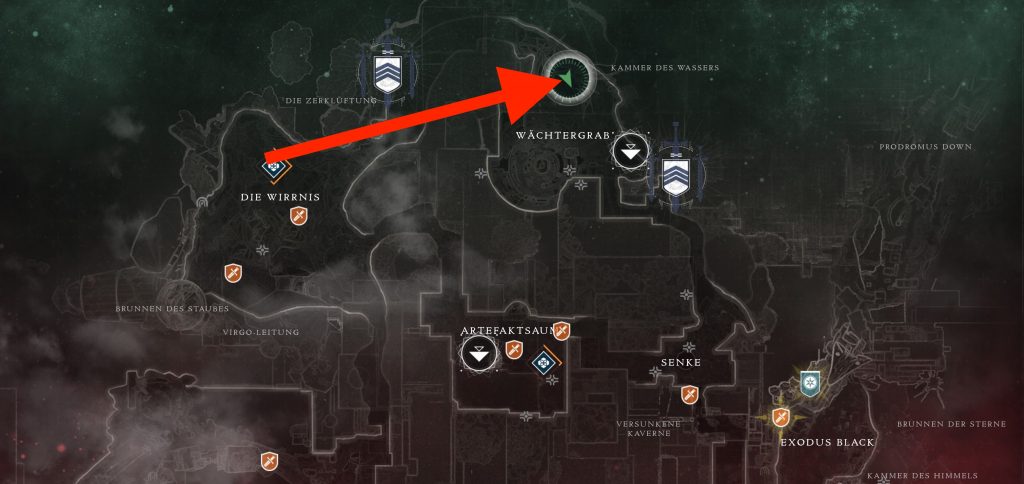
Xur’s location: Fly to Nessus. There you will find Xur at the Guardian grave.
Xur’s inventory from January 21 to January 25 – All exotics at a glance
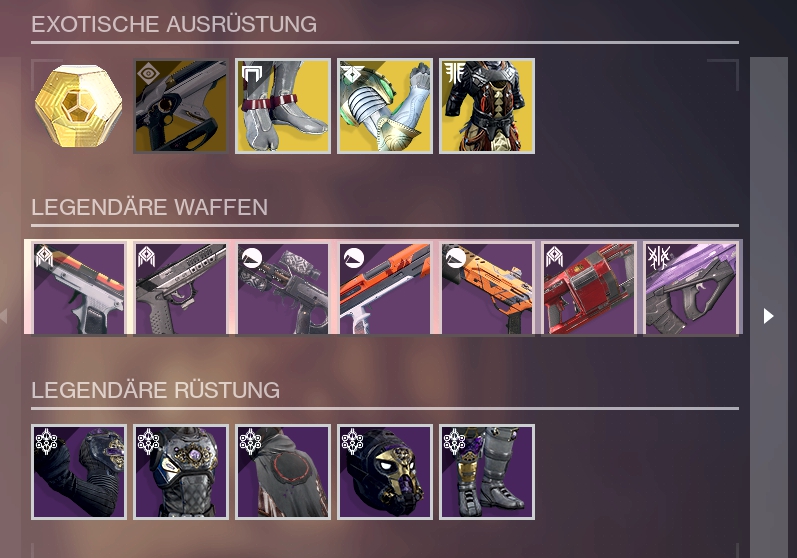
What does Xur have on offer? As always, Xur will have an exotic weapon and armor for all characters, i.e., for Warlocks, Hunters, and Titans. But the Guardians will only know that when he actually arrives.
Weapon: Telesto – Fusion rifle for 29 Legendary shards
Titan: Wormgod’s Caress – Gauntlet for 23 Legendary shards
Mobility: +14
Resilience: +10
Recovery: +9
Discipline: +6
Intellect: +13
Strength: +9
Total: 61
Hunter: St4mp-F3R – Leg armor for 23 Legendary shards
Mobility: +14
Resilience: +16
Recovery: +2
Discipline: +2
Intellect: +12
Strength: +20
Total: 66
Warlock: Phoenix Protocol – Chest armor for 23 Legendary shards
Mobility: +14
Resilience: +9
Recovery: +12
Discipline: +2
Intellect: +15
Strength: +15
Total: 67
Legendary armor set: This week you can get the complete Calus armor set “Opulent Pursuit”.
This is what Xur always has with him: You will always receive an Exotic Engram for 97 Legendary shards as well as the weekly quest for an exotic code.
Xur’s offerings on January 21
In Nexxoss Gaming’s video, you can check out the stats of the weapons and also pick up a few tips:
Recommended editorial content
At this point you will find external content from YouTube that complements the article.
I consent to external content being displayed to me. Personal data can be transmitted to third party platforms.
Read more about our privacy policy.
Trials of Osiris from January 21 to January 25 – Map, weapons, and info
Bungie has changed the rotation of the PvP modes a while ago so that when an Iron Banner is active, no Trials will be held. After last week’s Iron Banner event, the Trials return to Destiny 2 this evening.
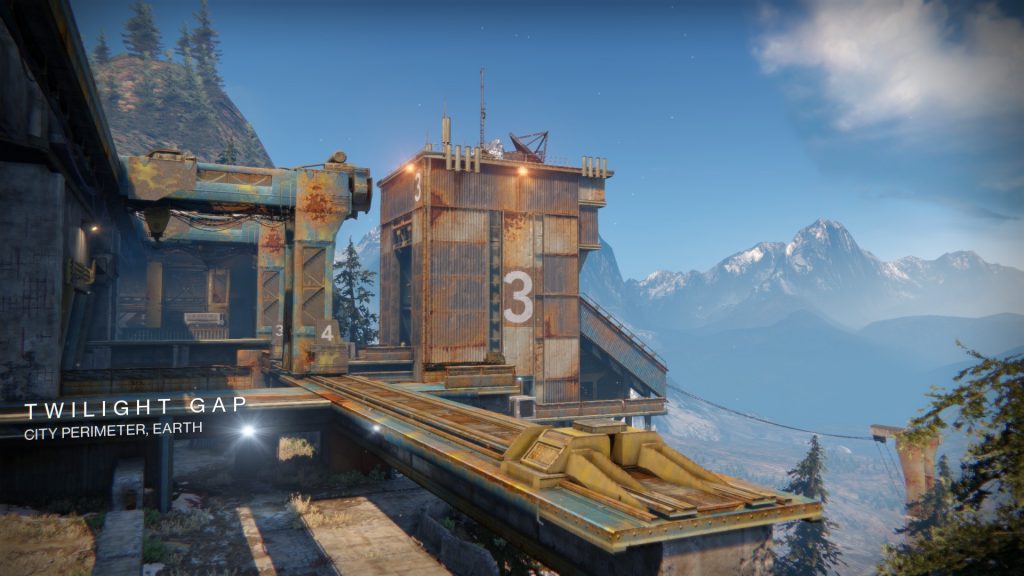
Which map is on this week? The map this week is on Earth and is called “Twilight Gap”.
How to get your loot: Previously, you could earn your loot in the Trials through three, five, and seven wins. However, that has changed. Now, there are rewards for:
Seven wins
50 rounds
and the infamous flawless run that leads you to the Lighthouse
This is the reward for a flawless run: Each week, a special weapon is available as a master version. This time you can earn the Trials sword “Solace Scar”.
Once you have received your desired weapon, you can focus your Trials engrams specifically on that. Additionally, there are enhancement prisms and ascendant shards. Keep in mind that your reward increases even further once you have a complete pass—even if you lost one or two games.
When do the Trials start? The Trials start as usual at the daily reset at 6:00 PM.
How was your Destiny 2 week? Are you taking it easy now or trying to squeeze out the last power level bonus from your season pass? Do you think it’s good that Xur is becoming more important?
This is an AI-powered translation. Some inaccuracies might exist.
Also, the ubiquitous slime that slows you down when running over it can be removed somewhat with a melee attack or shot. Very helpful if you already know that an escape is pending – in other words, almost anytime.
The flash spores cling to you.
You are stuck to the slime.
9. Aim assist with controller kicks in hard
In this tip, mouse players can take a break – the aim assist for controllers is extremely strong.
When you aim near an enemy, the crosshair jumps to the enemy – without regard for consequences. Especially at the beginning, this can feel quite strange, but it’s also helpful.
If you know “The Division 2” or the zombie mode of Call of Duty as a controller player, you might already recognize the peculiar aiming sensation. For everyone else: No, you haven’t forgotten how to aim – the assist is just very invasive.
Either turn off the aim assist right from the start (options – controls – aim assist) or let the function work for you.
If you use the assist, do not correct your crosshair immediately after aiming; take a fraction of a second to realize where the assist is aiming. Often you don’t need to correct it anymore – the headshot hits.
But do not work against the aim assist; instead, deactivate it immediately if it annoys you. Otherwise, you will lose the fight, along with your current operator.
10. Skip annoying or deadly missions
At the start of a mission, you receive 3 different tasks to accomplish. Over time, favorites emerge – and possibly also tasks you dislike.
If you don’t want to do a mission, you can directly head to the exit and proceed to the next section. Generally, this does not bring any disadvantages.
This also applies if you have taken too much damage in the first section and are not sure if you can handle the next mission.
Then rather head for evacuation and end the whole mission. This way, you definitely won’t lose an operator and gain more experience points for the completion.
Your operators will thank you for not having to spend hours in that disgusting REACT foam again, surrounded by alien parasites.
The co-op shooter in the Rainbow Six universe demands your skills and constantly challenges you when you are on higher difficulty levels.
If you keep our tips in mind, you should have no problems during the first hours. Stick together, communicate a lot, and protect each other from the nasty fungus.
If you have any tips yourself, feel free to leave us a comment.
Later you will also unlock the “anabolic accelerator” as a REACT device. This way, you can slowly increase your “real” health to 50. However, you won’t be able to raise that value anymore during a match.
8. Remove the annoying parasite soup and alien mines
The strange alien parasite not only throws different types of enemies at you. The mushroom-like intruder has a few more nasty tricks up its sleeve.
There are flash mines everywhere, and sneaky flash spores are just waiting to cling to you.
Flash mines explode as soon as you get too close. The spores cling to you and explode only after a certain time. Make sure that both do not occur too often.
Because the flash effects are intense. For several seconds, you are almost incapacitated and can hardly defend yourself if a foe has it in for you.
With a bullet, the small alien gadgets are wiped out. If a teammate collects flash spores, they can also shoot them off their body. However, a friendly melee attack helps too.
Also, the ubiquitous slime that slows you down when running over it can be removed somewhat with a melee attack or shot. Very helpful if you already know that an escape is pending – in other words, almost anytime.
The flash spores cling to you.
You are stuck to the slime.
9. Aim assist with controller kicks in hard
In this tip, mouse players can take a break – the aim assist for controllers is extremely strong.
When you aim near an enemy, the crosshair jumps to the enemy – without regard for consequences. Especially at the beginning, this can feel quite strange, but it’s also helpful.
If you know “The Division 2” or the zombie mode of Call of Duty as a controller player, you might already recognize the peculiar aiming sensation. For everyone else: No, you haven’t forgotten how to aim – the assist is just very invasive.
Either turn off the aim assist right from the start (options – controls – aim assist) or let the function work for you.
If you use the assist, do not correct your crosshair immediately after aiming; take a fraction of a second to realize where the assist is aiming. Often you don’t need to correct it anymore – the headshot hits.
But do not work against the aim assist; instead, deactivate it immediately if it annoys you. Otherwise, you will lose the fight, along with your current operator.
10. Skip annoying or deadly missions
At the start of a mission, you receive 3 different tasks to accomplish. Over time, favorites emerge – and possibly also tasks you dislike.
If you don’t want to do a mission, you can directly head to the exit and proceed to the next section. Generally, this does not bring any disadvantages.
This also applies if you have taken too much damage in the first section and are not sure if you can handle the next mission.
Then rather head for evacuation and end the whole mission. This way, you definitely won’t lose an operator and gain more experience points for the completion.
Your operators will thank you for not having to spend hours in that disgusting REACT foam again, surrounded by alien parasites.
The co-op shooter in the Rainbow Six universe demands your skills and constantly challenges you when you are on higher difficulty levels.
If you keep our tips in mind, you should have no problems during the first hours. Stick together, communicate a lot, and protect each other from the nasty fungus.
If you have any tips yourself, feel free to leave us a comment.
So if you find medkits – enjoy the bonus even with “full” health. You can go over 100. If you’re running with Doc and find ability charges, fire the 3 shots into your teammates and then collect the charges.
Later you will also unlock the “anabolic accelerator” as a REACT device. This way, you can slowly increase your “real” health to 50. However, you won’t be able to raise that value anymore during a match.
8. Remove the annoying parasite soup and alien mines
The strange alien parasite not only throws different types of enemies at you. The mushroom-like intruder has a few more nasty tricks up its sleeve.
There are flash mines everywhere, and sneaky flash spores are just waiting to cling to you.
Flash mines explode as soon as you get too close. The spores cling to you and explode only after a certain time. Make sure that both do not occur too often.
Because the flash effects are intense. For several seconds, you are almost incapacitated and can hardly defend yourself if a foe has it in for you.
With a bullet, the small alien gadgets are wiped out. If a teammate collects flash spores, they can also shoot them off their body. However, a friendly melee attack helps too.
Also, the ubiquitous slime that slows you down when running over it can be removed somewhat with a melee attack or shot. Very helpful if you already know that an escape is pending – in other words, almost anytime.
The flash spores cling to you.
You are stuck to the slime.
9. Aim assist with controller kicks in hard
In this tip, mouse players can take a break – the aim assist for controllers is extremely strong.
When you aim near an enemy, the crosshair jumps to the enemy – without regard for consequences. Especially at the beginning, this can feel quite strange, but it’s also helpful.
If you know “The Division 2” or the zombie mode of Call of Duty as a controller player, you might already recognize the peculiar aiming sensation. For everyone else: No, you haven’t forgotten how to aim – the assist is just very invasive.
Either turn off the aim assist right from the start (options – controls – aim assist) or let the function work for you.
If you use the assist, do not correct your crosshair immediately after aiming; take a fraction of a second to realize where the assist is aiming. Often you don’t need to correct it anymore – the headshot hits.
But do not work against the aim assist; instead, deactivate it immediately if it annoys you. Otherwise, you will lose the fight, along with your current operator.
10. Skip annoying or deadly missions
At the start of a mission, you receive 3 different tasks to accomplish. Over time, favorites emerge – and possibly also tasks you dislike.
If you don’t want to do a mission, you can directly head to the exit and proceed to the next section. Generally, this does not bring any disadvantages.
This also applies if you have taken too much damage in the first section and are not sure if you can handle the next mission.
Then rather head for evacuation and end the whole mission. This way, you definitely won’t lose an operator and gain more experience points for the completion.
Your operators will thank you for not having to spend hours in that disgusting REACT foam again, surrounded by alien parasites.
The co-op shooter in the Rainbow Six universe demands your skills and constantly challenges you when you are on higher difficulty levels.
If you keep our tips in mind, you should have no problems during the first hours. Stick together, communicate a lot, and protect each other from the nasty fungus.
If you have any tips yourself, feel free to leave us a comment.
So if you find medkits – enjoy the bonus even with “full” health. You can go over 100. If you’re running with Doc and find ability charges, fire the 3 shots into your teammates and then collect the charges.
Later you will also unlock the “anabolic accelerator” as a REACT device. This way, you can slowly increase your “real” health to 50. However, you won’t be able to raise that value anymore during a match.
8. Remove the annoying parasite soup and alien mines
The strange alien parasite not only throws different types of enemies at you. The mushroom-like intruder has a few more nasty tricks up its sleeve.
There are flash mines everywhere, and sneaky flash spores are just waiting to cling to you.
Flash mines explode as soon as you get too close. The spores cling to you and explode only after a certain time. Make sure that both do not occur too often.
Because the flash effects are intense. For several seconds, you are almost incapacitated and can hardly defend yourself if a foe has it in for you.
With a bullet, the small alien gadgets are wiped out. If a teammate collects flash spores, they can also shoot them off their body. However, a friendly melee attack helps too.
Also, the ubiquitous slime that slows you down when running over it can be removed somewhat with a melee attack or shot. Very helpful if you already know that an escape is pending – in other words, almost anytime.
The flash spores cling to you.
You are stuck to the slime.
9. Aim assist with controller kicks in hard
In this tip, mouse players can take a break – the aim assist for controllers is extremely strong.
When you aim near an enemy, the crosshair jumps to the enemy – without regard for consequences. Especially at the beginning, this can feel quite strange, but it’s also helpful.
If you know “The Division 2” or the zombie mode of Call of Duty as a controller player, you might already recognize the peculiar aiming sensation. For everyone else: No, you haven’t forgotten how to aim – the assist is just very invasive.
Either turn off the aim assist right from the start (options – controls – aim assist) or let the function work for you.
If you use the assist, do not correct your crosshair immediately after aiming; take a fraction of a second to realize where the assist is aiming. Often you don’t need to correct it anymore – the headshot hits.
But do not work against the aim assist; instead, deactivate it immediately if it annoys you. Otherwise, you will lose the fight, along with your current operator.
10. Skip annoying or deadly missions
At the start of a mission, you receive 3 different tasks to accomplish. Over time, favorites emerge – and possibly also tasks you dislike.
If you don’t want to do a mission, you can directly head to the exit and proceed to the next section. Generally, this does not bring any disadvantages.
This also applies if you have taken too much damage in the first section and are not sure if you can handle the next mission.
Then rather head for evacuation and end the whole mission. This way, you definitely won’t lose an operator and gain more experience points for the completion.
Your operators will thank you for not having to spend hours in that disgusting REACT foam again, surrounded by alien parasites.
The co-op shooter in the Rainbow Six universe demands your skills and constantly challenges you when you are on higher difficulty levels.
If you keep our tips in mind, you should have no problems during the first hours. Stick together, communicate a lot, and protect each other from the nasty fungus.
If you have any tips yourself, feel free to leave us a comment.
Therefore, choose a difficulty level that matches your operator level. Because the difficulty settings not only demand smarter tactics from you – Extraction also assumes that your operators are better at higher difficulties.
6. Melee gives you time
If you get up close with enemies on a mission, things can get tight quickly. Health is extremely valuable, and every hit you take brings you closer to death. Healing is not that easy.
To give yourself a bit of time in the heat of melee combat, you should give enemies with an interest in close contact a quick slap.
If you don’t hit the explosive critters directly on their “bomb”, most enemies can be stunned with a hit and take a step back.
This gives you the necessary moment to quickly reload, take off running, or get help from your teammates.
7. Healing is only temporary
As already mentioned, health is extremely valuable in Extraction. This is due to 2 points:
Operators do not completely heal after a match
During the match, health regeneration is difficult
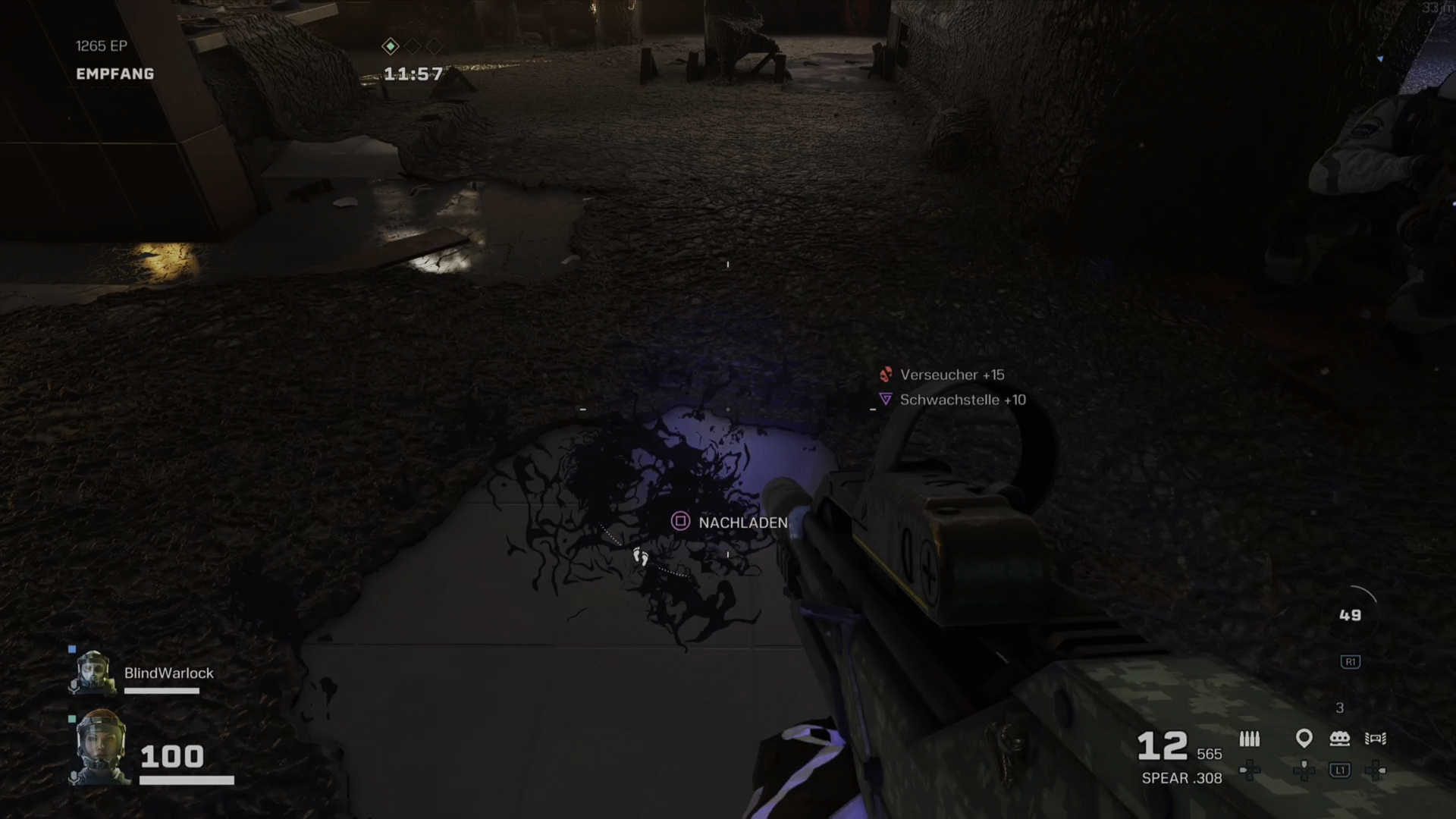
If you heal a teammate with Doc or pick up a medkit, you only get “temporary health”. You will see a blue area in the health bar – the real health is white.
The “blue” health then runs down slowly. This takes a while but can become important in longer rounds. Moreover, nothing remains of the blue health after the match.
So if you find medkits – enjoy the bonus even with “full” health. You can go over 100. If you’re running with Doc and find ability charges, fire the 3 shots into your teammates and then collect the charges.
Later you will also unlock the “anabolic accelerator” as a REACT device. This way, you can slowly increase your “real” health to 50. However, you won’t be able to raise that value anymore during a match.
8. Remove the annoying parasite soup and alien mines
The strange alien parasite not only throws different types of enemies at you. The mushroom-like intruder has a few more nasty tricks up its sleeve.
There are flash mines everywhere, and sneaky flash spores are just waiting to cling to you.
Flash mines explode as soon as you get too close. The spores cling to you and explode only after a certain time. Make sure that both do not occur too often.
Because the flash effects are intense. For several seconds, you are almost incapacitated and can hardly defend yourself if a foe has it in for you.
With a bullet, the small alien gadgets are wiped out. If a teammate collects flash spores, they can also shoot them off their body. However, a friendly melee attack helps too.
Also, the ubiquitous slime that slows you down when running over it can be removed somewhat with a melee attack or shot. Very helpful if you already know that an escape is pending – in other words, almost anytime.
The flash spores cling to you.
You are stuck to the slime.
9. Aim assist with controller kicks in hard
In this tip, mouse players can take a break – the aim assist for controllers is extremely strong.
When you aim near an enemy, the crosshair jumps to the enemy – without regard for consequences. Especially at the beginning, this can feel quite strange, but it’s also helpful.
If you know “The Division 2” or the zombie mode of Call of Duty as a controller player, you might already recognize the peculiar aiming sensation. For everyone else: No, you haven’t forgotten how to aim – the assist is just very invasive.
Either turn off the aim assist right from the start (options – controls – aim assist) or let the function work for you.
If you use the assist, do not correct your crosshair immediately after aiming; take a fraction of a second to realize where the assist is aiming. Often you don’t need to correct it anymore – the headshot hits.
But do not work against the aim assist; instead, deactivate it immediately if it annoys you. Otherwise, you will lose the fight, along with your current operator.
10. Skip annoying or deadly missions
At the start of a mission, you receive 3 different tasks to accomplish. Over time, favorites emerge – and possibly also tasks you dislike.
If you don’t want to do a mission, you can directly head to the exit and proceed to the next section. Generally, this does not bring any disadvantages.
This also applies if you have taken too much damage in the first section and are not sure if you can handle the next mission.
Then rather head for evacuation and end the whole mission. This way, you definitely won’t lose an operator and gain more experience points for the completion.
Your operators will thank you for not having to spend hours in that disgusting REACT foam again, surrounded by alien parasites.
The co-op shooter in the Rainbow Six universe demands your skills and constantly challenges you when you are on higher difficulty levels.
If you keep our tips in mind, you should have no problems during the first hours. Stick together, communicate a lot, and protect each other from the nasty fungus.
If you have any tips yourself, feel free to leave us a comment.
The second healer at the start is the Russian “Finka”. She can also revive teammates from a distance.
4. You can only go down once
If you lose all your health, you go down. Team members can then rescue you – Doc and Finka don’t even have to be nearby.
However, there are only limited opportunities to help your lazy teammate back on their feet. In fact, you can only go down once.
With body armor, you can also go down more often. The armor is consumed first before you are counted out. Body armor is available as a “REACT device” or as an ability. The operator “Rook” distributes a charge of protective clothing to the entire team.
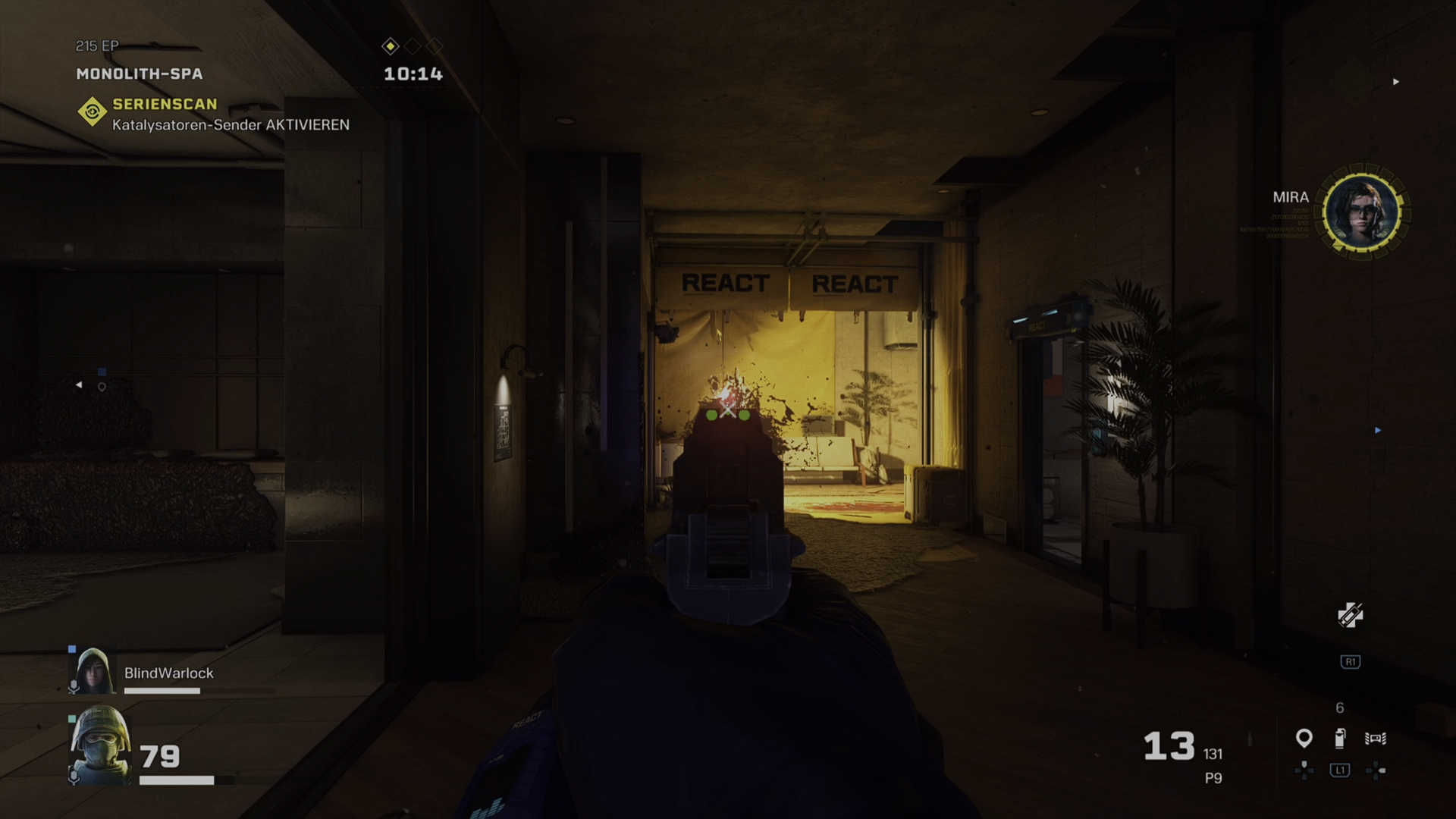
However, if you do go completely down, your operator packs themselves into a kind of insulating foam. The so-called “REACT foam” consciously protects unconscious operators from infection and other dangers.
A player wrapped in foam is downgraded to a spectator.
If you leave the teammate behind, the respective player must rescue the operator in the next mission for them to be available to play again.
5. Operators get stronger over time
Each selectable character has its own operator level. The more you play an operator, the more advantages you gain.
You unlock not only weapons. With increasing level, there are also passive bonuses such as more health, stronger abilities, and higher movement speed.
Therefore, choose a difficulty level that matches your operator level. Because the difficulty settings not only demand smarter tactics from you – Extraction also assumes that your operators are better at higher difficulties.
6. Melee gives you time
If you get up close with enemies on a mission, things can get tight quickly. Health is extremely valuable, and every hit you take brings you closer to death. Healing is not that easy.
To give yourself a bit of time in the heat of melee combat, you should give enemies with an interest in close contact a quick slap.
If you don’t hit the explosive critters directly on their “bomb”, most enemies can be stunned with a hit and take a step back.
This gives you the necessary moment to quickly reload, take off running, or get help from your teammates.
7. Healing is only temporary
As already mentioned, health is extremely valuable in Extraction. This is due to 2 points:
Operators do not completely heal after a match
During the match, health regeneration is difficult
If you heal a teammate with Doc or pick up a medkit, you only get “temporary health”. You will see a blue area in the health bar – the real health is white.
The “blue” health then runs down slowly. This takes a while but can become important in longer rounds. Moreover, nothing remains of the blue health after the match.
So if you find medkits – enjoy the bonus even with “full” health. You can go over 100. If you’re running with Doc and find ability charges, fire the 3 shots into your teammates and then collect the charges.
Later you will also unlock the “anabolic accelerator” as a REACT device. This way, you can slowly increase your “real” health to 50. However, you won’t be able to raise that value anymore during a match.
8. Remove the annoying parasite soup and alien mines
The strange alien parasite not only throws different types of enemies at you. The mushroom-like intruder has a few more nasty tricks up its sleeve.
There are flash mines everywhere, and sneaky flash spores are just waiting to cling to you.
Flash mines explode as soon as you get too close. The spores cling to you and explode only after a certain time. Make sure that both do not occur too often.
Because the flash effects are intense. For several seconds, you are almost incapacitated and can hardly defend yourself if a foe has it in for you.
With a bullet, the small alien gadgets are wiped out. If a teammate collects flash spores, they can also shoot them off their body. However, a friendly melee attack helps too.
Also, the ubiquitous slime that slows you down when running over it can be removed somewhat with a melee attack or shot. Very helpful if you already know that an escape is pending – in other words, almost anytime.
The flash spores cling to you.
You are stuck to the slime.
9. Aim assist with controller kicks in hard
In this tip, mouse players can take a break – the aim assist for controllers is extremely strong.
When you aim near an enemy, the crosshair jumps to the enemy – without regard for consequences. Especially at the beginning, this can feel quite strange, but it’s also helpful.
If you know “The Division 2” or the zombie mode of Call of Duty as a controller player, you might already recognize the peculiar aiming sensation. For everyone else: No, you haven’t forgotten how to aim – the assist is just very invasive.
Either turn off the aim assist right from the start (options – controls – aim assist) or let the function work for you.
If you use the assist, do not correct your crosshair immediately after aiming; take a fraction of a second to realize where the assist is aiming. Often you don’t need to correct it anymore – the headshot hits.
But do not work against the aim assist; instead, deactivate it immediately if it annoys you. Otherwise, you will lose the fight, along with your current operator.
10. Skip annoying or deadly missions
At the start of a mission, you receive 3 different tasks to accomplish. Over time, favorites emerge – and possibly also tasks you dislike.
If you don’t want to do a mission, you can directly head to the exit and proceed to the next section. Generally, this does not bring any disadvantages.
This also applies if you have taken too much damage in the first section and are not sure if you can handle the next mission.
Then rather head for evacuation and end the whole mission. This way, you definitely won’t lose an operator and gain more experience points for the completion.
Your operators will thank you for not having to spend hours in that disgusting REACT foam again, surrounded by alien parasites.
The co-op shooter in the Rainbow Six universe demands your skills and constantly challenges you when you are on higher difficulty levels.
If you keep our tips in mind, you should have no problems during the first hours. Stick together, communicate a lot, and protect each other from the nasty fungus.
If you have any tips yourself, feel free to leave us a comment.
But do not work against the aim assist; instead, deactivate it immediately if it annoys you. Otherwise, you will lose the fight, along with your current operator.
10. Skip annoying or deadly missions
At the start of a mission, you receive 3 different tasks to accomplish. Over time, favorites emerge – and possibly also tasks you dislike.
If you don’t want to do a mission, you can directly head to the exit and proceed to the next section. Generally, this does not bring any disadvantages.
This also applies if you have taken too much damage in the first section and are not sure if you can handle the next mission.
Then rather head for evacuation and end the whole mission. This way, you definitely won’t lose an operator and gain more experience points for the completion.
Your operators will thank you for not having to spend hours in that disgusting REACT foam again, surrounded by alien parasites.
The co-op shooter in the Rainbow Six universe demands your skills and constantly challenges you when you are on higher difficulty levels.
If you keep our tips in mind, you should have no problems during the first hours. Stick together, communicate a lot, and protect each other from the nasty fungus.
If you have any tips yourself, feel free to leave us a comment.
The second healer at the start is the Russian “Finka”. She can also revive teammates from a distance.
4. You can only go down once
If you lose all your health, you go down. Team members can then rescue you – Doc and Finka don’t even have to be nearby.
However, there are only limited opportunities to help your lazy teammate back on their feet. In fact, you can only go down once.
With body armor, you can also go down more often. The armor is consumed first before you are counted out. Body armor is available as a “REACT device” or as an ability. The operator “Rook” distributes a charge of protective clothing to the entire team.
However, if you do go completely down, your operator packs themselves into a kind of insulating foam. The so-called “REACT foam” consciously protects unconscious operators from infection and other dangers.
A player wrapped in foam is downgraded to a spectator.
If you leave the teammate behind, the respective player must rescue the operator in the next mission for them to be available to play again.
5. Operators get stronger over time
Each selectable character has its own operator level. The more you play an operator, the more advantages you gain.
You unlock not only weapons. With increasing level, there are also passive bonuses such as more health, stronger abilities, and higher movement speed.
Therefore, choose a difficulty level that matches your operator level. Because the difficulty settings not only demand smarter tactics from you – Extraction also assumes that your operators are better at higher difficulties.
6. Melee gives you time
If you get up close with enemies on a mission, things can get tight quickly. Health is extremely valuable, and every hit you take brings you closer to death. Healing is not that easy.
To give yourself a bit of time in the heat of melee combat, you should give enemies with an interest in close contact a quick slap.
If you don’t hit the explosive critters directly on their “bomb”, most enemies can be stunned with a hit and take a step back.
This gives you the necessary moment to quickly reload, take off running, or get help from your teammates.
7. Healing is only temporary
As already mentioned, health is extremely valuable in Extraction. This is due to 2 points:
Operators do not completely heal after a match
During the match, health regeneration is difficult
If you heal a teammate with Doc or pick up a medkit, you only get “temporary health”. You will see a blue area in the health bar – the real health is white.
The “blue” health then runs down slowly. This takes a while but can become important in longer rounds. Moreover, nothing remains of the blue health after the match.
So if you find medkits – enjoy the bonus even with “full” health. You can go over 100. If you’re running with Doc and find ability charges, fire the 3 shots into your teammates and then collect the charges.
Later you will also unlock the “anabolic accelerator” as a REACT device. This way, you can slowly increase your “real” health to 50. However, you won’t be able to raise that value anymore during a match.
8. Remove the annoying parasite soup and alien mines
The strange alien parasite not only throws different types of enemies at you. The mushroom-like intruder has a few more nasty tricks up its sleeve.
There are flash mines everywhere, and sneaky flash spores are just waiting to cling to you.
Flash mines explode as soon as you get too close. The spores cling to you and explode only after a certain time. Make sure that both do not occur too often.
Because the flash effects are intense. For several seconds, you are almost incapacitated and can hardly defend yourself if a foe has it in for you.
With a bullet, the small alien gadgets are wiped out. If a teammate collects flash spores, they can also shoot them off their body. However, a friendly melee attack helps too.
Also, the ubiquitous slime that slows you down when running over it can be removed somewhat with a melee attack or shot. Very helpful if you already know that an escape is pending – in other words, almost anytime.
The flash spores cling to you.
You are stuck to the slime.
9. Aim assist with controller kicks in hard
In this tip, mouse players can take a break – the aim assist for controllers is extremely strong.
When you aim near an enemy, the crosshair jumps to the enemy – without regard for consequences. Especially at the beginning, this can feel quite strange, but it’s also helpful.
If you know “The Division 2” or the zombie mode of Call of Duty as a controller player, you might already recognize the peculiar aiming sensation. For everyone else: No, you haven’t forgotten how to aim – the assist is just very invasive.
Either turn off the aim assist right from the start (options – controls – aim assist) or let the function work for you.
If you use the assist, do not correct your crosshair immediately after aiming; take a fraction of a second to realize where the assist is aiming. Often you don’t need to correct it anymore – the headshot hits.
But do not work against the aim assist; instead, deactivate it immediately if it annoys you. Otherwise, you will lose the fight, along with your current operator.
10. Skip annoying or deadly missions
At the start of a mission, you receive 3 different tasks to accomplish. Over time, favorites emerge – and possibly also tasks you dislike.
If you don’t want to do a mission, you can directly head to the exit and proceed to the next section. Generally, this does not bring any disadvantages.
This also applies if you have taken too much damage in the first section and are not sure if you can handle the next mission.
Then rather head for evacuation and end the whole mission. This way, you definitely won’t lose an operator and gain more experience points for the completion.
Your operators will thank you for not having to spend hours in that disgusting REACT foam again, surrounded by alien parasites.
The co-op shooter in the Rainbow Six universe demands your skills and constantly challenges you when you are on higher difficulty levels.
If you keep our tips in mind, you should have no problems during the first hours. Stick together, communicate a lot, and protect each other from the nasty fungus.
If you have any tips yourself, feel free to leave us a comment.
Also, the ubiquitous slime that slows you down when running over it can be removed somewhat with a melee attack or shot. Very helpful if you already know that an escape is pending – in other words, almost anytime.
The flash spores cling to you.
You are stuck to the slime.
9. Aim assist with controller kicks in hard
In this tip, mouse players can take a break – the aim assist for controllers is extremely strong.
When you aim near an enemy, the crosshair jumps to the enemy – without regard for consequences. Especially at the beginning, this can feel quite strange, but it’s also helpful.
If you know “The Division 2” or the zombie mode of Call of Duty as a controller player, you might already recognize the peculiar aiming sensation. For everyone else: No, you haven’t forgotten how to aim – the assist is just very invasive.
Either turn off the aim assist right from the start (options – controls – aim assist) or let the function work for you.
If you use the assist, do not correct your crosshair immediately after aiming; take a fraction of a second to realize where the assist is aiming. Often you don’t need to correct it anymore – the headshot hits.
But do not work against the aim assist; instead, deactivate it immediately if it annoys you. Otherwise, you will lose the fight, along with your current operator.
10. Skip annoying or deadly missions
At the start of a mission, you receive 3 different tasks to accomplish. Over time, favorites emerge – and possibly also tasks you dislike.
If you don’t want to do a mission, you can directly head to the exit and proceed to the next section. Generally, this does not bring any disadvantages.
This also applies if you have taken too much damage in the first section and are not sure if you can handle the next mission.
Then rather head for evacuation and end the whole mission. This way, you definitely won’t lose an operator and gain more experience points for the completion.
Your operators will thank you for not having to spend hours in that disgusting REACT foam again, surrounded by alien parasites.
The co-op shooter in the Rainbow Six universe demands your skills and constantly challenges you when you are on higher difficulty levels.
If you keep our tips in mind, you should have no problems during the first hours. Stick together, communicate a lot, and protect each other from the nasty fungus.
If you have any tips yourself, feel free to leave us a comment.
The second healer at the start is the Russian “Finka”. She can also revive teammates from a distance.
4. You can only go down once
If you lose all your health, you go down. Team members can then rescue you – Doc and Finka don’t even have to be nearby.
However, there are only limited opportunities to help your lazy teammate back on their feet. In fact, you can only go down once.
With body armor, you can also go down more often. The armor is consumed first before you are counted out. Body armor is available as a “REACT device” or as an ability. The operator “Rook” distributes a charge of protective clothing to the entire team.
However, if you do go completely down, your operator packs themselves into a kind of insulating foam. The so-called “REACT foam” consciously protects unconscious operators from infection and other dangers.
A player wrapped in foam is downgraded to a spectator.
If you leave the teammate behind, the respective player must rescue the operator in the next mission for them to be available to play again.
5. Operators get stronger over time
Each selectable character has its own operator level. The more you play an operator, the more advantages you gain.
You unlock not only weapons. With increasing level, there are also passive bonuses such as more health, stronger abilities, and higher movement speed.
Therefore, choose a difficulty level that matches your operator level. Because the difficulty settings not only demand smarter tactics from you – Extraction also assumes that your operators are better at higher difficulties.
6. Melee gives you time
If you get up close with enemies on a mission, things can get tight quickly. Health is extremely valuable, and every hit you take brings you closer to death. Healing is not that easy.
To give yourself a bit of time in the heat of melee combat, you should give enemies with an interest in close contact a quick slap.
If you don’t hit the explosive critters directly on their “bomb”, most enemies can be stunned with a hit and take a step back.
This gives you the necessary moment to quickly reload, take off running, or get help from your teammates.
7. Healing is only temporary
As already mentioned, health is extremely valuable in Extraction. This is due to 2 points:
Operators do not completely heal after a match
During the match, health regeneration is difficult
If you heal a teammate with Doc or pick up a medkit, you only get “temporary health”. You will see a blue area in the health bar – the real health is white.
The “blue” health then runs down slowly. This takes a while but can become important in longer rounds. Moreover, nothing remains of the blue health after the match.
So if you find medkits – enjoy the bonus even with “full” health. You can go over 100. If you’re running with Doc and find ability charges, fire the 3 shots into your teammates and then collect the charges.
Later you will also unlock the “anabolic accelerator” as a REACT device. This way, you can slowly increase your “real” health to 50. However, you won’t be able to raise that value anymore during a match.
8. Remove the annoying parasite soup and alien mines
The strange alien parasite not only throws different types of enemies at you. The mushroom-like intruder has a few more nasty tricks up its sleeve.
There are flash mines everywhere, and sneaky flash spores are just waiting to cling to you.
Flash mines explode as soon as you get too close. The spores cling to you and explode only after a certain time. Make sure that both do not occur too often.
Because the flash effects are intense. For several seconds, you are almost incapacitated and can hardly defend yourself if a foe has it in for you.
With a bullet, the small alien gadgets are wiped out. If a teammate collects flash spores, they can also shoot them off their body. However, a friendly melee attack helps too.
Also, the ubiquitous slime that slows you down when running over it can be removed somewhat with a melee attack or shot. Very helpful if you already know that an escape is pending – in other words, almost anytime.
The flash spores cling to you.
You are stuck to the slime.
9. Aim assist with controller kicks in hard
In this tip, mouse players can take a break – the aim assist for controllers is extremely strong.
When you aim near an enemy, the crosshair jumps to the enemy – without regard for consequences. Especially at the beginning, this can feel quite strange, but it’s also helpful.
If you know “The Division 2” or the zombie mode of Call of Duty as a controller player, you might already recognize the peculiar aiming sensation. For everyone else: No, you haven’t forgotten how to aim – the assist is just very invasive.
Either turn off the aim assist right from the start (options – controls – aim assist) or let the function work for you.
If you use the assist, do not correct your crosshair immediately after aiming; take a fraction of a second to realize where the assist is aiming. Often you don’t need to correct it anymore – the headshot hits.
But do not work against the aim assist; instead, deactivate it immediately if it annoys you. Otherwise, you will lose the fight, along with your current operator.
10. Skip annoying or deadly missions
At the start of a mission, you receive 3 different tasks to accomplish. Over time, favorites emerge – and possibly also tasks you dislike.
If you don’t want to do a mission, you can directly head to the exit and proceed to the next section. Generally, this does not bring any disadvantages.
This also applies if you have taken too much damage in the first section and are not sure if you can handle the next mission.
Then rather head for evacuation and end the whole mission. This way, you definitely won’t lose an operator and gain more experience points for the completion.
Your operators will thank you for not having to spend hours in that disgusting REACT foam again, surrounded by alien parasites.
The co-op shooter in the Rainbow Six universe demands your skills and constantly challenges you when you are on higher difficulty levels.
If you keep our tips in mind, you should have no problems during the first hours. Stick together, communicate a lot, and protect each other from the nasty fungus.
If you have any tips yourself, feel free to leave us a comment.
Later you will also unlock the “anabolic accelerator” as a REACT device. This way, you can slowly increase your “real” health to 50. However, you won’t be able to raise that value anymore during a match.
8. Remove the annoying parasite soup and alien mines
The strange alien parasite not only throws different types of enemies at you. The mushroom-like intruder has a few more nasty tricks up its sleeve.
There are flash mines everywhere, and sneaky flash spores are just waiting to cling to you.
Flash mines explode as soon as you get too close. The spores cling to you and explode only after a certain time. Make sure that both do not occur too often.
Because the flash effects are intense. For several seconds, you are almost incapacitated and can hardly defend yourself if a foe has it in for you.
With a bullet, the small alien gadgets are wiped out. If a teammate collects flash spores, they can also shoot them off their body. However, a friendly melee attack helps too.
Also, the ubiquitous slime that slows you down when running over it can be removed somewhat with a melee attack or shot. Very helpful if you already know that an escape is pending – in other words, almost anytime.
The flash spores cling to you.
You are stuck to the slime.
9. Aim assist with controller kicks in hard
In this tip, mouse players can take a break – the aim assist for controllers is extremely strong.
When you aim near an enemy, the crosshair jumps to the enemy – without regard for consequences. Especially at the beginning, this can feel quite strange, but it’s also helpful.
If you know “The Division 2” or the zombie mode of Call of Duty as a controller player, you might already recognize the peculiar aiming sensation. For everyone else: No, you haven’t forgotten how to aim – the assist is just very invasive.
Either turn off the aim assist right from the start (options – controls – aim assist) or let the function work for you.
If you use the assist, do not correct your crosshair immediately after aiming; take a fraction of a second to realize where the assist is aiming. Often you don’t need to correct it anymore – the headshot hits.
But do not work against the aim assist; instead, deactivate it immediately if it annoys you. Otherwise, you will lose the fight, along with your current operator.
10. Skip annoying or deadly missions
At the start of a mission, you receive 3 different tasks to accomplish. Over time, favorites emerge – and possibly also tasks you dislike.
If you don’t want to do a mission, you can directly head to the exit and proceed to the next section. Generally, this does not bring any disadvantages.
This also applies if you have taken too much damage in the first section and are not sure if you can handle the next mission.
Then rather head for evacuation and end the whole mission. This way, you definitely won’t lose an operator and gain more experience points for the completion.
Your operators will thank you for not having to spend hours in that disgusting REACT foam again, surrounded by alien parasites.
The co-op shooter in the Rainbow Six universe demands your skills and constantly challenges you when you are on higher difficulty levels.
If you keep our tips in mind, you should have no problems during the first hours. Stick together, communicate a lot, and protect each other from the nasty fungus.
If you have any tips yourself, feel free to leave us a comment.
The second healer at the start is the Russian “Finka”. She can also revive teammates from a distance.
4. You can only go down once
If you lose all your health, you go down. Team members can then rescue you – Doc and Finka don’t even have to be nearby.
However, there are only limited opportunities to help your lazy teammate back on their feet. In fact, you can only go down once.
With body armor, you can also go down more often. The armor is consumed first before you are counted out. Body armor is available as a “REACT device” or as an ability. The operator “Rook” distributes a charge of protective clothing to the entire team.
However, if you do go completely down, your operator packs themselves into a kind of insulating foam. The so-called “REACT foam” consciously protects unconscious operators from infection and other dangers.
A player wrapped in foam is downgraded to a spectator.
If you leave the teammate behind, the respective player must rescue the operator in the next mission for them to be available to play again.
5. Operators get stronger over time
Each selectable character has its own operator level. The more you play an operator, the more advantages you gain.
You unlock not only weapons. With increasing level, there are also passive bonuses such as more health, stronger abilities, and higher movement speed.
Therefore, choose a difficulty level that matches your operator level. Because the difficulty settings not only demand smarter tactics from you – Extraction also assumes that your operators are better at higher difficulties.
6. Melee gives you time
If you get up close with enemies on a mission, things can get tight quickly. Health is extremely valuable, and every hit you take brings you closer to death. Healing is not that easy.
To give yourself a bit of time in the heat of melee combat, you should give enemies with an interest in close contact a quick slap.
If you don’t hit the explosive critters directly on their “bomb”, most enemies can be stunned with a hit and take a step back.
This gives you the necessary moment to quickly reload, take off running, or get help from your teammates.
7. Healing is only temporary
As already mentioned, health is extremely valuable in Extraction. This is due to 2 points:
Operators do not completely heal after a match
During the match, health regeneration is difficult
If you heal a teammate with Doc or pick up a medkit, you only get “temporary health”. You will see a blue area in the health bar – the real health is white.
The “blue” health then runs down slowly. This takes a while but can become important in longer rounds. Moreover, nothing remains of the blue health after the match.
So if you find medkits – enjoy the bonus even with “full” health. You can go over 100. If you’re running with Doc and find ability charges, fire the 3 shots into your teammates and then collect the charges.
Later you will also unlock the “anabolic accelerator” as a REACT device. This way, you can slowly increase your “real” health to 50. However, you won’t be able to raise that value anymore during a match.
8. Remove the annoying parasite soup and alien mines
The strange alien parasite not only throws different types of enemies at you. The mushroom-like intruder has a few more nasty tricks up its sleeve.
There are flash mines everywhere, and sneaky flash spores are just waiting to cling to you.
Flash mines explode as soon as you get too close. The spores cling to you and explode only after a certain time. Make sure that both do not occur too often.
Because the flash effects are intense. For several seconds, you are almost incapacitated and can hardly defend yourself if a foe has it in for you.
With a bullet, the small alien gadgets are wiped out. If a teammate collects flash spores, they can also shoot them off their body. However, a friendly melee attack helps too.
Also, the ubiquitous slime that slows you down when running over it can be removed somewhat with a melee attack or shot. Very helpful if you already know that an escape is pending – in other words, almost anytime.
The flash spores cling to you.
You are stuck to the slime.
9. Aim assist with controller kicks in hard
In this tip, mouse players can take a break – the aim assist for controllers is extremely strong.
When you aim near an enemy, the crosshair jumps to the enemy – without regard for consequences. Especially at the beginning, this can feel quite strange, but it’s also helpful.
If you know “The Division 2” or the zombie mode of Call of Duty as a controller player, you might already recognize the peculiar aiming sensation. For everyone else: No, you haven’t forgotten how to aim – the assist is just very invasive.
Either turn off the aim assist right from the start (options – controls – aim assist) or let the function work for you.
If you use the assist, do not correct your crosshair immediately after aiming; take a fraction of a second to realize where the assist is aiming. Often you don’t need to correct it anymore – the headshot hits.
But do not work against the aim assist; instead, deactivate it immediately if it annoys you. Otherwise, you will lose the fight, along with your current operator.
10. Skip annoying or deadly missions
At the start of a mission, you receive 3 different tasks to accomplish. Over time, favorites emerge – and possibly also tasks you dislike.
If you don’t want to do a mission, you can directly head to the exit and proceed to the next section. Generally, this does not bring any disadvantages.
This also applies if you have taken too much damage in the first section and are not sure if you can handle the next mission.
Then rather head for evacuation and end the whole mission. This way, you definitely won’t lose an operator and gain more experience points for the completion.
Your operators will thank you for not having to spend hours in that disgusting REACT foam again, surrounded by alien parasites.
The co-op shooter in the Rainbow Six universe demands your skills and constantly challenges you when you are on higher difficulty levels.
If you keep our tips in mind, you should have no problems during the first hours. Stick together, communicate a lot, and protect each other from the nasty fungus.
If you have any tips yourself, feel free to leave us a comment.
So if you find medkits – enjoy the bonus even with “full” health. You can go over 100. If you’re running with Doc and find ability charges, fire the 3 shots into your teammates and then collect the charges.
Later you will also unlock the “anabolic accelerator” as a REACT device. This way, you can slowly increase your “real” health to 50. However, you won’t be able to raise that value anymore during a match.
8. Remove the annoying parasite soup and alien mines
The strange alien parasite not only throws different types of enemies at you. The mushroom-like intruder has a few more nasty tricks up its sleeve.
There are flash mines everywhere, and sneaky flash spores are just waiting to cling to you.
Flash mines explode as soon as you get too close. The spores cling to you and explode only after a certain time. Make sure that both do not occur too often.
Because the flash effects are intense. For several seconds, you are almost incapacitated and can hardly defend yourself if a foe has it in for you.
With a bullet, the small alien gadgets are wiped out. If a teammate collects flash spores, they can also shoot them off their body. However, a friendly melee attack helps too.
Also, the ubiquitous slime that slows you down when running over it can be removed somewhat with a melee attack or shot. Very helpful if you already know that an escape is pending – in other words, almost anytime.
The flash spores cling to you.
You are stuck to the slime.
9. Aim assist with controller kicks in hard
In this tip, mouse players can take a break – the aim assist for controllers is extremely strong.
When you aim near an enemy, the crosshair jumps to the enemy – without regard for consequences. Especially at the beginning, this can feel quite strange, but it’s also helpful.
If you know “The Division 2” or the zombie mode of Call of Duty as a controller player, you might already recognize the peculiar aiming sensation. For everyone else: No, you haven’t forgotten how to aim – the assist is just very invasive.
Either turn off the aim assist right from the start (options – controls – aim assist) or let the function work for you.
If you use the assist, do not correct your crosshair immediately after aiming; take a fraction of a second to realize where the assist is aiming. Often you don’t need to correct it anymore – the headshot hits.
But do not work against the aim assist; instead, deactivate it immediately if it annoys you. Otherwise, you will lose the fight, along with your current operator.
10. Skip annoying or deadly missions
At the start of a mission, you receive 3 different tasks to accomplish. Over time, favorites emerge – and possibly also tasks you dislike.
If you don’t want to do a mission, you can directly head to the exit and proceed to the next section. Generally, this does not bring any disadvantages.
This also applies if you have taken too much damage in the first section and are not sure if you can handle the next mission.
Then rather head for evacuation and end the whole mission. This way, you definitely won’t lose an operator and gain more experience points for the completion.
Your operators will thank you for not having to spend hours in that disgusting REACT foam again, surrounded by alien parasites.
The co-op shooter in the Rainbow Six universe demands your skills and constantly challenges you when you are on higher difficulty levels.
If you keep our tips in mind, you should have no problems during the first hours. Stick together, communicate a lot, and protect each other from the nasty fungus.
If you have any tips yourself, feel free to leave us a comment.
The second healer at the start is the Russian “Finka”. She can also revive teammates from a distance.
4. You can only go down once
If you lose all your health, you go down. Team members can then rescue you – Doc and Finka don’t even have to be nearby.
However, there are only limited opportunities to help your lazy teammate back on their feet. In fact, you can only go down once.
With body armor, you can also go down more often. The armor is consumed first before you are counted out. Body armor is available as a “REACT device” or as an ability. The operator “Rook” distributes a charge of protective clothing to the entire team.
However, if you do go completely down, your operator packs themselves into a kind of insulating foam. The so-called “REACT foam” consciously protects unconscious operators from infection and other dangers.
A player wrapped in foam is downgraded to a spectator.
If you leave the teammate behind, the respective player must rescue the operator in the next mission for them to be available to play again.
5. Operators get stronger over time
Each selectable character has its own operator level. The more you play an operator, the more advantages you gain.
You unlock not only weapons. With increasing level, there are also passive bonuses such as more health, stronger abilities, and higher movement speed.
Therefore, choose a difficulty level that matches your operator level. Because the difficulty settings not only demand smarter tactics from you – Extraction also assumes that your operators are better at higher difficulties.
6. Melee gives you time
If you get up close with enemies on a mission, things can get tight quickly. Health is extremely valuable, and every hit you take brings you closer to death. Healing is not that easy.
To give yourself a bit of time in the heat of melee combat, you should give enemies with an interest in close contact a quick slap.
If you don’t hit the explosive critters directly on their “bomb”, most enemies can be stunned with a hit and take a step back.
This gives you the necessary moment to quickly reload, take off running, or get help from your teammates.
7. Healing is only temporary
As already mentioned, health is extremely valuable in Extraction. This is due to 2 points:
Operators do not completely heal after a match
During the match, health regeneration is difficult
If you heal a teammate with Doc or pick up a medkit, you only get “temporary health”. You will see a blue area in the health bar – the real health is white.
The “blue” health then runs down slowly. This takes a while but can become important in longer rounds. Moreover, nothing remains of the blue health after the match.
So if you find medkits – enjoy the bonus even with “full” health. You can go over 100. If you’re running with Doc and find ability charges, fire the 3 shots into your teammates and then collect the charges.
Later you will also unlock the “anabolic accelerator” as a REACT device. This way, you can slowly increase your “real” health to 50. However, you won’t be able to raise that value anymore during a match.
8. Remove the annoying parasite soup and alien mines
The strange alien parasite not only throws different types of enemies at you. The mushroom-like intruder has a few more nasty tricks up its sleeve.
There are flash mines everywhere, and sneaky flash spores are just waiting to cling to you.
Flash mines explode as soon as you get too close. The spores cling to you and explode only after a certain time. Make sure that both do not occur too often.
Because the flash effects are intense. For several seconds, you are almost incapacitated and can hardly defend yourself if a foe has it in for you.
With a bullet, the small alien gadgets are wiped out. If a teammate collects flash spores, they can also shoot them off their body. However, a friendly melee attack helps too.
Also, the ubiquitous slime that slows you down when running over it can be removed somewhat with a melee attack or shot. Very helpful if you already know that an escape is pending – in other words, almost anytime.
The flash spores cling to you.
You are stuck to the slime.
9. Aim assist with controller kicks in hard
In this tip, mouse players can take a break – the aim assist for controllers is extremely strong.
When you aim near an enemy, the crosshair jumps to the enemy – without regard for consequences. Especially at the beginning, this can feel quite strange, but it’s also helpful.
If you know “The Division 2” or the zombie mode of Call of Duty as a controller player, you might already recognize the peculiar aiming sensation. For everyone else: No, you haven’t forgotten how to aim – the assist is just very invasive.
Either turn off the aim assist right from the start (options – controls – aim assist) or let the function work for you.
If you use the assist, do not correct your crosshair immediately after aiming; take a fraction of a second to realize where the assist is aiming. Often you don’t need to correct it anymore – the headshot hits.
But do not work against the aim assist; instead, deactivate it immediately if it annoys you. Otherwise, you will lose the fight, along with your current operator.
10. Skip annoying or deadly missions
At the start of a mission, you receive 3 different tasks to accomplish. Over time, favorites emerge – and possibly also tasks you dislike.
If you don’t want to do a mission, you can directly head to the exit and proceed to the next section. Generally, this does not bring any disadvantages.
This also applies if you have taken too much damage in the first section and are not sure if you can handle the next mission.
Then rather head for evacuation and end the whole mission. This way, you definitely won’t lose an operator and gain more experience points for the completion.
Your operators will thank you for not having to spend hours in that disgusting REACT foam again, surrounded by alien parasites.
The co-op shooter in the Rainbow Six universe demands your skills and constantly challenges you when you are on higher difficulty levels.
If you keep our tips in mind, you should have no problems during the first hours. Stick together, communicate a lot, and protect each other from the nasty fungus.
If you have any tips yourself, feel free to leave us a comment.
So if you find medkits – enjoy the bonus even with “full” health. You can go over 100. If you’re running with Doc and find ability charges, fire the 3 shots into your teammates and then collect the charges.
Later you will also unlock the “anabolic accelerator” as a REACT device. This way, you can slowly increase your “real” health to 50. However, you won’t be able to raise that value anymore during a match.
8. Remove the annoying parasite soup and alien mines
The strange alien parasite not only throws different types of enemies at you. The mushroom-like intruder has a few more nasty tricks up its sleeve.
There are flash mines everywhere, and sneaky flash spores are just waiting to cling to you.
Flash mines explode as soon as you get too close. The spores cling to you and explode only after a certain time. Make sure that both do not occur too often.
Because the flash effects are intense. For several seconds, you are almost incapacitated and can hardly defend yourself if a foe has it in for you.
With a bullet, the small alien gadgets are wiped out. If a teammate collects flash spores, they can also shoot them off their body. However, a friendly melee attack helps too.
Also, the ubiquitous slime that slows you down when running over it can be removed somewhat with a melee attack or shot. Very helpful if you already know that an escape is pending – in other words, almost anytime.
The flash spores cling to you.
You are stuck to the slime.
9. Aim assist with controller kicks in hard
In this tip, mouse players can take a break – the aim assist for controllers is extremely strong.
When you aim near an enemy, the crosshair jumps to the enemy – without regard for consequences. Especially at the beginning, this can feel quite strange, but it’s also helpful.
If you know “The Division 2” or the zombie mode of Call of Duty as a controller player, you might already recognize the peculiar aiming sensation. For everyone else: No, you haven’t forgotten how to aim – the assist is just very invasive.
Either turn off the aim assist right from the start (options – controls – aim assist) or let the function work for you.
If you use the assist, do not correct your crosshair immediately after aiming; take a fraction of a second to realize where the assist is aiming. Often you don’t need to correct it anymore – the headshot hits.
But do not work against the aim assist; instead, deactivate it immediately if it annoys you. Otherwise, you will lose the fight, along with your current operator.
10. Skip annoying or deadly missions
At the start of a mission, you receive 3 different tasks to accomplish. Over time, favorites emerge – and possibly also tasks you dislike.
If you don’t want to do a mission, you can directly head to the exit and proceed to the next section. Generally, this does not bring any disadvantages.
This also applies if you have taken too much damage in the first section and are not sure if you can handle the next mission.
Then rather head for evacuation and end the whole mission. This way, you definitely won’t lose an operator and gain more experience points for the completion.
Your operators will thank you for not having to spend hours in that disgusting REACT foam again, surrounded by alien parasites.
The co-op shooter in the Rainbow Six universe demands your skills and constantly challenges you when you are on higher difficulty levels.
If you keep our tips in mind, you should have no problems during the first hours. Stick together, communicate a lot, and protect each other from the nasty fungus.
If you have any tips yourself, feel free to leave us a comment.
The second healer at the start is the Russian “Finka”. She can also revive teammates from a distance.
4. You can only go down once
If you lose all your health, you go down. Team members can then rescue you – Doc and Finka don’t even have to be nearby.
However, there are only limited opportunities to help your lazy teammate back on their feet. In fact, you can only go down once.
With body armor, you can also go down more often. The armor is consumed first before you are counted out. Body armor is available as a “REACT device” or as an ability. The operator “Rook” distributes a charge of protective clothing to the entire team.
However, if you do go completely down, your operator packs themselves into a kind of insulating foam. The so-called “REACT foam” consciously protects unconscious operators from infection and other dangers.
A player wrapped in foam is downgraded to a spectator.
If you leave the teammate behind, the respective player must rescue the operator in the next mission for them to be available to play again.
5. Operators get stronger over time
Each selectable character has its own operator level. The more you play an operator, the more advantages you gain.
You unlock not only weapons. With increasing level, there are also passive bonuses such as more health, stronger abilities, and higher movement speed.
Therefore, choose a difficulty level that matches your operator level. Because the difficulty settings not only demand smarter tactics from you – Extraction also assumes that your operators are better at higher difficulties.
6. Melee gives you time
If you get up close with enemies on a mission, things can get tight quickly. Health is extremely valuable, and every hit you take brings you closer to death. Healing is not that easy.
To give yourself a bit of time in the heat of melee combat, you should give enemies with an interest in close contact a quick slap.
If you don’t hit the explosive critters directly on their “bomb”, most enemies can be stunned with a hit and take a step back.
This gives you the necessary moment to quickly reload, take off running, or get help from your teammates.
7. Healing is only temporary
As already mentioned, health is extremely valuable in Extraction. This is due to 2 points:
Operators do not completely heal after a match
During the match, health regeneration is difficult
If you heal a teammate with Doc or pick up a medkit, you only get “temporary health”. You will see a blue area in the health bar – the real health is white.
The “blue” health then runs down slowly. This takes a while but can become important in longer rounds. Moreover, nothing remains of the blue health after the match.
So if you find medkits – enjoy the bonus even with “full” health. You can go over 100. If you’re running with Doc and find ability charges, fire the 3 shots into your teammates and then collect the charges.
Later you will also unlock the “anabolic accelerator” as a REACT device. This way, you can slowly increase your “real” health to 50. However, you won’t be able to raise that value anymore during a match.
8. Remove the annoying parasite soup and alien mines
The strange alien parasite not only throws different types of enemies at you. The mushroom-like intruder has a few more nasty tricks up its sleeve.
There are flash mines everywhere, and sneaky flash spores are just waiting to cling to you.
Flash mines explode as soon as you get too close. The spores cling to you and explode only after a certain time. Make sure that both do not occur too often.
Because the flash effects are intense. For several seconds, you are almost incapacitated and can hardly defend yourself if a foe has it in for you.
With a bullet, the small alien gadgets are wiped out. If a teammate collects flash spores, they can also shoot them off their body. However, a friendly melee attack helps too.
Also, the ubiquitous slime that slows you down when running over it can be removed somewhat with a melee attack or shot. Very helpful if you already know that an escape is pending – in other words, almost anytime.
The flash spores cling to you.
You are stuck to the slime.
9. Aim assist with controller kicks in hard
In this tip, mouse players can take a break – the aim assist for controllers is extremely strong.
When you aim near an enemy, the crosshair jumps to the enemy – without regard for consequences. Especially at the beginning, this can feel quite strange, but it’s also helpful.
If you know “The Division 2” or the zombie mode of Call of Duty as a controller player, you might already recognize the peculiar aiming sensation. For everyone else: No, you haven’t forgotten how to aim – the assist is just very invasive.
Either turn off the aim assist right from the start (options – controls – aim assist) or let the function work for you.
If you use the assist, do not correct your crosshair immediately after aiming; take a fraction of a second to realize where the assist is aiming. Often you don’t need to correct it anymore – the headshot hits.
But do not work against the aim assist; instead, deactivate it immediately if it annoys you. Otherwise, you will lose the fight, along with your current operator.
10. Skip annoying or deadly missions
At the start of a mission, you receive 3 different tasks to accomplish. Over time, favorites emerge – and possibly also tasks you dislike.
If you don’t want to do a mission, you can directly head to the exit and proceed to the next section. Generally, this does not bring any disadvantages.
This also applies if you have taken too much damage in the first section and are not sure if you can handle the next mission.
Then rather head for evacuation and end the whole mission. This way, you definitely won’t lose an operator and gain more experience points for the completion.
Your operators will thank you for not having to spend hours in that disgusting REACT foam again, surrounded by alien parasites.
The co-op shooter in the Rainbow Six universe demands your skills and constantly challenges you when you are on higher difficulty levels.
If you keep our tips in mind, you should have no problems during the first hours. Stick together, communicate a lot, and protect each other from the nasty fungus.
If you have any tips yourself, feel free to leave us a comment.
Therefore, choose a difficulty level that matches your operator level. Because the difficulty settings not only demand smarter tactics from you – Extraction also assumes that your operators are better at higher difficulties.
6. Melee gives you time
If you get up close with enemies on a mission, things can get tight quickly. Health is extremely valuable, and every hit you take brings you closer to death. Healing is not that easy.
To give yourself a bit of time in the heat of melee combat, you should give enemies with an interest in close contact a quick slap.
If you don’t hit the explosive critters directly on their “bomb”, most enemies can be stunned with a hit and take a step back.
This gives you the necessary moment to quickly reload, take off running, or get help from your teammates.
7. Healing is only temporary
As already mentioned, health is extremely valuable in Extraction. This is due to 2 points:
Operators do not completely heal after a match
During the match, health regeneration is difficult
If you heal a teammate with Doc or pick up a medkit, you only get “temporary health”. You will see a blue area in the health bar – the real health is white.
The “blue” health then runs down slowly. This takes a while but can become important in longer rounds. Moreover, nothing remains of the blue health after the match.
So if you find medkits – enjoy the bonus even with “full” health. You can go over 100. If you’re running with Doc and find ability charges, fire the 3 shots into your teammates and then collect the charges.
Later you will also unlock the “anabolic accelerator” as a REACT device. This way, you can slowly increase your “real” health to 50. However, you won’t be able to raise that value anymore during a match.
8. Remove the annoying parasite soup and alien mines
The strange alien parasite not only throws different types of enemies at you. The mushroom-like intruder has a few more nasty tricks up its sleeve.
There are flash mines everywhere, and sneaky flash spores are just waiting to cling to you.
Flash mines explode as soon as you get too close. The spores cling to you and explode only after a certain time. Make sure that both do not occur too often.
Because the flash effects are intense. For several seconds, you are almost incapacitated and can hardly defend yourself if a foe has it in for you.
With a bullet, the small alien gadgets are wiped out. If a teammate collects flash spores, they can also shoot them off their body. However, a friendly melee attack helps too.
Also, the ubiquitous slime that slows you down when running over it can be removed somewhat with a melee attack or shot. Very helpful if you already know that an escape is pending – in other words, almost anytime.
The flash spores cling to you.
You are stuck to the slime.
9. Aim assist with controller kicks in hard
In this tip, mouse players can take a break – the aim assist for controllers is extremely strong.
When you aim near an enemy, the crosshair jumps to the enemy – without regard for consequences. Especially at the beginning, this can feel quite strange, but it’s also helpful.
If you know “The Division 2” or the zombie mode of Call of Duty as a controller player, you might already recognize the peculiar aiming sensation. For everyone else: No, you haven’t forgotten how to aim – the assist is just very invasive.
Either turn off the aim assist right from the start (options – controls – aim assist) or let the function work for you.
If you use the assist, do not correct your crosshair immediately after aiming; take a fraction of a second to realize where the assist is aiming. Often you don’t need to correct it anymore – the headshot hits.
But do not work against the aim assist; instead, deactivate it immediately if it annoys you. Otherwise, you will lose the fight, along with your current operator.
10. Skip annoying or deadly missions
At the start of a mission, you receive 3 different tasks to accomplish. Over time, favorites emerge – and possibly also tasks you dislike.
If you don’t want to do a mission, you can directly head to the exit and proceed to the next section. Generally, this does not bring any disadvantages.
This also applies if you have taken too much damage in the first section and are not sure if you can handle the next mission.
Then rather head for evacuation and end the whole mission. This way, you definitely won’t lose an operator and gain more experience points for the completion.
Your operators will thank you for not having to spend hours in that disgusting REACT foam again, surrounded by alien parasites.
The co-op shooter in the Rainbow Six universe demands your skills and constantly challenges you when you are on higher difficulty levels.
If you keep our tips in mind, you should have no problems during the first hours. Stick together, communicate a lot, and protect each other from the nasty fungus.
If you have any tips yourself, feel free to leave us a comment.
The second healer at the start is the Russian “Finka”. She can also revive teammates from a distance.
4. You can only go down once
If you lose all your health, you go down. Team members can then rescue you – Doc and Finka don’t even have to be nearby.
However, there are only limited opportunities to help your lazy teammate back on their feet. In fact, you can only go down once.
With body armor, you can also go down more often. The armor is consumed first before you are counted out. Body armor is available as a “REACT device” or as an ability. The operator “Rook” distributes a charge of protective clothing to the entire team.
However, if you do go completely down, your operator packs themselves into a kind of insulating foam. The so-called “REACT foam” consciously protects unconscious operators from infection and other dangers.
A player wrapped in foam is downgraded to a spectator.
If you leave the teammate behind, the respective player must rescue the operator in the next mission for them to be available to play again.
5. Operators get stronger over time
Each selectable character has its own operator level. The more you play an operator, the more advantages you gain.
You unlock not only weapons. With increasing level, there are also passive bonuses such as more health, stronger abilities, and higher movement speed.
Therefore, choose a difficulty level that matches your operator level. Because the difficulty settings not only demand smarter tactics from you – Extraction also assumes that your operators are better at higher difficulties.
6. Melee gives you time
If you get up close with enemies on a mission, things can get tight quickly. Health is extremely valuable, and every hit you take brings you closer to death. Healing is not that easy.
To give yourself a bit of time in the heat of melee combat, you should give enemies with an interest in close contact a quick slap.
If you don’t hit the explosive critters directly on their “bomb”, most enemies can be stunned with a hit and take a step back.
This gives you the necessary moment to quickly reload, take off running, or get help from your teammates.
7. Healing is only temporary
As already mentioned, health is extremely valuable in Extraction. This is due to 2 points:
Operators do not completely heal after a match
During the match, health regeneration is difficult
If you heal a teammate with Doc or pick up a medkit, you only get “temporary health”. You will see a blue area in the health bar – the real health is white.
The “blue” health then runs down slowly. This takes a while but can become important in longer rounds. Moreover, nothing remains of the blue health after the match.
So if you find medkits – enjoy the bonus even with “full” health. You can go over 100. If you’re running with Doc and find ability charges, fire the 3 shots into your teammates and then collect the charges.
Later you will also unlock the “anabolic accelerator” as a REACT device. This way, you can slowly increase your “real” health to 50. However, you won’t be able to raise that value anymore during a match.
8. Remove the annoying parasite soup and alien mines
The strange alien parasite not only throws different types of enemies at you. The mushroom-like intruder has a few more nasty tricks up its sleeve.
There are flash mines everywhere, and sneaky flash spores are just waiting to cling to you.
Flash mines explode as soon as you get too close. The spores cling to you and explode only after a certain time. Make sure that both do not occur too often.
Because the flash effects are intense. For several seconds, you are almost incapacitated and can hardly defend yourself if a foe has it in for you.
With a bullet, the small alien gadgets are wiped out. If a teammate collects flash spores, they can also shoot them off their body. However, a friendly melee attack helps too.
Also, the ubiquitous slime that slows you down when running over it can be removed somewhat with a melee attack or shot. Very helpful if you already know that an escape is pending – in other words, almost anytime.
The flash spores cling to you.
You are stuck to the slime.
9. Aim assist with controller kicks in hard
In this tip, mouse players can take a break – the aim assist for controllers is extremely strong.
When you aim near an enemy, the crosshair jumps to the enemy – without regard for consequences. Especially at the beginning, this can feel quite strange, but it’s also helpful.
If you know “The Division 2” or the zombie mode of Call of Duty as a controller player, you might already recognize the peculiar aiming sensation. For everyone else: No, you haven’t forgotten how to aim – the assist is just very invasive.
Either turn off the aim assist right from the start (options – controls – aim assist) or let the function work for you.
If you use the assist, do not correct your crosshair immediately after aiming; take a fraction of a second to realize where the assist is aiming. Often you don’t need to correct it anymore – the headshot hits.
But do not work against the aim assist; instead, deactivate it immediately if it annoys you. Otherwise, you will lose the fight, along with your current operator.
10. Skip annoying or deadly missions
At the start of a mission, you receive 3 different tasks to accomplish. Over time, favorites emerge – and possibly also tasks you dislike.
If you don’t want to do a mission, you can directly head to the exit and proceed to the next section. Generally, this does not bring any disadvantages.
This also applies if you have taken too much damage in the first section and are not sure if you can handle the next mission.
Then rather head for evacuation and end the whole mission. This way, you definitely won’t lose an operator and gain more experience points for the completion.
Your operators will thank you for not having to spend hours in that disgusting REACT foam again, surrounded by alien parasites.
The co-op shooter in the Rainbow Six universe demands your skills and constantly challenges you when you are on higher difficulty levels.
If you keep our tips in mind, you should have no problems during the first hours. Stick together, communicate a lot, and protect each other from the nasty fungus.
If you have any tips yourself, feel free to leave us a comment.
But do not work against the aim assist; instead, deactivate it immediately if it annoys you. Otherwise, you will lose the fight, along with your current operator.
10. Skip annoying or deadly missions
At the start of a mission, you receive 3 different tasks to accomplish. Over time, favorites emerge – and possibly also tasks you dislike.
If you don’t want to do a mission, you can directly head to the exit and proceed to the next section. Generally, this does not bring any disadvantages.
This also applies if you have taken too much damage in the first section and are not sure if you can handle the next mission.
Then rather head for evacuation and end the whole mission. This way, you definitely won’t lose an operator and gain more experience points for the completion.
Your operators will thank you for not having to spend hours in that disgusting REACT foam again, surrounded by alien parasites.
The co-op shooter in the Rainbow Six universe demands your skills and constantly challenges you when you are on higher difficulty levels.
If you keep our tips in mind, you should have no problems during the first hours. Stick together, communicate a lot, and protect each other from the nasty fungus.
If you have any tips yourself, feel free to leave us a comment.
Therefore, choose a difficulty level that matches your operator level. Because the difficulty settings not only demand smarter tactics from you – Extraction also assumes that your operators are better at higher difficulties.
6. Melee gives you time
If you get up close with enemies on a mission, things can get tight quickly. Health is extremely valuable, and every hit you take brings you closer to death. Healing is not that easy.
To give yourself a bit of time in the heat of melee combat, you should give enemies with an interest in close contact a quick slap.
If you don’t hit the explosive critters directly on their “bomb”, most enemies can be stunned with a hit and take a step back.
This gives you the necessary moment to quickly reload, take off running, or get help from your teammates.
7. Healing is only temporary
As already mentioned, health is extremely valuable in Extraction. This is due to 2 points:
Operators do not completely heal after a match
During the match, health regeneration is difficult
If you heal a teammate with Doc or pick up a medkit, you only get “temporary health”. You will see a blue area in the health bar – the real health is white.
The “blue” health then runs down slowly. This takes a while but can become important in longer rounds. Moreover, nothing remains of the blue health after the match.
So if you find medkits – enjoy the bonus even with “full” health. You can go over 100. If you’re running with Doc and find ability charges, fire the 3 shots into your teammates and then collect the charges.
Later you will also unlock the “anabolic accelerator” as a REACT device. This way, you can slowly increase your “real” health to 50. However, you won’t be able to raise that value anymore during a match.
8. Remove the annoying parasite soup and alien mines
The strange alien parasite not only throws different types of enemies at you. The mushroom-like intruder has a few more nasty tricks up its sleeve.
There are flash mines everywhere, and sneaky flash spores are just waiting to cling to you.
Flash mines explode as soon as you get too close. The spores cling to you and explode only after a certain time. Make sure that both do not occur too often.
Because the flash effects are intense. For several seconds, you are almost incapacitated and can hardly defend yourself if a foe has it in for you.
With a bullet, the small alien gadgets are wiped out. If a teammate collects flash spores, they can also shoot them off their body. However, a friendly melee attack helps too.
Also, the ubiquitous slime that slows you down when running over it can be removed somewhat with a melee attack or shot. Very helpful if you already know that an escape is pending – in other words, almost anytime.
The flash spores cling to you.
You are stuck to the slime.
9. Aim assist with controller kicks in hard
In this tip, mouse players can take a break – the aim assist for controllers is extremely strong.
When you aim near an enemy, the crosshair jumps to the enemy – without regard for consequences. Especially at the beginning, this can feel quite strange, but it’s also helpful.
If you know “The Division 2” or the zombie mode of Call of Duty as a controller player, you might already recognize the peculiar aiming sensation. For everyone else: No, you haven’t forgotten how to aim – the assist is just very invasive.
Either turn off the aim assist right from the start (options – controls – aim assist) or let the function work for you.
If you use the assist, do not correct your crosshair immediately after aiming; take a fraction of a second to realize where the assist is aiming. Often you don’t need to correct it anymore – the headshot hits.
But do not work against the aim assist; instead, deactivate it immediately if it annoys you. Otherwise, you will lose the fight, along with your current operator.
10. Skip annoying or deadly missions
At the start of a mission, you receive 3 different tasks to accomplish. Over time, favorites emerge – and possibly also tasks you dislike.
If you don’t want to do a mission, you can directly head to the exit and proceed to the next section. Generally, this does not bring any disadvantages.
This also applies if you have taken too much damage in the first section and are not sure if you can handle the next mission.
Then rather head for evacuation and end the whole mission. This way, you definitely won’t lose an operator and gain more experience points for the completion.
Your operators will thank you for not having to spend hours in that disgusting REACT foam again, surrounded by alien parasites.
The co-op shooter in the Rainbow Six universe demands your skills and constantly challenges you when you are on higher difficulty levels.
If you keep our tips in mind, you should have no problems during the first hours. Stick together, communicate a lot, and protect each other from the nasty fungus.
If you have any tips yourself, feel free to leave us a comment.
The second healer at the start is the Russian “Finka”. She can also revive teammates from a distance.
4. You can only go down once
If you lose all your health, you go down. Team members can then rescue you – Doc and Finka don’t even have to be nearby.
However, there are only limited opportunities to help your lazy teammate back on their feet. In fact, you can only go down once.
With body armor, you can also go down more often. The armor is consumed first before you are counted out. Body armor is available as a “REACT device” or as an ability. The operator “Rook” distributes a charge of protective clothing to the entire team.
However, if you do go completely down, your operator packs themselves into a kind of insulating foam. The so-called “REACT foam” consciously protects unconscious operators from infection and other dangers.
A player wrapped in foam is downgraded to a spectator.
If you leave the teammate behind, the respective player must rescue the operator in the next mission for them to be available to play again.
5. Operators get stronger over time
Each selectable character has its own operator level. The more you play an operator, the more advantages you gain.
You unlock not only weapons. With increasing level, there are also passive bonuses such as more health, stronger abilities, and higher movement speed.
Therefore, choose a difficulty level that matches your operator level. Because the difficulty settings not only demand smarter tactics from you – Extraction also assumes that your operators are better at higher difficulties.
6. Melee gives you time
If you get up close with enemies on a mission, things can get tight quickly. Health is extremely valuable, and every hit you take brings you closer to death. Healing is not that easy.
To give yourself a bit of time in the heat of melee combat, you should give enemies with an interest in close contact a quick slap.
If you don’t hit the explosive critters directly on their “bomb”, most enemies can be stunned with a hit and take a step back.
This gives you the necessary moment to quickly reload, take off running, or get help from your teammates.
7. Healing is only temporary
As already mentioned, health is extremely valuable in Extraction. This is due to 2 points:
Operators do not completely heal after a match
During the match, health regeneration is difficult
If you heal a teammate with Doc or pick up a medkit, you only get “temporary health”. You will see a blue area in the health bar – the real health is white.
The “blue” health then runs down slowly. This takes a while but can become important in longer rounds. Moreover, nothing remains of the blue health after the match.
So if you find medkits – enjoy the bonus even with “full” health. You can go over 100. If you’re running with Doc and find ability charges, fire the 3 shots into your teammates and then collect the charges.
Later you will also unlock the “anabolic accelerator” as a REACT device. This way, you can slowly increase your “real” health to 50. However, you won’t be able to raise that value anymore during a match.
8. Remove the annoying parasite soup and alien mines
The strange alien parasite not only throws different types of enemies at you. The mushroom-like intruder has a few more nasty tricks up its sleeve.
There are flash mines everywhere, and sneaky flash spores are just waiting to cling to you.
Flash mines explode as soon as you get too close. The spores cling to you and explode only after a certain time. Make sure that both do not occur too often.
Because the flash effects are intense. For several seconds, you are almost incapacitated and can hardly defend yourself if a foe has it in for you.
With a bullet, the small alien gadgets are wiped out. If a teammate collects flash spores, they can also shoot them off their body. However, a friendly melee attack helps too.
Also, the ubiquitous slime that slows you down when running over it can be removed somewhat with a melee attack or shot. Very helpful if you already know that an escape is pending – in other words, almost anytime.
The flash spores cling to you.
You are stuck to the slime.
9. Aim assist with controller kicks in hard
In this tip, mouse players can take a break – the aim assist for controllers is extremely strong.
When you aim near an enemy, the crosshair jumps to the enemy – without regard for consequences. Especially at the beginning, this can feel quite strange, but it’s also helpful.
If you know “The Division 2” or the zombie mode of Call of Duty as a controller player, you might already recognize the peculiar aiming sensation. For everyone else: No, you haven’t forgotten how to aim – the assist is just very invasive.
Either turn off the aim assist right from the start (options – controls – aim assist) or let the function work for you.
If you use the assist, do not correct your crosshair immediately after aiming; take a fraction of a second to realize where the assist is aiming. Often you don’t need to correct it anymore – the headshot hits.
But do not work against the aim assist; instead, deactivate it immediately if it annoys you. Otherwise, you will lose the fight, along with your current operator.
10. Skip annoying or deadly missions
At the start of a mission, you receive 3 different tasks to accomplish. Over time, favorites emerge – and possibly also tasks you dislike.
If you don’t want to do a mission, you can directly head to the exit and proceed to the next section. Generally, this does not bring any disadvantages.
This also applies if you have taken too much damage in the first section and are not sure if you can handle the next mission.
Then rather head for evacuation and end the whole mission. This way, you definitely won’t lose an operator and gain more experience points for the completion.
Your operators will thank you for not having to spend hours in that disgusting REACT foam again, surrounded by alien parasites.
The co-op shooter in the Rainbow Six universe demands your skills and constantly challenges you when you are on higher difficulty levels.
If you keep our tips in mind, you should have no problems during the first hours. Stick together, communicate a lot, and protect each other from the nasty fungus.
If you have any tips yourself, feel free to leave us a comment.
Also, the ubiquitous slime that slows you down when running over it can be removed somewhat with a melee attack or shot. Very helpful if you already know that an escape is pending – in other words, almost anytime.
The flash spores cling to you.
You are stuck to the slime.
9. Aim assist with controller kicks in hard
In this tip, mouse players can take a break – the aim assist for controllers is extremely strong.
When you aim near an enemy, the crosshair jumps to the enemy – without regard for consequences. Especially at the beginning, this can feel quite strange, but it’s also helpful.
If you know “The Division 2” or the zombie mode of Call of Duty as a controller player, you might already recognize the peculiar aiming sensation. For everyone else: No, you haven’t forgotten how to aim – the assist is just very invasive.
Either turn off the aim assist right from the start (options – controls – aim assist) or let the function work for you.
If you use the assist, do not correct your crosshair immediately after aiming; take a fraction of a second to realize where the assist is aiming. Often you don’t need to correct it anymore – the headshot hits.
But do not work against the aim assist; instead, deactivate it immediately if it annoys you. Otherwise, you will lose the fight, along with your current operator.
10. Skip annoying or deadly missions
At the start of a mission, you receive 3 different tasks to accomplish. Over time, favorites emerge – and possibly also tasks you dislike.
If you don’t want to do a mission, you can directly head to the exit and proceed to the next section. Generally, this does not bring any disadvantages.
This also applies if you have taken too much damage in the first section and are not sure if you can handle the next mission.
Then rather head for evacuation and end the whole mission. This way, you definitely won’t lose an operator and gain more experience points for the completion.
Your operators will thank you for not having to spend hours in that disgusting REACT foam again, surrounded by alien parasites.
The co-op shooter in the Rainbow Six universe demands your skills and constantly challenges you when you are on higher difficulty levels.
If you keep our tips in mind, you should have no problems during the first hours. Stick together, communicate a lot, and protect each other from the nasty fungus.
If you have any tips yourself, feel free to leave us a comment.
Therefore, choose a difficulty level that matches your operator level. Because the difficulty settings not only demand smarter tactics from you – Extraction also assumes that your operators are better at higher difficulties.
6. Melee gives you time
If you get up close with enemies on a mission, things can get tight quickly. Health is extremely valuable, and every hit you take brings you closer to death. Healing is not that easy.
To give yourself a bit of time in the heat of melee combat, you should give enemies with an interest in close contact a quick slap.
If you don’t hit the explosive critters directly on their “bomb”, most enemies can be stunned with a hit and take a step back.
This gives you the necessary moment to quickly reload, take off running, or get help from your teammates.
7. Healing is only temporary
As already mentioned, health is extremely valuable in Extraction. This is due to 2 points:
Operators do not completely heal after a match
During the match, health regeneration is difficult
If you heal a teammate with Doc or pick up a medkit, you only get “temporary health”. You will see a blue area in the health bar – the real health is white.
The “blue” health then runs down slowly. This takes a while but can become important in longer rounds. Moreover, nothing remains of the blue health after the match.
So if you find medkits – enjoy the bonus even with “full” health. You can go over 100. If you’re running with Doc and find ability charges, fire the 3 shots into your teammates and then collect the charges.
Later you will also unlock the “anabolic accelerator” as a REACT device. This way, you can slowly increase your “real” health to 50. However, you won’t be able to raise that value anymore during a match.
8. Remove the annoying parasite soup and alien mines
The strange alien parasite not only throws different types of enemies at you. The mushroom-like intruder has a few more nasty tricks up its sleeve.
There are flash mines everywhere, and sneaky flash spores are just waiting to cling to you.
Flash mines explode as soon as you get too close. The spores cling to you and explode only after a certain time. Make sure that both do not occur too often.
Because the flash effects are intense. For several seconds, you are almost incapacitated and can hardly defend yourself if a foe has it in for you.
With a bullet, the small alien gadgets are wiped out. If a teammate collects flash spores, they can also shoot them off their body. However, a friendly melee attack helps too.
Also, the ubiquitous slime that slows you down when running over it can be removed somewhat with a melee attack or shot. Very helpful if you already know that an escape is pending – in other words, almost anytime.
The flash spores cling to you.
You are stuck to the slime.
9. Aim assist with controller kicks in hard
In this tip, mouse players can take a break – the aim assist for controllers is extremely strong.
When you aim near an enemy, the crosshair jumps to the enemy – without regard for consequences. Especially at the beginning, this can feel quite strange, but it’s also helpful.
If you know “The Division 2” or the zombie mode of Call of Duty as a controller player, you might already recognize the peculiar aiming sensation. For everyone else: No, you haven’t forgotten how to aim – the assist is just very invasive.
Either turn off the aim assist right from the start (options – controls – aim assist) or let the function work for you.
If you use the assist, do not correct your crosshair immediately after aiming; take a fraction of a second to realize where the assist is aiming. Often you don’t need to correct it anymore – the headshot hits.
But do not work against the aim assist; instead, deactivate it immediately if it annoys you. Otherwise, you will lose the fight, along with your current operator.
10. Skip annoying or deadly missions
At the start of a mission, you receive 3 different tasks to accomplish. Over time, favorites emerge – and possibly also tasks you dislike.
If you don’t want to do a mission, you can directly head to the exit and proceed to the next section. Generally, this does not bring any disadvantages.
This also applies if you have taken too much damage in the first section and are not sure if you can handle the next mission.
Then rather head for evacuation and end the whole mission. This way, you definitely won’t lose an operator and gain more experience points for the completion.
Your operators will thank you for not having to spend hours in that disgusting REACT foam again, surrounded by alien parasites.
The co-op shooter in the Rainbow Six universe demands your skills and constantly challenges you when you are on higher difficulty levels.
If you keep our tips in mind, you should have no problems during the first hours. Stick together, communicate a lot, and protect each other from the nasty fungus.
If you have any tips yourself, feel free to leave us a comment.
The second healer at the start is the Russian “Finka”. She can also revive teammates from a distance.
4. You can only go down once
If you lose all your health, you go down. Team members can then rescue you – Doc and Finka don’t even have to be nearby.
However, there are only limited opportunities to help your lazy teammate back on their feet. In fact, you can only go down once.
With body armor, you can also go down more often. The armor is consumed first before you are counted out. Body armor is available as a “REACT device” or as an ability. The operator “Rook” distributes a charge of protective clothing to the entire team.
However, if you do go completely down, your operator packs themselves into a kind of insulating foam. The so-called “REACT foam” consciously protects unconscious operators from infection and other dangers.
A player wrapped in foam is downgraded to a spectator.
If you leave the teammate behind, the respective player must rescue the operator in the next mission for them to be available to play again.
5. Operators get stronger over time
Each selectable character has its own operator level. The more you play an operator, the more advantages you gain.
You unlock not only weapons. With increasing level, there are also passive bonuses such as more health, stronger abilities, and higher movement speed.
Therefore, choose a difficulty level that matches your operator level. Because the difficulty settings not only demand smarter tactics from you – Extraction also assumes that your operators are better at higher difficulties.
6. Melee gives you time
If you get up close with enemies on a mission, things can get tight quickly. Health is extremely valuable, and every hit you take brings you closer to death. Healing is not that easy.
To give yourself a bit of time in the heat of melee combat, you should give enemies with an interest in close contact a quick slap.
If you don’t hit the explosive critters directly on their “bomb”, most enemies can be stunned with a hit and take a step back.
This gives you the necessary moment to quickly reload, take off running, or get help from your teammates.
7. Healing is only temporary
As already mentioned, health is extremely valuable in Extraction. This is due to 2 points:
Operators do not completely heal after a match
During the match, health regeneration is difficult
If you heal a teammate with Doc or pick up a medkit, you only get “temporary health”. You will see a blue area in the health bar – the real health is white.
The “blue” health then runs down slowly. This takes a while but can become important in longer rounds. Moreover, nothing remains of the blue health after the match.
So if you find medkits – enjoy the bonus even with “full” health. You can go over 100. If you’re running with Doc and find ability charges, fire the 3 shots into your teammates and then collect the charges.
Later you will also unlock the “anabolic accelerator” as a REACT device. This way, you can slowly increase your “real” health to 50. However, you won’t be able to raise that value anymore during a match.
8. Remove the annoying parasite soup and alien mines
The strange alien parasite not only throws different types of enemies at you. The mushroom-like intruder has a few more nasty tricks up its sleeve.
There are flash mines everywhere, and sneaky flash spores are just waiting to cling to you.
Flash mines explode as soon as you get too close. The spores cling to you and explode only after a certain time. Make sure that both do not occur too often.
Because the flash effects are intense. For several seconds, you are almost incapacitated and can hardly defend yourself if a foe has it in for you.
With a bullet, the small alien gadgets are wiped out. If a teammate collects flash spores, they can also shoot them off their body. However, a friendly melee attack helps too.
Also, the ubiquitous slime that slows you down when running over it can be removed somewhat with a melee attack or shot. Very helpful if you already know that an escape is pending – in other words, almost anytime.
The flash spores cling to you.
You are stuck to the slime.
9. Aim assist with controller kicks in hard
In this tip, mouse players can take a break – the aim assist for controllers is extremely strong.
When you aim near an enemy, the crosshair jumps to the enemy – without regard for consequences. Especially at the beginning, this can feel quite strange, but it’s also helpful.
If you know “The Division 2” or the zombie mode of Call of Duty as a controller player, you might already recognize the peculiar aiming sensation. For everyone else: No, you haven’t forgotten how to aim – the assist is just very invasive.
Either turn off the aim assist right from the start (options – controls – aim assist) or let the function work for you.
If you use the assist, do not correct your crosshair immediately after aiming; take a fraction of a second to realize where the assist is aiming. Often you don’t need to correct it anymore – the headshot hits.
But do not work against the aim assist; instead, deactivate it immediately if it annoys you. Otherwise, you will lose the fight, along with your current operator.
10. Skip annoying or deadly missions
At the start of a mission, you receive 3 different tasks to accomplish. Over time, favorites emerge – and possibly also tasks you dislike.
If you don’t want to do a mission, you can directly head to the exit and proceed to the next section. Generally, this does not bring any disadvantages.
This also applies if you have taken too much damage in the first section and are not sure if you can handle the next mission.
Then rather head for evacuation and end the whole mission. This way, you definitely won’t lose an operator and gain more experience points for the completion.
Your operators will thank you for not having to spend hours in that disgusting REACT foam again, surrounded by alien parasites.
The co-op shooter in the Rainbow Six universe demands your skills and constantly challenges you when you are on higher difficulty levels.
If you keep our tips in mind, you should have no problems during the first hours. Stick together, communicate a lot, and protect each other from the nasty fungus.
If you have any tips yourself, feel free to leave us a comment.
Later you will also unlock the “anabolic accelerator” as a REACT device. This way, you can slowly increase your “real” health to 50. However, you won’t be able to raise that value anymore during a match.
8. Remove the annoying parasite soup and alien mines
The strange alien parasite not only throws different types of enemies at you. The mushroom-like intruder has a few more nasty tricks up its sleeve.
There are flash mines everywhere, and sneaky flash spores are just waiting to cling to you.
Flash mines explode as soon as you get too close. The spores cling to you and explode only after a certain time. Make sure that both do not occur too often.
Because the flash effects are intense. For several seconds, you are almost incapacitated and can hardly defend yourself if a foe has it in for you.
With a bullet, the small alien gadgets are wiped out. If a teammate collects flash spores, they can also shoot them off their body. However, a friendly melee attack helps too.
Also, the ubiquitous slime that slows you down when running over it can be removed somewhat with a melee attack or shot. Very helpful if you already know that an escape is pending – in other words, almost anytime.
The flash spores cling to you.
You are stuck to the slime.
9. Aim assist with controller kicks in hard
In this tip, mouse players can take a break – the aim assist for controllers is extremely strong.
When you aim near an enemy, the crosshair jumps to the enemy – without regard for consequences. Especially at the beginning, this can feel quite strange, but it’s also helpful.
If you know “The Division 2” or the zombie mode of Call of Duty as a controller player, you might already recognize the peculiar aiming sensation. For everyone else: No, you haven’t forgotten how to aim – the assist is just very invasive.
Either turn off the aim assist right from the start (options – controls – aim assist) or let the function work for you.
If you use the assist, do not correct your crosshair immediately after aiming; take a fraction of a second to realize where the assist is aiming. Often you don’t need to correct it anymore – the headshot hits.
But do not work against the aim assist; instead, deactivate it immediately if it annoys you. Otherwise, you will lose the fight, along with your current operator.
10. Skip annoying or deadly missions
At the start of a mission, you receive 3 different tasks to accomplish. Over time, favorites emerge – and possibly also tasks you dislike.
If you don’t want to do a mission, you can directly head to the exit and proceed to the next section. Generally, this does not bring any disadvantages.
This also applies if you have taken too much damage in the first section and are not sure if you can handle the next mission.
Then rather head for evacuation and end the whole mission. This way, you definitely won’t lose an operator and gain more experience points for the completion.
Your operators will thank you for not having to spend hours in that disgusting REACT foam again, surrounded by alien parasites.
The co-op shooter in the Rainbow Six universe demands your skills and constantly challenges you when you are on higher difficulty levels.
If you keep our tips in mind, you should have no problems during the first hours. Stick together, communicate a lot, and protect each other from the nasty fungus.
If you have any tips yourself, feel free to leave us a comment.
Therefore, choose a difficulty level that matches your operator level. Because the difficulty settings not only demand smarter tactics from you – Extraction also assumes that your operators are better at higher difficulties.
6. Melee gives you time
If you get up close with enemies on a mission, things can get tight quickly. Health is extremely valuable, and every hit you take brings you closer to death. Healing is not that easy.
To give yourself a bit of time in the heat of melee combat, you should give enemies with an interest in close contact a quick slap.
If you don’t hit the explosive critters directly on their “bomb”, most enemies can be stunned with a hit and take a step back.
This gives you the necessary moment to quickly reload, take off running, or get help from your teammates.
7. Healing is only temporary
As already mentioned, health is extremely valuable in Extraction. This is due to 2 points:
Operators do not completely heal after a match
During the match, health regeneration is difficult
If you heal a teammate with Doc or pick up a medkit, you only get “temporary health”. You will see a blue area in the health bar – the real health is white.
The “blue” health then runs down slowly. This takes a while but can become important in longer rounds. Moreover, nothing remains of the blue health after the match.
So if you find medkits – enjoy the bonus even with “full” health. You can go over 100. If you’re running with Doc and find ability charges, fire the 3 shots into your teammates and then collect the charges.
Later you will also unlock the “anabolic accelerator” as a REACT device. This way, you can slowly increase your “real” health to 50. However, you won’t be able to raise that value anymore during a match.
8. Remove the annoying parasite soup and alien mines
The strange alien parasite not only throws different types of enemies at you. The mushroom-like intruder has a few more nasty tricks up its sleeve.
There are flash mines everywhere, and sneaky flash spores are just waiting to cling to you.
Flash mines explode as soon as you get too close. The spores cling to you and explode only after a certain time. Make sure that both do not occur too often.
Because the flash effects are intense. For several seconds, you are almost incapacitated and can hardly defend yourself if a foe has it in for you.
With a bullet, the small alien gadgets are wiped out. If a teammate collects flash spores, they can also shoot them off their body. However, a friendly melee attack helps too.
Also, the ubiquitous slime that slows you down when running over it can be removed somewhat with a melee attack or shot. Very helpful if you already know that an escape is pending – in other words, almost anytime.
The flash spores cling to you.
You are stuck to the slime.
9. Aim assist with controller kicks in hard
In this tip, mouse players can take a break – the aim assist for controllers is extremely strong.
When you aim near an enemy, the crosshair jumps to the enemy – without regard for consequences. Especially at the beginning, this can feel quite strange, but it’s also helpful.
If you know “The Division 2” or the zombie mode of Call of Duty as a controller player, you might already recognize the peculiar aiming sensation. For everyone else: No, you haven’t forgotten how to aim – the assist is just very invasive.
Either turn off the aim assist right from the start (options – controls – aim assist) or let the function work for you.
If you use the assist, do not correct your crosshair immediately after aiming; take a fraction of a second to realize where the assist is aiming. Often you don’t need to correct it anymore – the headshot hits.
But do not work against the aim assist; instead, deactivate it immediately if it annoys you. Otherwise, you will lose the fight, along with your current operator.
10. Skip annoying or deadly missions
At the start of a mission, you receive 3 different tasks to accomplish. Over time, favorites emerge – and possibly also tasks you dislike.
If you don’t want to do a mission, you can directly head to the exit and proceed to the next section. Generally, this does not bring any disadvantages.
This also applies if you have taken too much damage in the first section and are not sure if you can handle the next mission.
Then rather head for evacuation and end the whole mission. This way, you definitely won’t lose an operator and gain more experience points for the completion.
Your operators will thank you for not having to spend hours in that disgusting REACT foam again, surrounded by alien parasites.
The co-op shooter in the Rainbow Six universe demands your skills and constantly challenges you when you are on higher difficulty levels.
If you keep our tips in mind, you should have no problems during the first hours. Stick together, communicate a lot, and protect each other from the nasty fungus.
If you have any tips yourself, feel free to leave us a comment.
The second healer at the start is the Russian “Finka”. She can also revive teammates from a distance.
4. You can only go down once
If you lose all your health, you go down. Team members can then rescue you – Doc and Finka don’t even have to be nearby.
However, there are only limited opportunities to help your lazy teammate back on their feet. In fact, you can only go down once.
With body armor, you can also go down more often. The armor is consumed first before you are counted out. Body armor is available as a “REACT device” or as an ability. The operator “Rook” distributes a charge of protective clothing to the entire team.
However, if you do go completely down, your operator packs themselves into a kind of insulating foam. The so-called “REACT foam” consciously protects unconscious operators from infection and other dangers.
A player wrapped in foam is downgraded to a spectator.
If you leave the teammate behind, the respective player must rescue the operator in the next mission for them to be available to play again.
5. Operators get stronger over time
Each selectable character has its own operator level. The more you play an operator, the more advantages you gain.
You unlock not only weapons. With increasing level, there are also passive bonuses such as more health, stronger abilities, and higher movement speed.
Therefore, choose a difficulty level that matches your operator level. Because the difficulty settings not only demand smarter tactics from you – Extraction also assumes that your operators are better at higher difficulties.
6. Melee gives you time
If you get up close with enemies on a mission, things can get tight quickly. Health is extremely valuable, and every hit you take brings you closer to death. Healing is not that easy.
To give yourself a bit of time in the heat of melee combat, you should give enemies with an interest in close contact a quick slap.
If you don’t hit the explosive critters directly on their “bomb”, most enemies can be stunned with a hit and take a step back.
This gives you the necessary moment to quickly reload, take off running, or get help from your teammates.
7. Healing is only temporary
As already mentioned, health is extremely valuable in Extraction. This is due to 2 points:
Operators do not completely heal after a match
During the match, health regeneration is difficult
If you heal a teammate with Doc or pick up a medkit, you only get “temporary health”. You will see a blue area in the health bar – the real health is white.
The “blue” health then runs down slowly. This takes a while but can become important in longer rounds. Moreover, nothing remains of the blue health after the match.
So if you find medkits – enjoy the bonus even with “full” health. You can go over 100. If you’re running with Doc and find ability charges, fire the 3 shots into your teammates and then collect the charges.
Later you will also unlock the “anabolic accelerator” as a REACT device. This way, you can slowly increase your “real” health to 50. However, you won’t be able to raise that value anymore during a match.
8. Remove the annoying parasite soup and alien mines
The strange alien parasite not only throws different types of enemies at you. The mushroom-like intruder has a few more nasty tricks up its sleeve.
There are flash mines everywhere, and sneaky flash spores are just waiting to cling to you.
Flash mines explode as soon as you get too close. The spores cling to you and explode only after a certain time. Make sure that both do not occur too often.
Because the flash effects are intense. For several seconds, you are almost incapacitated and can hardly defend yourself if a foe has it in for you.
With a bullet, the small alien gadgets are wiped out. If a teammate collects flash spores, they can also shoot them off their body. However, a friendly melee attack helps too.
Also, the ubiquitous slime that slows you down when running over it can be removed somewhat with a melee attack or shot. Very helpful if you already know that an escape is pending – in other words, almost anytime.
The flash spores cling to you.
You are stuck to the slime.
9. Aim assist with controller kicks in hard
In this tip, mouse players can take a break – the aim assist for controllers is extremely strong.
When you aim near an enemy, the crosshair jumps to the enemy – without regard for consequences. Especially at the beginning, this can feel quite strange, but it’s also helpful.
If you know “The Division 2” or the zombie mode of Call of Duty as a controller player, you might already recognize the peculiar aiming sensation. For everyone else: No, you haven’t forgotten how to aim – the assist is just very invasive.
Either turn off the aim assist right from the start (options – controls – aim assist) or let the function work for you.
If you use the assist, do not correct your crosshair immediately after aiming; take a fraction of a second to realize where the assist is aiming. Often you don’t need to correct it anymore – the headshot hits.
But do not work against the aim assist; instead, deactivate it immediately if it annoys you. Otherwise, you will lose the fight, along with your current operator.
10. Skip annoying or deadly missions
At the start of a mission, you receive 3 different tasks to accomplish. Over time, favorites emerge – and possibly also tasks you dislike.
If you don’t want to do a mission, you can directly head to the exit and proceed to the next section. Generally, this does not bring any disadvantages.
This also applies if you have taken too much damage in the first section and are not sure if you can handle the next mission.
Then rather head for evacuation and end the whole mission. This way, you definitely won’t lose an operator and gain more experience points for the completion.
Your operators will thank you for not having to spend hours in that disgusting REACT foam again, surrounded by alien parasites.
The co-op shooter in the Rainbow Six universe demands your skills and constantly challenges you when you are on higher difficulty levels.
If you keep our tips in mind, you should have no problems during the first hours. Stick together, communicate a lot, and protect each other from the nasty fungus.
If you have any tips yourself, feel free to leave us a comment.
So if you find medkits – enjoy the bonus even with “full” health. You can go over 100. If you’re running with Doc and find ability charges, fire the 3 shots into your teammates and then collect the charges.
Later you will also unlock the “anabolic accelerator” as a REACT device. This way, you can slowly increase your “real” health to 50. However, you won’t be able to raise that value anymore during a match.
8. Remove the annoying parasite soup and alien mines
The strange alien parasite not only throws different types of enemies at you. The mushroom-like intruder has a few more nasty tricks up its sleeve.
There are flash mines everywhere, and sneaky flash spores are just waiting to cling to you.
Flash mines explode as soon as you get too close. The spores cling to you and explode only after a certain time. Make sure that both do not occur too often.
Because the flash effects are intense. For several seconds, you are almost incapacitated and can hardly defend yourself if a foe has it in for you.
With a bullet, the small alien gadgets are wiped out. If a teammate collects flash spores, they can also shoot them off their body. However, a friendly melee attack helps too.
Also, the ubiquitous slime that slows you down when running over it can be removed somewhat with a melee attack or shot. Very helpful if you already know that an escape is pending – in other words, almost anytime.
The flash spores cling to you.
You are stuck to the slime.
9. Aim assist with controller kicks in hard
In this tip, mouse players can take a break – the aim assist for controllers is extremely strong.
When you aim near an enemy, the crosshair jumps to the enemy – without regard for consequences. Especially at the beginning, this can feel quite strange, but it’s also helpful.
If you know “The Division 2” or the zombie mode of Call of Duty as a controller player, you might already recognize the peculiar aiming sensation. For everyone else: No, you haven’t forgotten how to aim – the assist is just very invasive.
Either turn off the aim assist right from the start (options – controls – aim assist) or let the function work for you.
If you use the assist, do not correct your crosshair immediately after aiming; take a fraction of a second to realize where the assist is aiming. Often you don’t need to correct it anymore – the headshot hits.
But do not work against the aim assist; instead, deactivate it immediately if it annoys you. Otherwise, you will lose the fight, along with your current operator.
10. Skip annoying or deadly missions
At the start of a mission, you receive 3 different tasks to accomplish. Over time, favorites emerge – and possibly also tasks you dislike.
If you don’t want to do a mission, you can directly head to the exit and proceed to the next section. Generally, this does not bring any disadvantages.
This also applies if you have taken too much damage in the first section and are not sure if you can handle the next mission.
Then rather head for evacuation and end the whole mission. This way, you definitely won’t lose an operator and gain more experience points for the completion.
Your operators will thank you for not having to spend hours in that disgusting REACT foam again, surrounded by alien parasites.
The co-op shooter in the Rainbow Six universe demands your skills and constantly challenges you when you are on higher difficulty levels.
If you keep our tips in mind, you should have no problems during the first hours. Stick together, communicate a lot, and protect each other from the nasty fungus.
If you have any tips yourself, feel free to leave us a comment.
Therefore, choose a difficulty level that matches your operator level. Because the difficulty settings not only demand smarter tactics from you – Extraction also assumes that your operators are better at higher difficulties.
6. Melee gives you time
If you get up close with enemies on a mission, things can get tight quickly. Health is extremely valuable, and every hit you take brings you closer to death. Healing is not that easy.
To give yourself a bit of time in the heat of melee combat, you should give enemies with an interest in close contact a quick slap.
If you don’t hit the explosive critters directly on their “bomb”, most enemies can be stunned with a hit and take a step back.
This gives you the necessary moment to quickly reload, take off running, or get help from your teammates.
7. Healing is only temporary
As already mentioned, health is extremely valuable in Extraction. This is due to 2 points:
Operators do not completely heal after a match
During the match, health regeneration is difficult
If you heal a teammate with Doc or pick up a medkit, you only get “temporary health”. You will see a blue area in the health bar – the real health is white.
The “blue” health then runs down slowly. This takes a while but can become important in longer rounds. Moreover, nothing remains of the blue health after the match.
So if you find medkits – enjoy the bonus even with “full” health. You can go over 100. If you’re running with Doc and find ability charges, fire the 3 shots into your teammates and then collect the charges.
Later you will also unlock the “anabolic accelerator” as a REACT device. This way, you can slowly increase your “real” health to 50. However, you won’t be able to raise that value anymore during a match.
8. Remove the annoying parasite soup and alien mines
The strange alien parasite not only throws different types of enemies at you. The mushroom-like intruder has a few more nasty tricks up its sleeve.
There are flash mines everywhere, and sneaky flash spores are just waiting to cling to you.
Flash mines explode as soon as you get too close. The spores cling to you and explode only after a certain time. Make sure that both do not occur too often.
Because the flash effects are intense. For several seconds, you are almost incapacitated and can hardly defend yourself if a foe has it in for you.
With a bullet, the small alien gadgets are wiped out. If a teammate collects flash spores, they can also shoot them off their body. However, a friendly melee attack helps too.
Also, the ubiquitous slime that slows you down when running over it can be removed somewhat with a melee attack or shot. Very helpful if you already know that an escape is pending – in other words, almost anytime.
The flash spores cling to you.
You are stuck to the slime.
9. Aim assist with controller kicks in hard
In this tip, mouse players can take a break – the aim assist for controllers is extremely strong.
When you aim near an enemy, the crosshair jumps to the enemy – without regard for consequences. Especially at the beginning, this can feel quite strange, but it’s also helpful.
If you know “The Division 2” or the zombie mode of Call of Duty as a controller player, you might already recognize the peculiar aiming sensation. For everyone else: No, you haven’t forgotten how to aim – the assist is just very invasive.
Either turn off the aim assist right from the start (options – controls – aim assist) or let the function work for you.
If you use the assist, do not correct your crosshair immediately after aiming; take a fraction of a second to realize where the assist is aiming. Often you don’t need to correct it anymore – the headshot hits.
But do not work against the aim assist; instead, deactivate it immediately if it annoys you. Otherwise, you will lose the fight, along with your current operator.
10. Skip annoying or deadly missions
At the start of a mission, you receive 3 different tasks to accomplish. Over time, favorites emerge – and possibly also tasks you dislike.
If you don’t want to do a mission, you can directly head to the exit and proceed to the next section. Generally, this does not bring any disadvantages.
This also applies if you have taken too much damage in the first section and are not sure if you can handle the next mission.
Then rather head for evacuation and end the whole mission. This way, you definitely won’t lose an operator and gain more experience points for the completion.
Your operators will thank you for not having to spend hours in that disgusting REACT foam again, surrounded by alien parasites.
The co-op shooter in the Rainbow Six universe demands your skills and constantly challenges you when you are on higher difficulty levels.
If you keep our tips in mind, you should have no problems during the first hours. Stick together, communicate a lot, and protect each other from the nasty fungus.
If you have any tips yourself, feel free to leave us a comment.
The second healer at the start is the Russian “Finka”. She can also revive teammates from a distance.
4. You can only go down once
If you lose all your health, you go down. Team members can then rescue you – Doc and Finka don’t even have to be nearby.
However, there are only limited opportunities to help your lazy teammate back on their feet. In fact, you can only go down once.
With body armor, you can also go down more often. The armor is consumed first before you are counted out. Body armor is available as a “REACT device” or as an ability. The operator “Rook” distributes a charge of protective clothing to the entire team.
However, if you do go completely down, your operator packs themselves into a kind of insulating foam. The so-called “REACT foam” consciously protects unconscious operators from infection and other dangers.
A player wrapped in foam is downgraded to a spectator.
If you leave the teammate behind, the respective player must rescue the operator in the next mission for them to be available to play again.
5. Operators get stronger over time
Each selectable character has its own operator level. The more you play an operator, the more advantages you gain.
You unlock not only weapons. With increasing level, there are also passive bonuses such as more health, stronger abilities, and higher movement speed.
Therefore, choose a difficulty level that matches your operator level. Because the difficulty settings not only demand smarter tactics from you – Extraction also assumes that your operators are better at higher difficulties.
6. Melee gives you time
If you get up close with enemies on a mission, things can get tight quickly. Health is extremely valuable, and every hit you take brings you closer to death. Healing is not that easy.
To give yourself a bit of time in the heat of melee combat, you should give enemies with an interest in close contact a quick slap.
If you don’t hit the explosive critters directly on their “bomb”, most enemies can be stunned with a hit and take a step back.
This gives you the necessary moment to quickly reload, take off running, or get help from your teammates.
7. Healing is only temporary
As already mentioned, health is extremely valuable in Extraction. This is due to 2 points:
Operators do not completely heal after a match
During the match, health regeneration is difficult
If you heal a teammate with Doc or pick up a medkit, you only get “temporary health”. You will see a blue area in the health bar – the real health is white.
The “blue” health then runs down slowly. This takes a while but can become important in longer rounds. Moreover, nothing remains of the blue health after the match.
So if you find medkits – enjoy the bonus even with “full” health. You can go over 100. If you’re running with Doc and find ability charges, fire the 3 shots into your teammates and then collect the charges.
Later you will also unlock the “anabolic accelerator” as a REACT device. This way, you can slowly increase your “real” health to 50. However, you won’t be able to raise that value anymore during a match.
8. Remove the annoying parasite soup and alien mines
The strange alien parasite not only throws different types of enemies at you. The mushroom-like intruder has a few more nasty tricks up its sleeve.
There are flash mines everywhere, and sneaky flash spores are just waiting to cling to you.
Flash mines explode as soon as you get too close. The spores cling to you and explode only after a certain time. Make sure that both do not occur too often.
Because the flash effects are intense. For several seconds, you are almost incapacitated and can hardly defend yourself if a foe has it in for you.
With a bullet, the small alien gadgets are wiped out. If a teammate collects flash spores, they can also shoot them off their body. However, a friendly melee attack helps too.
Also, the ubiquitous slime that slows you down when running over it can be removed somewhat with a melee attack or shot. Very helpful if you already know that an escape is pending – in other words, almost anytime.
The flash spores cling to you.
You are stuck to the slime.
9. Aim assist with controller kicks in hard
In this tip, mouse players can take a break – the aim assist for controllers is extremely strong.
When you aim near an enemy, the crosshair jumps to the enemy – without regard for consequences. Especially at the beginning, this can feel quite strange, but it’s also helpful.
If you know “The Division 2” or the zombie mode of Call of Duty as a controller player, you might already recognize the peculiar aiming sensation. For everyone else: No, you haven’t forgotten how to aim – the assist is just very invasive.
Either turn off the aim assist right from the start (options – controls – aim assist) or let the function work for you.
If you use the assist, do not correct your crosshair immediately after aiming; take a fraction of a second to realize where the assist is aiming. Often you don’t need to correct it anymore – the headshot hits.
But do not work against the aim assist; instead, deactivate it immediately if it annoys you. Otherwise, you will lose the fight, along with your current operator.
10. Skip annoying or deadly missions
At the start of a mission, you receive 3 different tasks to accomplish. Over time, favorites emerge – and possibly also tasks you dislike.
If you don’t want to do a mission, you can directly head to the exit and proceed to the next section. Generally, this does not bring any disadvantages.
This also applies if you have taken too much damage in the first section and are not sure if you can handle the next mission.
Then rather head for evacuation and end the whole mission. This way, you definitely won’t lose an operator and gain more experience points for the completion.
Your operators will thank you for not having to spend hours in that disgusting REACT foam again, surrounded by alien parasites.
The co-op shooter in the Rainbow Six universe demands your skills and constantly challenges you when you are on higher difficulty levels.
If you keep our tips in mind, you should have no problems during the first hours. Stick together, communicate a lot, and protect each other from the nasty fungus.
If you have any tips yourself, feel free to leave us a comment.
So if you find medkits – enjoy the bonus even with “full” health. You can go over 100. If you’re running with Doc and find ability charges, fire the 3 shots into your teammates and then collect the charges.
Later you will also unlock the “anabolic accelerator” as a REACT device. This way, you can slowly increase your “real” health to 50. However, you won’t be able to raise that value anymore during a match.
8. Remove the annoying parasite soup and alien mines
The strange alien parasite not only throws different types of enemies at you. The mushroom-like intruder has a few more nasty tricks up its sleeve.
There are flash mines everywhere, and sneaky flash spores are just waiting to cling to you.
Flash mines explode as soon as you get too close. The spores cling to you and explode only after a certain time. Make sure that both do not occur too often.
Because the flash effects are intense. For several seconds, you are almost incapacitated and can hardly defend yourself if a foe has it in for you.
With a bullet, the small alien gadgets are wiped out. If a teammate collects flash spores, they can also shoot them off their body. However, a friendly melee attack helps too.
Also, the ubiquitous slime that slows you down when running over it can be removed somewhat with a melee attack or shot. Very helpful if you already know that an escape is pending – in other words, almost anytime.
The flash spores cling to you.
You are stuck to the slime.
9. Aim assist with controller kicks in hard
In this tip, mouse players can take a break – the aim assist for controllers is extremely strong.
When you aim near an enemy, the crosshair jumps to the enemy – without regard for consequences. Especially at the beginning, this can feel quite strange, but it’s also helpful.
If you know “The Division 2” or the zombie mode of Call of Duty as a controller player, you might already recognize the peculiar aiming sensation. For everyone else: No, you haven’t forgotten how to aim – the assist is just very invasive.
Either turn off the aim assist right from the start (options – controls – aim assist) or let the function work for you.
If you use the assist, do not correct your crosshair immediately after aiming; take a fraction of a second to realize where the assist is aiming. Often you don’t need to correct it anymore – the headshot hits.
But do not work against the aim assist; instead, deactivate it immediately if it annoys you. Otherwise, you will lose the fight, along with your current operator.
10. Skip annoying or deadly missions
At the start of a mission, you receive 3 different tasks to accomplish. Over time, favorites emerge – and possibly also tasks you dislike.
If you don’t want to do a mission, you can directly head to the exit and proceed to the next section. Generally, this does not bring any disadvantages.
This also applies if you have taken too much damage in the first section and are not sure if you can handle the next mission.
Then rather head for evacuation and end the whole mission. This way, you definitely won’t lose an operator and gain more experience points for the completion.
Your operators will thank you for not having to spend hours in that disgusting REACT foam again, surrounded by alien parasites.
The co-op shooter in the Rainbow Six universe demands your skills and constantly challenges you when you are on higher difficulty levels.
If you keep our tips in mind, you should have no problems during the first hours. Stick together, communicate a lot, and protect each other from the nasty fungus.
If you have any tips yourself, feel free to leave us a comment.
Therefore, choose a difficulty level that matches your operator level. Because the difficulty settings not only demand smarter tactics from you – Extraction also assumes that your operators are better at higher difficulties.
6. Melee gives you time
If you get up close with enemies on a mission, things can get tight quickly. Health is extremely valuable, and every hit you take brings you closer to death. Healing is not that easy.
To give yourself a bit of time in the heat of melee combat, you should give enemies with an interest in close contact a quick slap.
If you don’t hit the explosive critters directly on their “bomb”, most enemies can be stunned with a hit and take a step back.
This gives you the necessary moment to quickly reload, take off running, or get help from your teammates.
7. Healing is only temporary
As already mentioned, health is extremely valuable in Extraction. This is due to 2 points:
Operators do not completely heal after a match
During the match, health regeneration is difficult
If you heal a teammate with Doc or pick up a medkit, you only get “temporary health”. You will see a blue area in the health bar – the real health is white.
The “blue” health then runs down slowly. This takes a while but can become important in longer rounds. Moreover, nothing remains of the blue health after the match.
So if you find medkits – enjoy the bonus even with “full” health. You can go over 100. If you’re running with Doc and find ability charges, fire the 3 shots into your teammates and then collect the charges.
Later you will also unlock the “anabolic accelerator” as a REACT device. This way, you can slowly increase your “real” health to 50. However, you won’t be able to raise that value anymore during a match.
8. Remove the annoying parasite soup and alien mines
The strange alien parasite not only throws different types of enemies at you. The mushroom-like intruder has a few more nasty tricks up its sleeve.
There are flash mines everywhere, and sneaky flash spores are just waiting to cling to you.
Flash mines explode as soon as you get too close. The spores cling to you and explode only after a certain time. Make sure that both do not occur too often.
Because the flash effects are intense. For several seconds, you are almost incapacitated and can hardly defend yourself if a foe has it in for you.
With a bullet, the small alien gadgets are wiped out. If a teammate collects flash spores, they can also shoot them off their body. However, a friendly melee attack helps too.
Also, the ubiquitous slime that slows you down when running over it can be removed somewhat with a melee attack or shot. Very helpful if you already know that an escape is pending – in other words, almost anytime.
The flash spores cling to you.
You are stuck to the slime.
9. Aim assist with controller kicks in hard
In this tip, mouse players can take a break – the aim assist for controllers is extremely strong.
When you aim near an enemy, the crosshair jumps to the enemy – without regard for consequences. Especially at the beginning, this can feel quite strange, but it’s also helpful.
If you know “The Division 2” or the zombie mode of Call of Duty as a controller player, you might already recognize the peculiar aiming sensation. For everyone else: No, you haven’t forgotten how to aim – the assist is just very invasive.
Either turn off the aim assist right from the start (options – controls – aim assist) or let the function work for you.
If you use the assist, do not correct your crosshair immediately after aiming; take a fraction of a second to realize where the assist is aiming. Often you don’t need to correct it anymore – the headshot hits.
But do not work against the aim assist; instead, deactivate it immediately if it annoys you. Otherwise, you will lose the fight, along with your current operator.
10. Skip annoying or deadly missions
At the start of a mission, you receive 3 different tasks to accomplish. Over time, favorites emerge – and possibly also tasks you dislike.
If you don’t want to do a mission, you can directly head to the exit and proceed to the next section. Generally, this does not bring any disadvantages.
This also applies if you have taken too much damage in the first section and are not sure if you can handle the next mission.
Then rather head for evacuation and end the whole mission. This way, you definitely won’t lose an operator and gain more experience points for the completion.
Your operators will thank you for not having to spend hours in that disgusting REACT foam again, surrounded by alien parasites.
The co-op shooter in the Rainbow Six universe demands your skills and constantly challenges you when you are on higher difficulty levels.
If you keep our tips in mind, you should have no problems during the first hours. Stick together, communicate a lot, and protect each other from the nasty fungus.
If you have any tips yourself, feel free to leave us a comment.
The second healer at the start is the Russian “Finka”. She can also revive teammates from a distance.
4. You can only go down once
If you lose all your health, you go down. Team members can then rescue you – Doc and Finka don’t even have to be nearby.
However, there are only limited opportunities to help your lazy teammate back on their feet. In fact, you can only go down once.
With body armor, you can also go down more often. The armor is consumed first before you are counted out. Body armor is available as a “REACT device” or as an ability. The operator “Rook” distributes a charge of protective clothing to the entire team.
However, if you do go completely down, your operator packs themselves into a kind of insulating foam. The so-called “REACT foam” consciously protects unconscious operators from infection and other dangers.
A player wrapped in foam is downgraded to a spectator.
If you leave the teammate behind, the respective player must rescue the operator in the next mission for them to be available to play again.
5. Operators get stronger over time
Each selectable character has its own operator level. The more you play an operator, the more advantages you gain.
You unlock not only weapons. With increasing level, there are also passive bonuses such as more health, stronger abilities, and higher movement speed.
Therefore, choose a difficulty level that matches your operator level. Because the difficulty settings not only demand smarter tactics from you – Extraction also assumes that your operators are better at higher difficulties.
6. Melee gives you time
If you get up close with enemies on a mission, things can get tight quickly. Health is extremely valuable, and every hit you take brings you closer to death. Healing is not that easy.
To give yourself a bit of time in the heat of melee combat, you should give enemies with an interest in close contact a quick slap.
If you don’t hit the explosive critters directly on their “bomb”, most enemies can be stunned with a hit and take a step back.
This gives you the necessary moment to quickly reload, take off running, or get help from your teammates.
7. Healing is only temporary
As already mentioned, health is extremely valuable in Extraction. This is due to 2 points:
Operators do not completely heal after a match
During the match, health regeneration is difficult
If you heal a teammate with Doc or pick up a medkit, you only get “temporary health”. You will see a blue area in the health bar – the real health is white.
The “blue” health then runs down slowly. This takes a while but can become important in longer rounds. Moreover, nothing remains of the blue health after the match.
So if you find medkits – enjoy the bonus even with “full” health. You can go over 100. If you’re running with Doc and find ability charges, fire the 3 shots into your teammates and then collect the charges.
Later you will also unlock the “anabolic accelerator” as a REACT device. This way, you can slowly increase your “real” health to 50. However, you won’t be able to raise that value anymore during a match.
8. Remove the annoying parasite soup and alien mines
The strange alien parasite not only throws different types of enemies at you. The mushroom-like intruder has a few more nasty tricks up its sleeve.
There are flash mines everywhere, and sneaky flash spores are just waiting to cling to you.
Flash mines explode as soon as you get too close. The spores cling to you and explode only after a certain time. Make sure that both do not occur too often.
Because the flash effects are intense. For several seconds, you are almost incapacitated and can hardly defend yourself if a foe has it in for you.
With a bullet, the small alien gadgets are wiped out. If a teammate collects flash spores, they can also shoot them off their body. However, a friendly melee attack helps too.
Also, the ubiquitous slime that slows you down when running over it can be removed somewhat with a melee attack or shot. Very helpful if you already know that an escape is pending – in other words, almost anytime.
The flash spores cling to you.
You are stuck to the slime.
9. Aim assist with controller kicks in hard
In this tip, mouse players can take a break – the aim assist for controllers is extremely strong.
When you aim near an enemy, the crosshair jumps to the enemy – without regard for consequences. Especially at the beginning, this can feel quite strange, but it’s also helpful.
If you know “The Division 2” or the zombie mode of Call of Duty as a controller player, you might already recognize the peculiar aiming sensation. For everyone else: No, you haven’t forgotten how to aim – the assist is just very invasive.
Either turn off the aim assist right from the start (options – controls – aim assist) or let the function work for you.
If you use the assist, do not correct your crosshair immediately after aiming; take a fraction of a second to realize where the assist is aiming. Often you don’t need to correct it anymore – the headshot hits.
But do not work against the aim assist; instead, deactivate it immediately if it annoys you. Otherwise, you will lose the fight, along with your current operator.
10. Skip annoying or deadly missions
At the start of a mission, you receive 3 different tasks to accomplish. Over time, favorites emerge – and possibly also tasks you dislike.
If you don’t want to do a mission, you can directly head to the exit and proceed to the next section. Generally, this does not bring any disadvantages.
This also applies if you have taken too much damage in the first section and are not sure if you can handle the next mission.
Then rather head for evacuation and end the whole mission. This way, you definitely won’t lose an operator and gain more experience points for the completion.
Your operators will thank you for not having to spend hours in that disgusting REACT foam again, surrounded by alien parasites.
The co-op shooter in the Rainbow Six universe demands your skills and constantly challenges you when you are on higher difficulty levels.
If you keep our tips in mind, you should have no problems during the first hours. Stick together, communicate a lot, and protect each other from the nasty fungus.
If you have any tips yourself, feel free to leave us a comment.
But do not work against the aim assist; instead, deactivate it immediately if it annoys you. Otherwise, you will lose the fight, along with your current operator.
10. Skip annoying or deadly missions
At the start of a mission, you receive 3 different tasks to accomplish. Over time, favorites emerge – and possibly also tasks you dislike.
If you don’t want to do a mission, you can directly head to the exit and proceed to the next section. Generally, this does not bring any disadvantages.
This also applies if you have taken too much damage in the first section and are not sure if you can handle the next mission.
Then rather head for evacuation and end the whole mission. This way, you definitely won’t lose an operator and gain more experience points for the completion.
Your operators will thank you for not having to spend hours in that disgusting REACT foam again, surrounded by alien parasites.
The co-op shooter in the Rainbow Six universe demands your skills and constantly challenges you when you are on higher difficulty levels.
If you keep our tips in mind, you should have no problems during the first hours. Stick together, communicate a lot, and protect each other from the nasty fungus.
If you have any tips yourself, feel free to leave us a comment.
So if you find medkits – enjoy the bonus even with “full” health. You can go over 100. If you’re running with Doc and find ability charges, fire the 3 shots into your teammates and then collect the charges.
Later you will also unlock the “anabolic accelerator” as a REACT device. This way, you can slowly increase your “real” health to 50. However, you won’t be able to raise that value anymore during a match.
8. Remove the annoying parasite soup and alien mines
The strange alien parasite not only throws different types of enemies at you. The mushroom-like intruder has a few more nasty tricks up its sleeve.
There are flash mines everywhere, and sneaky flash spores are just waiting to cling to you.
Flash mines explode as soon as you get too close. The spores cling to you and explode only after a certain time. Make sure that both do not occur too often.
Because the flash effects are intense. For several seconds, you are almost incapacitated and can hardly defend yourself if a foe has it in for you.
With a bullet, the small alien gadgets are wiped out. If a teammate collects flash spores, they can also shoot them off their body. However, a friendly melee attack helps too.
Also, the ubiquitous slime that slows you down when running over it can be removed somewhat with a melee attack or shot. Very helpful if you already know that an escape is pending – in other words, almost anytime.
The flash spores cling to you.
You are stuck to the slime.
9. Aim assist with controller kicks in hard
In this tip, mouse players can take a break – the aim assist for controllers is extremely strong.
When you aim near an enemy, the crosshair jumps to the enemy – without regard for consequences. Especially at the beginning, this can feel quite strange, but it’s also helpful.
If you know “The Division 2” or the zombie mode of Call of Duty as a controller player, you might already recognize the peculiar aiming sensation. For everyone else: No, you haven’t forgotten how to aim – the assist is just very invasive.
Either turn off the aim assist right from the start (options – controls – aim assist) or let the function work for you.
If you use the assist, do not correct your crosshair immediately after aiming; take a fraction of a second to realize where the assist is aiming. Often you don’t need to correct it anymore – the headshot hits.
But do not work against the aim assist; instead, deactivate it immediately if it annoys you. Otherwise, you will lose the fight, along with your current operator.
10. Skip annoying or deadly missions
At the start of a mission, you receive 3 different tasks to accomplish. Over time, favorites emerge – and possibly also tasks you dislike.
If you don’t want to do a mission, you can directly head to the exit and proceed to the next section. Generally, this does not bring any disadvantages.
This also applies if you have taken too much damage in the first section and are not sure if you can handle the next mission.
Then rather head for evacuation and end the whole mission. This way, you definitely won’t lose an operator and gain more experience points for the completion.
Your operators will thank you for not having to spend hours in that disgusting REACT foam again, surrounded by alien parasites.
The co-op shooter in the Rainbow Six universe demands your skills and constantly challenges you when you are on higher difficulty levels.
If you keep our tips in mind, you should have no problems during the first hours. Stick together, communicate a lot, and protect each other from the nasty fungus.
If you have any tips yourself, feel free to leave us a comment.
Therefore, choose a difficulty level that matches your operator level. Because the difficulty settings not only demand smarter tactics from you – Extraction also assumes that your operators are better at higher difficulties.
6. Melee gives you time
If you get up close with enemies on a mission, things can get tight quickly. Health is extremely valuable, and every hit you take brings you closer to death. Healing is not that easy.
To give yourself a bit of time in the heat of melee combat, you should give enemies with an interest in close contact a quick slap.
If you don’t hit the explosive critters directly on their “bomb”, most enemies can be stunned with a hit and take a step back.
This gives you the necessary moment to quickly reload, take off running, or get help from your teammates.
7. Healing is only temporary
As already mentioned, health is extremely valuable in Extraction. This is due to 2 points:
Operators do not completely heal after a match
During the match, health regeneration is difficult
If you heal a teammate with Doc or pick up a medkit, you only get “temporary health”. You will see a blue area in the health bar – the real health is white.
The “blue” health then runs down slowly. This takes a while but can become important in longer rounds. Moreover, nothing remains of the blue health after the match.
So if you find medkits – enjoy the bonus even with “full” health. You can go over 100. If you’re running with Doc and find ability charges, fire the 3 shots into your teammates and then collect the charges.
Later you will also unlock the “anabolic accelerator” as a REACT device. This way, you can slowly increase your “real” health to 50. However, you won’t be able to raise that value anymore during a match.
8. Remove the annoying parasite soup and alien mines
The strange alien parasite not only throws different types of enemies at you. The mushroom-like intruder has a few more nasty tricks up its sleeve.
There are flash mines everywhere, and sneaky flash spores are just waiting to cling to you.
Flash mines explode as soon as you get too close. The spores cling to you and explode only after a certain time. Make sure that both do not occur too often.
Because the flash effects are intense. For several seconds, you are almost incapacitated and can hardly defend yourself if a foe has it in for you.
With a bullet, the small alien gadgets are wiped out. If a teammate collects flash spores, they can also shoot them off their body. However, a friendly melee attack helps too.
Also, the ubiquitous slime that slows you down when running over it can be removed somewhat with a melee attack or shot. Very helpful if you already know that an escape is pending – in other words, almost anytime.
The flash spores cling to you.
You are stuck to the slime.
9. Aim assist with controller kicks in hard
In this tip, mouse players can take a break – the aim assist for controllers is extremely strong.
When you aim near an enemy, the crosshair jumps to the enemy – without regard for consequences. Especially at the beginning, this can feel quite strange, but it’s also helpful.
If you know “The Division 2” or the zombie mode of Call of Duty as a controller player, you might already recognize the peculiar aiming sensation. For everyone else: No, you haven’t forgotten how to aim – the assist is just very invasive.
Either turn off the aim assist right from the start (options – controls – aim assist) or let the function work for you.
If you use the assist, do not correct your crosshair immediately after aiming; take a fraction of a second to realize where the assist is aiming. Often you don’t need to correct it anymore – the headshot hits.
But do not work against the aim assist; instead, deactivate it immediately if it annoys you. Otherwise, you will lose the fight, along with your current operator.
10. Skip annoying or deadly missions
At the start of a mission, you receive 3 different tasks to accomplish. Over time, favorites emerge – and possibly also tasks you dislike.
If you don’t want to do a mission, you can directly head to the exit and proceed to the next section. Generally, this does not bring any disadvantages.
This also applies if you have taken too much damage in the first section and are not sure if you can handle the next mission.
Then rather head for evacuation and end the whole mission. This way, you definitely won’t lose an operator and gain more experience points for the completion.
Your operators will thank you for not having to spend hours in that disgusting REACT foam again, surrounded by alien parasites.
The co-op shooter in the Rainbow Six universe demands your skills and constantly challenges you when you are on higher difficulty levels.
If you keep our tips in mind, you should have no problems during the first hours. Stick together, communicate a lot, and protect each other from the nasty fungus.
If you have any tips yourself, feel free to leave us a comment.
The second healer at the start is the Russian “Finka”. She can also revive teammates from a distance.
4. You can only go down once
If you lose all your health, you go down. Team members can then rescue you – Doc and Finka don’t even have to be nearby.
However, there are only limited opportunities to help your lazy teammate back on their feet. In fact, you can only go down once.
With body armor, you can also go down more often. The armor is consumed first before you are counted out. Body armor is available as a “REACT device” or as an ability. The operator “Rook” distributes a charge of protective clothing to the entire team.
However, if you do go completely down, your operator packs themselves into a kind of insulating foam. The so-called “REACT foam” consciously protects unconscious operators from infection and other dangers.
A player wrapped in foam is downgraded to a spectator.
If you leave the teammate behind, the respective player must rescue the operator in the next mission for them to be available to play again.
5. Operators get stronger over time
Each selectable character has its own operator level. The more you play an operator, the more advantages you gain.
You unlock not only weapons. With increasing level, there are also passive bonuses such as more health, stronger abilities, and higher movement speed.
Therefore, choose a difficulty level that matches your operator level. Because the difficulty settings not only demand smarter tactics from you – Extraction also assumes that your operators are better at higher difficulties.
6. Melee gives you time
If you get up close with enemies on a mission, things can get tight quickly. Health is extremely valuable, and every hit you take brings you closer to death. Healing is not that easy.
To give yourself a bit of time in the heat of melee combat, you should give enemies with an interest in close contact a quick slap.
If you don’t hit the explosive critters directly on their “bomb”, most enemies can be stunned with a hit and take a step back.
This gives you the necessary moment to quickly reload, take off running, or get help from your teammates.
7. Healing is only temporary
As already mentioned, health is extremely valuable in Extraction. This is due to 2 points:
Operators do not completely heal after a match
During the match, health regeneration is difficult
If you heal a teammate with Doc or pick up a medkit, you only get “temporary health”. You will see a blue area in the health bar – the real health is white.
The “blue” health then runs down slowly. This takes a while but can become important in longer rounds. Moreover, nothing remains of the blue health after the match.
So if you find medkits – enjoy the bonus even with “full” health. You can go over 100. If you’re running with Doc and find ability charges, fire the 3 shots into your teammates and then collect the charges.
Later you will also unlock the “anabolic accelerator” as a REACT device. This way, you can slowly increase your “real” health to 50. However, you won’t be able to raise that value anymore during a match.
8. Remove the annoying parasite soup and alien mines
The strange alien parasite not only throws different types of enemies at you. The mushroom-like intruder has a few more nasty tricks up its sleeve.
There are flash mines everywhere, and sneaky flash spores are just waiting to cling to you.
Flash mines explode as soon as you get too close. The spores cling to you and explode only after a certain time. Make sure that both do not occur too often.
Because the flash effects are intense. For several seconds, you are almost incapacitated and can hardly defend yourself if a foe has it in for you.
With a bullet, the small alien gadgets are wiped out. If a teammate collects flash spores, they can also shoot them off their body. However, a friendly melee attack helps too.
Also, the ubiquitous slime that slows you down when running over it can be removed somewhat with a melee attack or shot. Very helpful if you already know that an escape is pending – in other words, almost anytime.
The flash spores cling to you.
You are stuck to the slime.
9. Aim assist with controller kicks in hard
In this tip, mouse players can take a break – the aim assist for controllers is extremely strong.
When you aim near an enemy, the crosshair jumps to the enemy – without regard for consequences. Especially at the beginning, this can feel quite strange, but it’s also helpful.
If you know “The Division 2” or the zombie mode of Call of Duty as a controller player, you might already recognize the peculiar aiming sensation. For everyone else: No, you haven’t forgotten how to aim – the assist is just very invasive.
Either turn off the aim assist right from the start (options – controls – aim assist) or let the function work for you.
If you use the assist, do not correct your crosshair immediately after aiming; take a fraction of a second to realize where the assist is aiming. Often you don’t need to correct it anymore – the headshot hits.
But do not work against the aim assist; instead, deactivate it immediately if it annoys you. Otherwise, you will lose the fight, along with your current operator.
10. Skip annoying or deadly missions
At the start of a mission, you receive 3 different tasks to accomplish. Over time, favorites emerge – and possibly also tasks you dislike.
If you don’t want to do a mission, you can directly head to the exit and proceed to the next section. Generally, this does not bring any disadvantages.
This also applies if you have taken too much damage in the first section and are not sure if you can handle the next mission.
Then rather head for evacuation and end the whole mission. This way, you definitely won’t lose an operator and gain more experience points for the completion.
Your operators will thank you for not having to spend hours in that disgusting REACT foam again, surrounded by alien parasites.
The co-op shooter in the Rainbow Six universe demands your skills and constantly challenges you when you are on higher difficulty levels.
If you keep our tips in mind, you should have no problems during the first hours. Stick together, communicate a lot, and protect each other from the nasty fungus.
If you have any tips yourself, feel free to leave us a comment.
Also, the ubiquitous slime that slows you down when running over it can be removed somewhat with a melee attack or shot. Very helpful if you already know that an escape is pending – in other words, almost anytime.
The flash spores cling to you.
You are stuck to the slime.
9. Aim assist with controller kicks in hard
In this tip, mouse players can take a break – the aim assist for controllers is extremely strong.
When you aim near an enemy, the crosshair jumps to the enemy – without regard for consequences. Especially at the beginning, this can feel quite strange, but it’s also helpful.
If you know “The Division 2” or the zombie mode of Call of Duty as a controller player, you might already recognize the peculiar aiming sensation. For everyone else: No, you haven’t forgotten how to aim – the assist is just very invasive.
Either turn off the aim assist right from the start (options – controls – aim assist) or let the function work for you.
If you use the assist, do not correct your crosshair immediately after aiming; take a fraction of a second to realize where the assist is aiming. Often you don’t need to correct it anymore – the headshot hits.
But do not work against the aim assist; instead, deactivate it immediately if it annoys you. Otherwise, you will lose the fight, along with your current operator.
10. Skip annoying or deadly missions
At the start of a mission, you receive 3 different tasks to accomplish. Over time, favorites emerge – and possibly also tasks you dislike.
If you don’t want to do a mission, you can directly head to the exit and proceed to the next section. Generally, this does not bring any disadvantages.
This also applies if you have taken too much damage in the first section and are not sure if you can handle the next mission.
Then rather head for evacuation and end the whole mission. This way, you definitely won’t lose an operator and gain more experience points for the completion.
Your operators will thank you for not having to spend hours in that disgusting REACT foam again, surrounded by alien parasites.
The co-op shooter in the Rainbow Six universe demands your skills and constantly challenges you when you are on higher difficulty levels.
If you keep our tips in mind, you should have no problems during the first hours. Stick together, communicate a lot, and protect each other from the nasty fungus.
If you have any tips yourself, feel free to leave us a comment.
So if you find medkits – enjoy the bonus even with “full” health. You can go over 100. If you’re running with Doc and find ability charges, fire the 3 shots into your teammates and then collect the charges.
Later you will also unlock the “anabolic accelerator” as a REACT device. This way, you can slowly increase your “real” health to 50. However, you won’t be able to raise that value anymore during a match.
8. Remove the annoying parasite soup and alien mines
The strange alien parasite not only throws different types of enemies at you. The mushroom-like intruder has a few more nasty tricks up its sleeve.
There are flash mines everywhere, and sneaky flash spores are just waiting to cling to you.
Flash mines explode as soon as you get too close. The spores cling to you and explode only after a certain time. Make sure that both do not occur too often.
Because the flash effects are intense. For several seconds, you are almost incapacitated and can hardly defend yourself if a foe has it in for you.
With a bullet, the small alien gadgets are wiped out. If a teammate collects flash spores, they can also shoot them off their body. However, a friendly melee attack helps too.
Also, the ubiquitous slime that slows you down when running over it can be removed somewhat with a melee attack or shot. Very helpful if you already know that an escape is pending – in other words, almost anytime.
The flash spores cling to you.
You are stuck to the slime.
9. Aim assist with controller kicks in hard
In this tip, mouse players can take a break – the aim assist for controllers is extremely strong.
When you aim near an enemy, the crosshair jumps to the enemy – without regard for consequences. Especially at the beginning, this can feel quite strange, but it’s also helpful.
If you know “The Division 2” or the zombie mode of Call of Duty as a controller player, you might already recognize the peculiar aiming sensation. For everyone else: No, you haven’t forgotten how to aim – the assist is just very invasive.
Either turn off the aim assist right from the start (options – controls – aim assist) or let the function work for you.
If you use the assist, do not correct your crosshair immediately after aiming; take a fraction of a second to realize where the assist is aiming. Often you don’t need to correct it anymore – the headshot hits.
But do not work against the aim assist; instead, deactivate it immediately if it annoys you. Otherwise, you will lose the fight, along with your current operator.
10. Skip annoying or deadly missions
At the start of a mission, you receive 3 different tasks to accomplish. Over time, favorites emerge – and possibly also tasks you dislike.
If you don’t want to do a mission, you can directly head to the exit and proceed to the next section. Generally, this does not bring any disadvantages.
This also applies if you have taken too much damage in the first section and are not sure if you can handle the next mission.
Then rather head for evacuation and end the whole mission. This way, you definitely won’t lose an operator and gain more experience points for the completion.
Your operators will thank you for not having to spend hours in that disgusting REACT foam again, surrounded by alien parasites.
The co-op shooter in the Rainbow Six universe demands your skills and constantly challenges you when you are on higher difficulty levels.
If you keep our tips in mind, you should have no problems during the first hours. Stick together, communicate a lot, and protect each other from the nasty fungus.
If you have any tips yourself, feel free to leave us a comment.
Therefore, choose a difficulty level that matches your operator level. Because the difficulty settings not only demand smarter tactics from you – Extraction also assumes that your operators are better at higher difficulties.
6. Melee gives you time
If you get up close with enemies on a mission, things can get tight quickly. Health is extremely valuable, and every hit you take brings you closer to death. Healing is not that easy.
To give yourself a bit of time in the heat of melee combat, you should give enemies with an interest in close contact a quick slap.
If you don’t hit the explosive critters directly on their “bomb”, most enemies can be stunned with a hit and take a step back.
This gives you the necessary moment to quickly reload, take off running, or get help from your teammates.
7. Healing is only temporary
As already mentioned, health is extremely valuable in Extraction. This is due to 2 points:
Operators do not completely heal after a match
During the match, health regeneration is difficult
If you heal a teammate with Doc or pick up a medkit, you only get “temporary health”. You will see a blue area in the health bar – the real health is white.
The “blue” health then runs down slowly. This takes a while but can become important in longer rounds. Moreover, nothing remains of the blue health after the match.
So if you find medkits – enjoy the bonus even with “full” health. You can go over 100. If you’re running with Doc and find ability charges, fire the 3 shots into your teammates and then collect the charges.
Later you will also unlock the “anabolic accelerator” as a REACT device. This way, you can slowly increase your “real” health to 50. However, you won’t be able to raise that value anymore during a match.
8. Remove the annoying parasite soup and alien mines
The strange alien parasite not only throws different types of enemies at you. The mushroom-like intruder has a few more nasty tricks up its sleeve.
There are flash mines everywhere, and sneaky flash spores are just waiting to cling to you.
Flash mines explode as soon as you get too close. The spores cling to you and explode only after a certain time. Make sure that both do not occur too often.
Because the flash effects are intense. For several seconds, you are almost incapacitated and can hardly defend yourself if a foe has it in for you.
With a bullet, the small alien gadgets are wiped out. If a teammate collects flash spores, they can also shoot them off their body. However, a friendly melee attack helps too.
Also, the ubiquitous slime that slows you down when running over it can be removed somewhat with a melee attack or shot. Very helpful if you already know that an escape is pending – in other words, almost anytime.
The flash spores cling to you.
You are stuck to the slime.
9. Aim assist with controller kicks in hard
In this tip, mouse players can take a break – the aim assist for controllers is extremely strong.
When you aim near an enemy, the crosshair jumps to the enemy – without regard for consequences. Especially at the beginning, this can feel quite strange, but it’s also helpful.
If you know “The Division 2” or the zombie mode of Call of Duty as a controller player, you might already recognize the peculiar aiming sensation. For everyone else: No, you haven’t forgotten how to aim – the assist is just very invasive.
Either turn off the aim assist right from the start (options – controls – aim assist) or let the function work for you.
If you use the assist, do not correct your crosshair immediately after aiming; take a fraction of a second to realize where the assist is aiming. Often you don’t need to correct it anymore – the headshot hits.
But do not work against the aim assist; instead, deactivate it immediately if it annoys you. Otherwise, you will lose the fight, along with your current operator.
10. Skip annoying or deadly missions
At the start of a mission, you receive 3 different tasks to accomplish. Over time, favorites emerge – and possibly also tasks you dislike.
If you don’t want to do a mission, you can directly head to the exit and proceed to the next section. Generally, this does not bring any disadvantages.
This also applies if you have taken too much damage in the first section and are not sure if you can handle the next mission.
Then rather head for evacuation and end the whole mission. This way, you definitely won’t lose an operator and gain more experience points for the completion.
Your operators will thank you for not having to spend hours in that disgusting REACT foam again, surrounded by alien parasites.
The co-op shooter in the Rainbow Six universe demands your skills and constantly challenges you when you are on higher difficulty levels.
If you keep our tips in mind, you should have no problems during the first hours. Stick together, communicate a lot, and protect each other from the nasty fungus.
If you have any tips yourself, feel free to leave us a comment.
The second healer at the start is the Russian “Finka”. She can also revive teammates from a distance.
4. You can only go down once
If you lose all your health, you go down. Team members can then rescue you – Doc and Finka don’t even have to be nearby.
However, there are only limited opportunities to help your lazy teammate back on their feet. In fact, you can only go down once.
With body armor, you can also go down more often. The armor is consumed first before you are counted out. Body armor is available as a “REACT device” or as an ability. The operator “Rook” distributes a charge of protective clothing to the entire team.
However, if you do go completely down, your operator packs themselves into a kind of insulating foam. The so-called “REACT foam” consciously protects unconscious operators from infection and other dangers.
A player wrapped in foam is downgraded to a spectator.
If you leave the teammate behind, the respective player must rescue the operator in the next mission for them to be available to play again.
5. Operators get stronger over time
Each selectable character has its own operator level. The more you play an operator, the more advantages you gain.
You unlock not only weapons. With increasing level, there are also passive bonuses such as more health, stronger abilities, and higher movement speed.
Therefore, choose a difficulty level that matches your operator level. Because the difficulty settings not only demand smarter tactics from you – Extraction also assumes that your operators are better at higher difficulties.
6. Melee gives you time
If you get up close with enemies on a mission, things can get tight quickly. Health is extremely valuable, and every hit you take brings you closer to death. Healing is not that easy.
To give yourself a bit of time in the heat of melee combat, you should give enemies with an interest in close contact a quick slap.
If you don’t hit the explosive critters directly on their “bomb”, most enemies can be stunned with a hit and take a step back.
This gives you the necessary moment to quickly reload, take off running, or get help from your teammates.
7. Healing is only temporary
As already mentioned, health is extremely valuable in Extraction. This is due to 2 points:
Operators do not completely heal after a match
During the match, health regeneration is difficult
If you heal a teammate with Doc or pick up a medkit, you only get “temporary health”. You will see a blue area in the health bar – the real health is white.
The “blue” health then runs down slowly. This takes a while but can become important in longer rounds. Moreover, nothing remains of the blue health after the match.
So if you find medkits – enjoy the bonus even with “full” health. You can go over 100. If you’re running with Doc and find ability charges, fire the 3 shots into your teammates and then collect the charges.
Later you will also unlock the “anabolic accelerator” as a REACT device. This way, you can slowly increase your “real” health to 50. However, you won’t be able to raise that value anymore during a match.
8. Remove the annoying parasite soup and alien mines
The strange alien parasite not only throws different types of enemies at you. The mushroom-like intruder has a few more nasty tricks up its sleeve.
There are flash mines everywhere, and sneaky flash spores are just waiting to cling to you.
Flash mines explode as soon as you get too close. The spores cling to you and explode only after a certain time. Make sure that both do not occur too often.
Because the flash effects are intense. For several seconds, you are almost incapacitated and can hardly defend yourself if a foe has it in for you.
With a bullet, the small alien gadgets are wiped out. If a teammate collects flash spores, they can also shoot them off their body. However, a friendly melee attack helps too.
Also, the ubiquitous slime that slows you down when running over it can be removed somewhat with a melee attack or shot. Very helpful if you already know that an escape is pending – in other words, almost anytime.
The flash spores cling to you.
You are stuck to the slime.
9. Aim assist with controller kicks in hard
In this tip, mouse players can take a break – the aim assist for controllers is extremely strong.
When you aim near an enemy, the crosshair jumps to the enemy – without regard for consequences. Especially at the beginning, this can feel quite strange, but it’s also helpful.
If you know “The Division 2” or the zombie mode of Call of Duty as a controller player, you might already recognize the peculiar aiming sensation. For everyone else: No, you haven’t forgotten how to aim – the assist is just very invasive.
Either turn off the aim assist right from the start (options – controls – aim assist) or let the function work for you.
If you use the assist, do not correct your crosshair immediately after aiming; take a fraction of a second to realize where the assist is aiming. Often you don’t need to correct it anymore – the headshot hits.
But do not work against the aim assist; instead, deactivate it immediately if it annoys you. Otherwise, you will lose the fight, along with your current operator.
10. Skip annoying or deadly missions
At the start of a mission, you receive 3 different tasks to accomplish. Over time, favorites emerge – and possibly also tasks you dislike.
If you don’t want to do a mission, you can directly head to the exit and proceed to the next section. Generally, this does not bring any disadvantages.
This also applies if you have taken too much damage in the first section and are not sure if you can handle the next mission.
Then rather head for evacuation and end the whole mission. This way, you definitely won’t lose an operator and gain more experience points for the completion.
Your operators will thank you for not having to spend hours in that disgusting REACT foam again, surrounded by alien parasites.
The co-op shooter in the Rainbow Six universe demands your skills and constantly challenges you when you are on higher difficulty levels.
If you keep our tips in mind, you should have no problems during the first hours. Stick together, communicate a lot, and protect each other from the nasty fungus.
If you have any tips yourself, feel free to leave us a comment.
Later you will also unlock the “anabolic accelerator” as a REACT device. This way, you can slowly increase your “real” health to 50. However, you won’t be able to raise that value anymore during a match.
8. Remove the annoying parasite soup and alien mines
The strange alien parasite not only throws different types of enemies at you. The mushroom-like intruder has a few more nasty tricks up its sleeve.
There are flash mines everywhere, and sneaky flash spores are just waiting to cling to you.
Flash mines explode as soon as you get too close. The spores cling to you and explode only after a certain time. Make sure that both do not occur too often.
Because the flash effects are intense. For several seconds, you are almost incapacitated and can hardly defend yourself if a foe has it in for you.
With a bullet, the small alien gadgets are wiped out. If a teammate collects flash spores, they can also shoot them off their body. However, a friendly melee attack helps too.
Also, the ubiquitous slime that slows you down when running over it can be removed somewhat with a melee attack or shot. Very helpful if you already know that an escape is pending – in other words, almost anytime.
The flash spores cling to you.
You are stuck to the slime.
9. Aim assist with controller kicks in hard
In this tip, mouse players can take a break – the aim assist for controllers is extremely strong.
When you aim near an enemy, the crosshair jumps to the enemy – without regard for consequences. Especially at the beginning, this can feel quite strange, but it’s also helpful.
If you know “The Division 2” or the zombie mode of Call of Duty as a controller player, you might already recognize the peculiar aiming sensation. For everyone else: No, you haven’t forgotten how to aim – the assist is just very invasive.
Either turn off the aim assist right from the start (options – controls – aim assist) or let the function work for you.
If you use the assist, do not correct your crosshair immediately after aiming; take a fraction of a second to realize where the assist is aiming. Often you don’t need to correct it anymore – the headshot hits.
But do not work against the aim assist; instead, deactivate it immediately if it annoys you. Otherwise, you will lose the fight, along with your current operator.
10. Skip annoying or deadly missions
At the start of a mission, you receive 3 different tasks to accomplish. Over time, favorites emerge – and possibly also tasks you dislike.
If you don’t want to do a mission, you can directly head to the exit and proceed to the next section. Generally, this does not bring any disadvantages.
This also applies if you have taken too much damage in the first section and are not sure if you can handle the next mission.
Then rather head for evacuation and end the whole mission. This way, you definitely won’t lose an operator and gain more experience points for the completion.
Your operators will thank you for not having to spend hours in that disgusting REACT foam again, surrounded by alien parasites.
The co-op shooter in the Rainbow Six universe demands your skills and constantly challenges you when you are on higher difficulty levels.
If you keep our tips in mind, you should have no problems during the first hours. Stick together, communicate a lot, and protect each other from the nasty fungus.
If you have any tips yourself, feel free to leave us a comment.
So if you find medkits – enjoy the bonus even with “full” health. You can go over 100. If you’re running with Doc and find ability charges, fire the 3 shots into your teammates and then collect the charges.
Later you will also unlock the “anabolic accelerator” as a REACT device. This way, you can slowly increase your “real” health to 50. However, you won’t be able to raise that value anymore during a match.
8. Remove the annoying parasite soup and alien mines
The strange alien parasite not only throws different types of enemies at you. The mushroom-like intruder has a few more nasty tricks up its sleeve.
There are flash mines everywhere, and sneaky flash spores are just waiting to cling to you.
Flash mines explode as soon as you get too close. The spores cling to you and explode only after a certain time. Make sure that both do not occur too often.
Because the flash effects are intense. For several seconds, you are almost incapacitated and can hardly defend yourself if a foe has it in for you.
With a bullet, the small alien gadgets are wiped out. If a teammate collects flash spores, they can also shoot them off their body. However, a friendly melee attack helps too.
Also, the ubiquitous slime that slows you down when running over it can be removed somewhat with a melee attack or shot. Very helpful if you already know that an escape is pending – in other words, almost anytime.
The flash spores cling to you.
You are stuck to the slime.
9. Aim assist with controller kicks in hard
In this tip, mouse players can take a break – the aim assist for controllers is extremely strong.
When you aim near an enemy, the crosshair jumps to the enemy – without regard for consequences. Especially at the beginning, this can feel quite strange, but it’s also helpful.
If you know “The Division 2” or the zombie mode of Call of Duty as a controller player, you might already recognize the peculiar aiming sensation. For everyone else: No, you haven’t forgotten how to aim – the assist is just very invasive.
Either turn off the aim assist right from the start (options – controls – aim assist) or let the function work for you.
If you use the assist, do not correct your crosshair immediately after aiming; take a fraction of a second to realize where the assist is aiming. Often you don’t need to correct it anymore – the headshot hits.
But do not work against the aim assist; instead, deactivate it immediately if it annoys you. Otherwise, you will lose the fight, along with your current operator.
10. Skip annoying or deadly missions
At the start of a mission, you receive 3 different tasks to accomplish. Over time, favorites emerge – and possibly also tasks you dislike.
If you don’t want to do a mission, you can directly head to the exit and proceed to the next section. Generally, this does not bring any disadvantages.
This also applies if you have taken too much damage in the first section and are not sure if you can handle the next mission.
Then rather head for evacuation and end the whole mission. This way, you definitely won’t lose an operator and gain more experience points for the completion.
Your operators will thank you for not having to spend hours in that disgusting REACT foam again, surrounded by alien parasites.
The co-op shooter in the Rainbow Six universe demands your skills and constantly challenges you when you are on higher difficulty levels.
If you keep our tips in mind, you should have no problems during the first hours. Stick together, communicate a lot, and protect each other from the nasty fungus.
If you have any tips yourself, feel free to leave us a comment.
Therefore, choose a difficulty level that matches your operator level. Because the difficulty settings not only demand smarter tactics from you – Extraction also assumes that your operators are better at higher difficulties.
6. Melee gives you time
If you get up close with enemies on a mission, things can get tight quickly. Health is extremely valuable, and every hit you take brings you closer to death. Healing is not that easy.
To give yourself a bit of time in the heat of melee combat, you should give enemies with an interest in close contact a quick slap.
If you don’t hit the explosive critters directly on their “bomb”, most enemies can be stunned with a hit and take a step back.
This gives you the necessary moment to quickly reload, take off running, or get help from your teammates.
7. Healing is only temporary
As already mentioned, health is extremely valuable in Extraction. This is due to 2 points:
Operators do not completely heal after a match
During the match, health regeneration is difficult
If you heal a teammate with Doc or pick up a medkit, you only get “temporary health”. You will see a blue area in the health bar – the real health is white.
The “blue” health then runs down slowly. This takes a while but can become important in longer rounds. Moreover, nothing remains of the blue health after the match.
So if you find medkits – enjoy the bonus even with “full” health. You can go over 100. If you’re running with Doc and find ability charges, fire the 3 shots into your teammates and then collect the charges.
Later you will also unlock the “anabolic accelerator” as a REACT device. This way, you can slowly increase your “real” health to 50. However, you won’t be able to raise that value anymore during a match.
8. Remove the annoying parasite soup and alien mines
The strange alien parasite not only throws different types of enemies at you. The mushroom-like intruder has a few more nasty tricks up its sleeve.
There are flash mines everywhere, and sneaky flash spores are just waiting to cling to you.
Flash mines explode as soon as you get too close. The spores cling to you and explode only after a certain time. Make sure that both do not occur too often.
Because the flash effects are intense. For several seconds, you are almost incapacitated and can hardly defend yourself if a foe has it in for you.
With a bullet, the small alien gadgets are wiped out. If a teammate collects flash spores, they can also shoot them off their body. However, a friendly melee attack helps too.
Also, the ubiquitous slime that slows you down when running over it can be removed somewhat with a melee attack or shot. Very helpful if you already know that an escape is pending – in other words, almost anytime.
The flash spores cling to you.
You are stuck to the slime.
9. Aim assist with controller kicks in hard
In this tip, mouse players can take a break – the aim assist for controllers is extremely strong.
When you aim near an enemy, the crosshair jumps to the enemy – without regard for consequences. Especially at the beginning, this can feel quite strange, but it’s also helpful.
If you know “The Division 2” or the zombie mode of Call of Duty as a controller player, you might already recognize the peculiar aiming sensation. For everyone else: No, you haven’t forgotten how to aim – the assist is just very invasive.
Either turn off the aim assist right from the start (options – controls – aim assist) or let the function work for you.
If you use the assist, do not correct your crosshair immediately after aiming; take a fraction of a second to realize where the assist is aiming. Often you don’t need to correct it anymore – the headshot hits.
But do not work against the aim assist; instead, deactivate it immediately if it annoys you. Otherwise, you will lose the fight, along with your current operator.
10. Skip annoying or deadly missions
At the start of a mission, you receive 3 different tasks to accomplish. Over time, favorites emerge – and possibly also tasks you dislike.
If you don’t want to do a mission, you can directly head to the exit and proceed to the next section. Generally, this does not bring any disadvantages.
This also applies if you have taken too much damage in the first section and are not sure if you can handle the next mission.
Then rather head for evacuation and end the whole mission. This way, you definitely won’t lose an operator and gain more experience points for the completion.
Your operators will thank you for not having to spend hours in that disgusting REACT foam again, surrounded by alien parasites.
The co-op shooter in the Rainbow Six universe demands your skills and constantly challenges you when you are on higher difficulty levels.
If you keep our tips in mind, you should have no problems during the first hours. Stick together, communicate a lot, and protect each other from the nasty fungus.
If you have any tips yourself, feel free to leave us a comment.
The second healer at the start is the Russian “Finka”. She can also revive teammates from a distance.
4. You can only go down once
If you lose all your health, you go down. Team members can then rescue you – Doc and Finka don’t even have to be nearby.
However, there are only limited opportunities to help your lazy teammate back on their feet. In fact, you can only go down once.
With body armor, you can also go down more often. The armor is consumed first before you are counted out. Body armor is available as a “REACT device” or as an ability. The operator “Rook” distributes a charge of protective clothing to the entire team.
However, if you do go completely down, your operator packs themselves into a kind of insulating foam. The so-called “REACT foam” consciously protects unconscious operators from infection and other dangers.
A player wrapped in foam is downgraded to a spectator.
If you leave the teammate behind, the respective player must rescue the operator in the next mission for them to be available to play again.
5. Operators get stronger over time
Each selectable character has its own operator level. The more you play an operator, the more advantages you gain.
You unlock not only weapons. With increasing level, there are also passive bonuses such as more health, stronger abilities, and higher movement speed.
Therefore, choose a difficulty level that matches your operator level. Because the difficulty settings not only demand smarter tactics from you – Extraction also assumes that your operators are better at higher difficulties.
6. Melee gives you time
If you get up close with enemies on a mission, things can get tight quickly. Health is extremely valuable, and every hit you take brings you closer to death. Healing is not that easy.
To give yourself a bit of time in the heat of melee combat, you should give enemies with an interest in close contact a quick slap.
If you don’t hit the explosive critters directly on their “bomb”, most enemies can be stunned with a hit and take a step back.
This gives you the necessary moment to quickly reload, take off running, or get help from your teammates.
7. Healing is only temporary
As already mentioned, health is extremely valuable in Extraction. This is due to 2 points:
Operators do not completely heal after a match
During the match, health regeneration is difficult
If you heal a teammate with Doc or pick up a medkit, you only get “temporary health”. You will see a blue area in the health bar – the real health is white.
The “blue” health then runs down slowly. This takes a while but can become important in longer rounds. Moreover, nothing remains of the blue health after the match.
So if you find medkits – enjoy the bonus even with “full” health. You can go over 100. If you’re running with Doc and find ability charges, fire the 3 shots into your teammates and then collect the charges.
Later you will also unlock the “anabolic accelerator” as a REACT device. This way, you can slowly increase your “real” health to 50. However, you won’t be able to raise that value anymore during a match.
8. Remove the annoying parasite soup and alien mines
The strange alien parasite not only throws different types of enemies at you. The mushroom-like intruder has a few more nasty tricks up its sleeve.
There are flash mines everywhere, and sneaky flash spores are just waiting to cling to you.
Flash mines explode as soon as you get too close. The spores cling to you and explode only after a certain time. Make sure that both do not occur too often.
Because the flash effects are intense. For several seconds, you are almost incapacitated and can hardly defend yourself if a foe has it in for you.
With a bullet, the small alien gadgets are wiped out. If a teammate collects flash spores, they can also shoot them off their body. However, a friendly melee attack helps too.
Also, the ubiquitous slime that slows you down when running over it can be removed somewhat with a melee attack or shot. Very helpful if you already know that an escape is pending – in other words, almost anytime.
The flash spores cling to you.
You are stuck to the slime.
9. Aim assist with controller kicks in hard
In this tip, mouse players can take a break – the aim assist for controllers is extremely strong.
When you aim near an enemy, the crosshair jumps to the enemy – without regard for consequences. Especially at the beginning, this can feel quite strange, but it’s also helpful.
If you know “The Division 2” or the zombie mode of Call of Duty as a controller player, you might already recognize the peculiar aiming sensation. For everyone else: No, you haven’t forgotten how to aim – the assist is just very invasive.
Either turn off the aim assist right from the start (options – controls – aim assist) or let the function work for you.
If you use the assist, do not correct your crosshair immediately after aiming; take a fraction of a second to realize where the assist is aiming. Often you don’t need to correct it anymore – the headshot hits.
But do not work against the aim assist; instead, deactivate it immediately if it annoys you. Otherwise, you will lose the fight, along with your current operator.
10. Skip annoying or deadly missions
At the start of a mission, you receive 3 different tasks to accomplish. Over time, favorites emerge – and possibly also tasks you dislike.
If you don’t want to do a mission, you can directly head to the exit and proceed to the next section. Generally, this does not bring any disadvantages.
This also applies if you have taken too much damage in the first section and are not sure if you can handle the next mission.
Then rather head for evacuation and end the whole mission. This way, you definitely won’t lose an operator and gain more experience points for the completion.
Your operators will thank you for not having to spend hours in that disgusting REACT foam again, surrounded by alien parasites.
The co-op shooter in the Rainbow Six universe demands your skills and constantly challenges you when you are on higher difficulty levels.
If you keep our tips in mind, you should have no problems during the first hours. Stick together, communicate a lot, and protect each other from the nasty fungus.
If you have any tips yourself, feel free to leave us a comment.
So if you find medkits – enjoy the bonus even with “full” health. You can go over 100. If you’re running with Doc and find ability charges, fire the 3 shots into your teammates and then collect the charges.
Later you will also unlock the “anabolic accelerator” as a REACT device. This way, you can slowly increase your “real” health to 50. However, you won’t be able to raise that value anymore during a match.
8. Remove the annoying parasite soup and alien mines
The strange alien parasite not only throws different types of enemies at you. The mushroom-like intruder has a few more nasty tricks up its sleeve.
There are flash mines everywhere, and sneaky flash spores are just waiting to cling to you.
Flash mines explode as soon as you get too close. The spores cling to you and explode only after a certain time. Make sure that both do not occur too often.
Because the flash effects are intense. For several seconds, you are almost incapacitated and can hardly defend yourself if a foe has it in for you.
With a bullet, the small alien gadgets are wiped out. If a teammate collects flash spores, they can also shoot them off their body. However, a friendly melee attack helps too.
Also, the ubiquitous slime that slows you down when running over it can be removed somewhat with a melee attack or shot. Very helpful if you already know that an escape is pending – in other words, almost anytime.
The flash spores cling to you.
You are stuck to the slime.
9. Aim assist with controller kicks in hard
In this tip, mouse players can take a break – the aim assist for controllers is extremely strong.
When you aim near an enemy, the crosshair jumps to the enemy – without regard for consequences. Especially at the beginning, this can feel quite strange, but it’s also helpful.
If you know “The Division 2” or the zombie mode of Call of Duty as a controller player, you might already recognize the peculiar aiming sensation. For everyone else: No, you haven’t forgotten how to aim – the assist is just very invasive.
Either turn off the aim assist right from the start (options – controls – aim assist) or let the function work for you.
If you use the assist, do not correct your crosshair immediately after aiming; take a fraction of a second to realize where the assist is aiming. Often you don’t need to correct it anymore – the headshot hits.
But do not work against the aim assist; instead, deactivate it immediately if it annoys you. Otherwise, you will lose the fight, along with your current operator.
10. Skip annoying or deadly missions
At the start of a mission, you receive 3 different tasks to accomplish. Over time, favorites emerge – and possibly also tasks you dislike.
If you don’t want to do a mission, you can directly head to the exit and proceed to the next section. Generally, this does not bring any disadvantages.
This also applies if you have taken too much damage in the first section and are not sure if you can handle the next mission.
Then rather head for evacuation and end the whole mission. This way, you definitely won’t lose an operator and gain more experience points for the completion.
Your operators will thank you for not having to spend hours in that disgusting REACT foam again, surrounded by alien parasites.
The co-op shooter in the Rainbow Six universe demands your skills and constantly challenges you when you are on higher difficulty levels.
If you keep our tips in mind, you should have no problems during the first hours. Stick together, communicate a lot, and protect each other from the nasty fungus.
If you have any tips yourself, feel free to leave us a comment.
So if you find medkits – enjoy the bonus even with “full” health. You can go over 100. If you’re running with Doc and find ability charges, fire the 3 shots into your teammates and then collect the charges.
Later you will also unlock the “anabolic accelerator” as a REACT device. This way, you can slowly increase your “real” health to 50. However, you won’t be able to raise that value anymore during a match.
8. Remove the annoying parasite soup and alien mines
The strange alien parasite not only throws different types of enemies at you. The mushroom-like intruder has a few more nasty tricks up its sleeve.
There are flash mines everywhere, and sneaky flash spores are just waiting to cling to you.
Flash mines explode as soon as you get too close. The spores cling to you and explode only after a certain time. Make sure that both do not occur too often.
Because the flash effects are intense. For several seconds, you are almost incapacitated and can hardly defend yourself if a foe has it in for you.
With a bullet, the small alien gadgets are wiped out. If a teammate collects flash spores, they can also shoot them off their body. However, a friendly melee attack helps too.
Also, the ubiquitous slime that slows you down when running over it can be removed somewhat with a melee attack or shot. Very helpful if you already know that an escape is pending – in other words, almost anytime.
The flash spores cling to you.
You are stuck to the slime.
9. Aim assist with controller kicks in hard
In this tip, mouse players can take a break – the aim assist for controllers is extremely strong.
When you aim near an enemy, the crosshair jumps to the enemy – without regard for consequences. Especially at the beginning, this can feel quite strange, but it’s also helpful.
If you know “The Division 2” or the zombie mode of Call of Duty as a controller player, you might already recognize the peculiar aiming sensation. For everyone else: No, you haven’t forgotten how to aim – the assist is just very invasive.
Either turn off the aim assist right from the start (options – controls – aim assist) or let the function work for you.
If you use the assist, do not correct your crosshair immediately after aiming; take a fraction of a second to realize where the assist is aiming. Often you don’t need to correct it anymore – the headshot hits.
But do not work against the aim assist; instead, deactivate it immediately if it annoys you. Otherwise, you will lose the fight, along with your current operator.
10. Skip annoying or deadly missions
At the start of a mission, you receive 3 different tasks to accomplish. Over time, favorites emerge – and possibly also tasks you dislike.
If you don’t want to do a mission, you can directly head to the exit and proceed to the next section. Generally, this does not bring any disadvantages.
This also applies if you have taken too much damage in the first section and are not sure if you can handle the next mission.
Then rather head for evacuation and end the whole mission. This way, you definitely won’t lose an operator and gain more experience points for the completion.
Your operators will thank you for not having to spend hours in that disgusting REACT foam again, surrounded by alien parasites.
The co-op shooter in the Rainbow Six universe demands your skills and constantly challenges you when you are on higher difficulty levels.
If you keep our tips in mind, you should have no problems during the first hours. Stick together, communicate a lot, and protect each other from the nasty fungus.
If you have any tips yourself, feel free to leave us a comment.
Therefore, choose a difficulty level that matches your operator level. Because the difficulty settings not only demand smarter tactics from you – Extraction also assumes that your operators are better at higher difficulties.
6. Melee gives you time
If you get up close with enemies on a mission, things can get tight quickly. Health is extremely valuable, and every hit you take brings you closer to death. Healing is not that easy.
To give yourself a bit of time in the heat of melee combat, you should give enemies with an interest in close contact a quick slap.
If you don’t hit the explosive critters directly on their “bomb”, most enemies can be stunned with a hit and take a step back.
This gives you the necessary moment to quickly reload, take off running, or get help from your teammates.
7. Healing is only temporary
As already mentioned, health is extremely valuable in Extraction. This is due to 2 points:
Operators do not completely heal after a match
During the match, health regeneration is difficult
If you heal a teammate with Doc or pick up a medkit, you only get “temporary health”. You will see a blue area in the health bar – the real health is white.
The “blue” health then runs down slowly. This takes a while but can become important in longer rounds. Moreover, nothing remains of the blue health after the match.
So if you find medkits – enjoy the bonus even with “full” health. You can go over 100. If you’re running with Doc and find ability charges, fire the 3 shots into your teammates and then collect the charges.
Later you will also unlock the “anabolic accelerator” as a REACT device. This way, you can slowly increase your “real” health to 50. However, you won’t be able to raise that value anymore during a match.
8. Remove the annoying parasite soup and alien mines
The strange alien parasite not only throws different types of enemies at you. The mushroom-like intruder has a few more nasty tricks up its sleeve.
There are flash mines everywhere, and sneaky flash spores are just waiting to cling to you.
Flash mines explode as soon as you get too close. The spores cling to you and explode only after a certain time. Make sure that both do not occur too often.
Because the flash effects are intense. For several seconds, you are almost incapacitated and can hardly defend yourself if a foe has it in for you.
With a bullet, the small alien gadgets are wiped out. If a teammate collects flash spores, they can also shoot them off their body. However, a friendly melee attack helps too.
Also, the ubiquitous slime that slows you down when running over it can be removed somewhat with a melee attack or shot. Very helpful if you already know that an escape is pending – in other words, almost anytime.
The flash spores cling to you.
You are stuck to the slime.
9. Aim assist with controller kicks in hard
In this tip, mouse players can take a break – the aim assist for controllers is extremely strong.
When you aim near an enemy, the crosshair jumps to the enemy – without regard for consequences. Especially at the beginning, this can feel quite strange, but it’s also helpful.
If you know “The Division 2” or the zombie mode of Call of Duty as a controller player, you might already recognize the peculiar aiming sensation. For everyone else: No, you haven’t forgotten how to aim – the assist is just very invasive.
Either turn off the aim assist right from the start (options – controls – aim assist) or let the function work for you.
If you use the assist, do not correct your crosshair immediately after aiming; take a fraction of a second to realize where the assist is aiming. Often you don’t need to correct it anymore – the headshot hits.
But do not work against the aim assist; instead, deactivate it immediately if it annoys you. Otherwise, you will lose the fight, along with your current operator.
10. Skip annoying or deadly missions
At the start of a mission, you receive 3 different tasks to accomplish. Over time, favorites emerge – and possibly also tasks you dislike.
If you don’t want to do a mission, you can directly head to the exit and proceed to the next section. Generally, this does not bring any disadvantages.
This also applies if you have taken too much damage in the first section and are not sure if you can handle the next mission.
Then rather head for evacuation and end the whole mission. This way, you definitely won’t lose an operator and gain more experience points for the completion.
Your operators will thank you for not having to spend hours in that disgusting REACT foam again, surrounded by alien parasites.
The co-op shooter in the Rainbow Six universe demands your skills and constantly challenges you when you are on higher difficulty levels.
If you keep our tips in mind, you should have no problems during the first hours. Stick together, communicate a lot, and protect each other from the nasty fungus.
If you have any tips yourself, feel free to leave us a comment.
The second healer at the start is the Russian “Finka”. She can also revive teammates from a distance.
4. You can only go down once
If you lose all your health, you go down. Team members can then rescue you – Doc and Finka don’t even have to be nearby.
However, there are only limited opportunities to help your lazy teammate back on their feet. In fact, you can only go down once.
With body armor, you can also go down more often. The armor is consumed first before you are counted out. Body armor is available as a “REACT device” or as an ability. The operator “Rook” distributes a charge of protective clothing to the entire team.
However, if you do go completely down, your operator packs themselves into a kind of insulating foam. The so-called “REACT foam” consciously protects unconscious operators from infection and other dangers.
A player wrapped in foam is downgraded to a spectator.
If you leave the teammate behind, the respective player must rescue the operator in the next mission for them to be available to play again.
5. Operators get stronger over time
Each selectable character has its own operator level. The more you play an operator, the more advantages you gain.
You unlock not only weapons. With increasing level, there are also passive bonuses such as more health, stronger abilities, and higher movement speed.
Therefore, choose a difficulty level that matches your operator level. Because the difficulty settings not only demand smarter tactics from you – Extraction also assumes that your operators are better at higher difficulties.
6. Melee gives you time
If you get up close with enemies on a mission, things can get tight quickly. Health is extremely valuable, and every hit you take brings you closer to death. Healing is not that easy.
To give yourself a bit of time in the heat of melee combat, you should give enemies with an interest in close contact a quick slap.
If you don’t hit the explosive critters directly on their “bomb”, most enemies can be stunned with a hit and take a step back.
This gives you the necessary moment to quickly reload, take off running, or get help from your teammates.
7. Healing is only temporary
As already mentioned, health is extremely valuable in Extraction. This is due to 2 points:
Operators do not completely heal after a match
During the match, health regeneration is difficult
If you heal a teammate with Doc or pick up a medkit, you only get “temporary health”. You will see a blue area in the health bar – the real health is white.
The “blue” health then runs down slowly. This takes a while but can become important in longer rounds. Moreover, nothing remains of the blue health after the match.
So if you find medkits – enjoy the bonus even with “full” health. You can go over 100. If you’re running with Doc and find ability charges, fire the 3 shots into your teammates and then collect the charges.
Later you will also unlock the “anabolic accelerator” as a REACT device. This way, you can slowly increase your “real” health to 50. However, you won’t be able to raise that value anymore during a match.
8. Remove the annoying parasite soup and alien mines
The strange alien parasite not only throws different types of enemies at you. The mushroom-like intruder has a few more nasty tricks up its sleeve.
There are flash mines everywhere, and sneaky flash spores are just waiting to cling to you.
Flash mines explode as soon as you get too close. The spores cling to you and explode only after a certain time. Make sure that both do not occur too often.
Because the flash effects are intense. For several seconds, you are almost incapacitated and can hardly defend yourself if a foe has it in for you.
With a bullet, the small alien gadgets are wiped out. If a teammate collects flash spores, they can also shoot them off their body. However, a friendly melee attack helps too.
Also, the ubiquitous slime that slows you down when running over it can be removed somewhat with a melee attack or shot. Very helpful if you already know that an escape is pending – in other words, almost anytime.
The flash spores cling to you.
You are stuck to the slime.
9. Aim assist with controller kicks in hard
In this tip, mouse players can take a break – the aim assist for controllers is extremely strong.
When you aim near an enemy, the crosshair jumps to the enemy – without regard for consequences. Especially at the beginning, this can feel quite strange, but it’s also helpful.
If you know “The Division 2” or the zombie mode of Call of Duty as a controller player, you might already recognize the peculiar aiming sensation. For everyone else: No, you haven’t forgotten how to aim – the assist is just very invasive.
Either turn off the aim assist right from the start (options – controls – aim assist) or let the function work for you.
If you use the assist, do not correct your crosshair immediately after aiming; take a fraction of a second to realize where the assist is aiming. Often you don’t need to correct it anymore – the headshot hits.
But do not work against the aim assist; instead, deactivate it immediately if it annoys you. Otherwise, you will lose the fight, along with your current operator.
10. Skip annoying or deadly missions
At the start of a mission, you receive 3 different tasks to accomplish. Over time, favorites emerge – and possibly also tasks you dislike.
If you don’t want to do a mission, you can directly head to the exit and proceed to the next section. Generally, this does not bring any disadvantages.
This also applies if you have taken too much damage in the first section and are not sure if you can handle the next mission.
Then rather head for evacuation and end the whole mission. This way, you definitely won’t lose an operator and gain more experience points for the completion.
Your operators will thank you for not having to spend hours in that disgusting REACT foam again, surrounded by alien parasites.
The co-op shooter in the Rainbow Six universe demands your skills and constantly challenges you when you are on higher difficulty levels.
If you keep our tips in mind, you should have no problems during the first hours. Stick together, communicate a lot, and protect each other from the nasty fungus.
If you have any tips yourself, feel free to leave us a comment.
But do not work against the aim assist; instead, deactivate it immediately if it annoys you. Otherwise, you will lose the fight, along with your current operator.
10. Skip annoying or deadly missions
At the start of a mission, you receive 3 different tasks to accomplish. Over time, favorites emerge – and possibly also tasks you dislike.
If you don’t want to do a mission, you can directly head to the exit and proceed to the next section. Generally, this does not bring any disadvantages.
This also applies if you have taken too much damage in the first section and are not sure if you can handle the next mission.
Then rather head for evacuation and end the whole mission. This way, you definitely won’t lose an operator and gain more experience points for the completion.
Your operators will thank you for not having to spend hours in that disgusting REACT foam again, surrounded by alien parasites.
The co-op shooter in the Rainbow Six universe demands your skills and constantly challenges you when you are on higher difficulty levels.
If you keep our tips in mind, you should have no problems during the first hours. Stick together, communicate a lot, and protect each other from the nasty fungus.
If you have any tips yourself, feel free to leave us a comment.
So if you find medkits – enjoy the bonus even with “full” health. You can go over 100. If you’re running with Doc and find ability charges, fire the 3 shots into your teammates and then collect the charges.
Later you will also unlock the “anabolic accelerator” as a REACT device. This way, you can slowly increase your “real” health to 50. However, you won’t be able to raise that value anymore during a match.
8. Remove the annoying parasite soup and alien mines
The strange alien parasite not only throws different types of enemies at you. The mushroom-like intruder has a few more nasty tricks up its sleeve.
There are flash mines everywhere, and sneaky flash spores are just waiting to cling to you.
Flash mines explode as soon as you get too close. The spores cling to you and explode only after a certain time. Make sure that both do not occur too often.
Because the flash effects are intense. For several seconds, you are almost incapacitated and can hardly defend yourself if a foe has it in for you.
With a bullet, the small alien gadgets are wiped out. If a teammate collects flash spores, they can also shoot them off their body. However, a friendly melee attack helps too.
Also, the ubiquitous slime that slows you down when running over it can be removed somewhat with a melee attack or shot. Very helpful if you already know that an escape is pending – in other words, almost anytime.
The flash spores cling to you.
You are stuck to the slime.
9. Aim assist with controller kicks in hard
In this tip, mouse players can take a break – the aim assist for controllers is extremely strong.
When you aim near an enemy, the crosshair jumps to the enemy – without regard for consequences. Especially at the beginning, this can feel quite strange, but it’s also helpful.
If you know “The Division 2” or the zombie mode of Call of Duty as a controller player, you might already recognize the peculiar aiming sensation. For everyone else: No, you haven’t forgotten how to aim – the assist is just very invasive.
Either turn off the aim assist right from the start (options – controls – aim assist) or let the function work for you.
If you use the assist, do not correct your crosshair immediately after aiming; take a fraction of a second to realize where the assist is aiming. Often you don’t need to correct it anymore – the headshot hits.
But do not work against the aim assist; instead, deactivate it immediately if it annoys you. Otherwise, you will lose the fight, along with your current operator.
10. Skip annoying or deadly missions
At the start of a mission, you receive 3 different tasks to accomplish. Over time, favorites emerge – and possibly also tasks you dislike.
If you don’t want to do a mission, you can directly head to the exit and proceed to the next section. Generally, this does not bring any disadvantages.
This also applies if you have taken too much damage in the first section and are not sure if you can handle the next mission.
Then rather head for evacuation and end the whole mission. This way, you definitely won’t lose an operator and gain more experience points for the completion.
Your operators will thank you for not having to spend hours in that disgusting REACT foam again, surrounded by alien parasites.
The co-op shooter in the Rainbow Six universe demands your skills and constantly challenges you when you are on higher difficulty levels.
If you keep our tips in mind, you should have no problems during the first hours. Stick together, communicate a lot, and protect each other from the nasty fungus.
If you have any tips yourself, feel free to leave us a comment.
So if you find medkits – enjoy the bonus even with “full” health. You can go over 100. If you’re running with Doc and find ability charges, fire the 3 shots into your teammates and then collect the charges.
Later you will also unlock the “anabolic accelerator” as a REACT device. This way, you can slowly increase your “real” health to 50. However, you won’t be able to raise that value anymore during a match.
8. Remove the annoying parasite soup and alien mines
The strange alien parasite not only throws different types of enemies at you. The mushroom-like intruder has a few more nasty tricks up its sleeve.
There are flash mines everywhere, and sneaky flash spores are just waiting to cling to you.
Flash mines explode as soon as you get too close. The spores cling to you and explode only after a certain time. Make sure that both do not occur too often.
Because the flash effects are intense. For several seconds, you are almost incapacitated and can hardly defend yourself if a foe has it in for you.
With a bullet, the small alien gadgets are wiped out. If a teammate collects flash spores, they can also shoot them off their body. However, a friendly melee attack helps too.
Also, the ubiquitous slime that slows you down when running over it can be removed somewhat with a melee attack or shot. Very helpful if you already know that an escape is pending – in other words, almost anytime.
The flash spores cling to you.
You are stuck to the slime.
9. Aim assist with controller kicks in hard
In this tip, mouse players can take a break – the aim assist for controllers is extremely strong.
When you aim near an enemy, the crosshair jumps to the enemy – without regard for consequences. Especially at the beginning, this can feel quite strange, but it’s also helpful.
If you know “The Division 2” or the zombie mode of Call of Duty as a controller player, you might already recognize the peculiar aiming sensation. For everyone else: No, you haven’t forgotten how to aim – the assist is just very invasive.
Either turn off the aim assist right from the start (options – controls – aim assist) or let the function work for you.
If you use the assist, do not correct your crosshair immediately after aiming; take a fraction of a second to realize where the assist is aiming. Often you don’t need to correct it anymore – the headshot hits.
But do not work against the aim assist; instead, deactivate it immediately if it annoys you. Otherwise, you will lose the fight, along with your current operator.
10. Skip annoying or deadly missions
At the start of a mission, you receive 3 different tasks to accomplish. Over time, favorites emerge – and possibly also tasks you dislike.
If you don’t want to do a mission, you can directly head to the exit and proceed to the next section. Generally, this does not bring any disadvantages.
This also applies if you have taken too much damage in the first section and are not sure if you can handle the next mission.
Then rather head for evacuation and end the whole mission. This way, you definitely won’t lose an operator and gain more experience points for the completion.
Your operators will thank you for not having to spend hours in that disgusting REACT foam again, surrounded by alien parasites.
The co-op shooter in the Rainbow Six universe demands your skills and constantly challenges you when you are on higher difficulty levels.
If you keep our tips in mind, you should have no problems during the first hours. Stick together, communicate a lot, and protect each other from the nasty fungus.
If you have any tips yourself, feel free to leave us a comment.
Therefore, choose a difficulty level that matches your operator level. Because the difficulty settings not only demand smarter tactics from you – Extraction also assumes that your operators are better at higher difficulties.
6. Melee gives you time
If you get up close with enemies on a mission, things can get tight quickly. Health is extremely valuable, and every hit you take brings you closer to death. Healing is not that easy.
To give yourself a bit of time in the heat of melee combat, you should give enemies with an interest in close contact a quick slap.
If you don’t hit the explosive critters directly on their “bomb”, most enemies can be stunned with a hit and take a step back.
This gives you the necessary moment to quickly reload, take off running, or get help from your teammates.
7. Healing is only temporary
As already mentioned, health is extremely valuable in Extraction. This is due to 2 points:
Operators do not completely heal after a match
During the match, health regeneration is difficult
If you heal a teammate with Doc or pick up a medkit, you only get “temporary health”. You will see a blue area in the health bar – the real health is white.
The “blue” health then runs down slowly. This takes a while but can become important in longer rounds. Moreover, nothing remains of the blue health after the match.
So if you find medkits – enjoy the bonus even with “full” health. You can go over 100. If you’re running with Doc and find ability charges, fire the 3 shots into your teammates and then collect the charges.
Later you will also unlock the “anabolic accelerator” as a REACT device. This way, you can slowly increase your “real” health to 50. However, you won’t be able to raise that value anymore during a match.
8. Remove the annoying parasite soup and alien mines
The strange alien parasite not only throws different types of enemies at you. The mushroom-like intruder has a few more nasty tricks up its sleeve.
There are flash mines everywhere, and sneaky flash spores are just waiting to cling to you.
Flash mines explode as soon as you get too close. The spores cling to you and explode only after a certain time. Make sure that both do not occur too often.
Because the flash effects are intense. For several seconds, you are almost incapacitated and can hardly defend yourself if a foe has it in for you.
With a bullet, the small alien gadgets are wiped out. If a teammate collects flash spores, they can also shoot them off their body. However, a friendly melee attack helps too.
Also, the ubiquitous slime that slows you down when running over it can be removed somewhat with a melee attack or shot. Very helpful if you already know that an escape is pending – in other words, almost anytime.
The flash spores cling to you.
You are stuck to the slime.
9. Aim assist with controller kicks in hard
In this tip, mouse players can take a break – the aim assist for controllers is extremely strong.
When you aim near an enemy, the crosshair jumps to the enemy – without regard for consequences. Especially at the beginning, this can feel quite strange, but it’s also helpful.
If you know “The Division 2” or the zombie mode of Call of Duty as a controller player, you might already recognize the peculiar aiming sensation. For everyone else: No, you haven’t forgotten how to aim – the assist is just very invasive.
Either turn off the aim assist right from the start (options – controls – aim assist) or let the function work for you.
If you use the assist, do not correct your crosshair immediately after aiming; take a fraction of a second to realize where the assist is aiming. Often you don’t need to correct it anymore – the headshot hits.
But do not work against the aim assist; instead, deactivate it immediately if it annoys you. Otherwise, you will lose the fight, along with your current operator.
10. Skip annoying or deadly missions
At the start of a mission, you receive 3 different tasks to accomplish. Over time, favorites emerge – and possibly also tasks you dislike.
If you don’t want to do a mission, you can directly head to the exit and proceed to the next section. Generally, this does not bring any disadvantages.
This also applies if you have taken too much damage in the first section and are not sure if you can handle the next mission.
Then rather head for evacuation and end the whole mission. This way, you definitely won’t lose an operator and gain more experience points for the completion.
Your operators will thank you for not having to spend hours in that disgusting REACT foam again, surrounded by alien parasites.
The co-op shooter in the Rainbow Six universe demands your skills and constantly challenges you when you are on higher difficulty levels.
If you keep our tips in mind, you should have no problems during the first hours. Stick together, communicate a lot, and protect each other from the nasty fungus.
If you have any tips yourself, feel free to leave us a comment.
The second healer at the start is the Russian “Finka”. She can also revive teammates from a distance.
4. You can only go down once
If you lose all your health, you go down. Team members can then rescue you – Doc and Finka don’t even have to be nearby.
However, there are only limited opportunities to help your lazy teammate back on their feet. In fact, you can only go down once.
With body armor, you can also go down more often. The armor is consumed first before you are counted out. Body armor is available as a “REACT device” or as an ability. The operator “Rook” distributes a charge of protective clothing to the entire team.
However, if you do go completely down, your operator packs themselves into a kind of insulating foam. The so-called “REACT foam” consciously protects unconscious operators from infection and other dangers.
A player wrapped in foam is downgraded to a spectator.
If you leave the teammate behind, the respective player must rescue the operator in the next mission for them to be available to play again.
5. Operators get stronger over time
Each selectable character has its own operator level. The more you play an operator, the more advantages you gain.
You unlock not only weapons. With increasing level, there are also passive bonuses such as more health, stronger abilities, and higher movement speed.
Therefore, choose a difficulty level that matches your operator level. Because the difficulty settings not only demand smarter tactics from you – Extraction also assumes that your operators are better at higher difficulties.
6. Melee gives you time
If you get up close with enemies on a mission, things can get tight quickly. Health is extremely valuable, and every hit you take brings you closer to death. Healing is not that easy.
To give yourself a bit of time in the heat of melee combat, you should give enemies with an interest in close contact a quick slap.
If you don’t hit the explosive critters directly on their “bomb”, most enemies can be stunned with a hit and take a step back.
This gives you the necessary moment to quickly reload, take off running, or get help from your teammates.
7. Healing is only temporary
As already mentioned, health is extremely valuable in Extraction. This is due to 2 points:
Operators do not completely heal after a match
During the match, health regeneration is difficult
If you heal a teammate with Doc or pick up a medkit, you only get “temporary health”. You will see a blue area in the health bar – the real health is white.
The “blue” health then runs down slowly. This takes a while but can become important in longer rounds. Moreover, nothing remains of the blue health after the match.
So if you find medkits – enjoy the bonus even with “full” health. You can go over 100. If you’re running with Doc and find ability charges, fire the 3 shots into your teammates and then collect the charges.
Later you will also unlock the “anabolic accelerator” as a REACT device. This way, you can slowly increase your “real” health to 50. However, you won’t be able to raise that value anymore during a match.
8. Remove the annoying parasite soup and alien mines
The strange alien parasite not only throws different types of enemies at you. The mushroom-like intruder has a few more nasty tricks up its sleeve.
There are flash mines everywhere, and sneaky flash spores are just waiting to cling to you.
Flash mines explode as soon as you get too close. The spores cling to you and explode only after a certain time. Make sure that both do not occur too often.
Because the flash effects are intense. For several seconds, you are almost incapacitated and can hardly defend yourself if a foe has it in for you.
With a bullet, the small alien gadgets are wiped out. If a teammate collects flash spores, they can also shoot them off their body. However, a friendly melee attack helps too.
Also, the ubiquitous slime that slows you down when running over it can be removed somewhat with a melee attack or shot. Very helpful if you already know that an escape is pending – in other words, almost anytime.
The flash spores cling to you.
You are stuck to the slime.
9. Aim assist with controller kicks in hard
In this tip, mouse players can take a break – the aim assist for controllers is extremely strong.
When you aim near an enemy, the crosshair jumps to the enemy – without regard for consequences. Especially at the beginning, this can feel quite strange, but it’s also helpful.
If you know “The Division 2” or the zombie mode of Call of Duty as a controller player, you might already recognize the peculiar aiming sensation. For everyone else: No, you haven’t forgotten how to aim – the assist is just very invasive.
Either turn off the aim assist right from the start (options – controls – aim assist) or let the function work for you.
If you use the assist, do not correct your crosshair immediately after aiming; take a fraction of a second to realize where the assist is aiming. Often you don’t need to correct it anymore – the headshot hits.
But do not work against the aim assist; instead, deactivate it immediately if it annoys you. Otherwise, you will lose the fight, along with your current operator.
10. Skip annoying or deadly missions
At the start of a mission, you receive 3 different tasks to accomplish. Over time, favorites emerge – and possibly also tasks you dislike.
If you don’t want to do a mission, you can directly head to the exit and proceed to the next section. Generally, this does not bring any disadvantages.
This also applies if you have taken too much damage in the first section and are not sure if you can handle the next mission.
Then rather head for evacuation and end the whole mission. This way, you definitely won’t lose an operator and gain more experience points for the completion.
Your operators will thank you for not having to spend hours in that disgusting REACT foam again, surrounded by alien parasites.
The co-op shooter in the Rainbow Six universe demands your skills and constantly challenges you when you are on higher difficulty levels.
If you keep our tips in mind, you should have no problems during the first hours. Stick together, communicate a lot, and protect each other from the nasty fungus.
If you have any tips yourself, feel free to leave us a comment.
Also, the ubiquitous slime that slows you down when running over it can be removed somewhat with a melee attack or shot. Very helpful if you already know that an escape is pending – in other words, almost anytime.
The flash spores cling to you.
You are stuck to the slime.
9. Aim assist with controller kicks in hard
In this tip, mouse players can take a break – the aim assist for controllers is extremely strong.
When you aim near an enemy, the crosshair jumps to the enemy – without regard for consequences. Especially at the beginning, this can feel quite strange, but it’s also helpful.
If you know “The Division 2” or the zombie mode of Call of Duty as a controller player, you might already recognize the peculiar aiming sensation. For everyone else: No, you haven’t forgotten how to aim – the assist is just very invasive.
Either turn off the aim assist right from the start (options – controls – aim assist) or let the function work for you.
If you use the assist, do not correct your crosshair immediately after aiming; take a fraction of a second to realize where the assist is aiming. Often you don’t need to correct it anymore – the headshot hits.
But do not work against the aim assist; instead, deactivate it immediately if it annoys you. Otherwise, you will lose the fight, along with your current operator.
10. Skip annoying or deadly missions
At the start of a mission, you receive 3 different tasks to accomplish. Over time, favorites emerge – and possibly also tasks you dislike.
If you don’t want to do a mission, you can directly head to the exit and proceed to the next section. Generally, this does not bring any disadvantages.
This also applies if you have taken too much damage in the first section and are not sure if you can handle the next mission.
Then rather head for evacuation and end the whole mission. This way, you definitely won’t lose an operator and gain more experience points for the completion.
Your operators will thank you for not having to spend hours in that disgusting REACT foam again, surrounded by alien parasites.
The co-op shooter in the Rainbow Six universe demands your skills and constantly challenges you when you are on higher difficulty levels.
If you keep our tips in mind, you should have no problems during the first hours. Stick together, communicate a lot, and protect each other from the nasty fungus.
If you have any tips yourself, feel free to leave us a comment.
So if you find medkits – enjoy the bonus even with “full” health. You can go over 100. If you’re running with Doc and find ability charges, fire the 3 shots into your teammates and then collect the charges.
Later you will also unlock the “anabolic accelerator” as a REACT device. This way, you can slowly increase your “real” health to 50. However, you won’t be able to raise that value anymore during a match.
8. Remove the annoying parasite soup and alien mines
The strange alien parasite not only throws different types of enemies at you. The mushroom-like intruder has a few more nasty tricks up its sleeve.
There are flash mines everywhere, and sneaky flash spores are just waiting to cling to you.
Flash mines explode as soon as you get too close. The spores cling to you and explode only after a certain time. Make sure that both do not occur too often.
Because the flash effects are intense. For several seconds, you are almost incapacitated and can hardly defend yourself if a foe has it in for you.
With a bullet, the small alien gadgets are wiped out. If a teammate collects flash spores, they can also shoot them off their body. However, a friendly melee attack helps too.
Also, the ubiquitous slime that slows you down when running over it can be removed somewhat with a melee attack or shot. Very helpful if you already know that an escape is pending – in other words, almost anytime.
The flash spores cling to you.
You are stuck to the slime.
9. Aim assist with controller kicks in hard
In this tip, mouse players can take a break – the aim assist for controllers is extremely strong.
When you aim near an enemy, the crosshair jumps to the enemy – without regard for consequences. Especially at the beginning, this can feel quite strange, but it’s also helpful.
If you know “The Division 2” or the zombie mode of Call of Duty as a controller player, you might already recognize the peculiar aiming sensation. For everyone else: No, you haven’t forgotten how to aim – the assist is just very invasive.
Either turn off the aim assist right from the start (options – controls – aim assist) or let the function work for you.
If you use the assist, do not correct your crosshair immediately after aiming; take a fraction of a second to realize where the assist is aiming. Often you don’t need to correct it anymore – the headshot hits.
But do not work against the aim assist; instead, deactivate it immediately if it annoys you. Otherwise, you will lose the fight, along with your current operator.
10. Skip annoying or deadly missions
At the start of a mission, you receive 3 different tasks to accomplish. Over time, favorites emerge – and possibly also tasks you dislike.
If you don’t want to do a mission, you can directly head to the exit and proceed to the next section. Generally, this does not bring any disadvantages.
This also applies if you have taken too much damage in the first section and are not sure if you can handle the next mission.
Then rather head for evacuation and end the whole mission. This way, you definitely won’t lose an operator and gain more experience points for the completion.
Your operators will thank you for not having to spend hours in that disgusting REACT foam again, surrounded by alien parasites.
The co-op shooter in the Rainbow Six universe demands your skills and constantly challenges you when you are on higher difficulty levels.
If you keep our tips in mind, you should have no problems during the first hours. Stick together, communicate a lot, and protect each other from the nasty fungus.
If you have any tips yourself, feel free to leave us a comment.
So if you find medkits – enjoy the bonus even with “full” health. You can go over 100. If you’re running with Doc and find ability charges, fire the 3 shots into your teammates and then collect the charges.
Later you will also unlock the “anabolic accelerator” as a REACT device. This way, you can slowly increase your “real” health to 50. However, you won’t be able to raise that value anymore during a match.
8. Remove the annoying parasite soup and alien mines
The strange alien parasite not only throws different types of enemies at you. The mushroom-like intruder has a few more nasty tricks up its sleeve.
There are flash mines everywhere, and sneaky flash spores are just waiting to cling to you.
Flash mines explode as soon as you get too close. The spores cling to you and explode only after a certain time. Make sure that both do not occur too often.
Because the flash effects are intense. For several seconds, you are almost incapacitated and can hardly defend yourself if a foe has it in for you.
With a bullet, the small alien gadgets are wiped out. If a teammate collects flash spores, they can also shoot them off their body. However, a friendly melee attack helps too.
Also, the ubiquitous slime that slows you down when running over it can be removed somewhat with a melee attack or shot. Very helpful if you already know that an escape is pending – in other words, almost anytime.
The flash spores cling to you.
You are stuck to the slime.
9. Aim assist with controller kicks in hard
In this tip, mouse players can take a break – the aim assist for controllers is extremely strong.
When you aim near an enemy, the crosshair jumps to the enemy – without regard for consequences. Especially at the beginning, this can feel quite strange, but it’s also helpful.
If you know “The Division 2” or the zombie mode of Call of Duty as a controller player, you might already recognize the peculiar aiming sensation. For everyone else: No, you haven’t forgotten how to aim – the assist is just very invasive.
Either turn off the aim assist right from the start (options – controls – aim assist) or let the function work for you.
If you use the assist, do not correct your crosshair immediately after aiming; take a fraction of a second to realize where the assist is aiming. Often you don’t need to correct it anymore – the headshot hits.
But do not work against the aim assist; instead, deactivate it immediately if it annoys you. Otherwise, you will lose the fight, along with your current operator.
10. Skip annoying or deadly missions
At the start of a mission, you receive 3 different tasks to accomplish. Over time, favorites emerge – and possibly also tasks you dislike.
If you don’t want to do a mission, you can directly head to the exit and proceed to the next section. Generally, this does not bring any disadvantages.
This also applies if you have taken too much damage in the first section and are not sure if you can handle the next mission.
Then rather head for evacuation and end the whole mission. This way, you definitely won’t lose an operator and gain more experience points for the completion.
Your operators will thank you for not having to spend hours in that disgusting REACT foam again, surrounded by alien parasites.
The co-op shooter in the Rainbow Six universe demands your skills and constantly challenges you when you are on higher difficulty levels.
If you keep our tips in mind, you should have no problems during the first hours. Stick together, communicate a lot, and protect each other from the nasty fungus.
If you have any tips yourself, feel free to leave us a comment.
Therefore, choose a difficulty level that matches your operator level. Because the difficulty settings not only demand smarter tactics from you – Extraction also assumes that your operators are better at higher difficulties.
6. Melee gives you time
If you get up close with enemies on a mission, things can get tight quickly. Health is extremely valuable, and every hit you take brings you closer to death. Healing is not that easy.
To give yourself a bit of time in the heat of melee combat, you should give enemies with an interest in close contact a quick slap.
If you don’t hit the explosive critters directly on their “bomb”, most enemies can be stunned with a hit and take a step back.
This gives you the necessary moment to quickly reload, take off running, or get help from your teammates.
7. Healing is only temporary
As already mentioned, health is extremely valuable in Extraction. This is due to 2 points:
Operators do not completely heal after a match
During the match, health regeneration is difficult
If you heal a teammate with Doc or pick up a medkit, you only get “temporary health”. You will see a blue area in the health bar – the real health is white.
The “blue” health then runs down slowly. This takes a while but can become important in longer rounds. Moreover, nothing remains of the blue health after the match.
So if you find medkits – enjoy the bonus even with “full” health. You can go over 100. If you’re running with Doc and find ability charges, fire the 3 shots into your teammates and then collect the charges.
Later you will also unlock the “anabolic accelerator” as a REACT device. This way, you can slowly increase your “real” health to 50. However, you won’t be able to raise that value anymore during a match.
8. Remove the annoying parasite soup and alien mines
The strange alien parasite not only throws different types of enemies at you. The mushroom-like intruder has a few more nasty tricks up its sleeve.
There are flash mines everywhere, and sneaky flash spores are just waiting to cling to you.
Flash mines explode as soon as you get too close. The spores cling to you and explode only after a certain time. Make sure that both do not occur too often.
Because the flash effects are intense. For several seconds, you are almost incapacitated and can hardly defend yourself if a foe has it in for you.
With a bullet, the small alien gadgets are wiped out. If a teammate collects flash spores, they can also shoot them off their body. However, a friendly melee attack helps too.
Also, the ubiquitous slime that slows you down when running over it can be removed somewhat with a melee attack or shot. Very helpful if you already know that an escape is pending – in other words, almost anytime.
The flash spores cling to you.
You are stuck to the slime.
9. Aim assist with controller kicks in hard
In this tip, mouse players can take a break – the aim assist for controllers is extremely strong.
When you aim near an enemy, the crosshair jumps to the enemy – without regard for consequences. Especially at the beginning, this can feel quite strange, but it’s also helpful.
If you know “The Division 2” or the zombie mode of Call of Duty as a controller player, you might already recognize the peculiar aiming sensation. For everyone else: No, you haven’t forgotten how to aim – the assist is just very invasive.
Either turn off the aim assist right from the start (options – controls – aim assist) or let the function work for you.
If you use the assist, do not correct your crosshair immediately after aiming; take a fraction of a second to realize where the assist is aiming. Often you don’t need to correct it anymore – the headshot hits.
But do not work against the aim assist; instead, deactivate it immediately if it annoys you. Otherwise, you will lose the fight, along with your current operator.
10. Skip annoying or deadly missions
At the start of a mission, you receive 3 different tasks to accomplish. Over time, favorites emerge – and possibly also tasks you dislike.
If you don’t want to do a mission, you can directly head to the exit and proceed to the next section. Generally, this does not bring any disadvantages.
This also applies if you have taken too much damage in the first section and are not sure if you can handle the next mission.
Then rather head for evacuation and end the whole mission. This way, you definitely won’t lose an operator and gain more experience points for the completion.
Your operators will thank you for not having to spend hours in that disgusting REACT foam again, surrounded by alien parasites.
The co-op shooter in the Rainbow Six universe demands your skills and constantly challenges you when you are on higher difficulty levels.
If you keep our tips in mind, you should have no problems during the first hours. Stick together, communicate a lot, and protect each other from the nasty fungus.
If you have any tips yourself, feel free to leave us a comment.
The second healer at the start is the Russian “Finka”. She can also revive teammates from a distance.
4. You can only go down once
If you lose all your health, you go down. Team members can then rescue you – Doc and Finka don’t even have to be nearby.
However, there are only limited opportunities to help your lazy teammate back on their feet. In fact, you can only go down once.
With body armor, you can also go down more often. The armor is consumed first before you are counted out. Body armor is available as a “REACT device” or as an ability. The operator “Rook” distributes a charge of protective clothing to the entire team.
However, if you do go completely down, your operator packs themselves into a kind of insulating foam. The so-called “REACT foam” consciously protects unconscious operators from infection and other dangers.
A player wrapped in foam is downgraded to a spectator.
If you leave the teammate behind, the respective player must rescue the operator in the next mission for them to be available to play again.
5. Operators get stronger over time
Each selectable character has its own operator level. The more you play an operator, the more advantages you gain.
You unlock not only weapons. With increasing level, there are also passive bonuses such as more health, stronger abilities, and higher movement speed.
Therefore, choose a difficulty level that matches your operator level. Because the difficulty settings not only demand smarter tactics from you – Extraction also assumes that your operators are better at higher difficulties.
6. Melee gives you time
If you get up close with enemies on a mission, things can get tight quickly. Health is extremely valuable, and every hit you take brings you closer to death. Healing is not that easy.
To give yourself a bit of time in the heat of melee combat, you should give enemies with an interest in close contact a quick slap.
If you don’t hit the explosive critters directly on their “bomb”, most enemies can be stunned with a hit and take a step back.
This gives you the necessary moment to quickly reload, take off running, or get help from your teammates.
7. Healing is only temporary
As already mentioned, health is extremely valuable in Extraction. This is due to 2 points:
Operators do not completely heal after a match
During the match, health regeneration is difficult
If you heal a teammate with Doc or pick up a medkit, you only get “temporary health”. You will see a blue area in the health bar – the real health is white.
The “blue” health then runs down slowly. This takes a while but can become important in longer rounds. Moreover, nothing remains of the blue health after the match.
So if you find medkits – enjoy the bonus even with “full” health. You can go over 100. If you’re running with Doc and find ability charges, fire the 3 shots into your teammates and then collect the charges.
Later you will also unlock the “anabolic accelerator” as a REACT device. This way, you can slowly increase your “real” health to 50. However, you won’t be able to raise that value anymore during a match.
8. Remove the annoying parasite soup and alien mines
The strange alien parasite not only throws different types of enemies at you. The mushroom-like intruder has a few more nasty tricks up its sleeve.
There are flash mines everywhere, and sneaky flash spores are just waiting to cling to you.
Flash mines explode as soon as you get too close. The spores cling to you and explode only after a certain time. Make sure that both do not occur too often.
Because the flash effects are intense. For several seconds, you are almost incapacitated and can hardly defend yourself if a foe has it in for you.
With a bullet, the small alien gadgets are wiped out. If a teammate collects flash spores, they can also shoot them off their body. However, a friendly melee attack helps too.
Also, the ubiquitous slime that slows you down when running over it can be removed somewhat with a melee attack or shot. Very helpful if you already know that an escape is pending – in other words, almost anytime.
The flash spores cling to you.
You are stuck to the slime.
9. Aim assist with controller kicks in hard
In this tip, mouse players can take a break – the aim assist for controllers is extremely strong.
When you aim near an enemy, the crosshair jumps to the enemy – without regard for consequences. Especially at the beginning, this can feel quite strange, but it’s also helpful.
If you know “The Division 2” or the zombie mode of Call of Duty as a controller player, you might already recognize the peculiar aiming sensation. For everyone else: No, you haven’t forgotten how to aim – the assist is just very invasive.
Either turn off the aim assist right from the start (options – controls – aim assist) or let the function work for you.
If you use the assist, do not correct your crosshair immediately after aiming; take a fraction of a second to realize where the assist is aiming. Often you don’t need to correct it anymore – the headshot hits.
But do not work against the aim assist; instead, deactivate it immediately if it annoys you. Otherwise, you will lose the fight, along with your current operator.
10. Skip annoying or deadly missions
At the start of a mission, you receive 3 different tasks to accomplish. Over time, favorites emerge – and possibly also tasks you dislike.
If you don’t want to do a mission, you can directly head to the exit and proceed to the next section. Generally, this does not bring any disadvantages.
This also applies if you have taken too much damage in the first section and are not sure if you can handle the next mission.
Then rather head for evacuation and end the whole mission. This way, you definitely won’t lose an operator and gain more experience points for the completion.
Your operators will thank you for not having to spend hours in that disgusting REACT foam again, surrounded by alien parasites.
The co-op shooter in the Rainbow Six universe demands your skills and constantly challenges you when you are on higher difficulty levels.
If you keep our tips in mind, you should have no problems during the first hours. Stick together, communicate a lot, and protect each other from the nasty fungus.
If you have any tips yourself, feel free to leave us a comment.
Later you will also unlock the “anabolic accelerator” as a REACT device. This way, you can slowly increase your “real” health to 50. However, you won’t be able to raise that value anymore during a match.
8. Remove the annoying parasite soup and alien mines
The strange alien parasite not only throws different types of enemies at you. The mushroom-like intruder has a few more nasty tricks up its sleeve.
There are flash mines everywhere, and sneaky flash spores are just waiting to cling to you.
Flash mines explode as soon as you get too close. The spores cling to you and explode only after a certain time. Make sure that both do not occur too often.
Because the flash effects are intense. For several seconds, you are almost incapacitated and can hardly defend yourself if a foe has it in for you.
With a bullet, the small alien gadgets are wiped out. If a teammate collects flash spores, they can also shoot them off their body. However, a friendly melee attack helps too.
Also, the ubiquitous slime that slows you down when running over it can be removed somewhat with a melee attack or shot. Very helpful if you already know that an escape is pending – in other words, almost anytime.
The flash spores cling to you.
You are stuck to the slime.
9. Aim assist with controller kicks in hard
In this tip, mouse players can take a break – the aim assist for controllers is extremely strong.
When you aim near an enemy, the crosshair jumps to the enemy – without regard for consequences. Especially at the beginning, this can feel quite strange, but it’s also helpful.
If you know “The Division 2” or the zombie mode of Call of Duty as a controller player, you might already recognize the peculiar aiming sensation. For everyone else: No, you haven’t forgotten how to aim – the assist is just very invasive.
Either turn off the aim assist right from the start (options – controls – aim assist) or let the function work for you.
If you use the assist, do not correct your crosshair immediately after aiming; take a fraction of a second to realize where the assist is aiming. Often you don’t need to correct it anymore – the headshot hits.
But do not work against the aim assist; instead, deactivate it immediately if it annoys you. Otherwise, you will lose the fight, along with your current operator.
10. Skip annoying or deadly missions
At the start of a mission, you receive 3 different tasks to accomplish. Over time, favorites emerge – and possibly also tasks you dislike.
If you don’t want to do a mission, you can directly head to the exit and proceed to the next section. Generally, this does not bring any disadvantages.
This also applies if you have taken too much damage in the first section and are not sure if you can handle the next mission.
Then rather head for evacuation and end the whole mission. This way, you definitely won’t lose an operator and gain more experience points for the completion.
Your operators will thank you for not having to spend hours in that disgusting REACT foam again, surrounded by alien parasites.
The co-op shooter in the Rainbow Six universe demands your skills and constantly challenges you when you are on higher difficulty levels.
If you keep our tips in mind, you should have no problems during the first hours. Stick together, communicate a lot, and protect each other from the nasty fungus.
If you have any tips yourself, feel free to leave us a comment.
So if you find medkits – enjoy the bonus even with “full” health. You can go over 100. If you’re running with Doc and find ability charges, fire the 3 shots into your teammates and then collect the charges.
Later you will also unlock the “anabolic accelerator” as a REACT device. This way, you can slowly increase your “real” health to 50. However, you won’t be able to raise that value anymore during a match.
8. Remove the annoying parasite soup and alien mines
The strange alien parasite not only throws different types of enemies at you. The mushroom-like intruder has a few more nasty tricks up its sleeve.
There are flash mines everywhere, and sneaky flash spores are just waiting to cling to you.
Flash mines explode as soon as you get too close. The spores cling to you and explode only after a certain time. Make sure that both do not occur too often.
Because the flash effects are intense. For several seconds, you are almost incapacitated and can hardly defend yourself if a foe has it in for you.
With a bullet, the small alien gadgets are wiped out. If a teammate collects flash spores, they can also shoot them off their body. However, a friendly melee attack helps too.
Also, the ubiquitous slime that slows you down when running over it can be removed somewhat with a melee attack or shot. Very helpful if you already know that an escape is pending – in other words, almost anytime.
The flash spores cling to you.
You are stuck to the slime.
9. Aim assist with controller kicks in hard
In this tip, mouse players can take a break – the aim assist for controllers is extremely strong.
When you aim near an enemy, the crosshair jumps to the enemy – without regard for consequences. Especially at the beginning, this can feel quite strange, but it’s also helpful.
If you know “The Division 2” or the zombie mode of Call of Duty as a controller player, you might already recognize the peculiar aiming sensation. For everyone else: No, you haven’t forgotten how to aim – the assist is just very invasive.
Either turn off the aim assist right from the start (options – controls – aim assist) or let the function work for you.
If you use the assist, do not correct your crosshair immediately after aiming; take a fraction of a second to realize where the assist is aiming. Often you don’t need to correct it anymore – the headshot hits.
But do not work against the aim assist; instead, deactivate it immediately if it annoys you. Otherwise, you will lose the fight, along with your current operator.
10. Skip annoying or deadly missions
At the start of a mission, you receive 3 different tasks to accomplish. Over time, favorites emerge – and possibly also tasks you dislike.
If you don’t want to do a mission, you can directly head to the exit and proceed to the next section. Generally, this does not bring any disadvantages.
This also applies if you have taken too much damage in the first section and are not sure if you can handle the next mission.
Then rather head for evacuation and end the whole mission. This way, you definitely won’t lose an operator and gain more experience points for the completion.
Your operators will thank you for not having to spend hours in that disgusting REACT foam again, surrounded by alien parasites.
The co-op shooter in the Rainbow Six universe demands your skills and constantly challenges you when you are on higher difficulty levels.
If you keep our tips in mind, you should have no problems during the first hours. Stick together, communicate a lot, and protect each other from the nasty fungus.
If you have any tips yourself, feel free to leave us a comment.
So if you find medkits – enjoy the bonus even with “full” health. You can go over 100. If you’re running with Doc and find ability charges, fire the 3 shots into your teammates and then collect the charges.
Later you will also unlock the “anabolic accelerator” as a REACT device. This way, you can slowly increase your “real” health to 50. However, you won’t be able to raise that value anymore during a match.
8. Remove the annoying parasite soup and alien mines
The strange alien parasite not only throws different types of enemies at you. The mushroom-like intruder has a few more nasty tricks up its sleeve.
There are flash mines everywhere, and sneaky flash spores are just waiting to cling to you.
Flash mines explode as soon as you get too close. The spores cling to you and explode only after a certain time. Make sure that both do not occur too often.
Because the flash effects are intense. For several seconds, you are almost incapacitated and can hardly defend yourself if a foe has it in for you.
With a bullet, the small alien gadgets are wiped out. If a teammate collects flash spores, they can also shoot them off their body. However, a friendly melee attack helps too.
Also, the ubiquitous slime that slows you down when running over it can be removed somewhat with a melee attack or shot. Very helpful if you already know that an escape is pending – in other words, almost anytime.
The flash spores cling to you.
You are stuck to the slime.
9. Aim assist with controller kicks in hard
In this tip, mouse players can take a break – the aim assist for controllers is extremely strong.
When you aim near an enemy, the crosshair jumps to the enemy – without regard for consequences. Especially at the beginning, this can feel quite strange, but it’s also helpful.
If you know “The Division 2” or the zombie mode of Call of Duty as a controller player, you might already recognize the peculiar aiming sensation. For everyone else: No, you haven’t forgotten how to aim – the assist is just very invasive.
Either turn off the aim assist right from the start (options – controls – aim assist) or let the function work for you.
If you use the assist, do not correct your crosshair immediately after aiming; take a fraction of a second to realize where the assist is aiming. Often you don’t need to correct it anymore – the headshot hits.
But do not work against the aim assist; instead, deactivate it immediately if it annoys you. Otherwise, you will lose the fight, along with your current operator.
10. Skip annoying or deadly missions
At the start of a mission, you receive 3 different tasks to accomplish. Over time, favorites emerge – and possibly also tasks you dislike.
If you don’t want to do a mission, you can directly head to the exit and proceed to the next section. Generally, this does not bring any disadvantages.
This also applies if you have taken too much damage in the first section and are not sure if you can handle the next mission.
Then rather head for evacuation and end the whole mission. This way, you definitely won’t lose an operator and gain more experience points for the completion.
Your operators will thank you for not having to spend hours in that disgusting REACT foam again, surrounded by alien parasites.
The co-op shooter in the Rainbow Six universe demands your skills and constantly challenges you when you are on higher difficulty levels.
If you keep our tips in mind, you should have no problems during the first hours. Stick together, communicate a lot, and protect each other from the nasty fungus.
If you have any tips yourself, feel free to leave us a comment.
Therefore, choose a difficulty level that matches your operator level. Because the difficulty settings not only demand smarter tactics from you – Extraction also assumes that your operators are better at higher difficulties.
6. Melee gives you time
If you get up close with enemies on a mission, things can get tight quickly. Health is extremely valuable, and every hit you take brings you closer to death. Healing is not that easy.
To give yourself a bit of time in the heat of melee combat, you should give enemies with an interest in close contact a quick slap.
If you don’t hit the explosive critters directly on their “bomb”, most enemies can be stunned with a hit and take a step back.
This gives you the necessary moment to quickly reload, take off running, or get help from your teammates.
7. Healing is only temporary
As already mentioned, health is extremely valuable in Extraction. This is due to 2 points:
Operators do not completely heal after a match
During the match, health regeneration is difficult
If you heal a teammate with Doc or pick up a medkit, you only get “temporary health”. You will see a blue area in the health bar – the real health is white.
The “blue” health then runs down slowly. This takes a while but can become important in longer rounds. Moreover, nothing remains of the blue health after the match.
So if you find medkits – enjoy the bonus even with “full” health. You can go over 100. If you’re running with Doc and find ability charges, fire the 3 shots into your teammates and then collect the charges.
Later you will also unlock the “anabolic accelerator” as a REACT device. This way, you can slowly increase your “real” health to 50. However, you won’t be able to raise that value anymore during a match.
8. Remove the annoying parasite soup and alien mines
The strange alien parasite not only throws different types of enemies at you. The mushroom-like intruder has a few more nasty tricks up its sleeve.
There are flash mines everywhere, and sneaky flash spores are just waiting to cling to you.
Flash mines explode as soon as you get too close. The spores cling to you and explode only after a certain time. Make sure that both do not occur too often.
Because the flash effects are intense. For several seconds, you are almost incapacitated and can hardly defend yourself if a foe has it in for you.
With a bullet, the small alien gadgets are wiped out. If a teammate collects flash spores, they can also shoot them off their body. However, a friendly melee attack helps too.
Also, the ubiquitous slime that slows you down when running over it can be removed somewhat with a melee attack or shot. Very helpful if you already know that an escape is pending – in other words, almost anytime.
The flash spores cling to you.
You are stuck to the slime.
9. Aim assist with controller kicks in hard
In this tip, mouse players can take a break – the aim assist for controllers is extremely strong.
When you aim near an enemy, the crosshair jumps to the enemy – without regard for consequences. Especially at the beginning, this can feel quite strange, but it’s also helpful.
If you know “The Division 2” or the zombie mode of Call of Duty as a controller player, you might already recognize the peculiar aiming sensation. For everyone else: No, you haven’t forgotten how to aim – the assist is just very invasive.
Either turn off the aim assist right from the start (options – controls – aim assist) or let the function work for you.
If you use the assist, do not correct your crosshair immediately after aiming; take a fraction of a second to realize where the assist is aiming. Often you don’t need to correct it anymore – the headshot hits.
But do not work against the aim assist; instead, deactivate it immediately if it annoys you. Otherwise, you will lose the fight, along with your current operator.
10. Skip annoying or deadly missions
At the start of a mission, you receive 3 different tasks to accomplish. Over time, favorites emerge – and possibly also tasks you dislike.
If you don’t want to do a mission, you can directly head to the exit and proceed to the next section. Generally, this does not bring any disadvantages.
This also applies if you have taken too much damage in the first section and are not sure if you can handle the next mission.
Then rather head for evacuation and end the whole mission. This way, you definitely won’t lose an operator and gain more experience points for the completion.
Your operators will thank you for not having to spend hours in that disgusting REACT foam again, surrounded by alien parasites.
The co-op shooter in the Rainbow Six universe demands your skills and constantly challenges you when you are on higher difficulty levels.
If you keep our tips in mind, you should have no problems during the first hours. Stick together, communicate a lot, and protect each other from the nasty fungus.
If you have any tips yourself, feel free to leave us a comment.
The second healer at the start is the Russian “Finka”. She can also revive teammates from a distance.
4. You can only go down once
If you lose all your health, you go down. Team members can then rescue you – Doc and Finka don’t even have to be nearby.
However, there are only limited opportunities to help your lazy teammate back on their feet. In fact, you can only go down once.
With body armor, you can also go down more often. The armor is consumed first before you are counted out. Body armor is available as a “REACT device” or as an ability. The operator “Rook” distributes a charge of protective clothing to the entire team.
However, if you do go completely down, your operator packs themselves into a kind of insulating foam. The so-called “REACT foam” consciously protects unconscious operators from infection and other dangers.
A player wrapped in foam is downgraded to a spectator.
If you leave the teammate behind, the respective player must rescue the operator in the next mission for them to be available to play again.
5. Operators get stronger over time
Each selectable character has its own operator level. The more you play an operator, the more advantages you gain.
You unlock not only weapons. With increasing level, there are also passive bonuses such as more health, stronger abilities, and higher movement speed.
Therefore, choose a difficulty level that matches your operator level. Because the difficulty settings not only demand smarter tactics from you – Extraction also assumes that your operators are better at higher difficulties.
6. Melee gives you time
If you get up close with enemies on a mission, things can get tight quickly. Health is extremely valuable, and every hit you take brings you closer to death. Healing is not that easy.
To give yourself a bit of time in the heat of melee combat, you should give enemies with an interest in close contact a quick slap.
If you don’t hit the explosive critters directly on their “bomb”, most enemies can be stunned with a hit and take a step back.
This gives you the necessary moment to quickly reload, take off running, or get help from your teammates.
7. Healing is only temporary
As already mentioned, health is extremely valuable in Extraction. This is due to 2 points:
Operators do not completely heal after a match
During the match, health regeneration is difficult
If you heal a teammate with Doc or pick up a medkit, you only get “temporary health”. You will see a blue area in the health bar – the real health is white.
The “blue” health then runs down slowly. This takes a while but can become important in longer rounds. Moreover, nothing remains of the blue health after the match.
So if you find medkits – enjoy the bonus even with “full” health. You can go over 100. If you’re running with Doc and find ability charges, fire the 3 shots into your teammates and then collect the charges.
Later you will also unlock the “anabolic accelerator” as a REACT device. This way, you can slowly increase your “real” health to 50. However, you won’t be able to raise that value anymore during a match.
8. Remove the annoying parasite soup and alien mines
The strange alien parasite not only throws different types of enemies at you. The mushroom-like intruder has a few more nasty tricks up its sleeve.
There are flash mines everywhere, and sneaky flash spores are just waiting to cling to you.
Flash mines explode as soon as you get too close. The spores cling to you and explode only after a certain time. Make sure that both do not occur too often.
Because the flash effects are intense. For several seconds, you are almost incapacitated and can hardly defend yourself if a foe has it in for you.
With a bullet, the small alien gadgets are wiped out. If a teammate collects flash spores, they can also shoot them off their body. However, a friendly melee attack helps too.
Also, the ubiquitous slime that slows you down when running over it can be removed somewhat with a melee attack or shot. Very helpful if you already know that an escape is pending – in other words, almost anytime.
The flash spores cling to you.
You are stuck to the slime.
9. Aim assist with controller kicks in hard
In this tip, mouse players can take a break – the aim assist for controllers is extremely strong.
When you aim near an enemy, the crosshair jumps to the enemy – without regard for consequences. Especially at the beginning, this can feel quite strange, but it’s also helpful.
If you know “The Division 2” or the zombie mode of Call of Duty as a controller player, you might already recognize the peculiar aiming sensation. For everyone else: No, you haven’t forgotten how to aim – the assist is just very invasive.
Either turn off the aim assist right from the start (options – controls – aim assist) or let the function work for you.
If you use the assist, do not correct your crosshair immediately after aiming; take a fraction of a second to realize where the assist is aiming. Often you don’t need to correct it anymore – the headshot hits.
But do not work against the aim assist; instead, deactivate it immediately if it annoys you. Otherwise, you will lose the fight, along with your current operator.
10. Skip annoying or deadly missions
At the start of a mission, you receive 3 different tasks to accomplish. Over time, favorites emerge – and possibly also tasks you dislike.
If you don’t want to do a mission, you can directly head to the exit and proceed to the next section. Generally, this does not bring any disadvantages.
This also applies if you have taken too much damage in the first section and are not sure if you can handle the next mission.
Then rather head for evacuation and end the whole mission. This way, you definitely won’t lose an operator and gain more experience points for the completion.
Your operators will thank you for not having to spend hours in that disgusting REACT foam again, surrounded by alien parasites.
The co-op shooter in the Rainbow Six universe demands your skills and constantly challenges you when you are on higher difficulty levels.
If you keep our tips in mind, you should have no problems during the first hours. Stick together, communicate a lot, and protect each other from the nasty fungus.
If you have any tips yourself, feel free to leave us a comment.
But do not work against the aim assist; instead, deactivate it immediately if it annoys you. Otherwise, you will lose the fight, along with your current operator.
10. Skip annoying or deadly missions
At the start of a mission, you receive 3 different tasks to accomplish. Over time, favorites emerge – and possibly also tasks you dislike.
If you don’t want to do a mission, you can directly head to the exit and proceed to the next section. Generally, this does not bring any disadvantages.
This also applies if you have taken too much damage in the first section and are not sure if you can handle the next mission.
Then rather head for evacuation and end the whole mission. This way, you definitely won’t lose an operator and gain more experience points for the completion.
Your operators will thank you for not having to spend hours in that disgusting REACT foam again, surrounded by alien parasites.
The co-op shooter in the Rainbow Six universe demands your skills and constantly challenges you when you are on higher difficulty levels.
If you keep our tips in mind, you should have no problems during the first hours. Stick together, communicate a lot, and protect each other from the nasty fungus.
If you have any tips yourself, feel free to leave us a comment.
Later you will also unlock the “anabolic accelerator” as a REACT device. This way, you can slowly increase your “real” health to 50. However, you won’t be able to raise that value anymore during a match.
8. Remove the annoying parasite soup and alien mines
The strange alien parasite not only throws different types of enemies at you. The mushroom-like intruder has a few more nasty tricks up its sleeve.
There are flash mines everywhere, and sneaky flash spores are just waiting to cling to you.
Flash mines explode as soon as you get too close. The spores cling to you and explode only after a certain time. Make sure that both do not occur too often.
Because the flash effects are intense. For several seconds, you are almost incapacitated and can hardly defend yourself if a foe has it in for you.
With a bullet, the small alien gadgets are wiped out. If a teammate collects flash spores, they can also shoot them off their body. However, a friendly melee attack helps too.
Also, the ubiquitous slime that slows you down when running over it can be removed somewhat with a melee attack or shot. Very helpful if you already know that an escape is pending – in other words, almost anytime.
The flash spores cling to you.
You are stuck to the slime.
9. Aim assist with controller kicks in hard
In this tip, mouse players can take a break – the aim assist for controllers is extremely strong.
When you aim near an enemy, the crosshair jumps to the enemy – without regard for consequences. Especially at the beginning, this can feel quite strange, but it’s also helpful.
If you know “The Division 2” or the zombie mode of Call of Duty as a controller player, you might already recognize the peculiar aiming sensation. For everyone else: No, you haven’t forgotten how to aim – the assist is just very invasive.
Either turn off the aim assist right from the start (options – controls – aim assist) or let the function work for you.
If you use the assist, do not correct your crosshair immediately after aiming; take a fraction of a second to realize where the assist is aiming. Often you don’t need to correct it anymore – the headshot hits.
But do not work against the aim assist; instead, deactivate it immediately if it annoys you. Otherwise, you will lose the fight, along with your current operator.
10. Skip annoying or deadly missions
At the start of a mission, you receive 3 different tasks to accomplish. Over time, favorites emerge – and possibly also tasks you dislike.
If you don’t want to do a mission, you can directly head to the exit and proceed to the next section. Generally, this does not bring any disadvantages.
This also applies if you have taken too much damage in the first section and are not sure if you can handle the next mission.
Then rather head for evacuation and end the whole mission. This way, you definitely won’t lose an operator and gain more experience points for the completion.
Your operators will thank you for not having to spend hours in that disgusting REACT foam again, surrounded by alien parasites.
The co-op shooter in the Rainbow Six universe demands your skills and constantly challenges you when you are on higher difficulty levels.
If you keep our tips in mind, you should have no problems during the first hours. Stick together, communicate a lot, and protect each other from the nasty fungus.
If you have any tips yourself, feel free to leave us a comment.
So if you find medkits – enjoy the bonus even with “full” health. You can go over 100. If you’re running with Doc and find ability charges, fire the 3 shots into your teammates and then collect the charges.
Later you will also unlock the “anabolic accelerator” as a REACT device. This way, you can slowly increase your “real” health to 50. However, you won’t be able to raise that value anymore during a match.
8. Remove the annoying parasite soup and alien mines
The strange alien parasite not only throws different types of enemies at you. The mushroom-like intruder has a few more nasty tricks up its sleeve.
There are flash mines everywhere, and sneaky flash spores are just waiting to cling to you.
Flash mines explode as soon as you get too close. The spores cling to you and explode only after a certain time. Make sure that both do not occur too often.
Because the flash effects are intense. For several seconds, you are almost incapacitated and can hardly defend yourself if a foe has it in for you.
With a bullet, the small alien gadgets are wiped out. If a teammate collects flash spores, they can also shoot them off their body. However, a friendly melee attack helps too.
Also, the ubiquitous slime that slows you down when running over it can be removed somewhat with a melee attack or shot. Very helpful if you already know that an escape is pending – in other words, almost anytime.
The flash spores cling to you.
You are stuck to the slime.
9. Aim assist with controller kicks in hard
In this tip, mouse players can take a break – the aim assist for controllers is extremely strong.
When you aim near an enemy, the crosshair jumps to the enemy – without regard for consequences. Especially at the beginning, this can feel quite strange, but it’s also helpful.
If you know “The Division 2” or the zombie mode of Call of Duty as a controller player, you might already recognize the peculiar aiming sensation. For everyone else: No, you haven’t forgotten how to aim – the assist is just very invasive.
Either turn off the aim assist right from the start (options – controls – aim assist) or let the function work for you.
If you use the assist, do not correct your crosshair immediately after aiming; take a fraction of a second to realize where the assist is aiming. Often you don’t need to correct it anymore – the headshot hits.
But do not work against the aim assist; instead, deactivate it immediately if it annoys you. Otherwise, you will lose the fight, along with your current operator.
10. Skip annoying or deadly missions
At the start of a mission, you receive 3 different tasks to accomplish. Over time, favorites emerge – and possibly also tasks you dislike.
If you don’t want to do a mission, you can directly head to the exit and proceed to the next section. Generally, this does not bring any disadvantages.
This also applies if you have taken too much damage in the first section and are not sure if you can handle the next mission.
Then rather head for evacuation and end the whole mission. This way, you definitely won’t lose an operator and gain more experience points for the completion.
Your operators will thank you for not having to spend hours in that disgusting REACT foam again, surrounded by alien parasites.
The co-op shooter in the Rainbow Six universe demands your skills and constantly challenges you when you are on higher difficulty levels.
If you keep our tips in mind, you should have no problems during the first hours. Stick together, communicate a lot, and protect each other from the nasty fungus.
If you have any tips yourself, feel free to leave us a comment.
So if you find medkits – enjoy the bonus even with “full” health. You can go over 100. If you’re running with Doc and find ability charges, fire the 3 shots into your teammates and then collect the charges.
Later you will also unlock the “anabolic accelerator” as a REACT device. This way, you can slowly increase your “real” health to 50. However, you won’t be able to raise that value anymore during a match.
8. Remove the annoying parasite soup and alien mines
The strange alien parasite not only throws different types of enemies at you. The mushroom-like intruder has a few more nasty tricks up its sleeve.
There are flash mines everywhere, and sneaky flash spores are just waiting to cling to you.
Flash mines explode as soon as you get too close. The spores cling to you and explode only after a certain time. Make sure that both do not occur too often.
Because the flash effects are intense. For several seconds, you are almost incapacitated and can hardly defend yourself if a foe has it in for you.
With a bullet, the small alien gadgets are wiped out. If a teammate collects flash spores, they can also shoot them off their body. However, a friendly melee attack helps too.
Also, the ubiquitous slime that slows you down when running over it can be removed somewhat with a melee attack or shot. Very helpful if you already know that an escape is pending – in other words, almost anytime.
The flash spores cling to you.
You are stuck to the slime.
9. Aim assist with controller kicks in hard
In this tip, mouse players can take a break – the aim assist for controllers is extremely strong.
When you aim near an enemy, the crosshair jumps to the enemy – without regard for consequences. Especially at the beginning, this can feel quite strange, but it’s also helpful.
If you know “The Division 2” or the zombie mode of Call of Duty as a controller player, you might already recognize the peculiar aiming sensation. For everyone else: No, you haven’t forgotten how to aim – the assist is just very invasive.
Either turn off the aim assist right from the start (options – controls – aim assist) or let the function work for you.
If you use the assist, do not correct your crosshair immediately after aiming; take a fraction of a second to realize where the assist is aiming. Often you don’t need to correct it anymore – the headshot hits.
But do not work against the aim assist; instead, deactivate it immediately if it annoys you. Otherwise, you will lose the fight, along with your current operator.
10. Skip annoying or deadly missions
At the start of a mission, you receive 3 different tasks to accomplish. Over time, favorites emerge – and possibly also tasks you dislike.
If you don’t want to do a mission, you can directly head to the exit and proceed to the next section. Generally, this does not bring any disadvantages.
This also applies if you have taken too much damage in the first section and are not sure if you can handle the next mission.
Then rather head for evacuation and end the whole mission. This way, you definitely won’t lose an operator and gain more experience points for the completion.
Your operators will thank you for not having to spend hours in that disgusting REACT foam again, surrounded by alien parasites.
The co-op shooter in the Rainbow Six universe demands your skills and constantly challenges you when you are on higher difficulty levels.
If you keep our tips in mind, you should have no problems during the first hours. Stick together, communicate a lot, and protect each other from the nasty fungus.
If you have any tips yourself, feel free to leave us a comment.
Therefore, choose a difficulty level that matches your operator level. Because the difficulty settings not only demand smarter tactics from you – Extraction also assumes that your operators are better at higher difficulties.
6. Melee gives you time
If you get up close with enemies on a mission, things can get tight quickly. Health is extremely valuable, and every hit you take brings you closer to death. Healing is not that easy.
To give yourself a bit of time in the heat of melee combat, you should give enemies with an interest in close contact a quick slap.
If you don’t hit the explosive critters directly on their “bomb”, most enemies can be stunned with a hit and take a step back.
This gives you the necessary moment to quickly reload, take off running, or get help from your teammates.
7. Healing is only temporary
As already mentioned, health is extremely valuable in Extraction. This is due to 2 points:
Operators do not completely heal after a match
During the match, health regeneration is difficult
If you heal a teammate with Doc or pick up a medkit, you only get “temporary health”. You will see a blue area in the health bar – the real health is white.
The “blue” health then runs down slowly. This takes a while but can become important in longer rounds. Moreover, nothing remains of the blue health after the match.
So if you find medkits – enjoy the bonus even with “full” health. You can go over 100. If you’re running with Doc and find ability charges, fire the 3 shots into your teammates and then collect the charges.
Later you will also unlock the “anabolic accelerator” as a REACT device. This way, you can slowly increase your “real” health to 50. However, you won’t be able to raise that value anymore during a match.
8. Remove the annoying parasite soup and alien mines
The strange alien parasite not only throws different types of enemies at you. The mushroom-like intruder has a few more nasty tricks up its sleeve.
There are flash mines everywhere, and sneaky flash spores are just waiting to cling to you.
Flash mines explode as soon as you get too close. The spores cling to you and explode only after a certain time. Make sure that both do not occur too often.
Because the flash effects are intense. For several seconds, you are almost incapacitated and can hardly defend yourself if a foe has it in for you.
With a bullet, the small alien gadgets are wiped out. If a teammate collects flash spores, they can also shoot them off their body. However, a friendly melee attack helps too.
Also, the ubiquitous slime that slows you down when running over it can be removed somewhat with a melee attack or shot. Very helpful if you already know that an escape is pending – in other words, almost anytime.
The flash spores cling to you.
You are stuck to the slime.
9. Aim assist with controller kicks in hard
In this tip, mouse players can take a break – the aim assist for controllers is extremely strong.
When you aim near an enemy, the crosshair jumps to the enemy – without regard for consequences. Especially at the beginning, this can feel quite strange, but it’s also helpful.
If you know “The Division 2” or the zombie mode of Call of Duty as a controller player, you might already recognize the peculiar aiming sensation. For everyone else: No, you haven’t forgotten how to aim – the assist is just very invasive.
Either turn off the aim assist right from the start (options – controls – aim assist) or let the function work for you.
If you use the assist, do not correct your crosshair immediately after aiming; take a fraction of a second to realize where the assist is aiming. Often you don’t need to correct it anymore – the headshot hits.
But do not work against the aim assist; instead, deactivate it immediately if it annoys you. Otherwise, you will lose the fight, along with your current operator.
10. Skip annoying or deadly missions
At the start of a mission, you receive 3 different tasks to accomplish. Over time, favorites emerge – and possibly also tasks you dislike.
If you don’t want to do a mission, you can directly head to the exit and proceed to the next section. Generally, this does not bring any disadvantages.
This also applies if you have taken too much damage in the first section and are not sure if you can handle the next mission.
Then rather head for evacuation and end the whole mission. This way, you definitely won’t lose an operator and gain more experience points for the completion.
Your operators will thank you for not having to spend hours in that disgusting REACT foam again, surrounded by alien parasites.
The co-op shooter in the Rainbow Six universe demands your skills and constantly challenges you when you are on higher difficulty levels.
If you keep our tips in mind, you should have no problems during the first hours. Stick together, communicate a lot, and protect each other from the nasty fungus.
If you have any tips yourself, feel free to leave us a comment.
The second healer at the start is the Russian “Finka”. She can also revive teammates from a distance.
4. You can only go down once
If you lose all your health, you go down. Team members can then rescue you – Doc and Finka don’t even have to be nearby.
However, there are only limited opportunities to help your lazy teammate back on their feet. In fact, you can only go down once.
With body armor, you can also go down more often. The armor is consumed first before you are counted out. Body armor is available as a “REACT device” or as an ability. The operator “Rook” distributes a charge of protective clothing to the entire team.
However, if you do go completely down, your operator packs themselves into a kind of insulating foam. The so-called “REACT foam” consciously protects unconscious operators from infection and other dangers.
A player wrapped in foam is downgraded to a spectator.
If you leave the teammate behind, the respective player must rescue the operator in the next mission for them to be available to play again.
5. Operators get stronger over time
Each selectable character has its own operator level. The more you play an operator, the more advantages you gain.
You unlock not only weapons. With increasing level, there are also passive bonuses such as more health, stronger abilities, and higher movement speed.
Therefore, choose a difficulty level that matches your operator level. Because the difficulty settings not only demand smarter tactics from you – Extraction also assumes that your operators are better at higher difficulties.
6. Melee gives you time
If you get up close with enemies on a mission, things can get tight quickly. Health is extremely valuable, and every hit you take brings you closer to death. Healing is not that easy.
To give yourself a bit of time in the heat of melee combat, you should give enemies with an interest in close contact a quick slap.
If you don’t hit the explosive critters directly on their “bomb”, most enemies can be stunned with a hit and take a step back.
This gives you the necessary moment to quickly reload, take off running, or get help from your teammates.
7. Healing is only temporary
As already mentioned, health is extremely valuable in Extraction. This is due to 2 points:
Operators do not completely heal after a match
During the match, health regeneration is difficult
If you heal a teammate with Doc or pick up a medkit, you only get “temporary health”. You will see a blue area in the health bar – the real health is white.
The “blue” health then runs down slowly. This takes a while but can become important in longer rounds. Moreover, nothing remains of the blue health after the match.
So if you find medkits – enjoy the bonus even with “full” health. You can go over 100. If you’re running with Doc and find ability charges, fire the 3 shots into your teammates and then collect the charges.
Later you will also unlock the “anabolic accelerator” as a REACT device. This way, you can slowly increase your “real” health to 50. However, you won’t be able to raise that value anymore during a match.
8. Remove the annoying parasite soup and alien mines
The strange alien parasite not only throws different types of enemies at you. The mushroom-like intruder has a few more nasty tricks up its sleeve.
There are flash mines everywhere, and sneaky flash spores are just waiting to cling to you.
Flash mines explode as soon as you get too close. The spores cling to you and explode only after a certain time. Make sure that both do not occur too often.
Because the flash effects are intense. For several seconds, you are almost incapacitated and can hardly defend yourself if a foe has it in for you.
With a bullet, the small alien gadgets are wiped out. If a teammate collects flash spores, they can also shoot them off their body. However, a friendly melee attack helps too.
Also, the ubiquitous slime that slows you down when running over it can be removed somewhat with a melee attack or shot. Very helpful if you already know that an escape is pending – in other words, almost anytime.
The flash spores cling to you.
You are stuck to the slime.
9. Aim assist with controller kicks in hard
In this tip, mouse players can take a break – the aim assist for controllers is extremely strong.
When you aim near an enemy, the crosshair jumps to the enemy – without regard for consequences. Especially at the beginning, this can feel quite strange, but it’s also helpful.
If you know “The Division 2” or the zombie mode of Call of Duty as a controller player, you might already recognize the peculiar aiming sensation. For everyone else: No, you haven’t forgotten how to aim – the assist is just very invasive.
Either turn off the aim assist right from the start (options – controls – aim assist) or let the function work for you.
If you use the assist, do not correct your crosshair immediately after aiming; take a fraction of a second to realize where the assist is aiming. Often you don’t need to correct it anymore – the headshot hits.
But do not work against the aim assist; instead, deactivate it immediately if it annoys you. Otherwise, you will lose the fight, along with your current operator.
10. Skip annoying or deadly missions
At the start of a mission, you receive 3 different tasks to accomplish. Over time, favorites emerge – and possibly also tasks you dislike.
If you don’t want to do a mission, you can directly head to the exit and proceed to the next section. Generally, this does not bring any disadvantages.
This also applies if you have taken too much damage in the first section and are not sure if you can handle the next mission.
Then rather head for evacuation and end the whole mission. This way, you definitely won’t lose an operator and gain more experience points for the completion.
Your operators will thank you for not having to spend hours in that disgusting REACT foam again, surrounded by alien parasites.
The co-op shooter in the Rainbow Six universe demands your skills and constantly challenges you when you are on higher difficulty levels.
If you keep our tips in mind, you should have no problems during the first hours. Stick together, communicate a lot, and protect each other from the nasty fungus.
If you have any tips yourself, feel free to leave us a comment.
Also, the ubiquitous slime that slows you down when running over it can be removed somewhat with a melee attack or shot. Very helpful if you already know that an escape is pending – in other words, almost anytime.
The flash spores cling to you.
You are stuck to the slime.
9. Aim assist with controller kicks in hard
In this tip, mouse players can take a break – the aim assist for controllers is extremely strong.
When you aim near an enemy, the crosshair jumps to the enemy – without regard for consequences. Especially at the beginning, this can feel quite strange, but it’s also helpful.
If you know “The Division 2” or the zombie mode of Call of Duty as a controller player, you might already recognize the peculiar aiming sensation. For everyone else: No, you haven’t forgotten how to aim – the assist is just very invasive.
Either turn off the aim assist right from the start (options – controls – aim assist) or let the function work for you.
If you use the assist, do not correct your crosshair immediately after aiming; take a fraction of a second to realize where the assist is aiming. Often you don’t need to correct it anymore – the headshot hits.
But do not work against the aim assist; instead, deactivate it immediately if it annoys you. Otherwise, you will lose the fight, along with your current operator.
10. Skip annoying or deadly missions
At the start of a mission, you receive 3 different tasks to accomplish. Over time, favorites emerge – and possibly also tasks you dislike.
If you don’t want to do a mission, you can directly head to the exit and proceed to the next section. Generally, this does not bring any disadvantages.
This also applies if you have taken too much damage in the first section and are not sure if you can handle the next mission.
Then rather head for evacuation and end the whole mission. This way, you definitely won’t lose an operator and gain more experience points for the completion.
Your operators will thank you for not having to spend hours in that disgusting REACT foam again, surrounded by alien parasites.
The co-op shooter in the Rainbow Six universe demands your skills and constantly challenges you when you are on higher difficulty levels.
If you keep our tips in mind, you should have no problems during the first hours. Stick together, communicate a lot, and protect each other from the nasty fungus.
If you have any tips yourself, feel free to leave us a comment.
Later you will also unlock the “anabolic accelerator” as a REACT device. This way, you can slowly increase your “real” health to 50. However, you won’t be able to raise that value anymore during a match.
8. Remove the annoying parasite soup and alien mines
The strange alien parasite not only throws different types of enemies at you. The mushroom-like intruder has a few more nasty tricks up its sleeve.
There are flash mines everywhere, and sneaky flash spores are just waiting to cling to you.
Flash mines explode as soon as you get too close. The spores cling to you and explode only after a certain time. Make sure that both do not occur too often.
Because the flash effects are intense. For several seconds, you are almost incapacitated and can hardly defend yourself if a foe has it in for you.
With a bullet, the small alien gadgets are wiped out. If a teammate collects flash spores, they can also shoot them off their body. However, a friendly melee attack helps too.
Also, the ubiquitous slime that slows you down when running over it can be removed somewhat with a melee attack or shot. Very helpful if you already know that an escape is pending – in other words, almost anytime.
The flash spores cling to you.
You are stuck to the slime.
9. Aim assist with controller kicks in hard
In this tip, mouse players can take a break – the aim assist for controllers is extremely strong.
When you aim near an enemy, the crosshair jumps to the enemy – without regard for consequences. Especially at the beginning, this can feel quite strange, but it’s also helpful.
If you know “The Division 2” or the zombie mode of Call of Duty as a controller player, you might already recognize the peculiar aiming sensation. For everyone else: No, you haven’t forgotten how to aim – the assist is just very invasive.
Either turn off the aim assist right from the start (options – controls – aim assist) or let the function work for you.
If you use the assist, do not correct your crosshair immediately after aiming; take a fraction of a second to realize where the assist is aiming. Often you don’t need to correct it anymore – the headshot hits.
But do not work against the aim assist; instead, deactivate it immediately if it annoys you. Otherwise, you will lose the fight, along with your current operator.
10. Skip annoying or deadly missions
At the start of a mission, you receive 3 different tasks to accomplish. Over time, favorites emerge – and possibly also tasks you dislike.
If you don’t want to do a mission, you can directly head to the exit and proceed to the next section. Generally, this does not bring any disadvantages.
This also applies if you have taken too much damage in the first section and are not sure if you can handle the next mission.
Then rather head for evacuation and end the whole mission. This way, you definitely won’t lose an operator and gain more experience points for the completion.
Your operators will thank you for not having to spend hours in that disgusting REACT foam again, surrounded by alien parasites.
The co-op shooter in the Rainbow Six universe demands your skills and constantly challenges you when you are on higher difficulty levels.
If you keep our tips in mind, you should have no problems during the first hours. Stick together, communicate a lot, and protect each other from the nasty fungus.
If you have any tips yourself, feel free to leave us a comment.
So if you find medkits – enjoy the bonus even with “full” health. You can go over 100. If you’re running with Doc and find ability charges, fire the 3 shots into your teammates and then collect the charges.
Later you will also unlock the “anabolic accelerator” as a REACT device. This way, you can slowly increase your “real” health to 50. However, you won’t be able to raise that value anymore during a match.
8. Remove the annoying parasite soup and alien mines
The strange alien parasite not only throws different types of enemies at you. The mushroom-like intruder has a few more nasty tricks up its sleeve.
There are flash mines everywhere, and sneaky flash spores are just waiting to cling to you.
Flash mines explode as soon as you get too close. The spores cling to you and explode only after a certain time. Make sure that both do not occur too often.
Because the flash effects are intense. For several seconds, you are almost incapacitated and can hardly defend yourself if a foe has it in for you.
With a bullet, the small alien gadgets are wiped out. If a teammate collects flash spores, they can also shoot them off their body. However, a friendly melee attack helps too.
Also, the ubiquitous slime that slows you down when running over it can be removed somewhat with a melee attack or shot. Very helpful if you already know that an escape is pending – in other words, almost anytime.
The flash spores cling to you.
You are stuck to the slime.
9. Aim assist with controller kicks in hard
In this tip, mouse players can take a break – the aim assist for controllers is extremely strong.
When you aim near an enemy, the crosshair jumps to the enemy – without regard for consequences. Especially at the beginning, this can feel quite strange, but it’s also helpful.
If you know “The Division 2” or the zombie mode of Call of Duty as a controller player, you might already recognize the peculiar aiming sensation. For everyone else: No, you haven’t forgotten how to aim – the assist is just very invasive.
Either turn off the aim assist right from the start (options – controls – aim assist) or let the function work for you.
If you use the assist, do not correct your crosshair immediately after aiming; take a fraction of a second to realize where the assist is aiming. Often you don’t need to correct it anymore – the headshot hits.
But do not work against the aim assist; instead, deactivate it immediately if it annoys you. Otherwise, you will lose the fight, along with your current operator.
10. Skip annoying or deadly missions
At the start of a mission, you receive 3 different tasks to accomplish. Over time, favorites emerge – and possibly also tasks you dislike.
If you don’t want to do a mission, you can directly head to the exit and proceed to the next section. Generally, this does not bring any disadvantages.
This also applies if you have taken too much damage in the first section and are not sure if you can handle the next mission.
Then rather head for evacuation and end the whole mission. This way, you definitely won’t lose an operator and gain more experience points for the completion.
Your operators will thank you for not having to spend hours in that disgusting REACT foam again, surrounded by alien parasites.
The co-op shooter in the Rainbow Six universe demands your skills and constantly challenges you when you are on higher difficulty levels.
If you keep our tips in mind, you should have no problems during the first hours. Stick together, communicate a lot, and protect each other from the nasty fungus.
If you have any tips yourself, feel free to leave us a comment.
So if you find medkits – enjoy the bonus even with “full” health. You can go over 100. If you’re running with Doc and find ability charges, fire the 3 shots into your teammates and then collect the charges.
Later you will also unlock the “anabolic accelerator” as a REACT device. This way, you can slowly increase your “real” health to 50. However, you won’t be able to raise that value anymore during a match.
8. Remove the annoying parasite soup and alien mines
The strange alien parasite not only throws different types of enemies at you. The mushroom-like intruder has a few more nasty tricks up its sleeve.
There are flash mines everywhere, and sneaky flash spores are just waiting to cling to you.
Flash mines explode as soon as you get too close. The spores cling to you and explode only after a certain time. Make sure that both do not occur too often.
Because the flash effects are intense. For several seconds, you are almost incapacitated and can hardly defend yourself if a foe has it in for you.
With a bullet, the small alien gadgets are wiped out. If a teammate collects flash spores, they can also shoot them off their body. However, a friendly melee attack helps too.
Also, the ubiquitous slime that slows you down when running over it can be removed somewhat with a melee attack or shot. Very helpful if you already know that an escape is pending – in other words, almost anytime.
The flash spores cling to you.
You are stuck to the slime.
9. Aim assist with controller kicks in hard
In this tip, mouse players can take a break – the aim assist for controllers is extremely strong.
When you aim near an enemy, the crosshair jumps to the enemy – without regard for consequences. Especially at the beginning, this can feel quite strange, but it’s also helpful.
If you know “The Division 2” or the zombie mode of Call of Duty as a controller player, you might already recognize the peculiar aiming sensation. For everyone else: No, you haven’t forgotten how to aim – the assist is just very invasive.
Either turn off the aim assist right from the start (options – controls – aim assist) or let the function work for you.
If you use the assist, do not correct your crosshair immediately after aiming; take a fraction of a second to realize where the assist is aiming. Often you don’t need to correct it anymore – the headshot hits.
But do not work against the aim assist; instead, deactivate it immediately if it annoys you. Otherwise, you will lose the fight, along with your current operator.
10. Skip annoying or deadly missions
At the start of a mission, you receive 3 different tasks to accomplish. Over time, favorites emerge – and possibly also tasks you dislike.
If you don’t want to do a mission, you can directly head to the exit and proceed to the next section. Generally, this does not bring any disadvantages.
This also applies if you have taken too much damage in the first section and are not sure if you can handle the next mission.
Then rather head for evacuation and end the whole mission. This way, you definitely won’t lose an operator and gain more experience points for the completion.
Your operators will thank you for not having to spend hours in that disgusting REACT foam again, surrounded by alien parasites.
The co-op shooter in the Rainbow Six universe demands your skills and constantly challenges you when you are on higher difficulty levels.
If you keep our tips in mind, you should have no problems during the first hours. Stick together, communicate a lot, and protect each other from the nasty fungus.
If you have any tips yourself, feel free to leave us a comment.
Therefore, choose a difficulty level that matches your operator level. Because the difficulty settings not only demand smarter tactics from you – Extraction also assumes that your operators are better at higher difficulties.
6. Melee gives you time
If you get up close with enemies on a mission, things can get tight quickly. Health is extremely valuable, and every hit you take brings you closer to death. Healing is not that easy.
To give yourself a bit of time in the heat of melee combat, you should give enemies with an interest in close contact a quick slap.
If you don’t hit the explosive critters directly on their “bomb”, most enemies can be stunned with a hit and take a step back.
This gives you the necessary moment to quickly reload, take off running, or get help from your teammates.
7. Healing is only temporary
As already mentioned, health is extremely valuable in Extraction. This is due to 2 points:
Operators do not completely heal after a match
During the match, health regeneration is difficult
If you heal a teammate with Doc or pick up a medkit, you only get “temporary health”. You will see a blue area in the health bar – the real health is white.
The “blue” health then runs down slowly. This takes a while but can become important in longer rounds. Moreover, nothing remains of the blue health after the match.
So if you find medkits – enjoy the bonus even with “full” health. You can go over 100. If you’re running with Doc and find ability charges, fire the 3 shots into your teammates and then collect the charges.
Later you will also unlock the “anabolic accelerator” as a REACT device. This way, you can slowly increase your “real” health to 50. However, you won’t be able to raise that value anymore during a match.
8. Remove the annoying parasite soup and alien mines
The strange alien parasite not only throws different types of enemies at you. The mushroom-like intruder has a few more nasty tricks up its sleeve.
There are flash mines everywhere, and sneaky flash spores are just waiting to cling to you.
Flash mines explode as soon as you get too close. The spores cling to you and explode only after a certain time. Make sure that both do not occur too often.
Because the flash effects are intense. For several seconds, you are almost incapacitated and can hardly defend yourself if a foe has it in for you.
With a bullet, the small alien gadgets are wiped out. If a teammate collects flash spores, they can also shoot them off their body. However, a friendly melee attack helps too.
Also, the ubiquitous slime that slows you down when running over it can be removed somewhat with a melee attack or shot. Very helpful if you already know that an escape is pending – in other words, almost anytime.
The flash spores cling to you.
You are stuck to the slime.
9. Aim assist with controller kicks in hard
In this tip, mouse players can take a break – the aim assist for controllers is extremely strong.
When you aim near an enemy, the crosshair jumps to the enemy – without regard for consequences. Especially at the beginning, this can feel quite strange, but it’s also helpful.
If you know “The Division 2” or the zombie mode of Call of Duty as a controller player, you might already recognize the peculiar aiming sensation. For everyone else: No, you haven’t forgotten how to aim – the assist is just very invasive.
Either turn off the aim assist right from the start (options – controls – aim assist) or let the function work for you.
If you use the assist, do not correct your crosshair immediately after aiming; take a fraction of a second to realize where the assist is aiming. Often you don’t need to correct it anymore – the headshot hits.
But do not work against the aim assist; instead, deactivate it immediately if it annoys you. Otherwise, you will lose the fight, along with your current operator.
10. Skip annoying or deadly missions
At the start of a mission, you receive 3 different tasks to accomplish. Over time, favorites emerge – and possibly also tasks you dislike.
If you don’t want to do a mission, you can directly head to the exit and proceed to the next section. Generally, this does not bring any disadvantages.
This also applies if you have taken too much damage in the first section and are not sure if you can handle the next mission.
Then rather head for evacuation and end the whole mission. This way, you definitely won’t lose an operator and gain more experience points for the completion.
Your operators will thank you for not having to spend hours in that disgusting REACT foam again, surrounded by alien parasites.
The co-op shooter in the Rainbow Six universe demands your skills and constantly challenges you when you are on higher difficulty levels.
If you keep our tips in mind, you should have no problems during the first hours. Stick together, communicate a lot, and protect each other from the nasty fungus.
If you have any tips yourself, feel free to leave us a comment.
The second healer at the start is the Russian “Finka”. She can also revive teammates from a distance.
4. You can only go down once
If you lose all your health, you go down. Team members can then rescue you – Doc and Finka don’t even have to be nearby.
However, there are only limited opportunities to help your lazy teammate back on their feet. In fact, you can only go down once.
With body armor, you can also go down more often. The armor is consumed first before you are counted out. Body armor is available as a “REACT device” or as an ability. The operator “Rook” distributes a charge of protective clothing to the entire team.
However, if you do go completely down, your operator packs themselves into a kind of insulating foam. The so-called “REACT foam” consciously protects unconscious operators from infection and other dangers.
A player wrapped in foam is downgraded to a spectator.
If you leave the teammate behind, the respective player must rescue the operator in the next mission for them to be available to play again.
5. Operators get stronger over time
Each selectable character has its own operator level. The more you play an operator, the more advantages you gain.
You unlock not only weapons. With increasing level, there are also passive bonuses such as more health, stronger abilities, and higher movement speed.
Therefore, choose a difficulty level that matches your operator level. Because the difficulty settings not only demand smarter tactics from you – Extraction also assumes that your operators are better at higher difficulties.
6. Melee gives you time
If you get up close with enemies on a mission, things can get tight quickly. Health is extremely valuable, and every hit you take brings you closer to death. Healing is not that easy.
To give yourself a bit of time in the heat of melee combat, you should give enemies with an interest in close contact a quick slap.
If you don’t hit the explosive critters directly on their “bomb”, most enemies can be stunned with a hit and take a step back.
This gives you the necessary moment to quickly reload, take off running, or get help from your teammates.
7. Healing is only temporary
As already mentioned, health is extremely valuable in Extraction. This is due to 2 points:
Operators do not completely heal after a match
During the match, health regeneration is difficult
If you heal a teammate with Doc or pick up a medkit, you only get “temporary health”. You will see a blue area in the health bar – the real health is white.
The “blue” health then runs down slowly. This takes a while but can become important in longer rounds. Moreover, nothing remains of the blue health after the match.
So if you find medkits – enjoy the bonus even with “full” health. You can go over 100. If you’re running with Doc and find ability charges, fire the 3 shots into your teammates and then collect the charges.
Later you will also unlock the “anabolic accelerator” as a REACT device. This way, you can slowly increase your “real” health to 50. However, you won’t be able to raise that value anymore during a match.
8. Remove the annoying parasite soup and alien mines
The strange alien parasite not only throws different types of enemies at you. The mushroom-like intruder has a few more nasty tricks up its sleeve.
There are flash mines everywhere, and sneaky flash spores are just waiting to cling to you.
Flash mines explode as soon as you get too close. The spores cling to you and explode only after a certain time. Make sure that both do not occur too often.
Because the flash effects are intense. For several seconds, you are almost incapacitated and can hardly defend yourself if a foe has it in for you.
With a bullet, the small alien gadgets are wiped out. If a teammate collects flash spores, they can also shoot them off their body. However, a friendly melee attack helps too.
Also, the ubiquitous slime that slows you down when running over it can be removed somewhat with a melee attack or shot. Very helpful if you already know that an escape is pending – in other words, almost anytime.
The flash spores cling to you.
You are stuck to the slime.
9. Aim assist with controller kicks in hard
In this tip, mouse players can take a break – the aim assist for controllers is extremely strong.
When you aim near an enemy, the crosshair jumps to the enemy – without regard for consequences. Especially at the beginning, this can feel quite strange, but it’s also helpful.
If you know “The Division 2” or the zombie mode of Call of Duty as a controller player, you might already recognize the peculiar aiming sensation. For everyone else: No, you haven’t forgotten how to aim – the assist is just very invasive.
Either turn off the aim assist right from the start (options – controls – aim assist) or let the function work for you.
If you use the assist, do not correct your crosshair immediately after aiming; take a fraction of a second to realize where the assist is aiming. Often you don’t need to correct it anymore – the headshot hits.
But do not work against the aim assist; instead, deactivate it immediately if it annoys you. Otherwise, you will lose the fight, along with your current operator.
10. Skip annoying or deadly missions
At the start of a mission, you receive 3 different tasks to accomplish. Over time, favorites emerge – and possibly also tasks you dislike.
If you don’t want to do a mission, you can directly head to the exit and proceed to the next section. Generally, this does not bring any disadvantages.
This also applies if you have taken too much damage in the first section and are not sure if you can handle the next mission.
Then rather head for evacuation and end the whole mission. This way, you definitely won’t lose an operator and gain more experience points for the completion.
Your operators will thank you for not having to spend hours in that disgusting REACT foam again, surrounded by alien parasites.
The co-op shooter in the Rainbow Six universe demands your skills and constantly challenges you when you are on higher difficulty levels.
If you keep our tips in mind, you should have no problems during the first hours. Stick together, communicate a lot, and protect each other from the nasty fungus.
If you have any tips yourself, feel free to leave us a comment.
But do not work against the aim assist; instead, deactivate it immediately if it annoys you. Otherwise, you will lose the fight, along with your current operator.
10. Skip annoying or deadly missions
At the start of a mission, you receive 3 different tasks to accomplish. Over time, favorites emerge – and possibly also tasks you dislike.
If you don’t want to do a mission, you can directly head to the exit and proceed to the next section. Generally, this does not bring any disadvantages.
This also applies if you have taken too much damage in the first section and are not sure if you can handle the next mission.
Then rather head for evacuation and end the whole mission. This way, you definitely won’t lose an operator and gain more experience points for the completion.
Your operators will thank you for not having to spend hours in that disgusting REACT foam again, surrounded by alien parasites.
The co-op shooter in the Rainbow Six universe demands your skills and constantly challenges you when you are on higher difficulty levels.
If you keep our tips in mind, you should have no problems during the first hours. Stick together, communicate a lot, and protect each other from the nasty fungus.
If you have any tips yourself, feel free to leave us a comment.
Also, the ubiquitous slime that slows you down when running over it can be removed somewhat with a melee attack or shot. Very helpful if you already know that an escape is pending – in other words, almost anytime.
The flash spores cling to you.
You are stuck to the slime.
9. Aim assist with controller kicks in hard
In this tip, mouse players can take a break – the aim assist for controllers is extremely strong.
When you aim near an enemy, the crosshair jumps to the enemy – without regard for consequences. Especially at the beginning, this can feel quite strange, but it’s also helpful.
If you know “The Division 2” or the zombie mode of Call of Duty as a controller player, you might already recognize the peculiar aiming sensation. For everyone else: No, you haven’t forgotten how to aim – the assist is just very invasive.
Either turn off the aim assist right from the start (options – controls – aim assist) or let the function work for you.
If you use the assist, do not correct your crosshair immediately after aiming; take a fraction of a second to realize where the assist is aiming. Often you don’t need to correct it anymore – the headshot hits.
But do not work against the aim assist; instead, deactivate it immediately if it annoys you. Otherwise, you will lose the fight, along with your current operator.
10. Skip annoying or deadly missions
At the start of a mission, you receive 3 different tasks to accomplish. Over time, favorites emerge – and possibly also tasks you dislike.
If you don’t want to do a mission, you can directly head to the exit and proceed to the next section. Generally, this does not bring any disadvantages.
This also applies if you have taken too much damage in the first section and are not sure if you can handle the next mission.
Then rather head for evacuation and end the whole mission. This way, you definitely won’t lose an operator and gain more experience points for the completion.
Your operators will thank you for not having to spend hours in that disgusting REACT foam again, surrounded by alien parasites.
The co-op shooter in the Rainbow Six universe demands your skills and constantly challenges you when you are on higher difficulty levels.
If you keep our tips in mind, you should have no problems during the first hours. Stick together, communicate a lot, and protect each other from the nasty fungus.
If you have any tips yourself, feel free to leave us a comment.
Later you will also unlock the “anabolic accelerator” as a REACT device. This way, you can slowly increase your “real” health to 50. However, you won’t be able to raise that value anymore during a match.
8. Remove the annoying parasite soup and alien mines
The strange alien parasite not only throws different types of enemies at you. The mushroom-like intruder has a few more nasty tricks up its sleeve.
There are flash mines everywhere, and sneaky flash spores are just waiting to cling to you.
Flash mines explode as soon as you get too close. The spores cling to you and explode only after a certain time. Make sure that both do not occur too often.
Because the flash effects are intense. For several seconds, you are almost incapacitated and can hardly defend yourself if a foe has it in for you.
With a bullet, the small alien gadgets are wiped out. If a teammate collects flash spores, they can also shoot them off their body. However, a friendly melee attack helps too.
Also, the ubiquitous slime that slows you down when running over it can be removed somewhat with a melee attack or shot. Very helpful if you already know that an escape is pending – in other words, almost anytime.
The flash spores cling to you.
You are stuck to the slime.
9. Aim assist with controller kicks in hard
In this tip, mouse players can take a break – the aim assist for controllers is extremely strong.
When you aim near an enemy, the crosshair jumps to the enemy – without regard for consequences. Especially at the beginning, this can feel quite strange, but it’s also helpful.
If you know “The Division 2” or the zombie mode of Call of Duty as a controller player, you might already recognize the peculiar aiming sensation. For everyone else: No, you haven’t forgotten how to aim – the assist is just very invasive.
Either turn off the aim assist right from the start (options – controls – aim assist) or let the function work for you.
If you use the assist, do not correct your crosshair immediately after aiming; take a fraction of a second to realize where the assist is aiming. Often you don’t need to correct it anymore – the headshot hits.
But do not work against the aim assist; instead, deactivate it immediately if it annoys you. Otherwise, you will lose the fight, along with your current operator.
10. Skip annoying or deadly missions
At the start of a mission, you receive 3 different tasks to accomplish. Over time, favorites emerge – and possibly also tasks you dislike.
If you don’t want to do a mission, you can directly head to the exit and proceed to the next section. Generally, this does not bring any disadvantages.
This also applies if you have taken too much damage in the first section and are not sure if you can handle the next mission.
Then rather head for evacuation and end the whole mission. This way, you definitely won’t lose an operator and gain more experience points for the completion.
Your operators will thank you for not having to spend hours in that disgusting REACT foam again, surrounded by alien parasites.
The co-op shooter in the Rainbow Six universe demands your skills and constantly challenges you when you are on higher difficulty levels.
If you keep our tips in mind, you should have no problems during the first hours. Stick together, communicate a lot, and protect each other from the nasty fungus.
If you have any tips yourself, feel free to leave us a comment.
So if you find medkits – enjoy the bonus even with “full” health. You can go over 100. If you’re running with Doc and find ability charges, fire the 3 shots into your teammates and then collect the charges.
Later you will also unlock the “anabolic accelerator” as a REACT device. This way, you can slowly increase your “real” health to 50. However, you won’t be able to raise that value anymore during a match.
8. Remove the annoying parasite soup and alien mines
The strange alien parasite not only throws different types of enemies at you. The mushroom-like intruder has a few more nasty tricks up its sleeve.
There are flash mines everywhere, and sneaky flash spores are just waiting to cling to you.
Flash mines explode as soon as you get too close. The spores cling to you and explode only after a certain time. Make sure that both do not occur too often.
Because the flash effects are intense. For several seconds, you are almost incapacitated and can hardly defend yourself if a foe has it in for you.
With a bullet, the small alien gadgets are wiped out. If a teammate collects flash spores, they can also shoot them off their body. However, a friendly melee attack helps too.
Also, the ubiquitous slime that slows you down when running over it can be removed somewhat with a melee attack or shot. Very helpful if you already know that an escape is pending – in other words, almost anytime.
The flash spores cling to you.
You are stuck to the slime.
9. Aim assist with controller kicks in hard
In this tip, mouse players can take a break – the aim assist for controllers is extremely strong.
When you aim near an enemy, the crosshair jumps to the enemy – without regard for consequences. Especially at the beginning, this can feel quite strange, but it’s also helpful.
If you know “The Division 2” or the zombie mode of Call of Duty as a controller player, you might already recognize the peculiar aiming sensation. For everyone else: No, you haven’t forgotten how to aim – the assist is just very invasive.
Either turn off the aim assist right from the start (options – controls – aim assist) or let the function work for you.
If you use the assist, do not correct your crosshair immediately after aiming; take a fraction of a second to realize where the assist is aiming. Often you don’t need to correct it anymore – the headshot hits.
But do not work against the aim assist; instead, deactivate it immediately if it annoys you. Otherwise, you will lose the fight, along with your current operator.
10. Skip annoying or deadly missions
At the start of a mission, you receive 3 different tasks to accomplish. Over time, favorites emerge – and possibly also tasks you dislike.
If you don’t want to do a mission, you can directly head to the exit and proceed to the next section. Generally, this does not bring any disadvantages.
This also applies if you have taken too much damage in the first section and are not sure if you can handle the next mission.
Then rather head for evacuation and end the whole mission. This way, you definitely won’t lose an operator and gain more experience points for the completion.
Your operators will thank you for not having to spend hours in that disgusting REACT foam again, surrounded by alien parasites.
The co-op shooter in the Rainbow Six universe demands your skills and constantly challenges you when you are on higher difficulty levels.
If you keep our tips in mind, you should have no problems during the first hours. Stick together, communicate a lot, and protect each other from the nasty fungus.
If you have any tips yourself, feel free to leave us a comment.
So if you find medkits – enjoy the bonus even with “full” health. You can go over 100. If you’re running with Doc and find ability charges, fire the 3 shots into your teammates and then collect the charges.
Later you will also unlock the “anabolic accelerator” as a REACT device. This way, you can slowly increase your “real” health to 50. However, you won’t be able to raise that value anymore during a match.
8. Remove the annoying parasite soup and alien mines
The strange alien parasite not only throws different types of enemies at you. The mushroom-like intruder has a few more nasty tricks up its sleeve.
There are flash mines everywhere, and sneaky flash spores are just waiting to cling to you.
Flash mines explode as soon as you get too close. The spores cling to you and explode only after a certain time. Make sure that both do not occur too often.
Because the flash effects are intense. For several seconds, you are almost incapacitated and can hardly defend yourself if a foe has it in for you.
With a bullet, the small alien gadgets are wiped out. If a teammate collects flash spores, they can also shoot them off their body. However, a friendly melee attack helps too.
Also, the ubiquitous slime that slows you down when running over it can be removed somewhat with a melee attack or shot. Very helpful if you already know that an escape is pending – in other words, almost anytime.
The flash spores cling to you.
You are stuck to the slime.
9. Aim assist with controller kicks in hard
In this tip, mouse players can take a break – the aim assist for controllers is extremely strong.
When you aim near an enemy, the crosshair jumps to the enemy – without regard for consequences. Especially at the beginning, this can feel quite strange, but it’s also helpful.
If you know “The Division 2” or the zombie mode of Call of Duty as a controller player, you might already recognize the peculiar aiming sensation. For everyone else: No, you haven’t forgotten how to aim – the assist is just very invasive.
Either turn off the aim assist right from the start (options – controls – aim assist) or let the function work for you.
If you use the assist, do not correct your crosshair immediately after aiming; take a fraction of a second to realize where the assist is aiming. Often you don’t need to correct it anymore – the headshot hits.
But do not work against the aim assist; instead, deactivate it immediately if it annoys you. Otherwise, you will lose the fight, along with your current operator.
10. Skip annoying or deadly missions
At the start of a mission, you receive 3 different tasks to accomplish. Over time, favorites emerge – and possibly also tasks you dislike.
If you don’t want to do a mission, you can directly head to the exit and proceed to the next section. Generally, this does not bring any disadvantages.
This also applies if you have taken too much damage in the first section and are not sure if you can handle the next mission.
Then rather head for evacuation and end the whole mission. This way, you definitely won’t lose an operator and gain more experience points for the completion.
Your operators will thank you for not having to spend hours in that disgusting REACT foam again, surrounded by alien parasites.
The co-op shooter in the Rainbow Six universe demands your skills and constantly challenges you when you are on higher difficulty levels.
If you keep our tips in mind, you should have no problems during the first hours. Stick together, communicate a lot, and protect each other from the nasty fungus.
If you have any tips yourself, feel free to leave us a comment.
Therefore, choose a difficulty level that matches your operator level. Because the difficulty settings not only demand smarter tactics from you – Extraction also assumes that your operators are better at higher difficulties.
6. Melee gives you time
If you get up close with enemies on a mission, things can get tight quickly. Health is extremely valuable, and every hit you take brings you closer to death. Healing is not that easy.
To give yourself a bit of time in the heat of melee combat, you should give enemies with an interest in close contact a quick slap.
If you don’t hit the explosive critters directly on their “bomb”, most enemies can be stunned with a hit and take a step back.
This gives you the necessary moment to quickly reload, take off running, or get help from your teammates.
7. Healing is only temporary
As already mentioned, health is extremely valuable in Extraction. This is due to 2 points:
Operators do not completely heal after a match
During the match, health regeneration is difficult
If you heal a teammate with Doc or pick up a medkit, you only get “temporary health”. You will see a blue area in the health bar – the real health is white.
The “blue” health then runs down slowly. This takes a while but can become important in longer rounds. Moreover, nothing remains of the blue health after the match.
So if you find medkits – enjoy the bonus even with “full” health. You can go over 100. If you’re running with Doc and find ability charges, fire the 3 shots into your teammates and then collect the charges.
Later you will also unlock the “anabolic accelerator” as a REACT device. This way, you can slowly increase your “real” health to 50. However, you won’t be able to raise that value anymore during a match.
8. Remove the annoying parasite soup and alien mines
The strange alien parasite not only throws different types of enemies at you. The mushroom-like intruder has a few more nasty tricks up its sleeve.
There are flash mines everywhere, and sneaky flash spores are just waiting to cling to you.
Flash mines explode as soon as you get too close. The spores cling to you and explode only after a certain time. Make sure that both do not occur too often.
Because the flash effects are intense. For several seconds, you are almost incapacitated and can hardly defend yourself if a foe has it in for you.
With a bullet, the small alien gadgets are wiped out. If a teammate collects flash spores, they can also shoot them off their body. However, a friendly melee attack helps too.
Also, the ubiquitous slime that slows you down when running over it can be removed somewhat with a melee attack or shot. Very helpful if you already know that an escape is pending – in other words, almost anytime.
The flash spores cling to you.
You are stuck to the slime.
9. Aim assist with controller kicks in hard
In this tip, mouse players can take a break – the aim assist for controllers is extremely strong.
When you aim near an enemy, the crosshair jumps to the enemy – without regard for consequences. Especially at the beginning, this can feel quite strange, but it’s also helpful.
If you know “The Division 2” or the zombie mode of Call of Duty as a controller player, you might already recognize the peculiar aiming sensation. For everyone else: No, you haven’t forgotten how to aim – the assist is just very invasive.
Either turn off the aim assist right from the start (options – controls – aim assist) or let the function work for you.
If you use the assist, do not correct your crosshair immediately after aiming; take a fraction of a second to realize where the assist is aiming. Often you don’t need to correct it anymore – the headshot hits.
But do not work against the aim assist; instead, deactivate it immediately if it annoys you. Otherwise, you will lose the fight, along with your current operator.
10. Skip annoying or deadly missions
At the start of a mission, you receive 3 different tasks to accomplish. Over time, favorites emerge – and possibly also tasks you dislike.
If you don’t want to do a mission, you can directly head to the exit and proceed to the next section. Generally, this does not bring any disadvantages.
This also applies if you have taken too much damage in the first section and are not sure if you can handle the next mission.
Then rather head for evacuation and end the whole mission. This way, you definitely won’t lose an operator and gain more experience points for the completion.
Your operators will thank you for not having to spend hours in that disgusting REACT foam again, surrounded by alien parasites.
The co-op shooter in the Rainbow Six universe demands your skills and constantly challenges you when you are on higher difficulty levels.
If you keep our tips in mind, you should have no problems during the first hours. Stick together, communicate a lot, and protect each other from the nasty fungus.
If you have any tips yourself, feel free to leave us a comment.
The second healer at the start is the Russian “Finka”. She can also revive teammates from a distance.
4. You can only go down once
If you lose all your health, you go down. Team members can then rescue you – Doc and Finka don’t even have to be nearby.
However, there are only limited opportunities to help your lazy teammate back on their feet. In fact, you can only go down once.
With body armor, you can also go down more often. The armor is consumed first before you are counted out. Body armor is available as a “REACT device” or as an ability. The operator “Rook” distributes a charge of protective clothing to the entire team.
However, if you do go completely down, your operator packs themselves into a kind of insulating foam. The so-called “REACT foam” consciously protects unconscious operators from infection and other dangers.
A player wrapped in foam is downgraded to a spectator.
If you leave the teammate behind, the respective player must rescue the operator in the next mission for them to be available to play again.
5. Operators get stronger over time
Each selectable character has its own operator level. The more you play an operator, the more advantages you gain.
You unlock not only weapons. With increasing level, there are also passive bonuses such as more health, stronger abilities, and higher movement speed.
Therefore, choose a difficulty level that matches your operator level. Because the difficulty settings not only demand smarter tactics from you – Extraction also assumes that your operators are better at higher difficulties.
6. Melee gives you time
If you get up close with enemies on a mission, things can get tight quickly. Health is extremely valuable, and every hit you take brings you closer to death. Healing is not that easy.
To give yourself a bit of time in the heat of melee combat, you should give enemies with an interest in close contact a quick slap.
If you don’t hit the explosive critters directly on their “bomb”, most enemies can be stunned with a hit and take a step back.
This gives you the necessary moment to quickly reload, take off running, or get help from your teammates.
7. Healing is only temporary
As already mentioned, health is extremely valuable in Extraction. This is due to 2 points:
Operators do not completely heal after a match
During the match, health regeneration is difficult
If you heal a teammate with Doc or pick up a medkit, you only get “temporary health”. You will see a blue area in the health bar – the real health is white.
The “blue” health then runs down slowly. This takes a while but can become important in longer rounds. Moreover, nothing remains of the blue health after the match.
So if you find medkits – enjoy the bonus even with “full” health. You can go over 100. If you’re running with Doc and find ability charges, fire the 3 shots into your teammates and then collect the charges.
Later you will also unlock the “anabolic accelerator” as a REACT device. This way, you can slowly increase your “real” health to 50. However, you won’t be able to raise that value anymore during a match.
8. Remove the annoying parasite soup and alien mines
The strange alien parasite not only throws different types of enemies at you. The mushroom-like intruder has a few more nasty tricks up its sleeve.
There are flash mines everywhere, and sneaky flash spores are just waiting to cling to you.
Flash mines explode as soon as you get too close. The spores cling to you and explode only after a certain time. Make sure that both do not occur too often.
Because the flash effects are intense. For several seconds, you are almost incapacitated and can hardly defend yourself if a foe has it in for you.
With a bullet, the small alien gadgets are wiped out. If a teammate collects flash spores, they can also shoot them off their body. However, a friendly melee attack helps too.
Also, the ubiquitous slime that slows you down when running over it can be removed somewhat with a melee attack or shot. Very helpful if you already know that an escape is pending – in other words, almost anytime.
The flash spores cling to you.
You are stuck to the slime.
9. Aim assist with controller kicks in hard
In this tip, mouse players can take a break – the aim assist for controllers is extremely strong.
When you aim near an enemy, the crosshair jumps to the enemy – without regard for consequences. Especially at the beginning, this can feel quite strange, but it’s also helpful.
If you know “The Division 2” or the zombie mode of Call of Duty as a controller player, you might already recognize the peculiar aiming sensation. For everyone else: No, you haven’t forgotten how to aim – the assist is just very invasive.
Either turn off the aim assist right from the start (options – controls – aim assist) or let the function work for you.
If you use the assist, do not correct your crosshair immediately after aiming; take a fraction of a second to realize where the assist is aiming. Often you don’t need to correct it anymore – the headshot hits.
But do not work against the aim assist; instead, deactivate it immediately if it annoys you. Otherwise, you will lose the fight, along with your current operator.
10. Skip annoying or deadly missions
At the start of a mission, you receive 3 different tasks to accomplish. Over time, favorites emerge – and possibly also tasks you dislike.
If you don’t want to do a mission, you can directly head to the exit and proceed to the next section. Generally, this does not bring any disadvantages.
This also applies if you have taken too much damage in the first section and are not sure if you can handle the next mission.
Then rather head for evacuation and end the whole mission. This way, you definitely won’t lose an operator and gain more experience points for the completion.
Your operators will thank you for not having to spend hours in that disgusting REACT foam again, surrounded by alien parasites.
The co-op shooter in the Rainbow Six universe demands your skills and constantly challenges you when you are on higher difficulty levels.
If you keep our tips in mind, you should have no problems during the first hours. Stick together, communicate a lot, and protect each other from the nasty fungus.
If you have any tips yourself, feel free to leave us a comment.
The new co-op shooter Rainbow Six: Extraction sends you into areas infested with parasites full of dangers and nasty monsters. MeinMMO has a few tips for beginners that the pesky enemies probably won’t like.
Rainbow Six: Extraction is a co-op shooter with smaller missions that send you into a short but intense adventure. With up to two friends, you are to gather information about an alien parasite that wants to spread on Earth.
“Not with us,” says the Rainbow team and begins to investigate the parasite for weaknesses that should help with eradication.
To give you a good chance of bringing your operator back home safe right from the start, we have the right beginner tips for you.
A quick overview of the game can be found here in the video:
Start video
Everything you need to know about Rainbow Six: Extraction – in 2 minutes
1. Sneak until the bang
When you start a mission or a new area, the nasty enemies are initially quite calm. As long as you don’t get too close to the critters, it stays that way.
In Extraction, it’s advisable to rely heavily on sneaking. In some missions, it’s even necessary to get through.
Use headshots on enemies to take them out instantly. Avoid the exploder enemies with their bombs on their backs – if they blow up, it often alerts other enemies. Also, pay attention to the indicators around your crosshair – they alert you to sounds or enemies that are on the way.
If an enemy does spot you, you usually have a small window of time before the critter screams or somehow alerts its parasite buddies. With a “takedown” (melee attack from behind – hold the button), you can still take down the chewed-up enemies.
Stick close together, communicate, and keep an eye on where the rest of the team is. If a parasite alarm goes off, you will also be ready for the fight together.
Normal enemies explode after a headshot – aim well!
2. Nests are the biggest enemies
Everywhere in the areas you will find enemy nests. The nests are alerted similarly to enemies and then start their slimy work – they “spawn” enemies.
An alerted nest does not stop releasing enemy spawn at you. If you do not destroy the breeding ground, the nests will be unceasing enemy suppliers.
So make sure you take out all nests – whether you are still in sneaky phase or ready for the big fight has broken out.
The timely and systematic destruction of this supply line is essential to keep the enemy hordes in check.
Important tips for nests:
The parts can cling anywhere – check also high ceilings
With a “takedown” melee you get more experience, and the disgusting parasite slime around the nest disappears
In most missions, nests do not respawn after destruction
If you have to hold an area in a mission like “series scan” or “sabotage”, then search the entire area for nests beforehand and eliminate the breeding stations. This way, the number of troublemakers can be noticeably reduced right away.
3. Doc is the operator to endure
In Extraction, there are operators with different abilities and advantages. Some help with reconnaissance, others aid in defending against enemies. One even has a big hammer to clear destructible walls out of the way.
Check out all the operators carefully and choose 3 or 4 that you can get along with. If an operator goes down in a match and is not evacuated by you, then that character will not be available to you in the next round.
This operator system goes even further: if you take health damage, the damage remains even after the round. Depending on your accumulated experience points, you then regain health.
Especially at the beginning, there should always be a healer. “Doc” is undoubtedly the best choice here. His ability “health grenades” lets you shoot healing projectiles. This way, you either heal or revive a teammate who has gone down.
Doc has a revival pistol that you can also use for yourself. You have a total of 3 charges, and as long as you have health grenades in your pocket, you also stay in the game. In the mission areas, you’ll also find new charges for the abilities.
Your operators will thank you for not having to spend hours in that disgusting REACT foam again, surrounded by alien parasites.
The co-op shooter in the Rainbow Six universe demands your skills and constantly challenges you when you are on higher difficulty levels.
If you keep our tips in mind, you should have no problems during the first hours. Stick together, communicate a lot, and protect each other from the nasty fungus.
If you have any tips yourself, feel free to leave us a comment.
But do not work against the aim assist; instead, deactivate it immediately if it annoys you. Otherwise, you will lose the fight, along with your current operator.
10. Skip annoying or deadly missions
At the start of a mission, you receive 3 different tasks to accomplish. Over time, favorites emerge – and possibly also tasks you dislike.
If you don’t want to do a mission, you can directly head to the exit and proceed to the next section. Generally, this does not bring any disadvantages.
This also applies if you have taken too much damage in the first section and are not sure if you can handle the next mission.
Then rather head for evacuation and end the whole mission. This way, you definitely won’t lose an operator and gain more experience points for the completion.
Your operators will thank you for not having to spend hours in that disgusting REACT foam again, surrounded by alien parasites.
The co-op shooter in the Rainbow Six universe demands your skills and constantly challenges you when you are on higher difficulty levels.
If you keep our tips in mind, you should have no problems during the first hours. Stick together, communicate a lot, and protect each other from the nasty fungus.
If you have any tips yourself, feel free to leave us a comment.
Also, the ubiquitous slime that slows you down when running over it can be removed somewhat with a melee attack or shot. Very helpful if you already know that an escape is pending – in other words, almost anytime.
The flash spores cling to you.
You are stuck to the slime.
9. Aim assist with controller kicks in hard
In this tip, mouse players can take a break – the aim assist for controllers is extremely strong.
When you aim near an enemy, the crosshair jumps to the enemy – without regard for consequences. Especially at the beginning, this can feel quite strange, but it’s also helpful.
If you know “The Division 2” or the zombie mode of Call of Duty as a controller player, you might already recognize the peculiar aiming sensation. For everyone else: No, you haven’t forgotten how to aim – the assist is just very invasive.
Either turn off the aim assist right from the start (options – controls – aim assist) or let the function work for you.
If you use the assist, do not correct your crosshair immediately after aiming; take a fraction of a second to realize where the assist is aiming. Often you don’t need to correct it anymore – the headshot hits.
But do not work against the aim assist; instead, deactivate it immediately if it annoys you. Otherwise, you will lose the fight, along with your current operator.
10. Skip annoying or deadly missions
At the start of a mission, you receive 3 different tasks to accomplish. Over time, favorites emerge – and possibly also tasks you dislike.
If you don’t want to do a mission, you can directly head to the exit and proceed to the next section. Generally, this does not bring any disadvantages.
This also applies if you have taken too much damage in the first section and are not sure if you can handle the next mission.
Then rather head for evacuation and end the whole mission. This way, you definitely won’t lose an operator and gain more experience points for the completion.
Your operators will thank you for not having to spend hours in that disgusting REACT foam again, surrounded by alien parasites.
The co-op shooter in the Rainbow Six universe demands your skills and constantly challenges you when you are on higher difficulty levels.
If you keep our tips in mind, you should have no problems during the first hours. Stick together, communicate a lot, and protect each other from the nasty fungus.
If you have any tips yourself, feel free to leave us a comment.
Later you will also unlock the “anabolic accelerator” as a REACT device. This way, you can slowly increase your “real” health to 50. However, you won’t be able to raise that value anymore during a match.
8. Remove the annoying parasite soup and alien mines
The strange alien parasite not only throws different types of enemies at you. The mushroom-like intruder has a few more nasty tricks up its sleeve.
There are flash mines everywhere, and sneaky flash spores are just waiting to cling to you.
Flash mines explode as soon as you get too close. The spores cling to you and explode only after a certain time. Make sure that both do not occur too often.
Because the flash effects are intense. For several seconds, you are almost incapacitated and can hardly defend yourself if a foe has it in for you.
With a bullet, the small alien gadgets are wiped out. If a teammate collects flash spores, they can also shoot them off their body. However, a friendly melee attack helps too.
Also, the ubiquitous slime that slows you down when running over it can be removed somewhat with a melee attack or shot. Very helpful if you already know that an escape is pending – in other words, almost anytime.
The flash spores cling to you.
You are stuck to the slime.
9. Aim assist with controller kicks in hard
In this tip, mouse players can take a break – the aim assist for controllers is extremely strong.
When you aim near an enemy, the crosshair jumps to the enemy – without regard for consequences. Especially at the beginning, this can feel quite strange, but it’s also helpful.
If you know “The Division 2” or the zombie mode of Call of Duty as a controller player, you might already recognize the peculiar aiming sensation. For everyone else: No, you haven’t forgotten how to aim – the assist is just very invasive.
Either turn off the aim assist right from the start (options – controls – aim assist) or let the function work for you.
If you use the assist, do not correct your crosshair immediately after aiming; take a fraction of a second to realize where the assist is aiming. Often you don’t need to correct it anymore – the headshot hits.
But do not work against the aim assist; instead, deactivate it immediately if it annoys you. Otherwise, you will lose the fight, along with your current operator.
10. Skip annoying or deadly missions
At the start of a mission, you receive 3 different tasks to accomplish. Over time, favorites emerge – and possibly also tasks you dislike.
If you don’t want to do a mission, you can directly head to the exit and proceed to the next section. Generally, this does not bring any disadvantages.
This also applies if you have taken too much damage in the first section and are not sure if you can handle the next mission.
Then rather head for evacuation and end the whole mission. This way, you definitely won’t lose an operator and gain more experience points for the completion.
Your operators will thank you for not having to spend hours in that disgusting REACT foam again, surrounded by alien parasites.
The co-op shooter in the Rainbow Six universe demands your skills and constantly challenges you when you are on higher difficulty levels.
If you keep our tips in mind, you should have no problems during the first hours. Stick together, communicate a lot, and protect each other from the nasty fungus.
If you have any tips yourself, feel free to leave us a comment.
So if you find medkits – enjoy the bonus even with “full” health. You can go over 100. If you’re running with Doc and find ability charges, fire the 3 shots into your teammates and then collect the charges.
Later you will also unlock the “anabolic accelerator” as a REACT device. This way, you can slowly increase your “real” health to 50. However, you won’t be able to raise that value anymore during a match.
8. Remove the annoying parasite soup and alien mines
The strange alien parasite not only throws different types of enemies at you. The mushroom-like intruder has a few more nasty tricks up its sleeve.
There are flash mines everywhere, and sneaky flash spores are just waiting to cling to you.
Flash mines explode as soon as you get too close. The spores cling to you and explode only after a certain time. Make sure that both do not occur too often.
Because the flash effects are intense. For several seconds, you are almost incapacitated and can hardly defend yourself if a foe has it in for you.
With a bullet, the small alien gadgets are wiped out. If a teammate collects flash spores, they can also shoot them off their body. However, a friendly melee attack helps too.
Also, the ubiquitous slime that slows you down when running over it can be removed somewhat with a melee attack or shot. Very helpful if you already know that an escape is pending – in other words, almost anytime.
The flash spores cling to you.
You are stuck to the slime.
9. Aim assist with controller kicks in hard
In this tip, mouse players can take a break – the aim assist for controllers is extremely strong.
When you aim near an enemy, the crosshair jumps to the enemy – without regard for consequences. Especially at the beginning, this can feel quite strange, but it’s also helpful.
If you know “The Division 2” or the zombie mode of Call of Duty as a controller player, you might already recognize the peculiar aiming sensation. For everyone else: No, you haven’t forgotten how to aim – the assist is just very invasive.
Either turn off the aim assist right from the start (options – controls – aim assist) or let the function work for you.
If you use the assist, do not correct your crosshair immediately after aiming; take a fraction of a second to realize where the assist is aiming. Often you don’t need to correct it anymore – the headshot hits.
But do not work against the aim assist; instead, deactivate it immediately if it annoys you. Otherwise, you will lose the fight, along with your current operator.
10. Skip annoying or deadly missions
At the start of a mission, you receive 3 different tasks to accomplish. Over time, favorites emerge – and possibly also tasks you dislike.
If you don’t want to do a mission, you can directly head to the exit and proceed to the next section. Generally, this does not bring any disadvantages.
This also applies if you have taken too much damage in the first section and are not sure if you can handle the next mission.
Then rather head for evacuation and end the whole mission. This way, you definitely won’t lose an operator and gain more experience points for the completion.
Your operators will thank you for not having to spend hours in that disgusting REACT foam again, surrounded by alien parasites.
The co-op shooter in the Rainbow Six universe demands your skills and constantly challenges you when you are on higher difficulty levels.
If you keep our tips in mind, you should have no problems during the first hours. Stick together, communicate a lot, and protect each other from the nasty fungus.
If you have any tips yourself, feel free to leave us a comment.
So if you find medkits – enjoy the bonus even with “full” health. You can go over 100. If you’re running with Doc and find ability charges, fire the 3 shots into your teammates and then collect the charges.
Later you will also unlock the “anabolic accelerator” as a REACT device. This way, you can slowly increase your “real” health to 50. However, you won’t be able to raise that value anymore during a match.
8. Remove the annoying parasite soup and alien mines
The strange alien parasite not only throws different types of enemies at you. The mushroom-like intruder has a few more nasty tricks up its sleeve.
There are flash mines everywhere, and sneaky flash spores are just waiting to cling to you.
Flash mines explode as soon as you get too close. The spores cling to you and explode only after a certain time. Make sure that both do not occur too often.
Because the flash effects are intense. For several seconds, you are almost incapacitated and can hardly defend yourself if a foe has it in for you.
With a bullet, the small alien gadgets are wiped out. If a teammate collects flash spores, they can also shoot them off their body. However, a friendly melee attack helps too.
Also, the ubiquitous slime that slows you down when running over it can be removed somewhat with a melee attack or shot. Very helpful if you already know that an escape is pending – in other words, almost anytime.
The flash spores cling to you.
You are stuck to the slime.
9. Aim assist with controller kicks in hard
In this tip, mouse players can take a break – the aim assist for controllers is extremely strong.
When you aim near an enemy, the crosshair jumps to the enemy – without regard for consequences. Especially at the beginning, this can feel quite strange, but it’s also helpful.
If you know “The Division 2” or the zombie mode of Call of Duty as a controller player, you might already recognize the peculiar aiming sensation. For everyone else: No, you haven’t forgotten how to aim – the assist is just very invasive.
Either turn off the aim assist right from the start (options – controls – aim assist) or let the function work for you.
If you use the assist, do not correct your crosshair immediately after aiming; take a fraction of a second to realize where the assist is aiming. Often you don’t need to correct it anymore – the headshot hits.
But do not work against the aim assist; instead, deactivate it immediately if it annoys you. Otherwise, you will lose the fight, along with your current operator.
10. Skip annoying or deadly missions
At the start of a mission, you receive 3 different tasks to accomplish. Over time, favorites emerge – and possibly also tasks you dislike.
If you don’t want to do a mission, you can directly head to the exit and proceed to the next section. Generally, this does not bring any disadvantages.
This also applies if you have taken too much damage in the first section and are not sure if you can handle the next mission.
Then rather head for evacuation and end the whole mission. This way, you definitely won’t lose an operator and gain more experience points for the completion.
Your operators will thank you for not having to spend hours in that disgusting REACT foam again, surrounded by alien parasites.
The co-op shooter in the Rainbow Six universe demands your skills and constantly challenges you when you are on higher difficulty levels.
If you keep our tips in mind, you should have no problems during the first hours. Stick together, communicate a lot, and protect each other from the nasty fungus.
If you have any tips yourself, feel free to leave us a comment.
Therefore, choose a difficulty level that matches your operator level. Because the difficulty settings not only demand smarter tactics from you – Extraction also assumes that your operators are better at higher difficulties.
6. Melee gives you time
If you get up close with enemies on a mission, things can get tight quickly. Health is extremely valuable, and every hit you take brings you closer to death. Healing is not that easy.
To give yourself a bit of time in the heat of melee combat, you should give enemies with an interest in close contact a quick slap.
If you don’t hit the explosive critters directly on their “bomb”, most enemies can be stunned with a hit and take a step back.
This gives you the necessary moment to quickly reload, take off running, or get help from your teammates.
7. Healing is only temporary
As already mentioned, health is extremely valuable in Extraction. This is due to 2 points:
Operators do not completely heal after a match
During the match, health regeneration is difficult
If you heal a teammate with Doc or pick up a medkit, you only get “temporary health”. You will see a blue area in the health bar – the real health is white.
The “blue” health then runs down slowly. This takes a while but can become important in longer rounds. Moreover, nothing remains of the blue health after the match.
So if you find medkits – enjoy the bonus even with “full” health. You can go over 100. If you’re running with Doc and find ability charges, fire the 3 shots into your teammates and then collect the charges.
Later you will also unlock the “anabolic accelerator” as a REACT device. This way, you can slowly increase your “real” health to 50. However, you won’t be able to raise that value anymore during a match.
8. Remove the annoying parasite soup and alien mines
The strange alien parasite not only throws different types of enemies at you. The mushroom-like intruder has a few more nasty tricks up its sleeve.
There are flash mines everywhere, and sneaky flash spores are just waiting to cling to you.
Flash mines explode as soon as you get too close. The spores cling to you and explode only after a certain time. Make sure that both do not occur too often.
Because the flash effects are intense. For several seconds, you are almost incapacitated and can hardly defend yourself if a foe has it in for you.
With a bullet, the small alien gadgets are wiped out. If a teammate collects flash spores, they can also shoot them off their body. However, a friendly melee attack helps too.
Also, the ubiquitous slime that slows you down when running over it can be removed somewhat with a melee attack or shot. Very helpful if you already know that an escape is pending – in other words, almost anytime.
The flash spores cling to you.
You are stuck to the slime.
9. Aim assist with controller kicks in hard
In this tip, mouse players can take a break – the aim assist for controllers is extremely strong.
When you aim near an enemy, the crosshair jumps to the enemy – without regard for consequences. Especially at the beginning, this can feel quite strange, but it’s also helpful.
If you know “The Division 2” or the zombie mode of Call of Duty as a controller player, you might already recognize the peculiar aiming sensation. For everyone else: No, you haven’t forgotten how to aim – the assist is just very invasive.
Either turn off the aim assist right from the start (options – controls – aim assist) or let the function work for you.
If you use the assist, do not correct your crosshair immediately after aiming; take a fraction of a second to realize where the assist is aiming. Often you don’t need to correct it anymore – the headshot hits.
But do not work against the aim assist; instead, deactivate it immediately if it annoys you. Otherwise, you will lose the fight, along with your current operator.
10. Skip annoying or deadly missions
At the start of a mission, you receive 3 different tasks to accomplish. Over time, favorites emerge – and possibly also tasks you dislike.
If you don’t want to do a mission, you can directly head to the exit and proceed to the next section. Generally, this does not bring any disadvantages.
This also applies if you have taken too much damage in the first section and are not sure if you can handle the next mission.
Then rather head for evacuation and end the whole mission. This way, you definitely won’t lose an operator and gain more experience points for the completion.
Your operators will thank you for not having to spend hours in that disgusting REACT foam again, surrounded by alien parasites.
The co-op shooter in the Rainbow Six universe demands your skills and constantly challenges you when you are on higher difficulty levels.
If you keep our tips in mind, you should have no problems during the first hours. Stick together, communicate a lot, and protect each other from the nasty fungus.
If you have any tips yourself, feel free to leave us a comment.
The second healer at the start is the Russian “Finka”. She can also revive teammates from a distance.
4. You can only go down once
If you lose all your health, you go down. Team members can then rescue you – Doc and Finka don’t even have to be nearby.
However, there are only limited opportunities to help your lazy teammate back on their feet. In fact, you can only go down once.
With body armor, you can also go down more often. The armor is consumed first before you are counted out. Body armor is available as a “REACT device” or as an ability. The operator “Rook” distributes a charge of protective clothing to the entire team.
However, if you do go completely down, your operator packs themselves into a kind of insulating foam. The so-called “REACT foam” consciously protects unconscious operators from infection and other dangers.
A player wrapped in foam is downgraded to a spectator.
If you leave the teammate behind, the respective player must rescue the operator in the next mission for them to be available to play again.
5. Operators get stronger over time
Each selectable character has its own operator level. The more you play an operator, the more advantages you gain.
You unlock not only weapons. With increasing level, there are also passive bonuses such as more health, stronger abilities, and higher movement speed.
Therefore, choose a difficulty level that matches your operator level. Because the difficulty settings not only demand smarter tactics from you – Extraction also assumes that your operators are better at higher difficulties.
6. Melee gives you time
If you get up close with enemies on a mission, things can get tight quickly. Health is extremely valuable, and every hit you take brings you closer to death. Healing is not that easy.
To give yourself a bit of time in the heat of melee combat, you should give enemies with an interest in close contact a quick slap.
If you don’t hit the explosive critters directly on their “bomb”, most enemies can be stunned with a hit and take a step back.
This gives you the necessary moment to quickly reload, take off running, or get help from your teammates.
7. Healing is only temporary
As already mentioned, health is extremely valuable in Extraction. This is due to 2 points:
Operators do not completely heal after a match
During the match, health regeneration is difficult
If you heal a teammate with Doc or pick up a medkit, you only get “temporary health”. You will see a blue area in the health bar – the real health is white.
The “blue” health then runs down slowly. This takes a while but can become important in longer rounds. Moreover, nothing remains of the blue health after the match.
So if you find medkits – enjoy the bonus even with “full” health. You can go over 100. If you’re running with Doc and find ability charges, fire the 3 shots into your teammates and then collect the charges.
Later you will also unlock the “anabolic accelerator” as a REACT device. This way, you can slowly increase your “real” health to 50. However, you won’t be able to raise that value anymore during a match.
8. Remove the annoying parasite soup and alien mines
The strange alien parasite not only throws different types of enemies at you. The mushroom-like intruder has a few more nasty tricks up its sleeve.
There are flash mines everywhere, and sneaky flash spores are just waiting to cling to you.
Flash mines explode as soon as you get too close. The spores cling to you and explode only after a certain time. Make sure that both do not occur too often.
Because the flash effects are intense. For several seconds, you are almost incapacitated and can hardly defend yourself if a foe has it in for you.
With a bullet, the small alien gadgets are wiped out. If a teammate collects flash spores, they can also shoot them off their body. However, a friendly melee attack helps too.
Also, the ubiquitous slime that slows you down when running over it can be removed somewhat with a melee attack or shot. Very helpful if you already know that an escape is pending – in other words, almost anytime.
The flash spores cling to you.
You are stuck to the slime.
9. Aim assist with controller kicks in hard
In this tip, mouse players can take a break – the aim assist for controllers is extremely strong.
When you aim near an enemy, the crosshair jumps to the enemy – without regard for consequences. Especially at the beginning, this can feel quite strange, but it’s also helpful.
If you know “The Division 2” or the zombie mode of Call of Duty as a controller player, you might already recognize the peculiar aiming sensation. For everyone else: No, you haven’t forgotten how to aim – the assist is just very invasive.
Either turn off the aim assist right from the start (options – controls – aim assist) or let the function work for you.
If you use the assist, do not correct your crosshair immediately after aiming; take a fraction of a second to realize where the assist is aiming. Often you don’t need to correct it anymore – the headshot hits.
But do not work against the aim assist; instead, deactivate it immediately if it annoys you. Otherwise, you will lose the fight, along with your current operator.
10. Skip annoying or deadly missions
At the start of a mission, you receive 3 different tasks to accomplish. Over time, favorites emerge – and possibly also tasks you dislike.
If you don’t want to do a mission, you can directly head to the exit and proceed to the next section. Generally, this does not bring any disadvantages.
This also applies if you have taken too much damage in the first section and are not sure if you can handle the next mission.
Then rather head for evacuation and end the whole mission. This way, you definitely won’t lose an operator and gain more experience points for the completion.
Your operators will thank you for not having to spend hours in that disgusting REACT foam again, surrounded by alien parasites.
The co-op shooter in the Rainbow Six universe demands your skills and constantly challenges you when you are on higher difficulty levels.
If you keep our tips in mind, you should have no problems during the first hours. Stick together, communicate a lot, and protect each other from the nasty fungus.
In Lost Ark, you need to set sail by the time you want to leave the first continent. However, sailing in the MMORPG is much more than just a means of transportation. We at MeinMMO have all the information for you.
What is sailing? In Lost Ark, you receive your own boat as a reward at the end of the quest on the first continent. This boat can take you anywhere you want to go.
At first glance, that sounds like just transportation, but there is more to it. You can fully control your own boat and must brave the dangers of the high seas.
If you succeed, glory, riches, special quests, and hidden islands await you. However, not all corners of the ocean are immediately accessible to you, as you must first upgrade your boat.
But even if you are not interested in any of this, you will have to sail more often. The teleportation stones only work as long as you want to travel within the same continent. If you want to go to another continent, you cannot avoid your ship.
How all this works and what the basics of sailing are, we will reveal to you in this article.
When can you sail? You cannot avoid sailing; you cannot just walk past it. The main quest sends you to East Luterra at level 35, specifically to Wavestrand Port, where you will receive your first ship.
You will also receive the quest “Starting with Sailing Basics”, which roughly explains how to navigate with your ship through the world of Arkesia.
Especially at the start, your ship is not the best, and the rewards are rather modest, but if you sail regularly, better and more exciting rewards are waiting for you in the endgame.
Many of the islands, some of which even contain special quests, can only be reached with your ship. So it’s always worth keeping an eye out for pirate eyes.
These small islands may hold more than one might initially think
Plenty of loot awaits on the ocean
What ships are available? In Lost Ark, you have a choice of 8 different ship classes. These differ in hit points, damage, maneuverability, speed, and more.
Which ship you choose is up to you. Each type offers its advantages, whether you choose the large Brahms sailing ships or the motor-driven stormbreakers.
No matter which ship class you choose, you can still upgrade and improve your boat afterwards, either to compensate for deficiencies or to further enhance its strengths.
In the long run, it is also essential to improve your ship. On the ocean of Arkesia, you will not only encounter beaches and sunshine. Underwater monsters, storms, fog, and high waves regularly threaten your ship.
If it doesn’t survive, you cannot reach certain parts of the world and need to save up for an upgrade to progress.
Not only the ship matters, but also the crew: Not only does your ship have certain stats, strengths, and weaknesses in Lost Ark. The crew you choose also plays a significant role.
Which sailors you take on board can determine the outcome of tricky situations for or against you. Therefore, it’s important to consider which people you take on board.
Each potential crew member has different stats, strengths, and weaknesses that you can focus on to maximize your own potential. Some special members even bring new skills to your ship and are therefore particularly valuable.
You can partially unlock your crew through quests, but many sailors can also be hired for a special currency that you can conveniently earn at sea with your ship.
Each crew member has its own advantages
Your ship can look really nice
What can you customize? Once you have your ship and crew ready for the adventure at sea, you obviously want to look good while doing it. Lost Ark also offers this possibility.
In every harbor, you can customize your sails and ship according to your wishes for a certain price. Not only are there various sail shapes, patterns, and colors, but you can also completely reskin the ships. With all the possibilities in appearance, crew, and stats, every player can specialize as they wish.
Well-decorated is half the battle: Once you have customized everything the way you want, nothing stands in the way of your pirate adventure. From now on, it’s time to collect various currencies, tokens, and stuff that you can exchange for valuable pirate coins in the various harbors.
Pirate coins are the most important currency for modern sailors in Lost Ark since you need them to upgrade both ship and crew, as well as to recruit new sailors.
How do you get pirate coins? For some activities you can perform at sea, you receive pirate coins as a reward. However, you can also exchange almost all other currencies that you can earn on your ship for the coveted coins.
Alternatively, you can also get the coins for lost cargo that you can earn along the way. This is mainly through four different activities:
Fishing
Exploring sunken ships
Treasure hunting
Salvaging cargo
These tasks are all marked on your mini-map so that you can specifically target them to earn and collect the rare coins.
Ships require good maintenance
Does your ship last forever? In short: No. Your ship has a health meter displayed at the bottom center of the screen as a large blue orb. If your ship’s HP falls to 0, you sink and must go to the next harbor.
There, you must repair your ship. This costs not only a lot of silver, but also quite a bit of time. You must always carry out these repairs, as your ship slowly loses hit points the longer it is at sea. However, if it is completely destroyed, the repair costs increase significantly.
Depending on how rough the waves are or whether you are even attacked along the way, your ship’s health declines faster. Accordingly, it drops slower in calm and shallow waters.
What should you pay attention to? You should not visit areas with your ship that you are not yet equipped to handle or such that overwhelm your ship. If you do, a red bar fills up on the right side of the ship status.
If this bar is completely filled, a large part of your HP will be deducted. So you should always keep an eye on this and be prepared before you perform daring maneuvers.
The red bar on the right should not fill up, otherwise your ship will take damage
Regular events for ambitious pirates
How can you participate? If you click on the small clock in the upper left corner of the game, you can see all upcoming events and also set timers and alarms so you don’t miss them. This works not only for sailing events but for all events in the game.
When you have opened the clock, you can click on the gear icon to filter specifically for sailing events. This way you can immediately find out when and where the next opportunities to get something are.
You can then simply participate by showing up at the right time and place. You can find the appropriate location in the event description.
How do the events work? In sea events, you must complete 4 mini-games and be the best of the players present. If you finish these mini-games, which are very similar to the 4 activities mentioned above, you will receive navigation coins.
You can then either exchange these for the known pirate coins or directly with the event vendor for potentially exciting rewards. If you do not want these, then take the pirate coins, they always help.
Do you have any other tips and tricks that could simplify sailing in Lost Ark? Did you know that ships are such a big part of the new MMORPG? And do you find this part exciting, or are you deterred by the fact that you have to venture into the cold water? Feel free to share your thoughts in the comments here at MeinMMO.
Mike Ybarra, the head of Blizzard, has taken steps to restore trust among fans of the game developer – or at least that is his hope.
As a Blizzard fan, it has not been easy in recent years. Not only have all the major games from the once-popular developer greatly declined, but many scandals surrounding the company – ranging from sexism to abuse and death threats – make it hard to look forward to upcoming games.
Mike Ybarra, the current Blizzard CEO, is aware that the trust of nearly all players has been shaken. In a blog post, he stated that they want to regain trust – and revealed what steps are being taken to achieve that.
Who is Mike Ybarra? Mike Ybarra is the current head of Blizzard. For a short time, he ran the company alongside Jennifer Oneal, but she left the co-leadership after just a few months, leaving Ybarra to hold this position alone. He is fairly popular among players, partly because he regularly streams, maintains contact with the community, and plays World of Warcraft at quite a high level.
What did he say? In the article on the official Blizzard site, Ybarra discusses how the past year has been quite tough – and COVID-19 was just one of the reasons, referring to all the incidents and revelations surrounding Blizzard and the major abuse scandal.
The main goal is to rebuild trust in Blizzard, both among fans and employees.
The efforts that are being pursued or are already in the implementation phase include:
The leadership team will be held accountable for improving the company culture. Compensation and success will be directly linked to the goal of creating a safe, inclusive, and creative workplace.
More full-time positions will be created to improve the company culture. Usually, these are often roles taken by people who already have full-time jobs. This should now change, and the new leadership includes:
A “Culture Leader” who will aim to preserve the best of today and strive for necessary improvements.
New organizational leadership in the HR department to enable teams to create a safe, positive workplace for everyone.
A “Diversity, Equity, and Inclusion Leader” who will be solely responsible for progress in these areas across multiple levels.
The size of the “Compliance and Investigation” team, which deals with violations and allegations, has tripled, and clear guidelines for accountability and unacceptable behavior have been developed, which apply to all employees, including management.
Data on representation has been shared internally with employees, and clear goals have been set to improve these values.
There is now an “Upward Feedback Program” so employees can evaluate their supervisors, which will be used as a means to assess the quality and effectiveness of the managers.
These are just a few of the changes, and surely more will follow in the coming months.
In Pokémon GO the big Johto Tour starts in February. Accordingly, there is a development bonus for Eevee that is well received by trainers. We will show you the new details.
What’s new? On January 20, Niantic released further details about the big Johto Tour, which will take place in February 2022. This is an event that you can participate in for free. However, those who purchase tickets will receive additional bonuses.
The new information includes a development bonus for Eevee. The developers introduced some Pokémon that you will see more frequently during the event.
More easily develop Umbreon and Espeon during the Johto Tour
These are the bonuses: In the updated blog post, the developers from Niantic write about the following bonuses: Some popular Pokémon that were first found in the Kanto region have developments that come from the Johto region. In the Pokémon GO Tour: Johto, some Pokémon that were first found in Kanto will appear more frequently in the wild. You will encounter the following Pokémon more often from 09:00 to 21:00 local time:
Quaputzi
Golbat
Duflor
Flegmon
Onix
Chaneira
Seemon
Sichlor
Porygon
Eevee
It doesn’t matter whether you have a ticket or not. These spawns will be visible and catchable for all players.
Additionally, there is a bonus for Eevee. During the event, there will be no distance requirement for developing Eevee into Umbreon or Espeon. Normally, you need to walk at least 10 kilometers for these targeted developments of these two Pokémon if the one-time name trick is no longer available to you.
This is how trainers react: Trainers respond positively to the bonus for Umbreon and Espeon on reddit . JRE47 writes “Okay, this IS good” and emphasizes that Umbreon and Espeon can also learn old Community Day attacks through developments.
Concerning the mentioned wild spawns, trainers write that it would be better if they could encounter middle evolutions Quaputzi and Duflor as shinies as well.
What do you think of the prospect of the big Johto Tour? Can Niantic entice you with bonuses like the development bonus for Eevee or wild Pokémon like Chaneira, or are there still not the right contents for you?
Feel free to share your opinion on this here on MeinMMO in the comments and exchange views with other trainers from the community.
This is an AI-powered translation. Some inaccuracies might exist.
For the first time in the history of FromSoftware games, the upcoming action RPG Elden Ring features a completely open world. Thanks to a network test in November, the size of the first area is known. But how extensive is the entire game world? Fans seem to have figured that out.
The game world of Elden Ring is said to be quite large. We know this from the scenes shown so far and the announcements from the developers.
However, how large the game world actually is could only be guessed so far. In this test version, it was possible to visit the first area of Elden Ring, Limgrave, and explore it freely. According to numerous testers, Limgrave is already very large and spacious.
But how large the entire game world would be could only be estimated based on a map. Reddit user AdLivTho has now made a direct comparison and calculated the ratio. The result shows: The entire game world of Elden Ring will likely be huge.
The test area is just a small part of the entire game world
How did he find that out? Basically, the player simply compared the areas. To do this, he counted the pixels on a screenshot of the map. Previously, he had divided which sections were playable in the network test and which were not.
The orange part of the game world is Limgrave. The blue part is the rest of the map that is supposed to be walkable. In pixels, the comparison yields:
Playable area of the network test: 2,083,763 million pixels.
Blue area: 13,575,593 million pixels.
According to this calculation, Limgrave constitutes a total of 13% of the game world depicted on the map. The area represents hardly more than a tenth of the game world.
Recommended editorial content
At this point you will find external content from Reddit that complements the article.
I consent to external content being displayed to me. Personal data can be transmitted to third party platforms.
Read more about our privacy policy.
This is what we know about Limgrave: Participants of the network test predominantly report that Limgrave is very large and spacious. Moreover, there seems to be something to discover around every corner.
The landscape consists mostly of rugged hills, forests, and larger areas.
Scattered throughout are various secrets, smaller dungeons, as well as mini-bosses, patrols, and enemy strongholds.
Elden Ring provides you with a horse that allows you to quickly cover long distances.
Here’s 19 minutes of gameplay from the network test, where you can form your own impression of the area:
Start video
19 Minutes of Gameplay from Elden Ring – With Coop
Fans are impressed, speculate about playtime
This is how fans react to the calculation: Many users are impressed by the size of the game world. Several players who were able to explore the first area themselves during the network test have voiced their thoughts.
raffaeldariiel writes: ‘The game is going to be so damn huge, I can hardly imagine it!’. User thorspumpkin also points out the dungeons: ‘The underground areas are not taken into account yet. This gets me even more hyped. If the network test only represents 13% of the open world, I can only imagine there is so much more to see!’
Players are already excited about Limgrave and hope that the other areas of Elden Ring offer just as much to discover. Many also suspect that this is not the complete map of the game world. Thus, they speculate that the world could be even larger.
They speculate about which areas we can visit in Elden Ring. Players suspect biomes in the desert, underground, and even in the air.
Some even suspect that there could be sea exploration. However, there are no indications of this yet, and we probably won’t hear anything more about it before release.
This is what we know so far about the game world of Elden Ring: It is called the Lands Between and features 6 large, distinct areas. Within the game world, there will also be small and larger dungeons.
The latter are called Legacy Dungeons and are comparable to the tight and winding areas from Dark Souls or Bloodborne.
In addition to some screenshots, we also know thanks to a network test that took place in mid-November 2021 what the first area of the game looks like.
What do you think of the calculations and speculations? Do you like the new direction that FromSoftware is taking with the Lands Between? Or are you generally skeptical about open worlds?
In Fortnite, Epic has released many weapons onto the map. However, one was so brutal that it was put back into the vault after a very short time. We now show you a weapon that certainly few of you know.
What is the vault? The notorious vault is an invisible space in the data of Fortnite. All items, weapons, and vehicles that are currently not in use are stored there. They are not deleted but merely stored to possibly be brought back to life at a later time.
While an item is in the vault, it cannot appear in the game or be used.
Air Strike – The bombardment with no way out
What kind of weapon is this? The notorious weapon is called Air Strike and is a gray grenade with a red bomb symbol on the canister. It was introduced to the game in version 9.30 of Fortnite after an update and caused many mixed feelings.
The grenade, as the name suggests, sends an air strike to the impact site. This then bombards the marked area extensively, tearing apart buildings and players alike.
We have selected a video for you that clearly shows how it works:
Recommended editorial content
At this point you will find external content from YouTube that complements the article.
I consent to external content being displayed to me. Personal data can be transmitted to third party platforms.
Read more about our privacy policy.
What happened to the grenade? It didn’t take long, and the device ended up in the vault. Players could bomb everything into tiny pieces for about three weeks in Season 9 until the fun was over. Then, on August 1, 2019, Season 10 started without the new weapon.
What was the reason for the ban? This was not entirely clear. Fortnite Wiki stated the following “It was probably brought to the vault due to its impractical handling.” Whether that is the true reason is unknown. However, the fact remains that it was definitely very strong.
You could carry four of them in your inventory. In addition, multiple can be thrown at the same target in succession to spam an opponent to death. The effect of the bombardment lasted a full 8 seconds.
It’s a shame that after the release of the grenade, players only had three weeks to test it out in Battle Royale.
After that, they were banned and only appeared in Creative mode. However, this gadget truly represented the character of Fortnite. The wild and funny moments that could be achieved with them were certainly unforgettable, and hopefully, such crazy weapons will continue to appear in Fortnite.
What do you think of the weapon? Did you know it, or did it completely pass you by? Did you also smash your opponents to the ground with it? Let us know what you think!
This is an AI-powered translation. Some inaccuracies might exist.
PS5 consoles are hardly available or only available for a lot of money from scalpers. Now one of these sellers claims that scalpers can afford a life thanks to the PS5.
What are scalpers? Scalpers buy hardware, for example, to resell it at a higher price. This is also called reselling. Especially in the current time, where hardware is scarce, scalpers are likely among the least popular people one can imagine. Because scalpers buy thousands of PS5 consoles using bots and sell them at a high price.
A scalper has now explained that this resale enables many people to afford a comfortable life. This is unlikely to make him more popular with those who are desperately trying to buy a PS5.
Because scalpers sell PS5s at a higher price, they can afford a life
Who is speaking? The user who speaks here runs a website where people receive notifications when there is a PS5 or Xbox available for purchase. For this service, people pay 30 British pounds per month (approximately 36 euros) on the platform. In a conversation with Sky News, he spoke about his activities and his customers (via news.sky.com).
This is what he says: In a conversation, he explained that many people could create a good side income through reselling (via gamingbible.co.uk). For many users, this is going so well that they can even afford a life with it, which was not possible before. This even goes so far that people can give up their old jobs. He explains:
They [the scalpers] spend more time with family, with their children. We have people who could renovate their houses, who bought their children climbing frames, who bought their wives new cars, who bought themselves new cars.
Many people from his customer base are also said to be very young. He explains:
What they [the scalpers] do is that they are entrepreneurs, they go out, create a side income, and do something that 90% of the population has no time for.
Other users, like an IT professional, prefer to let a bot work for them, instead of selling consoles at an exorbitant price. He is also quite successful with it, as he revealed to people. You can read about the story of the IT professional and his bot in our article:
In the interview, he also explains that many do not need to buy the console at all. After all, it is a luxury item and not a necessity. And if you really want luxury, you could also pay 100 pounds more:
For me, owning a PS5 or Xbox is not a necessity, but a luxury, okay? If you can afford to spend 450 pounds, the additional 100 pounds should be pretty marginal if you can spend the money on it.
Didn’t get a PS5? If you haven’t gotten a PS5 and don’t want to pay exorbitant prices, then check our ticker. Here we keep you updated daily and show you how to get a PS5 the best way and show you drops around the coveted console.
Call of Duty: Warzone has a cheater problem, and most encounters end in immediate defeat. A cheater, who wanted to cheat his way to victory, didn’t reckon with four streamers who spanked him in the finals.
What’s going on? Cheaters in Warzone are among the most annoying and frustrating encounters you can experience as a player. It’s usually suicide to face Aimbotters and Wallhackers. It takes a whole lobby to deal with them.
A group of four streamers also had to prove themselves against cheaters in the Warzone finals. Among them is Iron, who is considered one of the best players ever. Did the cheater know who he was up against?
4 Streamers 1 Cheat: The exciting battle of man against hacker
On reddit, user BrunoJohn117 shared a roughly 4-minute clip he created. The Redditor cut together the perspectives of all four streamers to show the battle clearly.
Recommended editorial content
At this point you will find external content from Amazon Kindle that complements the article.
I consent to external content being displayed to me. Personal data can be transmitted to third party platforms.
Read more about our privacy policy.
What does the clip show? At the beginning of the video, you can clearly see how streamer Huskerrs is shot through the wall of a house that can’t be seen. He is hardly missed by any bullet and goes down immediately.
Just a blink later, his teammate Yeet is hit by a laser beam of continuous fire. However, Yeet is on the other side of the house at this point. He speculates, which the kill cam later confirms:
There’s more than one, there are two. Unless he’s shooting at both of us at the same time. Okay, forget it, he’s shooting at both of us at the same time (…) We don’t stand a chance against him.
The cheater is on a hill, a few hundred meters away from the streamers. Nevertheless, he jumps from one player to the next with his weapon, cheerfully following the motto “Adventure Continuous Fire” – No need to stop when a program ensures that he is always kept on the body of the enemy. The teammates of the cheater serve just one purpose: they constantly supply him with ammunition.
After the streamers suffer a few deaths against the cheater, and he fires like a human FLAAK even from the air after successfully being revived, the cheater reduces the distance to his opponents due to the shrinking zone.
Here the streamers sense their chance and remain carefully hidden. Gradually, they eliminate the cheater’s team until only he is left. As they then flee out into the open because of the zone, it gets exciting: Everyone tries to give the last opponent one in the face simultaneously.
Result: Game, set and match for the streamers, who are extremely happy about their win. Streamer Iron calls it a movie and the best victory he has ever achieved.
The cheater doesn’t come out well: Community celebrates
How well is the clip received? With currently 6,200 upvotes and around 500 comments, the post is still among the top threads after two days. While most users simply enjoy the cool clip, BrunoJohn117 goes further.
He reveals the player data of the cheater, showing that the cheat used cannot save someone with low skill (via cod.tracker.gg):
Weekly kills: 53
Overall KD: 52
Headshot rate 50.09 %
Games: 6
Wins: 1
Getting only one win in six rounds with an Aimbot is tough. The player with the unspeakably vulgar name Call of Duty: Warzone seems to have given up. After just 71 minutes of total playtime, he has not started the game again. For the community on reddit, this is, of course, a reason to laugh:
How pathetic is that? I mean, what do you even do with yourself when you pay money for a cheat and then still lose?
TinCupGolfer23 via reddit.com
This is an AI-powered translation. Some inaccuracies might exist.
As with every new Destiny 2 expansion, the Power level caps and the availability of some Exotics and their catalysts will also change for “The Witch Queen.” We will tell you what the new maximum Power is, when you can start entering the endgame, and why Xur will soon offer former quest Exotics.
Guardians in Destiny 2 define the strength of their character through the so-called Power level. Bungie publishes maximum limits that change upwards with each new season and expansion. The Power level determines when a player can enter the endgame or play more challenging content. With Witch Queen, these Power levels will change as follows:
The new minimum Power level base value (Power Floor) is 1350
The Soft Cap begins at Power level 1500
The Power Cap is 1550
The Hard Cap is 1560
The Guardians will grow stronger to stand against their greatest enemy
What do these Power level limits mean?
If you are new to Destiny 2 or don’t remember the exact names of the individual Power level tiers:
The “Power Floor” is the base Power level: It is traditionally automatically raised to a general base level at the start of an expansion. (Also for items that you pull from the collection.) This ensures that every player can keep up, even if they haven’t played for a while. Each engram increases your Power, allowing you to quickly reach the next level phase, the Soft Cap.
The “Soft Cap” can be reached by anyone easily: From this Power level onwards, players can only increase their Power level further through “Powerful Gear.” This can be obtained in Destiny 2 from most activities and does not require entering the endgame.
Only “Peak Gear” provides further progress: The Power Cap is then the biggest challenge when leveling. From here, there are only pluses on the items when playing activities that drop so-called “Peak Gear.” These are available only in limited quantities each week and lead players to the maximum possible Power level that Guardians can achieve without artifact Power plus.
The artifact provides a Power bonus, but only temporarily.
Before the launch of Witch Queen, players can also level up a little bit in advance by completing certain bounties now and then holding them in the inventory for the release. Bungie has clarified that, for example, Iron Banner bounties will not be removed at the end of the season as initially thought.
Good to know: Players who earn Peak Gear right away can level up faster. Players can play all activities at any time as long as they are not restricted to a specific Power level in access, as is the case with Grandmaster Nightfalls.
These Power level specifications in the game are comparable to a best before date. You should have at least this Power level but do not have to.
However, keep in mind: Before you join a Grandmaster Nightfall with the base Power level, note that all activities that promise you top loot are also more challenging. Your enemies will not take your lower Power level into account, and you will be underpowered against all one-shots. This is only something for Guardians who love a challenge.
You can start a Grandmaster Nightfall even at 1300 if you prefer big challenges.
The artifact grants even more Power plus: Essentially, the maximum achievable Power level in Destiny 2 with Witch Queen is 1560. However, that is not the end of what is possible. Through the seasonal artifact, players can further increase their Power level beyond that. However, that is no longer a “real” Power plus, but only applies to the respective season.
Exotic weapons with random rolls coming soon at Xur
Xur is also getting an upgrade with the new expansion. He will be allowed to expand his offer and provide you with Exotic weapons with random rolls because the two Exotic missions “Omen” and “Portents” are moving to the content vault.
In the past, Bungie has added such weapons to the stock of the “Monuments to Lost Lights,” but that will not be the case. Instead, they will come into Xur’s offer and will also be available weekly with random rolls.
What does such a weapon cost at Xur? Since you have already emptied Xur’s treasure room, he needs to restock. The weapons will cost you 1 Ascendant Shard, 1 Exotic Cipher, 125,000 Glimmer, and 200 Legendary Shards.
But not only Xur will become more relevant. Banshee-44 will also receive his long-awaited rework with the launch of Witch Queen. The annoying mod components and weapon master materials will soon be a thing of the past.
Where can you get missing catalysts? As some things will be eliminated and the seasonal activity will soon be unavailable, catalysts that could only be obtained there will be moved. Bungie has also added three catalysts that were not previously available in Destiny 2.
These catalysts will soon be obtainable from completions of playlist activities (Strikes, Crucible, and Gambit):
Fatebringer, the exotic hand cannon from the “Omen” mission
Story of a Dead, the exotic scout rifle from the “Portents” mission
Bungie has also adjusted the requirements for completing the catalysts of Perfected Outbreak and Whisper of the Worm. You can now complete them without access to their original activities.
When are these changes in the game? At the launch of Witch Queen, the latest Destiny 2 expansion on February 22, 2022, players will receive both the new caps and the leveling can begin. From then on, the exotic weapons will also be available at Xur.
Bungie seems to have rediscovered Xur and not only gives him his own game show, but also makes him progressively more interesting. Maybe he will soon offer missing shaders, who knows?
What do you think about the new maximum Power level? Are you looking forward to leveling up or do you think this cap is too high? How far have you leveled up so far, and do you dare to take on the challenges with Peak Gear? Let us know in the comments.
This is an AI-powered translation. Some inaccuracies might exist.
If you want to reserve a name in Lost Ark, it could have serious consequences for you. Because in the new MMORPG, names are not released when your character is deleted. We at MeinMMO explain the situation.
What’s going on with Lost Ark? It’s common practice for many MMORPG fans to reserve various names when a new title launches. Typically, this is done by simply creating “random” characters carrying the names you intend to use at some point.
You then delete these characters to free up the name so it can be assigned to the character that will ultimately bear it. Particularly with Lost Ark, many fans aim to reserve names for classes that are not yet in the game at launch.
What does the developer say? In response to a query about whether this technique will also be possible in Lost Ark, a developer in the forum replies that it is not supposed to work in our game version.
Names in Lost Ark are not automatically released when a character is deleted. Instead, developers would have to perform a manual reset. How often these resets will be carried out is currently unknown. Additionally, names in Lost Ark are unique not only per server but even per region.
The developer concludes his statement with the recommendation not to create characters to later delete them for the name. “That simply doesn’t work,” he says in conclusion.
The developer’s statement
What impact does this have? At first glance, one might think that this only affects a particularly small part of the player base. However, the issue is currently heatedly discussed on Reddit. The reason for this is mainly the classes that are not in our version at launch.
Many fans wanted to reserve names for classes that do not currently exist but that are more or less certain to come. However, this is not possible.
A problem with trolls could also arise. Players who simply want to annoy others could create multiple characters directly at release and delete them right away. The names would still be occupied for the time being.
The community is visibly shocked by this approach and cannot quite understand why Amazon and Smilegate are taking this route.
Start video
Everything you need to know about the MMORPG Lost Ark – in 2 minutes
The fans cannot understand the decision
How does the community react? For the most part with confusion. Many players cannot understand why Amazon is taking this route with character names. Some players are also disappointed that their favorite class may not have their favorite name.
Lost Ark offers 15 classes at launch, while in Korea there are already 22. These classes will eventually come to us, and fans are angry that they cannot reserve their names until then.
Players are also concerned that others might steal their names just for fun and delete the characters again. It is still unclear when the manual resets will be carried out by Amazon.
For many, this seems to be a glimmer of hope. They hope that Amazon could perhaps even carry out these resets weekly. However, this has not been confirmed yet.
What are the fans saying? The reddit thread on the topic is currently very active and, for the subreddit’s standards, quite large. It was created a day ago and currently has 388 upvotes and 168 comments.
The user thisisulb writes: “It’s really good that they informed us beforehand. I wanted to do exactly that. Now I have to think of some other way.. too bad.”
HeyLongpig tries to mediate: “You can still reserve a name if you just create a warrior. The subclass doesn’t have to be selected right away when creating. When the Destroyer comes later, you will have a warrior with the name. […] It’s still horrible that it doesn’t work like that. If people don’t like the voice or appearance anymore, they have to create a new character – or pay.”
Treemu writes: “Damn. My plan was to create 5 characters with the names I want and delete them to adjust the characters. Now I need to find a way to optimize the creation.. Maybe I’ll check out the Russian version.”
What do you think about the fact that your character names will remain blocked even when they are deleted? Did you perhaps also plan to create simple characters to reserve the names? Or do you not understand why this is such a big topic in the community? Feel free to let us know in the comments and share your opinion.
In the MMORPG The Elder Scrolls Online there are item sets that only drop in dungeons. You receive them upon completing the dungeon and defeating enemies in dungeons. We at MeinMMO show you in which (Non-DLC) dungeon you can find which set.
In ESO, item sets (sets for weapons, armor, and jewelry) are distinguished by locations or whether they are craftable. Additionally, you need a varying number of items to unlock the last effect of the set. The number varies between 2 to 5 pieces.
This article gives you an overview of the five-piece item sets from Non-DLC dungeons. The guide is up to date as of Update 36 Firesong.
[toc]
Locations of Dungeon Sets Overview (Non-DLC)
In each dungeon, there is one 5-piece set for light, medium, and heavy armor. We have created an overview of the locations of the sets from Non-DLC dungeons for you:
Nightmare Knight (heavy)
Spindleclutch (Glenumbra)
When you deal melee damage with weapons, you apply a minor cripple effect to all enemies within 8 meters for 5 seconds, reducing their damage done by 5%. This effect can occur once every 3 seconds.
Escapee (medium)
Banished Cells (Auridon)
Grants you minor speed permanently, increasing your movement speed by 15%.
Touch of the Netch (light)
Darkshade Caverns (Deshaan)
Adds 377 Magicka & Weapon Power to your shock abilities.
Bark Skin (medium)
Elden Hollow (Grahtwood)
Reduces the duration of immobilization and slows on you by 50%. If you become immobilized or slowed, you restore 1,744 Health and 808 Stamina. This effect can occur once every 5 seconds.
Flame-Weaver (light)
City of Ash (Green Shade)
When you deal flame damage with an ability, you apply a burning effect to the enemy, increasing your Magicka & Weapon Power by 461 for 8 seconds. These effects can occur once every 12 seconds.
Dreugh King Slaughterer (heavy)
Mushroom Cave (Stonefalls)
Grants you major Brutality/ Sorcery permanently, increasing your Magicka & Weapon Power by 20%. When you kill an enemy, you gain major speed for 8 seconds, increasing your movement speed by 30%.
Durok’s Curse (heavy)
Selene’s Web (Glenumbra)
When you take damage, you apply a major taint effect to the enemy for 5 seconds, reducing their healing received and health regeneration by 16%. This effect can occur once every 7 seconds per enemy.
Ebony Arsenal (heavy)
Crypt of Hearts (Rift)
Increases the max health of you and up to 11 group members within 28 meters by 942.
Ice Forge (heavy)
Castle of Frost (Eastmarch)
When you deal frost damage, you also deal an additional 334 flame damage to all enemies within 8 meters around the original target. This effect can occur once every second and scales with your Magicka & Weapon Power, whichever is higher.
Field Doctor (light)
Pathways’ Sewer (Stormhaven)
When you critically heal yourself or an ally, you grant the target a damage shield that absorbs up to 4,058 damage for 6 seconds. This effect can occur once every 6 seconds per target.
Sergeant (heavy)
Pathways’ Sewer (Stormhaven)
Increases the damage of your heavy attacks at full strength by 2,126.
Wardrobe of the Worm (light)
Chambers of Madness (Coldharbour)
Grants you and up to 11 group members within 28 meters 136 Magicka regeneration.
Prayer Cloth (light)
Spindleclutch (Glenumbra)
When you overheal yourself or an ally, you grant that person a damage shield that absorbs up to 4,706 damage for 6 seconds. This effect can occur once every 2 seconds.
Witch’s Robes (light)
Selene’s Web (Glenumbra)
When you use an ability that costs resources while having less than 25% of your max Magicka, you restore 10,690 Magicka. This effect can occur once every 45 seconds.
Warrior of Faith (medium)
Volenfell (Alik’r Desert)
When you dealt direct damage with an interrupting, moving, teleporting, or pulling attack, it causes the ground beneath you to rupture for 10 seconds and you gain a damage shield that absorbs up to 5,511 damage for 6 seconds. Every 2 seconds, you and up to 11 group members gain a minor bravery buff for 12 seconds. These effects can occur once every 20 seconds and scale with your Magicka & Weapon Power, whichever is higher.
Glowing Shield (heavy)
City of Ash (Green Shade)
When you perform a heavy attack with full strength, you increase your physical resistance and spell resistance by 3,108 for 6 seconds and deal 320 flame damage every second to all enemies within 5 meters. Damage scales with your physical resistance or spell resistance, whichever is higher.
Sacred Place (light)
Banished Cells (Auridon)
Increases the healing received by you and up to 11 group members within 10 meters by 10%.
Hircine’s Gleam (medium)
Selene’s Web (Glenumbra)
Grants you and up to 11 group members within 28 meters 136 Stamina regeneration.
Cave Explorer (medium)
Spindleclutch (Glenumbra)
Reduces the cost of your Undaunted abilities by 10%. If an ally uses one of the synergies offered by these abilities, you restore 687 Magicka and Stamina. This effect can occur once every 5 seconds.
Clattering Cage (heavy)
Chambers of Madness (Coldharbour)
Grants you major Brutality & Sorcery, increasing your Magicka & Weapon Power by 20% permanently.
Leviathan (medium)
Crypt of Hearts (Rift)
Grants 1439 critical rating.
Light Speaker (light)
Elden Hollow (Grahtwood)
Increases your Magicka & Weapon Power for healing staff abilities by 565.
Song of the Lamie (light)
Arx Corinium (Shadowfen)
When you cast an ultimate ability, you restore 23 Health and 23 Magicka and Stamina for every point of the ultimate ability’s cost for yourself and your group members within 20 meters around you.
Rags of the Bone Pirate (medium)
Blackheart’s. Hideout (Bangkorai)
As long as you are under the effects of a drink, your max Stamina is increased by 1,884 and your Stamina regeneration by 125.
Magicka Forge (light)
Castle of Frost (Eastmarch)
When you take damage while having less than 50% of your max Magicka, you restore 7,149 Magicka. This effect can occur once every 30 seconds.
Nikula’s Heavy Armor (heavy)
Blessed Fire Trial (Rift)
When you successfully block an attack, you gain a stack of Nikula’s Resolve for 5 seconds every 0.5 seconds. At 8 stacks, you consume this and reflect the next direct damage attack against you back to the attacker, completely avoiding it.
Plates of the Wandering Knight (heavy)
Blackheart’s Hideout (Bangkorai)
Increases your Magicka & Weapon Power for one-handed and shield abilities by 424. Using such an ability heals you for 1,476 Health.
Torturer (heavy)
Banished Cells (Auridon)
When you deal direct damage with a charge, leap, teleport, or pull ability, you increase your physical resistance and spell resistance by 3,430 and taunt the enemy for 15 seconds, forcing them to attack you.
Armor of Truth (heavy)
Darkshade Caverns (Deshaan)
When you deal damage to an off-balance enemy, this increases your Magicka & Weapon Power by 433 for 10 seconds.
Trembling Armor (heavy)
Tempest Island (Malabal Tor)
When you block an attack, you charge your weapons, increasing your physical resistance and spell resistance by 4,352 for 6 seconds and your next power attack deals an additional 3,308 damage.
Treasure Hunter (light)
Volenfell (Alik’r Desert)
Grants 161 Magicka & Weapon Power. Grants you major Brutality, increasing your critical rating by 2,629 permanently.
Scales of the Sandbreaker (heavy)
Volenfell (Alik’r Desert)
While blocking, your physical resistance and spell resistance are increased by 5,001.
Heavy-Duty Draugr (medium)
Castle of Frost (Eastmarch)
Grants 2,401 max Stamina.
Sword Dancer (medium)
Blessed Fire Trial (Rift)
Increases your Magicka & Weapon Power for two-handed abilities by 565.
Silk of the Duelist (light)
Blessed Fire Trial (Rift)
When you deal damage with a light or heavy attack in melee range, you cause your light and heavy attacks to deal an additional 1,705 damage for 5 seconds. This effect can occur once every 5 seconds.
Spider Cultist Robe (light)
Mushroom Cave (Stonefalls)
Increases your Magicka & Weapon Power for destruction staff abilities by 565.
Strength of the Automaton (medium)
Darkshade Caverns (Deshaan)
Increases your Magicka & Weapon Power for skills with physical damage and bleed damage by 377.
Storm Master (medium)
Tempest Island (Malabal Tor)
When you deal critical damage with a heavy attack of full strength, your light and heavy attacks deal an additional 1,453 damage for 20 seconds. This effect can occur once every 10 seconds.
Dismembering Flame (medium)
City of Ash (Green Shade)
Your heavy attacks with full strength deal an additional 8,930 flame damage to your target for 10 seconds and apply the enemy with minor fracture, reducing their physical resistance and spell resistance by 2,974. This effect scales with your Magicka & Weapon Power, whichever is higher.
Cloth of the Lich (light)
Crypt of Hearts (Rift)
When you use an ability that costs resources while in combat and have less than 33% of your max Magicka, your Magicka regeneration is increased by 1,042 for 20 seconds. This effect can only occur once every minute.
Overwhelming Surge (light)
Tempest Island (Malabal Tor)
When you deal damage with a class ability, you become surrounded by a whirlwind for 6 seconds that deals 612 shock damage to enemies within 8 meters every second. You gain 15% of the damage dealt as Magicka back. This effect can occur once every 7 seconds and scales with your Magicka & Weapon Power, whichever is higher.
Undaunted Bastion (heavy)
Elden Hollow (Grahtwood)
If you use a taunt ability while you have less than 75% of your max health, you gain a damage shield that absorbs up to 13,305 damage for 6 seconds. This effect can occur once every 10 seconds.
Undaunted Unraveling (light)
Blackheart’s Hideout (Bangkorai)
When you use an ability in combat that costs stamina, you increase the damage of your light and heavy attacks by 1,587 for 10 seconds.
Undaunted Infiltrator (medium)
Arx Corinium (Shadowfen)
When you use an ability in combat that costs Magicka, you increase the damage of your light and heavy attacks by 1,587 for 10 seconds.
Petrifying Gaze (heavy)
Arx Corinium (Shadowfen)
Grants 618 critical rating; Grants you major power, increasing your critical damage by 10% permanently.
Viper’s Bite (medium)
Mushroom Cave (Stonefalls)
When you deal damage with a melee attack, you deal a total of 4,304 poison damage over 4 seconds. This effect can occur once every 4 seconds and scales with your Magicka & Weapon Power, whichever is higher.
Advantage of Oblivion (medium)
Chambers of Madness (Coldharbour)
Grants 243 Magicka & Weapon Power. When you kill an enemy, you fill an empty soul gem and heal yourself for 19,015 health. The healing can occur once every 10 seconds and scales with your max Magicka or Stamina, whichever is higher.
Tooth Row (medium)
Pathways’ Sewer (Stormhaven)
Grants you major Brutality permanently, increasing your critical rating by 2,629.
All Set Effects by Dungeons (Non-DLC)
Since there are not only set pieces from one light, medium, and heavy set in the dungeons, the effects of the two-piece monster sets are also included. For an overview of the monster sets, you must visit the respective category guide.
Arx Corinium (Shadowfen)
Sellistrix (Monster Set)
(1 item) Grants 1,058 max Stamina.
(2 items) When you deal damage, you summon an earthquake beneath the enemy that erupts after 1.5 seconds and deals 2,858 physical damage to all enemies within 4 meters and stuns them for 3 seconds. This effect can occur once every 6 seconds, and the damage scales with your Magicka or Weapon Power, whichever is higher.
Song of the Lamie (light)
(2 items) Grants 1,032 max Magicka.
(3 items) Grants 121 Magicka regeneration.
(4 items) Grants 1,032 max Magicka.
(5 items) When you use an ultimate ability, you restore 23 Health and 23 Magicka and Stamina for every point of the ultimate ability’s cost for yourself and your group members within 20 meters around you.
Undaunted Infiltrator (medium)
(2 items) Grants 1,032 max Stamina.
(3 items) Grants 1,032 max Stamina.
(4 items) Grants 618 critical rating.
(5 items) When you use a Magicka-costing ability while in combat, you increase the damage of your light and heavy attacks for 10 seconds by 1,587.
Petrifying Gaze (heavy)
(2 items) Grants 618 critical rating.
(3 items) Grants 618 critical rating.
(4 items) Grants 618 critical rating.
(5 items) Grants 618 critical rating; Grants you major power, which increases the damage of your critical hits by 10% permanently.
Castle of Frost (Eastmarch)
Ice Heart (Monster Set)
(1 item) Grants 634 critical rating.
(2 items) When you deal critical damage, you have a 20% chance to gain a damage shield that absorbs 4,825 damage for 6 seconds. While the damage shield is active, you deal 364 frost damage to all enemies within 5 meters around you every second. This effect can occur once every 6 seconds and scales with your Magicka or Weapon Power, whichever is higher.
Flame-Weaver (light)
(1 item) Grants 1,058 max Magicka.
(2 items) When you deal flame damage, you apply a burning effect to the enemy, increasing your Magicka & Weapon Power by 461 for 8 seconds. These effects can occur once every 12 seconds.
Magicka Forge (light)
(2 items) Grants 1,401 armor.
(3 items) Grants 1,032 max Magicka.
(4 items) Grants 121 Magicka & Weapon Power.
(5 items) When you take damage while having less than 50% of your max Magicka, you restore 7,149 Magicka. This effect can occur once every 30 seconds.
Heavy-Duty Draugr (medium)
(2 items) Grants 1,032 max Stamina.
(3 items) Grants 1,032 max Stamina.
(4 items) Grants 1,032 max Stamina.
(5 items) Grants 2,401 max Stamina.
Darkshade Caverns (Deshaan)
Machine Guardian (Monster Set)
(1 item) Grants 124 Health regeneration.
(2 items) When you use an ability that costs resources, you have a 10% chance to summon a Dwemer automaton that restores 531 Stamina or Magicka or 2,037 Health to you every 0.5 seconds for 6 seconds. This effect can occur once every 10 seconds.
Watchman of Rkugamz (Monster Set)
(1 item) Grants 4% healing done.
(2 items) When you heal yourself or an ally, you summon a Dwemer spider that heals you and nearby allies within 5 meters for 8 seconds, restoring 1,042 Health and 121 Magicka and Stamina every second. This effect can occur once every 15 seconds.
Touch of the Netch (light)
(2 items) Grants 618 critical rating.
(3 items) Grants 1,032 max Magicka.
(4 items) Grants 121 Magicka & Weapon Power.
(5 items) Adds 377 Magicka & Weapon Power to your shock abilities.
Armor of Truth (heavy)
(2 items) Grants 618 critical rating.
(3 items) Grants 1,032 max Stamina.
(4 items) Grants 121 Magicka & Weapon Power.
(5 items) When you deal damage to an off-balance enemy, this increases your Magicka & Weapon Power by 433 for 10 seconds.
Strength of the Automaton (medium)
(2 items) Grants 618 critical rating.
(3 items) Grants 1,032 max Stamina.
(4 items) Grants 121 Magicka & Weapon Power.
(5 items) Increases your Magicka & Weapon Power for physical damage and bleed damage skills by 377.
Elden Hollow (Grahtwood)
Night Flame (Monster Set)
(1 item) Grants 1,058 max Magicka.
(2 items) When you heal yourself or an ally, you have a 20% chance to create a totem that heals you and your allies within 5 meters for 1,934 Health every second for 6 seconds. This effect can occur once every 10 seconds and scales with your max Magicka or Stamina, whichever is higher.
Strangling Thorn (Monster Set)
(1 item) Grants 124 Magicka regeneration.
(2 items) When you use a healing ability, you have a 33% chance to summon a strangler sprout that heals yourself or an ally for 19,194 Health for 6 seconds. This effect can occur once every 10 seconds and scales with your max Magicka or Stamina, whichever is higher.
Bark Skin (medium)
(2 items) Grants 1,136 max Health.
(3 items) Grants 121 Stamina regeneration.
(4 items) Grants 1,401 armor.
(5 items) Reduces the duration of immobilization and slows on you by 50%. If you become immobilized or slowed, you restore 1,744 Health and 808 Stamina. This effect can occur once every 5 seconds.
Light Speaker (light)
(2 items) Grants 618 critical rating.
(3 items) Grants 1,032 max Magicka.
(4 items) Grants 121 Magicka & Weapon Power.
(5 items) Increases your Magicka & Weapon Power for healing staff abilities by 565.
Undaunted Bastion (heavy)
(2 items) Grants 1,136 max Health.
(3 items) Grants 1,401 armor.
(4 items) Grants 1,401 armor.
(5 items) If you use a taunt ability while having less than 75% of your max health, you gain a damage shield that absorbs up to 13,305 damage for 6 seconds. This effect can occur once every 10 seconds.
Blessed Fire Trial (Rift)
Troll King (Monster Set)
(1 item) Grants 4% healing done.
(2 items) When you heal yourself or an ally, the healing received is increased by 893 for 10 seconds if the target is still at less than 50% health.
Nikula’s Heavy Armor (heavy)
(2 items) Grants 1,401 armor.
(3 items) Grants 1,401 armor.
(4 items) Grants 1,136 max Health.
(5 items) When you successfully block an attack, you gain a stack of Nikula’s Resolve for 5 seconds every 0.5 seconds. At 8 stacks, you consume this and reflect the next direct damage attack against you back to the attacker, completely avoiding it.
Sword Dancer (medium)
(2 items) Grants 618 critical rating.
(3 items) Grants 1,032 max Stamina.
(4 items) Grants 121 Magicka & Weapon Power.
(5 items) Increases your Magicka & Weapon Power for two weapon abilities by 565.
Silk of the Duelist (light)
(2 items) Grants 121 Stamina regeneration.
(3 items) Grants 121 Magicka & Weapon Power.
(4 items) Grants 121 Magicka & Weapon Power.
(5 items) When you deal damage with a light or heavy attack in melee range, you cause your light and heavy attacks to deal an additional 1,705 damage for 5 seconds. This effect can occur once every 5 seconds.
Chambers of Madness (Coldharbour)
Grothdarr (Monster Set)
(1 item) Grants 1,058 max Magicka.
(2 items) When you deal damage to an enemy within 8 meters, you have a 10% chance to create lava pools that swirl around you, dealing 1,033 flame damage to all enemies within 8 meters every second for 5 seconds. This effect can occur once every 10 seconds and scales with your Magicka & Weapon Power, whichever is higher.
Wardrobe of the Worm (light)
(2 items) Grants 124 Magicka regeneration.
(3 items) Grants 1,032 max Magicka.
(4 items) Grants 124 Magicka regeneration.
(5 items) Grants you and up to 11 group members within 28 meters 136 Magicka regeneration.
Klapperkäfig (heavy)
(2 items) Grants 121 Magicka & Weapon Power.
(3 items) Grants 121 Magicka & Weapon Power.
(4 items) Grants 121 Magicka & Weapon Power.
(5 items) Grants you major Brutality & Sorcery, increasing your Magicka & Weapon Power by 20% permanently.
Advantage of Oblivion (medium)
(2 items) Grants 618 critical rating.
(3 items) Grants 121 Magicka & Weapon Power.
(4 items) Grants 121 Stamina regeneration.
(5 items) Grants 243 Magicka & Weapon Power.
When you kill an enemy, you fill an empty soul gem and heal yourself for 19,015 health. The healing can occur once every 10 seconds and scales with your max Magicka or Stamina, whichever is higher.
Pathways’ Sewers (Stormhaven)
Scourge/ Malubeth the Whipper (Monster Set)
(1 item) Grants 1,164 max Health.
(2 items) When you take damage, you have a 10% chance to generate a beam that steals 2,681 Health from the attacker for 6 seconds. While the beam is maintained, you gain major vitality, increasing your healing received by 16%. The beam is interrupted if the target moves further than 8 meters and can occur once every 6 seconds.
Slime Blob (Monster Set)
(1 item) Grants 744 critical rating.
(2 items) Grants you major rage, increasing the damage you deal by 5% permanently.
Field Doctor (light)
(2 items) Grants 1,032 max Magicka.
(3 items) Grants 618 critical rating.
(4 items) Grants 618 critical rating.
(5 items) When you critically heal yourself or an ally, you grant the target a damage shield that absorbs up to 4,058 damage for 6 seconds. This effect can occur once every 6 seconds per target.
Sergeant (heavy)
(2 items) Grants 1,136 max Health.
(3 items) Grants 121 Health regeneration.
(4 items) Grants 243 Magicka & Weapon Power.
Increases the damage of your heavy attacks at full strength by 2,126.
Tooth Row (medium)
(2 items) Grants 1,032 max Stamina.
(3 items) Grants 618 critical rating.
(4 items) Grants 618 critical rating.
(5 items) Grants 243 Magicka & Weapon Power.
Grants you major Brutality permanently, increasing your critical rating by 2,629.
Crypt of Hearts (Rift)
Ilambris (Monster Set)
(1 item) Grants 1,058 max Magicka.
(2 items) When you deal flame or shock damage, you have a 33% chance to summon a meteor shower that deals 570 flame damage and 596 shock damage to all enemies within 4 meters over 5 seconds. This effect can occur once every 8 seconds and scales with your Magicka & Weapon Power, whichever is higher.
Nerien’eth (Monster Set)
(1 item) Grants 124 Magicka & Weapon Power.
(2 items) When you deal direct damage, you have a chance of 15% to create a lich crystal that explodes after 2 seconds for 5,330 magic damage, hitting all enemies within 4 meters. This effect can only occur once every 3 seconds and scales with your Magicka & Weapon Power, whichever is higher.
Ebony Arsenal (heavy)
(2 items) Grants 1,136 max Health.
(3 items) Grants 1,136 max Health.
(4 items) Grants 4% healing received.
(5 items) Increases the max health of you and up to 11 group members within 28 meters by 942.
Leviathan (medium)
(2 items) Grants 1,032 max Stamina.
(3 items) Grants 618 critical rating.
(4 items) Grants 618 critical rating.
(5 items) Grants 1,439 critical rating.
Cloth of the Lich (light)
(2 items) Grants 124 Magicka regeneration.
(3 items) Grants 1,032 max Magicka.
(4 items) Grants 124 Magicka regeneration.
(5 items) When you use an ability that costs resources while in combat and have less than 33% of your max Magicka, your Magicka regeneration is increased by 1,042 for 20 seconds. This effect can only occur once every minute.
Tempest Island (Malabal Tor)
Thunderfist (Monster Set)
(1 item) Grants 124 Stamina regeneration.
(2 items) When you deal damage, you have a chance of 10% to create a crushing thunderfist that deals 1,137 shock damage and an additional 13,949 physical damage to all enemies within 4 meters upon fist closure for 3 seconds. This effect can occur once every 8 seconds and scales with your Magicka & Weapon Power, whichever is higher.
Trembling Armor (heavy)
(2 items) Grants 1,136 max Health.
(3 items) Grants 1,401 armor.
(4 items) Grants 1,401 armor.
(5 items) When you block an attack, you charge your weapons, increasing your physical resistance and spell resistance for 6 seconds by 4,352 and causing your next power attack to deal an additional 3,308 damage.
Storm Master (medium)
(2 items) Grants 618 critical rating.
(3 items) Grants 618 critical rating.
(4 items) Grants 121 Magicka & Weapon Power.
(5 items) When you deal critical damage with a heavy attack of full strength, your light and heavy attacks deal an additional 1,453 damage for 20 seconds. This effect can occur once every 10 seconds.
Overwhelming Surge (light)
(2 items) Grants 1,032 max Magicka.
(3 items) Grants 121 Magicka & Weapon Power.
(4 items) Grants 121 Magicka & Weapon Power.
When you deal damage with a class ability, you become surrounded by a whirlwind for 6 seconds that deals 612 shock damage to enemies within 8 meters every second. You gain 15% of the damage dealt as Magicka back. This effect can occur once every 7 seconds and scales with your Magicka & Weapon Power, whichever is higher.
On the livestreaming platform Twitch, almost every streamer aims to become more well-known and gain more viewers. This includes numbers like followers and subscribers. The Twitch streamer Evan_Gao recently experienced a huge fail and deleted over a year of his work in just a few seconds.
This is how followers and subscriptions work on Twitch: Followers and subscribers behave differently on Twitch than on the video platform YouTube. While you can subscribe to someone for free on YouTube to see their activities, you must follow someone on Twitch to know when that particular streamer goes live.
Subscriptions on Twitch are paid and start at 3.99 euros per month. However, a subscription does not indicate whether a person is going live or not.
Followers on Twitch are a small indication of how well-known a person is – of course, a streamer still wants to grow in this area, as it suggests interest from a potential long-term viewer.
What are follower bots? Some people enjoy confronting streamers with follower bots for fun. For money, you can send a certain number of fictitious Twitch accounts to the streamer, who then follow him. However, this is forbidden and can lead to a ban from Twitch in the worst case.
Some streamers play it safe and use a tool from CommanderRoot to quickly delete these fictitious Twitch accounts from follower bots (via Twitch-Tools). You can set specific filters for the timeframe and users you want to remove from your follower list.
However, streamer Evan_Gao made a small mistake in the process to his dismay.
Streamer Evan_Gao bans and deletes all his followers
When the streamer was attacked by a follower bot, he didn’t waste any time and casually went to the CommanderRoot tool. “Bye, bots, you are not cool, but cringe,” he cheerfully waved goodbye to the camera, deleting and banning the supposed bots.
It wasn’t until 40 minutes later that the fail became apparent: He not only deleted and banned the bots but also his real, almost 7000 followers.
Recommended editorial content
At this point you will find external content from Twitch that complements the article.
I consent to external content being displayed to me. Personal data can be transmitted to third party platforms.
Read more about our privacy policy.
Evan_Gao couldn’t believe it at first: “Are you kidding me?” he responded to his friend when he slowly became aware of his mistake. “Is there a way to undo this?” Evan_Gao asked desperately.
Later, the streamer joked that he could also post the incident on reddit, it would be a perfect fail.
Whether he is really taking it so lightly is questionable; he continued, “Then I need to work my way back up.” However, his Twitch channel currently has this headline in capslock: “I deleted all my followers, I am desperate – Follow for Follow, please.”
In January 2021, the Twitch streamer started with 12 followers and was able to build a following of nearly 7000 people by January 2022. Whether he can regain them all remains to be seen. Currently, Evan_Gao has about 500 followers, which are still growing by the minute.
This is an AI-powered translation. Some inaccuracies might exist.
Call of Duty: Vanguard and the Battle Royale Warzone are in crisis. Both shooters are plagued by many bugs and issues, causing even the 2nd joint season to be delayed. MeinMMO author Maik Schneider shows you what is currently going on with the shooter series.
This is the situation:
The two current CoD shooters for console and PC – CoD: Vanguard and Warzone – are plagued by major issues
What do the problems look like and how will it continue with CoD?
CoD on console and PC in crisis – What’s going on?
For MeinMMO, I have been accompanying Call of Duty since the launch of Modern Warfare in late 2019. The title revived the dusty shooter series, which had been considered a problem franchise by publisher Activision after the rather weak Black Ops 4 from 2018.
CoD MW 2019 and the free Battle Royale Warzone then made for a spectacular comeback of the biggest shooter series in the world. Additionally, CoD: Mobile also started very successfully, but we want to focus here on the console and PC titles.
However, with the two current titles – Warzone and Vanguard – things are going awry. Players are massively complaining about bugs in both games, criticizing the lack of weapon balance or issues with the gameplay challenges, which are an important part of the long-term motivation.
Therefore, I want to take a closer look at what is currently going wrong with CoD, how the developers are responding, and what I think about the current situation.
CoD Warzone: Crashes and invisible skins
What’s going wrong with Warzone? The currently very negative mood surrounding the free Battle Royale is a development of the past months. The old map “Verdansk” ran smoothly, the weapons had a good balance. But cheaters plagued the free-to-play shooter.
With the announcement of “RICOCHET”, the mood rose. The expectations for the new anti-cheat system were gigantic. Many players understood the announcement to mean that there would be no cheaters on PC after implementation. However, that didn’t happen.
Because the kernel driver of RICOCHET is not a ban tool that automatically kicks all cheaters out of the game. It is another analysis tool that helps detect cheaters.
When the tool went online worldwide, a week after the release of the new map Caldera, a certain disillusionment set in. There are still cheaters and since the expectations were so high, it led to a wave of disappointment.
One swapped an old but well-functioning Warzone map for a broken island paradise. Together with the disappointment over the anti-cheat program, this has led to a bad mood in the community.
CoD has now pulled the emergency brake and postponed the 2nd season by a few weeks.
CoD Vanguard: Lack of balance and zombie disappointment
What’s going wrong with Vanguard? The latest premium CoD was already under a bad sign at the announcement. The setting in World War II was generally received worse than in the last two CoD adventures.
Sales also fell significantly below those of its predecessor Cold War. And Cold War had already sold worse than its predecessor Modern Warfare 2019.
My squad was particularly plagued by connection issues in the team lobby. I read then that it’s supposed to help if none of us goes to the gunsmith during matchmaking. That has been forbidden for us to this day.
If you manage to get into the match, you are confronted with OP weapons. For almost every weapon class, there is an option that can further reduce the already low time-to-kill.
In addition, there are strong killstreaks like “Flamethrower” and “Dog Squad”, for which there are no reasonable counters. For the flamethrower suit Flamethrower, there is now a solution. But if someone sets their dogs on you, you can almost certainly expect a few deaths.
The balance was so broken at times that there was no real CoD match anymore.
Moreover, the systems for long-term motivation were partly broken. Until recently, it was not possible to unlock the “Atomic” skins – the highest reward for weapon skins for completing many challenges.
On top of that comes the zombie mode.
Call of Duty has tried something new here. Instead of a survival map with a large story Easter egg, there was an area that apparently grows with each season.
This way, the potential unfolds only slowly and perhaps the zombie adventure at the end of Vanguard’s life cycle will be a fantastic co-op experience. However, currently, the current zombie mode is just a shadow of itself.
Vanguard generally runs a bit smoother than Warzone. However, the current CoD will also benefit from the postponement of season 2.
Conclusion: 2 weeks of extra time are a good start
It is difficult to assess how much time it will take to resolve the mentioned issues in the two games. But one thing is certain: CoD is in the worst state it has been in for years.
On one hand, the mood is at rock bottom, on the other hand, there are many problems in the games. Added to that are the sales of Vanguard, which are partly far behind the numbers of its predecessors (via videogamechronicle.com).
There were sessions where I was more annoyed about the problems in the game than I was enjoying my kills. That hasn’t happened in a long time and it’s frustrating.
If there are OP weapons, I use them too. If there are connection issues, I’m more patient. If there are cheaters in the match, I start a new round. But having everything at once is too much even for me. And usually I’m quite lenient about that.
The additional 2 weeks to fix the shooters are a good start. It remains to be seen to what extent the developers can solve the problems in that time.
In a letter from the developers to the community, the responsible parties assure that they feel our frustration and are working hard to get the issues under control. And I keep my fingers crossed that it works.
This is an AI-powered translation. Some inaccuracies might exist.