

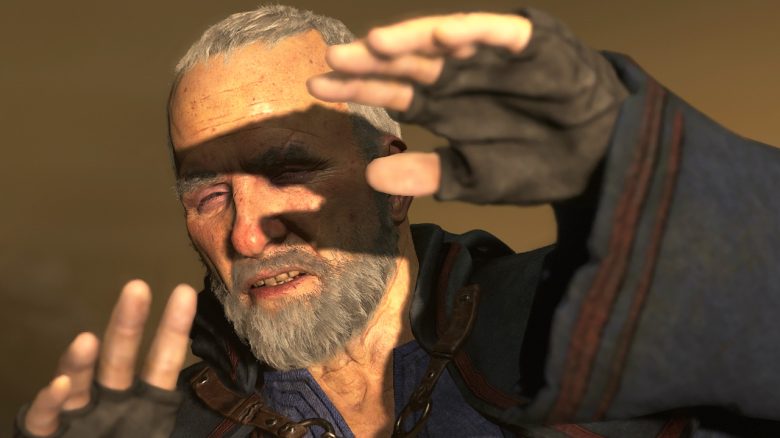
With Lord of Hatred, many players are returning to Diablo 4, after a longer or shorter break. The community reminds of simple yet important tips about things not to overlook – especially if, like the famous “gamer dads”, you have little time anyway. MeinMMO summarizes the most useful tips.

What’s new in Lord of Hatred?
- With Lord of Hatred, two new classes have been introduced: The Paladin, which has been playable for pre-orders since December and the Warlock, which players have only had access to since April 28.
- At the same time as the expansion, Season 13 and a free update for everyone have been released, which completely revamped the game. Among other things, all classes now play differently with the new skill trees.
- Those starting the endgame after the campaign can now assemble their content with war plans. More about this and the most important changes can be found in our overview of the features of Lord of Hatred.
Things to watch out for: If you are jumping into Diablo 4 now or are returning and haven’t followed the game in the past weeks and months, you might feel overwhelmed by the new systems. This is especially true if you haven’t played Vessel of Hatred.
To discover all the new (and some old) systems, you need time if you don’t know exactly where to look. Diablo 4 itself doesn’t really remind you of this. And since the Diablo 4 community is known to comprise gamer dads, time is anyway scarce. Users on Reddit also emphasize this with a brief salute to the dads who have to first banish their “little demons” to bed before they can play.
In the subreddit, there are plenty of different “PSAs”, i.e., short reminders and assistance for players. Here you can find them collected.
1. Select season and campaign correctly during character creation
A nasty mistake can happen even before playing. Lord of Hatred and Season 13 were released at slightly staggered times, which is why the first characters created were not seasonal but “eternal”.
However, if you want to play seasonal content, you should definitely make sure to check the box. Additionally, when completing your character, you should select the correct campaign status:
- By default, it should be set to “Lord of Hatred”, meaning you skip everything up to the new campaign. This is ideal for those who know the previous stories and want to quickly get to the endgame.
- If you need (and want) to catch up on Vessel of Hatred and are not in a hurry, it’s advisable to start here. Vessel of Hatred is automatically included in Lord of Hatred, you have access.
- If you want to experience the whole story again, as some nostalgic players plan, this option is also available.
2. Take a good look at the skill tree
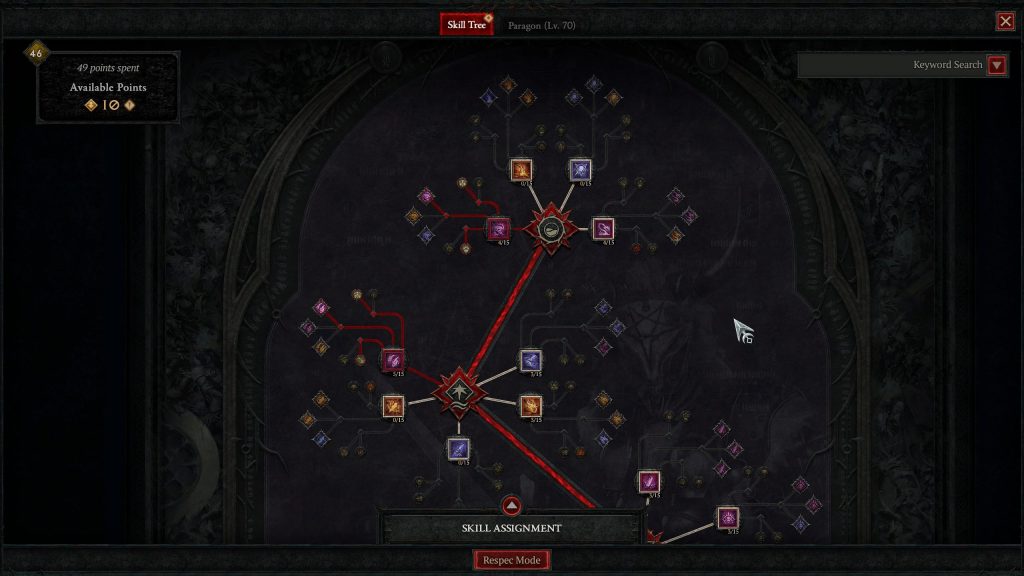
All classes now have an overhauled skill tree, where you no longer need to level up passive effects, but select them once. Leveling happens progressively and adjusted to the levels, meaning: You always choose a logical next step instead of having to invest points in a skill first for progress.
This helps in learning and understanding classes, especially the new skill trees. One reason why players advise against jumping directly to the OP builds from experts.
3. Take a mercenary with you
This feature might be completely new to you if you haven’t played Vessel of Hatred, but there are now NPC companions like in Diablo 2 and Diablo 3. You recruit these mercenaries in the town or at the mercenary camp in Nahantu. You can also hire a reinforcement that supports you in battle on command.
Which mercenary you take along doesn’t matter at first and is only relevant for your endgame build. When leveling, any of them helps you and you already collect “experience” to skill them. Raheir is generally a good choice as he protects you in battle. Aldkin is a good option as a reinforcement.
4. Check the inventory of merchants
As has been the case for a while, merchants are a useful source for legendaries. Often they only sell junk and maybe a few yellow items, but in some cases, you can find a strong item here that fits your build.
So if you are just in town to get rid of your inventory and have otherwise had bad luck with loot, it’s worth a quick detour to the armor or jewel merchant.


5. Remap your keys, especially for the map overlay
This tip is especially important for veterans who have been playing Diablo since the earlier titles. From there, you probably still remember the semi-transparent map that simply overlays the screen. This map overlay is now also present in Diablo 4, after it was missing since release.
By default, it is now bound to the key or button that was previously assigned to the world map (default on PC: “M”). The world map is now roughly on Tab.
To avoid confusing your muscle memory and potentially dying in the worst case – and losing a hardcore character – it’s advisable to reverse the bindings: Overlay to Tab, map to M. This way, Diablo 4 plays more like its predecessors. If you want to save even more time and have your class decision made for you: Which class do you play in Lord of Hatred? Ask the Wheel of Fate

Your opinion is important to us!
Do you like the article? Then let us know!