

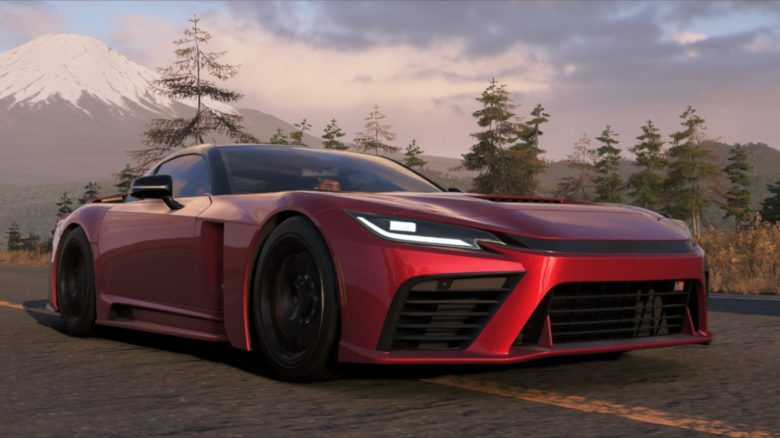
With a few simple tips, you can improve the performance of Forza Horizon 6 without needing to dive deep into the settings.
Are you currently playing Forza Horizon 6 on PC and looking for simple enhancements for your game? MeinMMO presents a few tips that aren’t complicated but can significantly improve your gameplay.
Feel free to leave us a comment if the tips helped you or if you have any suggestions of your own.
Correct Resolution
The setting has more impact on performance and quality than one might think. For us, the wrong resolution was set at the first game start. The game starts with 2560 × 1080 instead of 3440 × 1440 pixels. This made the image appear slightly blurry and washed out.
The “wrong” resolution has only one advantage: Your performance (FPS) increases because your gaming system has to calculate fewer pixels.
For a sharp image, you should still definitely choose the native resolution of your monitor. To improve performance, prefer using DLSS or FSR instead of lowering the resolution. Otherwise, the image will look mushy.
Turn Off V-Sync
V-Sync is a technology that aims to prevent screen tearing and synchronizes the performance of your graphics card with that of your monitor. The downside, however, is noticeable: a high input lag that can quickly cost you a place in the ranking in a fast-paced racing game.
Therefore, ideally, turn off V-Sync. If you have a monitor with FreeSync or G-Sync (Nvidia exclusive), the monitor will take over the work automatically.
Disable Ray Tracing
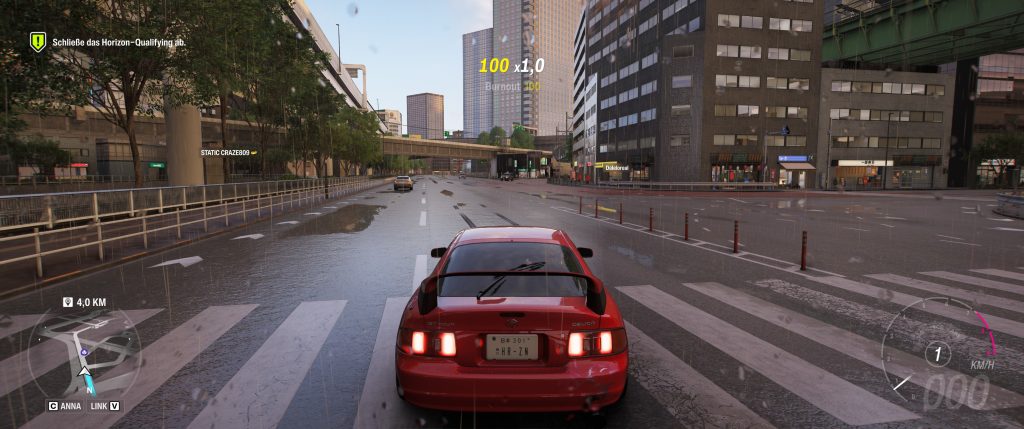
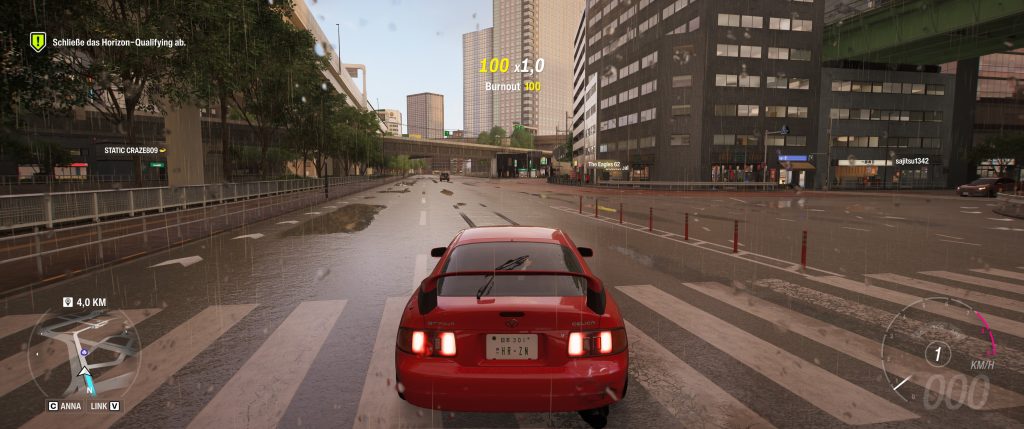
Ray tracing makes the world appear more natural and homogeneous but consumes significant performance. For us, Forza Horizon 6 didn’t look much better with high RT settings than with normal reflections.
If you turn off ray tracing completely, you will gain significant performance. For us, the difference was between 20 and 25 FPS in the open game world, right in the middle of Tokyo. You can see the graphical difference in the following image:
Quick FPS Gains: Lower Shadow Quality and Shader Quality
Want quick performance gains without much effort? Then lower the shadow and shader quality. Shadows in particular consume a lot of performance.
If you reduce the quality, for example, from Ultra to Medium (2 steps), the FPS in the game will noticeably increase. But the world still looks really nice.
Frame Generation: Omit at Low FPS
Frame generation (AMD and Nvidia) only offers real advantages if you can already demonstrate a stable frame rate. If you play with at least 60 FPS, frame generation can give your performance a boost.
It’s a different story if you have very low FPS: this technology relies on real images calculated per second by the PC. If your normal frame rate is already too low, frame generation can even lead to extreme stuttering or unplayable input lag.


Do you want to squeeze out a few more FPS from the new racing game and are looking for the best settings without compromising graphics quality? We present the best options and explain where you can save the most performance: Forza Horizon 6: The best settings for the most FPS

Your opinion is important to us!
Do you like the article? Then let us know!