


Games can look extremely good and realistic nowadays. But for a demanding game like 007 First Light to run smoothly, there are many things to consider. That’s why our tech author Jan Hartmayer first checks his settings before starting a new game.
As a child who grew up on weak office PCs as a gaming system, you quickly learn to squeeze every bit of performance out of your computer. In this regard, the graphics settings are particularly important.
Settings can make the difference between smooth FPS numbers and an unplayable slideshow. While most modern titles have automatic detection systems built in that adjust settings based on hardware, these are not always optimal.
That’s why I always have to check my settings before starting a game. Because even if most are not deal breakers, there are five that I absolutely need to adjust.
Less is more
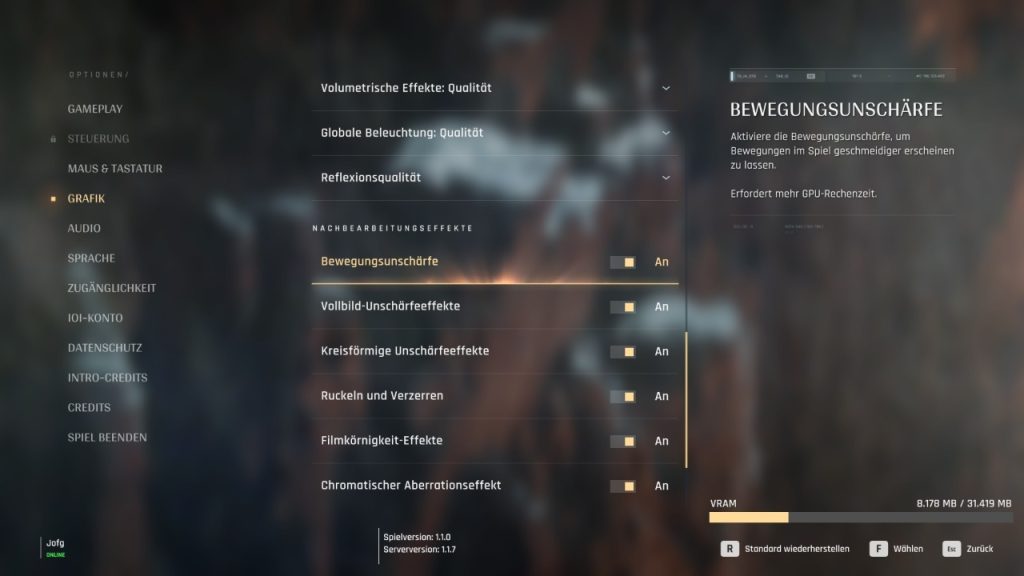
When I start a game to test how options change the visuals, I especially pay attention to graphics settings:
- Motion Blur: This is an effect where the image is artificially blurred during fast movements. In my opinion, it is unattractive, degrades the image, and should almost always be turned off. Exceptions are very low frame rates of 30 and below, as it can make the image appear a bit “smoother“.
- Film Grain: This is a setting that usually overlays a slight noisy flicker or grain over the image. This is intended to create a “cinema feel“ and mask image errors such as strong color gradients. Here too, I find the effect more disturbing than helpful, as I prefer a noise-free image.
- Upscaling like DLSS or FSR. I only use it for performance boost in the Quality preset (or in Performance mode, if I haven’t reached 60 frames per second yet). Because even in the Quality preset, unsightly artifacts can occur that, in my opinion, degrade the image.
In addition to graphics options, there is one setting that I have to fine-tune every time:
- Mouse Sensitivity: This determines my gaming experience. Usually, it’s set a bit low by default, and I have to adjust it afterward to be able to look around smoothly. For me, it’s less about exact values and more about finding the right balance between aiming accuracy and view speed.
Does it have to be?
While I always check my settings before starting a new game, is that really so important?
My friends and partner usually start their games first and only change settings if necessary. If the wrong resolution is selected or the FPS are too low. Otherwise, they simply enjoy a title immediately and don’t worry about things like low frame rates and specific graphic options.



I admire that, but I couldn’t do it myself anymore. Because now I can quickly recognize when an unwanted effect is activated. That’s why I prefer to be on the safe side and check everything before starting the game to avoid having to start over later. But my colleague Benedikt Schlotmann also has an adjustment he always makes: There is one setting I change immediately when I start a game for the first time on the PC, and you should do that too
How do you handle settings? Do you check them before starting a game or only look at them as needed? Which settings must be activated/deactivated for you? Let us know in the comments.

Your opinion is important to us!
Do you like the article? Then let us know!