

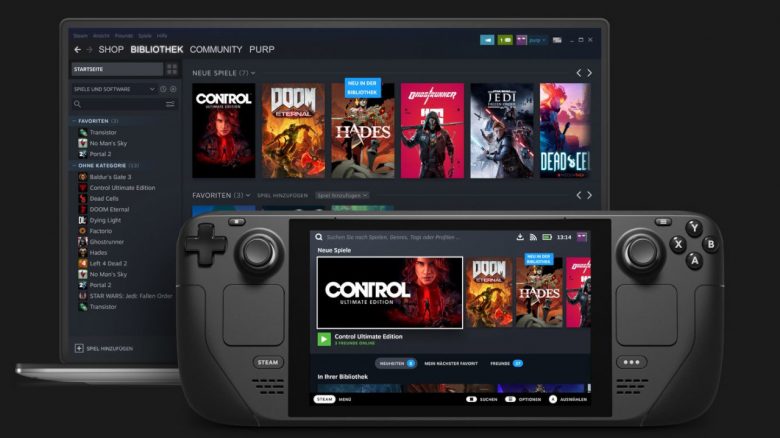
With the Steam Deck, Valve has introduced a gaming PC in handheld format. The device is expected to run the SteamOS operating system. But what is it exactly and what does it mean for me as a gamer?
What is the Steam Deck? The Steam Deck is a gaming PC that looks like a Nintendo Switch. Therefore, the Deck has often been compared to Nintendo’s console. However, Valve aims to offer a full-fledged gaming experience in a mobile format. You are not limited to a restricted pool of games on the Steam Deck like on the Switch; instead, you can install basically all games on the Steam Deck.
Valve is not using Windows for its Steam Deck but rather an operating system called SteamOS. This has sparked discussions after the announcement, about what you can actually play on the device.
MeinMMO explains what SteamOS is and what is behind it. Additionally, there is an alternative for your future Steam Deck aside from SteamOS.
A customized Linux will be used as the operating system on the Steam Deck
What operating system does the Steam Deck use? The Steam Deck runs on SteamOS, which is based on Linux. Thus, no customized version of Windows is involved. SteamOS is already installed on every delivered device, and you can start gaming right away.
However, there is one limitation: While Linux is open-source, the Steam client is proprietary software that offers you certain features like the store and chat.
SteamOS has previously relied on the Debian distribution, but with version 3.0, Valve now uses Arch Linux for SteamOS. SteamOS 3.0 is expected to be released with the launch of the Steam Deck in spring 2022.

SteamOS vs. Windows
MeinMMO presents the advantages and disadvantages of SteamOS and explains what distinguishes the two operating systems. We will update the list for you as soon as there is more information about the Steam Deck.
What advantages does SteamOS offer?
SteamOS is free: Basically, it is worth noting that SteamOS is available free of charge for everyone. You do not pay any licensing fees for Windows when purchasing the Steam Deck and can download SteamOS anytime free of charge.
SteamOS is safer than Windows: Linux is significantly more secure than Windows, as there is much less malware available for Linux compared to the widely used Windows system. However, it is also true for any other operating system: The more third-party software you install, the more potential attack vectors your system has for potential threats.
Data protection: Another point in favor of SteamOS is that Linux is generally more data-friendly. While Windows constantly queries data and wants telemetry data from you, Linux usually leaves you alone in most cases. However, the more programs you install, the more apps will also want your data.
Suitable user interface: Valve has developed a suitable “User Interface” (UI) for SteamOS. This means a pleasant experience for you as menu sizes are appropriate.
Small size: SteamOS only requires about 250 megabytes on your hard drive, making it very lean compared to Windows 10.
Linux will become more attractive for developers: The more users use SteamOS, the more attractive the operating system and thus Linux will become for game developers. If the Steam Deck is successful, Linux could develop into an alternative or at least a hidden gem compared to Windows.

What disadvantages does SteamOS have?
Not all games work: On SteamOS and generally on Linux, other stores either do not work at all or work very poorly. Therefore, you basically have to do without other stores like Ubisoft’s or Battle.net.
Valve refers to this as “Verified for the Steam Deck” and aims to check all games so that gamers can see which games work on the Steam Deck and which don’t (via steamdeck.com).
Not every program works: This leads us to another disadvantage: Some programs require specific, licensed components. These may include Windows runtime libraries that cannot be easily installed on Linux. This is where Proton comes into play. Proton aims to provide the relevant runtime libraries or supply alternative libraries.
Fundamentally, you can use the Steam Deck like a regular PC and install anything you want. However, not everything may work, as some programs currently only function under Windows or do not offer a client for Linux. For example, you can install Discord on Linux without any issues.
Steep learning curve: Like any operating system, SteamOS also requires time to learn. SteamOS or Linux offers you many opportunities and options but does not hold your hand.
What about performance? Anyone who has gamed under Linux knows that performance is often weaker than under Windows. This is partly due to the fact that Wine/Proton has to translate Windows commands for Linux, which takes additional processing power. While there are already some unofficial benchmarks for the Steam Deck, these still say little about the final performance of the Steam Deck.
Conclusion
SteamOS is primarily a statement to all users who appreciate open-source software and want to move away from Windows. And it comes with all the advantages and disadvantages that a Linux operating system has.
Because Linux is open-source, secure, and offers you plenty of freedom, but you also have to live with the fact that not all programs work without limitations. Additionally, you should theoretically expect a slightly weaker performance compared to Windows.
However, Steam had already stated that almost all games are expected to run on SteamOS, thanks to the compatibility layer Proton, which Valve developed.
Windows as an alternative to SteamOS
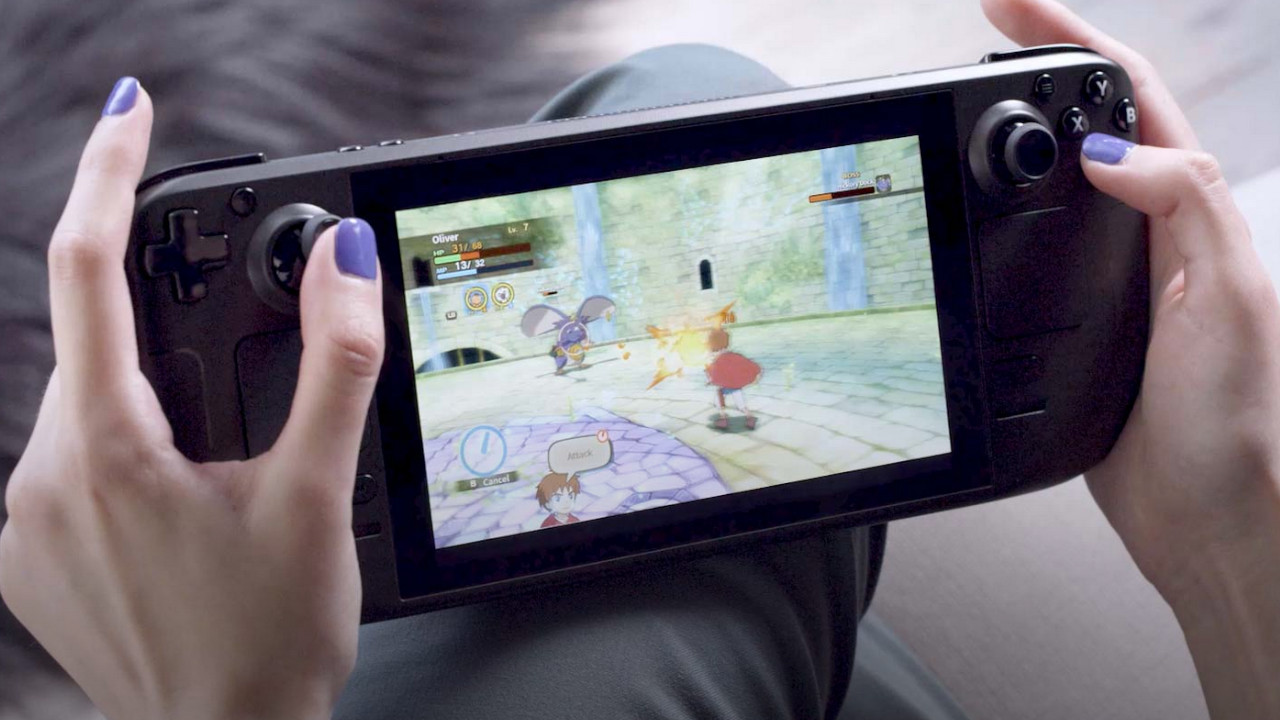
Do I have to use SteamOS on the Steam Deck? No. Valve has already stated that you can do whatever you want with your Steam Deck. There is also the possibility of installing Windows 11 on the Steam Deck. However, you should note that there is currently no customized version of Windows for the Steam Deck. Therefore, the menus of Windows 11 on the Steam Deck might look broken. But that is just speculation.
The manufacturer AMD, which supplies the hardware for the Steam Deck, has already explained together with Valve that it would also provide the necessary drivers for a Windows installation.
Alternatives to the Steam Deck: If you like the idea of gaming on the go, we from MeinMMO present you with a handful of alternatives to the Steam Deck that you can already buy:
Steam Deck: Here are the 4 most exciting alternatives for 2021

Your opinion is important to us!
Do you like the article? Then let us know!
Comments