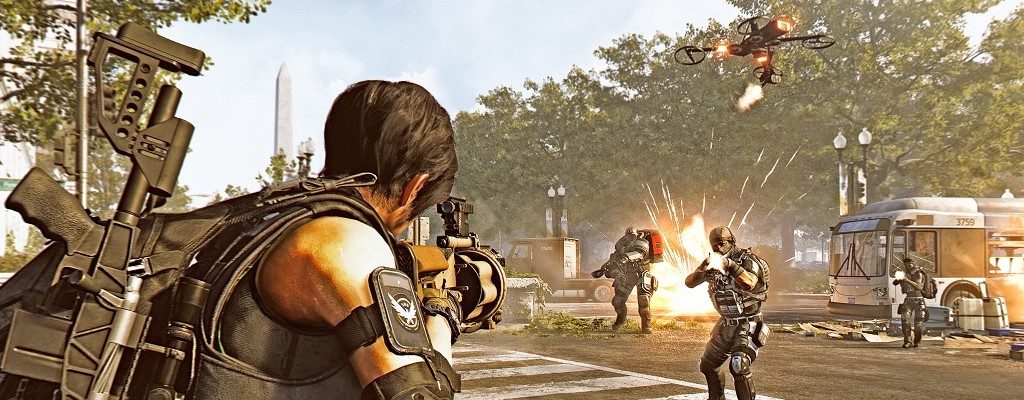
A small protest action in front of the headquarters of the Battlefield 5 developer DICE in Stockholm is celebrated greatly by the community and has turned a helpful fan into a hero.
Why the protest? Many players have already unlocked or purchased pretty much all the cosmetic items that the game has to offer in Battlefield 5. Fans have long been demanding more customization options, which DICE has also hinted at.
However, there is no specific date for the new cosmetics, and fans are becoming increasingly impatient. In response to this situation, a fan protested alone and practically earned a hero status in the Battlefield community overnight.
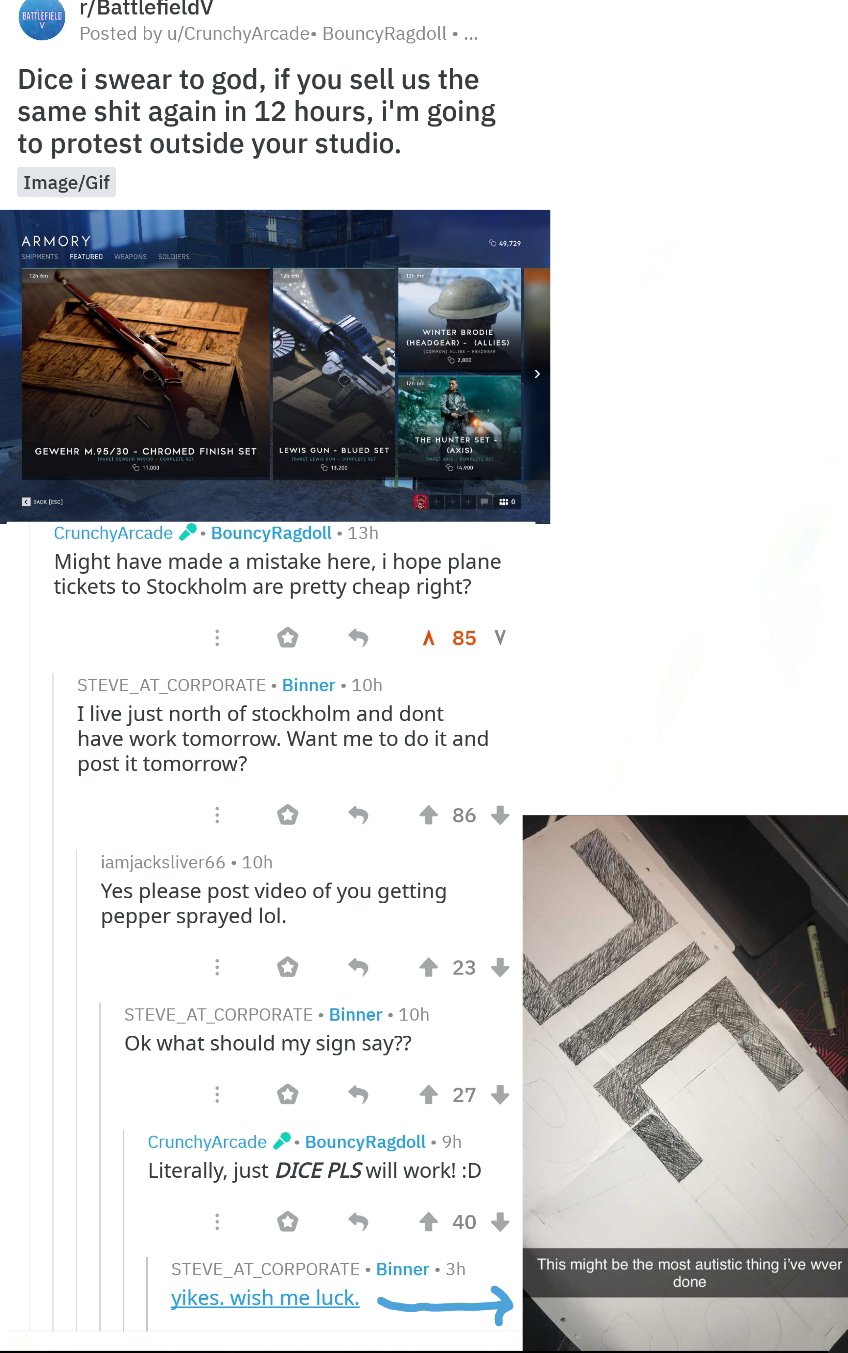
This is how the protest action came about: The trigger for the action was a post on Reddit. There, a user complained about the missing cosmetics and said he would protest in front of DICE’s headquarters if Battlefield 5 offered the same old stuff in the Arsenal for purchase again within the next 12 hours.
Source: Reddit user fireshout81
Shortly after, he presumably realized that DICE’s headquarters is in Stockholm and backtracked: “I might have made a mistake. I hope the plane tickets to Stockholm are reasonably priced.”
On the other hand, a roadmap is expected to be released next week, which should provide answers to the community’s most pressing questions about the future of Battlefield 5 – including the new cosmetics.
What do you think of this protest action? Let us know in the comments.
However, some time later, the Redditor STEVE_AT_CORPORATE offered to protest on his behalf. He himself would live near Stockholm and would not have to work the next day.
Encouraged by the community with remarks like “Please send us a video of how you are treated with pepper spray,” Steve quickly clarified what should be written on the poster. After agreeing on “DICE pls,” Steve fell silent on Reddit.
Hardly anyone seriously thought he would actually go through with the action. However, they would soon be proven wrong.
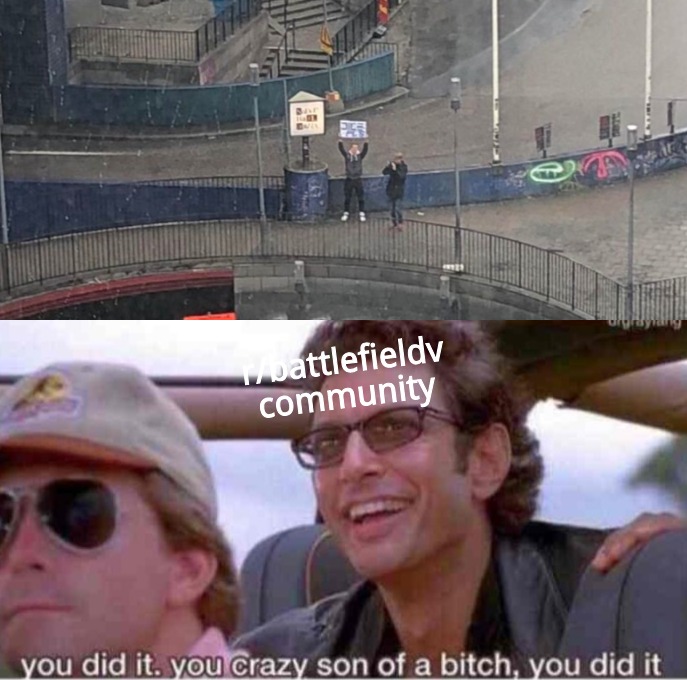
This is how the protest action went: Because shortly afterward, STEVE_AT_CORPORATE actually posted his protest action on Reddit with the words: “You all probably thought I wouldn’t do it. You were all wrong.”
A video shows DICE’s headquarters and then turns to Steve, who is holding a poster that reads “DICE pls.”
This is what the fans say: This action quickly earned STEVE_AT_CORPORATE a hero status on Reddit. His action is celebrated by the fans and showered with praise and recognition.
Steve’s post received over 5,000 upvotes within a few hours. He is referred to as a noble knight, a true hero, and the action would prove once again that Reddit always finds a way.
Source: Reddit user SolidPrysm
This is how the developers react: The cool thing about the story – Steve’s appearance did not go unnoticed by DICE. Not only did the developers express their sympathy for Steve and their recognition of his action on Reddit – they also apparently followed the protest live.
There are recordings showing Steve with his protest sign from inside the DICE HQ. This is well received by the community.
This is what will happen next with Battlefield 5: Further news about new cosmetics should not take long to arrive.
On one hand, one of the DICE employees noted on Reddit regarding the action: “You have been seen. And I was told the Arsenal could use an update.”
On the other hand, a roadmap is expected to be released next week, which should provide answers to the community’s most pressing questions about the future of Battlefield 5 – including the new cosmetics.
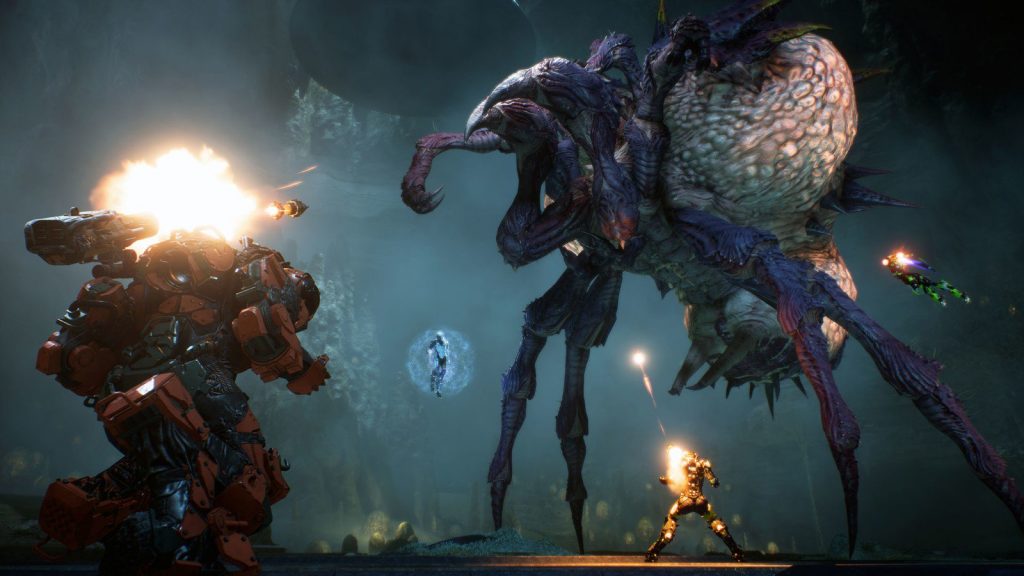
Anthem has received a new hotfix aimed at improving loot. However, this has now amplified another problem: Nobody wants to face the final boss of the strongholds anymore.
What is wrong with the bosses? Recently, a hotfix was applied to the Anthem servers that was supposed to change a lot about the loot. Among other things, the drop rates for Masterwork and Legendary items from harder enemies across all difficulty levels have been increased. You can read the complete patch notes here.
What reads like a sensible addition for Anthem, however, quickly led to a problem: Some players now leave strongholds before the final boss because nothing has changed about the loot pool of the bosses.
Where is this particularly problematic? Since the release of Anthem, there have been players who occasionally leave the strongholds before facing the bosses. They only want to farm the chests that appear after reaching certain stages in the strongholds. Until now, however, these were only isolated cases.
Especially at the release of Anthem, players repeatedly left the strongholds before the final boss, like here in the Tyrant’s Mine.
However, recently more and more players have been reporting that they only end up at the final boss in the Heart of Rage stronghold—because many freelancers are only interested in the chests and the enemies before the boss.
In the Heart of Rage stronghold, there are plenty of enemies that already had a higher chance of dropping powerful items even before the hotfix. After the fix, these were further buffed: Titans, Ursix, and Fury can all still be found before the final boss, along with chests that also have a chance at Masterwork and Legendary items.
What do the players say? Many players are annoyed and are expressing their frustration mainly in the Anthem subreddit. They believe it is currently impossible to queue solo for the Heart of Rage. Every time they would be thrown into a running stronghold—right before the final boss.
Players do not want to fight the final bosses, preferring to take on Titans and Furies.
While some players demand penalties for those who leave strongholds early, others would prefer a reward for freelancers who complete the strongholds normally.
What is BioWare planning? The developers have not yet commented on the current issues with the stronghold. However, they announced that they want to make changes to the final bosses in the strongholds.
What these changes could look like was already presented in a livestream before the release of Anthem: Vanity chests containing cosmetic items could enhance the loot from the final bosses.
Here we have three tips for you on how you could more easily obtain powerful items:
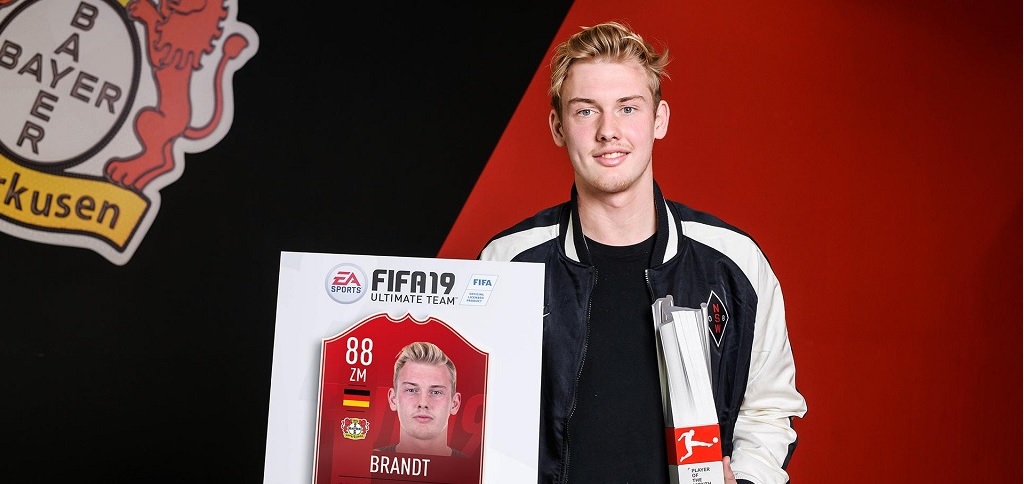
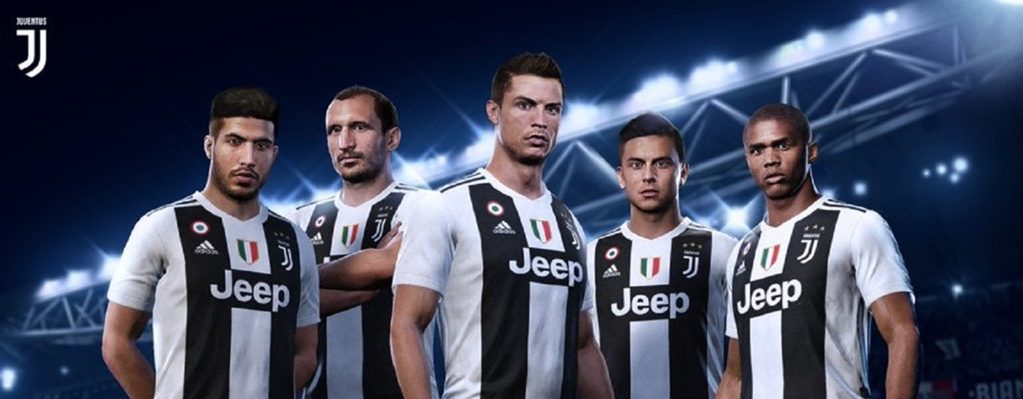
In FIFA 19 there is now a new Player of the Month from the Bundesliga. The POTM for February is Julian Brandt from Bayer Leverkusen. This is how the SBC works.
This is the Player of the Month in FUT 19: Every month, EA Sports conducts a public vote for the best Player of the Month. Since FIFA 19 is also available for the Bundesliga, previously this was only available for the Premier League.
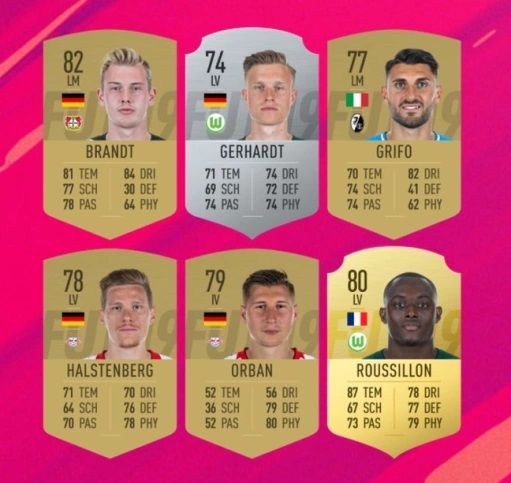
These players were up for voting (Bundesliga POTM in February):
Candidates POTM February in FUT 19
The Player of the Month for February: Julian Brandt was chosen as the POTM (Player of the Month) for February. He receives this award for the first time.
This is not his first special card, as Julian Brandt already has 2 TOTW cards in FUT 19.
Here you can see the new POTM card:
Recommended editorial content
At this point you will find external content from Twitter that complements the article.
I consent to external content being displayed to me. Personal data can be transmitted to third party platforms.
Read more about our privacy policy.
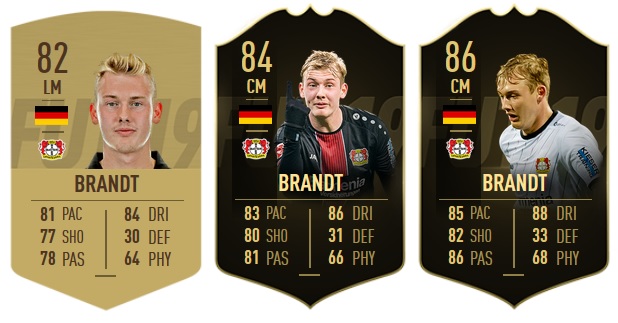
This is what the card can do: Julian Brandt’s Player of the Month card boasts a strong overall rating of 88. All relevant stats are solid. But particularly standout are the improved shooting and passing values.
POTM Julian Brandt
It is also interesting that the card, like the Inform cards, has received a position change from LM to CM. This makes Julian Brandt versatile.
The previous cards of Julian Brandt
In the current Team of the Week 26 Julian Brandt has an Inform card with an overall rating of 86. Compared to this card, the new POTM version has significantly better values in the areas of: shooting, passing, and physique.
Speed: 85 -> 87
Shooting: 82 ->85
Passing: 86 -> 89
Dribbling: 88 -> 90
Defense: 33 -> 35
Physique: 68 -> 72
How to get the Brandt POTM card
The following steps are necessary: To add the card to your club, you need to complete three SBC tasks. You have 14 days for this. Currently, the costs for all tasks are around 140,000 coins.
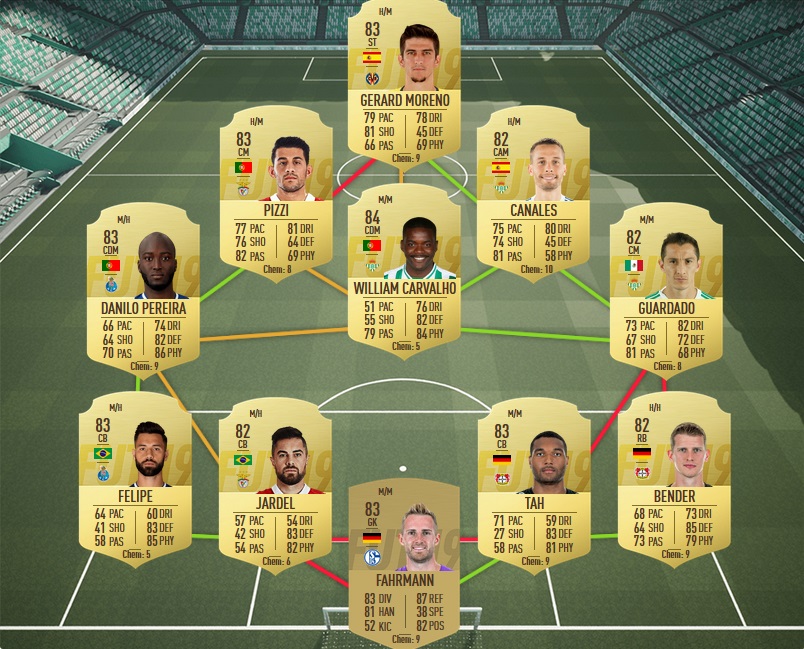
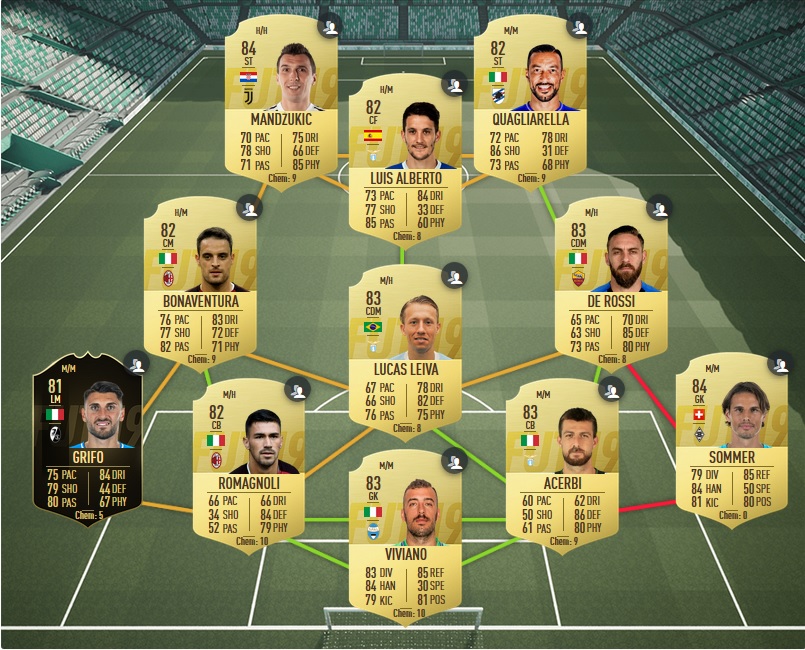
Here are suggested solutions, these can be done without loyalty and position changes:
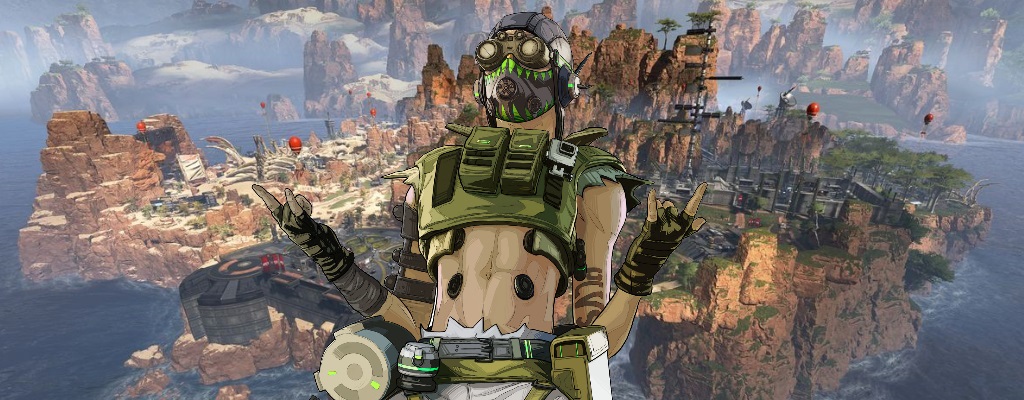
Strange objects have suddenly appeared at one location on the map in Apex Legends. These could represent a skill of the new legend Octane, which has been leaked multiple times.
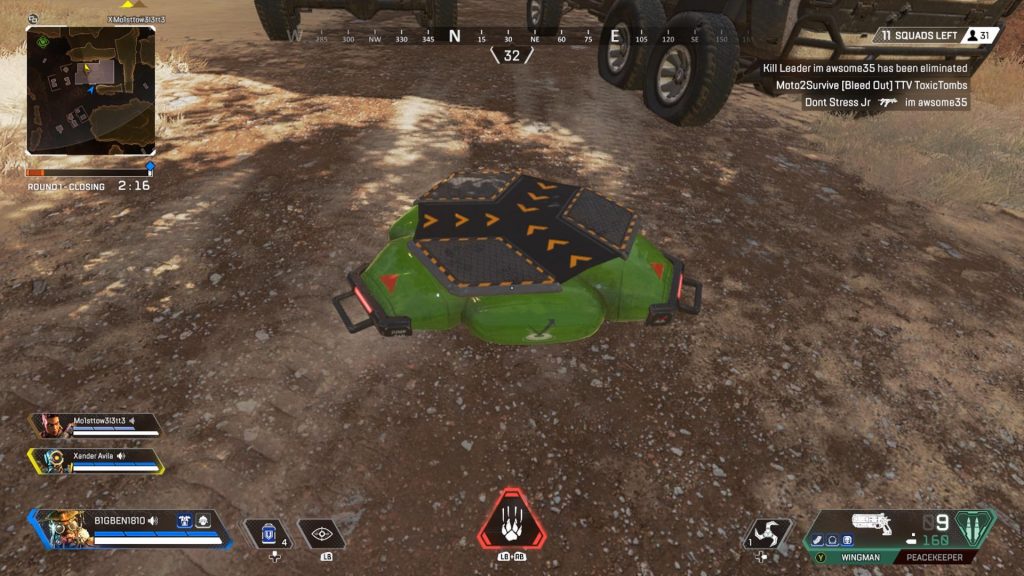
What kind of skill is it? The skill that has appeared involves objects on the ground. They are located right in front of the large building at the market. They propel players and grenades high into the air, while only Arc Stars get stuck.
Both in terms of appearance and behavior, these things are likely jump pads, the ultimate ability of the leaked legend Octane. This would finally confirm the first solid evidence of his appearance.
Recommended editorial content
At this point you will find external content from Twitch that complements the article.
I consent to external content being displayed to me. Personal data can be transmitted to third party platforms.
Read more about our privacy policy.
So far, however, neither a start date nor the content has been officially confirmed, so no one was quite sure whether Octane would actually appear. Especially the response from Respawn has caused further uncertainty.
This is what Respawn says about the jump pads: The scenes of the jump pads have also gone viral on other platforms. On reddit, a thread was posted introducing the jump pads.
Apparently, this is not an isolated case, as colleagues from Gamespot have found and been able to use the pads. A representative from Respawn himself commented in the thread, but only left a cheeky smiling emoji there.
For many fans, this is evidence enough that Octane will appear and the release is imminent.
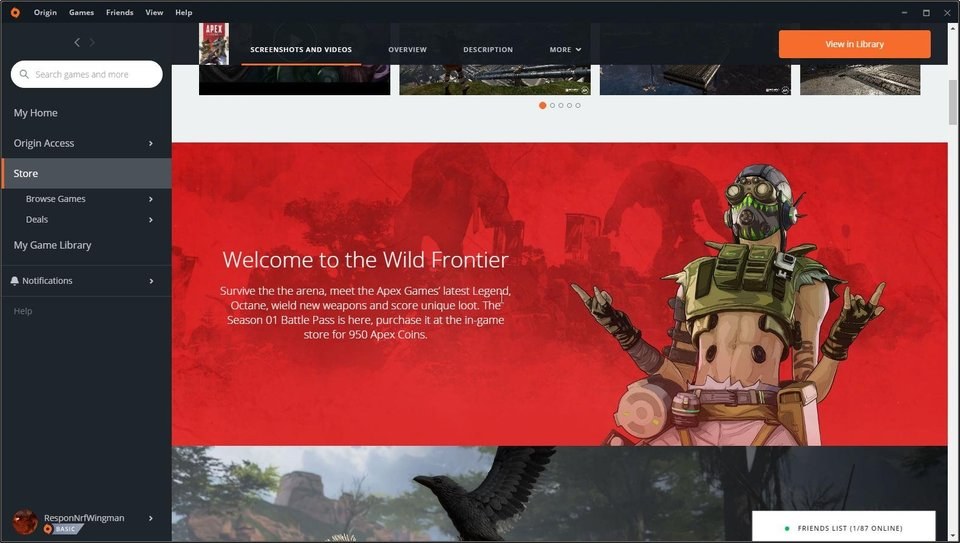
When can I play Octane? So far, there is still no specific date for the start of Season 1, the Battle Pass, and Octane. However, with the new teaser already in the game, it seems that it will really be “soon”.
What do you think of the teaser?
The last time fans expected information about the Battle Pass, it didn’t go so well:
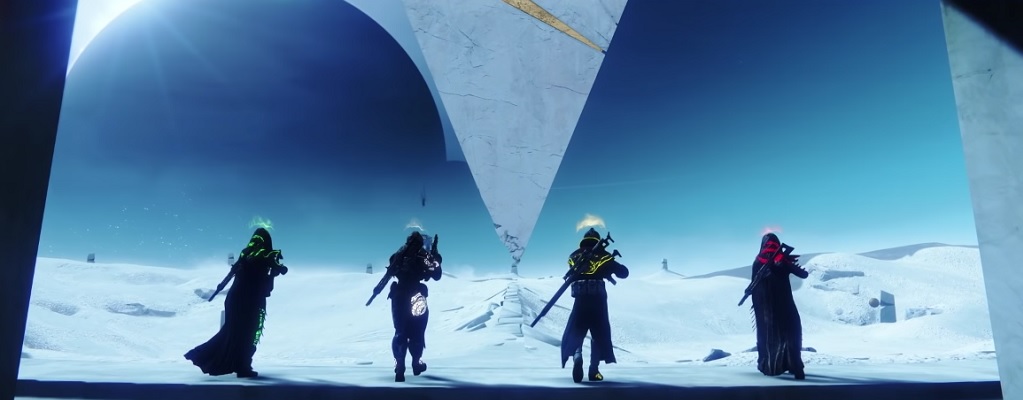
In Destiny 2, the level 3 of the Reckoning is live. In it, the manifestation of an old king awaits you, but most of you probably can’t play this mode yet.
This is what the endgame content is about: On March 15, level 3 – and thus the highest level – was unlocked in the Reckoning. Bungie announced this level as tough endgame content through which you can obtain the best Gambit Prime armor.
Why can’t I play this? The Reckoning level 3 recommends a power level of 690 – and you must have at least 680 to even start the mode.
If you have been regularly playing Destiny 2 since the start of Season 6 and have collected the powerful rewards, most of you will now be between 660 and 670 power level.
You will therefore need to grind your power level for a while longer to master the Reckoning in its highest tier. Moreover, you should ideally start this mode with a coordinated team. That is, your friends should also have around 690 power.
This is how level 3 progresses: The first videos for level 3 are already available on YouTube – mostly from professional streamers and hardcore gamers, like Esoterickk or Gladd.
We embed a video from Esoterickk, who already has a Guardian at 699 power level and confidently marches through the Reckoning:
Recommended editorial content
At this point you will find external content from YouTube that complements the article.
I consent to external content being displayed to me. Personal data can be transmitted to third party platforms.
Read more about our privacy policy.
First, as in level 1, you must drive the Dominance counter to 100%. Therefore, defeat the Taken as quickly as possible in a team.
Next, as in level 2, you can cross the bridge where you need to fill 6 circles to 100% while fending off Taken.
Right after that, you can float to a platform where a manifestation of Oryx awaits. You can see the final fight in the upper video from minute 6:20.
In total, you have 4 minutes to fight against the manifestation of Oryx. While Oryx teleports from one corner of the platform to the other and eats your bullets, more Taken appear, including heavy Ogres.
Oryx was the King of the Taken, which marked the beginning of Year 2 of Destiny 1. The launch period of “King of the Taken” is considered by many to be the best time for the Destiny series.
Esoterickk’s fireteam takes only about a minute to eliminate the manifestation of Oryx. Armed with the Sleeper Simulant and the Warlocks’ Well of Radiance, Oryx takes significant damage.
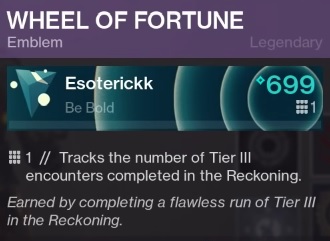
By the way, the video also shows that there is a special emblem for a flawless run:
What power level are you at? Have you already dared to enter Reckoning level 3?
Today’s maintenance work is taking place unexpectedly. Normally, the servers are maintained on Thursdays.
Now, in the hot release phase, Massive is diligently working to resolve all arising issues as quickly as possible, which is why we can expect several spontaneous server downtimes.
Yesterday there was unexpectedly a server restart. And late in the evening on Thursday, Massive wanted to deploy a patch that caused issues. This will be provided today, along with fixes for other problems.
What changes today? The developers have just released the changes:
Players could get stuck at the wrong World Tier if they completed Strongholds in a group without the required gear score.
The fix should reduce the occurrence of client crashes when using certain skills.
Players could not talk to Agent Kelso in the Castle settlement.
Players could receive multiple Ivory Keys from the same source.
Progress was not saved when playing open-world activities and side missions in another player’s instance.
There was an exploit where supply drops could be looted more frequently.
If players quickly logged in and out, they could repeatedly purchase blueprints.
If the “Dialed in” talent was combined with the Ernet mask, players received excessively high precision and stability.
Until the servers are back online, you can read this important news about loot:
After the launch of The Division 2, some agents are struggling with sound issues. Since there is currently no official solution, we will show you a few ways to possibly get rid of the annoying sound bug.
What is the sound issue about? Even during the beta, many players struggled with annoying sound bugs. But even with the launch of The Division 2, the problem does not seem to be completely resolved. Numerous agents are still plagued by annoying sound dropouts.
The error mainly occurs on PC. The developers are aware of the problem and are already working on a solution. Until an official fix is available, those affected will have to be patient. But currently, it is also possible to work around the problem with some workarounds and a bit of luck.
Fixing sound issues in The Division 2 – Here’s how
This is how the sound issues manifest: Many players have reported in recent days that they experience delayed sound or multi-second audio dropouts. Some also complain about having no audio in the game at all.
Causes of the issues: One of the most common causes of the sound bug on PC has been identified by players as Logitech audio hardware and software. Therefore, The Division 2 currently seems to have intermittent issues with this.
Especially if you are using a surround headset from this manufacturer, including the corresponding software, you may experience audio difficulties. But other factors, such as DirectX drivers, may also be responsible for the occurrence of the bug.
Possible solutions for the “No Sound” bug
We have gathered some approaches for you that have resolved the sound issues for some agents on PC. If you are a console player affected by this bug, there is currently no known way to fix the error.
You can try the following on PC:
Press ALT-TAB in the game to switch to the desktop. Then switch back to the game. This has already managed to restore sound for some players.
Reinstall the DirectX drivers. Some agents have reported that reinstalling fixed the audio bug.
Use alternative audio hardware. If you are playing with Logitech headphones or audio systems, try other speakers or a different headset if available. This could also solve the problem.
If this does not work for Logitech users, close all Logitech software applications such as the Gaming Software Tool and the Surround Sound Service from the taskbar. Open the Task Manager, find the Logitech Surround Service within processes, and end it if it is still active.
If your Logitech hardware is still not working after stopping the Logitech services, try using alternative headphones or speakers again.
As a Logitech headset user, you can additionally try selecting a different option than your Logitech hardware in the audio settings of The Division 2 under the Voice Chat option. Reportedly, this has also restored sound for some players.
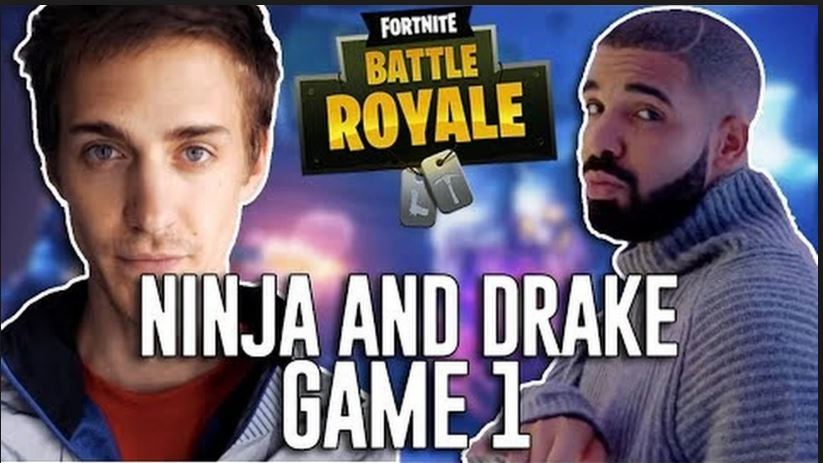
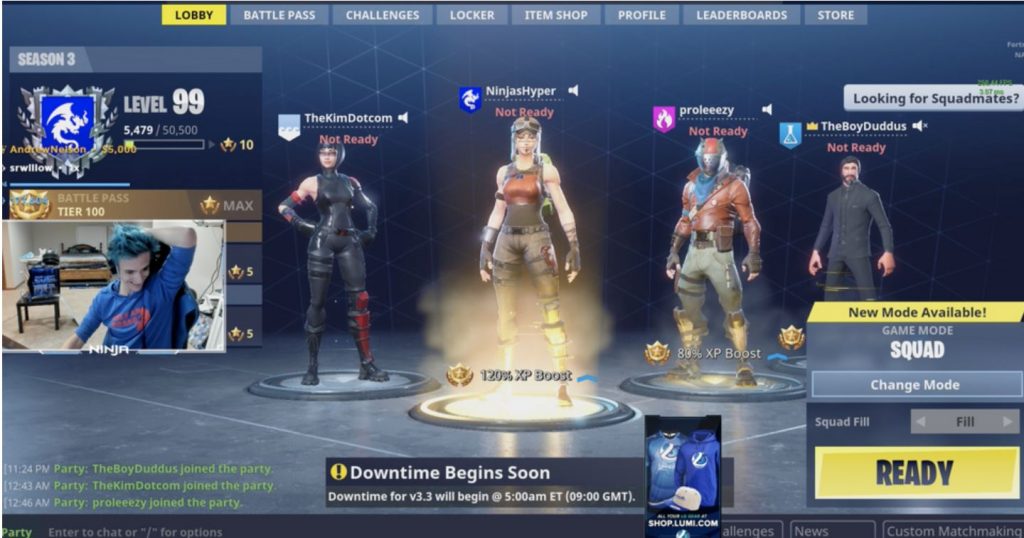
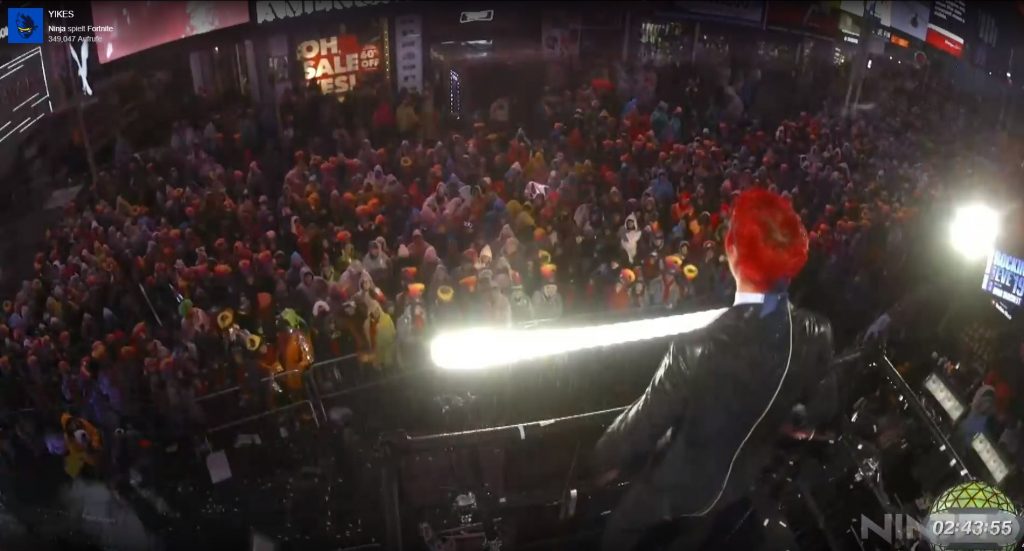
On March 15, 2018, Tyler “Ninja” Blevins streamed some rounds of Fortnite on Twitch alongside rap star Drake and others. In retrospect, it was probably the peak of the Fortnite craze and a moment that changed a lot: gaming came into the mainstream.
This was the action: On March 15, Tyler “Ninja” Blevins played a few hours of Fortnite and broadcasted it on Steam, as he often did.
However, present that night were:
music star Drake
hip-hop artist Travis Scott
controversial businessman Kim Schmitz, known as Kimdotcom
and Juju Smith-Schuster, a football player for the Pittsburgh Steelers
The Korean site Inven calls it a moment that changed the gaming industry forever.
Why this was important: This moment brought gaming into the mainstream and legitimized it as “cool” in youth culture, if there were any doubts about that.
By having Drake, one of the biggest music stars in the world, play Fortnite with the biggest gaming star, new players were introduced to the world of gaming.
In the following months, analysts found that Fortnite made gaming as a whole bigger.
This attracted people to gaming who previously preferred listening to music, watching Netflix, or spending their leisure time differently.
This also led the entertainment industry to see great potential in Fortnite.
Does everyone think this is good? Not everyone is on board. In discussions, you often feel there are people who strongly identify as “gamers” and want to set themselves apart from “non-gamers.”
They view Fortnite and the hype it generated quite critically.
But no matter how one sees it: the moment a year ago has probably changed a lot.
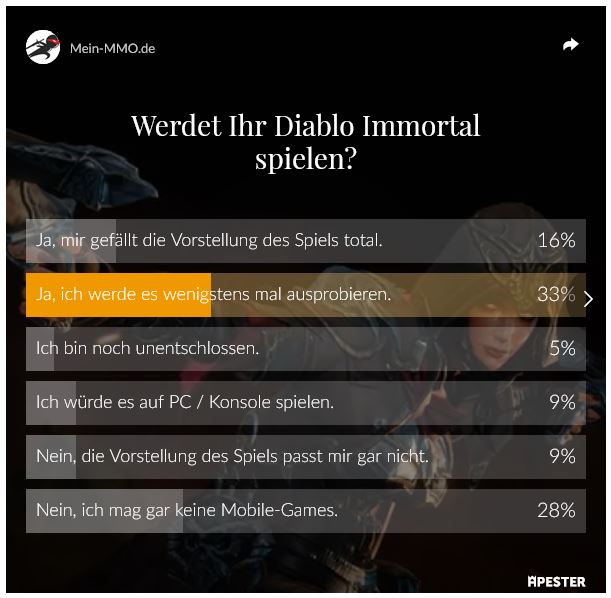
We asked you if you would give Blizzard’s mobile MMOARPG “Diablo Immortal” a chance, or if the game would not be installed for you. These are the results of our survey, in which 2500 people participated.
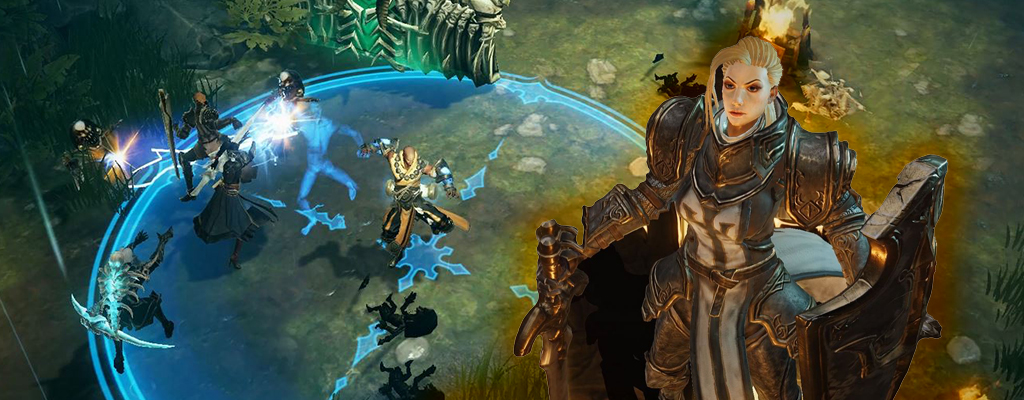
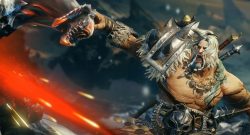
This is Diablo Immortal: With Immortal, Blizzard brings the first new Diablo game that was developed for the mobile market. It is therefore intended to be played on smartphones or tablets.
Announcement brought a backlash: As Diablo fans eagerly awaited details about a new game, they hoped for a Diablo 4 announcement. But at BlizzCon 2018, Diablo Immortal was presented instead. Fans were sad, frustrated. A major backlash ensued, people asked Blizzard if they were really serious.
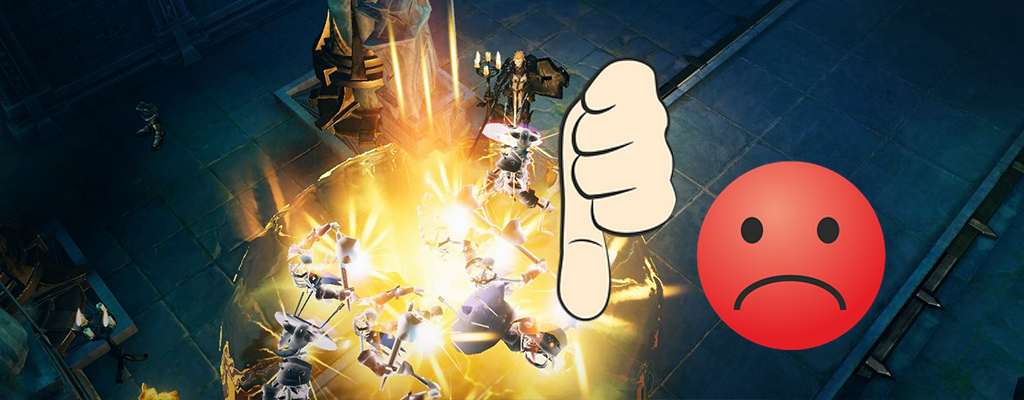
Even the announcement trailers were met with hundreds of thousands of “thumbs down”.
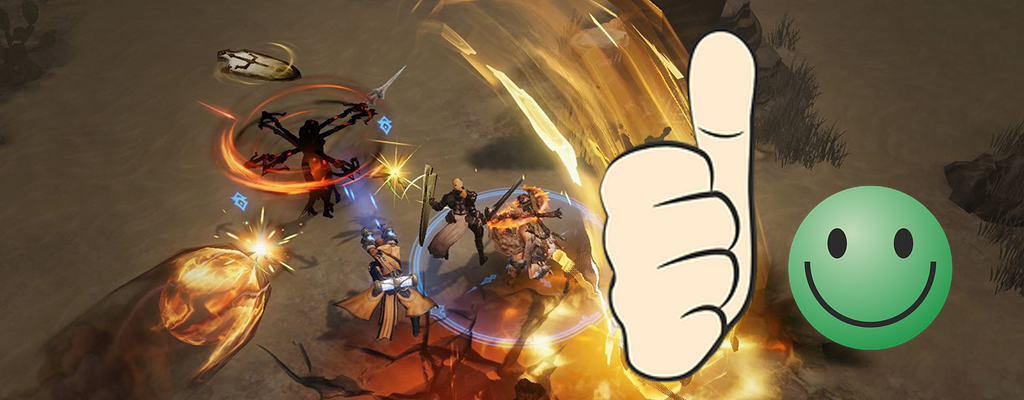
Number of positive and negative ratings – 28,575 to 735,884 – as of March 15, 2019
that about a third of you want to at least try it out
16% are even convinced,
while 9% prefer to play it on PC or console or don’t like it at all.
28% of you do not like mobile games at all.
And the last 5% have not yet decided whether they will play.
Survey on Diablo Immortal on MeinMMO – as of March 15, 12:55 PM ~2500 participants
This is what the MeinMMO community says about Diablo Immortal
You commented diligently on our article with the new survey. You presented your arguments for why you want to try Diablo Immortal or are not interested at all. We summarize some of the comments here.
Your votes for Diablo Immortal:
“Try it out, why not? As long as it’s free. I’m not a fan of blind hatred that you hear and read about the game.” – Matthias W (Ayato)
“I’ll check it out, even though I’m not a fan of mobile games. I want to press buttons and actually just use my phone for writing/surfing. But the idea that every acquaintance/friend is a potential co-player is not bad. Since I only have a few RL friends who game on Xbox/PC, Diablo Immortal could really fill a niche.” – Joker#22737
“Uh yeah. Definitely yes. Many mobile games are just pure rip-offs through in-game shops… but I doubt they would even try something like that with a Diablo title. So if I can play Diablo Immortal on my smartphone while watching TV and loot a little in the evening, that would be great.” – DerEinzigWahreGast
“I’m probably one of the few pro-mobile people in Germany. I’m looking forward to it if it’s well implemented and not pay-to-win. A while ago, I bought a smartphone gamepad where I can hang my phone and connect via Bluetooth. I’m currently playing some other games with it, it’s really convenient. So, of course, I hope for controller support in Diablo Immortal.” – Dominic Thielmann
“I enjoy playing Diablo from parts 1 to 3. But mobile games are not for me. Immortal won’t change that. Touchscreens are not suitable for gaming as far as I’m concerned, except for Candy Crush and the like, but those aren’t games for me, and I can’t relate to them either. Therefore, I’m really disappointed that only a mobile offshoot of Diablo has been announced.” – KronosX2
“I don’t like mobile games, but even if it were a fully-fledged Diablo, what should I do with it on such a tiny screen compared to my desktop? It makes no sense.” – fixmbr
“I wouldn’t know why I would play on a phone that has a tiny display and you have to cover part of it for the controls. […] I have a very good PC with decent peripherals, a good TV with several consoles. I wouldn’t know why I should sit in front of a phone when I have so many better options.” – Nyo
“No, I won’t play it. I’m not going to support the stupid mobile game trend.” – Kendrick Young
“If I want to play Diablo on the go, I’ll bring my Switch along.” – Theojin
“With new classes, I would’ve tried it, but I’m already kind of fed up because of D3.” – DevilRon1989
Want more hack and more slay? Then check this out:
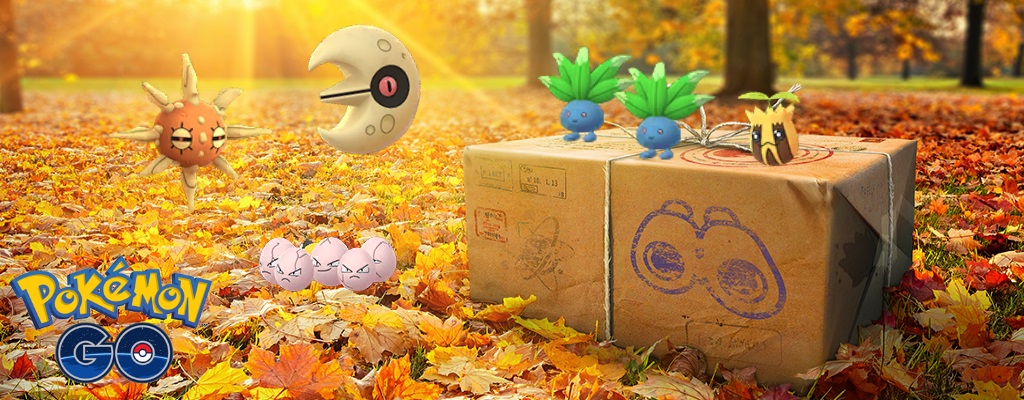
In Pokémon GO, the Equinox is celebrated! This event brings numerous Grass-type Pokémon and the exchange of Lunatone and Sunkern.
When does the event run? The event starts on March 19 at 21:00 German time. It runs until March 26 at 21:00.
What is being celebrated? The equinox is being celebrated. A few days ago, special quests for this event were found, which hinted at the event beforehand. Now the confirmation is official.
What you need to know about the Plant Event
What bonuses are there? The event focuses on Grass-type Pokémon. The following bonuses are available:
Grass-type Pokémon appear more frequently in the wild, including Bellsprout, Oshawott, Sunkern, and Budew.
Lunatone and Sunkern change regions (Lunatone is catchable again).
Grass-type Pokémon appear more frequently in raids.
Special field researches for the event are available.
Some Pokémon can learn the moves Acid Spray or Grass Mixer.
Bulbasaur and Chikorita could also be part of the event.
Is there a Shiny? A new Shiny has not been announced yet. However, there will definitely be an old Shiny, Sunkern, appearing more frequently in the wild.
On the announcement image for the event, a Bellsprout can be seen, so many players suspect that this Pokémon will appear in its shiny form. However, this is not confirmed.
This is the official image for the event.
Which Pokémon can learn new moves? The two new moves will be learnable by several Pokémon:
This could also happen: It is quite interesting that there are no additional bonuses, like extra Stardust or XP. This suggests that Niantic has something else planned. However, this is just speculation for now.
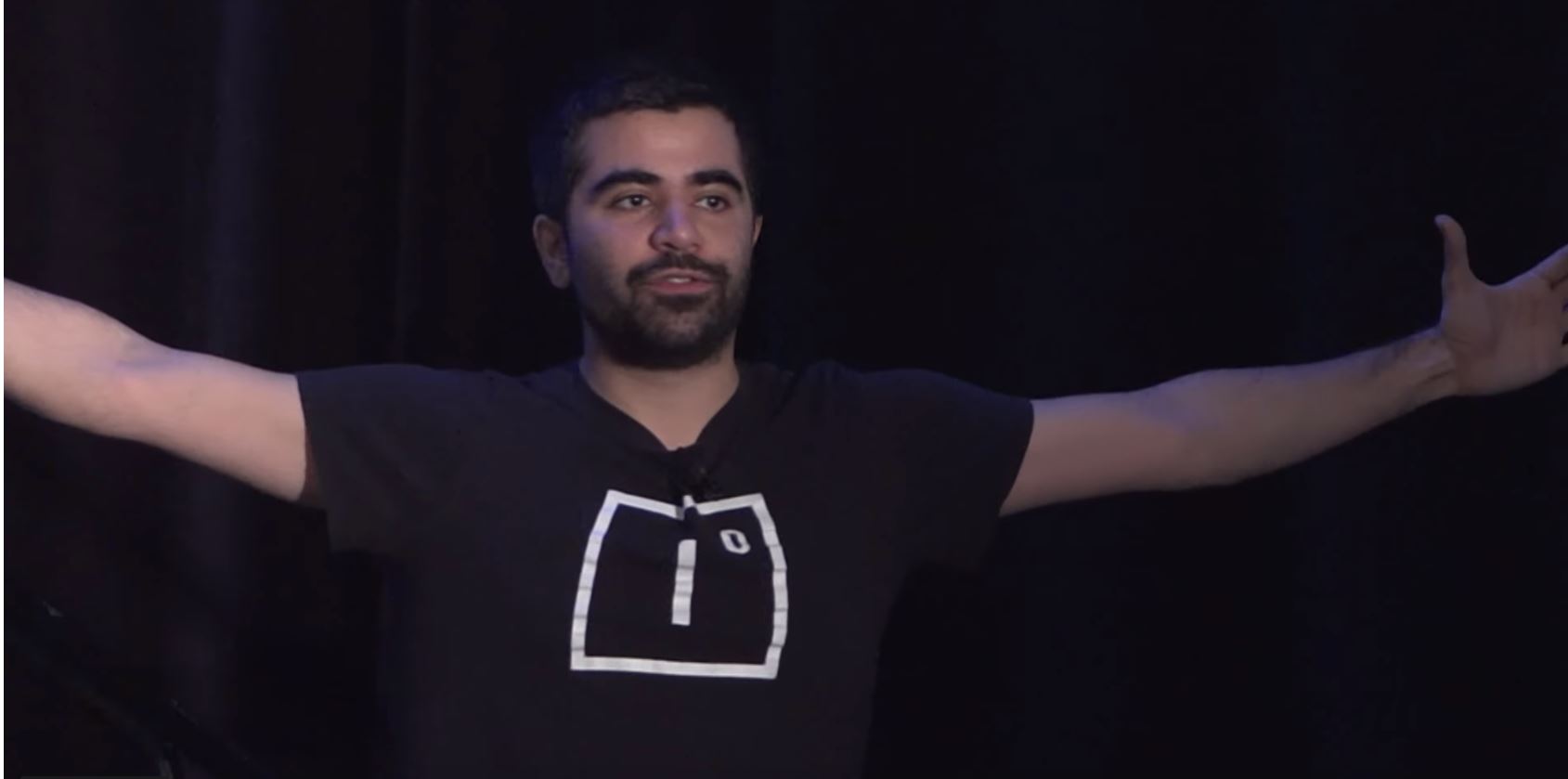
If you look around for who can provide new impulses for online games in 2019, you will repeatedly encounter the company Improbable. At the helm is Herman Narula (30). He could be crucial for a future with new, different MMOs and MMORPGs, says our author Schuhmann.
Who is the man? That is Herman Narula, a 30-year-old Brit who was born in India. His father is a billionaire, also an entrepreneur, and runs a large construction company.
Herman Narula studied computer science at Cambridge. Together with partners, he founded his own company in April 2012: Improbable. At that time, he was 24.
In 2017, the company was valued at more than 1 billion US dollars after a investment round.
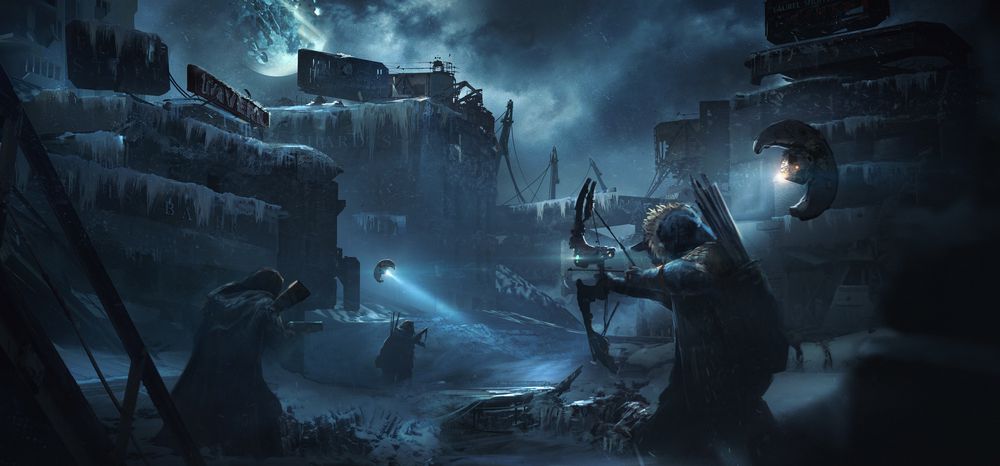
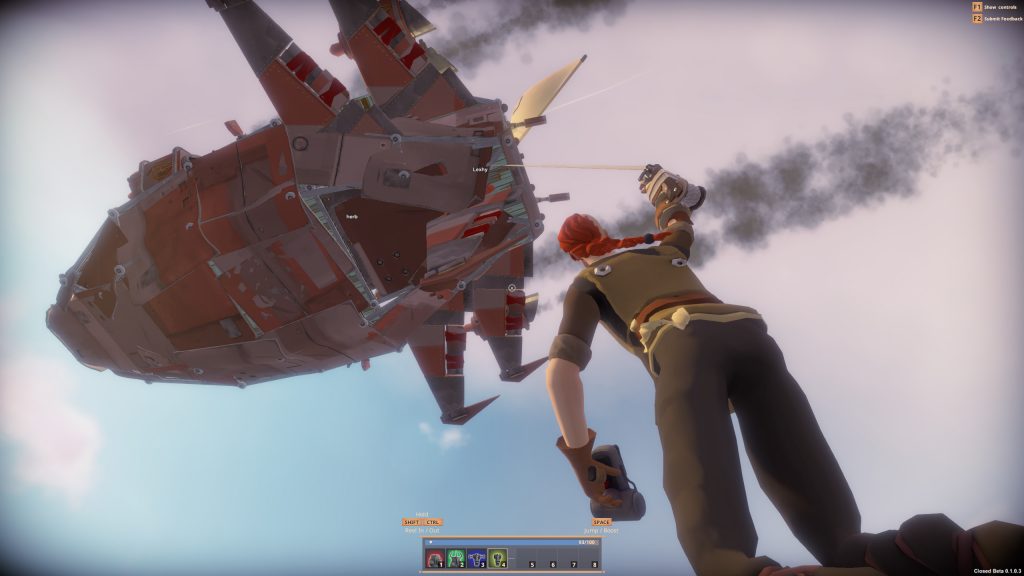
Scavengers, a loot shooter being developed with SpatialOS.
He wants to build the Matrix
What does Narula want? From the beginning, Narula spoke of building huge virtual worlds that could accommodate thousands of players.
As early as 2014, he told Wired: You could have a Call of Duty with its own army.
In a 2017 interview, he expressed excitement about Destiny and said his mouth watered when he thought about what a studio like Bungie could create if they partnered with his company.
Later, he simply referred to building “the Matrix.”
The goal is to create a massive simulation that runs in the cloud. Players should be able to make decisions that truly impact the game world because everything is simulated.
An image from Mavericks Proving Grounds.
How does he plan to achieve this? The underlying technology is called “SpatialOS” and is cloud-based.
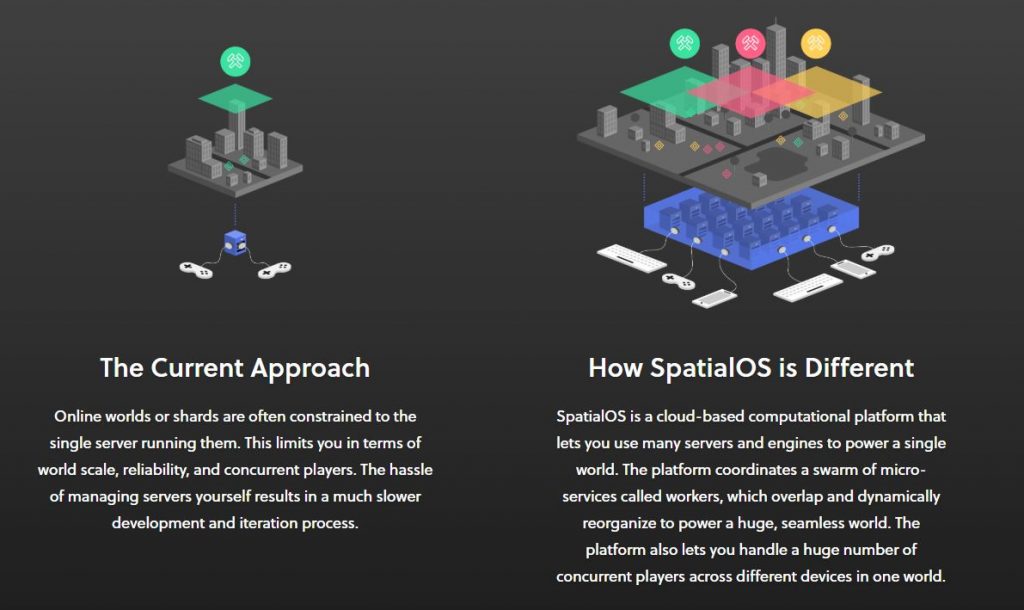
The larger a simulation is, the more computing power it requires. The idea behind SpatialOS is to break down a massive complex world, where many things happen simultaneously, into individual tasks.
A “worker,” a microserver, takes care of its task in the world. When the worker reaches its limits, additional servers are supposed to be dynamically added to distribute the tasks further.
The SpatialOS approach: Many servers (workers) handle individual tasks to create the world. Image source: Improbable
Ultimately, many “workers” work on their respective tasks, and SpatialOS is the fabric that holds everything together in the world.
SpatialOS aims to simulate online worlds
What kind of MMOs are emerging? Currently, it looks like games focusing on PvP and sandbox elements are being developed.
The strength of SpatialOS is not in “quests” and classic story design, but in huge worlds filled with life by players.
Thus, the first games often have a “PvP” or “simulation approach.”
These indie games rely on SpatialOS: The first MMOs currently being developed with SpatialOS and presented are all being created in collaboration with indie teams and smaller start-ups.
The most well-known game with SpatialOS that has already been released is Worlds Adrift.
However, there have been no concrete news about these “high-budget” games yet.
The creators behind the MMORPG RuneScape, Jagex, are reportedly planning a collaboration with Improbable.
This is why it matters: Currently, Improbable is the major driving force in the world of online games.
There is little to expect from the major traditional publishers at the moment, as MMORPGs are too expensive to develop.
If innovation and movement come to the genre in the coming years, it will likely be from Improbable and their partners.
One can be curious about what games will emerge here and whether Narula can truly realize his grand plans. Some people with a hell of a lot of money certainly seem to believe in it.
The Carniball in FIFA 19 Ultimate Team is entering its final round. Today, on March 15th, the event moves to Germany. Now you can snag top cards of Rüdiger and Matthäus.
These are the last new Carniball cards: From March 8th to March 15th, the Carniball event is taking place in FUT 19. Every day, this event stopped in a different country known for its carnival, like Brazil or Italy.
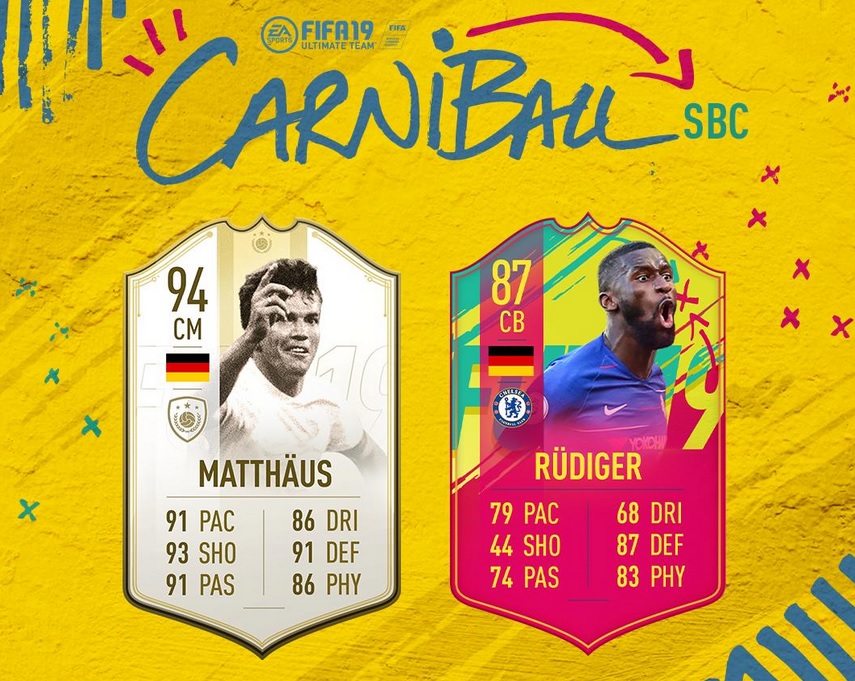
Today, on the last event day, Germany is up. You can now obtain these cards through Squad-Building Challenges:
The German national player receives his first special card in FUT 19 during the Carniball.
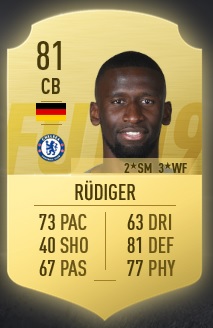
This is his standard card:
His Carniball card has an overall rating of 87, which is 6 points higher than the standard card.
The Chelsea center-back receives significant stat boosts, especially in
Pace (73 –> 79)
Passing (67 –> 74)
Defending (81 –> 87)
and Physical (77 –> 83)
The new card of Rüdiger can definitely strengthen many Premier League teams or German teams.
This is how you get the new card: You need to complete a Squad-Building Challenge group. You have one week to do this. The Carniball card is untradeable.
Submit a team consisting of 11 players, including one from Germany, a TOTW card, with a team overall rating of at least 84 and a team chemistry of at least 81.
Submit a team consisting of 11 players, including a TOTW player, with a minimum team overall rating of 83 and a team chemistry of at least 80.
In Anthem there is a new hotfix that increases the drop rates of loot.
This is the background on loot: Especially in the endgame of Anthem, players complain that valuable loot is too rare. The drop rates of masterwork and legendary items were in a bad ratio to the grind required.
Reports from players indicate that some have already spent over 150 hours in the game and have never seen a legendary item. Legendary (yellow) items are the most valuable in the game.
The drop rates and distribution of item stats are causing headaches for the developers.
What Anthem changed about drop rates
What does the hotfix change?
The drop rates for masterwork and legendary items have been increased in Grandmaster 2 and Grandmaster 3. Grandmaster is one of the difficulty levels in Anthem.
The drop rates for masterwork and legendary items have been increased for tougher enemies at all difficulty levels. This includes: Legendary Titans, Epic Titans, Legendary Fury, Legendary Acid Ursix, and Legendary Illuminated Elders.
These adjustments apply to all activities in Anthem, including Strongholds.
Do I need to download a patch? No. The update is server-side.
When will the update come? The adjustments have already taken place. The drop rates should already be increased.
Are there exact numbers for the hotfix? No. BioWare has not stated how much the drop rates increase in percentage.
Difficult bosses like legendary Titans now have a higher drop rate of legendary and masterwork items.
This is how players are reacting: Shortly after the patch notes were released, players are thanking the team. They are happy that BioWare is addressing the complaints about the drop rates.
However, players wanted the exact numbers for the drop rates. That would have been more transparent and would demonstrate whether the changes are significant.
This is BioWare’s response: The Community Manager addresses the question about the exact numbers. According to Johnson, he could not share statistics with the community. The adjustment of the drop rates is said to be significant.
Johnson also points out that item drops are still random. It can therefore differ from player to player how much loot they ultimately get.
In the future, there will be even more adjustments to the loot of Anthem and feedback will be processed.
Will the hotfix improve the loot situation? For weeks, players have criticized that hunting for loot felt frustrating.
Valuable items simply appeared too rarely. This problem could actually be addressed by the hotfix. It also has the effect that it becomes more attractive to play at the highest difficulty levels, Grandmaster 2 and 3.
However, a new problem with loot in Anthem has emerged after the last patch. This will also not be fixed by the hotfix:
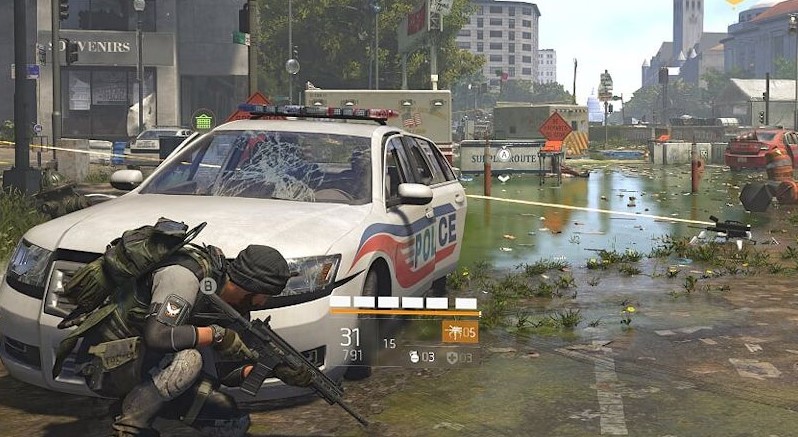
In The Division 2, there is currently a bug that hinders the use of certain skills. Some skills can only be used for a short period of time.
What does this bug do? This bug affects your skills. When you want to use some skills that last for a longer period, they are simply canceled after a short time.
So far, not much is known about this error. Apparently, not all players are affected, and even among those affected, the bug does not occur with every skill use.
What we know about the bug with skills
This is what the bug looks like: On Reddit, players report that they have problems when using certain skills, such as the shield. They use the shield, but right after, the skill is canceled.
Only after a cooldown period of 15 seconds can the skill be used again.
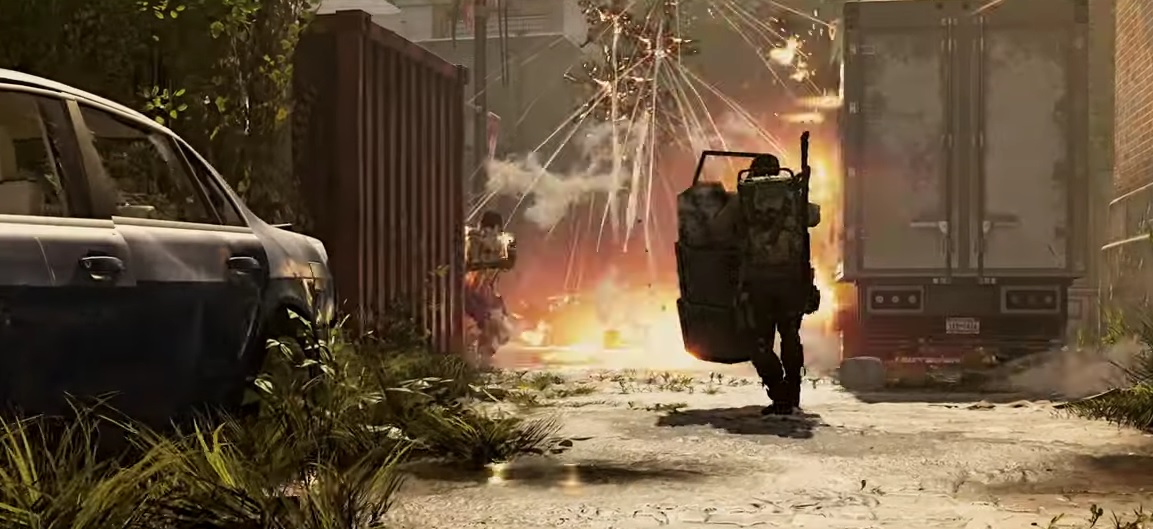
This bug is particularly annoying with the shield, as you typically want to run offensively towards the enemies and leave cover. If the shield suddenly disappears, you’re left in a difficult situation.
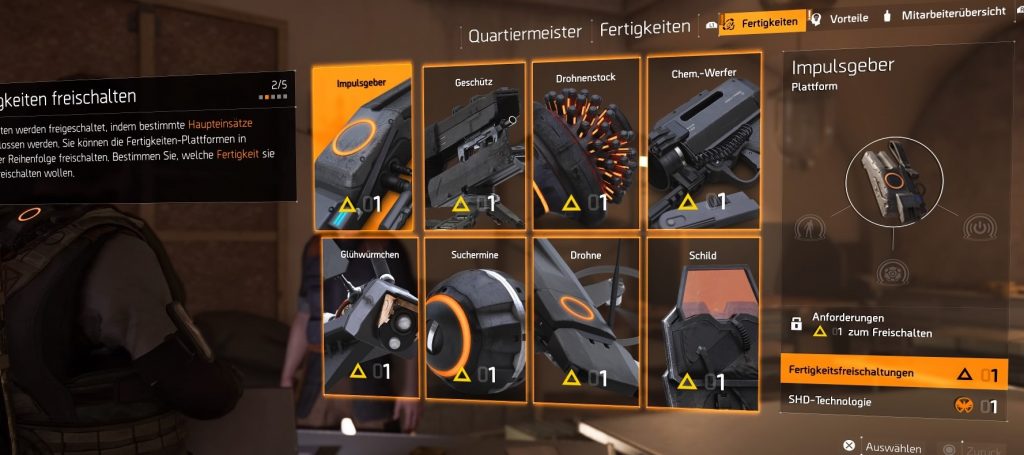
These are the skills available in The Division 2. Some of them are bugged.
This is how it should work: The affected skills usually last for a longer time. When the skill is then “used up”, it needs some time to cooldown before it is ready for use again.
In contrast, skills like the Drone or the Shield are often affected. These are abilities that last for a longer time.
The Drone is also affected by the bug
Are there solutions? So far, it is not known how to work around this bug. Some players suspect that mods during the cooldown period may be responsible for it. However, this has not been confirmed.
There have already been numerous bug fixes from Massive, such as in the Update 1.03. When this skill issue will be resolved remains to be seen.
Have you been affected by this bug yet?
The first reviews of The Division 2 are in. Here’s what critics say:
What is already known about this: The bug is not related to specific equipment or characters. It occurs universally and cannot be permanently fixed by the players.
These skills are not affected: Some skills are currently not affected by the bug. This is because they are used only once and are immediately consumed – they are not active for longer periods. These include:
Pulse
Chemical Launcher
Firefly
In contrast, skills like the Drone or the Shield are often affected. These are abilities that last for a longer time.
The Drone is also affected by the bug
Are there solutions? So far, it is not known how to work around this bug. Some players suspect that mods during the cooldown period may be responsible for it. However, this has not been confirmed.
There have already been numerous bug fixes from Massive, such as in the Update 1.03. When this skill issue will be resolved remains to be seen.
Have you been affected by this bug yet?
The first reviews of The Division 2 are in. Here’s what critics say:
The space game No Man’s Sky will soon receive a major update called Beyond. This is supposed to include more online features. However, the developers do not want to call the game an MMO.
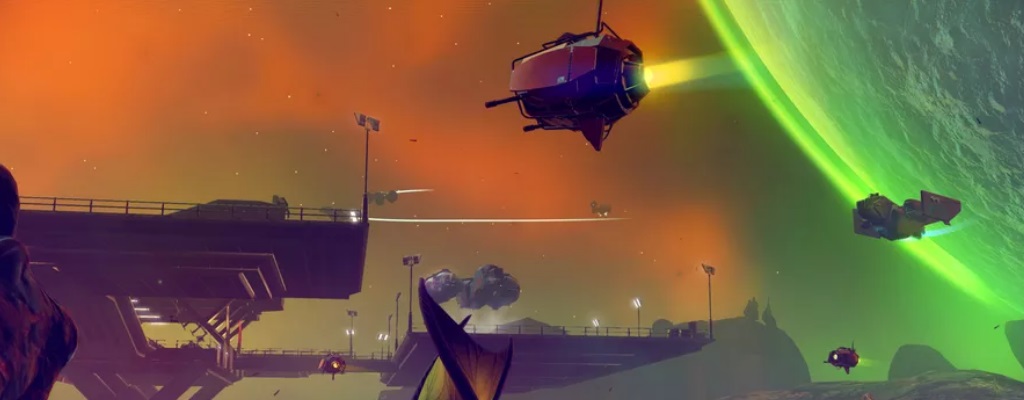
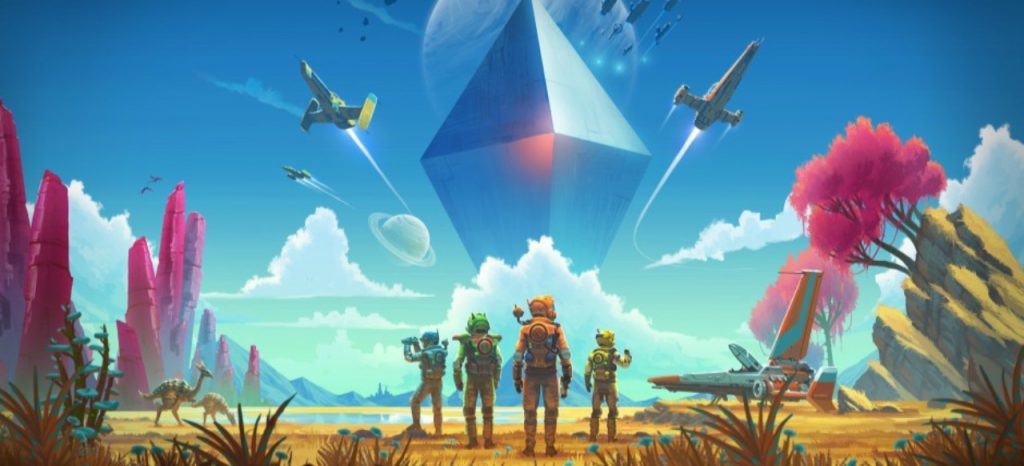
What is No Man’s Sky? No Man’s Sky is a space game in which you explore a huge galaxy full of bizarre worlds and creatures. These have been procedurally generated, resulting in over 18 trillion worlds. However, promised features that were missing at launch, including multiplayer functions, left the game in a poor state.
What will change in Beyond? The next major update, Beyond, aims to address this. It is supposed to bring three significant innovations. While two of them are still under wraps, the developers have announced that there will be additional large multiplayer features.
The developers promise in a press release “new interactions and radical new ways to explore the universe.”
Multiplayer but not an MMO?
Why No Man’s Sky is not an MMO according to the developers: The announcements from the developers sound like a typical MMO, where you are exploring the universe together with many other players.
However, lead developer Sean Murray stated to Polygon that No Man’s Sky is not an MMO. It does not have a subscription, no microtransactions, and is free for all players who already own the game.
Recommended editorial content
At this point you will find external content from YouTube that complements the article.
I consent to external content being displayed to me. Personal data can be transmitted to third party platforms.
Read more about our privacy policy.
This is how players are reacting: Many players find Murray’s definition of an MMO as a game with a subscription and/or cash shop somewhat strange. However, they are generally looking forward to the new multiplayer features. No Man’s Sky is gradually becoming the game players wished for back then, and that is a good thing.
Beyond will be released in summer 2019 for PC, Xbox One, and PlayStation 4.
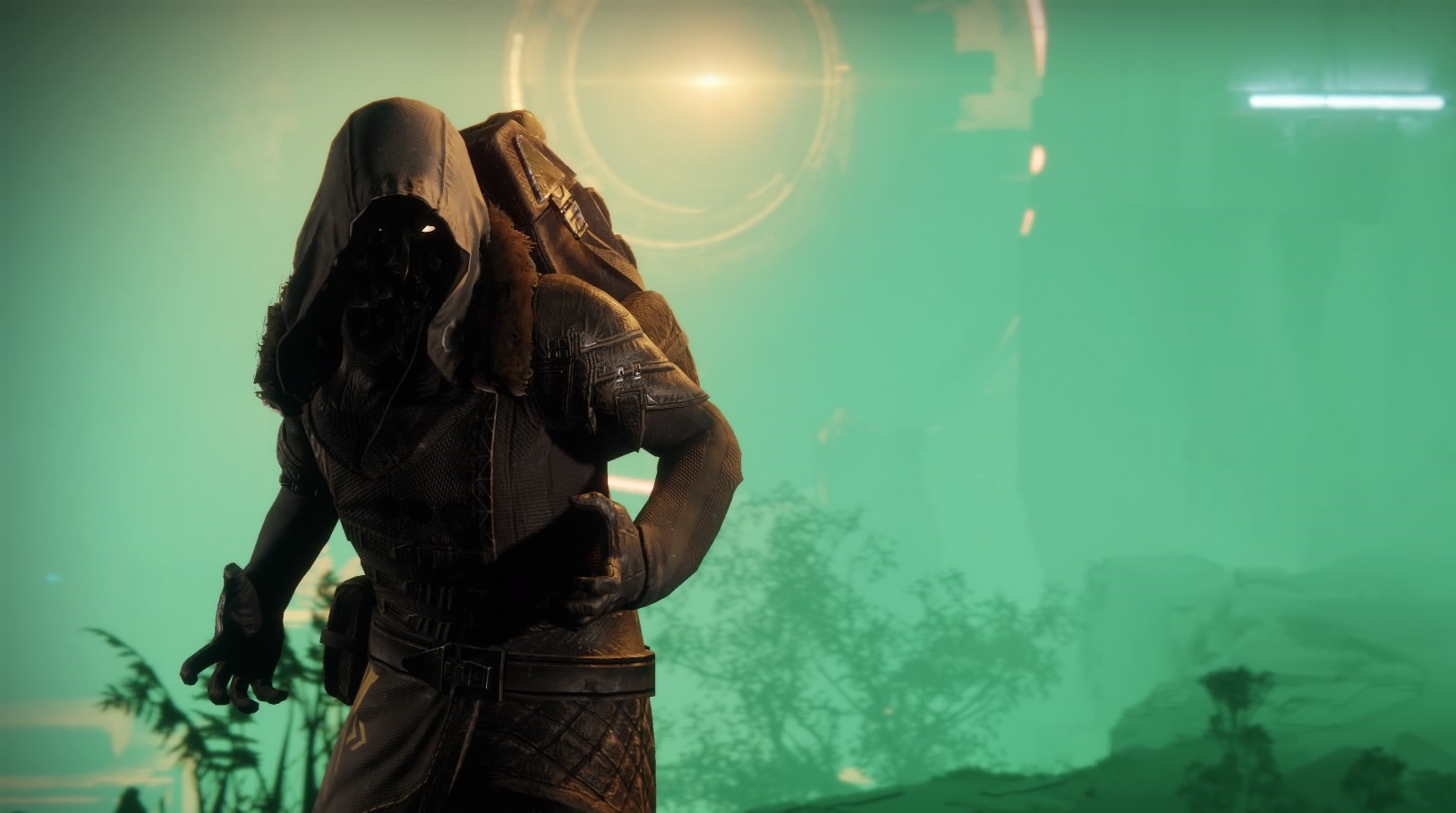
Xur arrives today for the Guardians in Destiny 2. Find out where he is, what items he has for sale, and whether he will bring Forsaken Exotics again, right here. Location and inventory on March 15, 2019.
What’s new with Xur today: After Xur actually brought three Forsaken Exotics last week, the noodle face has become exciting for many Guardians again.
And today, on March 15, Xur is a bit more interesting:
Xur brings a new Exotic offering. He may – but does not have to – have Forsaken Exotics with him every week from now on.
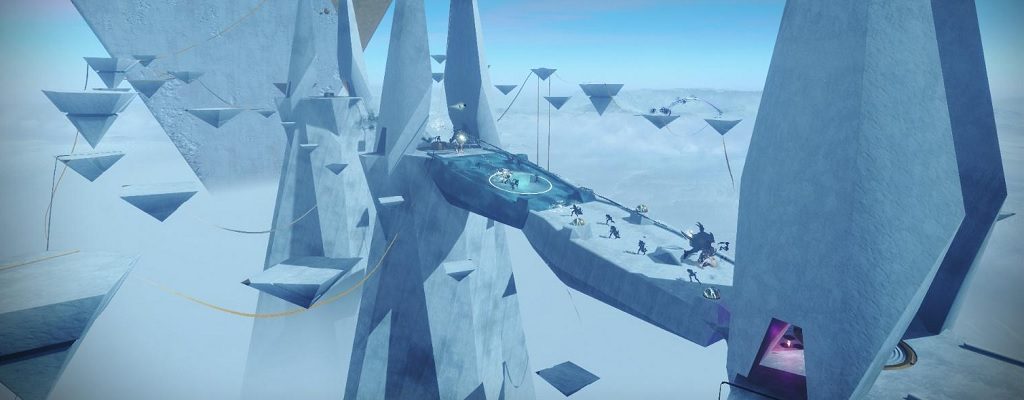
Additionally, the level 3 of the Reckoning will be activated simultaneously with Xur’s visit. You can expect enemies with a power of 690 – so you should also be around this power level to successfully complete this endgame activity.
Reckoning in Destiny 2
Xur on March 15 on PS4, Xbox One, and PC
So make sure to visit Xur today and accept the Invitation of the Nine. But first, let’s welcome him together.
What time does Xur arrive?
When does Xur arrive? Xur’s time is Fridays at 6 PM. Remember that the time will switch to summer time at the end of March. Then Xur will appear at 7 PM. Today’s 6 PM timing is still current. Next Tuesday, Xur will disappear with the weekly reset.
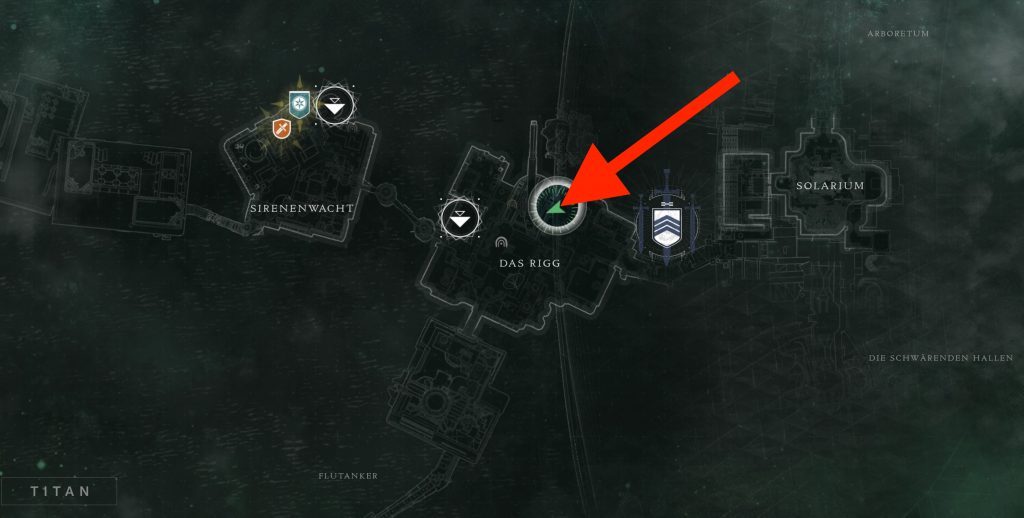
Where is Xur? What is his location?
Location of Xur: Xur is this time located on Titan.
The location of Xur
Inventory of Xur
Weapon: Scharlach – Hand cannon for 29 Legendary Shards
Hunter:Orpheus Rigg – Leg armor for 23 Legendary Shards
In The Division 2, the servers are down on March 14th and 15th. Massive is fixing initial issues, including a loot exploit. All info on the server status and update 1.03.
Update March 15th – 4:35 PM: Massive will perform a server restart in 30 minutes. This means that around 5 PM the servers will be down today, March 15th. Expected to be only for 5 minutes. Then you can continue playing. If you try to log in during the server restart, you will receive the error code Mike-01.
Update 10:30 PM: Massive has discovered an issue with the patch. The maintenance will be repeated in the near future.
Update 10:15 PM: Today, at 10:30 PM, the servers will go down again. Expected for 20 minutes. This means from 10:50 PM you should be able to play again.
Three issues are being fixed:
Players could get stuck at the wrong world tier when they completed strongholds in a group without having the required gear score.
Players could not speak with Agent Kelso in the Castle settlement.
Players could receive multiple Ivory Keys from the same source.
These issues will be fixed during the server restart tonight.
Massive is performing maintenance on The Division 2 today, accompanied by several hours of server downtime.
When are the servers down? Here are the crucial times:
The servers go offline at 9 AM. You can no longer log in. If you are still in the game, you will be kicked out.
The servers come back online around 12 PM. However, this is only an estimated time that may vary.
During the maintenance, update 1.03 will be made available. It is 584 MB in size.
Update: 11:33 AM – several users report that the servers are back online. I was able to log in just now (PS4).
According to Massive, maintenance will now be performed every Thursday to maintain the server infrastructure and fix issues. However, the times may vary.
Massive fixes initial issues – Patch Notes
What changes today? Here are the most important changes:
A bug in the Castle settlement is being fixed, where players got stuck in the settlement progress. In The Division 2, there are several settlements. You first discover the Theater settlement, and later the Castle settlement is added. The bug occurred in the latter.
A loot exploit is being fixed. We did not report on this exploit – however, it is positive that Massive can react quickly. According to user reports, the exploit is reminiscent of the Bullet King exploit from The Division 1.
Additionally, the update log mentions improvements to sound issues in cinematics.
Meanwhile, the full patch notes have been released. You can find them in the link. Several other minor bug fixes have also been made.
This is what Massive has planned for future patches: In the near future, more issues will be addressed, including:
A weapon skin bug. When selling a weapon that has a skin, it may happen that the weapon skin is also lost. If such a skin that you purchased with money goes missing, you should contact Ubi support. A fix is in the works.
In the endgame, there is a progress issue at world tiers 3 and 4. It is advised to avoid playing strongholds that move you to the next world tier with other players who are on different world tiers. A permanent fix is in progress.
Currently, Massive is focusing with the highest priority on the “health” of the game, so that the experience is as good as possible for everyone. Only after that will new content be unlocked.
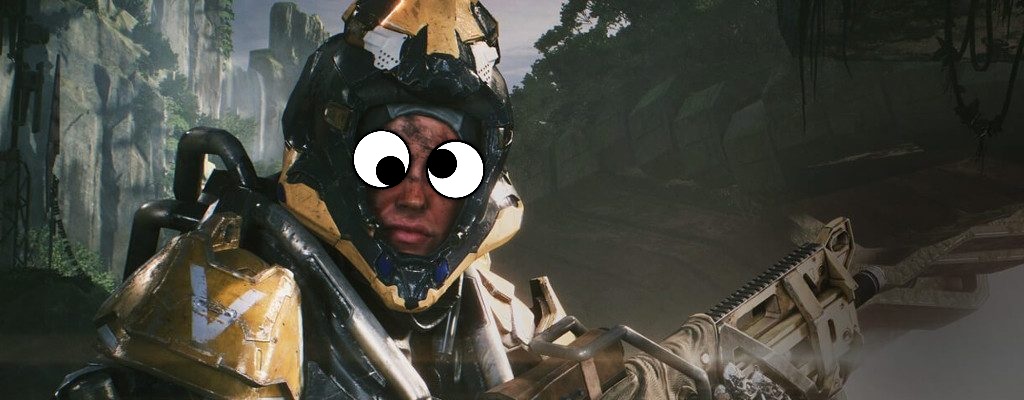
A player investigated the current patch 1.0.3 in Anthem and made a strange discovery: You can go completely naked as long as you are wearing a legendary item.
This is the situation in Anthem: Last Saturday, Anthem rolled out patch 1.0.3. Part of the patch was fixing a loot issue.
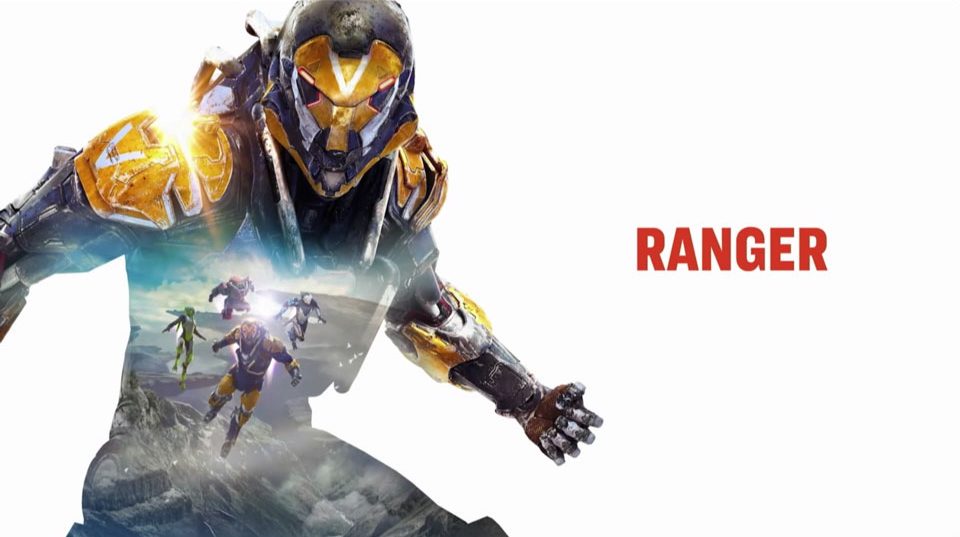
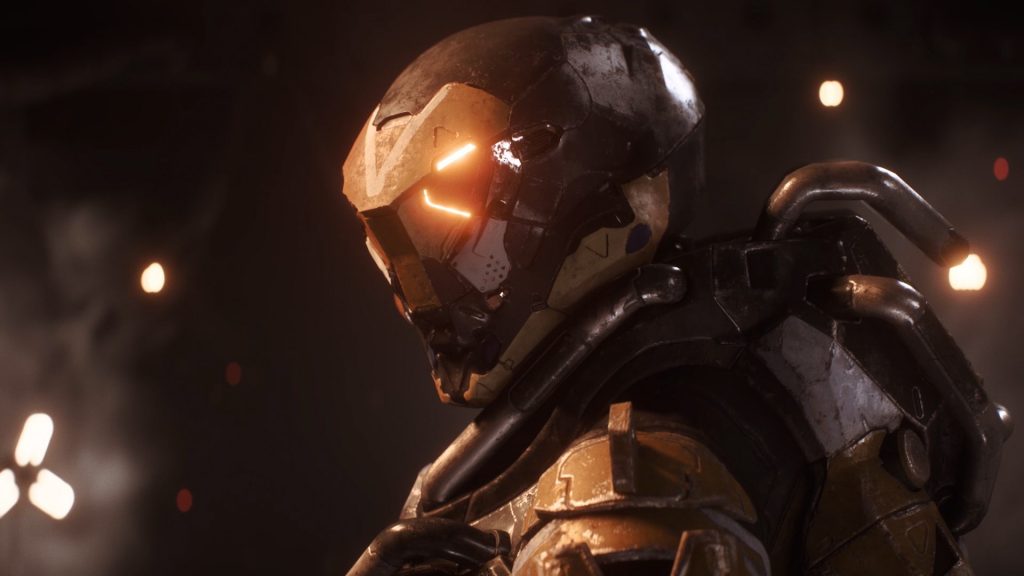
After investing hours into the old build, which has now become completely useless, the Ranger fan wanted to find out what was wrong with his epic build after the patch.
This is what the player has now found out: The player says he researched for three days and three sleepless nights.
His conclusion: “Inscriptions” in Anthem are currently almost irrelevant. The only thing that truly matters is the average “power level” of the gear.
The low power level 30 has a damage multiplier of 7.4
The highest power level 75 has a damage multiplier of 22.6
The most important thing is to have a high power level on the gear.
The problem: The game calculates the power level as an average from the gear in each slot. However, if you wear level-1 gear in a slot, then that slot does not count towards the calculation of the average level.
Therefore, you can reach power level 75 and thus maximum damage if you only wear a legendary item and leave the rest empty.
Because there are not legendary items for every slot.
A well-equipped Ranger – Source: Reddit
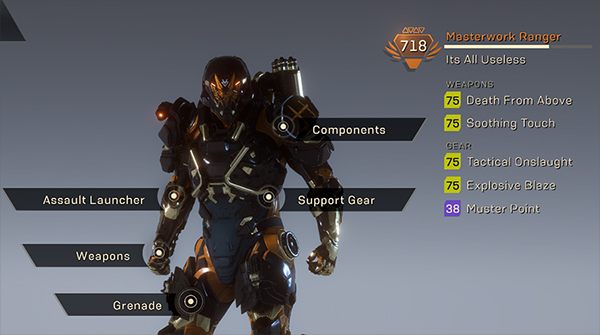
This is what a top Ranger would look like: A Ranger with top items has a power level of 718, but this gets rounded down to 65 – because some slots do not have legendary items.
This Ranger has an average power level of 65 – so far below the maximum of 75.
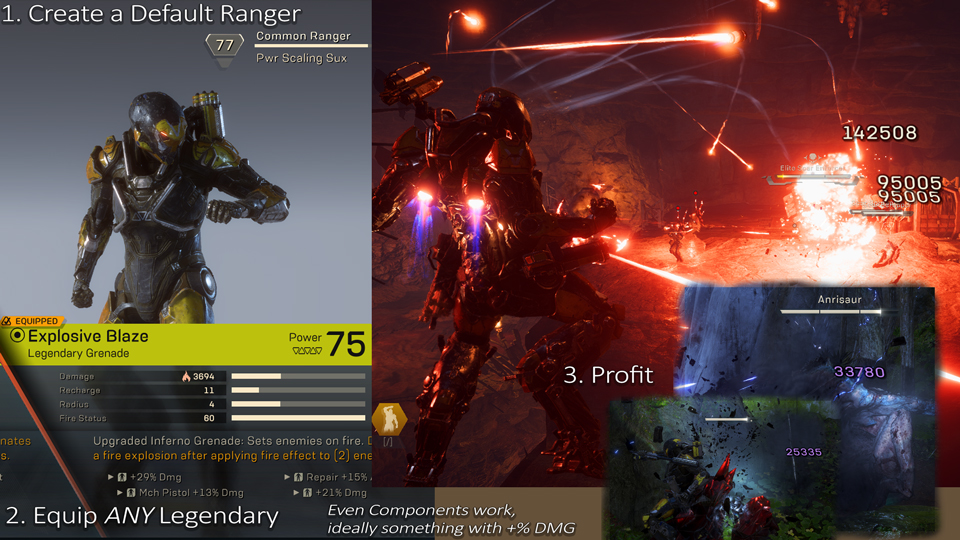
On the other hand, if one only carries a weapon with power level 75 and leaves the rest empty, they deal maximum damage with certain abilities.
Create a new Ranger, use one item (as long as it’s legendary), and there will be massive damage – Source: Reddit
This also explains why players become more powerful when they remove a support item.
This is what other players say: Some others have confirmed the player’s results and removed everything except legendary items and then realized that they were indeed dealing more damage.
BioWare is already working on a solution
This is the problem: The alarming thing is that with this insight, the “builds” of the players actually play almost no role anymore for maximum damage. The property “Max Damage (referring to the Javelin)” should be preferred here.
However, creating builds and collecting items for those builds is an important allure of a game like Anthem.
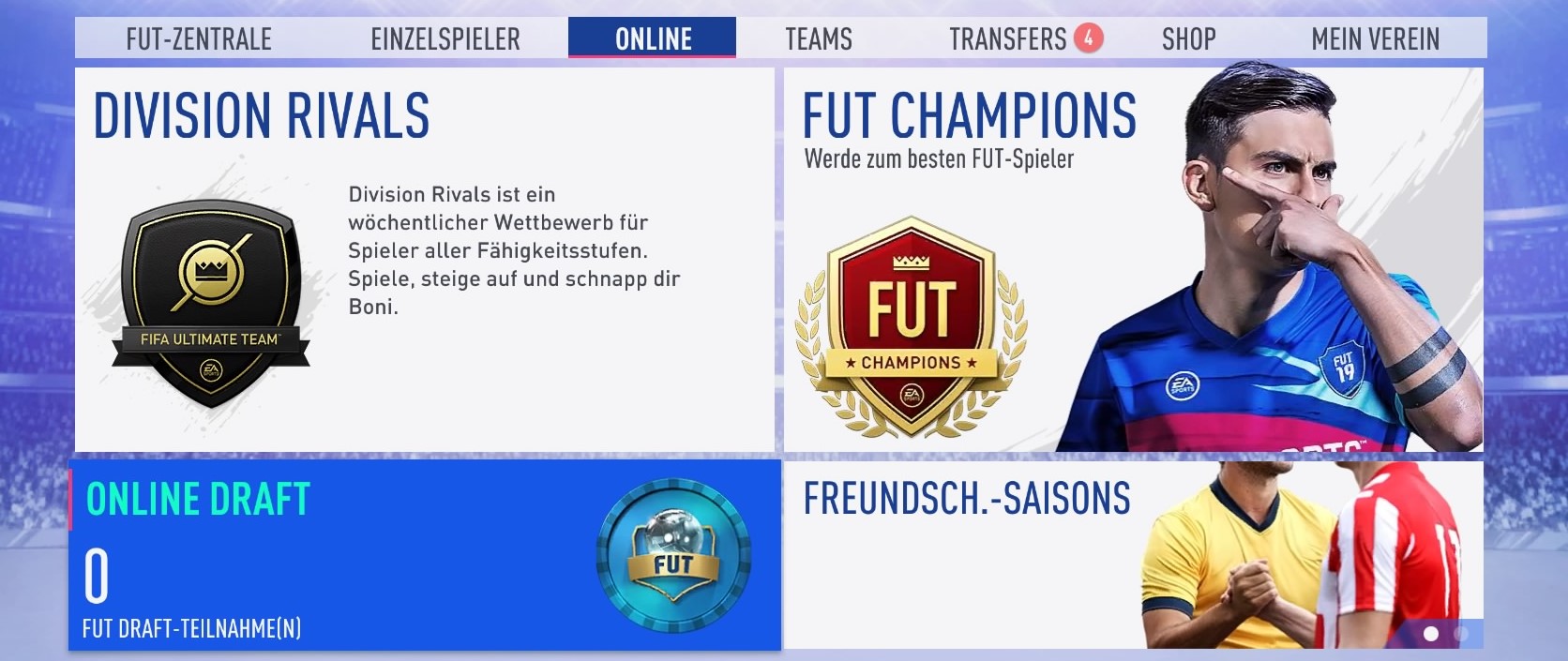
In FIFA 19 Ultimate Team, there’s the Draft mode. Here you’ll find everything you need to know about the Draft rewards online and in single-player mode of FUT 19.
Update: If you’re looking for the Draft rewards in FIFA 20 FUT, you can find them here:
Offline and Online Draft: In FUT 19, there are two different Draft modes:
Online Draft
Single Player Draft
Participation in Draft costs: You can find the modes in the FUT menu under “Single Player” or “Online.” For each participation, you need to pay either 15,000 coins or 300 FIFA Points. If you have a Draft Token, you can also start a Draft with that.
While participation in the game is quite expensive, you can win great prizes, namely coins and packs, with just a few games.
Whether the Draft mode is worth it, we have summarized for you here:
The Online Draft mode has better rewards than the Offline Draft mode.
The Single Player rewards are not dependent on the difficulty level. It only affects how many coins you receive at the end of the matches.
Rewards in Online Draft
The rewards are not the same every time. They vary randomly. When you achieve three wins the first time and again three wins the second time, you may receive different rewards. The fifauteam page has compiled these rewards so far, of which not all have been confirmed.
This is how Draft works: You build a team by choosing one player out of five random players for each position. You should maintain the balance between player quality and team chemistry.
You do not play with your “regular” team, but with a new team that you create specifically for a Draft participation. Upon re-participation, you must create a new team. Once the participation is over, you no longer have access to the Draft team created.
Now play up to four games with this Draft team. The more wins you achieve, the better the rewards.
If you receive rewards that are not on this list, please write them in the comments.
If several enemies come rushing at you from one direction, it can greet them with flames and hold them back. You can also use it to cover the area behind you, which can be helpful against hostile melee fighters.
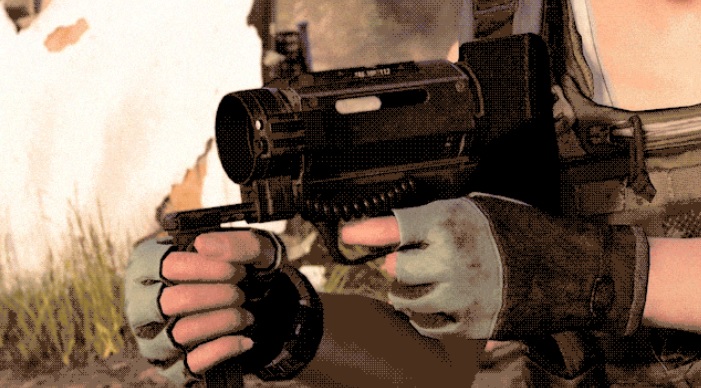
The chem launcher is a new skill in The Division 2. Its mods offer a wide range of applications.
Here are the skill mods for the chem launcher:
Amplifier: With this mod, you can release a gas cloud that repairs and enhances the armor of your group members.
Firestarter: The firestarter releases an explosive gas cloud that ignites with any shots and explosions.
Combat Foam: Fires a foam charge that hardens upon contact and temporarily incapacitates enemies.
Oxidizer: Shoots a cloud of corrosive gas that temporarily damages hostile armor, skills, and health.
For beginners, the amplifier and oxidizer are the best options. Both have in common a relatively low cooldown, especially compared to other skills.
Here’s why the amplifier is good for beginners: With it, you can either repair your own armor or that of your group members. This is particularly helpful at the start, as you can fire the launcher from a safe position.
Veterans might remember the first aid skill from The Division 1, which was probably the most used skill. However, the amplifier is not quite as strong. For this, it has 3 charges that you can allocate.
Here’s why the oxidizer is good for beginners: With the oxidizer, you can take out easy enemies and draw tougher foes out of cover effectively. Although it only has one charge, it reloads quickly and can be used frequently.
The oxidizer works best in combination with another healing skill.
It can also provide support for your team, as you can target it on team members.
The Turret
Many veterans may remember the turret from the predecessor. In principle, not much has changed in its functionality; only a few new mods have been added.
Here are the skill mods for the turret:
Assault: The turret automatically tracks and attacks hostile targets. However, you can also mark an enemy for it to target.
Incinerator: The turret functions as a type of flamethrower that incinerates enemies within a certain radius. Unlike the flamethrower of the predecessor, it can only shoot flames forward; it no longer has a 360° radius.
Sniper: With this mod, you can manually fire strong single projectiles at enemies.
For beginners, the assault and incinerator turrets are best suited.
Here’s why the assault turret is so good for beginners: The assault turret is, like the striker drone, particularly good for distracting enemies while also dealing damage.
If individual enemies are giving you trouble, they can be targeted and attacked specifically. Additionally, you can position it to lure enemies out from behind their cover.
Here’s why the incinerator turret is good for beginners: The incinerator turret is also excellent for creating distractions. The biggest advantage is that it can control larger groups of enemies and deal significant damage with fire.
If several enemies come rushing at you from one direction, it can greet them with flames and hold them back. You can also use it to cover the area behind you, which can be helpful against hostile melee fighters.
The Chem Launcher
The chem launcher is a new skill in The Division 2. Its mods offer a wide range of applications.
Here are the skill mods for the chem launcher:
Amplifier: With this mod, you can release a gas cloud that repairs and enhances the armor of your group members.
Firestarter: The firestarter releases an explosive gas cloud that ignites with any shots and explosions.
Combat Foam: Fires a foam charge that hardens upon contact and temporarily incapacitates enemies.
Oxidizer: Shoots a cloud of corrosive gas that temporarily damages hostile armor, skills, and health.
For beginners, the amplifier and oxidizer are the best options. Both have in common a relatively low cooldown, especially compared to other skills.
Here’s why the amplifier is good for beginners: With it, you can either repair your own armor or that of your group members. This is particularly helpful at the start, as you can fire the launcher from a safe position.
Veterans might remember the first aid skill from The Division 1, which was probably the most used skill. However, the amplifier is not quite as strong. For this, it has 3 charges that you can allocate.
Here’s why the oxidizer is good for beginners: With the oxidizer, you can take out easy enemies and draw tougher foes out of cover effectively. Although it only has one charge, it reloads quickly and can be used frequently.
The oxidizer works best in combination with another healing skill.
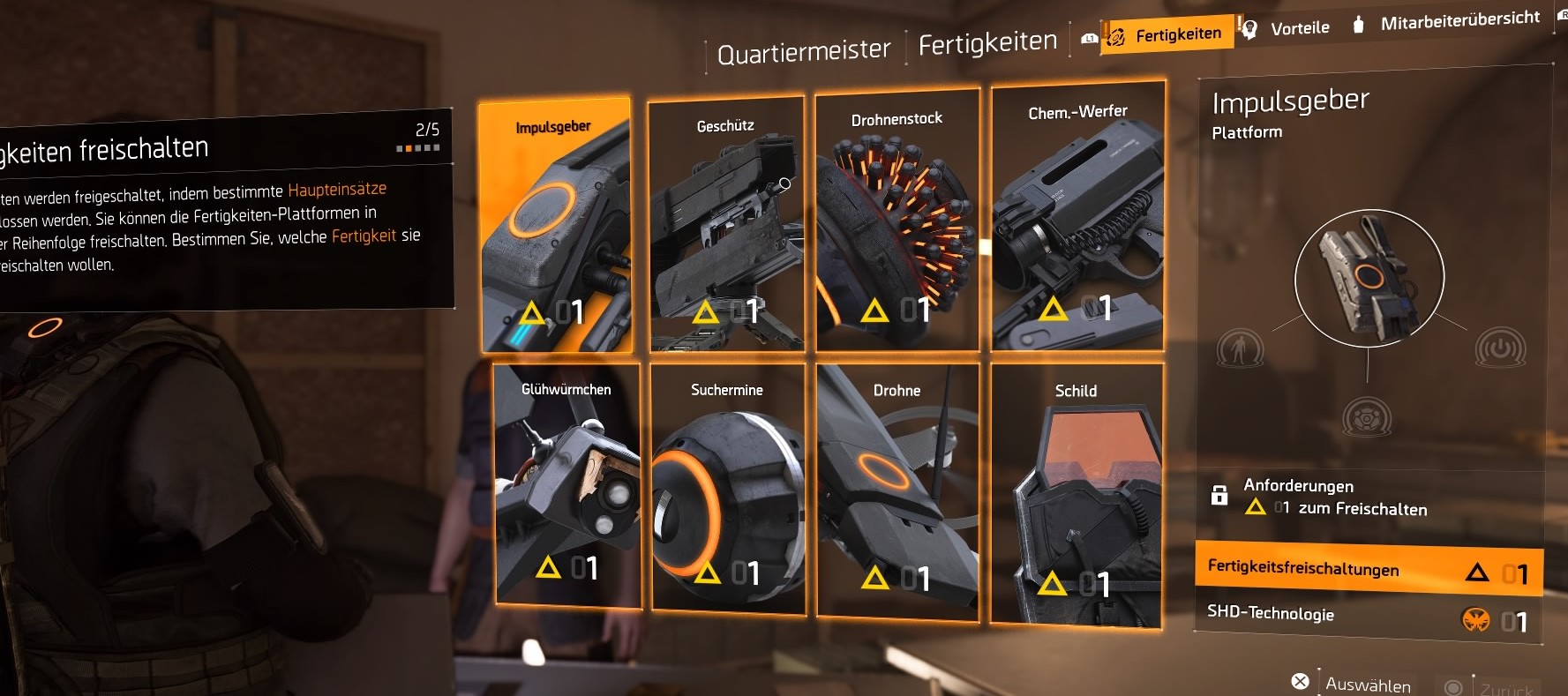
How do I unlock the skills? Basically, you can unlock your abilities in your operations base, the White House, for that you need skill points.
You receive these by completing the main missions. To equip 2 skills, you must also redeem a corresponding perk for SHD tech with the quartermaster.
SHD tech can be found in containers scattered throughout the game world. Additionally, you also earn SHD as a reward for main and side missions.
If you don’t want to miss news, guides, or specials, check out our Facebook page.
What other skills are available in The Division 2, what situations they are suitable for, and what else you should know is explained in our guide:
It can also provide support for your team, as you can target it on team members.
The Turret
Many veterans may remember the turret from the predecessor. In principle, not much has changed in its functionality; only a few new mods have been added.
Here are the skill mods for the turret:
Assault: The turret automatically tracks and attacks hostile targets. However, you can also mark an enemy for it to target.
Incinerator: The turret functions as a type of flamethrower that incinerates enemies within a certain radius. Unlike the flamethrower of the predecessor, it can only shoot flames forward; it no longer has a 360° radius.
Sniper: With this mod, you can manually fire strong single projectiles at enemies.
For beginners, the assault and incinerator turrets are best suited.
Here’s why the assault turret is so good for beginners: The assault turret is, like the striker drone, particularly good for distracting enemies while also dealing damage.
If individual enemies are giving you trouble, they can be targeted and attacked specifically. Additionally, you can position it to lure enemies out from behind their cover.
Here’s why the incinerator turret is good for beginners: The incinerator turret is also excellent for creating distractions. The biggest advantage is that it can control larger groups of enemies and deal significant damage with fire.
If several enemies come rushing at you from one direction, it can greet them with flames and hold them back. You can also use it to cover the area behind you, which can be helpful against hostile melee fighters.
The Chem Launcher
The chem launcher is a new skill in The Division 2. Its mods offer a wide range of applications.
Here are the skill mods for the chem launcher:
Amplifier: With this mod, you can release a gas cloud that repairs and enhances the armor of your group members.
Firestarter: The firestarter releases an explosive gas cloud that ignites with any shots and explosions.
Combat Foam: Fires a foam charge that hardens upon contact and temporarily incapacitates enemies.
Oxidizer: Shoots a cloud of corrosive gas that temporarily damages hostile armor, skills, and health.
For beginners, the amplifier and oxidizer are the best options. Both have in common a relatively low cooldown, especially compared to other skills.
Here’s why the amplifier is good for beginners: With it, you can either repair your own armor or that of your group members. This is particularly helpful at the start, as you can fire the launcher from a safe position.
Veterans might remember the first aid skill from The Division 1, which was probably the most used skill. However, the amplifier is not quite as strong. For this, it has 3 charges that you can allocate.
Here’s why the oxidizer is good for beginners: With the oxidizer, you can take out easy enemies and draw tougher foes out of cover effectively. Although it only has one charge, it reloads quickly and can be used frequently.
The oxidizer works best in combination with another healing skill.
How do I unlock the skills? Basically, you can unlock your abilities in your operations base, the White House, for that you need skill points.
You receive these by completing the main missions. To equip 2 skills, you must also redeem a corresponding perk for SHD tech with the quartermaster.
SHD tech can be found in containers scattered throughout the game world. Additionally, you also earn SHD as a reward for main and side missions.
If you don’t want to miss news, guides, or specials, check out our Facebook page.
What other skills are available in The Division 2, what situations they are suitable for, and what else you should know is explained in our guide:
If several enemies come rushing at you from one direction, it can greet them with flames and hold them back. You can also use it to cover the area behind you, which can be helpful against hostile melee fighters.
The Chem Launcher
The chem launcher is a new skill in The Division 2. Its mods offer a wide range of applications.
Here are the skill mods for the chem launcher:
Amplifier: With this mod, you can release a gas cloud that repairs and enhances the armor of your group members.
Firestarter: The firestarter releases an explosive gas cloud that ignites with any shots and explosions.
Combat Foam: Fires a foam charge that hardens upon contact and temporarily incapacitates enemies.
Oxidizer: Shoots a cloud of corrosive gas that temporarily damages hostile armor, skills, and health.
For beginners, the amplifier and oxidizer are the best options. Both have in common a relatively low cooldown, especially compared to other skills.
Here’s why the amplifier is good for beginners: With it, you can either repair your own armor or that of your group members. This is particularly helpful at the start, as you can fire the launcher from a safe position.
Veterans might remember the first aid skill from The Division 1, which was probably the most used skill. However, the amplifier is not quite as strong. For this, it has 3 charges that you can allocate.
Here’s why the oxidizer is good for beginners: With the oxidizer, you can take out easy enemies and draw tougher foes out of cover effectively. Although it only has one charge, it reloads quickly and can be used frequently.
The oxidizer works best in combination with another healing skill.
How do I unlock the skills? Basically, you can unlock your abilities in your operations base, the White House, for that you need skill points.
You receive these by completing the main missions. To equip 2 skills, you must also redeem a corresponding perk for SHD tech with the quartermaster.
SHD tech can be found in containers scattered throughout the game world. Additionally, you also earn SHD as a reward for main and side missions.
If you don’t want to miss news, guides, or specials, check out our Facebook page.
What other skills are available in The Division 2, what situations they are suitable for, and what else you should know is explained in our guide:
It can also provide support for your team, as you can target it on team members.
The Turret
Many veterans may remember the turret from the predecessor. In principle, not much has changed in its functionality; only a few new mods have been added.
Here are the skill mods for the turret:
Assault: The turret automatically tracks and attacks hostile targets. However, you can also mark an enemy for it to target.
Incinerator: The turret functions as a type of flamethrower that incinerates enemies within a certain radius. Unlike the flamethrower of the predecessor, it can only shoot flames forward; it no longer has a 360° radius.
Sniper: With this mod, you can manually fire strong single projectiles at enemies.
For beginners, the assault and incinerator turrets are best suited.
Here’s why the assault turret is so good for beginners: The assault turret is, like the striker drone, particularly good for distracting enemies while also dealing damage.
If individual enemies are giving you trouble, they can be targeted and attacked specifically. Additionally, you can position it to lure enemies out from behind their cover.
Here’s why the incinerator turret is good for beginners: The incinerator turret is also excellent for creating distractions. The biggest advantage is that it can control larger groups of enemies and deal significant damage with fire.
If several enemies come rushing at you from one direction, it can greet them with flames and hold them back. You can also use it to cover the area behind you, which can be helpful against hostile melee fighters.
The Chem Launcher
The chem launcher is a new skill in The Division 2. Its mods offer a wide range of applications.
Here are the skill mods for the chem launcher:
Amplifier: With this mod, you can release a gas cloud that repairs and enhances the armor of your group members.
Firestarter: The firestarter releases an explosive gas cloud that ignites with any shots and explosions.
Combat Foam: Fires a foam charge that hardens upon contact and temporarily incapacitates enemies.
Oxidizer: Shoots a cloud of corrosive gas that temporarily damages hostile armor, skills, and health.
For beginners, the amplifier and oxidizer are the best options. Both have in common a relatively low cooldown, especially compared to other skills.
Here’s why the amplifier is good for beginners: With it, you can either repair your own armor or that of your group members. This is particularly helpful at the start, as you can fire the launcher from a safe position.
Veterans might remember the first aid skill from The Division 1, which was probably the most used skill. However, the amplifier is not quite as strong. For this, it has 3 charges that you can allocate.
Here’s why the oxidizer is good for beginners: With the oxidizer, you can take out easy enemies and draw tougher foes out of cover effectively. Although it only has one charge, it reloads quickly and can be used frequently.
The oxidizer works best in combination with another healing skill.
How do I unlock the skills? Basically, you can unlock your abilities in your operations base, the White House, for that you need skill points.
You receive these by completing the main missions. To equip 2 skills, you must also redeem a corresponding perk for SHD tech with the quartermaster.
SHD tech can be found in containers scattered throughout the game world. Additionally, you also earn SHD as a reward for main and side missions.
If you don’t want to miss news, guides, or specials, check out our Facebook page.
What other skills are available in The Division 2, what situations they are suitable for, and what else you should know is explained in our guide:
If several enemies come rushing at you from one direction, it can greet them with flames and hold them back. You can also use it to cover the area behind you, which can be helpful against hostile melee fighters.
The Chem Launcher
The chem launcher is a new skill in The Division 2. Its mods offer a wide range of applications.
Here are the skill mods for the chem launcher:
Amplifier: With this mod, you can release a gas cloud that repairs and enhances the armor of your group members.
Firestarter: The firestarter releases an explosive gas cloud that ignites with any shots and explosions.
Combat Foam: Fires a foam charge that hardens upon contact and temporarily incapacitates enemies.
Oxidizer: Shoots a cloud of corrosive gas that temporarily damages hostile armor, skills, and health.
For beginners, the amplifier and oxidizer are the best options. Both have in common a relatively low cooldown, especially compared to other skills.
Here’s why the amplifier is good for beginners: With it, you can either repair your own armor or that of your group members. This is particularly helpful at the start, as you can fire the launcher from a safe position.
Veterans might remember the first aid skill from The Division 1, which was probably the most used skill. However, the amplifier is not quite as strong. For this, it has 3 charges that you can allocate.
Here’s why the oxidizer is good for beginners: With the oxidizer, you can take out easy enemies and draw tougher foes out of cover effectively. Although it only has one charge, it reloads quickly and can be used frequently.
The oxidizer works best in combination with another healing skill.
How do I unlock the skills? Basically, you can unlock your abilities in your operations base, the White House, for that you need skill points.
You receive these by completing the main missions. To equip 2 skills, you must also redeem a corresponding perk for SHD tech with the quartermaster.
SHD tech can be found in containers scattered throughout the game world. Additionally, you also earn SHD as a reward for main and side missions.
If you don’t want to miss news, guides, or specials, check out our Facebook page.
What other skills are available in The Division 2, what situations they are suitable for, and what else you should know is explained in our guide:
It can also provide support for your team, as you can target it on team members.
The Turret
Many veterans may remember the turret from the predecessor. In principle, not much has changed in its functionality; only a few new mods have been added.
Here are the skill mods for the turret:
Assault: The turret automatically tracks and attacks hostile targets. However, you can also mark an enemy for it to target.
Incinerator: The turret functions as a type of flamethrower that incinerates enemies within a certain radius. Unlike the flamethrower of the predecessor, it can only shoot flames forward; it no longer has a 360° radius.
Sniper: With this mod, you can manually fire strong single projectiles at enemies.
For beginners, the assault and incinerator turrets are best suited.
Here’s why the assault turret is so good for beginners: The assault turret is, like the striker drone, particularly good for distracting enemies while also dealing damage.
If individual enemies are giving you trouble, they can be targeted and attacked specifically. Additionally, you can position it to lure enemies out from behind their cover.
Here’s why the incinerator turret is good for beginners: The incinerator turret is also excellent for creating distractions. The biggest advantage is that it can control larger groups of enemies and deal significant damage with fire.
If several enemies come rushing at you from one direction, it can greet them with flames and hold them back. You can also use it to cover the area behind you, which can be helpful against hostile melee fighters.
The Chem Launcher
The chem launcher is a new skill in The Division 2. Its mods offer a wide range of applications.
Here are the skill mods for the chem launcher:
Amplifier: With this mod, you can release a gas cloud that repairs and enhances the armor of your group members.
Firestarter: The firestarter releases an explosive gas cloud that ignites with any shots and explosions.
Combat Foam: Fires a foam charge that hardens upon contact and temporarily incapacitates enemies.
Oxidizer: Shoots a cloud of corrosive gas that temporarily damages hostile armor, skills, and health.
For beginners, the amplifier and oxidizer are the best options. Both have in common a relatively low cooldown, especially compared to other skills.
Here’s why the amplifier is good for beginners: With it, you can either repair your own armor or that of your group members. This is particularly helpful at the start, as you can fire the launcher from a safe position.
Veterans might remember the first aid skill from The Division 1, which was probably the most used skill. However, the amplifier is not quite as strong. For this, it has 3 charges that you can allocate.
Here’s why the oxidizer is good for beginners: With the oxidizer, you can take out easy enemies and draw tougher foes out of cover effectively. Although it only has one charge, it reloads quickly and can be used frequently.
The oxidizer works best in combination with another healing skill.
How do I unlock the skills? Basically, you can unlock your abilities in your operations base, the White House, for that you need skill points.
You receive these by completing the main missions. To equip 2 skills, you must also redeem a corresponding perk for SHD tech with the quartermaster.
SHD tech can be found in containers scattered throughout the game world. Additionally, you also earn SHD as a reward for main and side missions.
If you don’t want to miss news, guides, or specials, check out our Facebook page.
What other skills are available in The Division 2, what situations they are suitable for, and what else you should know is explained in our guide:
In The Division 2 has numerous skills, all of which differ in their functionality. Here are 3 of the best skills that are great for starting out.
The Division 2 provides you with a total of 8 abilities. However, you can’t draw from all of them at the start, as you must gradually unlock the skills with skill points.
You need to decide early on which skills you want to start your agent life in The Division 2.
Three of these skills are particularly good for beginners. If you can’t decide on any skills, then choose two from the following.
The Drone
The drone is probably one of the most practical and versatile skills in The Division 2. With its various mods, it is suitable for different situations, both offensively and defensively.
Here are the skill mods for the drone:
Striker: The drone tracks hostile NPCs and attacks anything in sight. You can also manually target it at an enemy.
Defender: With the defender mod, the drone deflects incoming shots using sound.
Bomber: You can mark two points between which the drone drops multiple mini-bombs.
Repair: The repair drone follows you and continuously repairs your equipment. You can also target it on your teammates to repair their armor.
At the start, you should either resort to the striker drone or the repair drone.
Here’s why the striker drone is good for beginners: It constantly circles around your enemies and deals damage. It serves as support and also distracts your foes.
If an enemy is particularly bothering you, you can quickly mark them for your drone.
Here’s why the repair drone is good for beginners: This drone is ideal for keeping you secure. If you run out of armor kits, it can keep you alive temporarily.
This way, you can take several hits without problems. Just stay in cover when your armor is destroyed, the drone will restore it.
SHD tech can be found in containers scattered throughout the game world. Additionally, you also earn SHD as a reward for main and side missions.
If you don’t want to miss news, guides, or specials, check out our Facebook page.
What other skills are available in The Division 2, what situations they are suitable for, and what else you should know is explained in our guide:
If several enemies come rushing at you from one direction, it can greet them with flames and hold them back. You can also use it to cover the area behind you, which can be helpful against hostile melee fighters.
The Chem Launcher
The chem launcher is a new skill in The Division 2. Its mods offer a wide range of applications.
Here are the skill mods for the chem launcher:
Amplifier: With this mod, you can release a gas cloud that repairs and enhances the armor of your group members.
Firestarter: The firestarter releases an explosive gas cloud that ignites with any shots and explosions.
Combat Foam: Fires a foam charge that hardens upon contact and temporarily incapacitates enemies.
Oxidizer: Shoots a cloud of corrosive gas that temporarily damages hostile armor, skills, and health.
For beginners, the amplifier and oxidizer are the best options. Both have in common a relatively low cooldown, especially compared to other skills.
Here’s why the amplifier is good for beginners: With it, you can either repair your own armor or that of your group members. This is particularly helpful at the start, as you can fire the launcher from a safe position.
Veterans might remember the first aid skill from The Division 1, which was probably the most used skill. However, the amplifier is not quite as strong. For this, it has 3 charges that you can allocate.
Here’s why the oxidizer is good for beginners: With the oxidizer, you can take out easy enemies and draw tougher foes out of cover effectively. Although it only has one charge, it reloads quickly and can be used frequently.
The oxidizer works best in combination with another healing skill.
How do I unlock the skills? Basically, you can unlock your abilities in your operations base, the White House, for that you need skill points.
You receive these by completing the main missions. To equip 2 skills, you must also redeem a corresponding perk for SHD tech with the quartermaster.
SHD tech can be found in containers scattered throughout the game world. Additionally, you also earn SHD as a reward for main and side missions.
If you don’t want to miss news, guides, or specials, check out our Facebook page.
What other skills are available in The Division 2, what situations they are suitable for, and what else you should know is explained in our guide:
It can also provide support for your team, as you can target it on team members.
The Turret
Many veterans may remember the turret from the predecessor. In principle, not much has changed in its functionality; only a few new mods have been added.
Here are the skill mods for the turret:
Assault: The turret automatically tracks and attacks hostile targets. However, you can also mark an enemy for it to target.
Incinerator: The turret functions as a type of flamethrower that incinerates enemies within a certain radius. Unlike the flamethrower of the predecessor, it can only shoot flames forward; it no longer has a 360° radius.
Sniper: With this mod, you can manually fire strong single projectiles at enemies.
For beginners, the assault and incinerator turrets are best suited.
Here’s why the assault turret is so good for beginners: The assault turret is, like the striker drone, particularly good for distracting enemies while also dealing damage.
If individual enemies are giving you trouble, they can be targeted and attacked specifically. Additionally, you can position it to lure enemies out from behind their cover.
Here’s why the incinerator turret is good for beginners: The incinerator turret is also excellent for creating distractions. The biggest advantage is that it can control larger groups of enemies and deal significant damage with fire.
If several enemies come rushing at you from one direction, it can greet them with flames and hold them back. You can also use it to cover the area behind you, which can be helpful against hostile melee fighters.
The Chem Launcher
The chem launcher is a new skill in The Division 2. Its mods offer a wide range of applications.
Here are the skill mods for the chem launcher:
Amplifier: With this mod, you can release a gas cloud that repairs and enhances the armor of your group members.
Firestarter: The firestarter releases an explosive gas cloud that ignites with any shots and explosions.
Combat Foam: Fires a foam charge that hardens upon contact and temporarily incapacitates enemies.
Oxidizer: Shoots a cloud of corrosive gas that temporarily damages hostile armor, skills, and health.
For beginners, the amplifier and oxidizer are the best options. Both have in common a relatively low cooldown, especially compared to other skills.
Here’s why the amplifier is good for beginners: With it, you can either repair your own armor or that of your group members. This is particularly helpful at the start, as you can fire the launcher from a safe position.
Veterans might remember the first aid skill from The Division 1, which was probably the most used skill. However, the amplifier is not quite as strong. For this, it has 3 charges that you can allocate.
Here’s why the oxidizer is good for beginners: With the oxidizer, you can take out easy enemies and draw tougher foes out of cover effectively. Although it only has one charge, it reloads quickly and can be used frequently.
The oxidizer works best in combination with another healing skill.
How do I unlock the skills? Basically, you can unlock your abilities in your operations base, the White House, for that you need skill points.
You receive these by completing the main missions. To equip 2 skills, you must also redeem a corresponding perk for SHD tech with the quartermaster.
SHD tech can be found in containers scattered throughout the game world. Additionally, you also earn SHD as a reward for main and side missions.