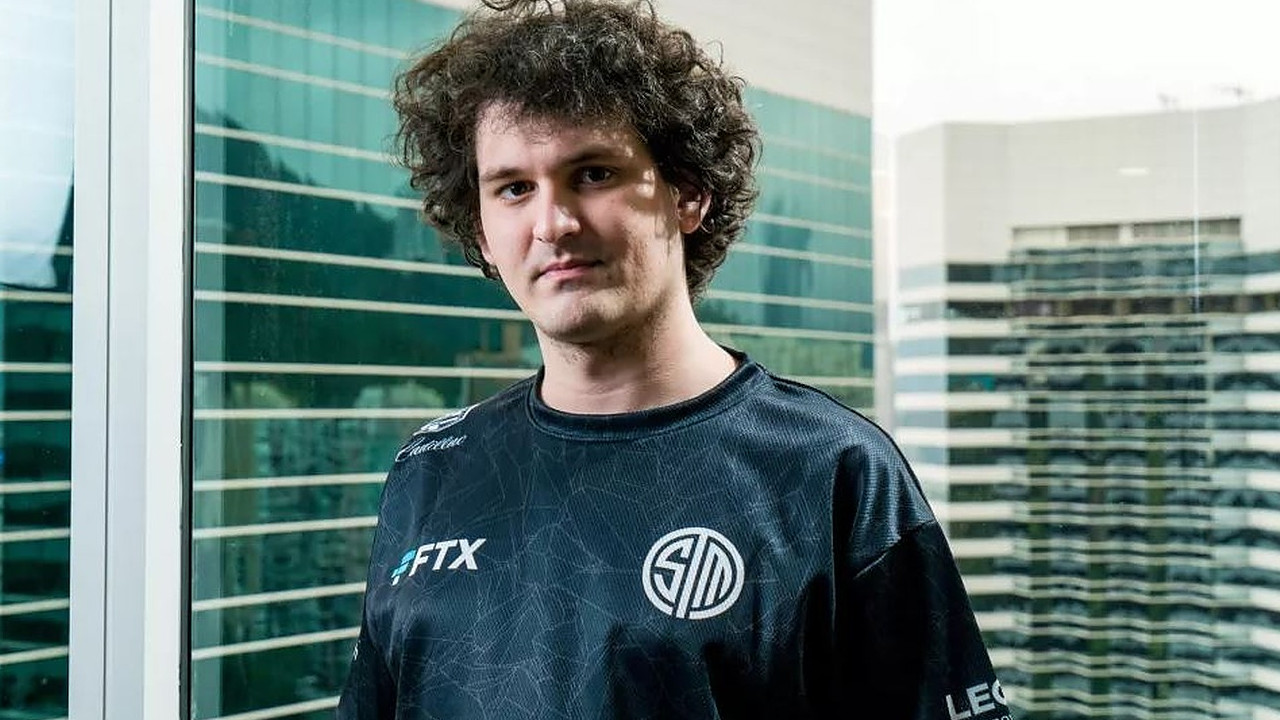
The largest and most valuable team in League of Legends is Team SoloMid: With a huge deal in June 2021, the LoL team set new benchmarks: For 210 million US dollars, the team sold its name to the crypto exchange FTX. But just a year later, the deal proves to be a sham. And even the dedication of the crypto genius to LoL is called into question.
What a deal that was? The deal between TSM and FTX caught a lot of attention in June 2021. TSM told a quirky story in a humorous video:
The head of TSM, Reginald, allegedly met with the head of FTX, Sam Bankman-Fried, and immediately bonded over their shared love for LoL and cryptocurrencies.
In a private jet, the two hashed out a deal: FTX wanted to pay 210 million dollars over 10 years – TSM became the major advertising partner of FTX, even changing its name to “TSM FTX.” Since then, wherever you saw TSM, you also saw “FTX.”
The deal was sealed with a fantastic video, making TSM the most valuable e-sports company in the world. The video has since been set to “private.”
Crypto exchange crumbles in the aftermath of a single message
This is what it looks like now after a year: FTX has filed for bankruptcy after the entire empire of Sam Bankman-Fried crumbled due to a message: A large part of the cryptocurrency FTT is held by Sam Bankman-Fried through another company.
This triggered a catastrophic cascade of decisions, the market lost confidence in the crypto exchange, and more and more investors withdrew their money. The value of the coin, the share price of the bank, as well as the fortune of Sam Bankman-Fried – everything collapsed completely within days.
Ultimately, the crypto exchange even filed for bankruptcy.
Start video
A spectacular video about League of Legends has now 138 million views – Shows how huge LoL is
This is what TSM says now: TSM has terminated its partnership with FTX effective immediately in a statement from November 16. The branding of TSM will be removed. The name will also be removed from the players’ jerseys.
However, it is said that TSM is doing well, being profitable in 2023 and beyond (via twitter).
Twitter laughs at alleged LoL nerd: “Even worse than AOC”
What are the side aspects of the deal? Sam Bankman-Fried portrayed himself as an enthusiastic LoL player, handling deals worth several hundred million dollars while playing LoL. However, this is now being poked fun at.
In the meantime, it turned out that despite more than 1,000 games in League of Legends, Sam Bankman-Fried never got above Bronze II. That is a very low rank in LoL.
The embarrassment of the CEO has been researched by the Financial Times. Even with his favorite champions Zyra, Nasus, and Vayne, Bankman-Fried did not achieve “mediocre to poor” win rates, according to financial experts.
On Twitter, people joke: Do you remember how investors were so impressed that Sam Bankman-Fried was playing LoL during meetings? Sam Bankman-Fried is even worse than [the politician] Alexandria Ocasio-Cortez!
Recommended editorial content
At this point you will find external content from Twitter that complements the article.
I consent to external content being displayed to me. Personal data can be transmitted to third party platforms.
Read more about our privacy policy.
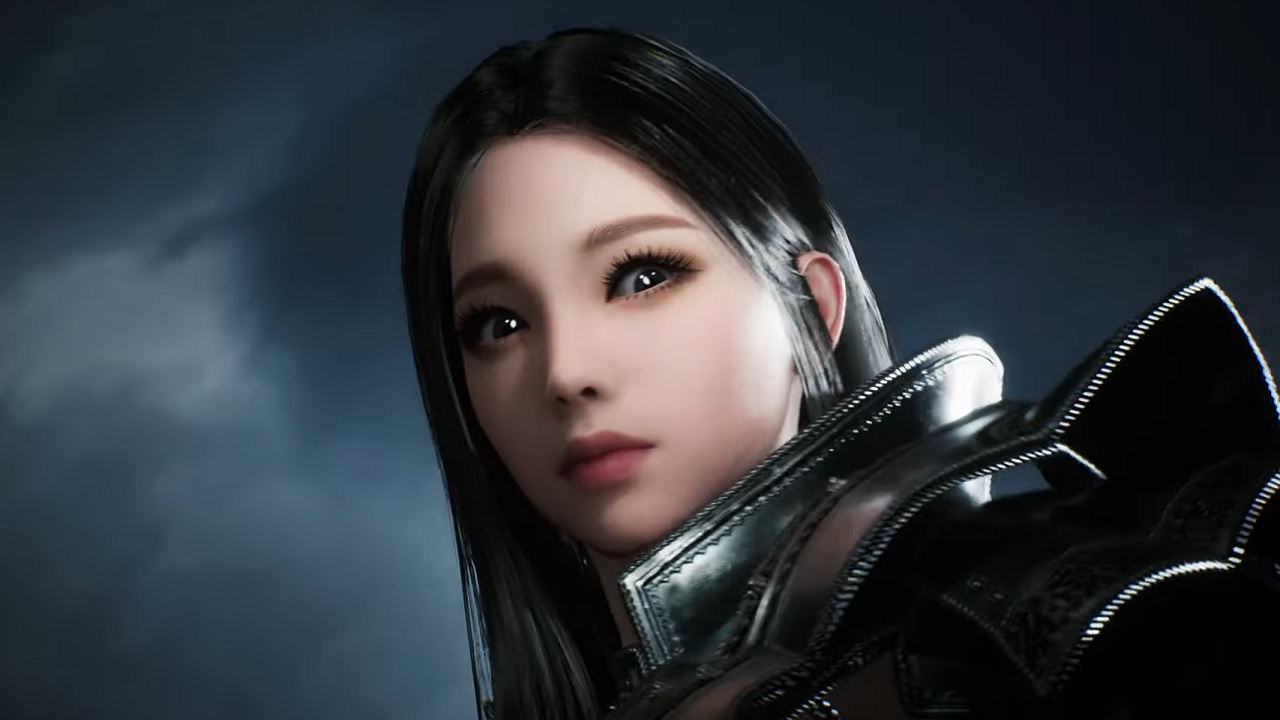
The MMORPG Night Crows was announced at the Korean gaming fair G-Star. It is being developed in Unreal Engine 5 and looks really beautiful in the first trailer. We at MeinMMO will tell you everything we know so far.
What do we know about the MMORPG? Night Crows will be a fantasy MMORPG and is expected to be released in Korea as early as April 2023. However, there are not many details yet:
It is said to be a high-quality MMORPG with photorealistic graphics.
You can fly through the game world with a glider and climb over rooftops. The world is said to be oriented towards the Middle Ages in Europe.
The combat system is said to be action-packed, with battles taking place both on the ground and in the air.
The game world will feature huge bosses that you will have to fight alongside other players.
One of the main features is PvP battles with 1,000 players.
It is currently unclear which platforms Night Crows will be released for. Wemade is known for developing for mobile devices. The most likely scenario is a game that offers crossplay between PC and smartphone. The payment model is also not known.
Here you can watch the first trailer:
Start video
Night Crows – Announcement Trailer
The trailer looks beautiful, but can the MMORPG live up to it?
What does the trailer show? The trailer is said to showcase “in-game footage,” meaning content that can be found in the game exactly as shown. The landscapes and battles presented make an outstanding impression.
Especially the cities and the landscapes look impressive. Particularly cool is the section around minute 1:30, where you see a player jumping over rooftops like in Assassins Creed.
However, one should always view trailers with a certain skepticism. Graphics are often downscaled in the final game because otherwise the performance would suffer. Especially in battles with up to 1,000 players, it seems unlikely that it can be played with such a high level of detail as in the trailer.
By the way, Night Crows is not the first MMORPG in Unreal Engine 5:
When will there be more about the game? Since Wemade also has a booth at G-Star, there is a high chance that we will see more information and possibly even gameplay in the coming days.
What do you think about Night Crows? Do you also find the graphics so nice? And how important is graphics to you in an MMORPG?
More about new MMORPGs that are expected to be released in 2023 can be found here:
In Call of Duty: Warzone 2, weapon choice is one of the most important decisions. MeinMMO has looked around and presents you a semi-automatic rifle that shortly after its release is considered the best weapon by many players.
What kind of weapon is it? It is the TAQ-56 assault rifle. It is the second assault rifle that you unlock through your account level and becomes available from rank 19 in your arsenal.
CoD veterans may find the weapon familiar. It corresponds to the “SCAR-L”, which has had many fans in Call of Duty in the past. However, in Warzone 1, the SCAR was always too weak – the magazines offered were simply too small.
In Warzone 2, things are different – many players and experts consider the TAQ-56 the best assault rifle, and for some, even the best weapon shortly after release. MeinMMO shows you a strong setup and gives a brief insight into the weapon’s stats.
However, keep in mind: The release was not long ago, and the initial analyses are still based little on actual player experience.
Start video
Call of Duty: Warzone 2.0 – Launch Trailer
CoD Warzone 2: TAQ-56 Setup – Best Weapon after Release
CoD Warzone 2: TAQ-56 Setup
Muzzle: Harbinger D20
Barrel: 17.5″ Tundra Pro Barrel
Optic: VLK 4.0
Underbarrel: VX Pineapple
Magazine: 60 Round Mag
Setup in English
CoD Warzone 2: TAQ-56 Setup
Muzzle: Harbinger D20
Barrel: 17.5″ Tundra Pro Barrel
Optic: VLK 4.0
Underbarrel: VX Pineapple
Magazine: 60 Round Mag
The TAQ-56 provides you with a remarkably stable shooting feel with this setup. The recoil is easy to control, and the damage at distance fits well.
The biggest disadvantage of the assault rifle is its comparatively low fire rate. If a bullet misses, the time-to-kill increases significantly more than with weapons that have a high fire rate.
The setup comes from the website “Warzone Loadout” – here you can also find recommendations for attachment tuning via warzoneloadout.games
We will keep an eye on the meta developments regarding the weapons in Warzone 2 in the coming days. You can expect another large list of the best weapons soon, as soon as the dust has settled a bit.
What are your favorites shortly after the release? Leave a comment about the topic – also with a setup, if you have recommendations already.
On November 16, CoD Warzone 2 went online along with the “Season 1” update of Modern Warfare 2 and allowed players to embark on an exploration journey. Two Twitch streamers were able to uncover a first secret of the new “Al Mazrah” map.
On November 16, Call of Duty Warzone 2 launched and immediately attracted numerous players. Among the players was also a number of top streamers who wanted to give the new Battle Royale a chance.
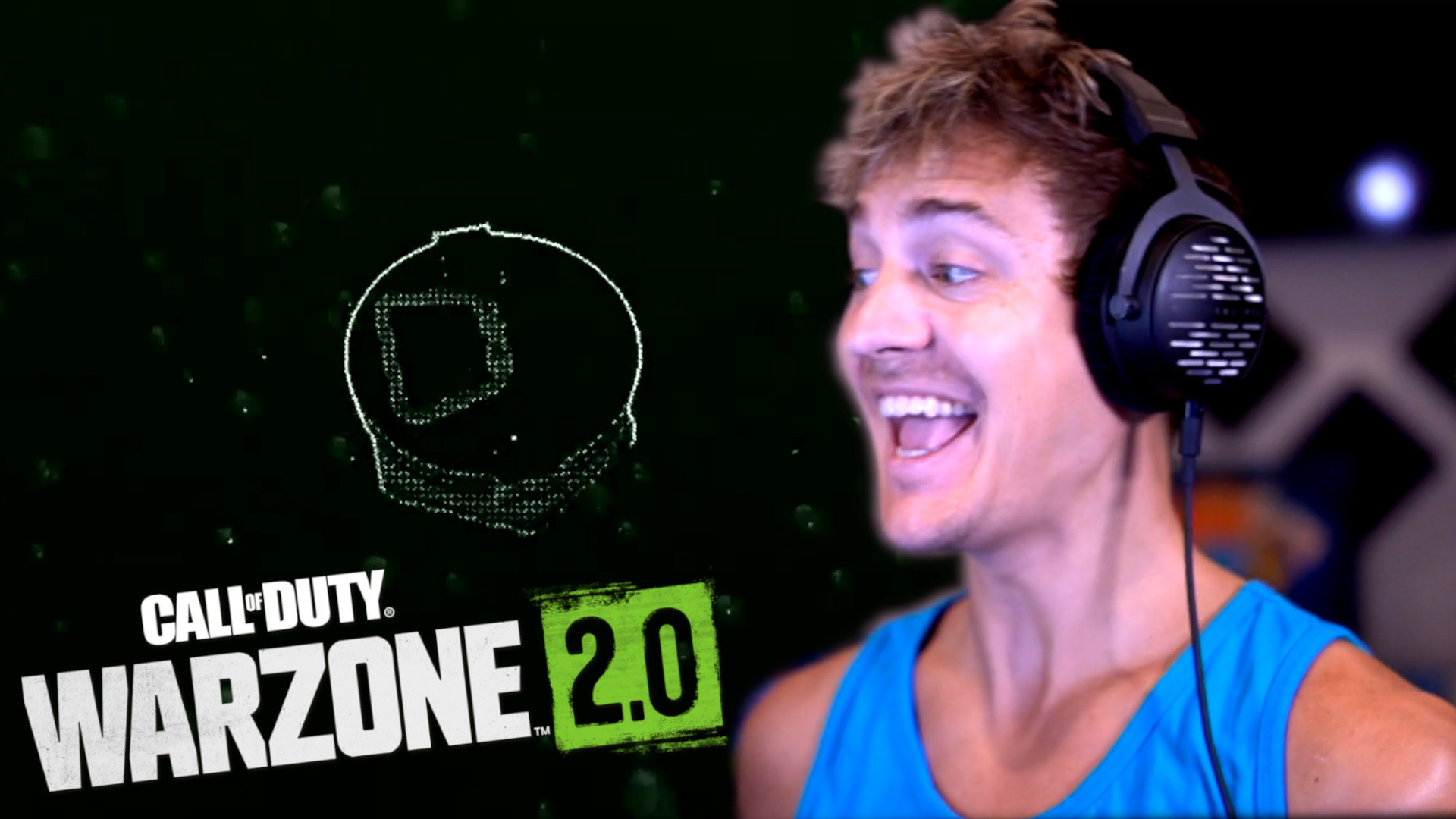
Two streamers, Tyler “Ninja” Blevins and Dennis “Cloakzy” Lepore, dived into the game for some matches and made an interesting discovery right away.
Start video
CoD MW2 & Warzone 2: Trailer for the revamped Battle Pass
Cloakzy rewarded for jumping into the water
What’s the deal with the water? One of the biggest innovations in the gameplay mechanics of Warzone 2 is the ability to swim. This means that deep water no longer results in instant death, as was the case in the original version of the Battle Royale.
This change had already sparked speculation in the CoD community in advance. Players were already preparing for cool underwater battles. Now it is clear that the water will offer much more.
Recommended editorial content
At this point you will find external content from Twitch that complements the article.
I consent to external content being displayed to me. Personal data can be transmitted to third party platforms.
Read more about our privacy policy.
How did the discovery occur? In a Twitch stream on November 16, Ninja and Cloakzy were exploring the new desert map Al Mazrah. Cloakzy apparently wants to test the possibilities of the changed gameplay mechanics and promptly jumps into a nearby body of water.
However, he discovered more than just algae on the bottom of the water: “What is this on the bottom?” asks Cloakzy, before Ninja follows him into the water.
What did the two streamers discover? At the bottom of the water, there was a chest with a number of items just waiting to be collected.
Cloakzy excitedly describes his find: “Oh my God, there’s hidden loot down here with a free armor plate and a precision airstrike!”
With the announcement that water should become a new core feature in Warzone 2, players may have already anticipated such hidden treasures.
Nevertheless, the discovery was surely a pleasant surprise on release day. For fans, it is likely an incentive to explore every corner of the new map looking for more loot.
World of Warcraft has rendered 5 of the rarest mounts nearly worthless. You can now easily obtain them, as the drop chance has been massively increased.
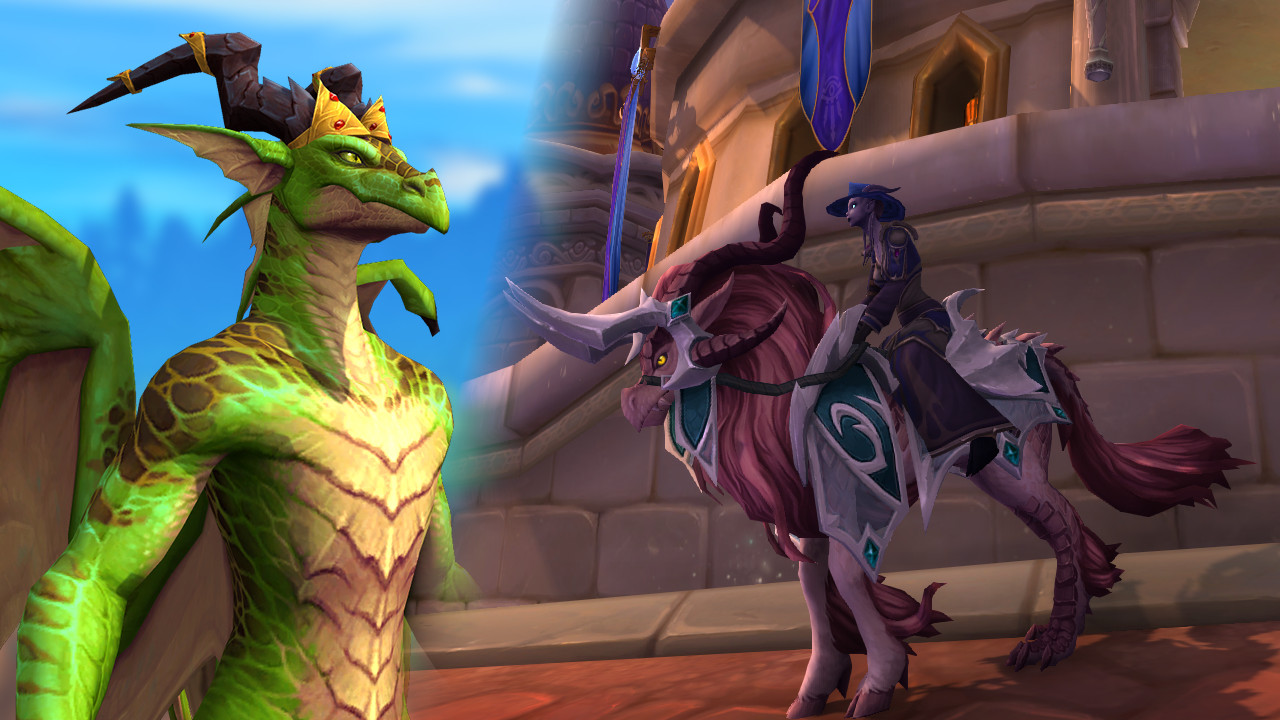
In World of Warcraft, the rarest mounts are often highly sought after. However, due to a bug, 5 of the rarest WoW mounts are losing their rarity. Indirectly, this is due to the Dracthyr, who had an unfair advantage that Blizzard is now simply extending to all characters.
What was the problem? For several hours, Dracthyr Callers, the new race from Dragonflight, have been roaming in World of Warcraft. Since they can level up to 60 very quickly and many players are fed up with Shadowlands, many Dracthyr have sought other tasks. They farm old raids for transmog or collect mounts.
However, this led to a pretty devastating bug. Many of the old world bosses could not drop normal loot for Dracthyr, with one exception: their super-rare mounts.
This resulted in Dracthyr Callers having the specific mount as the only possible loot from many of these world bosses. They thus had a drastically increased chance of obtaining this mount, making the drop virtually guaranteed. For comparison: Normally, most of these mounts have a drop chance of well under 1%.
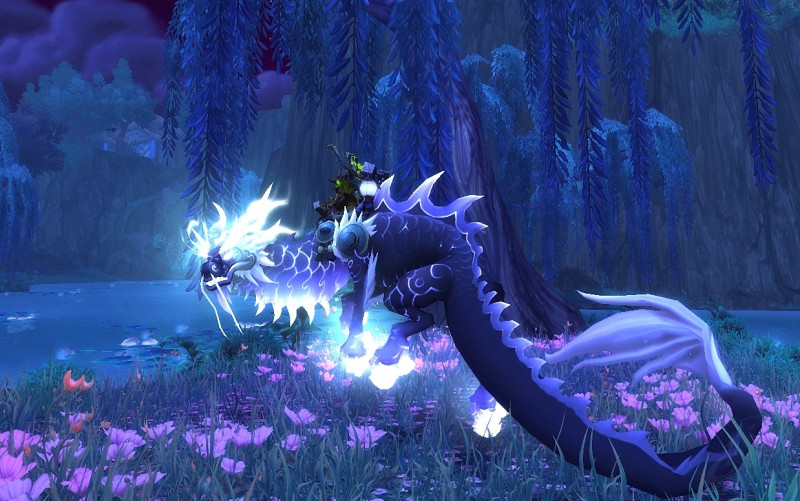
Mounts like the Onyxsnake are now easily obtainable. (Image source: wowhead)
What has Blizzard changed now? Blizzard fixed the problem within a few hours, but the damage was already done. Many Dracthyr players now own the super-rare mounts. Thus, those who exploited the bug early could enrich themselves with the fancy mounts.
Accordingly, the complaints in the official forum were loud, claiming that this was unfair and that the players should have the mounts taken away.
However, Blizzard chose a different path:
The drop chance of the mounts has now been massively increased for all characters. Thus, the chance that you will get the desired mount on the next kill of a world boss has significantly risen.
The corresponding rarity of the mounts is thus drastically decreasing and is unlikely to be a symbol of prestige in the future.
If you want to secure these fancy mounts, be sure to check out the relevant world bosses in the next few days. At level 60, you can easily defeat them solo. But be careful, you might have to wait a long time for the respawn – as others will also want to secure these mounts now.
What do you think about this? Is it cool that it’s easier to get the mounts? Or is it a clear “fail” that completely devalues their rarity?
This is an AI-powered translation. Some inaccuracies might exist.
In Pokémon GO, a trainer recently scanned PokéStops in a park, triggering a police response. We at MeinMMO took a look at how the situation unfolded and how it ended for the player.
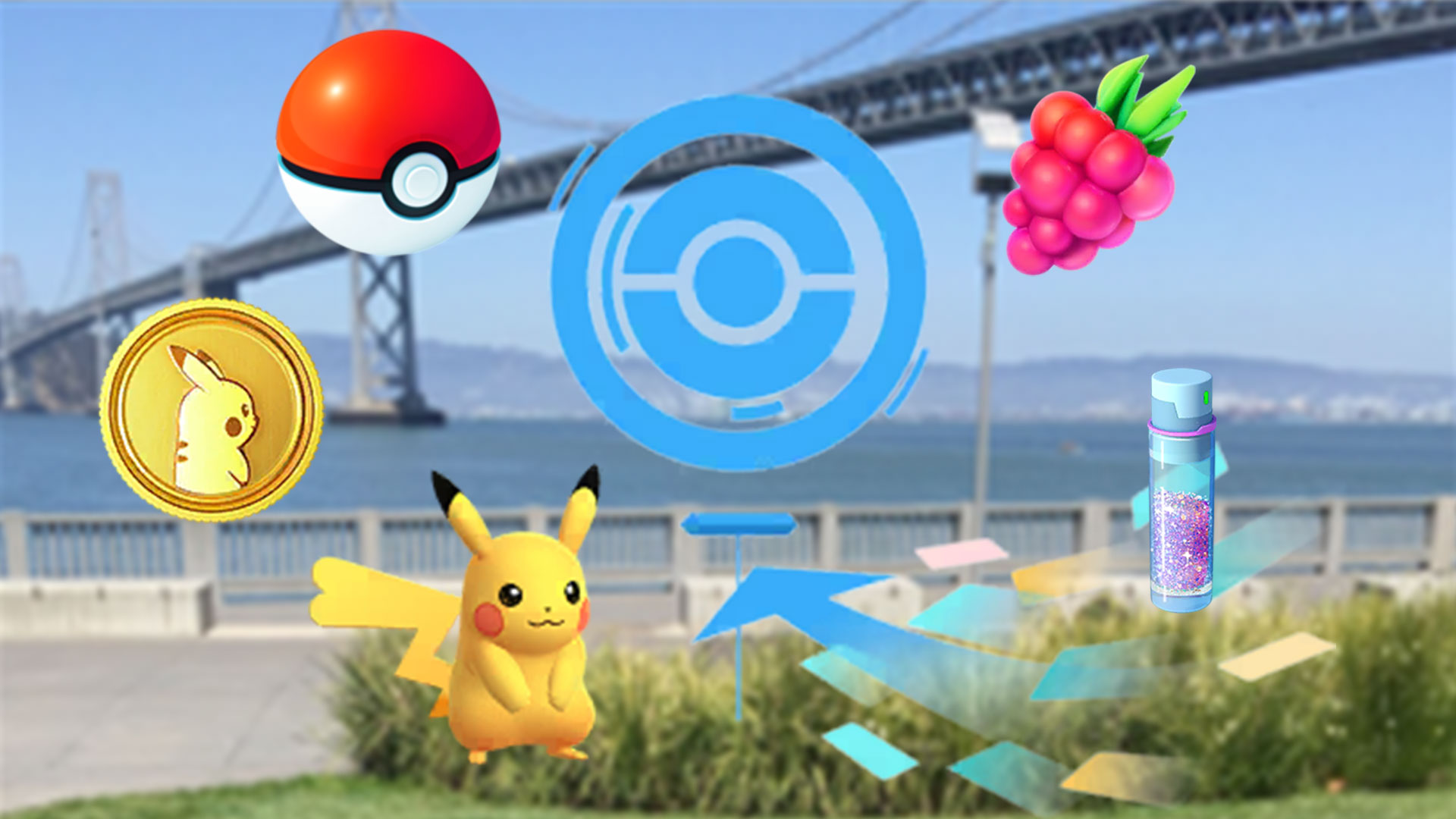
What kind of function is this anyway? In Pokémon GO, trainers have the ability to scan PokeStops to level them up. This grants them additional items such as balls, berries, or potions from these stops, as well as more spawns in the vicinity of the stop.
However, this harmless function recently led to trouble for a Pokémon GO trainer and resulted in an encounter with the police. We explain what happened.
This is why scanning the stops led to a police response
The user p4755166 shares a story in a reddit post about an encounter with the police that he recently experienced. He was in the city park and just wanted to scan PokéStops in peace. We present the whole story below (via reddit.com).
Recommended editorial content
At this point you will find external content from Reddit that complements the article.
I consent to external content being displayed to me. Personal data can be transmitted to third party platforms.
Read more about our privacy policy.
What did the trainer do? As the reddit user p4755166 explains in his post, he was recently in the city park of his area. There, aside from typical green spaces and park benches, there is also a swimming pool, playgrounds, and soccer fields.
Additionally, Pokémon GO trainers can benefit greatly there, as the park has a total of 13 PokéStops and 4 gyms. This was a reason for p4755166 to explore the park and catch everything he could.
However, this was not enough for the reddit user. His friend pointed out that in Pokémon GO, you can also level up PokéStops to achieve higher drops. p4755166 wanted to try this out and scanned his surroundings for a whole 1.5 hours until he finally took a break and suddenly had trouble with the police.
Leveled-up PokéStops yield more items
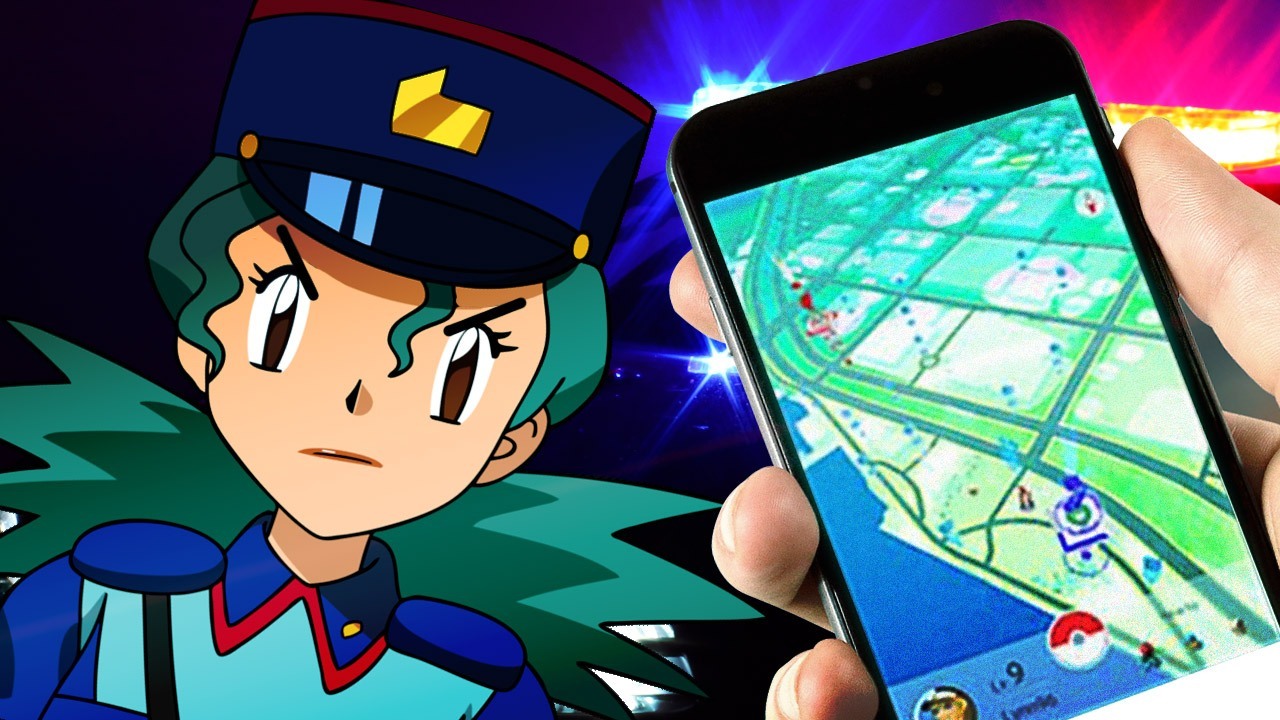
Why did the police come? After p4755166 sat down on a park bench, suddenly two police cars showed up, and the officers approached him directly. Other park visitors had noticed that he was making some kind of video recordings with his phone and reported it to the police. They wanted to investigate the suspicious behavior.
Was the trainer arrested? According to his own statements, p4755166 explained to the officers his intentions as well as how the function works in Pokémon GO, managing to clarify the situation. The officers eventually let him go with a warning to be more cautious in the vicinity of swimming pools and children when taking pictures in the future.
What is p4755166’s conclusion? He found the entire situation regarding the police very embarrassing, especially since other people saw him during this, and some even recognized him. For instance, his neighbor took a photo of him showing him with the police.
For p4755166, it is clear that he will now focus only on walking and catching. He draws the following conclusion (via reddit.com): “Well, the 2 bonus items and the buddy heart, or whatever, simply aren’t worth it. I’m now the bad guy who had a run-in with the police. I’m sticking to walking and catching, thanks.”
Trainers recommend “Just scan the ground”
What experiences do other trainers report? p4755166’s post has garnered significant support on social media. As of November 17, 2022, at 11:30 AM, he has already received more than 3,500 upvotes and 439 comments.
It quickly becomes clear that other trainers have also experienced uncomfortable situations while scanning PokéStops. You can also read the following on reddit:
dcchillin46: “I’m around 30 and started walking this summer to get some exercise. I was walking through the local park, which has some gyms, and started to scan one that happened to be a little league baseball field where a game was taking place. 5 minutes later, police cars drove by and stared at me. Good times, you’re not alone. Honestly, scanning is creepy, but I want some free berries.”
GrizDrummer25: “Scanning PokéStops is pretty uncomfortable. I submitted two reports, and it looks like I’m spying on the stores.”
Orange-Pete: “Once I was approached by an older lady who accused me of being suspicious in a parking lot. She thought I was taking pictures (of cars?) because I was using two phones to do a raid (my buddy was sick that day and asked me to help), which I can somewhat understand. But it still hurts to be accused like that, especially since I have severe anxiety and Pokémon GO is pretty much the only reason I go outside every day to exercise…”
Can this problem be avoided? In the comments, there are not only many like-minded individuals but also a number of tips on how to avoid such situations. Some players explain that they do not scan the PokéStop or gym itself but point their phone to the ground or cover the camera (via reddit.com):
lockt-420: “Just scan the ground.”
IconJBG: “Cover most of your camera with your finger. You don’t even have to move, and the file size stays under 20 MB, so you can upload it in seconds. Plus, you won’t be accused of being creepy.”
rage1026: “Fortunately, one of my regular spots has a stop close enough to a parking lot. I just sit in the car and wave the phone for a while.”
What has been your experience scanning PokéStops and gyms? Have you also been suspected of doing something illegal? Or have you even had problems with the police because of this? Let us know in the comments here on MeinMMO.
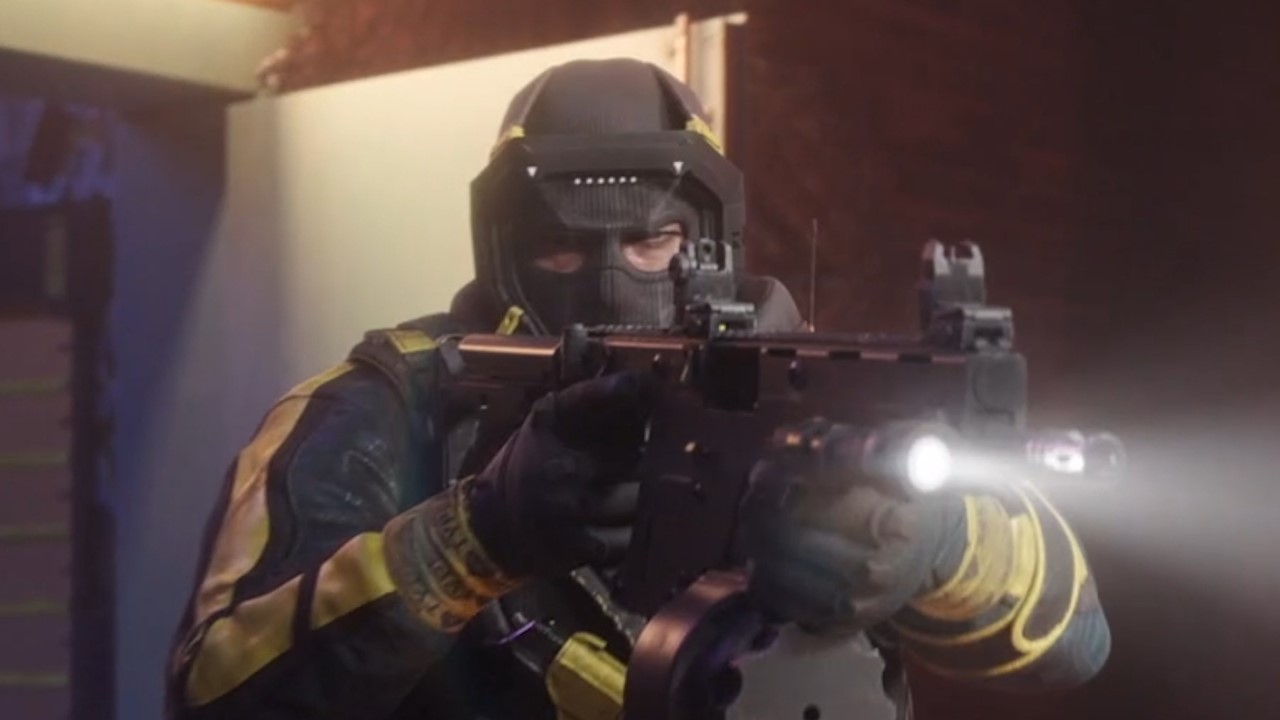
Ubisoft has a new strategy to enhance the security of Rainbow Six Siege against cheaters. Even though no detailed information has been provided by the official side, there are some speculations about how the game is currently dealing with fraudsters. The cheat providers seem to be hit by the new methods.
On November 11, 2022, Rainbow Six Siege released an announcement on the official website. It states that there was recently a security update for PC players aimed at combating cheating in the game. However, Ubisoft cannot disclose exact details to avoid making the update vulnerable.
However, speculations are circulating about what Ubisoft’s new strategy might look like.
Possible Strategy 1: A new game version every 2 hours
On Twitter a user claims to have figured out Ubisoft’s new strategy. In his view, the Rainbow Six Siege executable will be updated every 2 hours.
This would mean that Ubisoft is constantly changing Rainbow Six Siege for all users, so cheaters cannot settle on a fixed version to attack.
Executables, also known as EXE files, refer to the programs that execute the code at the game’s launch.
A hint that confirms this theory comes from the analysis website SteamDB. In the history of Rainbow Six Siege, one can observe regular changes.
Possible Strategy 2: Every player gets a random build
There is another theory regarding how the new anti-cheat system of Rainbow Six Siege could work. This theory assumes:
In advance, several unique builds have been created, which are then randomly distributed to the players. This strategy works similarly to the first. Because now, almost every person would have a slightly altered version of the same game.
In an interview with PCGamer, former anti-cheat lead of Valorant, Paul Chamberlain, explained that the strategy with the new builds created every 2 hours would be an effective approach, but it would mean a very time-consuming task for the developers.
With the second strategy, the security level would be raised even higher. If everyone gets their unique version of the game, it means an even more challenging endeavor for the cheaters.
Thus, he suspects: Ubisoft created numerous unique builds (perhaps even to the extent that each player receives their own version), which are then randomly assigned.
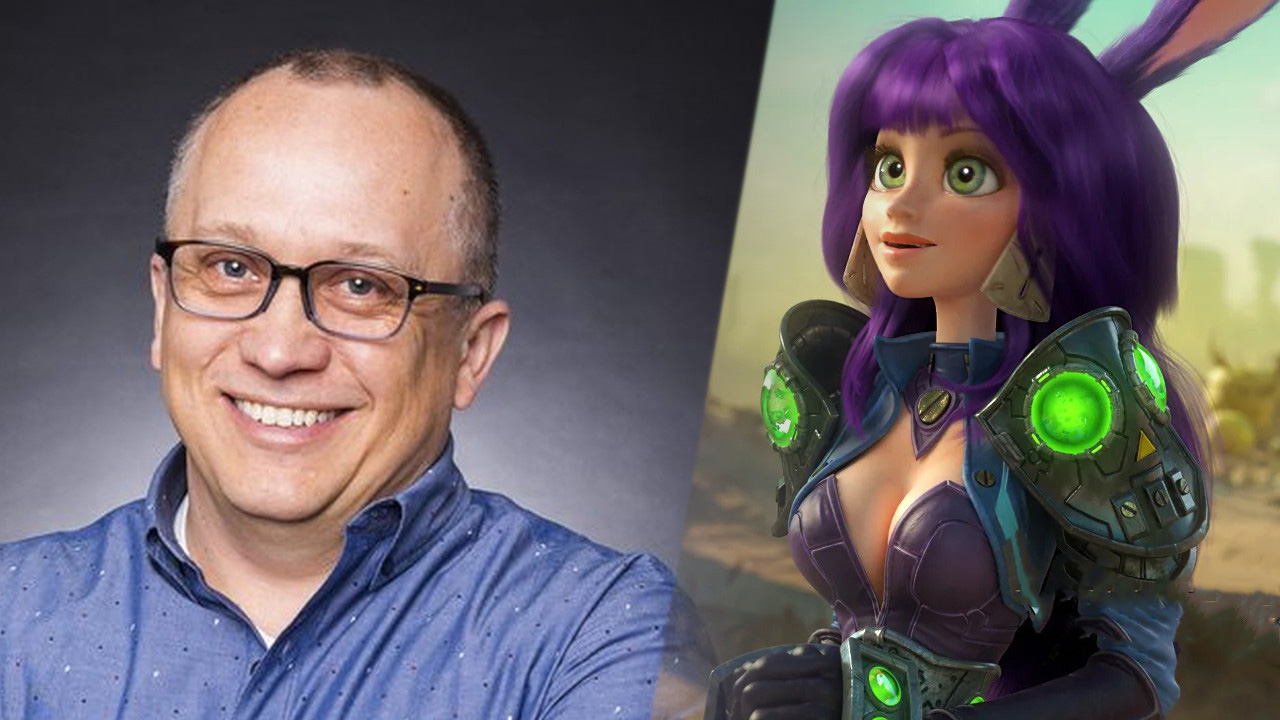
Greg “Ghostcrawler” Street is the head of the new LoL MMORPG. In an extensive interview, he spoke about his preferences in the genre. He received much praise for the discontinued MMORPG Wildstar and the imported Korean MMORPG hit Lost Ark, both of which bring strong raids in the endgame. Raids are also expected to play a role in the new LoL MMORPG.
Especially interesting are the statements of the developer regarding Lost Ark and Wildstar. He appreciates both MMORPGs mainly for their crisp raid instances.
Ghostcrawler emphasizes that the statements in the interview are only his own opinion. For the new MMORPG in development, this may not mean anything, but it becomes clear how important dungeons and raids are to him.
You can watch the complete interview here:
Recommended editorial content
At this point you will find external content from YouTube that complements the article.
I consent to external content being displayed to me. Personal data can be transmitted to third party platforms.
Read more about our privacy policy.
“Large raids offer an experience that no other video game can provide”
What types of raids does Ghostcrawler prefer? The really large and difficult ones. Raids have a unique appeal for him. He loves it when you have to work on them for a long time. What skills do I need, which classes are useful, where can I get the best gear? These are the questions he enjoys asking himself.
He personally favors instances with many players, such as 20, 30, or 40 people, but he also acknowledges that many players prefer to play in small groups. He believes a good MMORPG must find a balance to cater to both interest groups.
He himself always works quickly towards reaching the raids, as that content is what he enjoys the most:
I like large raids, I love that epic feeling. They offer an experience that no other video game can provide.
What does he, as a designer, appreciate about large raids? Ghostcrawler explains that large raid groups offer many advantages. For example, you can incorporate mechanics where players are deliberately sacrificed or killed, which can have a tactical aspect with 40 players.
However, with 4 players, you cannot sacrifice anyone because the group would fall apart immediately.
However, there was also criticism at the time that many players found the raids too difficult and time-consuming. Moreover, one had to go through a longer process to even access all instances. Another point of criticism was the lack of new instances.
Ghostcrawler emphasizes that, in his view, Wildstar was “awesome.” It was the game he always wished for regarding instances. Nonetheless, the game failed:
Was it the somewhat unusual setting? Was the timing not right? Did the players back then just focus too much on other genres? That is hard to say. Did the raids kill it? I don’t know, in the end, they simply didn’t have enough players to survive.
Which current game does Ghostcrawler praise for its instances? In the interview, Lost Ark was also discussed. According to Ghostcrawler, many developers of the LoL MMORPG played it very intensively. He praises the raid bosses and the complex mechanics, even though he himself has not made it to the full endgame due to the gear grind.
This topic is also revisited later in the interview. Ghostcrawler is torn between special random drops and the constant upgrading of his gear, as in Lost Ark:
I love the moment of defeating a dragon, opening a chest, and seeing what’s inside. And it’s boring when it’s just crafting materials […].
On the other hand, thinking of famous fantasy characters, King Arthur has always been associated with Excalibur, and Aragorn with Anduril. It’s not like Aragorn kills an orc, picks up his dropped sword, and then sells Anduril at the vendor. I like the idea that I identify with my sword and constantly upgrade it.
By the way, he and his team also appreciate the classes in Lost Ark. The design is very strong, the abilities elicit reactions from enemies, and you really feel like a warrior when playing a warrior class.
Start video
Lost Ark shows the machinist class and creepy clowns in the September update trailer
New LoL MMORPG focuses on dungeons and raids in the endgame
What does this mean for the new MMORPG? First of all, nothing at all. Because Ghostcrawler was mainly speaking here as a player rather than as the head of the LoL MMORPG. However, months before the interview, he confirmed that dungeons and raids would be an important part of the PvE endgame.
His statements show that he is intensely engaged with the subject and has tried various MMORPGs. From these, he will likely take the best aspects and try to create something of his own. There is a chance that raids will partially focus on a larger number of players – 20 to 40 – and not just on 8 to 12 players, as is currently the case especially with Guild Wars 2, Lost Ark, and ESO.
More about the content of the new MMORPG, such as the combat system, PvP, and the use of LoL champions, can be found here:
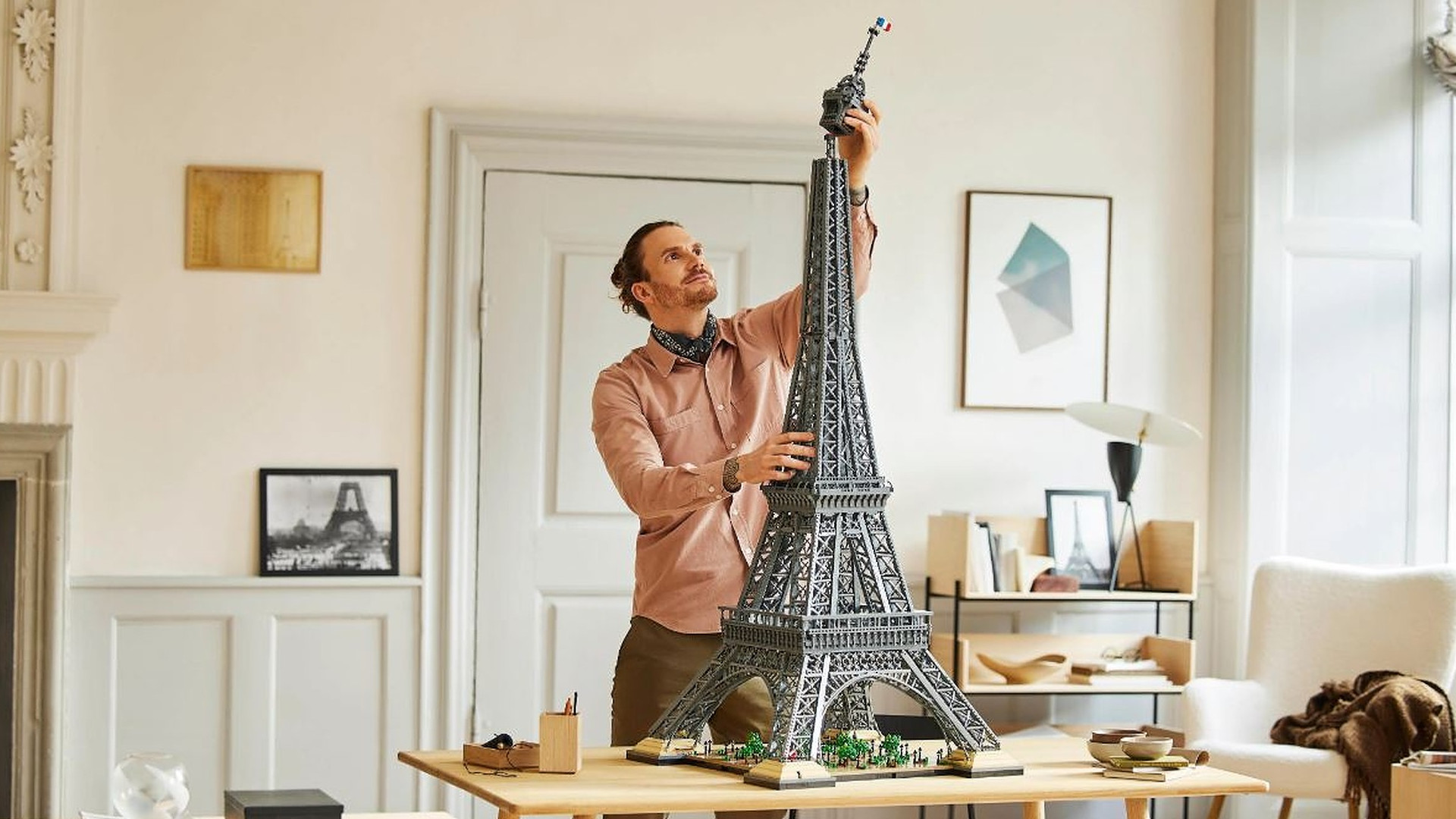
On November 25, 2022, LEGO will release a new set, the largest of all time. The Eiffel Tower consists of 10,001 pieces, costs nearly €630, and will be 149 centimeters tall. With this, LEGO surpasses all previous sets.
What is special about the set? The special feature of the new Eiffel Tower is certainly the extreme height of the finished object. At 1.49 meters, the LEGO Eiffel Tower is as tall as a child aged 11. According to a statistical survey by a research institute for children’s nutrition in Dortmund, boys at age 11 are on average 1.47 meters tall, and girls 1.48 meters (via blikk.it).
The new LEGO Eiffel Tower is taller.
The tower is also 14 centimeters taller than the actor Peter Dinklage, who plays Tyrion in Game of Thrones, but some staff members of the MeinMMO editorial team found that comparison for a headline too harsh, as I just learned.
By the way, LEGO had previously released a set in 2007 from which an Eiffel Tower emerged, but it only cost 200 euros and measured just 108 cm (via stonewars.de).
What was the last big highlight at LEGO? In 2021, LEGO released the Titanic. It was 1.35 cm long and consisted of 9,000 pieces. At €680, it was in a similar price range as the Eiffel Tower now.
Oops, unfortunately this affiliate widget is no longer available.
LEGO itself sees both, Titanic and Eiffel Tower, but only in 2nd and 3rd place on their list of the largest sets, because at LEGO, one does not count in centimeters, but in blocks used.
With 11,695 bricks used, the “LEGO Art World Map” is still a bit larger. LEGO recommends hanging the map on the wall.
Also very nice: The model is presented by a young man with a beard, scarf, and man bun, who is apparently thrilled to finally fulfill his dream: a personal Eiffel Tower in the living room.
The LEGO Eiffel Tower is set to appear on November 25 and will cost €629.99. However, there have been complaints about these collector’s methods before: allegedly, they are often bought up by scalpers and then resold at a markup.
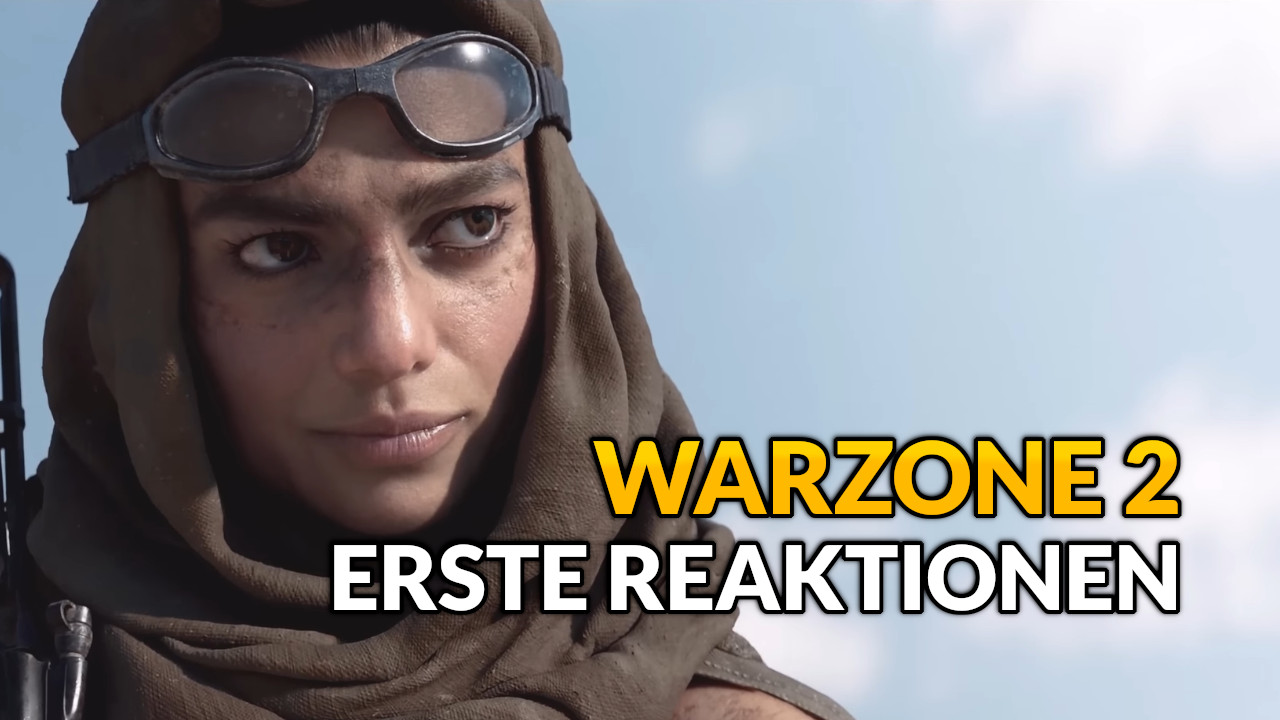
The release of Call of Duty: Warzone 2 is done, and MeinMMO shows you the first reactions. Especially the technical state is criticized. However, there is a feature that provides a lot of fun.
How was the release of Warzone 2? Bad to mediocre. We accompanied the release on MeinMMO with a live ticker and throughout the release evening, there were server issues.
You had to be lucky – there were many players who had fewer problems. But for a lot of Warzone players who were brave enough to play on release evening, connection issues and server lags were the order of the day.
However, one feature stands out, which many players had fun with when the servers were running well, and that was the new proximity chat.
We show you a few reactions, delve deeper into the technical problems, and explain a comment from a Warzone expert who compares the new battle royale with its predecessor. We also embed here the launch trailer of Warzone 2:
Start video
Call of Duty: Warzone 2.0 – Launch Trailer
CoD Warzone 2: A social feature makes the difference
Why is the proximity chat so good? The new feature ensures that you can hear opponents nearby when you use the in-game chat. This not only opens up new opportunities for reconnaissance but also creates exciting and funny situations.
Maybe you’ve heard of the guy who landed some viral hits with special controllers. Sometimes he hits perfectly with the sniper using a flute in Battlefield, sometimes with a drum in CoD. Now imagine you have him as a partner in the new gulag:
Recommended editorial content
At this point you will find external content from Twitter that complements the article.
I consent to external content being displayed to me. Personal data can be transmitted to third party platforms.
Read more about our privacy policy.
But even aside from such crazy encounters, situations arise that have never existed in Warzone before. If you need a ride, just shout in the chat – you can even add randoms to your squad.
Recommended editorial content
At this point you will find external content from Twitter that complements the article.
I consent to external content being displayed to me. Personal data can be transmitted to third party platforms.
Read more about our privacy policy.
There are also videos showing toxic behavior. However, the voice chat is analyzed in 14 different languages, and aggressive behavior is punished. If you encounter toxic players in the chat, report the respective players through the in-game reporting system.
CoD Warzone 2: Technically a horror for many
What do the technical problems look like? The first evening was marked by server problems and technical errors.
The servers were very shaky, and especially at the beginning of a match, when all 150 players were still in it, there were also very high pings and lags – if you even got that far.
Many players already had problems getting into the main menu. This was not only annoying for Warzone players, but it also put pressure on the servers of Modern Warfare 2 – a full-price title that started its Season 1 that same evening.
There were also annoying bugs, such as a bug with the social menu. If you wanted to access your friends list, it often happened that you were thrown back to the main menu.
Additionally, there are many reports of small and larger bugs that then caused an unwanted death. Many small annoyances that left a bitter taste after the first evening for some players – though not for all.
We also saw this on MeinMMO in the comments:
Desten96: “I was able to play for an hour after a long download. […] The severe lags were the best anyway.”
Warzone: “Absolutely unplayable. Xbox Series X with a 1 gigabit connection and it stutters.”
Phantom: “I didn’t have problems at any time. Only connecting took a little longer sometimes.”
How do the first comparisons with Warzone 1 look like? Particularly interesting was the statement of the Warzone expert “JGOD”. He is not getting directly warm with the new battle royale, but he also says that it could be a good game – if the technical problems are fixed:
Recommended editorial content
At this point you will find external content from Twitter that complements the article.
I consent to external content being displayed to me. Personal data can be transmitted to third party platforms.
Read more about our privacy policy.
Tweet translation: “Warzone 2 feels like the BR experience they wanted to make, which really isn’t for me and that’s okay. It feels significantly slower, which could be expected, looking at MW2. […] I don’t want to badmouth the game. […] Apex is a great BR, but I don’t like playing it. The same goes for Fortnite – WZ2 could be the same (As soon as they properly optimize the game and fix the servers)”.
Warzone 2 is a whole new experience with a new dynamic. The focus is more on tactical considerations rather than technical skills due to the slower movement.
Therefore, it is important that you form your own impression. If you are fans of the battle royale genre, check out the free Warzone 2. But maybe wait a few days or try it on the second release weekend.
Your opinion on the new Warzone also interests us: How did you experience the first day – write us a little experience report in the comments or generally write something on the topic.
Doesn’t help? Then do it like on PlayStation and completely uninstall the game. Download it again to make a fresh installation. For many players, a fresh installation has already helped.
Unplug your router for 2-3 minutes and then restart it
Do the same with your PlayStation and unplug it for a few minutes
If all these little tips do not help and Warzone 2 still does not start on your PS5, you should try completely uninstalling the game and then doing a fresh installation. While this solution may seem obvious, many players ignore it. It is definitely worth a try.
On consoles, the issue may also arise that the multiplayer is not installed. For these problems, we have the solution here:
Warzone 2 Solutions for Startup Issues on Xbox
First the essentials:
Make sure you have installed all updates. If you are still downloading some and starting Warzone 2, you won’t get far
Doesn’t help? Then do it like on PlayStation and completely uninstall the game. Download it again to make a fresh installation. For many players, a fresh installation has already helped.
Unplug your router for 2-3 minutes and then restart it
Do the same with your PlayStation and unplug it for a few minutes
If all these little tips do not help and Warzone 2 still does not start on your PS5, you should try completely uninstalling the game and then doing a fresh installation. While this solution may seem obvious, many players ignore it. It is definitely worth a try.
On consoles, the issue may also arise that the multiplayer is not installed. For these problems, we have the solution here:
Warzone 2 Solutions for Startup Issues on Xbox
First the essentials:
Make sure you have installed all updates. If you are still downloading some and starting Warzone 2, you won’t get far
Doesn’t help? Then do it like on PlayStation and completely uninstall the game. Download it again to make a fresh installation. For many players, a fresh installation has already helped.
Unplug your router for 2-3 minutes and then restart it
Do the same with your PlayStation and unplug it for a few minutes
If all these little tips do not help and Warzone 2 still does not start on your PS5, you should try completely uninstalling the game and then doing a fresh installation. While this solution may seem obvious, many players ignore it. It is definitely worth a try.
On consoles, the issue may also arise that the multiplayer is not installed. For these problems, we have the solution here:
Warzone 2 Solutions for Startup Issues on Xbox
First the essentials:
Make sure you have installed all updates. If you are still downloading some and starting Warzone 2, you won’t get far
Doesn’t help? Then do it like on PlayStation and completely uninstall the game. Download it again to make a fresh installation. For many players, a fresh installation has already helped.
Unplug your router for 2-3 minutes and then restart it
Do the same with your PlayStation and unplug it for a few minutes
If all these little tips do not help and Warzone 2 still does not start on your PS5, you should try completely uninstalling the game and then doing a fresh installation. While this solution may seem obvious, many players ignore it. It is definitely worth a try.
On consoles, the issue may also arise that the multiplayer is not installed. For these problems, we have the solution here:
Warzone 2 Solutions for Startup Issues on Xbox
First the essentials:
Make sure you have installed all updates. If you are still downloading some and starting Warzone 2, you won’t get far
Doesn’t help? Then do it like on PlayStation and completely uninstall the game. Download it again to make a fresh installation. For many players, a fresh installation has already helped.
Doesn’t help? Then do it like on PlayStation and completely uninstall the game. Download it again to make a fresh installation. For many players, a fresh installation has already helped.
Unplug your router for 2-3 minutes and then restart it
Do the same with your PlayStation and unplug it for a few minutes
If all these little tips do not help and Warzone 2 still does not start on your PS5, you should try completely uninstalling the game and then doing a fresh installation. While this solution may seem obvious, many players ignore it. It is definitely worth a try.
On consoles, the issue may also arise that the multiplayer is not installed. For these problems, we have the solution here:
Warzone 2 Solutions for Startup Issues on Xbox
First the essentials:
Make sure you have installed all updates. If you are still downloading some and starting Warzone 2, you won’t get far
Doesn’t help? Then do it like on PlayStation and completely uninstall the game. Download it again to make a fresh installation. For many players, a fresh installation has already helped.
Doesn’t help? Then do it like on PlayStation and completely uninstall the game. Download it again to make a fresh installation. For many players, a fresh installation has already helped.
Unplug your router for 2-3 minutes and then restart it
Do the same with your PlayStation and unplug it for a few minutes
If all these little tips do not help and Warzone 2 still does not start on your PS5, you should try completely uninstalling the game and then doing a fresh installation. While this solution may seem obvious, many players ignore it. It is definitely worth a try.
On consoles, the issue may also arise that the multiplayer is not installed. For these problems, we have the solution here:
Warzone 2 Solutions for Startup Issues on Xbox
First the essentials:
Make sure you have installed all updates. If you are still downloading some and starting Warzone 2, you won’t get far
Doesn’t help? Then do it like on PlayStation and completely uninstall the game. Download it again to make a fresh installation. For many players, a fresh installation has already helped.
Unplug your router for 2-3 minutes and then restart it
Do the same with your PlayStation and unplug it for a few minutes
If all these little tips do not help and Warzone 2 still does not start on your PS5, you should try completely uninstalling the game and then doing a fresh installation. While this solution may seem obvious, many players ignore it. It is definitely worth a try.
On consoles, the issue may also arise that the multiplayer is not installed. For these problems, we have the solution here:
Warzone 2 Solutions for Startup Issues on Xbox
First the essentials:
Make sure you have installed all updates. If you are still downloading some and starting Warzone 2, you won’t get far
Doesn’t help? Then do it like on PlayStation and completely uninstall the game. Download it again to make a fresh installation. For many players, a fresh installation has already helped.
Unplug your router for 2-3 minutes and then restart it
Do the same with your PlayStation and unplug it for a few minutes
If all these little tips do not help and Warzone 2 still does not start on your PS5, you should try completely uninstalling the game and then doing a fresh installation. While this solution may seem obvious, many players ignore it. It is definitely worth a try.
On consoles, the issue may also arise that the multiplayer is not installed. For these problems, we have the solution here:
Warzone 2 Solutions for Startup Issues on Xbox
First the essentials:
Make sure you have installed all updates. If you are still downloading some and starting Warzone 2, you won’t get far
Doesn’t help? Then do it like on PlayStation and completely uninstall the game. Download it again to make a fresh installation. For many players, a fresh installation has already helped.
Unplug your router for 2-3 minutes and then restart it
Do the same with your PlayStation and unplug it for a few minutes
If all these little tips do not help and Warzone 2 still does not start on your PS5, you should try completely uninstalling the game and then doing a fresh installation. While this solution may seem obvious, many players ignore it. It is definitely worth a try.
On consoles, the issue may also arise that the multiplayer is not installed. For these problems, we have the solution here:
Warzone 2 Solutions for Startup Issues on Xbox
First the essentials:
Make sure you have installed all updates. If you are still downloading some and starting Warzone 2, you won’t get far
Doesn’t help? Then do it like on PlayStation and completely uninstall the game. Download it again to make a fresh installation. For many players, a fresh installation has already helped.
Unplug your router for 2-3 minutes and then restart it
Do the same with your PlayStation and unplug it for a few minutes
If all these little tips do not help and Warzone 2 still does not start on your PS5, you should try completely uninstalling the game and then doing a fresh installation. While this solution may seem obvious, many players ignore it. It is definitely worth a try.
On consoles, the issue may also arise that the multiplayer is not installed. For these problems, we have the solution here:
Warzone 2 Solutions for Startup Issues on Xbox
First the essentials:
Make sure you have installed all updates. If you are still downloading some and starting Warzone 2, you won’t get far
Doesn’t help? Then do it like on PlayStation and completely uninstall the game. Download it again to make a fresh installation. For many players, a fresh installation has already helped.
Unplug your router for 2-3 minutes and then restart it
Do the same with your PlayStation and unplug it for a few minutes
If all these little tips do not help and Warzone 2 still does not start on your PS5, you should try completely uninstalling the game and then doing a fresh installation. While this solution may seem obvious, many players ignore it. It is definitely worth a try.
On consoles, the issue may also arise that the multiplayer is not installed. For these problems, we have the solution here:
Warzone 2 Solutions for Startup Issues on Xbox
First the essentials:
Make sure you have installed all updates. If you are still downloading some and starting Warzone 2, you won’t get far
Doesn’t help? Then do it like on PlayStation and completely uninstall the game. Download it again to make a fresh installation. For many players, a fresh installation has already helped.
Unplug your router for 2-3 minutes and then restart it
Do the same with your PlayStation and unplug it for a few minutes
If all these little tips do not help and Warzone 2 still does not start on your PS5, you should try completely uninstalling the game and then doing a fresh installation. While this solution may seem obvious, many players ignore it. It is definitely worth a try.
On consoles, the issue may also arise that the multiplayer is not installed. For these problems, we have the solution here:
Warzone 2 Solutions for Startup Issues on Xbox
First the essentials:
Make sure you have installed all updates. If you are still downloading some and starting Warzone 2, you won’t get far
Doesn’t help? Then do it like on PlayStation and completely uninstall the game. Download it again to make a fresh installation. For many players, a fresh installation has already helped.
Doesn’t help? Then do it like on PlayStation and completely uninstall the game. Download it again to make a fresh installation. For many players, a fresh installation has already helped.
Unplug your router for 2-3 minutes and then restart it
Do the same with your PlayStation and unplug it for a few minutes
If all these little tips do not help and Warzone 2 still does not start on your PS5, you should try completely uninstalling the game and then doing a fresh installation. While this solution may seem obvious, many players ignore it. It is definitely worth a try.
On consoles, the issue may also arise that the multiplayer is not installed. For these problems, we have the solution here:
Warzone 2 Solutions for Startup Issues on Xbox
First the essentials:
Make sure you have installed all updates. If you are still downloading some and starting Warzone 2, you won’t get far
Doesn’t help? Then do it like on PlayStation and completely uninstall the game. Download it again to make a fresh installation. For many players, a fresh installation has already helped.
Unplug your router for 2-3 minutes and then restart it
Do the same with your PlayStation and unplug it for a few minutes
If all these little tips do not help and Warzone 2 still does not start on your PS5, you should try completely uninstalling the game and then doing a fresh installation. While this solution may seem obvious, many players ignore it. It is definitely worth a try.
On consoles, the issue may also arise that the multiplayer is not installed. For these problems, we have the solution here:
Warzone 2 Solutions for Startup Issues on Xbox
First the essentials:
Make sure you have installed all updates. If you are still downloading some and starting Warzone 2, you won’t get far
Doesn’t help? Then do it like on PlayStation and completely uninstall the game. Download it again to make a fresh installation. For many players, a fresh installation has already helped.
Doesn’t help? Then do it like on PlayStation and completely uninstall the game. Download it again to make a fresh installation. For many players, a fresh installation has already helped.
Unplug your router for 2-3 minutes and then restart it
Do the same with your PlayStation and unplug it for a few minutes
If all these little tips do not help and Warzone 2 still does not start on your PS5, you should try completely uninstalling the game and then doing a fresh installation. While this solution may seem obvious, many players ignore it. It is definitely worth a try.
On consoles, the issue may also arise that the multiplayer is not installed. For these problems, we have the solution here:
Warzone 2 Solutions for Startup Issues on Xbox
First the essentials:
Make sure you have installed all updates. If you are still downloading some and starting Warzone 2, you won’t get far
Doesn’t help? Then do it like on PlayStation and completely uninstall the game. Download it again to make a fresh installation. For many players, a fresh installation has already helped.
Unplug your router for 2-3 minutes and then restart it
Do the same with your PlayStation and unplug it for a few minutes
If all these little tips do not help and Warzone 2 still does not start on your PS5, you should try completely uninstalling the game and then doing a fresh installation. While this solution may seem obvious, many players ignore it. It is definitely worth a try.
On consoles, the issue may also arise that the multiplayer is not installed. For these problems, we have the solution here:
Warzone 2 Solutions for Startup Issues on Xbox
First the essentials:
Make sure you have installed all updates. If you are still downloading some and starting Warzone 2, you won’t get far
Doesn’t help? Then do it like on PlayStation and completely uninstall the game. Download it again to make a fresh installation. For many players, a fresh installation has already helped.
Unplug your router for 2-3 minutes and then restart it
Do the same with your PlayStation and unplug it for a few minutes
If all these little tips do not help and Warzone 2 still does not start on your PS5, you should try completely uninstalling the game and then doing a fresh installation. While this solution may seem obvious, many players ignore it. It is definitely worth a try.
On consoles, the issue may also arise that the multiplayer is not installed. For these problems, we have the solution here:
Warzone 2 Solutions for Startup Issues on Xbox
First the essentials:
Make sure you have installed all updates. If you are still downloading some and starting Warzone 2, you won’t get far
Doesn’t help? Then do it like on PlayStation and completely uninstall the game. Download it again to make a fresh installation. For many players, a fresh installation has already helped.
Unplug your router for 2-3 minutes and then restart it
Do the same with your PlayStation and unplug it for a few minutes
If all these little tips do not help and Warzone 2 still does not start on your PS5, you should try completely uninstalling the game and then doing a fresh installation. While this solution may seem obvious, many players ignore it. It is definitely worth a try.
On consoles, the issue may also arise that the multiplayer is not installed. For these problems, we have the solution here:
Warzone 2 Solutions for Startup Issues on Xbox
First the essentials:
Make sure you have installed all updates. If you are still downloading some and starting Warzone 2, you won’t get far
Doesn’t help? Then do it like on PlayStation and completely uninstall the game. Download it again to make a fresh installation. For many players, a fresh installation has already helped.
Unplug your router for 2-3 minutes and then restart it
Do the same with your PlayStation and unplug it for a few minutes
If all these little tips do not help and Warzone 2 still does not start on your PS5, you should try completely uninstalling the game and then doing a fresh installation. While this solution may seem obvious, many players ignore it. It is definitely worth a try.
On consoles, the issue may also arise that the multiplayer is not installed. For these problems, we have the solution here:
Warzone 2 Solutions for Startup Issues on Xbox
First the essentials:
Make sure you have installed all updates. If you are still downloading some and starting Warzone 2, you won’t get far
Doesn’t help? Then do it like on PlayStation and completely uninstall the game. Download it again to make a fresh installation. For many players, a fresh installation has already helped.
Unplug your router for 2-3 minutes and then restart it
Do the same with your PlayStation and unplug it for a few minutes
If all these little tips do not help and Warzone 2 still does not start on your PS5, you should try completely uninstalling the game and then doing a fresh installation. While this solution may seem obvious, many players ignore it. It is definitely worth a try.
On consoles, the issue may also arise that the multiplayer is not installed. For these problems, we have the solution here:
Warzone 2 Solutions for Startup Issues on Xbox
First the essentials:
Make sure you have installed all updates. If you are still downloading some and starting Warzone 2, you won’t get far
Doesn’t help? Then do it like on PlayStation and completely uninstall the game. Download it again to make a fresh installation. For many players, a fresh installation has already helped.
Unplug your router for 2-3 minutes and then restart it
Do the same with your PlayStation and unplug it for a few minutes
If all these little tips do not help and Warzone 2 still does not start on your PS5, you should try completely uninstalling the game and then doing a fresh installation. While this solution may seem obvious, many players ignore it. It is definitely worth a try.
On consoles, the issue may also arise that the multiplayer is not installed. For these problems, we have the solution here:
Warzone 2 Solutions for Startup Issues on Xbox
First the essentials:
Make sure you have installed all updates. If you are still downloading some and starting Warzone 2, you won’t get far
Doesn’t help? Then do it like on PlayStation and completely uninstall the game. Download it again to make a fresh installation. For many players, a fresh installation has already helped.
Unplug your router for 2-3 minutes and then restart it
Do the same with your PlayStation and unplug it for a few minutes
If all these little tips do not help and Warzone 2 still does not start on your PS5, you should try completely uninstalling the game and then doing a fresh installation. While this solution may seem obvious, many players ignore it. It is definitely worth a try.
On consoles, the issue may also arise that the multiplayer is not installed. For these problems, we have the solution here:
Warzone 2 Solutions for Startup Issues on Xbox
First the essentials:
Make sure you have installed all updates. If you are still downloading some and starting Warzone 2, you won’t get far
Doesn’t help? Then do it like on PlayStation and completely uninstall the game. Download it again to make a fresh installation. For many players, a fresh installation has already helped.
Doesn’t help? Then do it like on PlayStation and completely uninstall the game. Download it again to make a fresh installation. For many players, a fresh installation has already helped.
Unplug your router for 2-3 minutes and then restart it
Do the same with your PlayStation and unplug it for a few minutes
If all these little tips do not help and Warzone 2 still does not start on your PS5, you should try completely uninstalling the game and then doing a fresh installation. While this solution may seem obvious, many players ignore it. It is definitely worth a try.
On consoles, the issue may also arise that the multiplayer is not installed. For these problems, we have the solution here:
Warzone 2 Solutions for Startup Issues on Xbox
First the essentials:
Make sure you have installed all updates. If you are still downloading some and starting Warzone 2, you won’t get far
Doesn’t help? Then do it like on PlayStation and completely uninstall the game. Download it again to make a fresh installation. For many players, a fresh installation has already helped.
Unplug your router for 2-3 minutes and then restart it
Do the same with your PlayStation and unplug it for a few minutes
If all these little tips do not help and Warzone 2 still does not start on your PS5, you should try completely uninstalling the game and then doing a fresh installation. While this solution may seem obvious, many players ignore it. It is definitely worth a try.
On consoles, the issue may also arise that the multiplayer is not installed. For these problems, we have the solution here:
Warzone 2 Solutions for Startup Issues on Xbox
First the essentials:
Make sure you have installed all updates. If you are still downloading some and starting Warzone 2, you won’t get far
Doesn’t help? Then do it like on PlayStation and completely uninstall the game. Download it again to make a fresh installation. For many players, a fresh installation has already helped.
Unplug your router for 2-3 minutes and then restart it
Do the same with your PlayStation and unplug it for a few minutes
If all these little tips do not help and Warzone 2 still does not start on your PS5, you should try completely uninstalling the game and then doing a fresh installation. While this solution may seem obvious, many players ignore it. It is definitely worth a try.
On consoles, the issue may also arise that the multiplayer is not installed. For these problems, we have the solution here:
Warzone 2 Solutions for Startup Issues on Xbox
First the essentials:
Make sure you have installed all updates. If you are still downloading some and starting Warzone 2, you won’t get far
Doesn’t help? Then do it like on PlayStation and completely uninstall the game. Download it again to make a fresh installation. For many players, a fresh installation has already helped.
Doesn’t help? Then do it like on PlayStation and completely uninstall the game. Download it again to make a fresh installation. For many players, a fresh installation has already helped.
Unplug your router for 2-3 minutes and then restart it
Do the same with your PlayStation and unplug it for a few minutes
If all these little tips do not help and Warzone 2 still does not start on your PS5, you should try completely uninstalling the game and then doing a fresh installation. While this solution may seem obvious, many players ignore it. It is definitely worth a try.
On consoles, the issue may also arise that the multiplayer is not installed. For these problems, we have the solution here:
Warzone 2 Solutions for Startup Issues on Xbox
First the essentials:
Make sure you have installed all updates. If you are still downloading some and starting Warzone 2, you won’t get far
Doesn’t help? Then do it like on PlayStation and completely uninstall the game. Download it again to make a fresh installation. For many players, a fresh installation has already helped.
Unplug your router for 2-3 minutes and then restart it
Do the same with your PlayStation and unplug it for a few minutes
If all these little tips do not help and Warzone 2 still does not start on your PS5, you should try completely uninstalling the game and then doing a fresh installation. While this solution may seem obvious, many players ignore it. It is definitely worth a try.
On consoles, the issue may also arise that the multiplayer is not installed. For these problems, we have the solution here:
Warzone 2 Solutions for Startup Issues on Xbox
First the essentials:
Make sure you have installed all updates. If you are still downloading some and starting Warzone 2, you won’t get far
Doesn’t help? Then do it like on PlayStation and completely uninstall the game. Download it again to make a fresh installation. For many players, a fresh installation has already helped.
Unplug your router for 2-3 minutes and then restart it
Do the same with your PlayStation and unplug it for a few minutes
If all these little tips do not help and Warzone 2 still does not start on your PS5, you should try completely uninstalling the game and then doing a fresh installation. While this solution may seem obvious, many players ignore it. It is definitely worth a try.
On consoles, the issue may also arise that the multiplayer is not installed. For these problems, we have the solution here:
Warzone 2 Solutions for Startup Issues on Xbox
First the essentials:
Make sure you have installed all updates. If you are still downloading some and starting Warzone 2, you won’t get far
Doesn’t help? Then do it like on PlayStation and completely uninstall the game. Download it again to make a fresh installation. For many players, a fresh installation has already helped.
Unplug your router for 2-3 minutes and then restart it
Do the same with your PlayStation and unplug it for a few minutes
If all these little tips do not help and Warzone 2 still does not start on your PS5, you should try completely uninstalling the game and then doing a fresh installation. While this solution may seem obvious, many players ignore it. It is definitely worth a try.
On consoles, the issue may also arise that the multiplayer is not installed. For these problems, we have the solution here:
Warzone 2 Solutions for Startup Issues on Xbox
First the essentials:
Make sure you have installed all updates. If you are still downloading some and starting Warzone 2, you won’t get far
Doesn’t help? Then do it like on PlayStation and completely uninstall the game. Download it again to make a fresh installation. For many players, a fresh installation has already helped.
Unplug your router for 2-3 minutes and then restart it
Do the same with your PlayStation and unplug it for a few minutes
If all these little tips do not help and Warzone 2 still does not start on your PS5, you should try completely uninstalling the game and then doing a fresh installation. While this solution may seem obvious, many players ignore it. It is definitely worth a try.
On consoles, the issue may also arise that the multiplayer is not installed. For these problems, we have the solution here:
Warzone 2 Solutions for Startup Issues on Xbox
First the essentials:
Make sure you have installed all updates. If you are still downloading some and starting Warzone 2, you won’t get far
Doesn’t help? Then do it like on PlayStation and completely uninstall the game. Download it again to make a fresh installation. For many players, a fresh installation has already helped.
Unplug your router for 2-3 minutes and then restart it
Do the same with your PlayStation and unplug it for a few minutes
If all these little tips do not help and Warzone 2 still does not start on your PS5, you should try completely uninstalling the game and then doing a fresh installation. While this solution may seem obvious, many players ignore it. It is definitely worth a try.
On consoles, the issue may also arise that the multiplayer is not installed. For these problems, we have the solution here:
Warzone 2 Solutions for Startup Issues on Xbox
First the essentials:
Make sure you have installed all updates. If you are still downloading some and starting Warzone 2, you won’t get far
Doesn’t help? Then do it like on PlayStation and completely uninstall the game. Download it again to make a fresh installation. For many players, a fresh installation has already helped.
Unplug your router for 2-3 minutes and then restart it
Do the same with your PlayStation and unplug it for a few minutes
If all these little tips do not help and Warzone 2 still does not start on your PS5, you should try completely uninstalling the game and then doing a fresh installation. While this solution may seem obvious, many players ignore it. It is definitely worth a try.
On consoles, the issue may also arise that the multiplayer is not installed. For these problems, we have the solution here:
Warzone 2 Solutions for Startup Issues on Xbox
First the essentials:
Make sure you have installed all updates. If you are still downloading some and starting Warzone 2, you won’t get far
Doesn’t help? Then do it like on PlayStation and completely uninstall the game. Download it again to make a fresh installation. For many players, a fresh installation has already helped.
Doesn’t help? Then do it like on PlayStation and completely uninstall the game. Download it again to make a fresh installation. For many players, a fresh installation has already helped.
Unplug your router for 2-3 minutes and then restart it
Do the same with your PlayStation and unplug it for a few minutes
If all these little tips do not help and Warzone 2 still does not start on your PS5, you should try completely uninstalling the game and then doing a fresh installation. While this solution may seem obvious, many players ignore it. It is definitely worth a try.
On consoles, the issue may also arise that the multiplayer is not installed. For these problems, we have the solution here:
Warzone 2 Solutions for Startup Issues on Xbox
First the essentials:
Make sure you have installed all updates. If you are still downloading some and starting Warzone 2, you won’t get far
Doesn’t help? Then do it like on PlayStation and completely uninstall the game. Download it again to make a fresh installation. For many players, a fresh installation has already helped.
Unplug your router for 2-3 minutes and then restart it
Do the same with your PlayStation and unplug it for a few minutes
If all these little tips do not help and Warzone 2 still does not start on your PS5, you should try completely uninstalling the game and then doing a fresh installation. While this solution may seem obvious, many players ignore it. It is definitely worth a try.
On consoles, the issue may also arise that the multiplayer is not installed. For these problems, we have the solution here:
Warzone 2 Solutions for Startup Issues on Xbox
First the essentials:
Make sure you have installed all updates. If you are still downloading some and starting Warzone 2, you won’t get far
Doesn’t help? Then do it like on PlayStation and completely uninstall the game. Download it again to make a fresh installation. For many players, a fresh installation has already helped.
Unplug your router for 2-3 minutes and then restart it
Do the same with your PlayStation and unplug it for a few minutes
If all these little tips do not help and Warzone 2 still does not start on your PS5, you should try completely uninstalling the game and then doing a fresh installation. While this solution may seem obvious, many players ignore it. It is definitely worth a try.
On consoles, the issue may also arise that the multiplayer is not installed. For these problems, we have the solution here:
Warzone 2 Solutions for Startup Issues on Xbox
First the essentials:
Make sure you have installed all updates. If you are still downloading some and starting Warzone 2, you won’t get far
Doesn’t help? Then do it like on PlayStation and completely uninstall the game. Download it again to make a fresh installation. For many players, a fresh installation has already helped.
Unplug your router for 2-3 minutes and then restart it
Do the same with your PlayStation and unplug it for a few minutes
If all these little tips do not help and Warzone 2 still does not start on your PS5, you should try completely uninstalling the game and then doing a fresh installation. While this solution may seem obvious, many players ignore it. It is definitely worth a try.
On consoles, the issue may also arise that the multiplayer is not installed. For these problems, we have the solution here:
Warzone 2 Solutions for Startup Issues on Xbox
First the essentials:
Make sure you have installed all updates. If you are still downloading some and starting Warzone 2, you won’t get far
Doesn’t help? Then do it like on PlayStation and completely uninstall the game. Download it again to make a fresh installation. For many players, a fresh installation has already helped.
Doesn’t help? Then do it like on PlayStation and completely uninstall the game. Download it again to make a fresh installation. For many players, a fresh installation has already helped.
Unplug your router for 2-3 minutes and then restart it
Do the same with your PlayStation and unplug it for a few minutes
If all these little tips do not help and Warzone 2 still does not start on your PS5, you should try completely uninstalling the game and then doing a fresh installation. While this solution may seem obvious, many players ignore it. It is definitely worth a try.
On consoles, the issue may also arise that the multiplayer is not installed. For these problems, we have the solution here:
Warzone 2 Solutions for Startup Issues on Xbox
First the essentials:
Make sure you have installed all updates. If you are still downloading some and starting Warzone 2, you won’t get far
Doesn’t help? Then do it like on PlayStation and completely uninstall the game. Download it again to make a fresh installation. For many players, a fresh installation has already helped.
Unplug your router for 2-3 minutes and then restart it
Do the same with your PlayStation and unplug it for a few minutes
If all these little tips do not help and Warzone 2 still does not start on your PS5, you should try completely uninstalling the game and then doing a fresh installation. While this solution may seem obvious, many players ignore it. It is definitely worth a try.
On consoles, the issue may also arise that the multiplayer is not installed. For these problems, we have the solution here:
Warzone 2 Solutions for Startup Issues on Xbox
First the essentials:
Make sure you have installed all updates. If you are still downloading some and starting Warzone 2, you won’t get far
Doesn’t help? Then do it like on PlayStation and completely uninstall the game. Download it again to make a fresh installation. For many players, a fresh installation has already helped.
Unplug your router for 2-3 minutes and then restart it
Do the same with your PlayStation and unplug it for a few minutes
If all these little tips do not help and Warzone 2 still does not start on your PS5, you should try completely uninstalling the game and then doing a fresh installation. While this solution may seem obvious, many players ignore it. It is definitely worth a try.
On consoles, the issue may also arise that the multiplayer is not installed. For these problems, we have the solution here:
Warzone 2 Solutions for Startup Issues on Xbox
First the essentials:
Make sure you have installed all updates. If you are still downloading some and starting Warzone 2, you won’t get far
Doesn’t help? Then do it like on PlayStation and completely uninstall the game. Download it again to make a fresh installation. For many players, a fresh installation has already helped.
Unplug your router for 2-3 minutes and then restart it
Do the same with your PlayStation and unplug it for a few minutes
If all these little tips do not help and Warzone 2 still does not start on your PS5, you should try completely uninstalling the game and then doing a fresh installation. While this solution may seem obvious, many players ignore it. It is definitely worth a try.
On consoles, the issue may also arise that the multiplayer is not installed. For these problems, we have the solution here:
Warzone 2 Solutions for Startup Issues on Xbox
First the essentials:
Make sure you have installed all updates. If you are still downloading some and starting Warzone 2, you won’t get far
Doesn’t help? Then do it like on PlayStation and completely uninstall the game. Download it again to make a fresh installation. For many players, a fresh installation has already helped.
Doesn’t help? Then do it like on PlayStation and completely uninstall the game. Download it again to make a fresh installation. For many players, a fresh installation has already helped.
Doesn’t help? Then do it like on PlayStation and completely uninstall the game. Download it again to make a fresh installation. For many players, a fresh installation has already helped.
Unplug your router for 2-3 minutes and then restart it
Do the same with your PlayStation and unplug it for a few minutes
If all these little tips do not help and Warzone 2 still does not start on your PS5, you should try completely uninstalling the game and then doing a fresh installation. While this solution may seem obvious, many players ignore it. It is definitely worth a try.
On consoles, the issue may also arise that the multiplayer is not installed. For these problems, we have the solution here:
Warzone 2 Solutions for Startup Issues on Xbox
First the essentials:
Make sure you have installed all updates. If you are still downloading some and starting Warzone 2, you won’t get far
Doesn’t help? Then do it like on PlayStation and completely uninstall the game. Download it again to make a fresh installation. For many players, a fresh installation has already helped.
Unplug your router for 2-3 minutes and then restart it
Do the same with your PlayStation and unplug it for a few minutes
If all these little tips do not help and Warzone 2 still does not start on your PS5, you should try completely uninstalling the game and then doing a fresh installation. While this solution may seem obvious, many players ignore it. It is definitely worth a try.
On consoles, the issue may also arise that the multiplayer is not installed. For these problems, we have the solution here:
Warzone 2 Solutions for Startup Issues on Xbox
First the essentials:
Make sure you have installed all updates. If you are still downloading some and starting Warzone 2, you won’t get far
Doesn’t help? Then do it like on PlayStation and completely uninstall the game. Download it again to make a fresh installation. For many players, a fresh installation has already helped.
Unplug your router for 2-3 minutes and then restart it
Do the same with your PlayStation and unplug it for a few minutes
If all these little tips do not help and Warzone 2 still does not start on your PS5, you should try completely uninstalling the game and then doing a fresh installation. While this solution may seem obvious, many players ignore it. It is definitely worth a try.
On consoles, the issue may also arise that the multiplayer is not installed. For these problems, we have the solution here:
Warzone 2 Solutions for Startup Issues on Xbox
First the essentials:
Make sure you have installed all updates. If you are still downloading some and starting Warzone 2, you won’t get far
Doesn’t help? Then do it like on PlayStation and completely uninstall the game. Download it again to make a fresh installation. For many players, a fresh installation has already helped.
Unplug your router for 2-3 minutes and then restart it
Do the same with your PlayStation and unplug it for a few minutes
If all these little tips do not help and Warzone 2 still does not start on your PS5, you should try completely uninstalling the game and then doing a fresh installation. While this solution may seem obvious, many players ignore it. It is definitely worth a try.
On consoles, the issue may also arise that the multiplayer is not installed. For these problems, we have the solution here:
Warzone 2 Solutions for Startup Issues on Xbox
First the essentials:
Make sure you have installed all updates. If you are still downloading some and starting Warzone 2, you won’t get far
Doesn’t help? Then do it like on PlayStation and completely uninstall the game. Download it again to make a fresh installation. For many players, a fresh installation has already helped.
Call of Duty: Warzone 2 will not start after installation or is stuck on the loading screen? We show you solutions to fix the launch on PC, PlayStation, and Xbox.
What are the issues? After downloading Warzone 2, players on various platforms complain that the game does not start.
For some, nothing happens at all, others only have black screens or are stuck on the loading screen, and for others, Warzone 2 crashes immediately after startup.
Players have already gathered some solutions, which we show you here in an overview. This is how you can fix the launch issues and finally play. Many of the problems occur on PC, while consoles are less frequently represented in complaint posts.
Warzone 2 Solutions for Startup Issues on PC
You should keep in mind: Warzone 2 has just been released and will still carry some bugs. So it does not have to be your PC causing the game not to start.
In general, there are some solutions that apply to many games and can already help. Therefore, you should check these first before going into detail search.
Check the server status of Warzone 2 – Is the game even available at the moment or are there server issues that prevent you from getting into the game?
Check your internet connection on your PC – Is it active or not? In both cases, it can help to unplug your router for 2-3 minutes and then restart it.
Then restart your PC – There may be updates for Windows, Steam, or Battle.Net that are only now being loaded (Missing updates have been the reason why Warzone 2 did not start for some players).
Run Warzone 2 as admin – If it is related to your Windows, this option could help. So right-click on the .EXE of Warzone 2 and “Run as administrator”. By the way, it’s also worth trying to close Steam or Battle.net and then start them as administrator (This solution has already helped players who were stuck on the loading screen)
Interestingly, for other players, starting as admin was the problem. When they stopped using it explicitly, the game ran optimally
Graphics drivers: It may be that outdated graphics card drivers are preventing you from playing Warzone 2. So make sure you have the latest installed.
AMD: Select your graphics card model on the AMD support website and download the latest driver – Version 22.9.1 is recommended
Driver status: 17.11.22
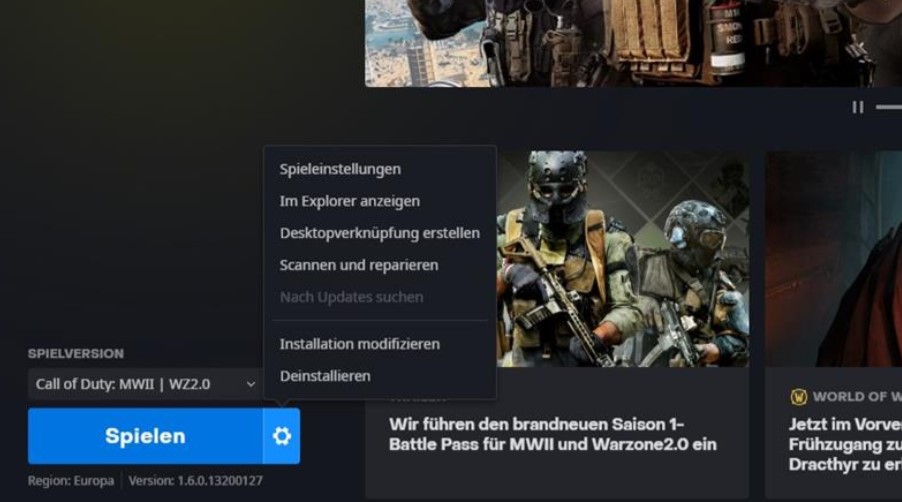
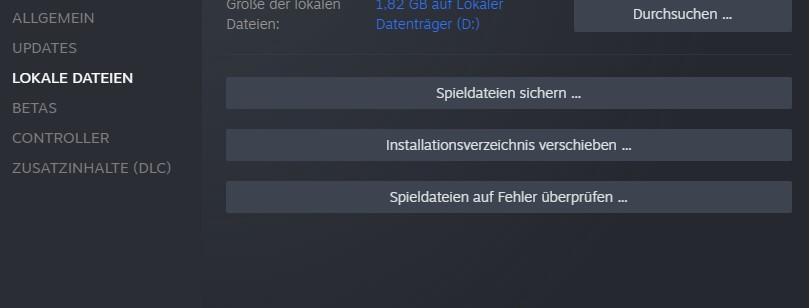
Check the installation: A step that can take a bit more time (depending on internet speed and PC). Occasionally, on Battle.net and Steam, games are not installed “correctly”. What helps is checking the installed files. Especially with errors that cause Warzone 2 not to start at all, this is a good tip.
Doesn’t help? Then do it like on PlayStation and completely uninstall the game. Download it again to make a fresh installation. For many players, a fresh installation has already helped.
Doesn’t help? Then do it like on PlayStation and completely uninstall the game. Download it again to make a fresh installation. For many players, a fresh installation has already helped.
Doesn’t help? Then do it like on PlayStation and completely uninstall the game. Download it again to make a fresh installation. For many players, a fresh installation has already helped.
Unplug your router for 2-3 minutes and then restart it
Do the same with your PlayStation and unplug it for a few minutes
If all these little tips do not help and Warzone 2 still does not start on your PS5, you should try completely uninstalling the game and then doing a fresh installation. While this solution may seem obvious, many players ignore it. It is definitely worth a try.
On consoles, the issue may also arise that the multiplayer is not installed. For these problems, we have the solution here:
Warzone 2 Solutions for Startup Issues on Xbox
First the essentials:
Make sure you have installed all updates. If you are still downloading some and starting Warzone 2, you won’t get far
Doesn’t help? Then do it like on PlayStation and completely uninstall the game. Download it again to make a fresh installation. For many players, a fresh installation has already helped.
Unplug your router for 2-3 minutes and then restart it
Do the same with your PlayStation and unplug it for a few minutes
If all these little tips do not help and Warzone 2 still does not start on your PS5, you should try completely uninstalling the game and then doing a fresh installation. While this solution may seem obvious, many players ignore it. It is definitely worth a try.
On consoles, the issue may also arise that the multiplayer is not installed. For these problems, we have the solution here:
Warzone 2 Solutions for Startup Issues on Xbox
First the essentials:
Make sure you have installed all updates. If you are still downloading some and starting Warzone 2, you won’t get far
Doesn’t help? Then do it like on PlayStation and completely uninstall the game. Download it again to make a fresh installation. For many players, a fresh installation has already helped.
Unplug your router for 2-3 minutes and then restart it
Do the same with your PlayStation and unplug it for a few minutes
If all these little tips do not help and Warzone 2 still does not start on your PS5, you should try completely uninstalling the game and then doing a fresh installation. While this solution may seem obvious, many players ignore it. It is definitely worth a try.
On consoles, the issue may also arise that the multiplayer is not installed. For these problems, we have the solution here:
Warzone 2 Solutions for Startup Issues on Xbox
First the essentials:
Make sure you have installed all updates. If you are still downloading some and starting Warzone 2, you won’t get far
Doesn’t help? Then do it like on PlayStation and completely uninstall the game. Download it again to make a fresh installation. For many players, a fresh installation has already helped.
Unplug your router for 2-3 minutes and then restart it
Do the same with your PlayStation and unplug it for a few minutes
If all these little tips do not help and Warzone 2 still does not start on your PS5, you should try completely uninstalling the game and then doing a fresh installation. While this solution may seem obvious, many players ignore it. It is definitely worth a try.
On consoles, the issue may also arise that the multiplayer is not installed. For these problems, we have the solution here:
Warzone 2 Solutions for Startup Issues on Xbox
First the essentials:
Make sure you have installed all updates. If you are still downloading some and starting Warzone 2, you won’t get far
Doesn’t help? Then do it like on PlayStation and completely uninstall the game. Download it again to make a fresh installation. For many players, a fresh installation has already helped.
In League of Legends, there are regular updates and news. Riot Games is currently planninga new champion. We at MeinMMO have gathered the most important informationfor you.
What kind of champion is this? Riot Games listed in their roadmap for the end of the year and beyond what is planned for the champions in League of Legends.
Riot Games wants to release a new supporter for the bot lane. This character is of the “Enchanter” type. The champion is supposed to support and enhance his teammates. Even under our article about which Top 10 Champions were at the Worlds, the Enchanters stand out.
There is already an image that is said to serve as a teaser for the new champion. You can see three blobs playing with each other. How relevant they are to the new champion, we will inform you here as soon as we get more information.
It is also known that the champion is supposed to be a male character. They emphasized this because most enchanters are female. Some supporters belong to another category. Despite the patches to Rakan, which make him a melee fighter, he remains a disruptor and not an enchanter.
Another male supporter is Bard, for example. The shines more through occasional bugs and is also considered a disruptor. Thus, the two examples are not primarily intended as enchanters and leave room for more characters.
The last champion released in the LoL universe is K’Sante – the pride of Nazumah:
Start video
K’Sante Champion Spotlight – League of Legends
The next champion comes from Ixtal – the Elemental Mages
Where does he actually come from? The new champion is a character from the region of Ixtal. This is a region known for being very nature-connected. The characters from this area master elemental magic nearly perfectly.
Ixtal belongs to the realm of Shurima. However, its roots run deeper, as civilizations like the Buhru, the Helia, and the Ascetics of Targon emerged from Ixtal. Additionally, it probably had something to do with the creation of the Ascended. Ascended champions are Renekton, Nasus, Azir, and Xerath.
The Ixtal themselves see it as their duty to preserve nature and protect what little remains from the wars against the Void and the Dark Ones.
To what extent the new supporter plays a role there and his abilities contribute to protecting and enchanting the world and what remains, we will have to wait and see. We will keep you updated in this article should we receive new information.
Mounts are among the most sought-after collectibles in World of Warcraft. You get 8 mounts if you play a Dracthyr – in just about 30 minutes.
In World of Warcraft, the new class “Invoker” is already playable for everyone who pre-ordered Dragonflight. This also lets you experience the new starting area of the Dracthyr and enjoy this story. Since each race in World of Warcraft also has its own mounts, the Dracthyr has a whole range of them as well. You can get a total of 8 new mounts, known as “Vorquin”.
The best part: You need less than 30 minutes to unlock all 8 mounts.
What kind of mounts are these? The Vorquin are a variation of the “Monohorn” model from Legion. They use the same animations and a modified model, but have a distinctly unique look and are much fluffier than their relatives from Legion.
You get a total of 8 of these Vorquin:
4 count as ordinary mounts (blue) and are just different colorations:
Purple Vorquin
Sapphire Vorquin
Obsidian Vorquin
Bronze Vorquin
4 count as epic mounts and come with additional armor and embellishments.
Guardian Vorquin
Armored Vorquin Grandstride
Swift Armored Vorquin
Majestic Vorquin
What do you need to do? The task is quite simple. Create a Dracthyr Invoker and just start playing the starting area – if you still need a dragon name, we can help here. During the first quests, you’ll discover what actually happened to the Dracthyr, meet some members of your Weyrn, and explore the starting area. After about half of the starting area – which may take 20 to 30 minutes depending on your playstyle – you will receive the quest “Cavalry Has Its Place” from Treysh.
The YouTuber Arhqirah has pointed out this opportunity:
Recommended editorial content
At this point you will find external content from YouTube that complements the article.
I consent to external content being displayed to me. Personal data can be transmitted to third party platforms.
Read more about our privacy policy.
The mission has only one purpose: to provide you with mounts and grant you riding skill. You can receive one of the 4 Vorquin mounts for free. But don’t worry: You can buy the other 7 directly from the same NPC afterwards!
More about World of Warcraft can be found here on MeinMMO:
By the way, we already had enough gold on the characters at the time of the quest to buy all 8 mounts. So, no gold needs to be transferred between characters – your collection is easily expanded by 8 really cool mounts.
Have you already played a Dracthyr Invoker and picked up the mounts? Or can you not relate to the scaled heroes so far?
This is an AI-powered translation. Some inaccuracies might exist.
In FIFA 23 Ultimate Team, Franck Ribery has received one last special card. But is the investment in the expensive card worth it?Or is it too weak?
What kind of card is this? At the end of his career, which Franck Ribery (39) has now declared over, the Frenchman receives one last so-called “End of an Era” card in FUT 23. This card has significantly upgraded stats compared to his standard card and is only available for a short period.
Is the new Ribery card too weak?
Looking at the new card, it becomes apparent that it has an unusually low overall rating. At least when compared to other EOAE cards from recent years. Last year, for example, there was a strong 95-rated card for Lacazette, which had absolutely fantastic stats.
It’s also curious that Ribery has already received another 90-rated card this year. A Rulebreakers card that is currently available at a similar price.
This is what the card can do: Even though Ribery’s new card does not reach TOTY level, it is still a really strong option for many teams. The former Bayern player is very fast and can impress with strong shooting stats. Additionally, he has outstanding dribbling stats and can deliver the ball precisely to his teammates with very good passing stats.
However, aside from the strong stats, the best part of the card is probably its combination of 5-star skill moves and 5-star weak foot. With this rare combination, you can first skillfully dribble past your opponents and then accurately shoot on goal, no matter which foot you use.
The only disappointing factor is the positions. EOAE-Ribery can only be deployed as a left midfielder or on the left wing.
The difference to the Rulebreakers card: For many players interested in the new Ribery card, the question arises of what the difference to the Rulebreakers card is. And there are a few nuances that make the new card slightly better.
EOAE-Ribery is slightly slower and has somewhat worse shooting stats than Rulebreakers-Ribery.
However, the new special card has significantly better passing stats and slightly better physicality.
The biggest advantage of EOAE-Ribery is, however, the work rates. These are “High/Medium” instead of “Medium/Low”, giving him significantly better movement on the pitch.
Rulebreakers-Ribery can be used as a ST and CAM. EOAE-Ribery can be used as LF and LM.
Left Rulebreakers, right End of an Era.
How much does the card cost? You need to complete various SBC tasks worth about 480,000 coins. If you still have SBC fodder in your club, you can lower the price a bit. You have until November 29 at 19:00 to complete it, after which the card will disappear.
Is the card too weak? If you are a Ribery fan, have the necessary funds and SBC fodder, then the Ribery card can definitely be worthwhile, as it is by no means too weak. While it is certainly not cheap, it can currently compete at the highest level and is expected to score many goals, tricks, and assists.
However, you should consider that in a few months, when more events appear in FUT, many cards will reach a similar level. So EOAE-Ribery is probably not a card that can hold up until the end of FUT.
What do you think about the last Ribery special card? Will you complete the SBC and get the card? Let us know in the comments!
Other strong cards currently include the new PTG cards, which can continuously improve, and we will show you when that happens.
Blizzard, the studio behind huge titles like Warcraft, StarCraft, and Diablo, will no longer collaborate with the Chinese company NetEase starting in February 2023. As a result, PC games like WoW or Overwatch 2 will no longer be playable in China’s vast market. NetEase recently developed Diablo Immortal, the controversial Diablo MMO on PC, iOS, and Android.
The company has also co-developed Diablo Immortal, the controversial mobile Diablo. At the release of Diablo Immortal, there were issues in China. The trigger was reportedly a single sentence.
NetEase has been a partner of Blizzard in China since 2008 and is responsible for distributing Blizzard games there. In China, Western companies must have a local partner to even be granted a license to offer products in China. As Bloomberg reports, the contract is set to expire after January 2023.
Why is there no new deal? The two companies apparently could not come to an agreement on the terms of the new contract. NetEase itself states in a statement:
We have made every effort and sincerely tried to negotiate with Activision Blizzard so that we can continue our collaboration and serve the many enthusiastic players in China. However, there were fundamental differences on key points and we could not reach an agreement.
According to Bloomberg, based on internal discussions and insider information, some of the key points besides finances were intellectual property and the data of millions of players in China.
According to reporters Jason Schreier and Zheping Huang, the tensions between the USA and China were a significant topic. American politicians have criticized the Chinese video platform TikTok, categorizing it as a national security issue.
Chinese players will likely have to do without WoW: Dragonflight for the time being in early 2023. The intro cinematic has already thrilled many fans:
World of Warcraft, StarCraft, Diablo, and Overwatch – What happens now?
The sale and offering of almost all Blizzard games in China will come to an end at the end of January 2023. This means that players there will no longer have access to Overwatch 2, the new expansion Dragonflight for WoW, or other games from Blizzard.
How long this situation will last is still uncertain. In 2008, Blizzard searched for a new partner in China after the deal with The9 was not extended. At that time, WoW fans could not play the MMORPG for a month.
Diablo Immortal, meanwhile, is reportedly not affected. The mobile game was finalized with a separate contract and will continue to operate in China.
According to Bloomberg, NetEase’s value in China fell by 15% after the news of the failed deal became public. China was responsible for at least 3% of Activision Blizzard’s revenue for 2021 alone.
The value of Activision Blizzard’s stock could also drop now. The stock market in the USA is currently still closed.
Whether there are already discussions between Blizzard and Tencent to ensure distribution in China in the future is not yet known. Activision Blizzard is currently in the midst of one of the largest deals in gaming history:
In Pokémon GO the last hours of the Rocket takeover have begun, marking the last chance to strengthen your Crypto Pokémon for the time being. We from MeinMMO will show you why you should definitely take advantage of the bonus before the event ends.
What event is this about? Pokémon GO was taken over by the villains of Team GO Rocket on November 14, 2022, which is why they have been found more frequently in the game in recent days. Today, the Rocket takeover is coming to an end, and not only will encounters with the thugs and bosses become less frequent, but the event bonuses will also disappear.
Before the event comes to an end, you should definitely take advantage of one of the Rocket bonuses if you haven’t done so yet: forgetting Frustration. We will explain what this bonus is about and why you should not miss this opportunity.
How long is the bonus still active? The Rocket takeover lasts until today, November 17, 2022, at 8:00 PM local time. Until then, you have the opportunity to make your Pokémon forget Frustration.
Forgetting Frustration – How to do it and why it’s worth it
What is Frustration? Frustration is a charged attack that your caught Crypto Pokémon automatically learn. Unlike other Pokémon, you cannot simply change the charged attack of Cryptos at will.
Niantic only allows these changes during specific events, which is why this opportunity is limited to a few days in the year. Due to the Rocket takeover, it is time again for you to free your Crypto Pokémon from the annoying Frustration attack and assign a new move.
How does it work? In order for your Crypto Pokémon to forget Frustration, you only need to use a Charged TM during the event period. As you probably know from other Pokémon, a random new move from the respective pool of the Pokémon will be assigned. Thus, it is random which move your Pokémon will get, and this may require several attempts.
If you want to assign a specific move directly, you can alternatively use a Charged TM. With this, you will get a selection window where you can choose the new move directly.
This is how you make Mewtwo forget the attack with Charged TM
Here’s why you should take advantage of the Rocket bonus: The Frustration attack is a Normal-type attack. Overall, this attack is not particularly strong. If you want to use your Crypto Pokémon in battle, it makes sense to give it a strong moveset.
For example, Mewtwo, the legendary Crypto Pokémon of Giovanni, with a moveset of Confusion and Psychic is one of the best Psychic attackers in Pokémon GO. Therefore, it is sensible to give Crypto-Mewtwo and some other strong Crypto Pokémon a better moveset by forgetting Frustration.
For this reason, you should take advantage of the opportunity before the Rocket takeover ends. When the next chance after the event will be is still not known.
Which Pokémon are particularly worthwhile to forget Frustration? We have summarized this for you in the following article:
Can’t you just redeem the Cryptos? Yes, in principle, you can redeem the Crypto Pokémon and change their attacks like any other Pokémon. However, we advise against this because the Crypto form of many Pokémon can be very beneficial for you.
Unlike their normal variants, Cryptos can benefit from a 20% attack bonus. This means they are slightly stronger in battle than other Pokémon. This can be especially helpful in raids. However, their defense decreases as well, making them less durable in battle.
What else should you consider? If you have made a Crypto Pokémon forget the charged attack Frustration, you should ideally not redeem this Pokémon anymore. Otherwise, it will learn the charged attack Return, which is a counterpart to Frustration and also belongs to the Normal type.
Although you can change the move of redeemed Pokémon at any time, it will again cost you Charged TMs. To save yourself these, you should preferably think in advance about whether redeeming makes sense or if you would rather keep the Pokémon as a Crypto.
Where to find Crypto Pokémon?
This is how you get the Crypto Pokémon: To secure the Crypto Pokémon, you need to battle the members of Team GO Rocket. After the battle, you will have a special encounter where you have the chance to catch one of the Pokémon.
Where can you find Team GO Rocket? The members of Team GO Rocket settle at Pokéstops and appear multiple times a day in balloons. However, for the bosses, you need special Rocket radars to locate them.
While the grunts are relatively easy to defeat, you should prepare well for the Rocket bosses Arlo, Sierra, Cliff, and their big leader Giovanni. Here we show you the best counters against Team GO Rocket:
How to track down Team GO Rocket in the remaining hours and obtain Rocket radars, you can see in the following video.
Start video
Pokémon GO: Finding Rocket Bosses – How to Collect the Rocket Radar and Track Them Down
Have you already made your Crypto Pokémon forget Frustration? If so, which Pokémon did you assign a new move to? Or do you find this bonus rather uninteresting? Feel free to let us know here at MeinMMO in the comments and exchange ideas with other trainers on this topic.
The new callers of the Dracthyr in WoW: Dragonflight can switch between a dragon form and a humanoid appearance. This can even happen automatically with a special ability and provides enormous advantages – especially when leveling or conquering dungeons.
What is this ability? Like Worgen, Dracthyr have two forms they can switch between. Chosen Identity transforms you automatically into your visage form whenever you are not in combat or currently using the ability Glide.
You obtain the ability along with the visage itself upon completing the introductory campaign of the Dracthyr, which you can play since Phase 2 of the pre-patch on November 16. Furorion or Evoker explain the spell to you in a short quest.
Why is “Chosen Identity” so important? As long as you are in the visage form, you have a significantly increased health regeneration. It is so powerful that you might be able to forgo healing or food while traveling between two fights.
This is especially useful in dungeons or while leveling, where you might not always think about switching automatically (or simply don’t feel like it). However, you save yourself valuable time, mana from the healer, or simply gold, which in Dragonflight is not easy to come by anymore.
Chosen Identity is an aura. This means the spell remains active until you cancel it yourself. If you want to know more about the new class, you can find on MeinMMO our extensive Evoker guide with builds for DPS & healers.
Do you want to know why we even travel to the Dragon Isles? In a new cinematic, the dragon aspects themselves reveal this, but spoiler warning!
Start video
WoW Cinematic: The Unleashed Storm
Chosen Identity helps you while leveling and in dungeons
If you want to level especially quickly as Dracthyr in Dragonflight after the release on November 29, Chosen Identity is almost a must. The feature saves you time and allows you to fight enemies nearly without a break when you have to run a short distance.
Note that there are already some issues that prevent you from using abilities. These are related to addons and can be easily fixed. Upon release, there will probably be similar issues at least in the first days.
Leveling in Dragonflight is incredibly fast, by the way. The leveling phase up to level 70 is supposed to take just over 3 hours if you utilize all possibilities. That’s about as long as the journey to level 60:
You will find on MeinMMO soon a detailed guide with tips for leveling and useful items that will help you reach the new level 70 faster. If you want to know more about the new expansion, check out our hub with all the information:
Do you want more space in World of Warcraft? From now on, you will receive 20 item slots for free – because there is a reagent bag that makes everything better.
Inventory space is a rare commodity in World of Warcraft. If you collect a lot of gear, carry potions with you, and like to gather herbs, ores, or cloth, you will quickly reach your inventory’s limit. However, in Patch 10.0, there was already a new bag slot for a “reagent bag” – this has not been available until now.
Now this is exactly possible, as the pre-event for Dragonflight grants you 20 inventory slots!
What is the reagent bag? This is a brand new bag slot added with Dragonflight. This increases the number of bags you have. You will now have your standard backpack, four regular bags, and your reagent bag. As the name suggests, these bags only contain crafting materials.
How do you get the reagent bag? Actually, large reagent bags will only be available with Dragonflight, but you can secure one right now! In the pre-event, there is a bag, and it is practically free – the effort is minimal.
You can buy it from the event vendor of the Primalist attacks, depending on your faction:
Horde: Storm Hunter Suhrakka in Durotar (56 / 12)
Alliance: Storm Hunter William in Stormwind (25 / 53)
To purchase the “Storm-Battered Reagent Bag,” you need 5 “Primal Essence,” which is the event currency. 5 is quite a small amount, which you should probably have after 2 minutes. Just the first quest for the event grants you 60 of these essences. Since the essences are account-bound, you could easily send the 60 essences to equip 12 characters with the new bag!
The bag costs only 5 essences – that’s practically free.
The bag only has 20 slots, but these are 20 new slots that do not burden the rest of your inventory. Therefore, it is worthwhile to get the “Storm-Battered Reagent Bag” now to benefit from the additional space in the coming weeks.
How to get Primal Essences? You can only get essences in one way: You have to play the pre-event. Simply take the quests in Stormwind or Orgrimmar at level 60 – you will be summoned by a black dragon to your leaders. After a brief explanation, you will be led to the event vendors and receive some quests. For these, you must participate in the “Primal Elemental” attacks and kill creatures in the marked areas on the map.
The majority of mobs there drop essences fairly generously, so you should have enough after a handful of such attacks to buy the bag and all other rewards – like a toy and armor set.
Have you already gotten the Storm-Battered Reagent Bag and enjoy the space in your inventory?
This is an AI-powered translation. Some inaccuracies might exist.
In New World, the new patch 1.7.2 was released on November 16th. This mainly brought bug fixes and a new event. It is called Turkey Terror, fitting for Thanksgiving. We at MeinMMO will reveal everything important to you.
What kind of event is this? In Turkey Terror, huge turkeys – also called Trutalon – appear at certain locations. They are not easy to defeat, so you need a group, similar to the previous Halloween event.
As a group, you must have dealt at least 1% damage to the boss in order to receive a reward. The rewards include:
Giant Turkey Leg – An item for crafting a buff food for increased drop luck. You can earn up to 5 per day – the drop chance is 100%.
Trutaloss, sullen poultry pet – A housing item. The drop chance is 31%.
Trutalon Egg Nest – A housing item that you can get dropped once a week. The chance is 2%.
Feast Food Trophy – A trophy in housing that makes your buff food last longer. The drop chance is 3%.
Trutalon’s juicy legs boots skin – A skin for shoes. You can earn a maximum of 15 over the entire event and the drop chance is 9%.
The turkeys appear like last year in Everfall, Brightwood, Lost Coast, Windsward, Monarch’s Bluffs, Cutlass Keys, Mourningdale, and First Light. Only one turkey can be active in each area, but multiple turkeys can be in different areas at the same time. We have included a map of the spawn points for you.
How do I get Diamond Gypsum? To get Diamond Gypsum, you must defeat and skin normal turkeys during the event. This way, you can earn up to 6 gypsum per day. Additionally, the normal turkeys drop treasure chests with coins inside. You can receive up to 3 per day.
Another new item is the Turkey Terror Skinning Knife. If you use it to skin one of the large turkeys, you may receive a new potion that specifically reduces the damage from Trutalon’s attacks.
How long will the event run? Currently, there is no specific date for when the event will end. Last year, it lasted about three weeks.
What else did the patch bring? Basically just bug fixes and minor adjustments to XP distribution. We have included the patch notes for you:
Combat and AI
Important bug fixes
A bug has been fixed that allowed the ability of the previous weapon to be cast when eating during weapon swapping.
A bug has been fixed, causing graphic effects on the fairy fire staff skin to appear in the wrong place.
A problem has been fixed, causing the Heart Rune of Stoneform to grant a permanent speed bonus under certain status effects after purification.
A problem has been fixed causing desynchronization for players when triggering a skill if their skill was used after dropping an active weapon and leaving the inventory.
A problem has been fixed that allowed a dead player to hold faction conquest points.
Expedition
A problem has been fixed causing the “Divine Ruin” spell from Heru to end earlier than planned.
Effects
Numerous skill effects for weapon handling have been updated to ensure they cannot be triggered by base damage over time.
Weapons
Ice Gauntlet
A problem has been fixed causing Ice Spike to remain active when using certain Heart Rune skills.
Economy/Progress
Equipment
A problem has been fixed that caused items from the Nightingale’s Gallery with an armor value of 600 not to be bound to the player upon equipping due to an update in the last patch.
UX/UI
Important bug fixes
Preliminary bug fixes for achievements and titles that do not appear in the user interface.
Comfort
A clearer message when the player is on a full server.
Game World
Important bug fixes
Improved handling of the situation when Steam is offline during gameplay. Most players should now be able to continue playing during brief Steam outages.
A problem has been fixed causing transmissions to be blocked when players had an unaccepted company invitation.
Quests
A problem has been fixed causing some players not to see Yonas in the quest “Buried Fate”.
A problem has been fixed causing Anubis not to spawn during the quest “Awakening of Anubis”.
A bottleneck in the quest “Bear Living Together” has been fixed by now spawning more bears in that area.
Changes to Experience
The amount of experience earned from the following encounters has been changed:
Piled at the docks
The Arrival of the Captain
Sneed’s Revenge
A victory in any of these boss fights will no longer grant additional experience as a reward. The experience rewards for fights now correspond more to the level of the respective fight.
What do you think of the patch? Will you play the event around the turkeys? You can find out more about the future of New World here:
The OTW event brought dynamic cards to FIFA 23, which can improve over time. We will show you when players are ready for upgrades.
This is how OTW upgrades work: In addition to the upgrade methods that were active in 2022, there will be another way for Ones-to-Watch cards to rise in rating in 2023.
These are the three upgrade options:
The player appears in a Team of the Week or receives another performance-based special card like Man-of-the-Match. This can lead to upgrades as many times as needed.
A one-time upgrade is awarded when the player’s team wins three out of eight matches in their domestic league starting from September 30, 2022. The player does not have to be in the starting lineup.
Another one-time upgrade is available if the player’s national team wins a match in the World Cup. Again, the player does not have to be in the starting lineup or even in the squad.
Which OTW players are there? All OTW cards available in FIFA 23 Ultimate Team can be found here:
OTW Tracker shows possible upgrades for all OTW cards
Ratings that have already been changed by an upgrade (wins or TOTW) are updated here and bold displayed.
What is the OTW Tracker? In the following table, you can see all OTW cards and how many wins they have accumulated since September 30. We also look at how many of the 8 matches are still left to achieve the necessary 3 wins for the upgrade.
Below the table, we also show you which players have already received an upgrade or a TOTW card. The table is sorted by rating.
Player
Wins
Remaining Matches
Robert Lewandowski (92)
3/3
Upgrade received
Sadio Mané (91)
3/3
Upgrade received
Erling Haaland (90)
3/3
Upgrade received
Antonio Rüdiger (88)
3/3
Upgrade received
Paulo Dybala (87)
3/3
Upgrade received
Raheem Sterling (87)
3/3
Upgrade received
Matthijs De Ligt (87)
3/3
Upgrade received
Angel Di Maria (86)
3/3
Upgrade received
Franck Kessie (86)
3/3
Upgrade received
Gabriel Jesus (85)
3/3
Upgrade received
Antony (84)
3/3
Upgrade received
Aurelien Tchouameni (84)
3/3
Upgrade received
Nico Schlotterbeck (84)
3/3
Upgrade received
Darwin Nunez (86)
3/3
Upgrade received
Richarlison (84)
2/3
Upgrade received
Corentin Tolisso (81)
2/3
1
Steven Bergwijn (83)
3/3
Upgrade received
Renato Sanches (83)
3/3
Upgrade received
Sergino Dest (81)
3/3
Upgrade received
Tyler Adams (76)
2/3
0
Which players have already received an upgrade? Here you can find the players who have already received an upgrade.
Erling Haaland – Upgrade to 89 through TOTW
Raheem Sterling is expecting the first upgrade for 3 wins
Gabriel Jesus receives his first upgrade for 3 wins
Sergino Dest achieves 3 wins and gets an upgrade
Antonio Rüdiger receives an upgrade for 3 wins
Paulo Dybala achieves 3 wins and gets an upgrade
Tchouameni gets his first upgrade for 3 wins
Lewandowski achieves 3 wins and unlocks his first upgrade
Mané also wins 3 times and is now waiting for his upgrade
Haaland takes 3 wins and gets another upgrade
De Ligt receives an upgrade for 3 wins
Di Maria gets his first upgrade after 3 wins
3 wins mean an upgrade for Kessie
Bergwijn celebrates the third win and receives an upgrade for it
Renato Sanches also gets an upgrade for 3 wins
Richarlison wins three times with Tottenham and earns an upgrade
Antony gets 3 wins and is waiting for his upgrade
Sadio Mané lands in the TOTW and receives another upgrade
Nico Schlotterbeck wins 3 matches with BVB and is waiting for his upgrade
Nunez collects 3 wins with Liverpool FC and gets his first upgrade
Nunez enters the TOTW and thereby receives another upgrade to a total rating of 86
We will update this tracker after each match day with the current data. So make sure to check back regularly to see how your OTW players are doing.