

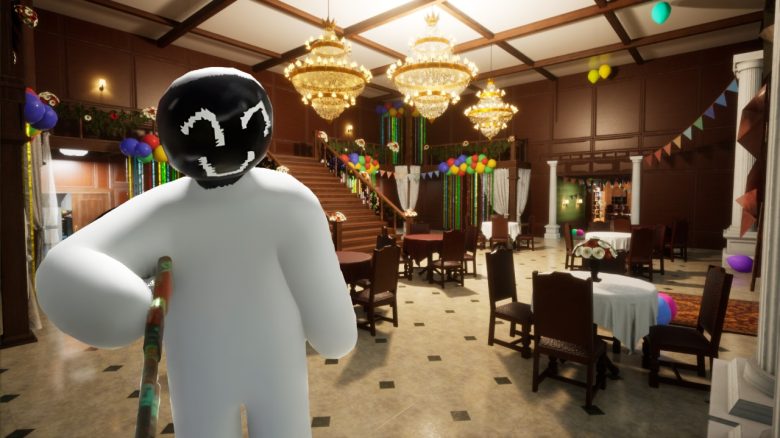
Meccha Chameleon is currently the indie hit on Steam and many are now wondering if and how they can install mods. We will show you the important details.
Are there mods? Yes, there are, but not in the traditional sense like in games such as Skyrim. The mods for Meccha Chameleon are mainly about new maps that do not exist at release. Fans from the community have created and published these to provide more variations. If you find the provided maps too boring, you can rely on new maps.
How do I download mods? Currently, there are mods for Meccha Chameleon only in the Steam Workshop. To access it, you can click the “Maps” button in the game’s main menu. This will take you directly to the Steam Workshop. Another option is to interact with Meccha Chameleon in your library and then click the “Workshop” button under the game’s banner.
Once you reach the workshop, you now have a large selection of maps that you can even browse better with filters. There are many maps available, including those with Minecraft design or maps from Overwatch that might convince you. Once you have decided on a map, click on it to go to the map page. To download the map, you must finally press the “Subscribe” button.
Once that is done, you can return to the game and see the new map in your selection. If this is not the case, you can also briefly restart Meccha Chameleon so that the new data is adopted. Note that especially custom maps like those from the Steam Workshop often do not have a map preview, i.e., the small image that shows you what the map looks like. But don’t let that confuse you, because when you select the maps, you can normally start a round in them.



That was all the information about mods in Meccha Chameleon. Have you also jumped on the hype train and bought the game or do you prefer watching streamers at their funny rounds? Let us know in the comments! You can find more about Meccha Chameleon here: Solo developer sells his game for €6.15 on Steam, becomes a millionaire within a week

Your opinion is important to us!
Do you like the article? Then let us know!