

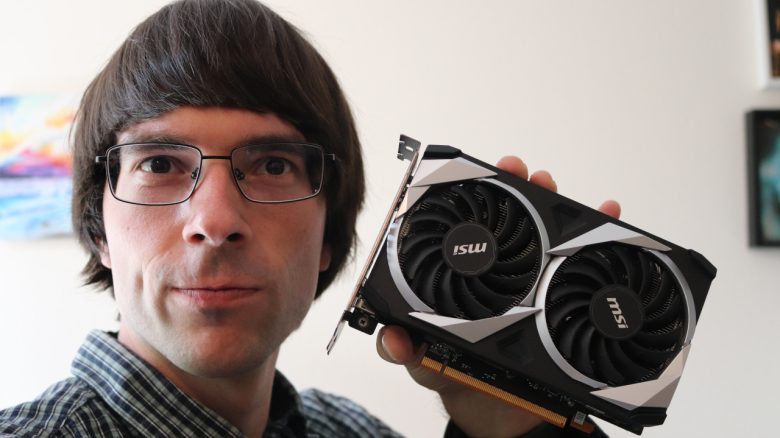
Hot and noisy hardware? MyMMO editor Benedikt Schlotmann uses a setting with every graphics card to protect the hardware. Although it requires effort, it can pay off in the long run.
Hot hardware and loud fans are a warning sign for many gamers. This often means that the graphics card, processor, and other components are under heavy load.
For this reason, I have been reducing the performance of my graphics card for several years. This has multiple advantages. On one hand, I save a few euros a year, and on the other hand, I protect my hardware so that it lasts longer. Furthermore, my gaming system is a small ITX system, where so-called undervolting is particularly beneficial.
Protecting your installed graphics card with undervolting
What is undervolting anyway? Undervolting, often translated as underclocking in German, refers to lowering the electrical voltage in processors or graphics cards. Since manufacturers often operate their chips with a safety buffer, many components can work stably with less voltage.
The advantage of undervolting: Your graphics card not only consumes less power, but the temperatures also drop. An additional advantage: The performance usually remains almost identical and decreases by a maximum of a few percent. You typically won’t notice the difference in everyday use.
You can undervolt either through a third-party tool (like Afterburner) or through the manufacturer’s own software. With my Radeon RX 9070, it is actually quite easy through AMD’s own Adrenalin software.
How complicated is it? In principle, undervolting is not rocket science, but the process can be quite time-consuming. Finding the perfect values for your graphics card can take time. Each graphics chip differs slightly, and even identical GPU models can run variably better or worse at the same values. Additionally, each motherboard manufacturer (such as MSI, Sapphire, ASUS, etc.) specifies its own clock rates and voltage values.
Therefore, the advice is: Change values like voltage and power consumption only in small steps and then test the stability of your card in benchmarks. If you are a perfectionist, it can take a few hours or days. It is likely that games will crash if the values are set incorrectly. But that is all part of the process.

Is all that effort worth it? Yes, in my opinion, it is. Basically, depending on the graphics card, you can save between 30 and 50 watts. While this may save a few euros a year in the long run, those are not the most important reasons for me.
The most important thing is that with undervolting, you protect your hardware in the long run and your graphics card doesn’t get as hot anymore. This means that the fans in your system will spin less because less heat needs to be dissipated. Given the currently outrageously high hardware prices, it is all the more worthwhile to protect your hardware.


Are you starting a new game on your gaming PC? MyMMO editor Benedikt Schlotmann always changes a setting when he starts a game for the first time. And he explains why he can recommend this to everyone. You can read more about it on MyMMO: I change one setting immediately when starting a game on PC for the first time, and you should do it too

Your opinion is important to us!
Do you like the article? Then let us know!