


You can set which sources are shown to you more frequently on Google. We explain how to do this here.
What is this setting? When you enter your search term on Google, various results are displayed – whether they are AI summaries, news, shops, or videos. Often, there are also the so-called headline boxes that show you current news.
They look like this:
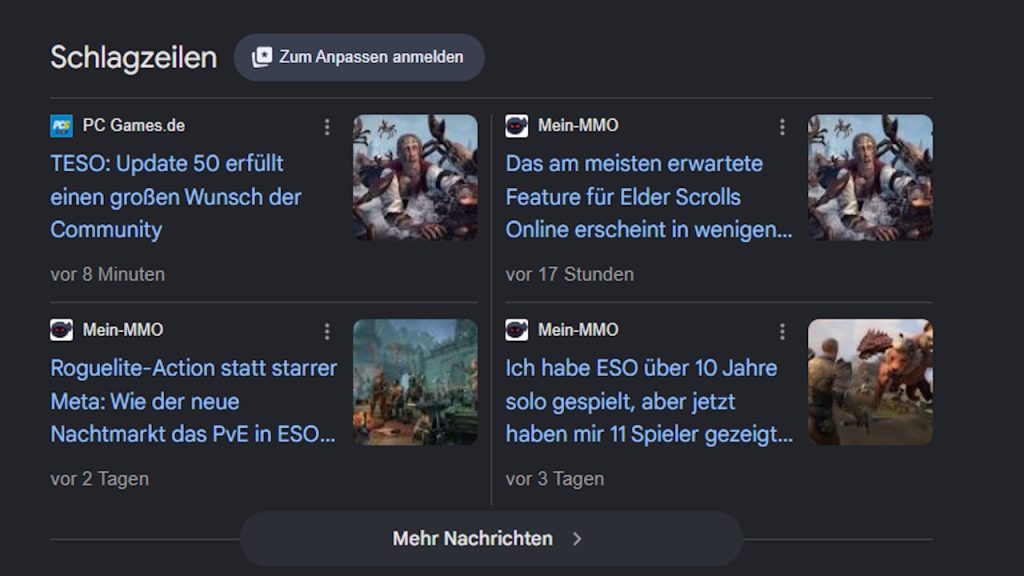
While you can generally adjust your search results using the filters above, you cannot currently save preferred sources for your general results. However, this is possible for the headline boxes, where you can select so-called “Preferred Sources” that will be shown to you more frequently.
For example, you can set us or our sister sites GameStar and GamePro there, and you will get results from these sites prioritized. However, this setting only affects the headline box and does not influence the other displayed results.
Here’s how to set MeinMMO as a preferred source:
- First, go to the Google Source Settings
- Then specify the name or URL of the site you want to follow more closely
- For example: MeinMMO or mein-mmo.de
- If the source is displayed under the search field, check the box next to it
Alternatively, you can also click on the box with the checkboxes and the star directly next to the name of any headline box. You will need a Google account for this.
And you’re done. The selected sources will now be shown to you more frequently in your search queries, and there is also an extra area called “From your sources” that resembles the headline box.


With us, you will not only find the most important news daily but also many personal articles with strong opinions, a lot of passion, and in-depth analyses. What our MeinMMO editors have to say can be found in our opinion sector: MeinMMO – Opinions

Your opinion is important to us!
Do you like the article? Then let us know!