
Although WoW Forever offers a variety of features, you can significantly enhance your gaming experience with addons. MeinMMO presents you 10 modifications that make the classic Azeroth adventure even more enjoyable.
This is how the article is structured
We present you the most useful addons for WoW Forever from our perspective and explain how you can install the modifications. We focus on proven programs that offer you more comfort or provide you with essential information to keep you fully informed at all times.
You can jump to the addons that interest you through our table of contents:
Installing addons for WoW Forever – here’s how
You can install or update addons for WoW Forever manually or via an app. The manual method has hardly changed in 21 years:
- Visit a website with addons for WoW Forever, such as CurseForge or WoW Interface.
- Download the latest version for your desired addon.
- Addons are usually packaged in a ZIP or RAR archive. Open the file with a program like Winrar.
- Extract the uncompressed folders into the installation directory of World of Warcraft: /_forever_/Interface/AddOns.
The downside: Not only do you have to perform the installation manually, but you also have to handle updates yourself. It’s much more convenient if you let an app assist you.
Addons for WoW Forever with CurseForge
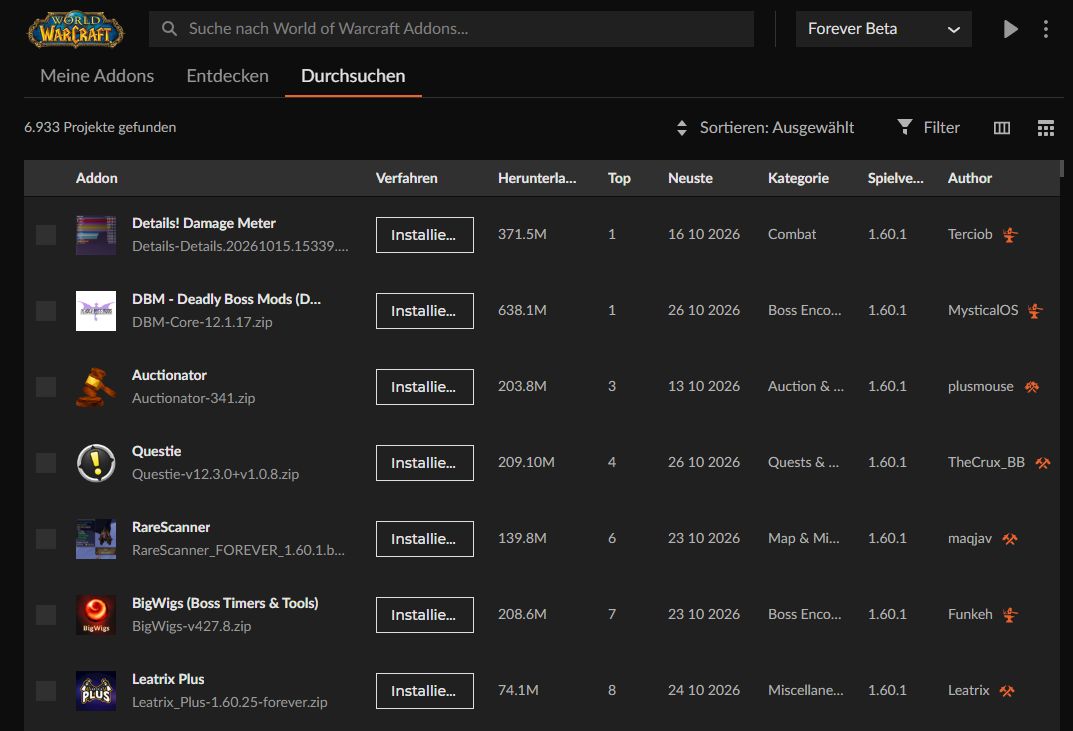
For many years now, CurseForge has been the go-to place for many players when it comes to playing WoW with addons. You can download the app individually or in combination with Overwolf from curseforge.com. If you’re only after the WoW addons, skip Overwolf. The service offers features like overlay integration, screenshots and video recordings, statistics, and more.
After downloading, you can install the app and create an account for CurseForge. In the app, you then select World of Warcraft, choose the right WoW version (Forever) from a dropdown menu, and pick your desired addons, downloading them with just a few clicks and keeping them up to date, or removing them from your hard drive.
You’ll find all installed addons in WoW when you open the game menu and click on the Addons option. There you can activate or deactivate your installed addons. After making changes there, type /reload in the chat to initiate them safely. Alternatively, you can also access the addon view directly through your character selection before logging in. So much for the theory! On the following pages, we will present you with 10 addons that are worth installing.

Your opinion is important to us!
Do you like the article? Then let us know!