

How to cancel the subscription in World of Warcraft? We will tell you with a step-by-step guide.

A subscription for World of Warcraft is quickly concluded. With just a few clicks, you have committed yourself to a regular payment in the Battle.net launcher. However, canceling the WoW subscription is a bit more complicated. The option is not really hidden, but it’s also not as obvious as signing up for a subscription.
We will tell you how to cancel your World of Warcraft subscription in just a few clicks.
This is how you quickly cancel your WoW subscription:
- Go to the Battle.net account management and log in
- Click on “Games & Subscriptions” and select “MANAGE” for your WoW account
- Select “CANCEL SUBSCRIPTION”, answer the first question, and click “Next”
- Confirm by clicking “Cancel Subscription”
Ending WoW subscription – This is what you need to do
It is not possible to cancel the subscription directly in the Battle.net app. Instead, you need to access the account management of your Battle.net account. You can reach this by clicking on your profile picture in the upper right corner of the Battle.net app and selecting “View Account”. This opens the Battle.net account management in your browser.
Alternatively, you can also go directly to the page, but you may need to log in manually. Here’s the Battle.net account management.
In the account overview, you have a larger menu on the left. Select “Games & Subscriptions” there.
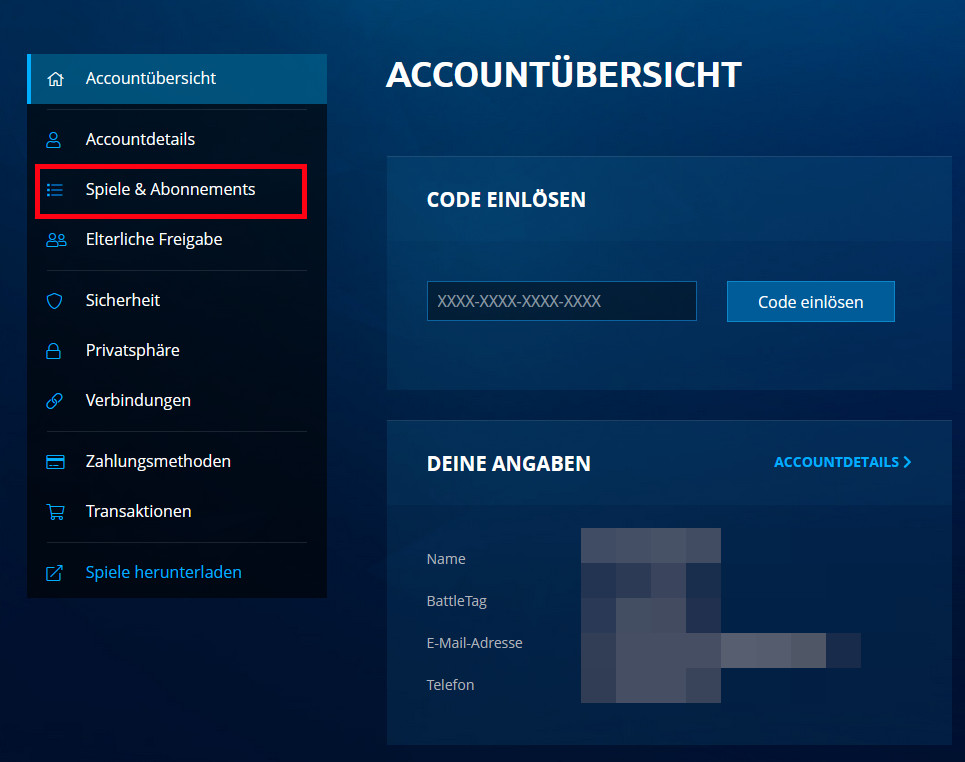
You will now see a list of all the games you own in your Battle.net account. Scroll down until you reach your account for World of Warcraft. There may be several accounts, as a single Battle.net account can hold multiple WoW accounts. Find your currently active account and click “MANAGE” next to it.
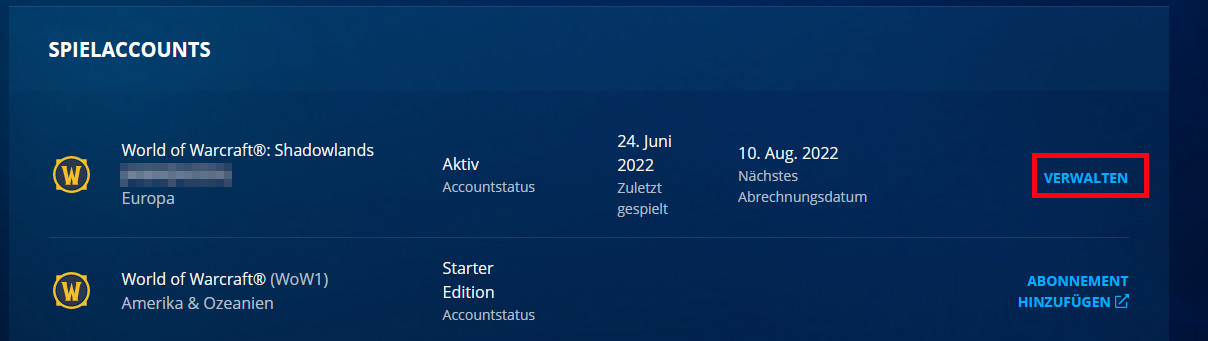
Here you will see an overview of your current account, your subscription status, and the current payment method. Select the menu item “CANCEL SUBSCRIPTION” on the right.

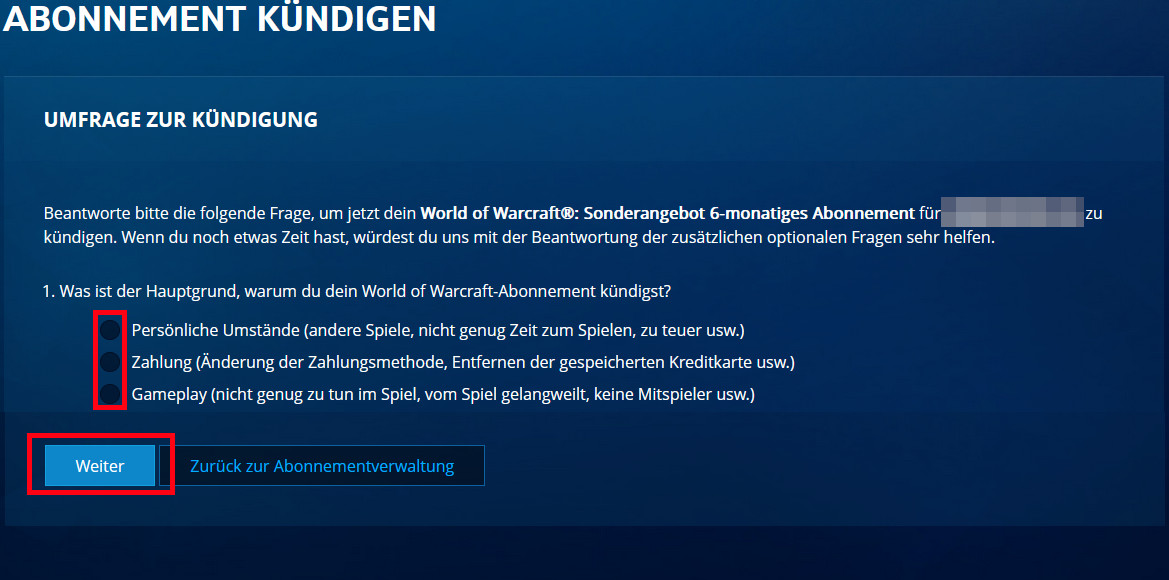
On the next page, you will be asked to answer several questions before you can cancel your subscription. Don’t be discouraged by this. You only need to answer the first question. The other questions are optional. Once you’ve provided a reason for question 1, you can scroll down and click “Next”.
There will be a brief overview again. Here you can see how long you can still log in to World of Warcraft until the previously purchased subscription time runs out. Only after that will the account become inactive. Confirm by clicking the “Cancel Subscription” button.
You did it – from now on your WoW subscription is canceled and you will need to sign up again if you want to play after your purchased playtime ends.
Will my characters be deleted? No, don’t worry. Even if an account is inactive, the characters are not deleted by Blizzard. So if you want to take a short or longer break from World of Warcraft, you can safely cancel your subscription. When you return, your characters will still be available – even if World of Warcraft has dramatically changed with some expansions.

Your opinion is important to us!
Do you like the article? Then let us know!