

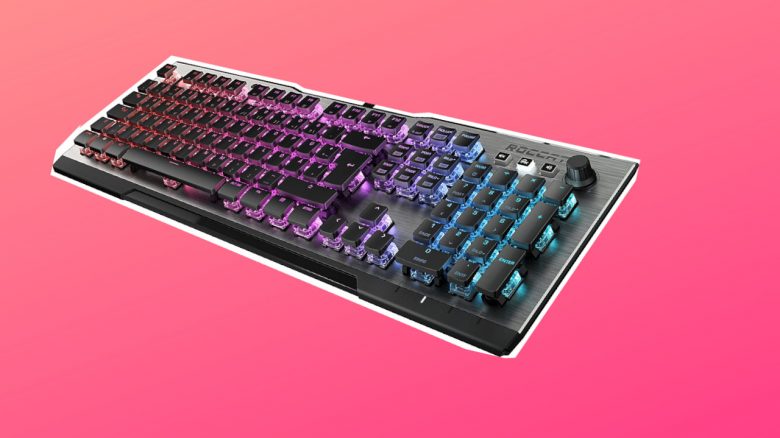
For those working from home, a good keyboard is essential. MeinMMO editor Benedikt Schlotmann purchased Roccat’s Vulcan in the spring of 2020 and has not regretted the purchase to this day. The keyboard has become an indispensable part of his daily routine.
This is my situation: I enjoy working and playing on my desktop computer and spend a lot of time at my desk. For this reason, I purchased a desk lamp for 30 euros this year.
My main focus, however, is on the most important tool of a writer, which is the keyboard. Since I’ve had to write and edit a lot of texts for both my job and studies, I wanted to get a good keyboard and was willing to invest a bit more for it.
Here’s how I approached it: When buying a keyboard, three things were especially important to me:
- Firstly, I need a clear typing feel: I require a noticeable resistance, I want to feel how I press the keys.
- Additionally: While I can now type without looking, well-lit keys are still very important to me despite the lamp.
- Lastly, I need some extra functions. Media keys are always useful and I regularly use some meaningful macros.
With these considerations, I went to the local specialty store and looked at keyboards. In the end, two manufacturers convinced me.
Logitech or Roccat – This is how I made my decision
In the end, I chose the Roccat Vulcan 121 and the Logitech G815.
What spoke for Roccat: I already owned the Roccat Kone AIMO Remastered, and you can read the test here on MeinMMO, and had good experiences with both the processing and the software.
Additionally, I had previously used the Roccat Isku a few years ago. This is a gaming keyboard that relies on membrane keys, and I received it as a Christmas gift. However, the device stayed behind during a move.
What spoke for Logitech: I also had good experiences with the software from Logitech. I had been satisfied with their mice and headsets so far. Especially in the headset category, the Logitech G Pro X is currently my favorite.
Another strong argument for Logitech’s keyboard was the additional USB port and the low keys. The low keys are especially ergonomically comfortable and also increase typing speed. The processing quality is similar to that of Roccat. However, I was deterred by the weak illumination of the keys, the higher price, and the lack of a wrist rest.
Who did I choose? In the end, I bought the Roccat Vulcan 121.
By now, I have also had my hands on other keyboards and can say after about a year and a half of use that I could hardly type on a better keyboard. Why, I will explain to you based on my experiences in this article.
The keys are the most important aspect for me in gaming and office
These are the advantages: Roccat’s keyboard features an aluminum plate on which the switches are mounted. This gives the keyboard a high-quality feel and distinguishes it from many cheaper alternatives. In the 50-euro range, cheap plastic housings also have the disadvantage that they amplify the sound of the metallic switches.
The keyboard features an open, almost aggressive design with AIMO lighting effects that can be combined with other AIMO devices. This is a feature I like to use when I’m not testing other mice on my computer. While it does not affect my skills, it still looks cool. It is also good that the lighting is bright but does not dazzle.
One special highlight for me is the Titan switches that Roccat installed under the keys. When buying, I opted for the “Titan Switch Tactile”:
- These have a pleasant actuation with a noticeable resistance.
- The actuation not only makes gaming enjoyable, but I can also easily write long texts.
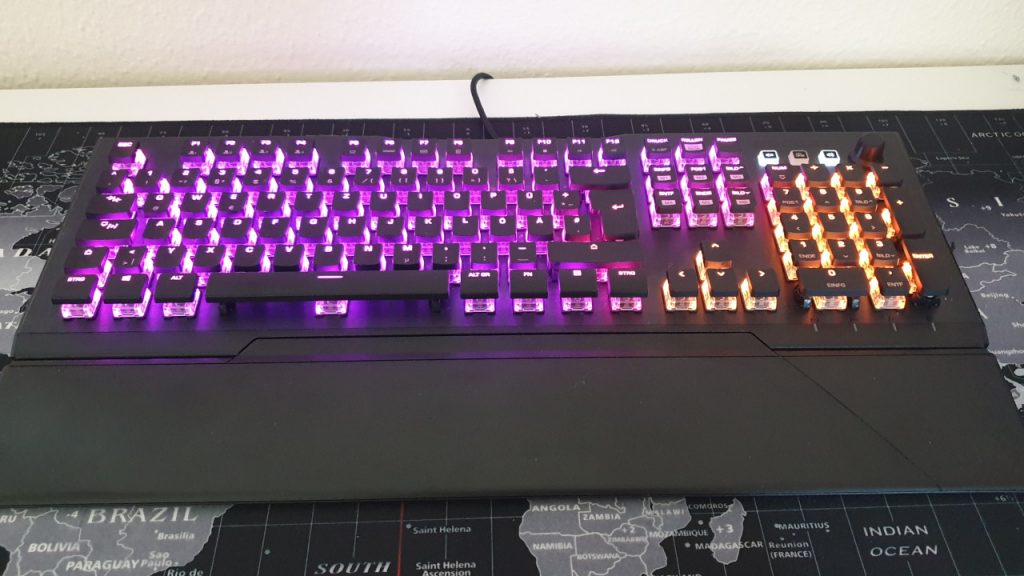
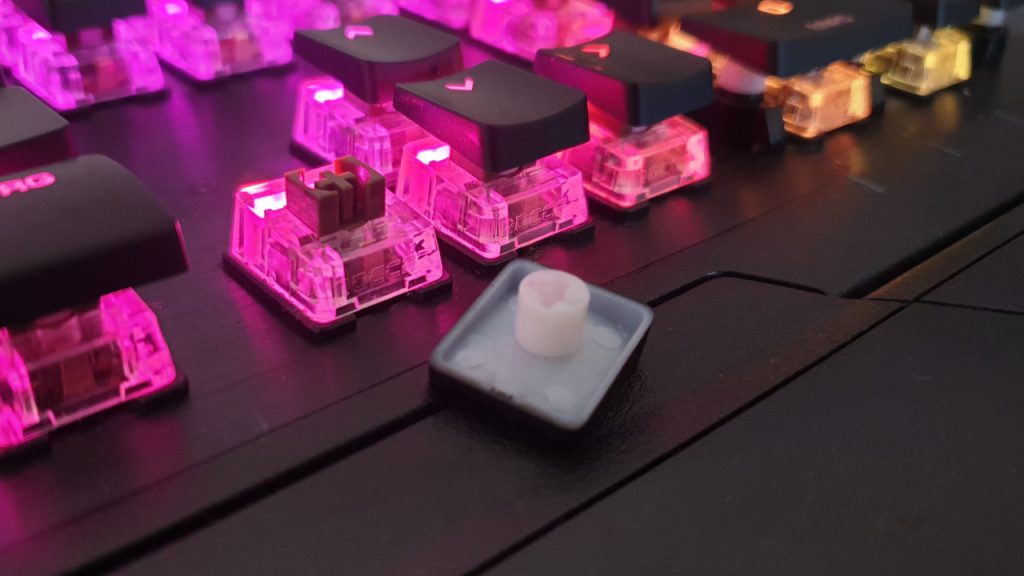
The Titan switches under the keycaps.
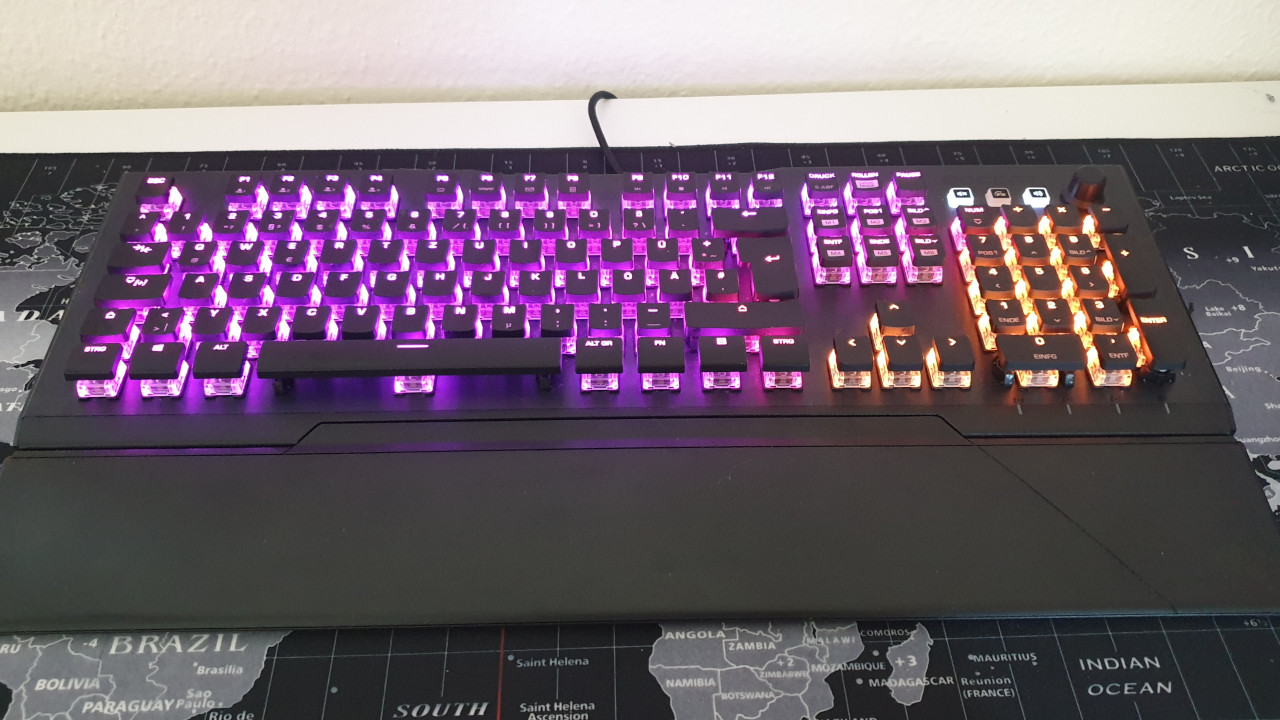
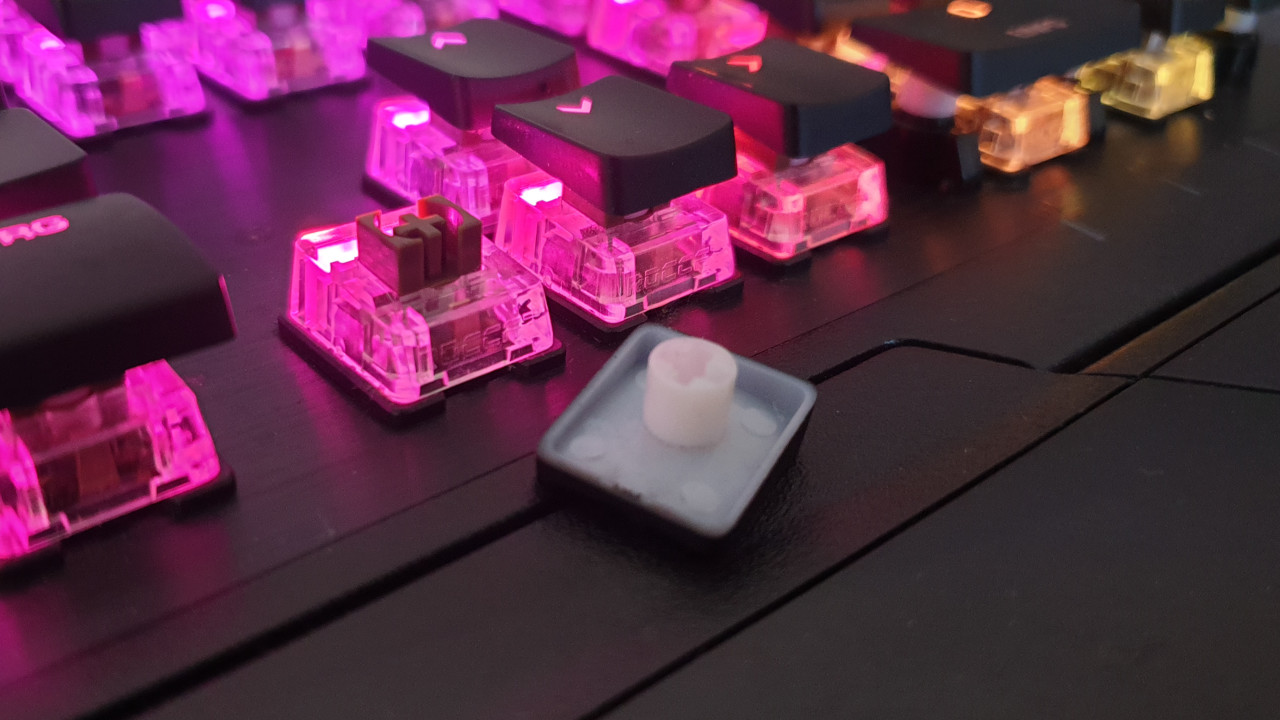
The keys are mainly audible and tactile. Subjectively, this gives me the feeling of being more precise because I can hear each keystroke. I personally find quiet keyboards too soft and imprecise, as I cannot hear the sound. Some manufacturers now offer “virtual” keystrokes: instead of the keyboard, the software makes sounds when you press a key. I personally do not like that.
Thanks to Easy-Shift, all keys can also be double-assigned. This way, you can assign buffs or emotes to specific keys without having to click through menus. The Swarm software also offers a macro manager.
For another test, I ordered a cheap gaming keyboard from Sharkoon and was surprised how significant the difference was between the very cheap and the high-quality Titan switches. Especially in terms of haptics and loudness, the difference is noticeable. It is roughly like driving from a dirt road onto an asphalt road.
At the beginning, I often made typos with the Vulcan
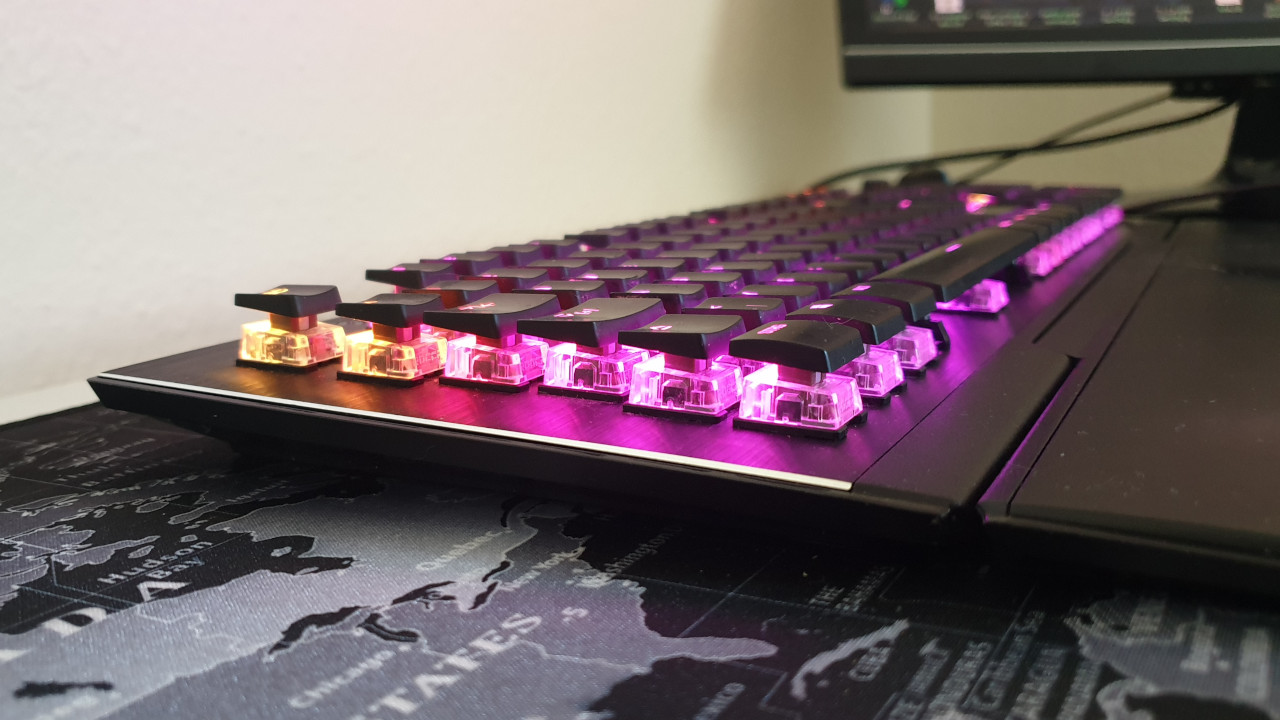
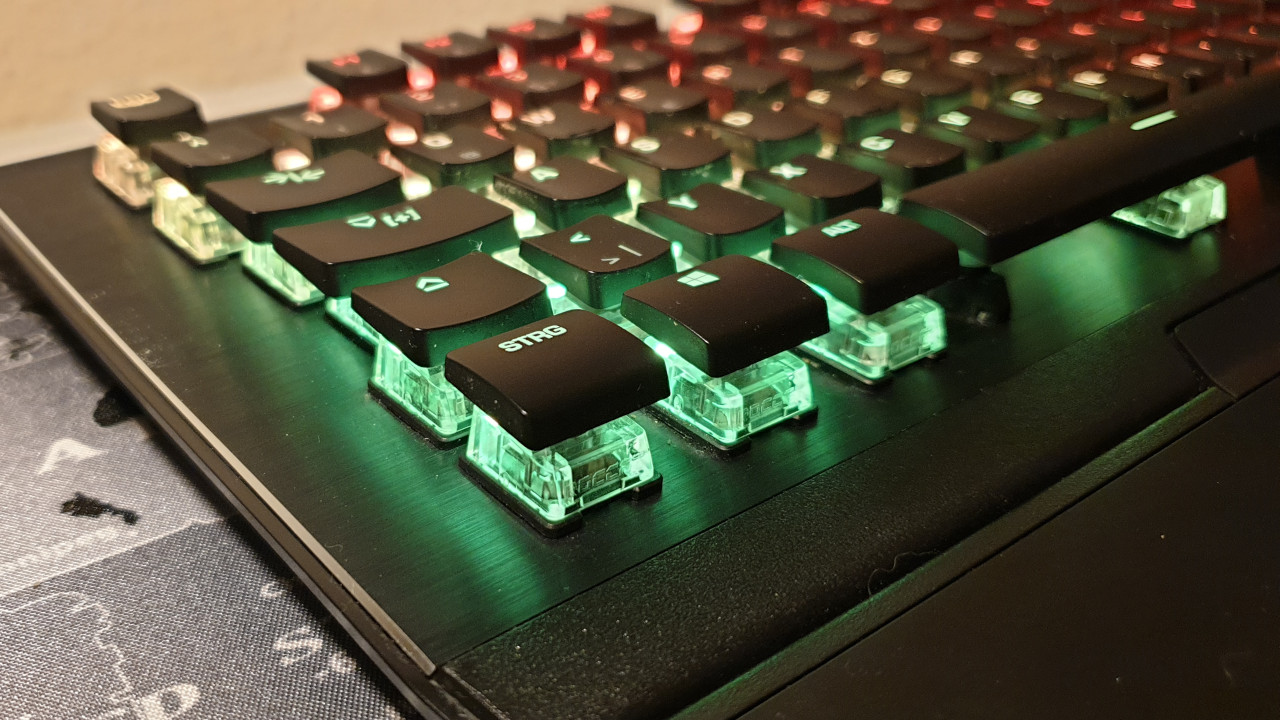
These are the disadvantages: The open design of the keyboard is somewhat unusual at first. Because the keys are slightly higher due to the switches not disappearing into the case. Especially in the first weeks, I constantly mistyped or hit the Windows key with my palm. This was particularly annoying at the beginning, but I quickly got used to the design.
It’s a pity that the keyboard’s cable cannot be detached and that the keyboard does not offer any additional ports. So I cannot connect my headset, mouse, or other devices directly to the keyboard.
For such an expensive device, I find the manufacturer’s decision to forgo a USB hub unfortunate. Especially with the Fnatic Streak, I always liked using this hub.
The high price is also off-putting at first. 140 euros for a keyboard was also a hurdle for me at first. On the other hand, I received strong processing, a stylish design, and pleasant keys.
Overall, I am not very impressed with the wrist rest. While with Razer’s Huntsman or BlackWidow you rest your hands on a kind of artificial leather which is pleasantly soft, here your hands lie on plastic. However, the height of the hands is comfortable.
For whom is the keyboard worth it? With the Roccat Vulcan 120, you get a full-size keyboard. This means you get a keyboard with a number pad. You should note that the keys are slightly higher due to the open design. At first, this feels a bit unusual, but you quickly get used to it.
In general, you should take the keyboard with a wrist rest, especially because the keys are higher due to the switches. With the G815, which has lower keys, the lack of a wrist rest is less noticeable.
At 130 – 150 euros, the keyboard is generally expensive, but you also get high-quality workmanship, fast keys, and convincing processing. If you’re looking for a similarly high-quality keyboard but don’t trust the design of the Vulcan, you might want to go for the Logitech G815.
If you’re looking for a keyboard without a number pad, Roccat also has a solution. The manufacturer now offers a variant without a number pad (TKL) from its Vulcan series. We at MeinMMO have tested the Vulcan TKL Pro. The keyboard offers the same build quality and also switches from Roccat. Unlike the Vulcan 121, however, you can also detach the cable. But you will also look in vain for a USB hub here.

Your opinion is important to us!
Do you like the article? Then let us know!
Comments