

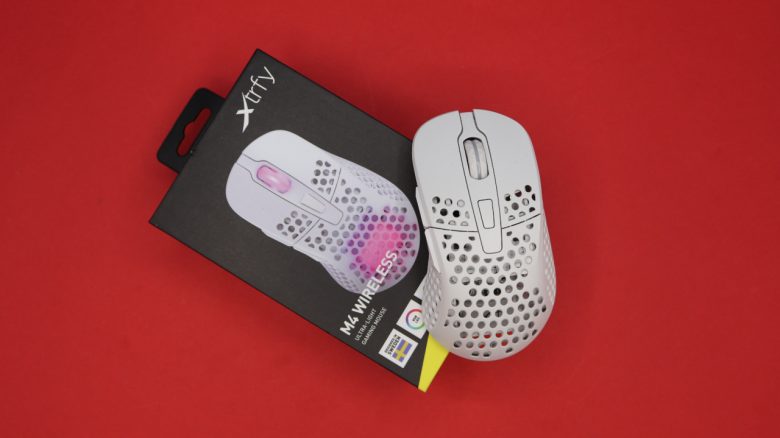
MeinMMO editor Benedikt Schlotmann tested the Xtrfy M4 Wireless in everyday use. Can a 4-year-old gaming mouse still keep up today? Benedikt thinks: Yes, it can, especially at the current price of around 50 Euros.
What device is it about? The Xtrfy M4 Wireless has several tricks up its sleeve to remain interesting for gamers even in 2026: The mouse features a symmetrical design, which is relatively rare in shooter mice, allows for modifications in design, and also does not rely on software, which is quite unusual for a gaming mouse.
In my opinion, there are several good reasons to take another look at this mouse in 2026. By the way, Xtrfy now belongs to the Cherry company.
Overview of the test:
- Contents, Design, and Build
- Processing
- Software
- Weight, Ergonomics, and Battery Life
- Mouse Buttons, Scroll Wheel, and Sensor
- Conclusion
Who tested it?
Benedikt has been testing hardware for MeinMMO since 2019 for our readers. In addition to PC and PS5, he also plays on the Steam Deck. His focus is primarily on mice, keyboards, and headsets, but he also enjoys testing quirky products beyond that.
The tested mouse was purchased by Benedikt himself via Amazon.

Benedikt Schlotmann
Hardware editor MeinMMO
Details
| Sensor | Pixart 3370 |
| Resolution | Up to 19,000 DPI |
| Switches | mechanical switches |
| Buttons | 5 buttons |
| Design | White mouse. RGB lighting in the mouse casing; asymmetrical right-handed mouse; cover interchangeable |
| Glides | 4 |
| Cable | Detachable 2.0 m USB-C cable |
| Weight | 71 grams |
| Price (RRP) | 99.99 Euros |
Contents, Design, and Build
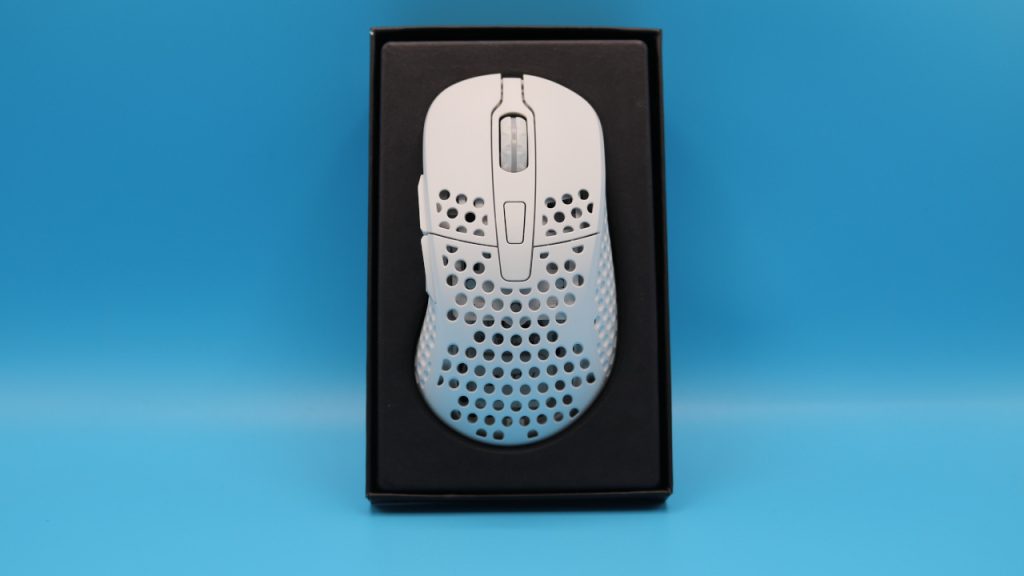
What does the contents look like? Besides the gaming mouse, the contents include
- Adapter/dongle for wireless connection
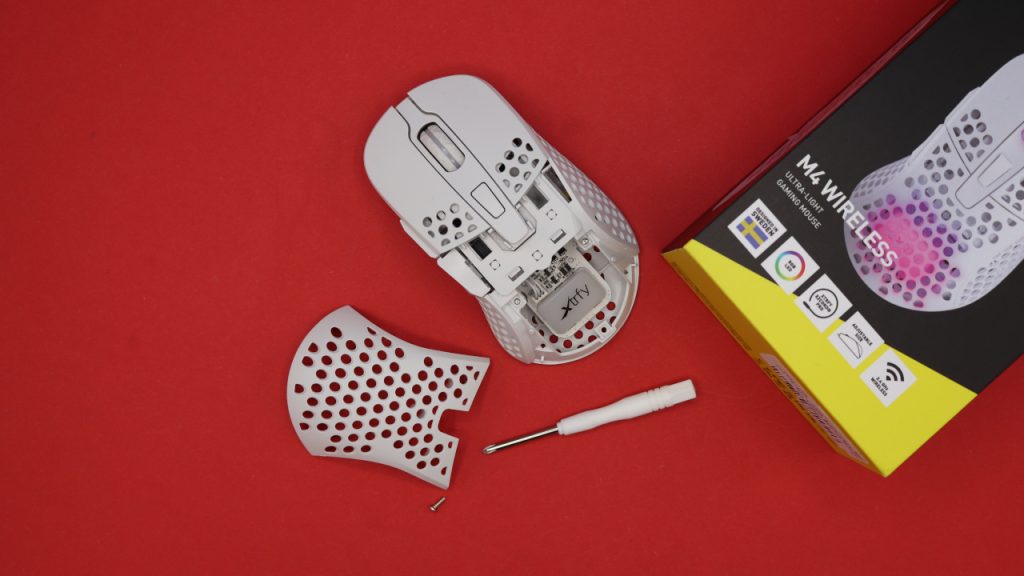
- Additional mouse cover and screwdriver
- USB cable (USB-C to USB-A)
- two keycaps in Xtrfy design
How is the mouse constructed? The mouse is available in different colors; I used the white model in the test.
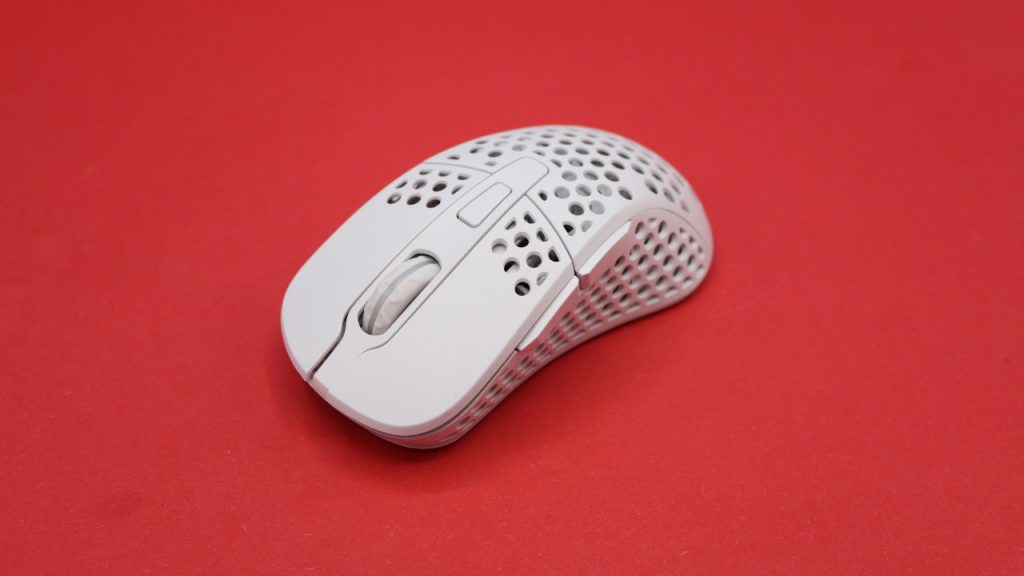
- On the top side of the mouse are the main buttons, and between them is the scroll wheel. On the top side, in front of the scroll wheel, there is another button that can be assigned different functions via the bottom.
- On the bottom, there is a switch to adjust the function of the button on the top.
What is special? The mouse from Xtrfy can be ergonomically adjusted: On the one hand, you can swap out the shell or cover of the mouse to make it steeper or flatter.
Even more interesting is that you can change where the heavy battery is placed inside the mouse, thereby altering the center of gravity: If you remove two small screws, you can place the battery either in the center of the mouse or further towards the back. This makes the mouse significantly rear-heavy.
Processing
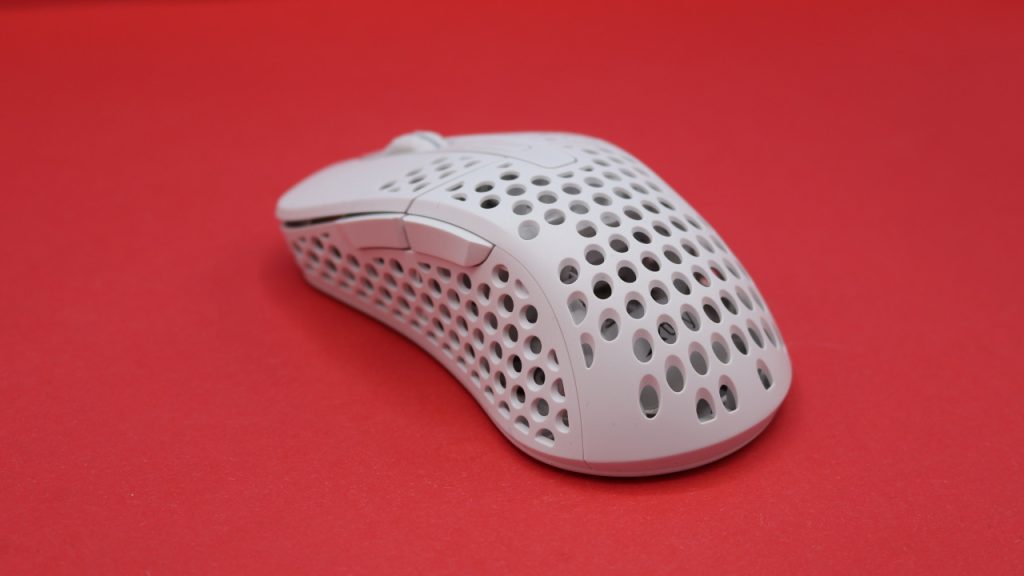
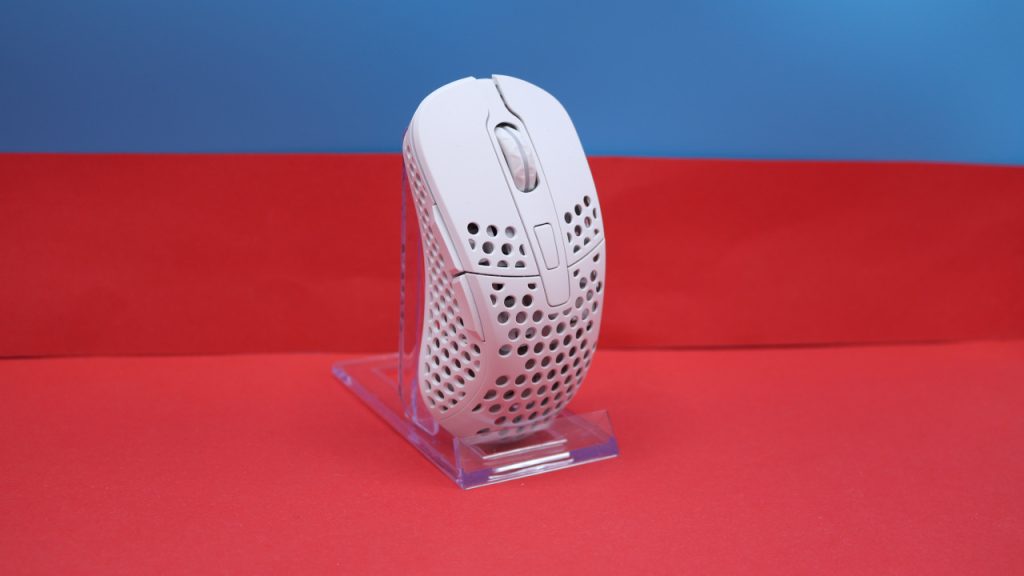
The honeycomb design is generally prone to dirt, but you can at least remove the cover of the mouse and access the inside. This allows for partial cleaning of the mouse. It’s not a perfect solution, but better than nothing.
During the rattle and shake test, nothing squeaks or rattles; the mouse gives a robust and stable impression in everyday use. The USB-C port at the front is designed so that USB cables from other manufacturers can also be used.
Software
Manufacturer Xtrfy is taking a unique approach with the M4 Wireless and does not offer software for its gaming mouse. Instead, you adjust all settings directly via the mouse: For the polling rate of the mouse, there is a button on the bottom, while for RGB lighting and its brightness, you must press certain buttons in the correct order.
This means that true programming of the buttons is not really possible in everyday use, at least not through manufacturer’s software. Instead, you will need to set up the mouse directly through the game.
This approach is cumbersome and takes some getting used to, but I found it surprisingly intuitive after a while. The advantage is also hard to ignore: You don’t need bulky software like that from Razer or Corsair.
Weight, Ergonomics, and Battery Life
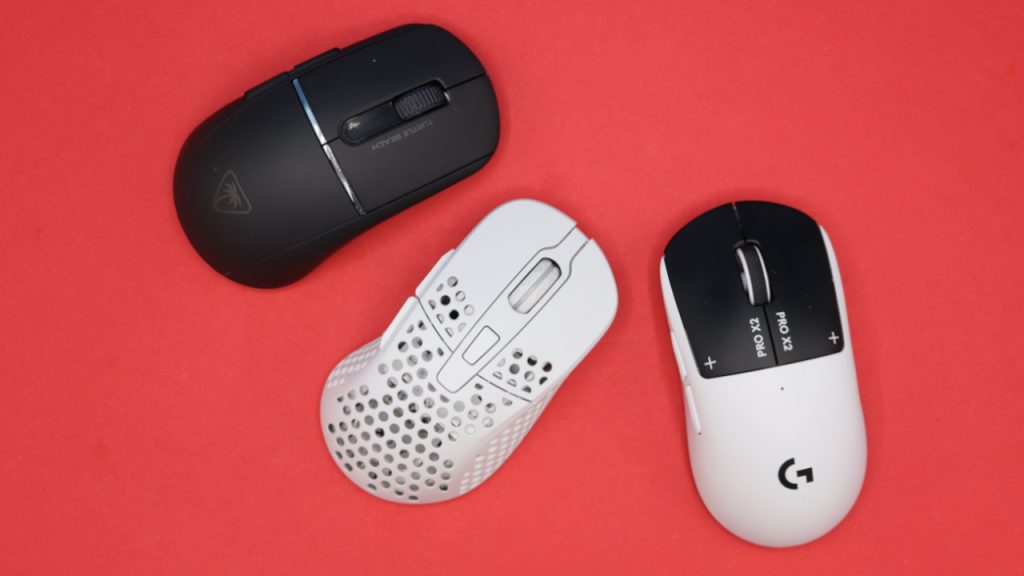
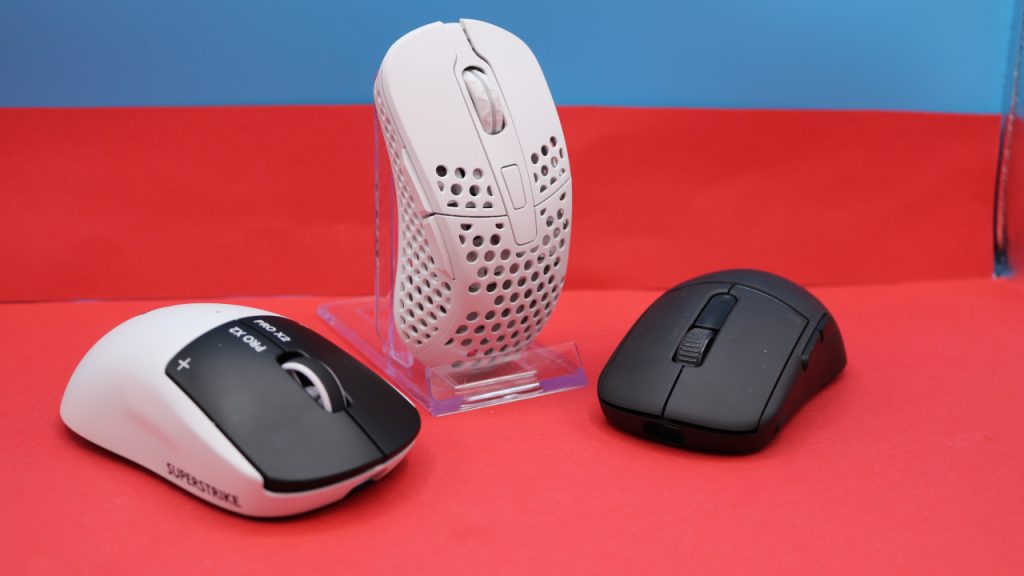
The Weight: The mouse officially weighs 71 grams, making it one of the heavier representatives in the genre. The competition is significantly lighter:
- Turtle Beach Burst II Air: 47 grams
- Glorious Model O Eternal: 55 grams
- Razer Viper V2 Pro: 58 grams
- Logitech G Pro X Superlight 2: 62 grams
The Ergonomics: The entire competition typically relies on symmetrical mice for shooter mice, but with the M4 Wireless, you get an asymmetrical mouse that mimics the grip and thus allows for a better hold by the right hand.
Battery Life: The battery of the M4 Wireless lasts about 3-4 days in my everyday use, and then it’s over. This is usually sufficient for everyday use, but with the competition, you can sometimes get significantly longer runtimes. For example, the Turtle Beach Burst II Pro with about 150 hours of battery life or the Logitech G309, which manages about 300 hours thanks to AA batteries.
The Mouse Buttons, Scroll Wheel, and Sensor
The Mouse Buttons and Scroll Wheel: Beneath the buttons, there are Kailh switches. The clicks are audible and tactile. Especially the clearly audible sound is something you need to like; you won’t get a quiet mouse. On the positive side, the clicks feel nice and solid under your fingers. This means you feel every click under your fingers.
Sensor: The mouse is equipped with the Pixart 3370, which, along with the Pixart 3389, is one of the older high-end sensors and is considered error-free (via Sensor.fyi). The Pixart 3370 is particularly found in wireless mice because it consumes less power than the Pixart 3389. The sensor is also used in the XM1 by EndgameGear or in the Makalu 67 from Mountain (the company now belongs to BeQuiet).
In everyday use, you get a powerful sensor.
Conclusion: Recommended Gaming Mouse
Who is the mouse suitable for? With the Xtrfy M4 Wireless, you get a powerful and lightweight gaming mouse that forgoes software in everyday use. Particularly the symmetrical design is a big plus, making the mouse significantly more comfortable to hold for right-handed users.
The market price of the mouse is now between 50 and 60 Euros, which is more than fair for the mouse. Despite its age of now 4 years (release 2022), I still consider the mouse recommendable and able to easily compete with newer models.
My conclusion: With the Xtrfy M4 Wireless, you get a powerful and comfortable gaming mouse that I can highly recommend for around 50 Euros. Specifically, the lack of bulky software is a distinguishing feature. If you are already annoyed by software from Logitech, Corsair, and others, then the M4 Wireless is a good option, as you make all adjustments directly through the mouse. Additionally, it has decent battery life and the possibility to further adjust ergonomics. The good contents round off the positive overall picture.
The only downside: At 71 grams, the mouse tends to be heavier than other shooter mice. With the Xtrfy M68 Wireless, there is now a lighter option (53 grams), but you also have to forgo the detachable mouse cover and ergonomic design.
What alternatives are available?
- The Razer Viper V3 Pro offers the best sensor on the market and has good battery life. There is now a successor, the V4 Pro.
- The Logitech G PRO X SUPERLIGHT 2 is also a decent option. However, I have encountered some processing problems with this mouse.
- The Glorious Model O- is a very good alternative if you’re looking for a wired option. This mouse is no longer top-modern but is still recommendable, especially for a price of around 30 Euros.
More gaming mice on MeinMMO: If you’re looking for more recommendable gaming mice, check out our buying guide on MeinMMO. Here you’ll find the best gaming mice currently available for purchase: The best gaming mice for shooters currently available

Your opinion is important to us!
Do you like the article? Then let us know!