

With the new PUBG (PlayerUnknown’s Battlegrounds) update, you can observe how the killer performs in the further game after your death.

A new update for the battle royale shooter PUBG has been deployed to the PC servers. Part of the update is an observation feature that focuses on your killer. An interesting alternative to the option of simply leaving the match.
Kill-Cam watches the remaining match of your killer – Update #9
Did your killer have luck or actual skill? In the future, you can find out for yourself. With the new Spectate your Killer feature, it is possible to observe your killer after death by clicking on “Watch”.
This way you can see how they perform throughout the match. If you notice something strange, you can report the player with the hotkey “R”.
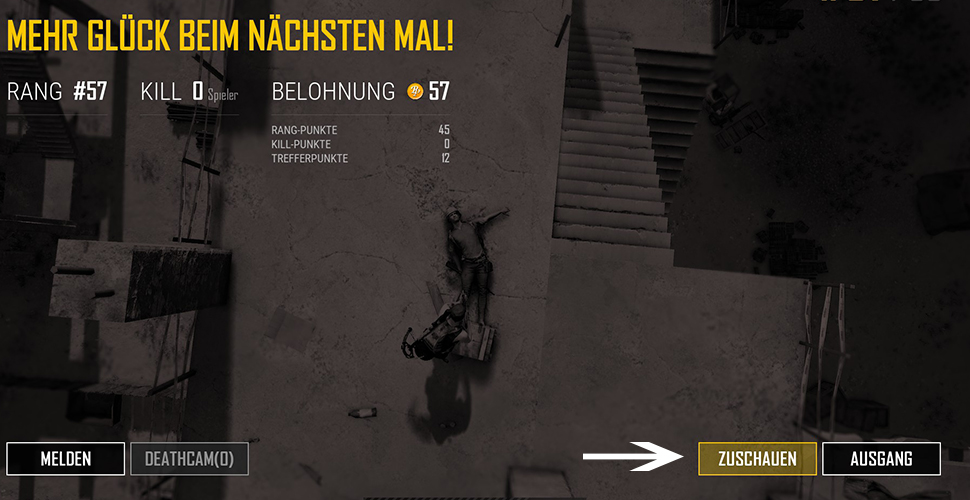
It’s a pity if you are killed by the blue or red zone – watching those would be boring. If someone is killed by one of the zones, they can observe a player who was near your last location.
If the player you are watching dies, you can continue to follow the match from the perspectives of other players. In duo and squad teams, the opposing team can only be followed live once all your allies have died. This is intended to prevent peeking, so you don’t give your allies tips on what the killers are doing.
Bug fixes in Update 9
You can already play the new update and also benefit from some bug fixes. This should prevent cars from suddenly flying into the air or flipping over when there is no reason for it.
Additionally, a bug was fixed where the in-game name of the killer was not displayed correctly in the death cam. Lastly, adjustments were made to the rotation axis used in the preview options.
The new Savage map is very well received by players on the test servers. With the significantly smaller map and improved loot spawns, the Savage map is expected to bring a lot of fun.

Your opinion is important to us!
Do you like the article? Then let us know!