


How can you automatically sort items? If you want to clear your inventory with little effort, follow these steps:
- Run to your base near your boxes
- Open your inventory
- Optional: Select items you don’t want to place down and add them to the exception list
- PC: R
- PlayStation: Triangle
- Xbox: Y
- Optional: Select items you don’t want to place down and add them to the exception list
- Now press the appropriate button to sort the items
- PC: R
- PlayStation: R2
- Xbox: Trigger R

Before sorting everything, you will receive a message indicating which items are affected.
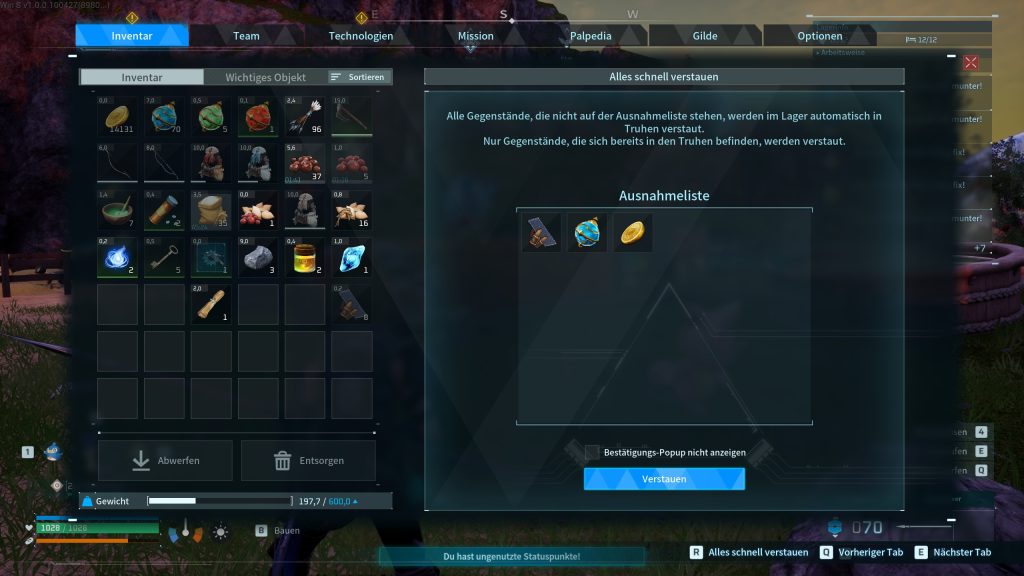
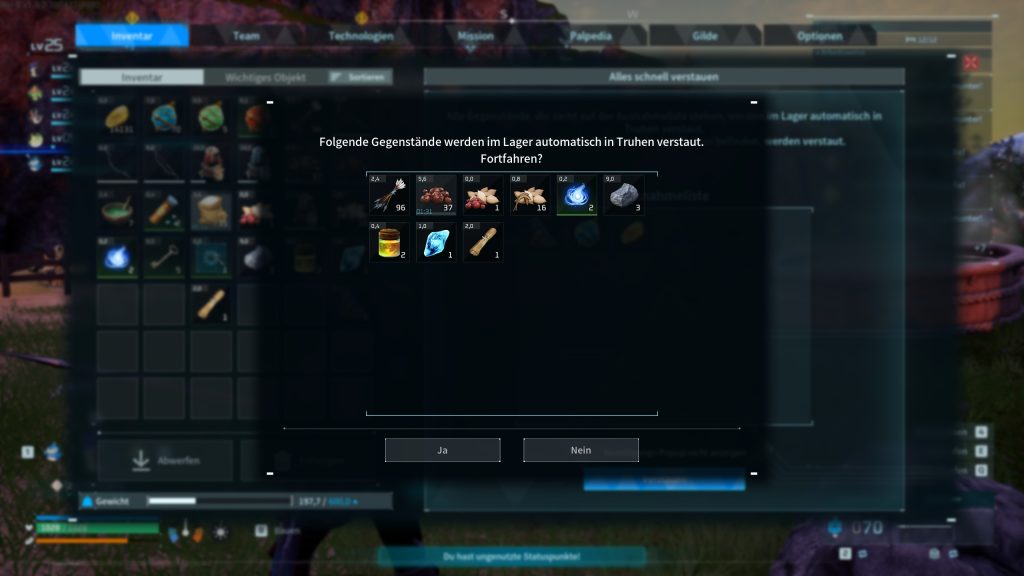
Can you place all items down? Sort of, it’s important that items can generally be placed in boxes and you already have at least 1 copy of that specific item lying in one of the boxes. Your new items will then sort into the existing copies.
Can this be done from further away? To sort items, you need to be near the boxes. This does not mean you have to stand right next to them, but the boxes should be roughly in sight and located in your storage.


In Palworld, there are a bunch of Pals, resources, weapons, and features. If you get stuck anywhere, we’ve written plenty of guides for you that provide suitable solutions and explanations. You can find all guides here in the overview: Palworld Guides: All tips, tricks, and Pals in the overview – Now with PS5

Your opinion is important to us!
Do you like the article? Then let us know!