Black Desert has received a new app called “Black Desert+” last week. This allows users to experience some content of the MMORPG even away from the PC. MeinMMO editor Alexander Leitsch tried the app and is very enthusiastic.
What can Black Desert+ do? This new app for the MMORPG mainly serves as a supplement when you are on the go and still want to dive into the world of Black Desert. With it, you can:
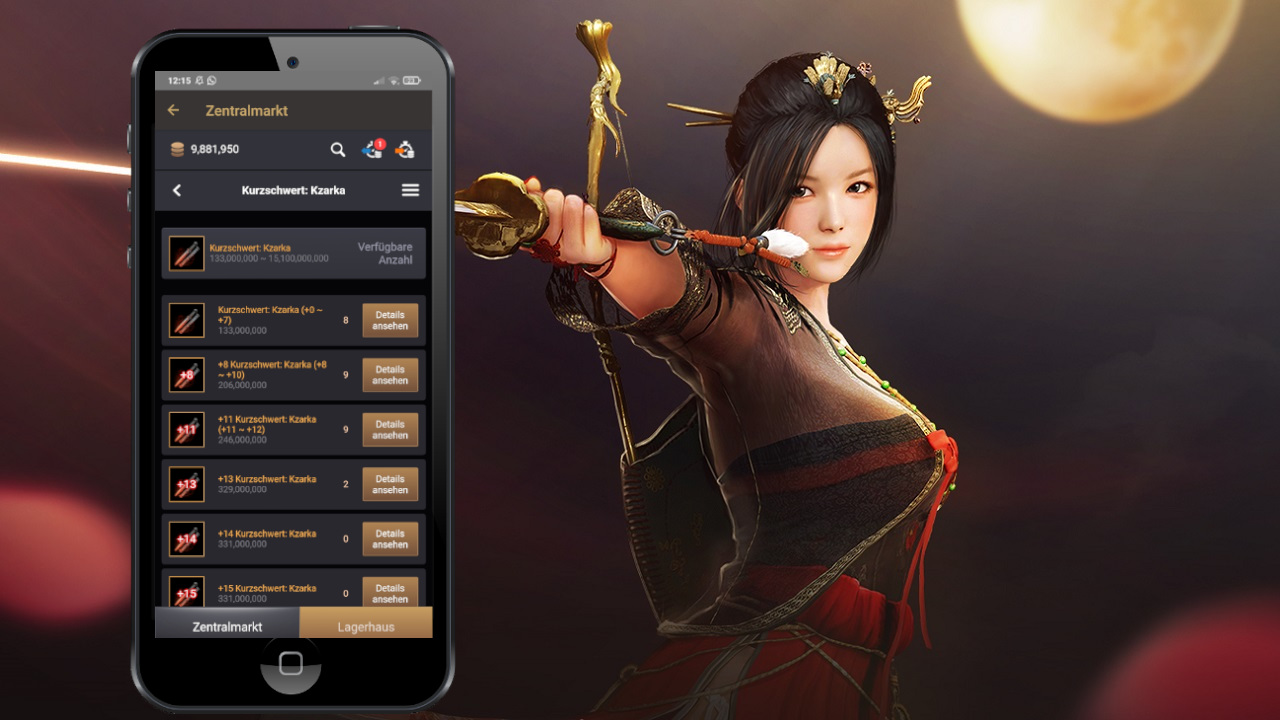
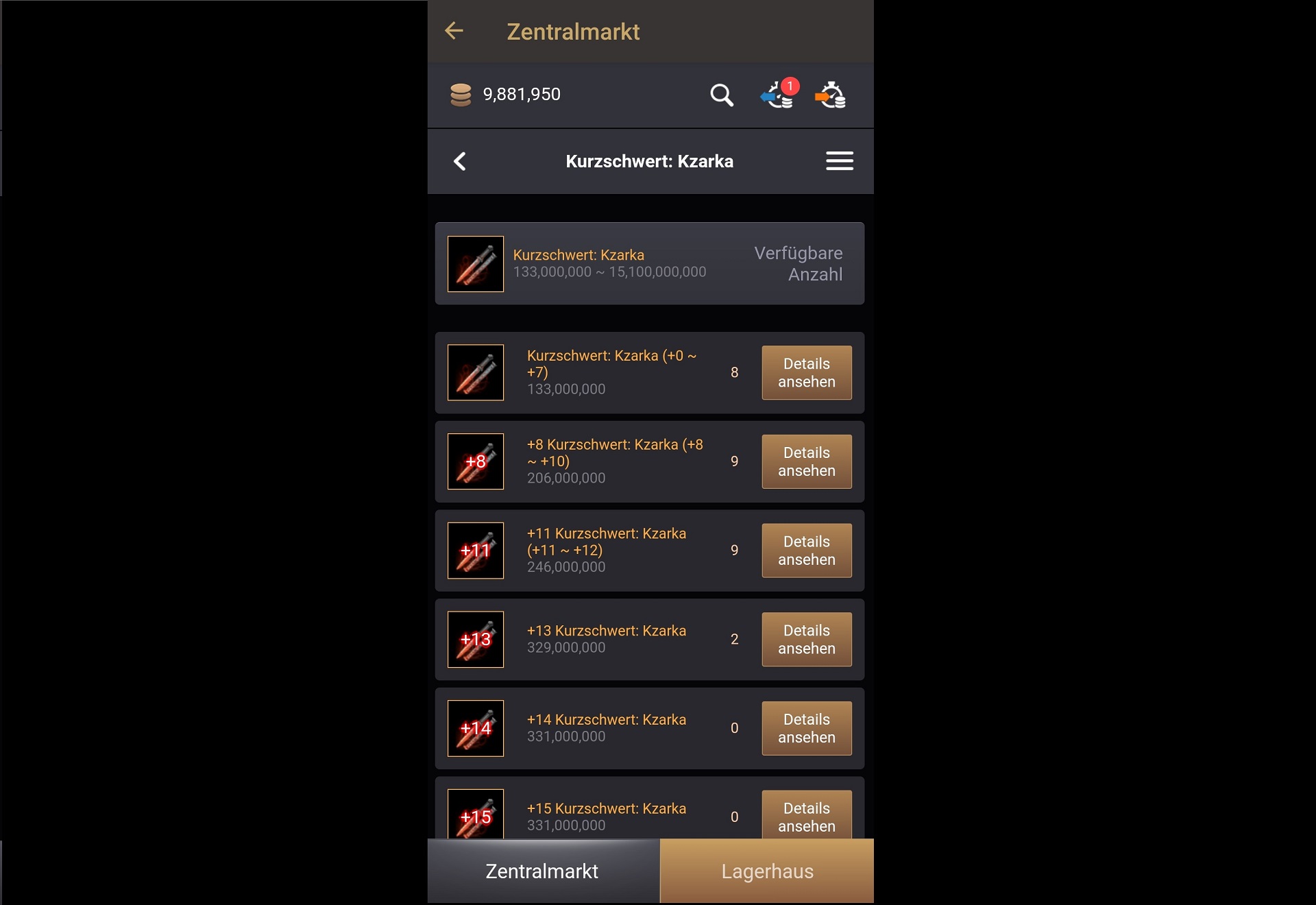
Trade at the central market
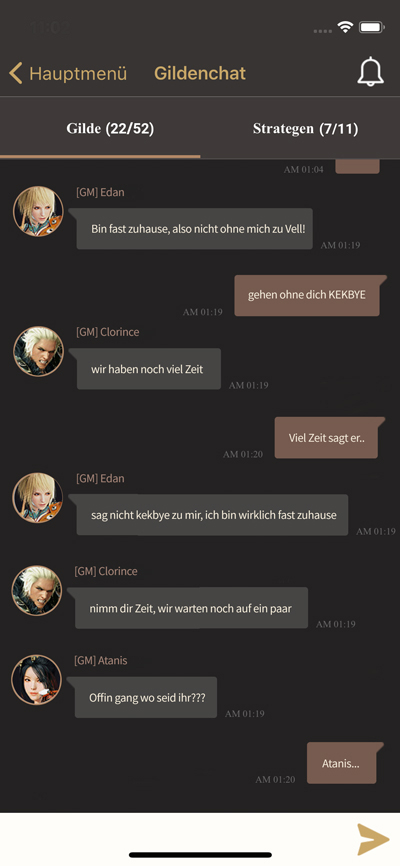
Chat with your guild and even receive notifications for specific keywords
Admire and rate other players’ characters
Redeem coupon codes
Use a world boss timer
Create push notifications for special events or world bosses
Directly send a support message
Black Desert+ allows me to stay in touch with the MMORPG without having to actively sit at the PC or have the game running. This is a true blessing for me, as I play many MMORPGs simultaneously.
About the Author: Alexander Leitsch is the MMORPG expert here at MeinMMO. He has accumulated over 25,000 gaming hours across Guild Wars, Guild Wars 2, Blade & Soul, Black Desert, and ESO. All new MMORPGs are also tested, regardless of whether they come from the West or Asia.
Earn money and keep in touch with friends
Why is the app so useful? The economy and making money play an important role in Black Desert. While I need to be logged in for active grinding or harvesting vegetables in the game, buying and especially selling at the central market must be done regularly.
This is where Black Desert’s interesting system comes into play, allowing you to sell straight from your own warehouse. If I store everything correctly in advance, I can sell everything later in the app. Shopping for certain items is also easily done on the go.
At the central market, I can easily buy and sell with the app.
However, the social aspect is also very important to me in MMORPGs. I immediately used the app to communicate intensively with my guild:
I was able to chat on the go or while playing another MMORPG, even though I wasn’t logged into Black Desert
I set keywords like my character’s name, “important” or “event” as push notifications, so I am directly informed when important discussions take place
Also important to me are the event and boss timers. I often miss bosses in Black Desert, and their respawn sometimes takes longer than 24 hours. Additionally, the bosses don’t always appear at the exact same time, but vary a bit.
The timer on the smartphone also reminds me to participate in these events.
How can you use the app? It’s very simple. You can download it from the Play Store or the App Store. After that, you just need to select “PC” as the platform (or Xbox or PlayStation, depending on the platform) and log in with your usual access data. You then have access to the guild chat and other features.
MMORPGs are primarily social contacts for me, and the app helps with that
That’s why I find the app so good: I am currently actively playing several MMORPGs. Accordingly, I have a guild in ESO, Guild Wars 2, and Black Desert. Being in constant contact with all these guilds is challenging, although that’s what makes multiplayer games enjoyable for me. I have met some of my best friends through MMORPGs.
Much can be managed through external programs like Discord or WhatsApp, but my guild in ESO doesn’t use those at all. I tend to lose touch when I’m offline for a few days or weeks.
Moreover, outside of the Corona pandemic, there will again be longer vacations or trips where you might not be able to actively use your guild and the game for several weeks. This is where such an app can help.
But all this sounds like the companion app in WoW? That’s absolutely right, even though the auction house functionality has been removed since then. However, I never had such a close relationship with WoW that I actually needed to use the app.
But that doesn’t change the fact that I wish for such an app for other MMORPGs as well. I see it as a meaningful addition, as the smartphone is almost always within reach.
What would I like for the future of such apps? In my future scenario, I can play even the big MMORPGs like ESO, GW2, or WoW on my smartphone with crossplay and complete at least simple content like daily quests, farming, or leveling.
However, I often miss the opportunity to experience complicated and elaborate battles properly in existing mobile MMORPGs. I mainly have problems with the controls, which could only be solved with an external controller. Raids, dungeons, and PvP content are something I prefer to engage in on the PC.
How do you feel about additional apps for MMORPGs? And could you imagine the big games at least in a simplified version on smartphones? Feel free to share your thoughts in the comments.
The update 16.30 in Fortnite is here and brings a new bow, the mythical version of a familiar weapon, and improvements for the inventory menu. MeinMMO shows you in the German patch notes what has changed in Fortnite: Battle Royale.
What is going on in Fortnite: After a downtime, the update 16.30 has been deployed. This is a patch that brings several changes – some of which were already announced by Epic. We have summarized the main changes for you here in our own patch notes in German.
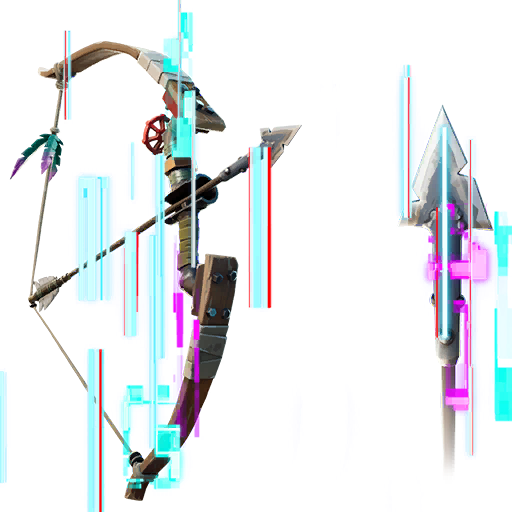
New Exotic Bow “Unstable Bow”
What is new? Update 16.30 brought a new exotic bow to the game. This is a bow that can transform into one of any bows from the game after each shot – as the name suggests. According to the data miner HYPEX, it can transform into these bows:
The new unstable bow that can transform into different bows
New Mythical Weapon “Raz’s Explosive Bow”
What is new? After the patch, you can now find a familiar weapon as a mythical version on the map. The “Explosive Bow” has not been in Fortnite for long, but with patch 16.30 there is already the mythical variant, which is a bit stronger. Like the normal version, you can shoot arrows with the mythical bow that are explosive and set the environment on fire.
As the name suggests, you will likely find the new mythical weapon with Raz. The NPC can commonly be found at Colossal Crops. So if you want to try out the gun, you should go look for the character there.
What is different now? A few changes were already announced before the update and are now implemented. The changes mainly affect the inventory and are meant to make the process easier in a match. Now you can:
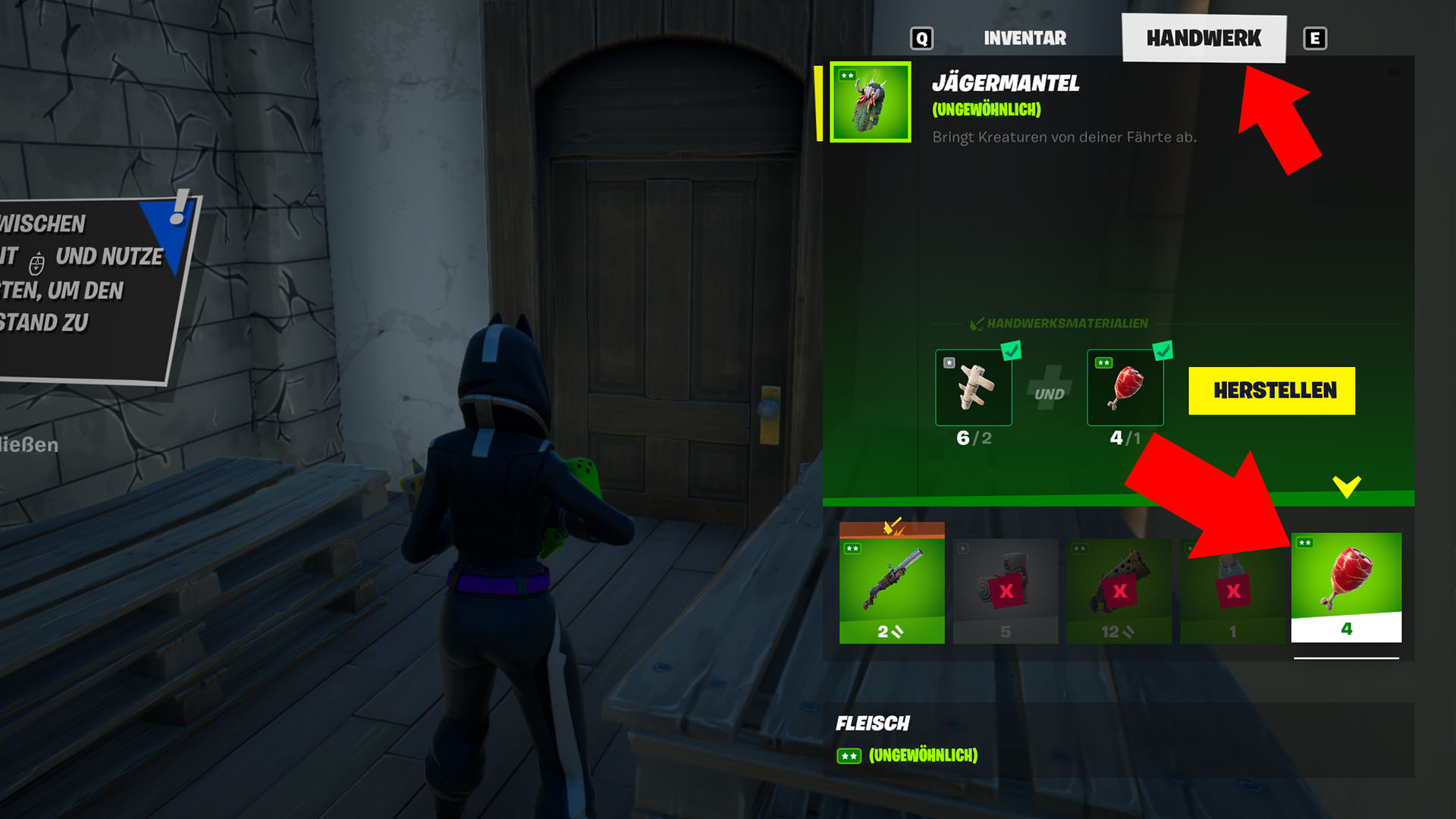
Open the inventory menu while holding a craftable item to immediately access the crafting menu
See the stats (like damage and fire rate) of your weapons as soon as you open the inventory menu
Especially the first change saves you a lot of time in battle, as before you had to navigate through the menu just to access the crafting menu. Now you can craft your weapons faster and don’t waste valuable time in your rounds. This is ideal if you want to craft a Hunter’s Cloak.
Now you can get to the crafting menu faster
After update 16.30 has been deployed, there are now again some things to explore and try out. So if you head out on an adventure now, you can immediately gather some experience points in your rounds. You need these, of course, if you want to unlock the rare skins of season 6 still.
This is an AI-powered translation. Some inaccuracies might exist.
The MMORPG The Elder Scrolls Online (ESO) is getting the Blackwood addon with NPC companions that will accompany you. This new feature is quite controversial in the community. Here are 6 reasons why you can look forward to the companions.
What do the NPC companions bring? Zenimax Online wants to make it easier for players to complete dungeons. Those who want to do this alone or cannot find teammates should be able to do so. NPC companions will support the players.
But not everyone is pleased. After all, ESO is an MMORPG and the social gaming experience should be at the forefront. Fans now fear that many players will only experience adventures with the NPCs and the social aspect will take a back seat.
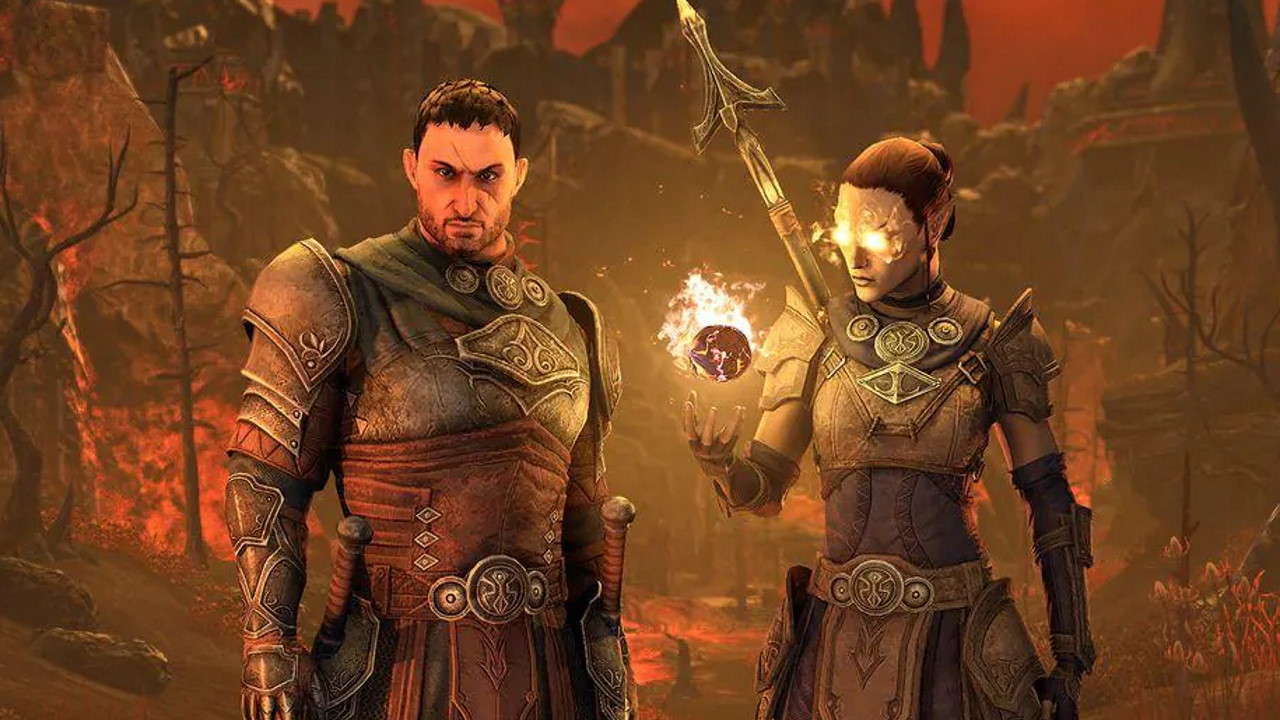
Which companions are coming to the game? The Blackwood expansion starts with two companions:
Bastian Hallix, who is searching for his brother
Mirri Elendis, who wants to free her companions
Both will fight by your side, sneak with you, heal, and use the equipment you give them. You will also experience the personal quests of the NPC companions and get to know them better. Through a karma system, you can determine whether the NPCs like you or not. What is not possible: You cannot use the companions in PvP.
In the future, more of these companions could come to the game.
In The Elder Scrolls Online, you will soon have two NPC companions by your side.
Here’s why NPCs could be really cool
Here are some reasons why the companions could enhance the gaming experience of ESO.
1. You’ll never be alone again
Even though ESO is an MMORPG, there are times when you need to do certain things alone. Friends don’t always have time, or you just want to play a quest in between and want some peace.
Now, while ESO can be played solo quite well, having a companion by your side makes many things easier. With the NPCs, you always have a companion who supports you and fights alongside you.
2. The classic RPG feeling returns
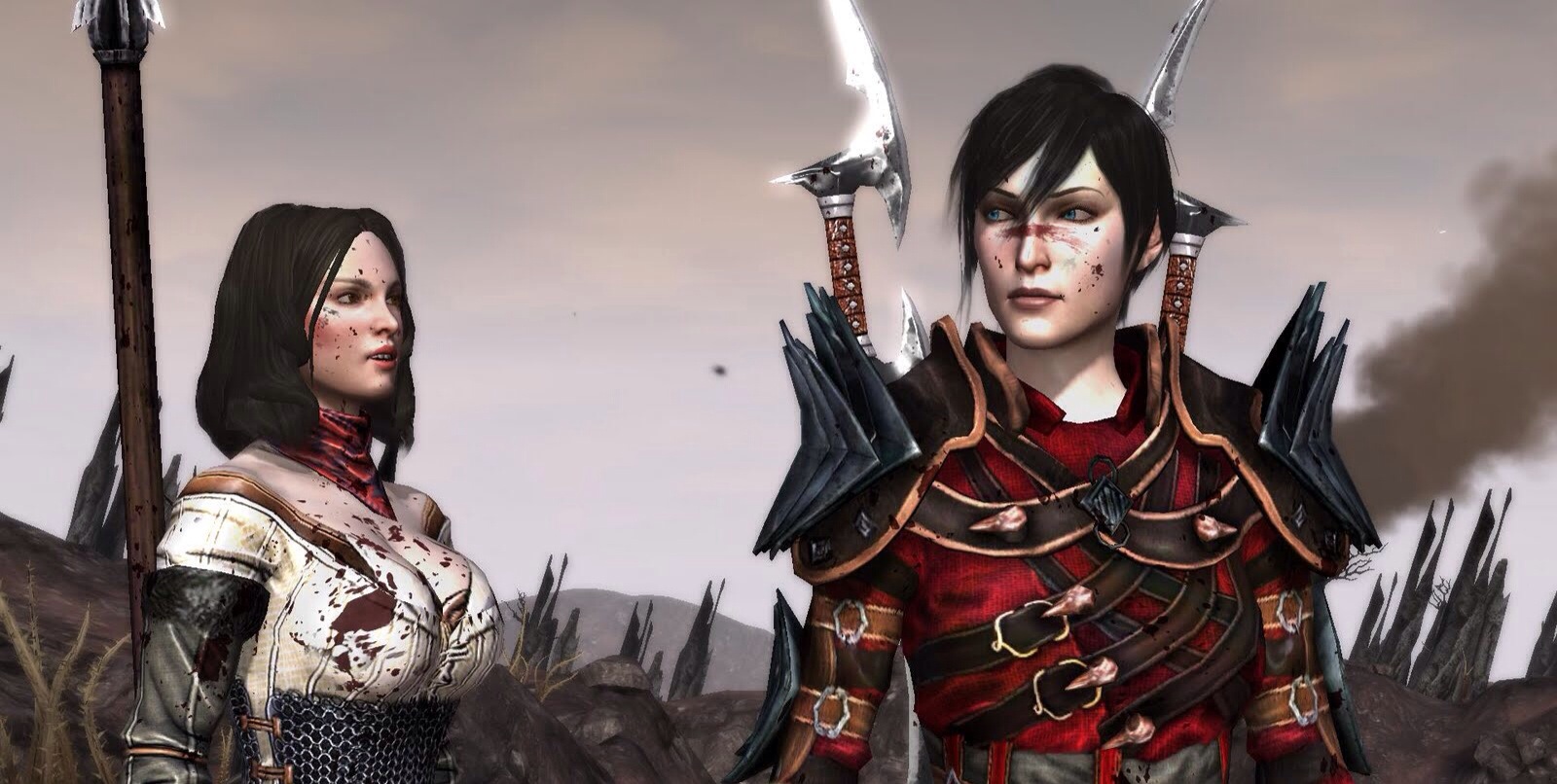
Anyone who thinks of old role-playing games or loves the Baldur’s Gate or Dragon Age series will delight in the companions in ESO. Having NPCs with exciting backstories around, learning more about them over time, and experiencing their personal quests is simply fun in role-playing games.
Additionally, it brings back the feeling of belonging to a group, as seen in fantasy novels and films like The Lord of the Rings. Frodo Baggins didn’t wander alone to Mordor to destroy the One Ring.
In Dragon Age 2, your AI companions will always be by your side.
3. NPCs don’t behave stupidly on purpose
Although the intelligence of NPC companions may depend on the quality of the AI, and it may sometimes happen that they sneak within direct sight of enemies without being detected, NPCs never act intentionally foolish or maliciously.
This cannot always be said for real players. Occasionally, you encounter individuals who want to ruin your fun, act unseriously, or steal your loot. Such players include fake tanks that nobody likes.
If you want to avoid such players, you can simply use the NPCs as group members.
4. Star Wars: The Old Republic makes fun with AI companions
The Elder Scrolls Online is not the first MMORPG to place NPC companions at your side. In Star Wars: The Old Republic (SWTOR), this has been a feature from the beginning. No wonder, as the developer studio Bioware is known for introducing interesting companions in their role-playing games.
The companions in SWTOR are deeply developed, have their own quests, and interesting personalities. With some, you can even enter romances. This doesn’t disturb the social aspect of the MMORPG; it actually fits very well into the atmosphere. The companions in SWTOR simply show how much fun it can be to experience adventures with NPCs.
In SWTOR, you’ll also travel with AI companions.
5. ESO becomes even more tactical
Since you can equip the AI companions yourself and they have their own abilities, you will also need to use them tactically in battles. Especially in dungeons, you should always pay attention to what weapons and armor they wear and how you want to proceed with the NPCs.
This adds another component to the game. You not only have to take care of yourself when you want to complete a dungeon alone, but also of your AI companion.
6. ESO will become more similar to the single-player games of the series The Elder Scrolls
NPC companions have played a role since The Elder Scrolls 3: Morrowind from 2002 in the RPG series. They assist you, support you, and fight with you. These companions are also more or less interesting personalities.
However, Zenimax Online wants to take it a step further with the NPCs in ESO, giving them even more interesting quests and more options for managing them, such as equipping them with weapons.
What do you think of the NPC companions in the MMORPG The Elder Scrolls Online? Are you looking forward to them?
In Pokémon GO, you will encounter Xerneas and Yveltal in May 2021. We will show you all events, spotlight hours, raid hours, and what else to expect in the coming weeks.
What is it about? For Pokémon GO, developer Niantic has now announced how events will look in May. In the overview, we show you all spotlight hours, raid hours, and other events like Illuminating Legends X and Y. The latter will bring Xerneas and Yveltal into the game.
We will regularly update this article for you, so you can always use it as a reference for event information.
May Events 2021 Overview
These are the events: In the following table, you will always find the time frame and the exact name of the event. Below, we will also show you the highlights of the month.
Mega Raids with Ampharos, Mega Houndoom and unknown Pokémon
May 18 to May 31
Illuminating Legends Y
May 18 to May 31
Legendary raids with Yveltal
May 18
Spotlight hour with Alolan Rattata (Double evolution XP)
May 19
Legendary raid hour with Yveltal
May 24
PvP: Kanto Cup in Season 7
May 25
Spotlight hour with Marill (Double catch Stardust)
May 26
Legendary raid hour with Yveltal
Which events are particularly worth it in May 2021?
Illuminating Legends Y: During the event, you will encounter Xerneas in Pokémon GO for the very first time. Fairy and Dragon-type Pokémon will spawn more frequently in the wild. Together, the goal is to catch as many Pokémon as possible. If 500 million Fairy Pokémon are caught, Pam-Pam will appear.
Illuminating Legends X: The X event brings the new legendary Pokémon Yveltal to Pokémon GO. Additionally, Dark-type Pokémon appear more frequently in the wild. In this event, you can also unlock special bonuses that will be active from the second event week onwards.
Both events with the illuminating legends are also worthwhile for players who are still working on Step 2 of the special research with Mew. Because for that, you need to catch certain types of Pokémon. Since Dragons are relatively rare in the wild, it’s a good opportunity.
Spotlight Hours: Especially the events with Dratini and Marill are worth it for you. On May 11, Dratini is in the spotlight, and you will receive double candies for sending Pokémon. On May 25, you will meet Marill in the spotlight hour and receive double Stardust for catching Pokémon.
Trainers expect many catches for their medals and more help for the Mew research from the hours with Dratini. For Marill, the double Stardust for catches and the chance for strong PvP attackers are particularly appealing.
Which of the previously announced events in May 2021 in Pokémon GO are you most looking forward to? Let us know here on MeinMMO in the comments and exchange with other players.
This is an AI-powered translation. Some inaccuracies might exist.
Players can choose between two connections when gaming: DisplayPort and HDMI. But which one is better for gaming on the PC, PS5, or Xbox Series X? MeinMMO explains the differences and gives tips on which to choose.
If you want to connect your PC or console to a monitor or TV, you currently have the choice between two standard connections if you want to transmit both audio and video simultaneously: We’re talking about HDMI and DisplayPort (DP).
Which is better: HDMI or DP? But what advantages and disadvantages do the two standards actually have, and which one is better suited for gaming in the long run? In this article, MeinMMO explains the differences between the cables and presents at the end who should choose which cable.
Update April 27, 2021: We have supplemented the article with additional information. Among other things, we have broken down the functions provided by each standard.
HDMI is the prevalent standard in the audio-video sector
HDMI actually stands for “High-Definition Multimedia Interface”. The connection allows both video and audio to be transmitted in high quality from the console or PC to the TV or monitor.
HDMI has the advantage that you will find the connection almost everywhere. Both gaming monitors and TV devices offer HDMI. If you buy a new device in this area, you can be sure that an HDMI connection is included. Devices like consoles or your PC can be easily connected via HDMI.
Very old devices like CRT monitors usually do not offer HDMI, but rather older connections like VGA instead.
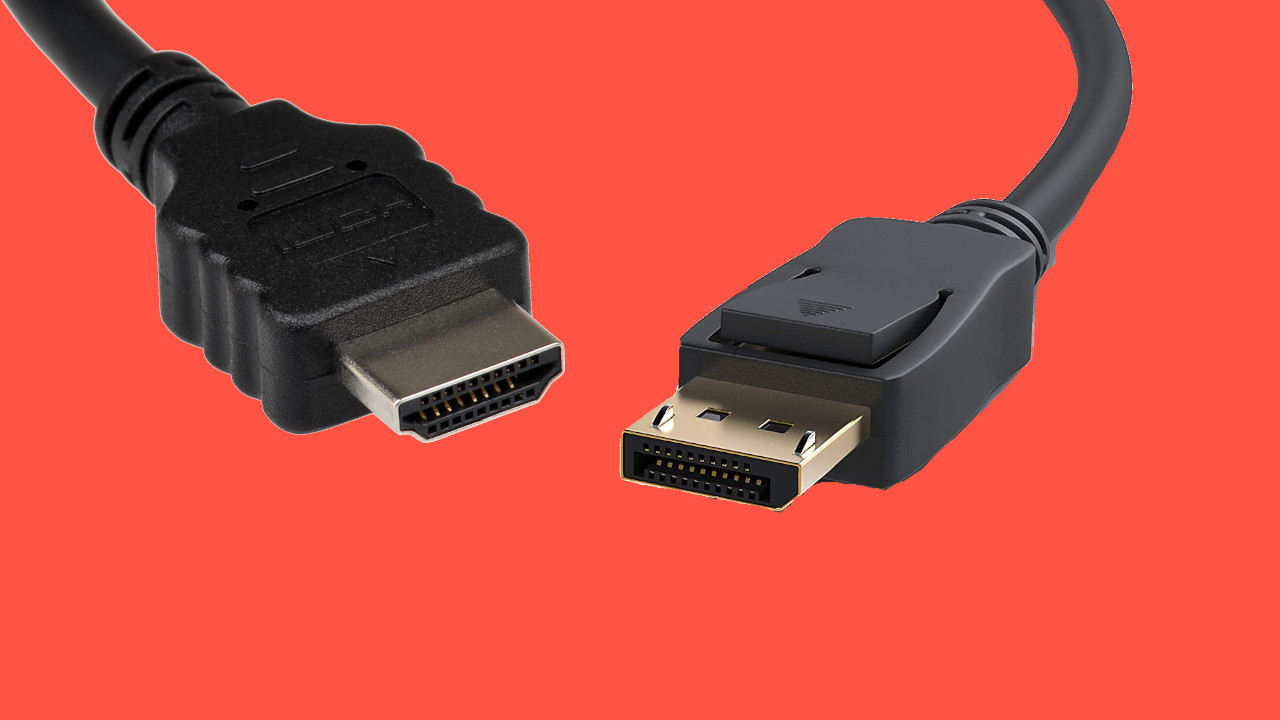
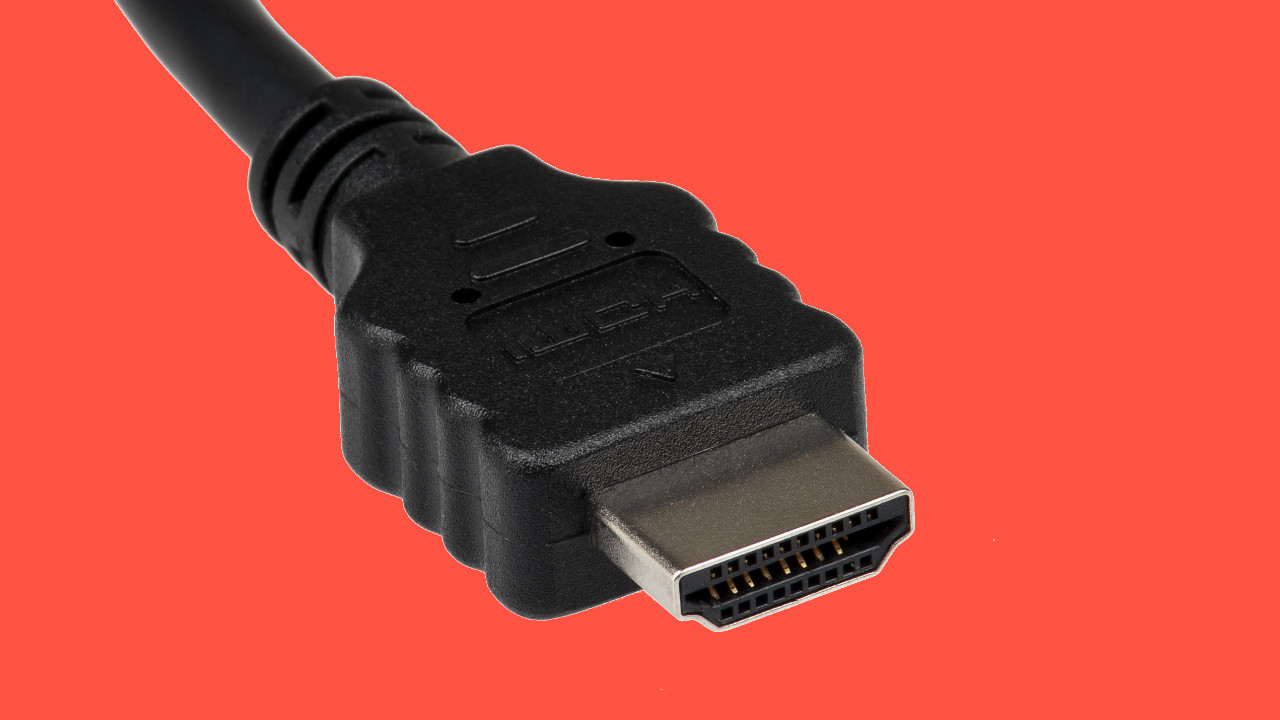
The HDMI connection in the picture.
What versions are there? HDMI has been continuously developed and improved over the years. 4K resolutions have been officially supported since HDMI 1.4. The current state of technology is HDMI 2.1. Here, the performance and transmission rate are the fastest. In addition to the next-gen consoles, the new graphics cards like the Radeon RX 6700 XT and the GeForce RTX 3080 support HDMI 2.1.
What can the latest version do? HDMI 2.1 can transmit videos and games in 8K at 60Hz or 4K content at 120Hz. This is especially exciting because both the PS5 and Xbox Series X support HDMI 2.1. However, to use HDMI 2.1, you also need a TV that supports it. Because HDMI 2.1 cannot simply be retrofitted. You can find recommended 4K TVs with HDMI 2.1 in our buying guide here on MeinMMO:
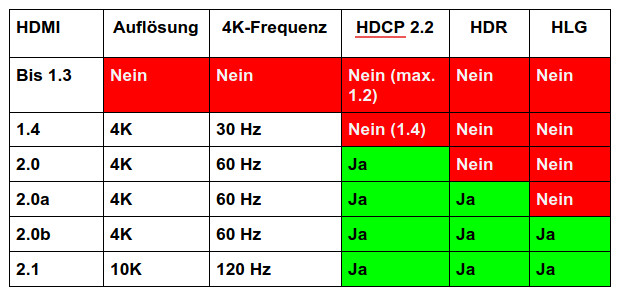
This is what HDMI offers: With HDMI 1.4, you have the option to use a 4K resolution with a refresh rate of 30 Hz. In Full HD (1080p), 120 Hz is possible, and in WQHD, 75 Hz is possible. With compression (reduction of image quality), you also get 120 Hz with WQHD.
From HDMI 2.0, 4K content with a refresh rate of 60 Hz is already possible. While you can theoretically reach 240 Hz in Full HD, you officially reach 144 Hz on WQHD. However, this depends on the manufacturer of the device. With HDMI 2.0, you also get official support for HDCP 2.2. This is especially important if you want to watch series and movies in 4K resolution.
With HDMI 2.0a and 2.0b, while the refresh rate does not further increase, starting from 2.0a, you get HDR support and with HDMI 2.0b, additionally HLG support.
From HDMI 2.1, not only is a refresh rate of 120 Hz possible at 4K resolution, but also up to 240 Hz in WQHD resolutions if your screen supports it. WITH ALLM, VRR, and eARC, you get additional features that are important if you want to game with the device.
If you game in Full HD at a maximum of 120 Hz, HDMI 1.4 can also be sufficient. Starting from HDMI 2.0b, you get important functions like HDCP 2.2, HDR, and HLG. If you don’t have an HDR monitor and game in Full HD, then HDMI 2.0 is also sufficient for you. You should pay attention to HDCP 2.2 (High-bandwidth digital Content Protection) if you want to watch series and movies in 4K.
Why is HDCP 2.2 important? HDCP stands for “High-bandwidth digital Content Protection” and is a copy protection for digital content. If you want to watch a 4K movie or series, you need HDCP 2.2. All devices (receiver, TV, etc.) must be compatible.
What is HLG? HLG or “Hybrid Log Gamma” is especially important for those of you who regularly watch TV or use the TV program. Since HDR cannot easily be transmitted via satellite or cable, HLG plays a role here. HLG looks almost as good on high resolutions. The problem is that HLG is not yet widely used. If you watch TV regularly, you should at least keep HLG in mind.
Why is HDR important? HDR or “High Dynamic Range” provides better contrast and richer colors. The higher brightness range makes the image look more realistic, as HDR can shade objects better. This makes the image look nicer.
There are also differences with HDR: While HDR 10 brings specific information once, HDR10+ offers dynamic capabilities and can thus continuously adapt the image to the information provided.
On the left HDR, on the right the predecessor SDR. The contrasts and colors in High Dynamic Range are richer and sharper than in SDR.
Is 144 Hz possible with HDMI? In principle, HDMI 1.4 already offers enough bandwidth for refresh rates beyond 120 Hz, and with some devices, 144 Hz via HDMI is also possible, although HDMI does not officially support that.
From HDMI 2.0, the standard officially also supports more than 120 Hz at Full HD and WQHD. However, it depends on your monitor. Because many monitors are designed to provide 144 Hz and more only via DisplayPort (via heise.de).
You should therefore check your device’s manual to see if the manufacturer supports more than 120 Hz via HDMI.
That’s why you should pay attention to HDMI 2.1
HDMI 2.1 offers not only a significantly higher transmission rate than HDMI 2.0 (18 Gbit/s vs. 48 Gbit/s), but also new features that are important for the gamers among you. Especially if you want to buy a PS5 or Xbox Series X or already own one. Because the next-gen consoles support the latest technology.
Two features are particularly important for gamers. One is the dynamic adjustment of the refresh rate (VRR), and the other is the automatic optimization of the response time (ALLM). With eARC, another feature is added, which is more relevant to the home theater sector.
Auto Low Latency Mode (ALLM): ALLM is a feature that ensures that the console directly switches the TV into a gaming mode.
This turns off unnecessary features and saves data to transmit the image directly to the TV.
This reduces latency between the console and playback on the TV.
Variable Refresh Rate (VRR): VRR is also a feature that HDMI 2.1 offers.
With VRR, the console can freely adjust the refresh rate between 30 Hz and 144 Hz and thus avoid disturbances known as screen tearing.
Screen tearing occurs when the device’s signal does not match the frequency of the output device.
What is eARC? Another additional feature is “Enhanced Audio Return Channel” (eARC). This denotes object-based sound standards, including Sony’s 3D audio or Dolby Atmos. These require the new standard eARC, which HDMI 2.1 provides. eARC can also transport significantly larger audio signals like 7.1 audio. This is particularly important for those interested in home theaters.
HDMI: What are certifications?
HDMI cables are certified so that buyers can be sure that the cables meet certain requirements. The HDMI Forum stands behind certifications. Several companies have come together here.
So, anyone buying an HDMI cable with the “Ultra High Speed” designation from the HDMI Forum can be sure that the cable supports 4K, UHD, and HDR.
What you should keep in mind: It can happen that you still find HDMI cables without a seal that still work. This can be due to them being leftover stock without a seal or cables that have not been tested. The former will work in any case, in the latter case, you need to be more specific about whether they meet the requirements.
DisplayPort is less common, does not support PS5 and Xbox Series X
DisplayPort transmits both video and audio in high quality like HDMI. In contrast to HDMI, however, you will not find DisplayPort on every device. Consoles and many TV devices do not offer DisplayPort but rely on HDMI as the standard.
DisplayPort plays a significant role for PC gamers, as all modern graphics cards offer DisplayPort connections. Many modern gaming monitors also often offer multiple DisplayPort connections.
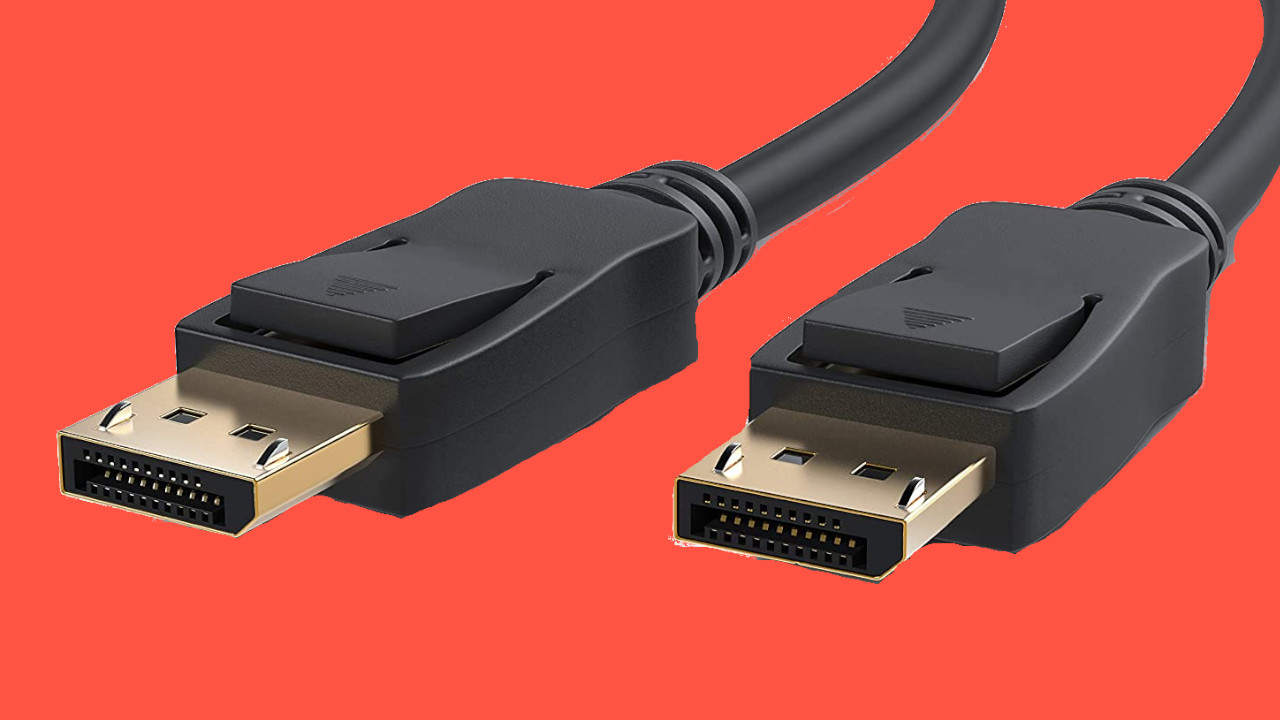
This is what DisplayPort connections look like.
DisplayPort Specs and Types at a Glance
What versions are there? There are several development stages of DisplayPort (DP). The latest version is DisplayPort 2.0, but you will not currently find it on any device. DP 2.0 is expected to be released sometime in 2021.
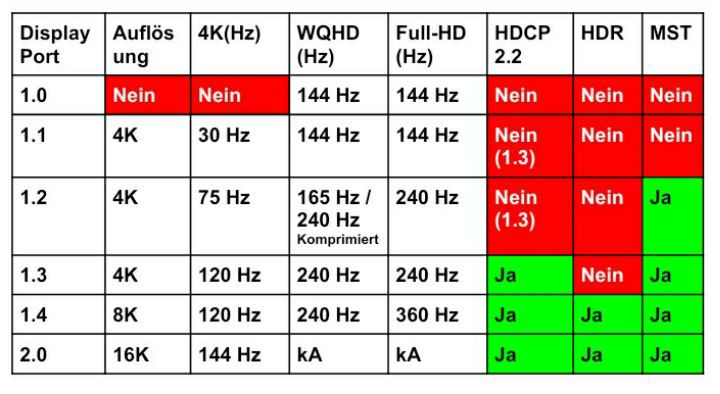
The older versions 1.2 and 1.3 are still the most commonly found. The current version DP 1.4 is not yet widely used. With DisplayPort 2.0, 16K content at 60Hz is expected to be possible. With DP 1.4, it is already possible to display 4K content at 144Hz.
This is what DisplayPort offers: While you already get multi-screen support (MST) from DisplayPort 1.2, the modern copy protection technology HDCP 2.2 (High-bandwidth digital Content Protection) is only available starting from DP 1.3. This is especially important if you want to stream series or movies in 4K quality. If you primarily game on your monitor, you can ignore HDCP.
More exciting for gamers is HDR support starting from DisplayPort version 1.4. HDR (High Dynamic Range) significantly improves not only colors but also contrasts. HDR offers you a more realistic image and colors.
With DisplayPort 1.4, you get all the essential functions you need when using DisplayPort. DP 2.0 additionally offers support for 16K resolutions. However, this is still not relevant.
Multi-screen support via a single cable (MST) is available with DisplayPort 1.2. The support for HDCP 2.2 starts from DP 1.3. With version 1.4, all essential functions such as HDCP 2.2, HDR (High Dynamic Range), and MST are included. With DisplayPort 2.0, the transmission rate in the cable significantly increases.
Who is MST interesting for? MST stands for “Multi Stream Transport” and allows you to operate multiple monitors via a single port. This way, you can daisy chain monitors. However, the monitors require both a DisplayPort input and output. The first monitor is connected to the PC, and the second monitor is then connected to the output of the first monitor.
DisplayPort over USB Type C
What is “DisplayPort over USB Type C”? This allows you to use the USB-C port fully for DisplayPort. You have access to the full performance of DisplayPort.
Does my device support DisplayPort over USB-C? Devices that support DP over USB-C usually have a small DP logo near the USB-C port. This way, you can be sure whether DisplayPort is supported.
If no symbol is present, you can still try it out. Because not all USB-C ports that can use DP have a corresponding symbol.
What happens if my device is not supported? Nothing should happen. Neither audio nor video will be transmitted since this is not supported. You may receive an error message that the USB port does not support the cable.
HDMI vs. DisplayPort – What is the difference between HDMI and DisplayPort?
Speed:
As of now (April 16, 2021), HDMI 2.1 is the fastest standard. HDMI achieves 4K at 120 Hz and 8K at 60 Hz. The data rate is 48 Gbps (Gigabits per second).
In comparison, DisplayPort only manages 33 Gbps, though 4K resolutions are even possible with up to 144 Hz on DisplayPort.
With DisplayPort 2.0, the data rate of DisplayPort significantly exceeds HDMI: then the rate is 80 Gbps, and even 16K resolutions at 60 Hz are possible. However, this is still not relevant for current monitors.
What does data rate mean for a cable? The data rate is given in gigabits per second. The higher the data rate, the more data can be transported. Higher resolutions require more performance than lower ones.
Audio:
Both HDMI and DisplayPort support up to 8 digital audio channels with up to 24 bit and 192 kHz.
In contrast to DisplayPort, HDMI has an audio return channel (ARC). This means that you need one less cable when sending audio data from your TV device to a receiver.
Setup of multiple monitors:
DisplayPort has the advantage that you can daisy chain monitors and only need one cable to connect to the computer. The monitors can then connect to each other and pass the signal through. With HDMI, you need to connect each monitor to the graphics card or console for the devices to output a signal.
Connection options:
HDMI to DisplayPort is not straightforward because the cables are not compatible with each other. You then need a corresponding adapter.
In contrast to HDMI, DisplayPort is also compatible with other connections like VGA or USB-C. Here you can also connect external graphics cards or monitors to VGA or USB-C.
HDMI has the advantage that you can control connected devices. For example, it is possible to turn on a PS5 using your TV remote control if the TV and console are connected via an HDMI device.
There are also HDMI cables with internet function (Ethernet). Your TV can connect to the internet if you have already connected your console with an Ethernet cable.
DisplayPort to HDMI – with adapter or special cable it works
Why does it work? Both HDMI and DisplayPort are interfaces for digital image and audio data. Therefore, both standards are fundamentally compatible with each other. You therefore do not need a converter for analog materials.
This is how it works: If you want to use a DisplayPort cable with an HDMI connection or vice versa, you need either a corresponding cable or an adapter.
Both options cost between 10 and 15 euros and can be easily used with the existing connections.
Oops, unfortunately this affiliate widget is no longer available.
HDMI or DisplayPort – Which is the better alternative?
Which is the better choice between HDMI and DisplayPort depends on the platform you are on. Depending on whether you are gaming on a console or a PC, one of the two standards is the better choice:
Gaming on console: If you’re gaming on the PS5 or Xbox Series X|S, then HDMI is the best choice. Because both devices have HDMI 2.1 ports. DisplayPort is not available here anyway.
However, to take advantage of all the benefits of HDMI 2.1, you also need a corresponding 4K TV or monitor that supports HDMI 2.1. Because retrofitting HDMI 2.1 is not possible. Here we have shown you what an 8K setup for the PS5 would theoretically cost.
A recommended HDMI cable with 2.1 support is, for example, this cable, which you can buy directly on Amazon:
Oops, unfortunately this affiliate widget is no longer available.
Gaming on PC: On the gaming PC, the DisplayPort connection is in the long term the better choice. Especially with DisplayPort 2.0, the refresh rate will be noticeably higher than with HDMI. Devices with DisplayPort 2.0 are expected to arrive in the fall.
Another advantage is that you can easily daisy chain multiple monitors with a DisplayPort cable. With HDMI, you need to connect each monitor separately to your graphics card.
DisplayPort is also essential for special hardware like VR: Neither the Valve Index nor the Oculus Rift S support an HDMI connection.
Recommended DisplayPort cables are available from manufacturers such as CSL and KabelDirect:
Oops, unfortunately this affiliate widget is no longer available.
HDMI or DP for 144 Hz? In principle, we would advise you to use DisplayPort for fast refresh rates. Because here the chances are good that DisplayPort and a 144 Hz monitor will work well together.
If you want to go with HDMI, you need to check with the manufacturer whether they even support high frequencies via HDMI. Because your device must be able to send and receive 144 Hz in Full HD or WQHD via HDMI.
What you should keep in mind with HDMI and DisplayPort:
DisplayPort and HDMI both transmit digital video and audio signals
DP and HDMI do not fit together. Since both are digital interfaces, you can fundamentally use an adapter.
HDMI 2.1 currently offers a faster transmission than DP 1.4. DP 2.0 has already been announced, which should provide a significantly higher data rate than HDMI 2.1.
DisplayPort is particularly interesting for PC gamers due to its compatibility and frame rate.
HDMI is especially interesting for owners of next-gen consoles (PS5 and Xbox Series X|S) and home theater systems. In the audio sector, HDMI offers more options with eARC.
HDMI cables can provide internet and control functions unlike DisplayPort. You should pay attention to the label when purchasing.
DisplayPort is also compatible with other connections like VGA or USB-C. You can also connect external graphics cards or monitors to VGA or USB-C.
FreeSync is possible in the form of VRR, but it must also be supported by the TV/monitor. On PC, FreeSync/G-Sync takes over.
Recommended monitors for PC and next-gen: If you are still looking for a recommended gaming monitor for your computer or next-gen console, take a look at our buying guide. Here on MeinMMO, we present the best gaming monitors for PS5 and Xbox Series X|S in detail and give you tips on what to look for when buying.
This is an AI-powered translation. Some inaccuracies might exist.
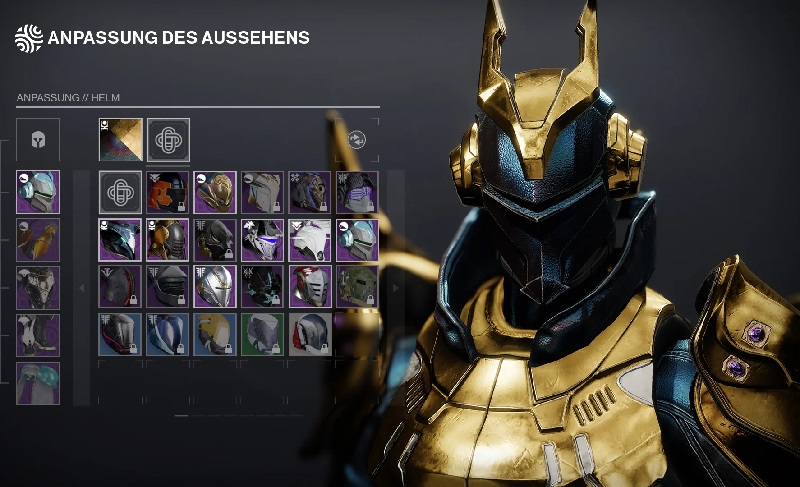
In Destiny 2 there has been a real controversy over the new feature of Season 14. Tell us whether transmog is really that bad and basically already ruined or if the excitement is actually exaggerated.
This is the controversy: Destiny 2 is getting a feature on May 11 that many have been wishing for almost 7 years: real transmog. With Season 14, it’s finally happening, you can look like you want and still be strong while doing it.
You can apply the look of armor from your collection to the currently equipped gear with transmog. This way, you can wear strong items but still show off your coolest look. For many Guardians, fashion is the real endgame.
Bungie is also aware of how much players want this feature and has teased transmog several times, dropping small bits of information and surprisingly happy news at the end of 2020.
When Bungie recently detailed transmog properly, the hopeful mood flipped almost overnight. Suddenly, transmog was the hot topic among the Guardians.
We want to know from our MeinMMO readers, is the criticism warranted and is transmog already completely ruined before its launch or are just a few loud parts of the community overly worked up? We will look into what both sides have to say and then need your vote.
Does Destiny 2 have the “worst of all possible transmog systems”?
Here is the criticism: Currently, no topic has occupied players as much as transmog. In general, Guardians have 3 main points of criticism:
Too complicated: To change the look of a single item, you must farm 3 separate resources in succession, complete bounties, interact with an NPC and an apparatus, and gather kills. This has to be repeated for every cosmetic change.
Artificial limits: Only 10 transmog transformations can be earned per character and season – at launch, the limit will be temporarily raised to 20. Such a limit is considered far too strict. This means that no matter how hard you work, you can’t earn all looks.
Too expensive: Both of the above criticisms can be bypassed through Eververse, the real-money shop. To make matters worse: To have all over 4,000 legendary armor looks for transmog, you would need silver. Which is estimated to cost around $6,000-$12,000 or 30 years of playtime (via Twitter).
Just click on it and choose a look, that’s how easy it should have been.
The criticism led to transmog quickly becoming “Weapon Retirement 2.0”, so to speak. Other magazines headlined: “Destiny 2 debuts with the worst of all possible transmog systems” (via Forbes.com) or something like: “Fans of Destiny 2 already hate Bungie’s new armor transmog system” (via Polygon.com).
Bungie’s Community Manager, Dylan “dmg04” Gaffner, is currently gathering feedback on transmog and is also thanking the critical voices:
Recommended editorial content
At this point you will find external content from Twitter that complements the article.
I consent to external content being displayed to me. Personal data can be transmitted to third party platforms.
Read more about our privacy policy.
Is it all optional and just cosmetic, so it’s not that serious?
This is one way to look at it: After the initial excitement about the implementation of transmog, some Guardians are speaking out against the criticism.
It is said that we should first wait to see what the final version looks like starting from Season 14. Only then would we be justified in criticizing it. Because currently we know nothing about the actual work that will need to be done.
Others point out that no player is likely to want or will ever want to unlock every single armor piece through transmog. Most players run around with their 2 or 3 favorite sets. These few transmog processes could easily be unlocked for free in one season.
As a counterargument, it is frequently used that all of this is optional and purely cosmetic (via Twitter). While many Guardians swear that they aim better when they look good. However, this doesn’t have any real impact on gameplay. And this solution is at least better than having no transmog at all.
The general sentiment is that a few players complain loudly and should just wait and see.
This is how you vote: Each of you has only one vote in the voting. So choose wisely one response option from the following box.
Feel free to justify your opinion in the comments. This way, we and the other Guardians can better understand your position. Have fun and thank you for your participation!
This is an AI-powered translation. Some inaccuracies might exist.
A player who used 16 accounts simultaneously in WoW Classic was banned. However, not for multiboxing, but because he accepted payment to annoy other players.
How did the player annoy the others? Tinyviolin69 played 16 WoW accounts simultaneously in what is called multiboxing. In multiboxing, a player controls multiple accounts at the same time and thus manages multiple characters. Classic multiboxing has been banned, but without special “broadcast software,” it is still allowed.
In the case of Tinyviolin69, it was an army of priests. Priests have the power to remove world buffs. These world buffs are important, especially in difficult raids like Naxxramas, to conquer them as quickly as possible.
Tinyviolin69 now used his 16 priests to remove world buffs from other WoW players with a dispel. This is annoying because it can be quite tedious to obtain those buffs. Although there is a way to store buffs with the overloaded chronoboon, not everyone activates the buffs directly in the raid.
WoW multiboxer loses his 16 accounts
Why were his accounts banned? In fact, removing world buffs is allowed; it is a standard game mechanic – just like multiboxing. However, Tinyviolin69 was removing the buffs for payment. A person offered him 3,000 bits (Twitch currency), which translates to about 32 euros. For this, he was supposed to remove the world buffs from certain players with his priest army while leaving him alone.
Unfortunately, he showed on Twitch how he carried out this task and loitered in Orgrimmar and places for world buffs to remove the buffs from other players. This annoyed the players a lot. He then received the 3,000 bits live on stream and thanked for it. In another video, he even follows the generous donor and comments on him in a promotional manner – without giving him a dispel (via Twitch).
After Tinyviolin69 was reported, Blizzard looked into the incident and apparently discovered that he was paid for this action.
Recommended editorial content
At this point you will find external content from Twitch that complements the article.
I consent to external content being displayed to me. Personal data can be transmitted to third party platforms.
Read more about our privacy policy.
What penalty followed for him? Blizzard banned his priest army last Sunday. In a video, it is even shown how he gets kicked from the game and the ban message appears (via Streamable). It is not certain whether the ban was related to this action, as Tinyviolin69 had been somewhat toxic in the game and insulted others. However, it seems logical, even though players in WoW Classic have already been banned for bad jokes.
How did the player respond to the ban? Tinyviolin69 reacted to a reddit post by the player tooxie11, who reported on the incident. Tinyviolin referred to tooxie11 as “Crybaby” and blamed him for the ban (via Twitch). He now wants to get in touch with Blizzard, as he considers the ban unjustified.
Why is this hard for the player? Tinyviolin69 had a subscription for all 16 accounts. A subscription costs up to 12.99 euros per month. With 16 accounts, the player had to pay roughly 210 euros per month – or earn game time through gold in World of Warcraft by converting WoW tokens into game time.
Tinyviolin69 has thus invested a lot of money or time into his WoW activities. Whether and when he will get his accounts back is unclear.
A court has ruled in favor of the Twitch streamer James “Phantoml0rd” Varga in a lawsuit. He had sued Twitch because they banned him in 2016. Now he has won, but Twitch seems unbothered by it. They dismiss the defeat as a “formal error” that has long been corrected.
What was the process about? Phantoml0rd became a major streamer on Twitch with Counter-Strike and LoL until his account was banned in 2016.
Twitch never officially stated the reasons for this ban, just as they generally do not comment on bans. However, from a countersuit by Twitch against Varga, it appears that it was related to Varga’s involvement with a betting site that violated Twitch’s guidelines. He allegedly manipulated jackpots to lure viewers away from Twitch.
Varga demanded 35 million dollars in damages from Twitch. A court had allowed him in 2019 to sue Twitch for a high amount. Originally, the amount was capped in a contract at 50,000 $.
This is how Twitch reacts: Twitch believes that the jury only convicted them due to a “formal error” related to the ban. They share this in a statement to PC Gamer (via PCGamer).
They regret this formal error. However, they see no reason to allow Phant0mlord back on the platform. They claim he “repeatedly violated Twitch’s guidelines and exposed the community to harmful content.”
In the meantime, they have implemented a better ban policy and clarified everything, thus fearing no further lawsuits.
However, nothing further will happen to Varga – Twitch’s countersuit was rejected.
What’s behind this: Some had hoped that after Varga’s victory, something would change in Twitch’s ban and transparency policy, especially in the case of “Dr Disrespect”. But that doesn’t seem to be the case now.
Twitch makes it clear that the trial will have no impact on them. They dismiss the defeat as a mere formal error that has long been smoothed over.
Interestingly, Twitch claims they have improved their ban process. However, the ban policy is still under criticism:
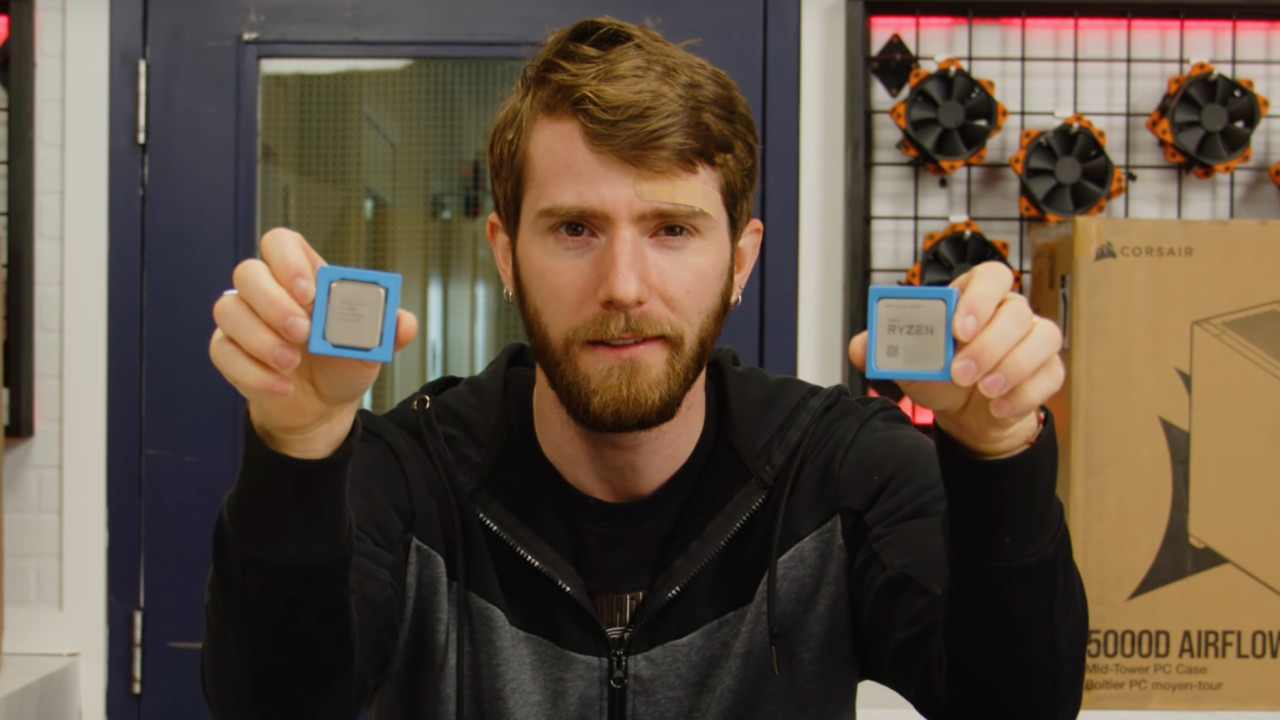
Both Intel and AMD have released new processors. But which processor performs the best? The YouTuber Linus Tech Tips conducted the test and built two systems with processors. The graphics card used is the GeForce RTX 3090.
The YouTuber Linus selected the two currently fastest gaming processors and wanted to find out which one is the fastest.
To do this, he built two gaming systems with a colleague. These rely only on absolute high-end components. Both systems feature a GeForce RTX 3090. In addition, the fastest processor (CPU) is used in each case:
For Intel, the Core i9 11900K is used
For AMD, the Ryzen 9 5950X is the processor used
Both processors are the current high-end model with overclocking potential and the fastest model available for the consumer market. Server processors are therefore not relevant.
At 549.99 Euros (Intel) and 849.00 Euros (AMD), the processors are quite expensive and rather uninteresting for most gamers (via Geizhals.de). The GeForce RTX 3090 is also likely to deter many gamers with its high price. The GeForce RTX 3080 should be sufficient for gamers who want to play in 4K resolution.
This is how he proceeded: In the video, they run several benchmarks across different games. These include F1 2020, GTA V, and CS:GO.
Who wins the duel? The duel between the two high-end processors is narrowly won by AMD’s Ryzen 9 5950X over Intel’s Core i9 11900K. There is a difference of 13 FPS between the processors.
Intel (99 % Percentile)
AMD (99 % Percentile)
110
123
What does Percentile mean? In the end, they compiled the results and calculated the percentile. A 99 % percentile means that 99 % of all measurements are faster than the stated values. Therefore, there is no value that is below this.
Here you can watch the video: In the English YouTube video, you can see the assembly of the test systems as well as the test of the processors:
Recommended editorial content
At this point you will find external content from YouTube that complements the article.
I consent to external content being displayed to me. Personal data can be transmitted to third party platforms.
Read more about our privacy policy.
Linus tests with his colleague which gaming CPU is the fastest. The two processors are not that far apart.
The AMD CPU currently costs double, but is still worth it for a high-end system
When comparing just the two processors, one might claim that the AMD CPU is a poor deal. This is because the price for the Ryzen processor is almost 300 Euros higher than that of the Intel processor (549.99 for Intel and 849 Euros for AMD)
Nonetheless, one must consider the overall package with all components, as processors alone do not function. Therefore, they must be viewed as part of the complete package with the motherboard, graphics card, and other components.
According to Linus, the AMD package combined with the RTX 3090 is the better choice if one does not shy away from the high costs.
However, if someone wants to spend around 3000 US Dollars on a GeForce RTX 3090, Linus explains that they should not hesitate to invest an additional 300 US Dollars in the faster processor.
What processor do normal gamers really need?
If you are an ordinary gamer who does not want high-end components because either you do not need the performance or simply do not have the money, you can already find powerful processors in the mid-range for your gaming system.
For the recommended processors in the mid-range, you will pay between 150 and 200 Euros and get plenty of performance and a modern architecture. You do not need to spend 500 Euros if you want to game.
The best mid-range CPU from Intel: Intel’s recommended processor in the mid-range is the Intel Core i5-10400F. Here you will pay between 139 and 150 Euros for the 6-core (12 threads) and get a powerful processor with PCI-Express 3.0 and a performance of 65 watts (via geizhals.de).
The best mid-range CPU from AMD: AMD’s best processor for gaming PCs is the AMD Ryzen 5 3600. With 6 cores (12 threads), sufficient performance for games and applications, and PCIe 4.0 support, this processor offers everything a gamer needs. Here, the performance is also at 65 watts. The price currently ranges between 150 and 190 Euros, making it reasonable if you need a processor (via geizhals.de).
Basically, with the Ryzen 5 5600, you already get the latest generation; however, you will currently pay significantly more, and the additional performance is between 5 and 10 % compared to the predecessor. The new generation is also somewhat more efficient.
On the PTR of World of Warcraft, additional legendary abilities have surfaced that you can expect with the upcoming Patch 9.1. Rogues, Paladins, and Shamans will receive their new Legendaries this time, and the selection for some other classes has been completed.
What are these Legendaries? For the upcoming Update 9.1 in World of Warcraft, all classes are expected to receive new Legendaries that enhance their respective Covenant abilities. Accordingly, each class receives four new abilities, one for each of the four possible Covenants.
Covenants are the major new feature of Shadowlands, and players receive two abilities when they join a Covenant: One ability for each Covenant member and one that only their respective class receives from the Covenant. You can find more information in our comprehensive overview of the Covenants of Shadowlands.
Nekrolords – ‘Deathspike’: Serrated bone spike now has two additional charges and hits two additional targets.
Venthyr – ‘Obedience’: Harrowing now also increases versatility by 1% per stack, and each combo point spent while Harrowing is active reduces the cooldown by 1 second.
Kyrian – ‘Resounding Clarity’: Resounding Rebuke now generates four combo points instead of one.
Night Fae – ‘Toxic Onslaught’: The ability you cast from Stealth through Sepsis grants you Shadow Blades, Adrenaline Rush, or Vendetta for 8 seconds.
New Legendaries for Paladins
Nekrolords – ‘Duty-Bound Gavel’: Hammer of the Conqueror now has two charges and enhances another use of your respective empowered ability.
Venthyr (missing so far)
Kyrian – ‘Divine Resonance’: Every 10 seconds after casting Divine Toll, you may cast the ability again for 60% effectiveness. Lasts 30 seconds.
Night Fae – ‘Seasons of Plenty’: When you cast Blessing of Summer or Blessing of Winter, you grant yourself and up to four nearby allied targets 5% haste and 10% cooldown reduction.
New Legendaries for Shamans
Nekrolords – ‘Splintered Elements’: Every additional use of Lightning Bolt/Lava Burst/Wave of Healing triggered by Primordial Wave increases your haste by 5% for 10 seconds.
Venthyr (missing so far)
Kyrian (missing so far)
Night Fae (missing so far)
New Legendaries for Druids
Kyrian – ‘Kindred Affinity’: You and your partner increase a secondary stat by 5% while you are bonded, depending on your partner’s Covenant:
Kyrian: Mastery
Night Fae: Critical Strike
Venthyr: Haste
Nekrolord: Versatility
While the bond is strong, the bonus is doubled.
New Legendaries for Warriors
Venthyr – ‘Sinful Surge’ (revised): Condemn increases the duration of Last Stand by 3 seconds (Protection) and of Recklessness by 2 seconds (Fury) and of Colossal Smash by 1.5 seconds (Arms).
New Legendaries Could Be Worth It
How good are the new Legendaries? In many cases, the new Legendaries are likely too weak to replace the currently best Legendaries for each class. In the case of Night Fae Rogues, for example, the ability would even be a damage loss according to experts (via wowhead).
On the other hand, the Venthyr Legendary is extremely strong for all Rogue specializations, as you can frequently benefit from 30% additional versatility and haste. For Assassination and Subtlety Rogues, Venthyr is even the strongest Covenant. The Nekrolord Legendary is also said to be quite strong, as YouTuber InfexiousGaming demonstrates in the video:
https://www.youtube.com/watch?v=zsnMTduV1g8
Also, the Kyrian Legendary of Paladins is incredibly strong according to experts (via wowhead). It is believed that a nerf is forthcoming. Generally, it is likely that many abilities will still be adjusted, which makes specific statements difficult at the moment. For many classes, it also depends on where you intend to use the item.
The Nekrolord Legendary of Shamans can be quite strong depending on the situation. More specifically, it is effective whenever there are four targets present that can generate the full buff of 20% haste and only when those targets are there for every use of Primordial Wave. In most other cases, the current Legendaries are stronger.
What does Patch 9.1 bring? Along with new gameplay content, a new raid, a dungeon, and a new area, the story of Shadowlands continues. Among other things, you will experience a fight against Sylvanas and possibly find out what happens to Anduin.
In May, the next Pokémon from Generation 6 will appear in Pokémon GO. Joining them is Xerneas, an interesting Fairy attacker. Additionally, 4 more Pokémon will be released that have the types Fairy or Dragon. However, one of them will only be available if the entire community plays actively enough.
When will the Pokémon be available in the game? From May 4 at 10:00 AM until May 17 at 8:00 PM (local time), the “Illuminating Legends X” event will take place. During this period, you will not only receive special bonuses but can also find new Pokémon from the Kalos region for the first time.
Which Pokémon are available and how can you get them? The highlight is Xerneas. This legendary Pokémon appears in Tier 5 Raid battles. It is among the strongest monsters currently missing from Gen 6 and could prove really useful. After all, there are currently very few strong Fairy attackers.
Parfi and Flauschling appear in the wild, and you will need a lot of luck to find them. They can also be found in 7-km eggs. Viscora, on the other hand, is only found in the wild and is rarer than the other two new Pokémon.
How do you unlock the fifth new Pokémon? If players manage to catch 500 million Fairy-type Pokémon together in the first half of the event – from May 4 at 10:00 AM until May 11 at 8:00 PM – special bonuses will be unlocked for the second half of the event:
Pam-Pam will appear in Raid battles for the remaining duration of the event, making its debut in Pokémon GO
You will receive three times the XP for catching
With luck, you might encounter a Shiny Galar-Ponita
So you should keep busy during the event and catch as many Fairy types as possible to unlock Pam-Pam.
Recommended editorial content
At this point you will find external content from YouTube that complements the article.
I consent to external content being displayed to me. Personal data can be transmitted to third party platforms.
Read more about our privacy policy.
The module specifically attracts monsters that like rain, including Water, Bug, and Electric Pokémon. Additionally, the module allows Viscora to evolve into Viscargot even when it’s not raining outside.
What else is happening during the event?
There will be exclusive Timed Research tasks where you can earn Fairy Pokémon and Rain Modules
Pii, Fluffeluff, Azurill, Kaumalat, Flauschling and Parfi will hatch from 7-km eggs
Psychic, Dragon, and Fairy Pokémon like Galar-Ponita, Alola-Kokowei, and Xerneas will appear in Raid battles.
You can encounter Galar-Ponita during the event by completing AR mapping tasks
There are special moves for 2 Pokémon:
If you evolve Dragonir or use a Charged TM on Dragoran, it can learn Draco Meteor
If you evolve Draschel or use a Charged TM on Brutalanda, it can learn Outrage
What else is happening in May? Following the current event, the Illuminating Legends Y event will take place. During this event, Yveltal, another legendary Pokémon, will be introduced. By the end of this event, Pam-Pam will also be introduced.
Today, on Tuesday, April 27, the Fortnite servers will go down on all platforms (PC/Mac, PS5, Xbox Series X/S, PS4, Xbox One, Switch, Android). During this time, the new update 16.30 will be applied. What does the new patch contain?
What is happening today in Fortnite? The update 16.30 was announced by Fortnite Status on Twitter and is supposed to be applied today. The patch brings some changes to the game.
Update 1:00 PM: The update 16.30 is now here. We will show you in our German patch notes what has changed in the game.
Before players can start searching for all the new features, the Fortnite servers will first be taken down for a while.
Fortnite servers are going down – when and for how long?
Downtime starts in the morning: The downtime for update 16.30 starts today again at 10:00 AM German time. At 9:30 AM you can join a new round for the last time, after that the servers will be taken down and Fortnite will be down for a certain time.
How long will the maintenance work take? Based on the experiences of the last weeks and months, the work should be completed by noon at the latest.
However, technical problems or other delays could cause an extension of the maintenance work. If that is the case, you will hear it here on MeinMMO from us.
Before players can explore the Season 6 map again, the servers will first be taken down
When will the patch notes come? Based on the experience of the last updates in the new chapter of Fortnite, there will likely be no or only superficial patch notes released for the Battle Royale mode.
However, if major, important changes are made, we will collect them for you and create a form of German patch notes. We will then publish these patch notes here on MeinMMO for you.
What new content does update 16.30 bring?
What new features will there be in the Battle Royale mode? Fortnite Status presented some innovations and changes in the announcement of the update on Twitter. This is what you can expect after the downtime:
With a glitch, players could survive infinitely in the storm
Fortnite does not appear to bring many changes with update 16.30, but there are a few things you can experiment with like the new bow. There will likely also be a few bugs fixed. It will be exciting to see if Epic fixes the glitch that allowed players to survive infinitely in the storm and gain unfair victories.
This is an AI-powered translation. Some inaccuracies might exist.
Last weekend, the Friendship Day event took place in Pokémon GO. However, it was received with mixed feelings by trainers. Many are expressing on social media that the event was poorly executed.
This is the mood: After the Friendship event on Saturday, there are some negative voices in the Pokémon GO community. Trainers are wondering why the event was only active for such a short time and why the developers passed on obvious bonuses.
For future events of this kind, trainers have clear wishes directed at the team behind Pokémon GO.
Why is the Friendship event receiving controversial reviews?
This was the event: On Saturday, April 24, the so-called “Friendship Day” in Pokémon GO took place. Trainers are already familiar with such special days on weekends from the Community Days, which occur once a month on a weekend day.
The focus of the Friendship Day was on Pokémon like Tangela, Shroomish, and Chikorita
This is the criticism: We surveyed the community on our Pokémon GO Facebook page and asked how the event went for you. As of now (April 26 at 5:00 PM),
204 people voted that it was a good event
203 people voted that it was a bad event
Negative feedback was primarily due to the event’s duration. The timing around lunchtime didn’t suit trainers because they had to work. Additionally, 3 hours felt too short. Tobias O. commented (via Facebook): “Unfortunately, the time window was very small. Since I had more important things to take care of at that time, I couldn’t utilize the ‘Day’. I would have appreciated if it had at least been a 9 AM – 6 PM event.”
Often, there is a comparison with the Community Day, which used to be a 3-hour event but has been active for 6 hours for several months now. Trainers would have liked a 6-hour duration for the Friendship Day as well. Ilona C (via Facebook) wrote: “Way too short! For those who have to work, it’s not feasible, really frustrating, otherwise such events last longer!”
Further criticism of the event included missing bonuses such as an increased limit on special trades. During the event, there were bonuses that improved trading with friends, but trainers were still only allowed one special trade per day. Martin W. commented (via Facebook): “Unfortunately, only one special trade was allowed. I would have wished for at least 3! Trading didn’t really make much sense since I do it every day anyway.”
This is what trainers praise: During the event, trainers had the chance to earn up to 350,000 XP in one go. Since many trainers are still in the leveling process from 41 to 50, this boost in experience points was very timely.
Moreover, the collector task associated with the XP bonus was relatively easy to complete, provided one had enough time. Hella K. commented (via Facebook): “Everything went smoothly for me and I was able to farm 2 million XP. Please do such a great event again anytime!”
In the future, trainers wish for weekend events to last as long as a Community Day so that players with limited time can at least take part in some of the bonuses.
How did you like the Friendship Day in Pokémon GO? Do you share the trainers’ criticism, or do you think the event was a success? Feel free to share your opinion here on MeinMMO in the comments and interact with other players.
After the launch of Season 3 in Call of Duty: Warzone, players are noticing crazy bugs. Among them is this disgusting alien bug that covers your M16 with a living organism. It seems to be an unreleased Mastercraft skin.
What happened? On reddit, players are eagerly sharing their impressions of the recently launched Season 3 in Call of Duty: Warzone. Among them are glitches and bugs that have accidentally sneaked into the game. One of these bugs gives your weapons a different look.
The weapon bug we’re showing you here is probably a dream come true for all alien fans.
M16 transforms into a nasty alien
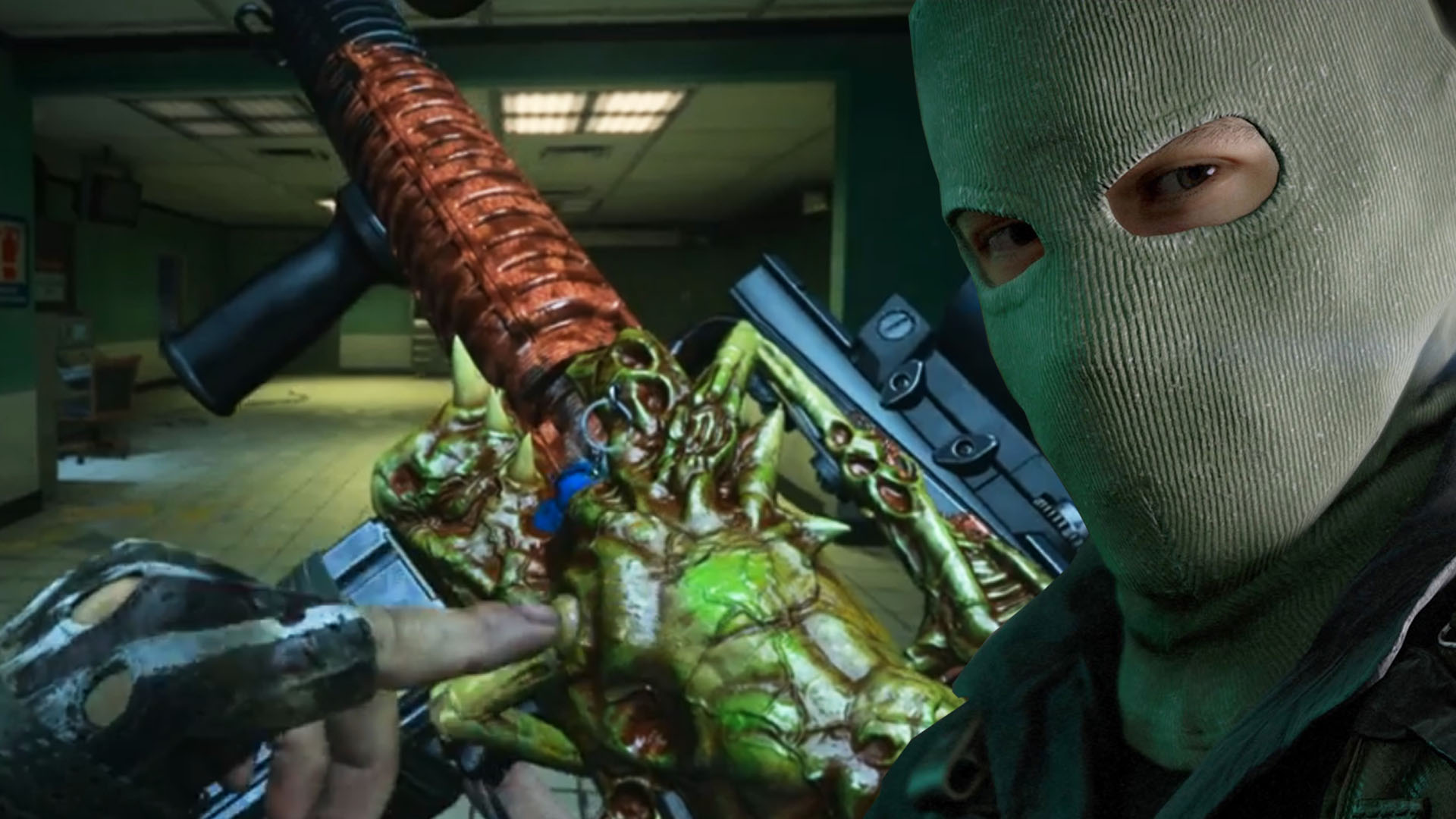
This is what the bug looks like: reddit user CraftZ49 reported that his “Western Front” blueprint for the M16 transformed into a monster. He couldn’t initially find the skin at the gunsmith.
He also released a 14-second video showing the weapon in action. While inspecting, the player pokes at the wobbly, yellow-green organism with his finger. The alien grips the weapon with something like fingers. When the player tries to detach the alien’s “fingers”, it resists and grips tightly again, making squeaky sounds.
You can see the disgusting action in the embedded video:
Recommended editorial content
At this point you will find external content from Reddit that complements the article.
I consent to external content being displayed to me. Personal data can be transmitted to third party platforms.
Read more about our privacy policy.
Apparently, this skin is some sort of alien-like thing. In this form, the M16 fires green tracer rounds.
What are Mastercraft skins? These skins are already known from Call of Duty: Black Ops 4. They are cosmetic items that make your weapons shine in a completely different look. However, keep in mind that the Mastercraft skins only affect the appearance of the weapons. The tactical unicorn in Black Ops 4 is one of the craziest Mastercraft skins.
How is this received by players?
This is what players say: The video is receiving mixed feelings on reddit. On one hand, there is a lot of praise for the creative idea of highlighting a weapon in a special way. On the other hand, some players do not like it at all.
“It looks disgusting, but in a good way,” writes user thebombwillexplode1 (via reddit)
“Thanks, I hate it,” writes HyperXuserXD (via reddit)
“I prefer the mil-sim stuff more, but damn, it’s getting boring, this is cool, but they shouldn’t go overboard with it,” writes _9meta (via reddit)
“So are we playing Fortnite now,” writes Galifrae (via reddit)
User Hatch10k writes what he misses about the new skins in Call of Duty: “This is really creative and well done, but I have to admit I will miss the mil-sim theme of Warzone as we inevitably drift further away from it. I still expect that we will get an alien/monster operator at some point” (via reddit)
What do you think of this new skin? Do you think it’s cool to see such elaborate skins on weapons that are far from a military simulation, or should the skins follow a strict, realistic theme?
Riot Games has now introduced what they will do in League of Legends against players who intentionally annoy others with their behavior or who contribute to disrupting the gameplay in LoL by simply leaving matches. The maximum penalties for “AFK” and “Queue Dodge” will be significantly stricter.
What are the worst actions in LoL? Usually, the algorithm regulates most bans in LoL automatically. However, Riot Games has now introduced a number of particularly nasty violations that algorithms do not easily detect.
In “normal feeding,” players simply die extremely often, putting their own team at a disadvantage. This happens, for example, when players are not allowed to play the champion they want in the draft, or when they get upset about a teammate in some other way: Target feeding then serves as a form of “revenge.” However, there are also ways to sabotage your own team without bluntly diving into the opponents.
The videos show how malicious and completely hollow players proceed to knowingly sabotage their own teammates.
In the example, Syndra sabotages her own jungler: She waits until the Red Buff is almost dead, steals the mob, and then tosses it to safety.
Recommended editorial content
At this point you will find external content from YouTube that complements the article.
I consent to external content being displayed to me. Personal data can be transmitted to third party platforms.
Read more about our privacy policy.
Those who report correctly will be heard more in LoL now
This is what Riot wants to change: It has already been possible to report players for “feeding,” i.e., to notify Riot Games.
Riot now wants to give more weight to reports from “good players.” The system is called “Reporting Confidence”: Those who report other players strategically and act correctly should have their reports given more weight.
Those who bluntly report other players in every match will have their reports given less consideration.
With this new weighting, they want to catch players who troll, but do so a bit more skillfully than just by feeding.
Through these measures, LoL wants to ensure that the more skillful, indirect trolls are also caught and punished.
2 weeks of suspension for players who go AFK too often
This is what Riot does additionally: They want to primarily curb “Queue Dodging” in LoL.
This is frustrating because 9 people have to start new matches each time, and everything gets delayed just because one person leaves before the game even starts.
Now, they want to punish people who engage in “Queue Dodging” three times within 24 hours particularly harshly: They will receive a 12-hour lockout. They will not be able to sign up for any matches during that time. Previously, players received only a “30 minutes” lockout for their second dodge.
They also take a harsh stance against AFK players:
So far, penalties of 5 minutes, 10 minutes, and 15 minutes applied for going AFK and “Repeated AFK” actions.
Here, they are increasing the penalties to 5 minutes (Tier 1), 30 minutes (Tier 2), and a full 14 days (Tier 3).
Players enter “Tier 3” with repeated AFK-going, which decreases tier level slowly if they finish games properly.
LoL has a certain reputation as a “toxic game” – this reputation is also represented by LoL’s most successful Twitch streamer, Tyler1:
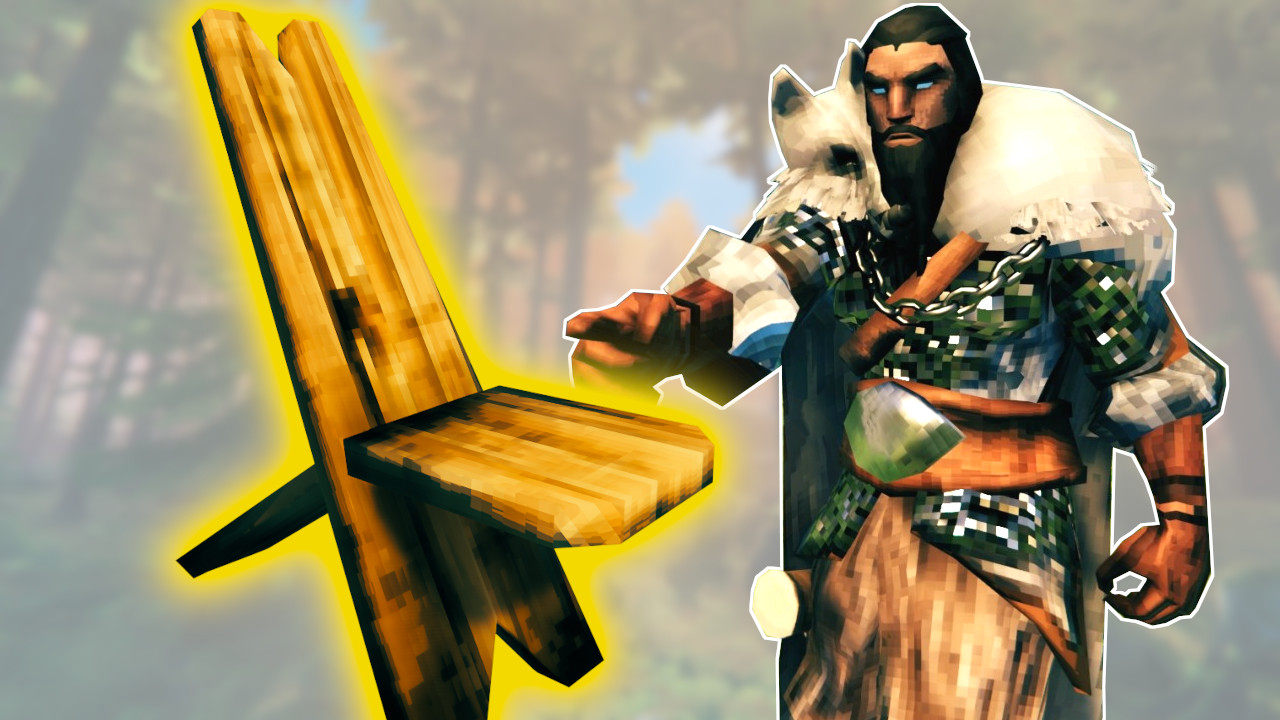
Some Vikings have figured out how to completely hide the entrance to your home in Valheim . You won’t need a door anymore, and hardly anyone will know how to access your most important items.
This is the trick: With a chair and a stone wall, players have tricked the game mechanics of Valheim and created secret bases. This works due to a glitch involving interaction and overlay between building objects and the player’s character, known as a “clipping glitch”
How do I build a secret hideout? Building it is quite easy, however, you will need both a workbench and a stonecutter. The materials are fairly straightforward:
build a 4×2 stone wall directly next to where your entrance should be
place two chairs facing opposite directions
it is important to rotate the chairs correctly: one facing the entrance, one facing the exit
attach a second 4×2 stone wall to the first. It will now overlay the chairs
tear down the first wall if you don’t want to keep it
With a little finesse, you can also place the wall directly on the chairs. However, it’s easier with the snap feature of the building tool.
If the chairs are in the right position, you can use them up close, even if the wall is right in front of your face. You will “clip” into the wall and can move in or out of the hideout by moving forward. In the video, you can see what that looks like:
Recommended editorial content
At this point you will find external content from YouTube that complements the article.
I consent to external content being displayed to me. Personal data can be transmitted to third party platforms.
Read more about our privacy policy.
If you want to use such a secret hideout, you should hurry. The developers are working on fixing bugs, and this clipping could well be seen as a bug. In a previous patch, landscaping became much more expensive through a bug fix.
Secret base and hidden items in Valheim
What good does a hideout do me? If you are playing alone on your own server, such a hideout has little pragmatic use. Enemies will still attack your base. However, if you live underground, it will be harder for them to reach you. In our guide, we explain how to build your own living cave.
On servers with multiple players, you can completely hide your base or simply a loot room. A single stone wall or even a small structure is quite inconspicuous, and you can simply hide a chair in the wall of your castle to create a secret passage downwards.
This can still be hidden: With the trick, you can also make items completely disappear. If you build a post and place an object stand on it, you can store an item there and then hide it in the wall. If you don’t want your friends to take your favorite sword, this is the ideal hiding place.
It is also possible to clip through walls created by the game with a chair. According to some players, this allows you to access the crypts in the swamp without ever having obtained a Swamp Key .
However, during our test, we ended up getting stuck inside the crypt and could neither get in nor out. We had to free ourselves with admin commands from the prison. If you want to try it yourself, you should practice on your server first.
Without (much) cheating, but with the most advanced Viking technology, you can easily catch fish in Valheim by building a fish trap. You need the fish for snacks that are particularly useful in the endgame: