

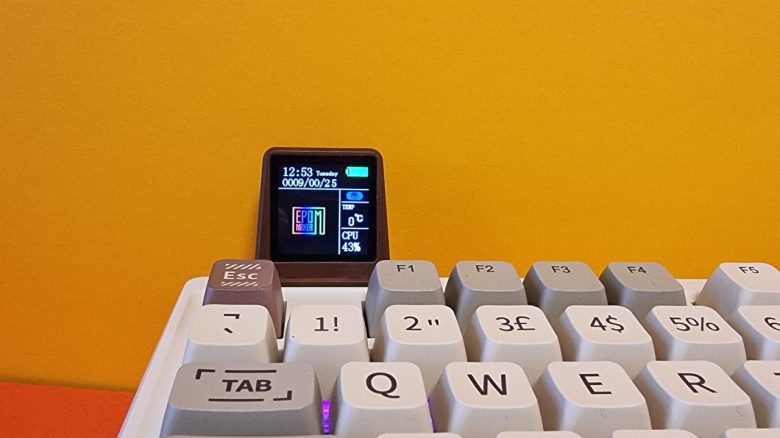
With the RT100, Epomaker has introduced a gaming keyboard in retro design. A special feature is a small display. MyMMO editor Benedikt Schlotmann has tested the keyboard and explains whether it is worth it for you.
Which keyboard is it about? With the RT100, the manufacturer has presented a gaming keyboard in full-size format. The design is deliberately oriented towards older models and can indeed be described as “retro”.
However, the unique feature is the small display, which can be mounted on the keyboard. This can display, for example, the battery level, temperatures of the PC, and the CPU load. I have tested how well all of this works in everyday life for you.
Note: In my test, a model with ISO-UK layout was used. Meanwhile, Epomaker has also made the keyboard available with ISO-DE layout. Apart from the labeling, the installed hardware is identical.
Here you will find the technical details of the Epomaker RT100 in tabular form (click to expand):
| Design/Interface | Wired, 97 keys |
| Key type | mechanical, linear switches (Epomaker Wisteria Switches) in ISO-UK layout; hot-swappable switches (5Pin) |
| programmable keys | Yes |
| Illumination | Yes |
| Compatibility | PC, Macintosh |
| Scope of delivery | Keyboard, tool for switches and keycaps, mini-display, and manual |
| Features | 97-key design with detachable USB cable and mini-display |
| Price (RRP) | 111.95 Euros |
Scope of delivery, design, and construction
What does the scope of delivery look like? In the box, along with the keyboard, there is also a tool for swapping keycaps, a dongle for the wireless connection, a USB-A to C cable, and the obligatory manual.
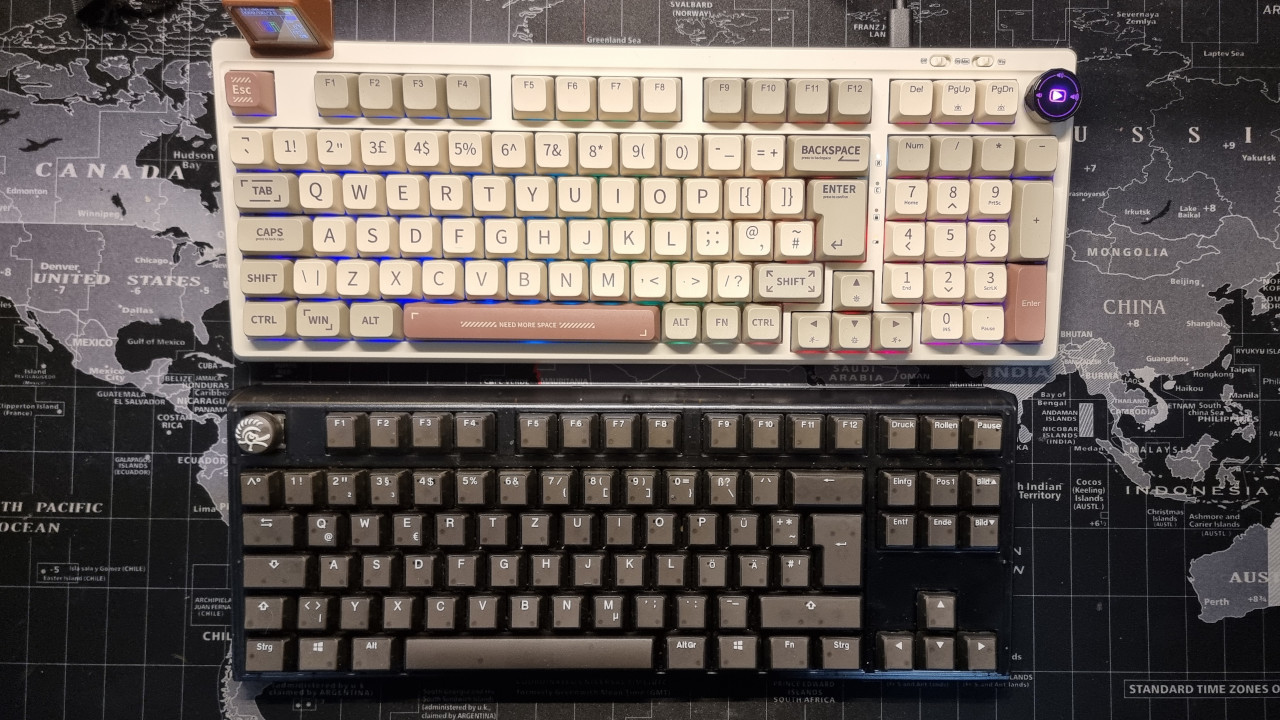
How is the keyboard constructed? The keyboard does not provide you with a full-size format. The keyboard is shortened between the numeric keypad and letters, so the arrow keys are slightly shifted into the letter area. For this reason, the keyboard comes with 97 keys instead of a normal full-size keyboard with 104 or 105 keys.
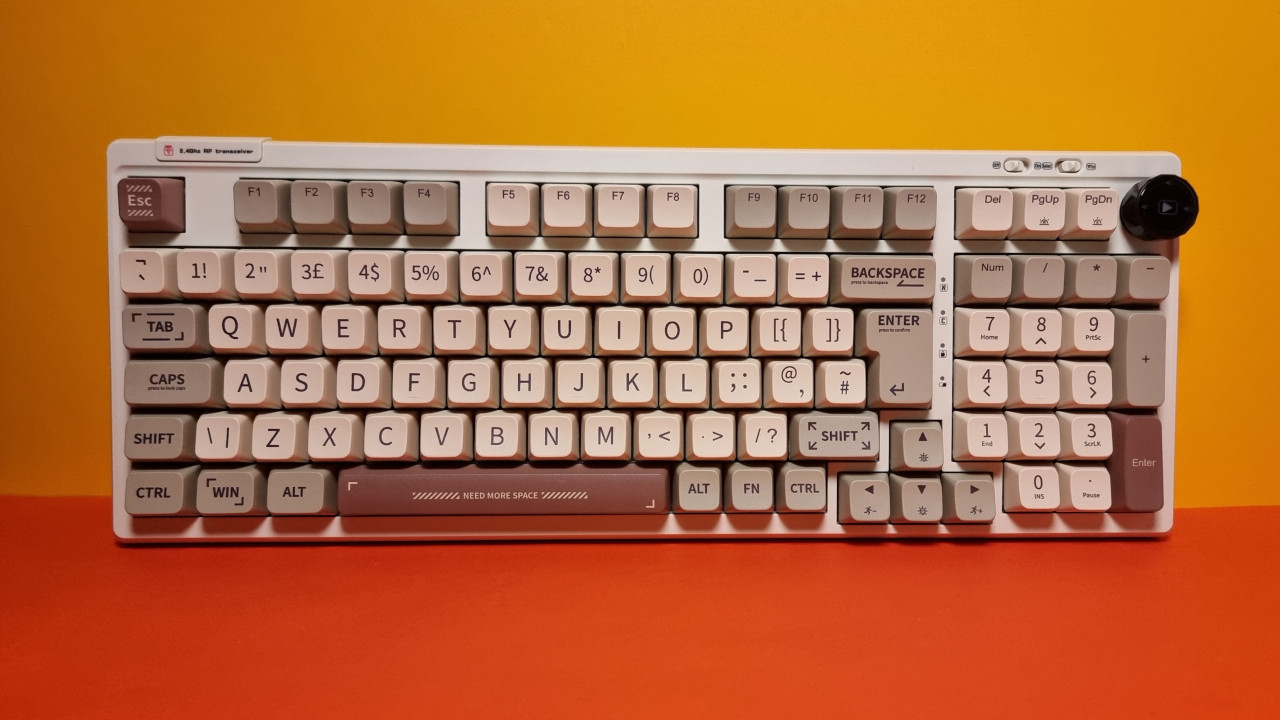
What does the keyboard look like? The keyboard comes in a white-gray design with individual keys highlighted in a brown tone. Since switches with crossheads like Cherry are located under the keys, it is also possible to use different keycaps without any issues.
It is important to note that the keycaps installed by the manufacturer are not transparent. While the switches offer RGB lighting, the lighting only slightly shines through between the keys. The keycaps themselves cannot glow.
Processing
The keyboard relies on a body made entirely of plastic. Especially because of the PBT keycaps, the keyboard feels very high-quality. Inside, the manufacturer has installed double insulation. By the way, the switches are hot-swappable. This means: You can remove the switches and replace them with others.
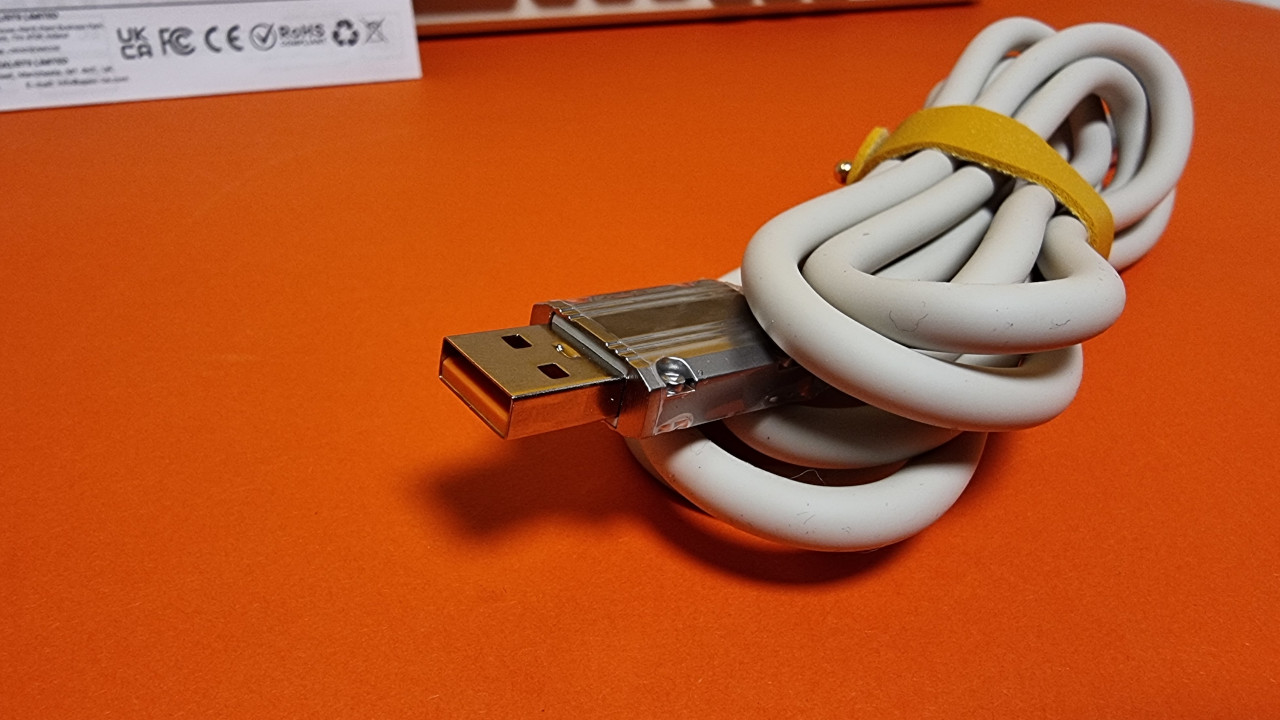
For the cable, Epomaker uses metal parts, which I find very high-quality and appealing. The mini-display included is generally well packaged but is highly prone to scratching.
Software
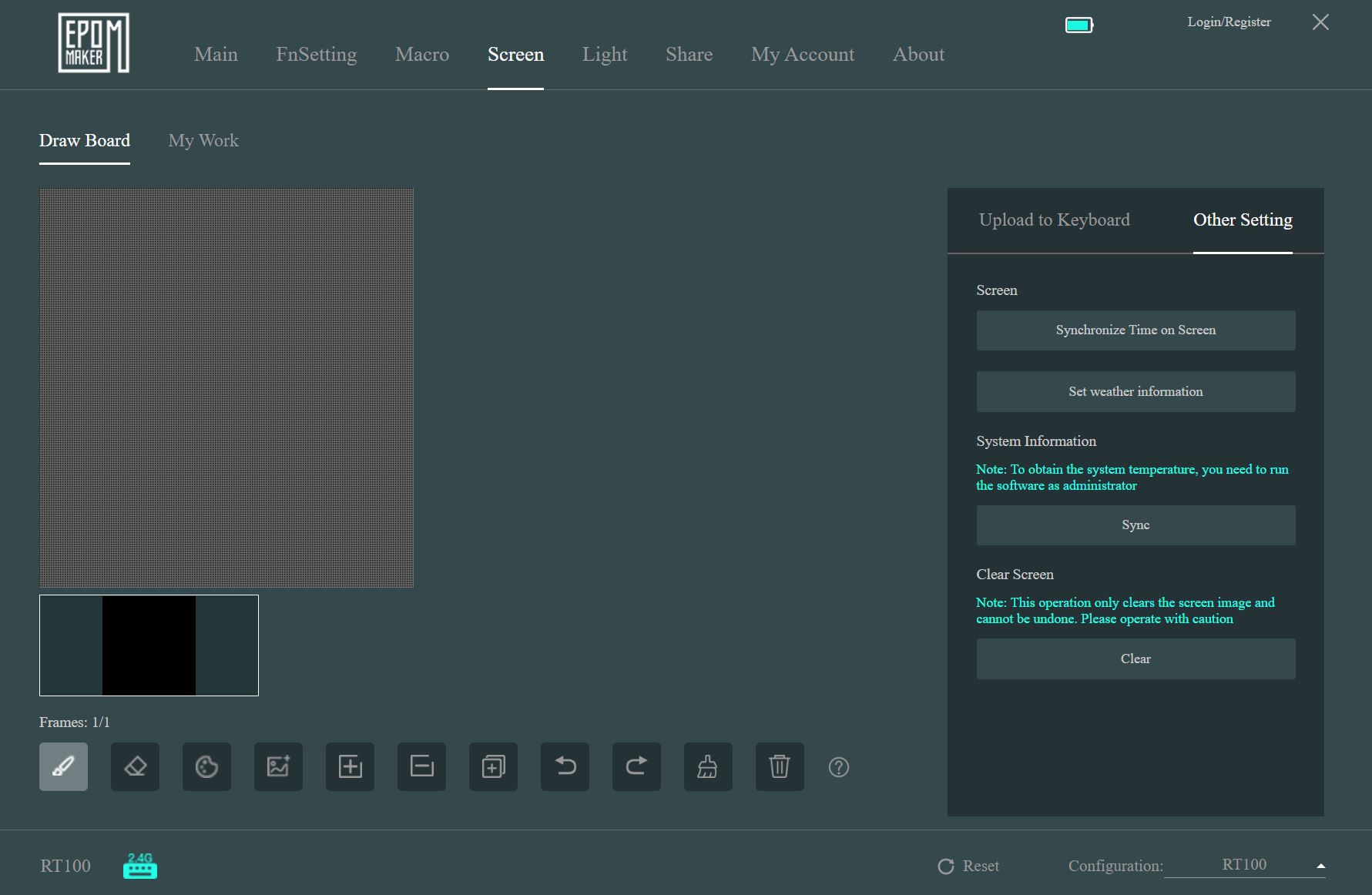
The RT100 uses the software suite from Epomaker. The basic functions are directly accessible through the central menu; many additional functions are hidden in further menus. Through the “Share” option, you can download and use RGB profiles, key mappings, and macros from other users. A similar feature is also offered by Logitech.
However, it is annoying that the software is not very flexible and cannot be adjusted much, as it always uses a fixed size. In testing with the RT100, the software crashed multiple times or became unresponsive until there was no reaction at all. A crash also occurred when I switched from cable mode to wireless dongle mode. Equally annoying: The software is only available in English, alternatively also in Chinese.
How does the mini-display perform? The text on the display is excellently visible. At least, when you are sitting directly in front of the keyboard in everyday use. However, the synchronized data does not match properly for me: At first, the date was correct, but now it is lagging a day behind.
The CPU load is correct in most cases, but it always lags behind the data on the PC by one second. They are simply not “real-time data.” At least the battery life of the keyboard is also displayed on the screen, unfortunately not with a percentage.
However, the software from Epomaker is also not very transparent and does not explain to me where it gets the data from. I never managed to synchronize the temperature data in my test. But I prefer to rely on other means anyway.
Ergonomics
The keyboard is slightly shorter than a proper full-size keyboard due to its special design with only 97 keys. In testing, I placed my Roccat Vulcan next to it and measured. Overall, the design with 97 keys saves 7-8 centimeters on the desk. This makes it only 2 centimeters longer than a TKL model.
From an ergonomic perspective, the keyboard saves in the right place to create more space on the desk without having to forfeit the numeric keypad. Not that I often need it.
The keys
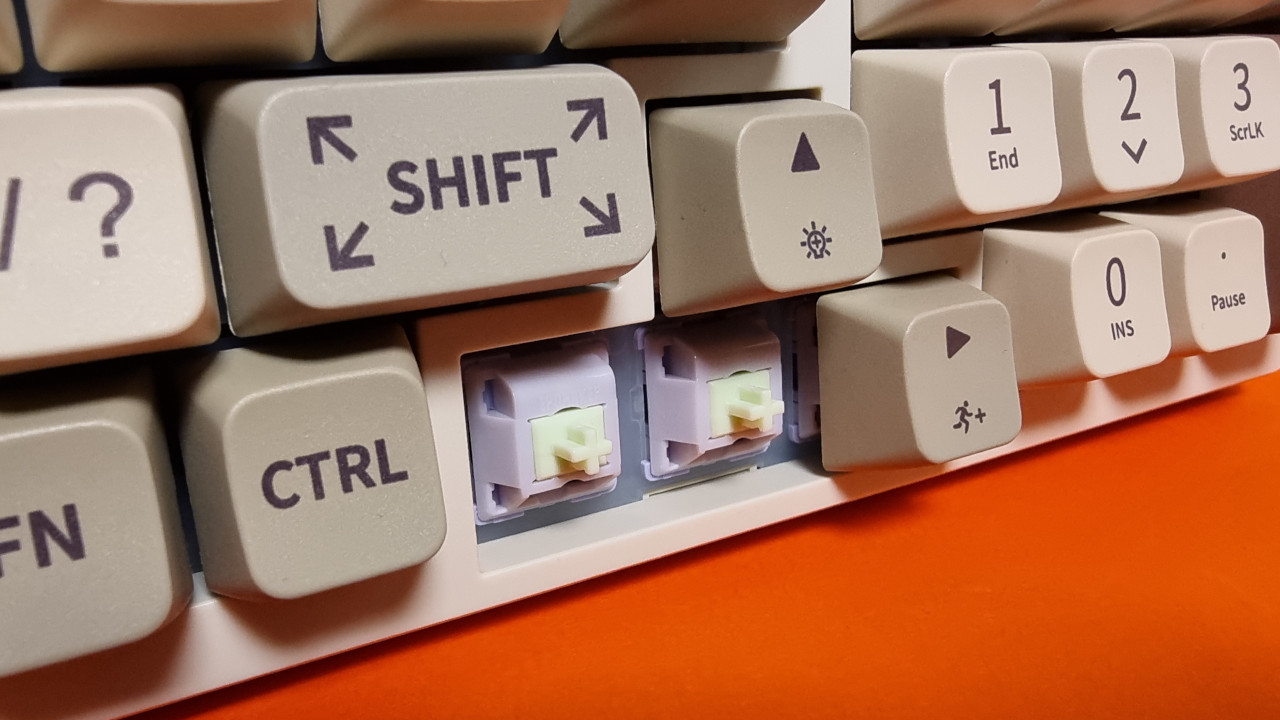
Under the keycaps of my keyboard are Wisteria switches from Epomaker. These are available in both a tactile and a linear version. They are already lubricated from the factory. The Wisteria switches feel very similar to the linear red switches from Cherry, but the total travel is slightly shorter. Therefore, in everyday use, you feel a bit faster than with red switches.
| Name | Activation point (cN) | Pre-travel | Total travel | Type |
|---|---|---|---|---|
| Gateron Brown | 55 ±15gf | 2 ± 0.6 mm | 4 ± 0.6 mm | Tactile |
| Akko Jelly Purple | 56 ± 5gf | 2 ± 0.3 mm | 4 ± 0.5 mm | Tactile |
| Epomaker Wisteria | 45gf | 2 mm | 3.6 mm | Linear |
| Cherry MX Red | 45 cn | 2 mm | 4.0 mm | linear |
How do the keys feel? In everyday use, I really like the Wisteria switches. Despite their linear design, they provide a pleasant activation point and the very short total travel compared to red and brown switches is noticeable positively.
At the beginning, I often typed incorrectly, which is simply due to the adjustment when switching from brown tactile switches. I am simply used to a longer total travel when typing quickly and a lot. For writing, I still find brown switches more comfortable, which is due to the clear pressure point.
In the latency test, the keyboard also performs positively: The key inputs are quickly received by the computer, and I can play games like Brawlhalla without lag, where every millisecond counts.
How loud is the keyboard? The keyboard is surprisingly quiet for a mechanical keyboard. This is partly due to the switches and partly due to the insulation that Epomaker has installed in the chassis of the keyboard. The space bar of the keyboard is the most noticeable sound in everyday use.
However, this is no comparison to blue switches or the explosively sounding green switches that Razer installs in many keyboards.
Conclusion: Great, space-saving, and quiet gaming keyboard with a nice gimmick
Is the keyboard worth it? For around 100 Euros, you get a good package of fast switches, tactile appealing PBT keycaps, but unfortunately “only” with a British ISO layout at the moment. At least: The British keycaps can be easily replaced with German ones. For me as a blind touch typist, it doesn’t matter what is written on the keys.
If you don’t want to do without the numeric keypad but still want a smaller keyboard, you should also take a look at the RT100. The small display with the data is pleasantly readable and a nice gimmick, but definitely not a buying reason for me. The data is just too imprecise for that.
What alternatives are there?
- With the Logitech G413 TKL SE, you get a good gaming keyboard for around 70 Euros. With blue switches and PBT keycaps, you get a good deal.
- For just under 100 Euros, you can now get the Roccat Vulcan TKL. The keyboard offers great switches with a unique design and removable cable. Unfortunately, Roccat does not install PBT keycaps.
- With the Akko 3068 B-Plus, you get my secret tip for under 100 Euros. I think the price-performance ratio is even a little better than with the Epomaker RT100.
More gaming keyboards: Are you looking for more recommendations in the peripheral area? Then take a look at the following purchase advice on MeinMMO. Here we explain which keyboards are currently worth it the most:
The best gaming keyboards you can currently buy

Your opinion is important to us!
Do you like the article? Then let us know!
Comments