

Palworld is already a huge game – with mods you can customize it even more. Whether graphics, features, or UI, we show you how mods work, where to get them, and which ones are available.

What mods are available for Palworld? Palworld offers official mod support for the PC version through the Steam Workshop. Through this, you can quickly and easily install modifications that allow you to customize your gaming experience. This way, you can make the following changes:
- Customize your map with additional markers
- Unlock or change features
- Activate cheats
- Customize models and textures
- Change the interface
- Add skins and shinies
- etc.
In addition to the official mod support via the Workshop, there is also the option to use and install them via third-party sources. Popular providers like NexusMods or CurseForge are suitable for this. However, you should also be aware that these are not officially integrable mods, which entails an even higher risk of something breaking and that you may not receive support.
We will show you how to install and manage mods through the game and the Workshop.
Mods in Palworld: How to install and manage them with the Steam Workshop
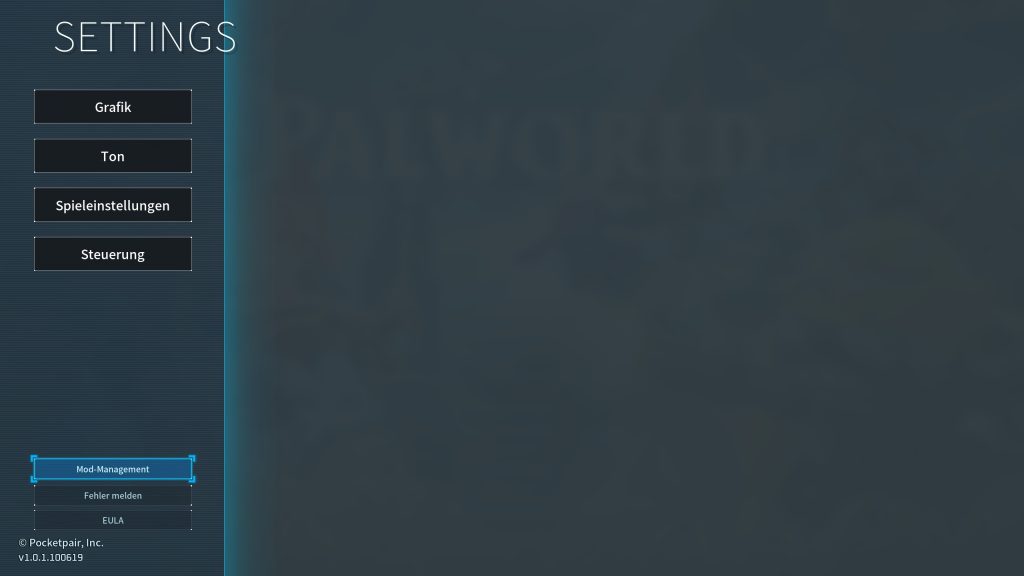
If you want to install mods for Palworld, you can do it easiest by going directly to the Steam Workshop via the link or by clicking on “Options” in the main menu. In the bottom right, you will find the “Mod Management” field:
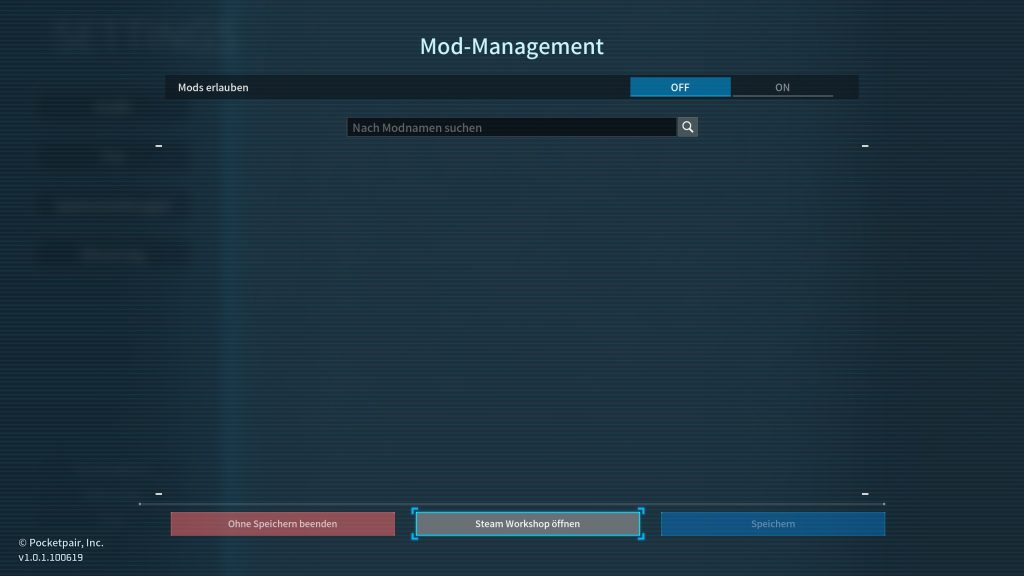
With a click, you will enter a window where you can select whether you want to activate mods. From there, you can jump directly to the Steam Workshop:
In the Workshop, you just need to click “subscribe” on the respective mods that you want to install:
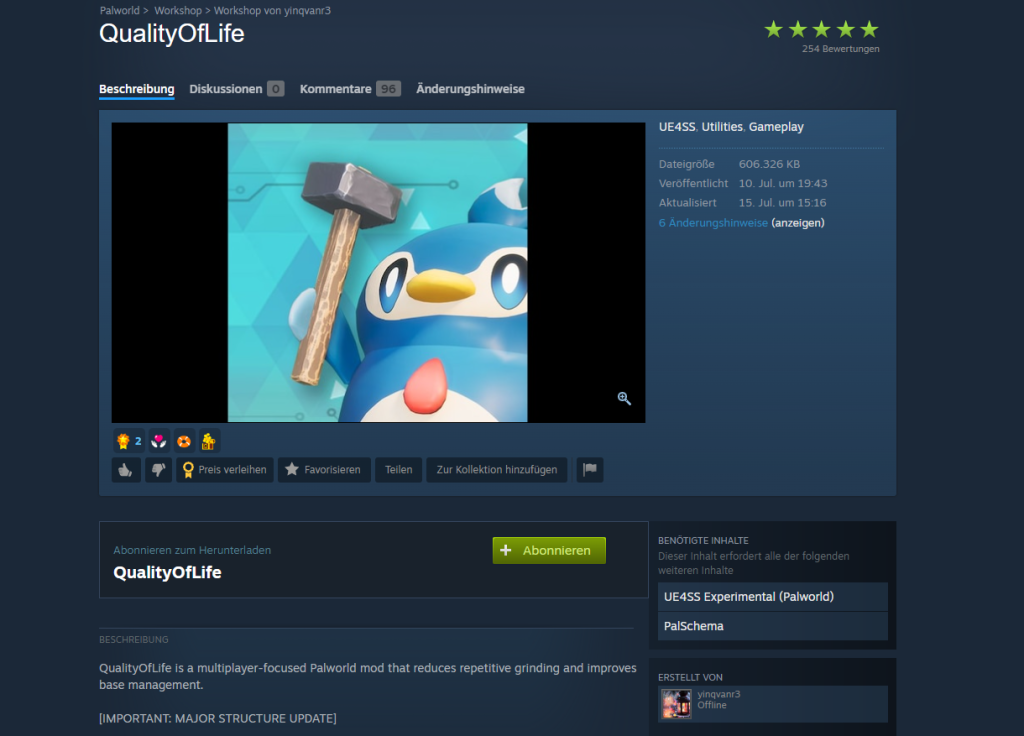
If a mod requires other additional mods, you will be notified and asked if you want to subscribe to all necessary mods.
If you have the game running during this, you will need to restart it once to update the mods displayed in the game. After that, the display will look like this:
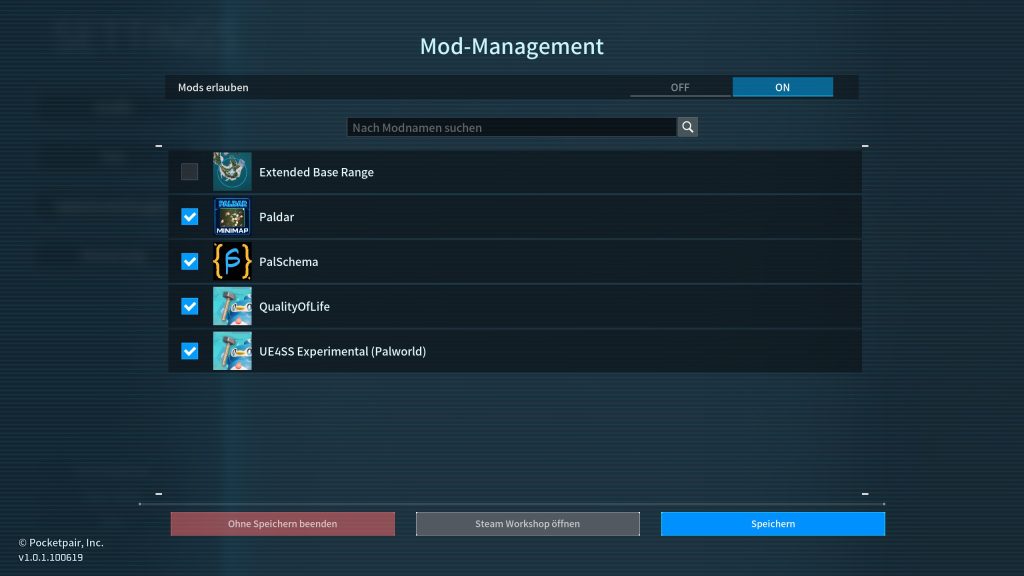
There you can also activate or deactivate individual mods before you enter the game. Then, click “Save,” and you can use the mods in your save files.
But be careful: If you activate and deactivate mods in the same save file, you increase the chance of breaking your save game or permanently changing functions. Keep this in mind if you want to experiment with mods, and preferably do not risk painstakingly created worlds.



In Palworld, there is a ton of Pals, resources, weapons, and features. If you get stuck anywhere, we have written numerous guides that provide you with suitable solutions and explanations. You can find all guides here in the overview: Palworld Guides: All tips, tricks, and Pals in the overview

Your opinion is important to us!
Do you like the article? Then let us know!