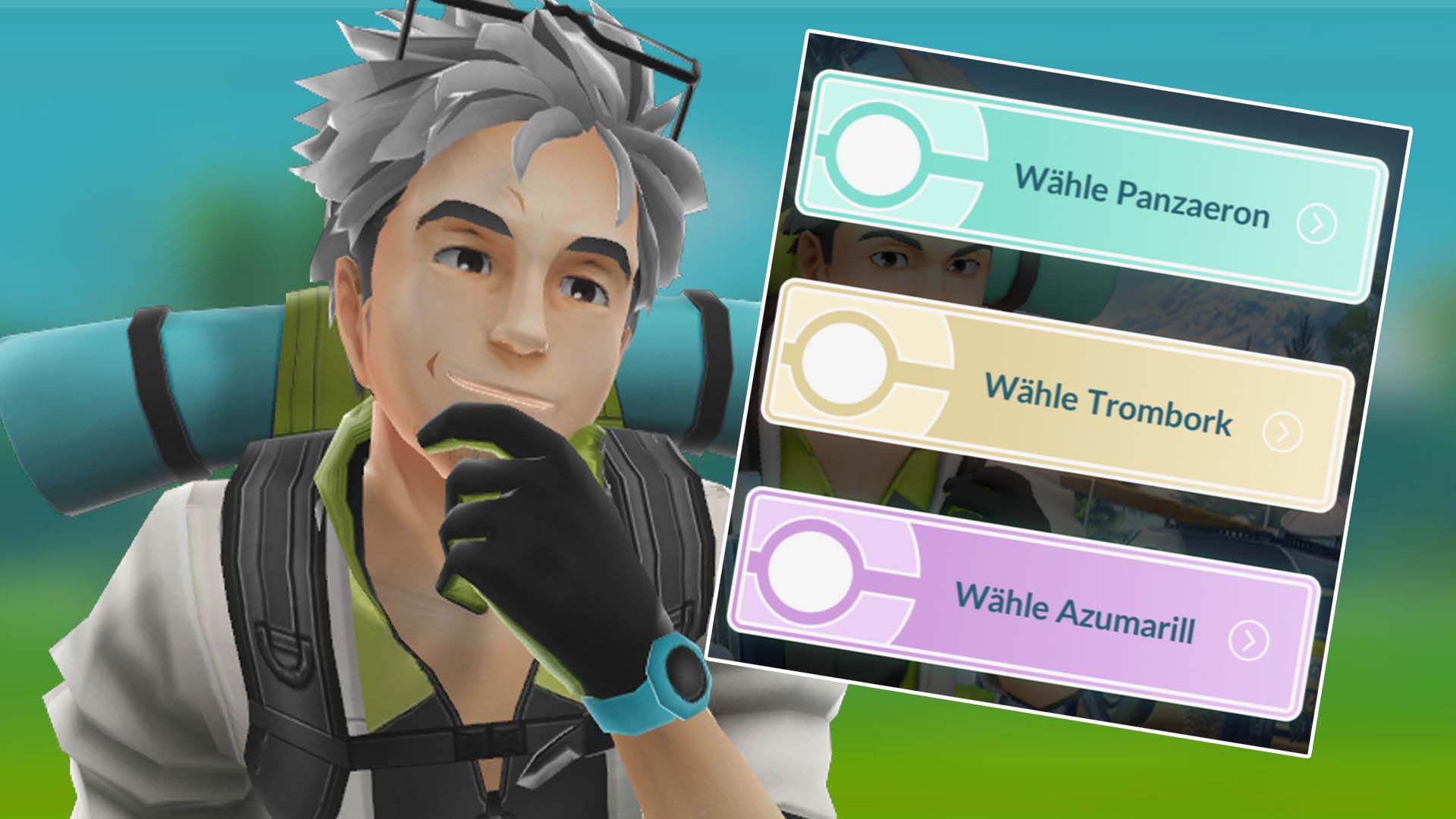
In Pokémon GO you receive the research Super Superliga via code through Twitch. There you can choose the Panzaeron, Trombork, or Azumarill path. We show you all rewards.
What does the research bring? It brings some encounters with Pokémon as well as a few items. The special part is the different paths that provide you with varying rewards.
We show you all steps and rewards here using the overview from Leekduck, which has already figured out the rewards.
[toc]
Super Superliga 1/3
Task
Reward
Catch 1 Pokémon
500 Stardust
Catch 2 Pokémon
500 Stardust
Catch 3 Pokémon
500 Stardust
Stage reward: One Star Piece and one Charge TM. Now you must choose:
Panzaeron path
Trombork path
Azumarill path
Then the rewards depending on the path look as follows.
On Friday, August 11, Pokémon GO is launching a World Championship event where you can look forward to a new monster and cool Pokémon for the PvP league and raids. We at MeinMMO will show you all the spawns and bonuses that await you.
What event is it? This weekend, the Pokémon World Championship will take place in Yokohama (Japan). While international trainers compete against each other in various Pokémon games, including Pokémon GO, to secure the world champion title, Niantic is hosting a global WM event in the game for all trainers.
During the World Championship event, you can expect plenty of spawns and thematically appropriate bonuses. You can especially look forward to the release of a new Pokémon: Quartermak. And Pikachu will once again be dressing up for the occasion. We have summarized what other contents you can look forward to below.
When does the WM event run? The global World Championship event starts on August 11, 2023, at 10:00 AM local time and is active in Pokémon GO until August 15, 2023, at 8:00 PM local time.
Update on August 10: We have added information about the limited-time research during the live stream for you.
All spawns and new monsters of the World Championship event
These monsters are making their debut: During the event, you will again have the chance to encounter new monsters. One is a specially costumed Pikachu. Even though this little electric mouse has been around since the game’s early days, it has once again dressed appropriately for the event. For the first time, you can find it in raids and research tasks wearing a special WM jacket.
Another debut in this context is the fighting Pokémon Quartermak. This little monkey comes from the seventh generation of games and is the counterpart to the normal and psychic Pokémon Kommandutan, which can already be caught in the game.
However, Quartermak does not have a pre- or further evolution. During the Pokémon WM, you can catch it in level 3 raids as well as from research tasks. However, it will not be available as a Shiny yet.
All wild spawns: As you are used to from other events of this kind, the wild spawns will also be thematically adapted this time. You might encounter some strong attackers for the GO battle league and raids. With a bit of luck, there’s even a Shiny (*) in the mix. You can find the following monsters in the wild:
Machollo*
Lampi*
Felino*
Zobiris*
Meditie*
Seemops*
Rotomurf*
Zurrokex*
Scoppel*
Wolly
rarely:
Onix*
Schlurp*
All raid bosses for the event: And special raid bosses will also be available during the event. You can continue to encounter Cresselia in level 5 raids and Mega-Garados in Mega-raids. You can also expect the following:
Raids
Pokémon
Level-1-Raids
Pikachu with WM outfit 2023* Alola-Sandan* Skorgla* Zurrokex*
Level-3-Raids
Panzaeron* Galar-Flunschlik* Quartermak
Level-5-Raids
Cresselia*
Mega-Raids
Mega-Garados*
All bonuses for the global WM event
In addition to plenty of spawns, the appropriate bonuses are of course also a must. These particularly revolve around the GO battle league and special attacks. You can expect the following bonuses:
10 battle sets in the GO battle league per day
Values for attack, defense, and stamina vary more strongly for reward Pokémon from the GO battle league
Limited Research
Reward: Elite Charged TM and encounter with a Pikachu in WM outfit 2023*
Event field research
Encounters with Pikachu in WM outfit 2023*, Alola-Sandan*, Jurob*, Karpador*, Galar-Zigzachs*, Seemops*, Quartermak, Reißlaus
New avatar items
WM jersey 2023
WM jacket 2023
Exclusive attacks for selected Pokémon
New avatar items in the shop
Which exclusive attacks can be taught to the monsters? If you evolve your monsters into the corresponding Pokémon during the event, they will automatically receive the following attacks:
Alola-Sandan to Alola-Sandamer: Dark Claw (Fast Attack)
Maschok to Machomei: Counter (Charged Attack)
Jurob to Jugong: Ice Shard (Fast Attack) and Ice Storm (Charged Attack)
Seejong to Walraisa: Powder Snow (Fast Attack) and Ice Spear (Charged Attack)
Galar-Geradaks to Barrikadax: Blocker (Charged Attack)
More special features for the Pokémon World Championship
While you can play the global WM event in Pokémon GO, the actual Pokémon World Championship is taking place in Japan. If you follow it, you can secure additional items for your avatar.
When exactly does the Pokémon WM run? The Pokémon World Championship will take place from August 11 to August 13 in Yokohama and will be streamed daily from 02:00 AM German time on Twitch. On the first two days, you will find the stream via the Twitch page of Pokémon GO and on the 3rd day on the Twitch page of the Pokémon Company.
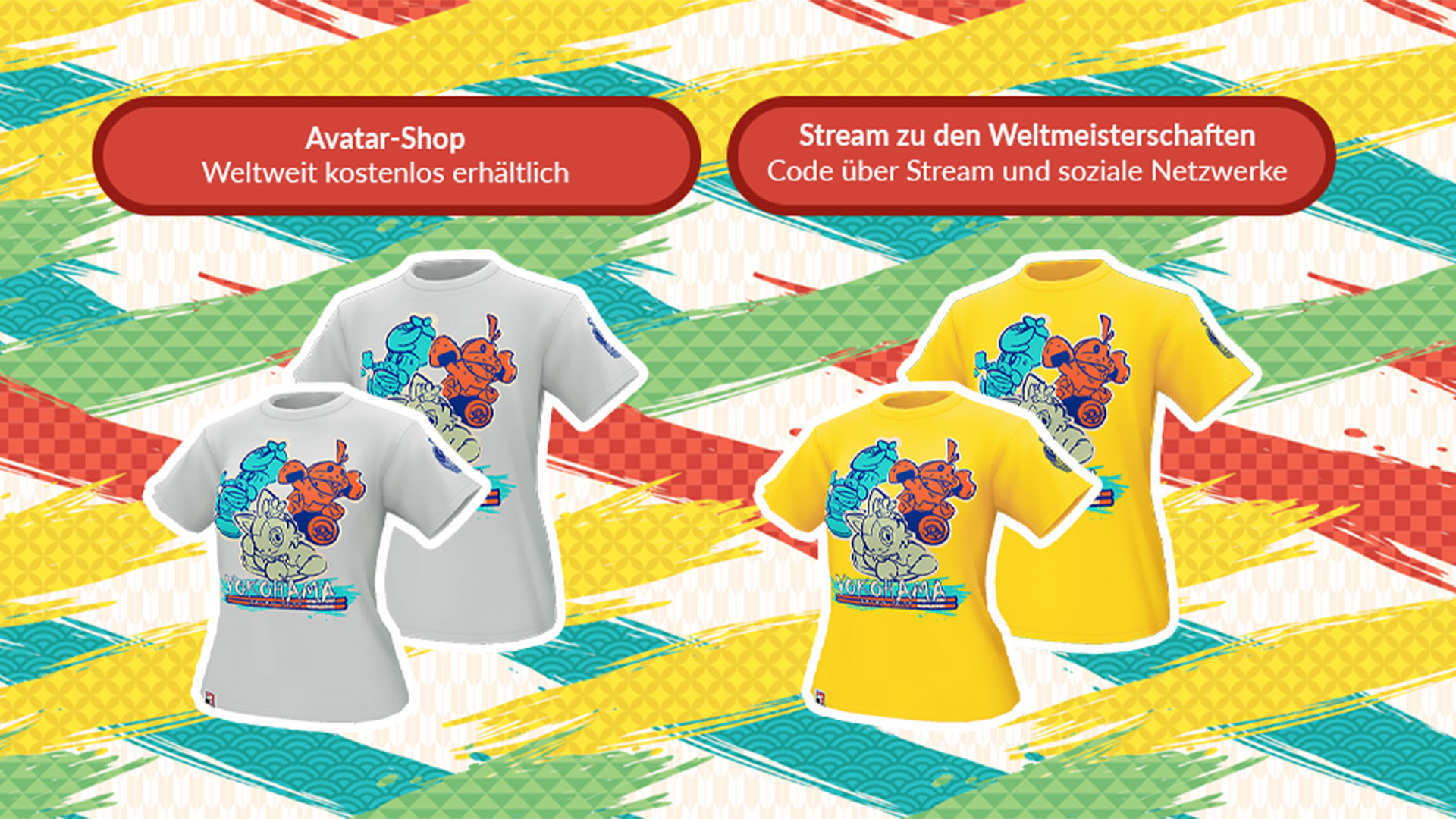
What avatar items are available? During the event, you can secure the following free avatar items:
WM T-shirt (gray) in the in-game shop
WM T-shirt (yellow) through a corresponding promo code in the live stream
Secure avatar items through the live stream of the Pokémon WM
Limited research: Following the live stream is also worthwhile because of two limited-time researches that you can secure. For trainers who watch the live stream for at least 30 minutes on the first and second event days, there will be the chance for two limited-time researches. The following researches and rewards are available:
Day 1: Super Super League
Reward: 8,000 Stardust, a Premium Battle Pass, 1 Star Piece, and Pokémon encounters (depending on the chosen team variant)
Team variant 1: Panzaeron*, Muntier, Sumpex*
Team variant 2: Trombork, Noctuh, Lanturn
Team variant 3: Azumarill, Nachtara, Grypheldis
Day 2: DancingRob’s Champion
Rewards Elite Charged TM, encounter with Galar-Flunschlik* as well as encounters that helped the first Pokémon GO World Champion secure the Champ title 2022
How do you like the contents of the World Championship event? Will you watch the live stream? Or will you only use the global event in-game? Let us know here at MeinMMO in the comments.
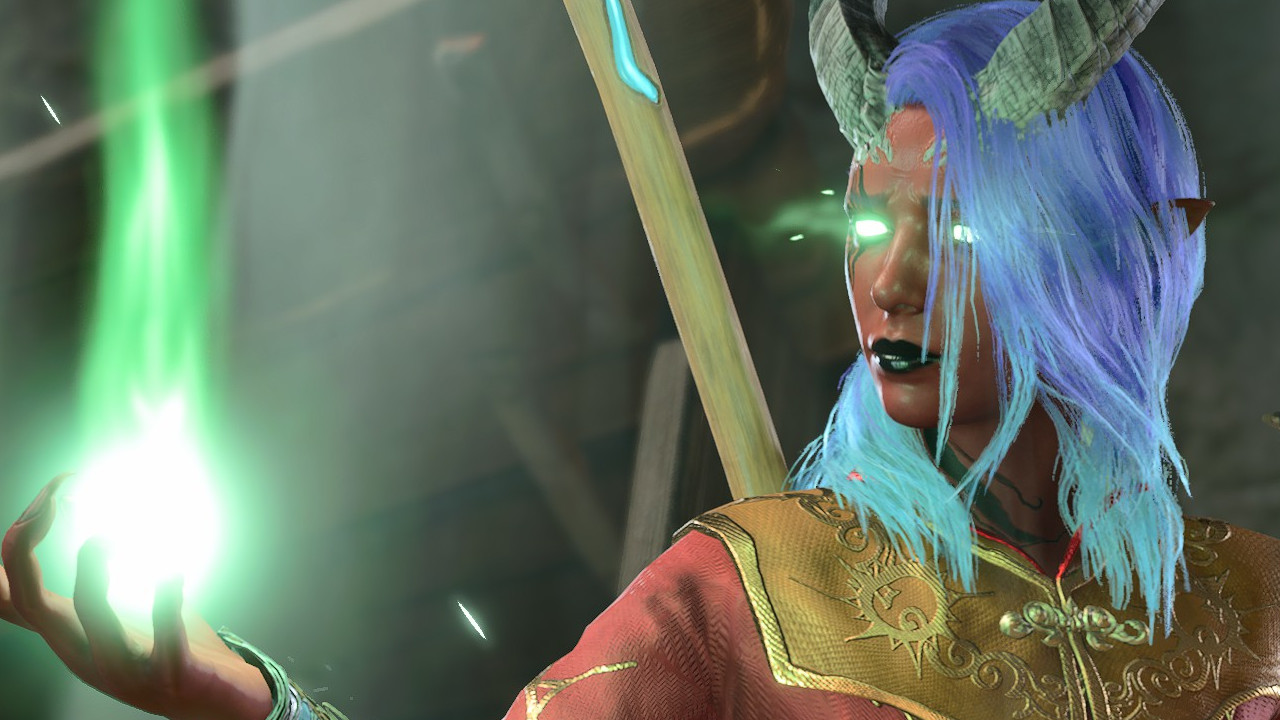
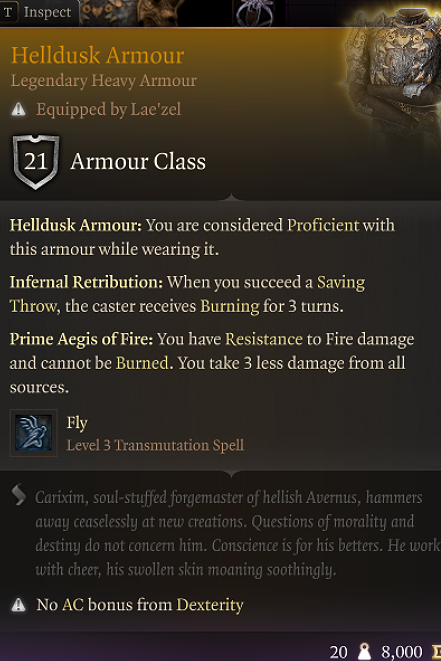
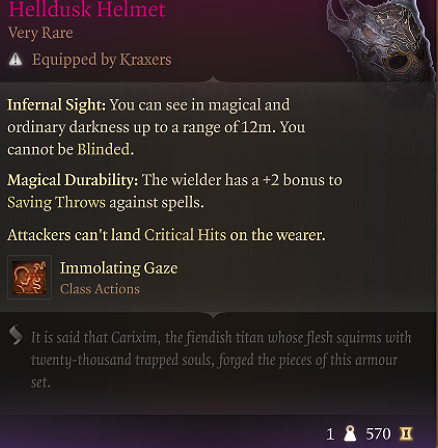
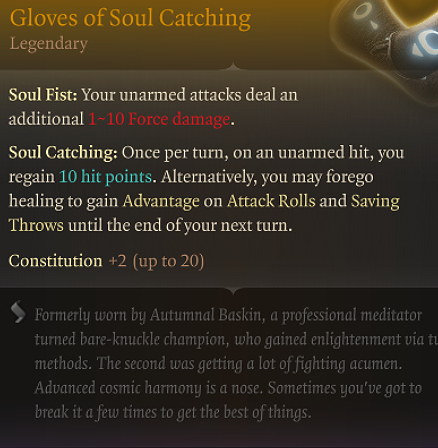
Cortyn wanted to gather a lot of power for her own Tiefling sorceress in Baldur’s Gate 3 at any cost. But a player constantly ensures that all plans are ruined.
I actually wouldn’t have played Baldur’s Gate 3 if a friend hadn’t strongly urged me to. Sure, I don’t regret it in the end, and it has even ruined all other games for me first. It was just a good decision.
That friend always plays a good character in RPGs. Mostly a bit towards “chaotic good” – but still good. Conflicts are resolved peacefully, people in distress are helped, and collaboration with devils is out of the question.
This also leads to the fact that he knows only the “good” versions of quests in most RPGs. Whether in DragonAge, Mass Effect, or Divinity, whenever possible, he acts heroically, selflessly, and as good as possible. Butterflies and dandelions for everyone, bad people should be gone.
Or, as we call it in demon circles: Boring.
Start video
Launch Trailer for the Role-playing Game Baldur’s Gate 3
When he invited me to Baldur’s Gate 3, my plan was clear: I would play a Tiefling sorceress who would put his overly good Halfling wife in some dilemmas. My fiery Cortyn is not fundamentally evil, but gaining power and maximizing my advantage should always be considered. I wanted to lie, cheat, seduce, intimidate, and explore and use the power of magical artifacts for myself. A forbidden necromantic book? I’ll read it. Dark pacts with beings from another world? If they grant me more power, sure.
Sure, I help the poor guy by the roadside drive the bandits out of his house. But nothing would stop me from taking the loot from the thieves, keeping it myself, and then saying, “Yeah, sorry, they just ran off with your gold. Nothing you can do, that’s life. And now pay me for driving them away.”
I’d show him what great decisions can be made.
At least that was my plan.
Cortyn’s Tiefling longs for power. But someone successfully prevents that.
Fate keeps me away from power
In reality, his Halfling wife and also Baldur’s Gate 3 itself repeatedly throw a wrench in my plans.
We have an agreement to somewhat divide the storylines and NPCs. We always watch each other but don’t get too involved. So while I chat with Wyll, Karlach, and Gale, Shadowheart, Astarion, and Lae’zel are reserved for him.
We mostly handle it that way throughout the rest of the game world.
An incident seems magical? Then my sorceress leads the way and initiates the dialogue. Seeing poor children who apparently want help? Then the Halfling wife gets to step in and offer her support.
Additionally, we have set a “never reload” rule. Whatever happens, happens. Decisions have consequences, and we stick with them until the end. Of course, exceptions are “Game Over” if we all die because some spell backfired.
I would immediately make pacts with devils. But I’m not allowed.
The problem, however, is the situations where it is not foreseeable when something will happen.
Our first encounter with a being from hell happened literally out of the blue in bright sunshine. Since the Halfling lady went ahead and “triggered” the event, she also got to lead the dialogue again.
The wanderer turns out to be a high-ranking devil who promises to help us with our problems and also grant us lots of power. We would just have to make a pact with him. While my Tiefling in the background is already dreaming with big round eyes of hurling fireballs by the dozen and would wager not only her own soul but also those of everyone else, she is not allowed to participate in the dialogue at all. This is again taken over by the Halfling of my fellow player:
“Yes, nice that you talk to us. We are not interested in a pact. No, not even later. If anything changes, we’ll get in touch. Don’t call every week. Have a nice day.”
At the first opportunity, I push the Halfling off a cliff. By accident.
The disappointed look of the Halfling when a bad decision gets through.
A new scene, a new decision. We killed an old witch and freed the prisoner. She actually wanted to bring her dead husband back to life from the witch and is now a little bit outraged that we interrupted that.
So we loot the witch’s possessions and take everything that fits into our inventory. While I take the witch’s nice staff, I hear my fellow player breathing quietly in the background as he takes something else.
We return to the former prisoner, who is standing by her husband’s coffin and is still completely devastated because we have taken away all hope of a reunion with him. Again, the Halfling gets to start the conversation.
During the dialogue, he casually mentions on Discord that he found this wand in the witch’s cellar. He pulls it out of his pocket, and my Tiefling’s eyes light up. A powerful wand, full of necromantic energy whose narrator’s description clearly emphasizes that it wants to be used.
Instead of giving in to this urge, the Halfling breaks the wand in half, and both the rescued woman and I stare in horror at the wooden splinters.
This has been the case throughout our entire gameplay. Whenever potential power of questionable origin lurks somewhere, the Halfling seems – clearly more by chance than design – to end up being able to lead the conversation or decide on important items.
Well, at least she couldn’t prevent me from improving my eye a little and I won’t let go of this strange book with the screaming face anytime soon…
Even though the game is now unfolding quite differently than I originally planned, we are having a lot of fun. It is this chaotic element of other people’s decisions that makes Baldur’s Gate 3 just a little bit better.
How are your co-op rounds going so far? How do you decide who gets to lead a dialogue and what decision is made?
This is an AI-powered translation. Some inaccuracies might exist.
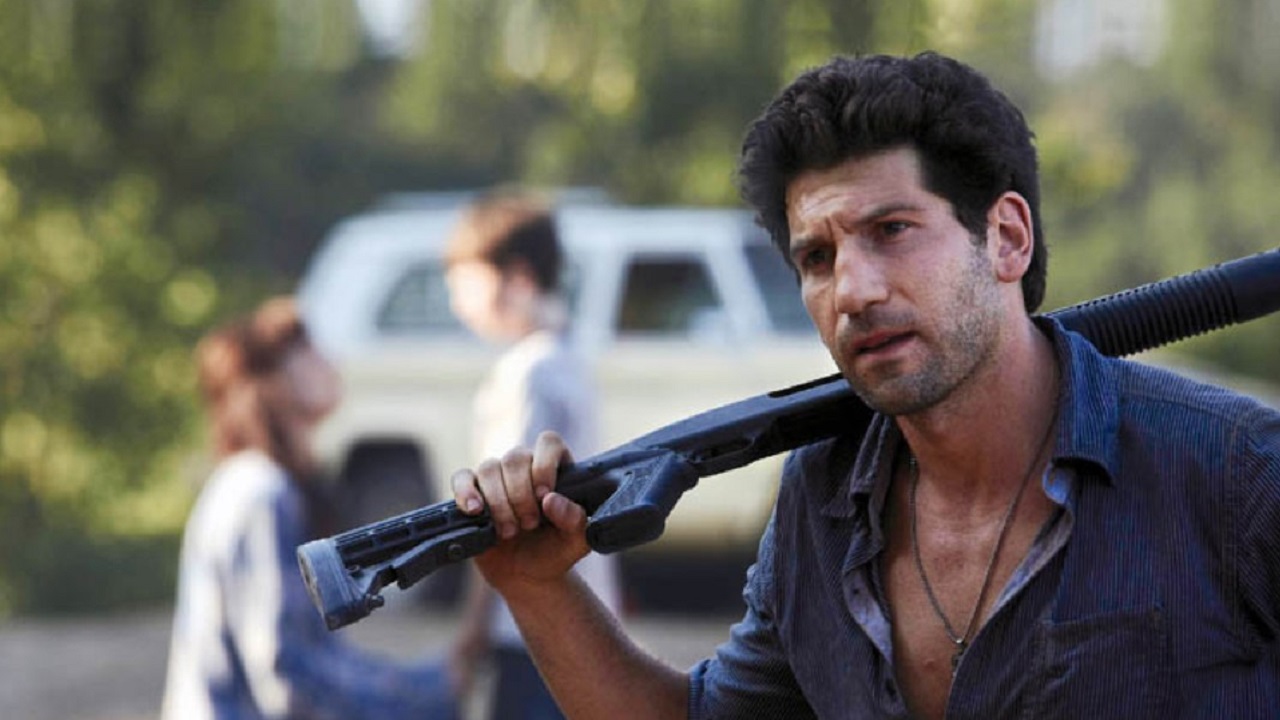
On Steam, you can currently get the game ‘The Walking Dead’ from Telltale Games on sale. You save 90% and pay just €1.50 for the horror game.
The Walking Dead from Telltale Games takes place in the well-known zombie universe created by Robert Kirkman, which you may know from the comics and the popular AMC series.
While zombies wreak havoc in the area, humans fight for survival. To obtain valuable resources, some people are willing to walk over corpses and reveal their darkest sides.
The game The Walking Dead is a kind of interactive movie where you must choose the right dialogue options and respond quickly in quick-time events to bring about a positive outcome for the story.
The Definitive Series of The Walking Dead is also currently discounted:
Start video
The Walking Dead: Telltale Definitive Series – Trailer
You have to make tough decisions that have far-reaching consequences
In the Telltale game of The Walking Dead, you experience the zombie apocalypse as Lee Everett, a convicted criminal. You take care of the orphan girl Clementine and must make the right decisions to keep both of you alive. Sometimes you only have seconds to react quickly in situations.
Your actions influence the flow of the ongoing story. If you play multiple parts of The Walking Dead, the consequences can sometimes only show much later, when you aren’t even thinking about what you did in the first part.
The game contains very emotional moments, similar to the series, that can both shock and touch you.
How much does The Walking Dead cost? On Steam, you can currently get the horror adventure game for €1.50 as part of the “Festival of Visual Novels” promotion.
This means you save 90% compared to the regular purchase price of €14.99. The offer ends on August 14, 2023.
How is the game rated? On Steam, The Walking Dead receives extremely positive ratings from players. Of the total 38,179 ratings, a full 97% are positive (as of August 10, 2023).
The Telltale Definitive Series, which includes all four seasons, 400 Days, and The Walking Dead: Michonne, is currently available at a lower price on Steam.
Here you pay instead of €49.99 currently €16.99. This means you save 66% of the actual purchase price during the promotion. This offer also ends on August 14, 2023.
Baldur’s Gate 3 offers many options for customizing your character, and magic is one of them. However, a player warns not to learn too many spells. Because of this, he can no longer level up.
What is special about the wizard?
The wizard is one of 12 classes in Baldur’s Gate 3, which can subscribe to different schools – including things like illusion and necromancy.
On the tier list of the strongest classes, wizards are in the A-tier due to their versatility. They have the right spell for every situation.
Unlike all other spell classes, wizards can also learn spells from scrolls, giving them a much larger portfolio. This became a downfall for a half-elf.
That’s why you shouldn’t learn too many spells: The user Yourigath writes on Reddit that he can no longer level up because his wizard already masters too many spells. In fact, he needs to select new spells to level up to level 10.
But he can’t do that because he already masters all the spells of the corresponding level. Learning spells from scrolls is expensive but worthwhile because, as a wizard, you can always prepare your spells anew outside of combat. This way, you are equipped for every situation.
Baldur’s Gate 3 does not allow you to continue leveling if you do not select a spell. This means that you cannot proceed at a certain level. Yourigath experienced this only at level 10, which is already shortly before the max level.
However, you can block your progress even faster. There is still no real fix for this, although the creator has found a way out of his predicament.
You can find tips on properly leveling on MeinMMO and more information on level-ups in the video:
Start video
5 Tips to Level Up Your Characters Properly in Baldur’s Gate 3
“Will certainly be fixed soon”
Yourigath writes that he was able to unlearn some of his spells with the help of a mod. Normally, this is not possible, and it is a big detour. In the meantime, he has simply respeced his character and played as a sorcerer.
Other players advise that it is best to always leave a few useless level 1 spells so that there is something left to level up later – to avoid exactly this problem.
However, fans are confident that this problem will not last too long. Since the release, developer Larian has been pumping out hotfixes, such as to return gnomes their underwear or to satisfy your search for save files.
Too much magic is not the only way you can block yourself in the game, though it’s the only one so far that technically prevents you from proceeding. But if you laze around too much and are too cowardly, you might miss out on some things:
Currently, the Gaming Day Sale from EA is running on Steam. You can secure some great games for less than 10 €. Among the offers is the Dragon Age games, created by Bioware, the makers of Baldur’s Gate 1 and 2. However, the offer won’t last long.
Baldur’s Gate 3 excited fans of fantasy and role-playing games directly upon release in August this year on Steam.
From the developer studio Bioware, which is behind Baldur’s Gate 1 and 2, also originates another game series, considered top representatives of the RPG genre, which could be seen as indirect predecessors of Baldur’s Gate 3: Dragon Age.
Here you see a trailer for Dragon Age: Origins:
Start video
Dragon Age: Origins – The Trailer for the Role-Playing Classic
What kind of game series is Dragon Age? Similar to Baldur’s Gate 3, Bioware’s games focus heavily on classic role-playing elements that also appeal to D&D fans. At the beginning, you choose a class, continuously level up your character, and improve your equipment.
With NPCs, you can, just like in Baldur’s Gate 3, engage in romances. Additionally, the characters in the game world have their own stories and backgrounds. Even small details can lead to unexpected plot twists and affect how the story ends based on your decisions.
Dragon Age II: Ultimate Edition 8,99 € instead of 29,99 €, 70% discount
How long does the offer last? Today, August 10, 2023, until 7 PM, the special offer on Steam is still valid. So you need to be quick if you want to secure the games in this sale.
Synced is a third-person shooter with roguelite elements and is set to be released in summer 2023. MeinMMO briefly introduces the shooter and explains its features.
You start weak in a round and receive random upgrades that lead to crazy and exaggerated builds. Previous games like Enter the Gungeon or The Binding of Isaac were also very successful with this principle.
Synced takes the roguelite approach to a new level – visually alone. The third-person shooter throws you into a level where you must survive three areas and then fight against a big boss. In between, you build your character, which you only have until the match ends.
Genre-typical is also the permadeath: If all players go down, you return to the base and start over. However, you don’t lose everything thanks to the experience points and mods collected. Here, you also gather strength for the runs. Most power can be found during the match.
Synced will be released free-to-play in summer 2023 for PC on Steam and is also set to appear for PS5 and Xbox Series. It can be experienced in co-op with 3 players. There will also be PvP – here, 12 players compete against each other in teams of 3. Here you can find the latest trailer:
Start video
Synced confirms its release in Summer 2023 with plenty of action in the trailer
What is special about Synced? The companions called “Nano” are really wild. When assembling your loadouts, you choose a character with special traits and also a Nano, which brings its own unique traits.
While you have full control over your character’s abilities, the Nano does its own thing on the battlefield. You can also give commands to the little creature. Some attack and some defend you.
This gives you a lot of freedom in assembling your build and allows you to go in a certain direction, such as armor penetration. During the match, you then have the chance to receive additional skills of this kind. For example, several enemies might lose their armor at once.
The matches themselves are particularly tough at the beginning when you haven’t fully internalized the missions and mechanics yet. The longer you take, the tougher the enemies in an area become.
After three areas, you have to fight a boss with unique mechanics. Even in the previous areas, you will be confronted with the boss’s mechanics so that you know what to expect.
When is the release? There is no exact date yet, but Synced is expected to be released in summer 2023. The shooter will celebrate its release at the latest on September 21 – this has also been confirmed to us by the responsible parties at a preview event.
What happens after the release? Synced is a free-to-play shooter and will be financed through cosmetic items. There will be a battle pass and regular new seasons.
With each season, a new character will be introduced and brings fresh abilities. The story will also revolve around this character.
The RPG Baldur’s Gate 3 leaves us many options. For example, there are several ways to gain hit points. A player has now shared a method that many fans did not know about.
How does the method work? One way to heal yourself is through healing potions. However, in this case, the potion only heals the user. But there is also a way to heal multiple characters at the same time.
To do this, the potion simply needs to be thrown on the ground. As soon as you throw your potion near your group, all characters in the close vicinity will be healed.
User hardslappy in the Reddit forum created a fitting meme about this. It shows Frodo from The Lord of the Rings staring at a healing potion. Above and below, the text reads in English: “When you learned to throw potions on the ground. A healing potion to heal them all.” This is a reference to the ring verse: “One ring to rule them all.”
Recommended editorial content
At this point you will find external content from Reddit that complements the article.
I consent to external content being displayed to me. Personal data can be transmitted to third party platforms.
Read more about our privacy policy.
The advantage of this method is that multiple characters are healed at once, not just the user. However, things can go wrong, as another user reports.
He accidentally threw the potion against the head of an NPC. The throw caused so much damage that the character died. So be careful if you want to try the trick yourself!
Another user had an accident while throwing the healing potion. He realized that he had thrown not just one, but all healing potions at once. Out of shame, he loaded the save file before the throw.
Nevertheless, this is a good method for healing. If someone in your group has enough healing potions but does not require them, they can use them for the benefit of their party members.
Are there any other methods to heal? If you run out of healing potions, there are other ways to heal yourself:
However, healing potions are a good middle ground as they can be found anywhere in the world, can be crafted, and can restore significant amounts of hit points.
Many users are grateful to the thread creator for sharing his trick with all other players of Baldur’s Gate 3. This way, they can use their potions to heal multiple party members if they find themselves in a pinch.
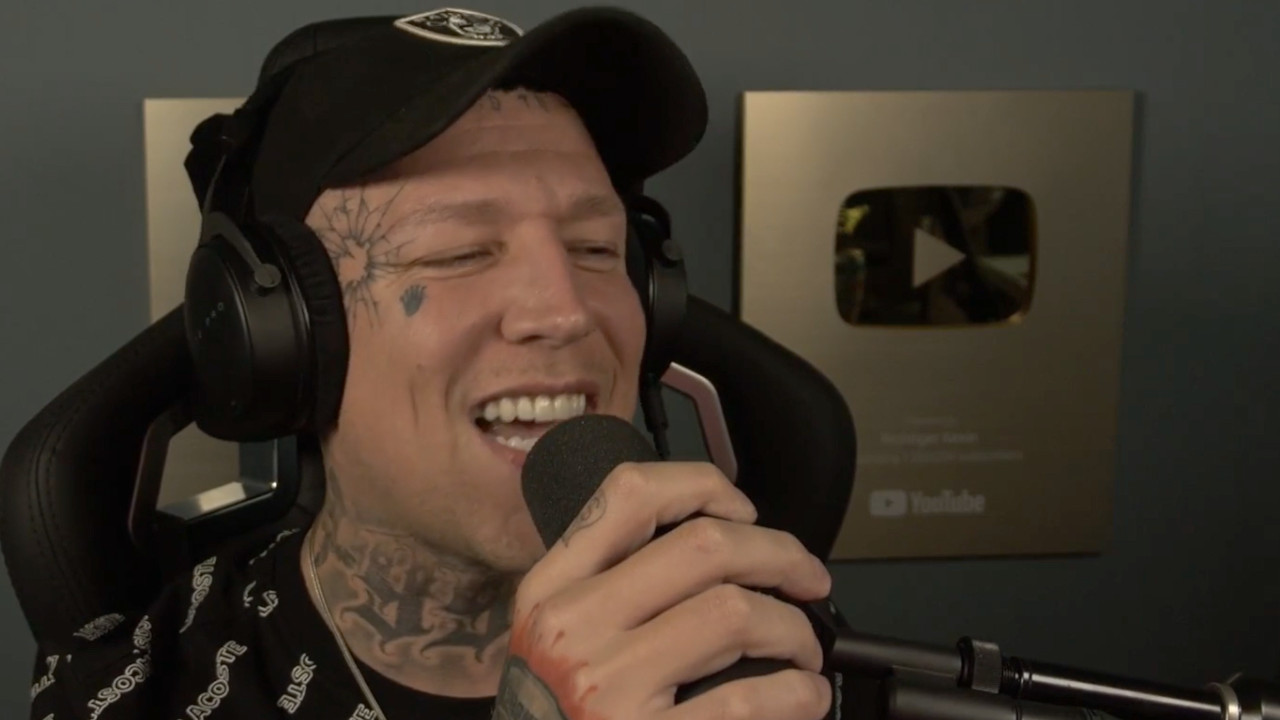
As one of the largest German Twitch streamers, Marcel “MontanaBlack” Eris (35) has spent quite a few hours in various games. Thus, he believes he can judge what makes a “real gamer” – and it apparently has nothing to do with gaming.
Where does the statement come from? In a recent stream, MontanaBlack reacted to a video from his buddy Tim “KuchenTV” Heldt about the streamer Pia “Shurjoka” Scholz, who both have taken a liking to.
The recording seems to be evidence for the 35-year-old: Shurjoka can’t be a real gamer.
Start video
Career and Life of MontanaBlack in 2 Minutes: What Makes Him Unique?
What makes real gamers? In the clip, it can be seen that Shurjoka is active on YouTube. The background of the page is light, the so-called “White Mode”.
This screen setting is perceived by some as outdated: With modern OLED displays, power can be saved in dark mode, and the screen doesn’t glare as much when gaming in a dimly lit room or scrolling in bed.
“Trymacs is also not a gamer to me and you can see that from his gameplay,” explains MontanaBlack. He simply cannot take him seriously – at least regarding that. People who use White mode are simply “sus” to him, says the streamer.
Besides “sus”, one of the final candidates for the Youth Word 2021, MontanaBlack also actively uses another commonly used youth word in his reaction, which many associate with the Twitch streamer:
Nintendo presented the new DLC for Pokémon Scarlet/Violet in detail at the Pokémon Presents on August 8, 2023. Why so many Reddit users are discussing it now and why it is under criticism, MeinMMO explains.
Why was the main game criticized? The release of Pokémon Scarlet and Violet on November 18, 2022 brought not only excitement but also a wave of criticism. In particular, the graphics of the game were rejected by many fans and sparked heated discussions.
Even then, the well-known YouTuber “AlexiBexi” expressed skepticism on X (formerly Twitter): “I’m confused: Is the new Pokémon a good example of ‘bad graphics but great gameplay’? Or more like an example of ‘just a lousy money printer for fans, as long as it’s Pokémon’?”
We’ve embedded the first trailer for the expansion here:
Start video
Pokémon Scarlet and Pokémon Violet – The Treasure of Zone Zero in the Trailer
What information is there about the new DLC? Already in the Pokémon Direct in February, the development company announced that Pokémon Scarlet and Violet would receive an expansion in the form of a DLC. In the latest “Pokémon Presents” event, which took place on August 8, 2023, further details were revealed.
The expansion is titled “The Treasure of Area Zero” (in the original: “The Hidden Treasure of Area Zero”) and will be released in two parts. The first part, called “The Teal Mask,” is set to release on September 13, 2023.
The second part, titled “The Indigo Disk,” is scheduled for Winter 2023. The upcoming expansions promise not only new stories but also Pokémon that were not present in the main game.
Why is the DLC under criticism? The graphics of Pokémon Scarlet and Violet remain a dominant topic in the community. The latest trailer for the upcoming DLC sparked a fresh discussion about whether the visual quality in the game has improved.
On forums like Reddit, fans exchange their observations. User “3lidja” posted pictures from the trailer and asked: “Is it just me or does the DLC area look a bit better than the base game?” Numerous Reddit users share their opinions on the scenes shown.
However, not everyone is optimistic. One Reddit user expressed skepticism and recalled that the trailers for the main game were also promising, but reality disappointed. Another user, “ahighkid,” wrote: “You just have to see it at 16 fps to realize it’s the same thing.”
“brlotor” commented: “The Sword/Shields DLC was much prettier and ran better than the base game. I can only assume the same here.” Overall, however, many Reddit users share the opinion that the trailer shows improved graphics.
Whether the visual concerns of fans were ultimately addressed in the new DLC will be revealed in September when “The Teal Mask” is released. Until then, the Pokémon community remains excited and hopeful for a visual upgrade to the game.
In Diablo 4 Patch 1.1.1 was able to address some of the major issues from Season 1. However, despite Blizzard’s cleanup action, there are still bugs that spoil the fun for players. A new patch has now been announced and it will come soon.
Which patch is it? Blizzard released its major rescue patch 1.1.1 on all servers of Diablo 4 on August 8. This was supposed to make fundamental changes in the hack & slash. Despite the all-encompassing adjustments, there are still bugs in Sanctuary and players are wondering when another patch will follow.
Fans won’t have to wait long for the new patches, as Diablo 4’s community manager, Adam Fletcher, has vaguely revealed when patches 1.1.2 and 1.1.3 will be released.
Start video
Diablo 4: The Official Announcement Trailer for Season 1
When will patch 1.1.2 be released? First up is patch 1.1.2 (via twitter.com), which according to Adam Fletcher will follow “very soon.” However, it is unclear when exactly this patch is supposed to be released. This patch will reportedly fix the quest “Fury against Fate.” We estimate the release will be either this week or the following week.
If that is not enough, there are already plans for another patch. This one is called 1.1.3 and won’t take long to arrive either.
When will patch 1.1.3 be released? Adam Fletcher responded in the Blizzard forum to a post primarily about the issue of a quest bug. This bug prevents you from offering important quests such as those of the druid and his offerings. Adam then responded as follows:
We want to emphasize that we know there is a very small group of players who have reached a state where they cannot start/complete certain quests. This is one of those cases. The team is working on a solution that will be included in (patch) 1.1.3.
I know this may sound a bit far-fetched, but it should be ready in the next few weeks. I just wanted to inform the players who are experiencing this problem with some quests.
However, Adam Fletcher does not go into more detail about the update. What other changes will follow with patch 1.1.3 and when exactly it will be released remains a mystery for now. But at least the fans know that the quest issue will soon be a thing of the past.
Blizzard is diligently working to make Diablo 4 a better place. Even the drop rate of one of the best items in Season 1 has been improved and that in a recently released hotfix.
This is an AI-powered translation. Some inaccuracies might exist.
In Season 22, Destiny 2 will be reworking a total of 12 underutilized armor Exotics, changing their perks and adjusting several abilities, such as Arc Titan and Strand. We will show you which armor pieces and abilities are involved and what they will be capable of after the overhaul.
What changes are we talking about? On August 9, Bungie provided a preview on its website of the upcoming Season 22 changes to currently underutilized exotic armor Exotics.
The focus of the changes is on a total of 12 Exotics that are currently rarely used by Guardians in any game mode, such as “Enemy Finder,” “Heart of the Sacred Fire,” or the “Geomag Stabilizers.”
Starting in Season 22, they are supposed to become “more useful and powerful,” as Bungie announced. For the Hunter and Warlock, four exotic armor pieces will be optimized, while the Titans will have six refreshed Exotic options.
Somewhat less pleasant are the adjustments to abilities in Season 22 in Lightfall.
Bungie will be reworking several Strand aspects and fragments for all classes.
Titans can expect multiple nerfs to their barricade and Arc ability.
However, Warlocks can be pleased. A long-standing bug will finally be fixed in Season 22.
Start video
Destiny 2 shows new insights into Strand in its trailer – The focus in Lightfall
These reworked Exotics await you in Season 22
With the start of the new Season 22 on August 22, a total of 12 updated Exotic armor pieces will be introduced. Most changes will be added in addition to existing effects. However, there are also some that have been completely reworked.
[toc]
Hunter
These Exotic changes await the Hunters in Season 22
Enemy Finder – Head Protection
There will be no initial changes to the Exotic perk. However, Bungie is adding the popular effects of the artifact mod “Monochromatic Maestro” from Season 19 to the Enemy Finder.
After dealing damage to an enemy with any subclass ability, it grants weapons of a corresponding energy type a damage bonus. When that enemy is defeated, an item associated with that subclass, such as “Ion Traces” for Arc or “Fire Sparks” for Solar, will appear.
Weakhead Radar – Head Protection
The Weakhead Radar will become a 2-in-1 Exotic. Its current functionality will be completely removed. Instead, it will inherit the existing benefits of the Enemy Finder Exotic.
It will visually mark targets, deal more damage to targets with low health, and provide a small bonus to the effectiveness of all weapons in the air.
The perk “Enhanced Sensors” remains, allowing it to display a radar while aiming and improve radar resolution while crouching.
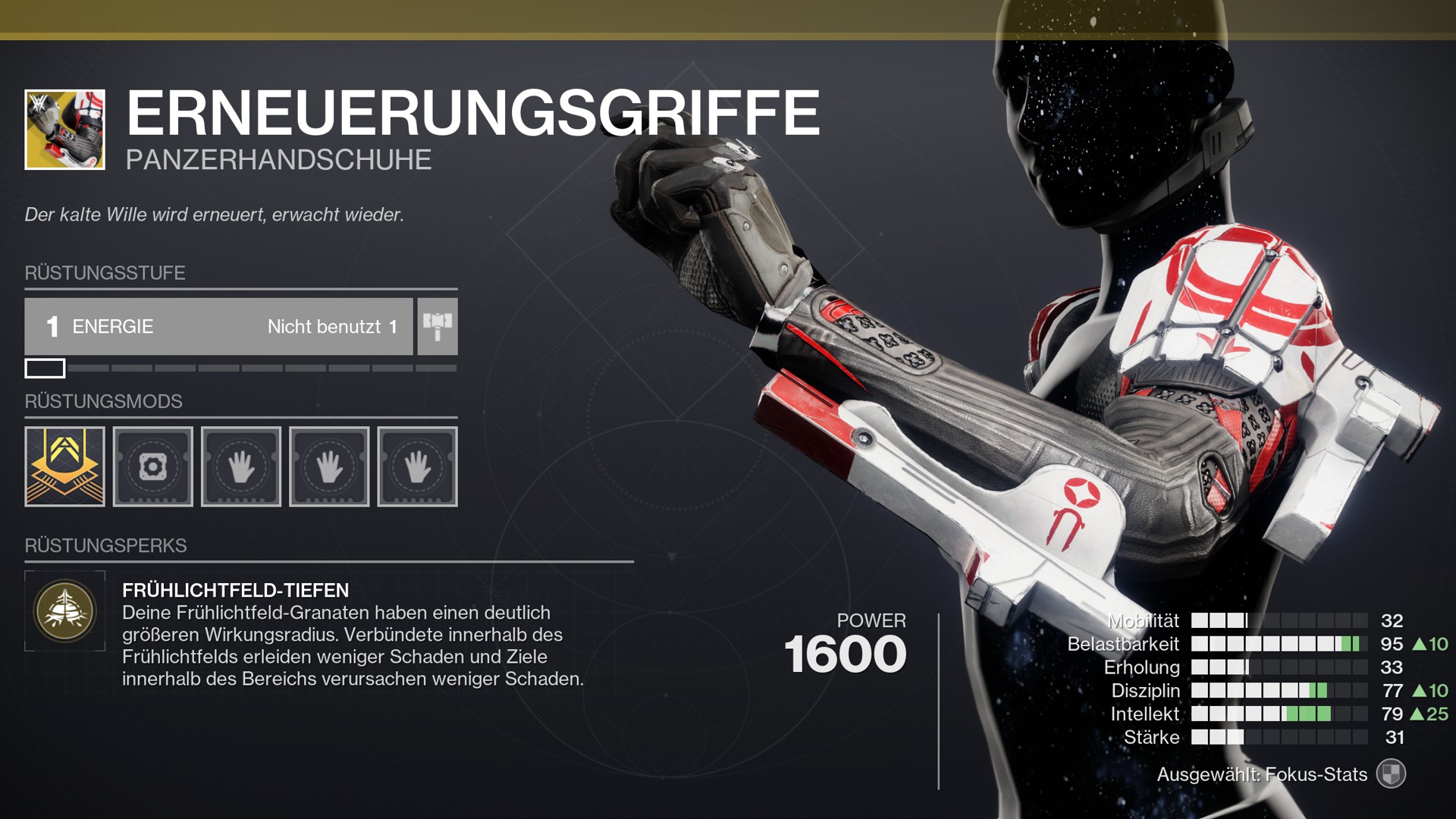
Renewal Grips – Arm Protection
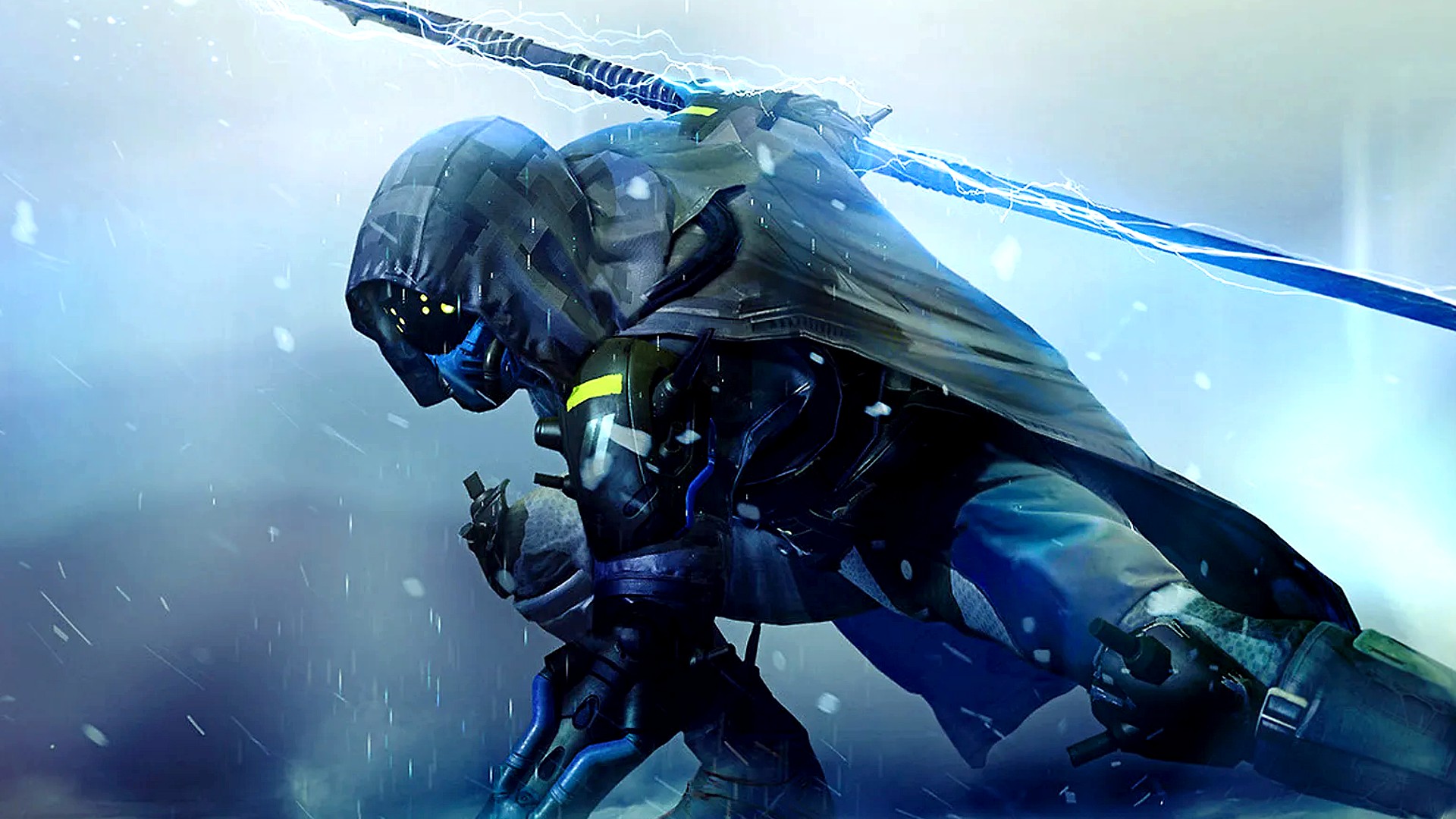
The Hunter Exotic “Renewal Grips”
The Exotic arm protection has lost a lot of popularity since a nerf. Therefore, Bungie is now rolling back on it.
The increased cooldown that was applied to Early Light field grenades while using the Renewal Grips will be removed.
Luck Berry – Chest Protection
As the name suggests, this Exotic was a gamble. The chaining abilities of the Arc Blitz grenade could, but didn’t have to be triggered.
In Season 22, the Exotic will keep its chaining abilities for Arc Blitz grenades but is also supposed to be much more reliable, as Bungie has optimized the energy gains.
The Exotic will generate Ion Traces when you shatter an enemy.
Each Ion Trace provides additional grenade energy.
Your grenades will also gain the ability to stun Overload champions.
Warlock
These Exotic changes await the Warlocks in Season 22
Astrocyte Verse – Head Protection
This Exotic will receive two additional functions.
When you use the short teleport, enemies near you will become fleeting starting in Season 22. So, while you casually teleport away, you’ll trigger a series of explosions behind you.
Additionally, the teleport of the Void super “Nova Warp” will no longer consume any super energy.
Geomag Stabilizers – Leg Protection
Many Guardians had hoped that this Exotic would regain its old ability to gain super energy through sprinting. But Bungie aims to avoid the old and “pretty ridiculous gameplay loops” in the future. Instead, you will get a different option.
When you equip the Geomag Stabilizers in Season 22 and collect an Ion Trace, this will grant you additional super energy.
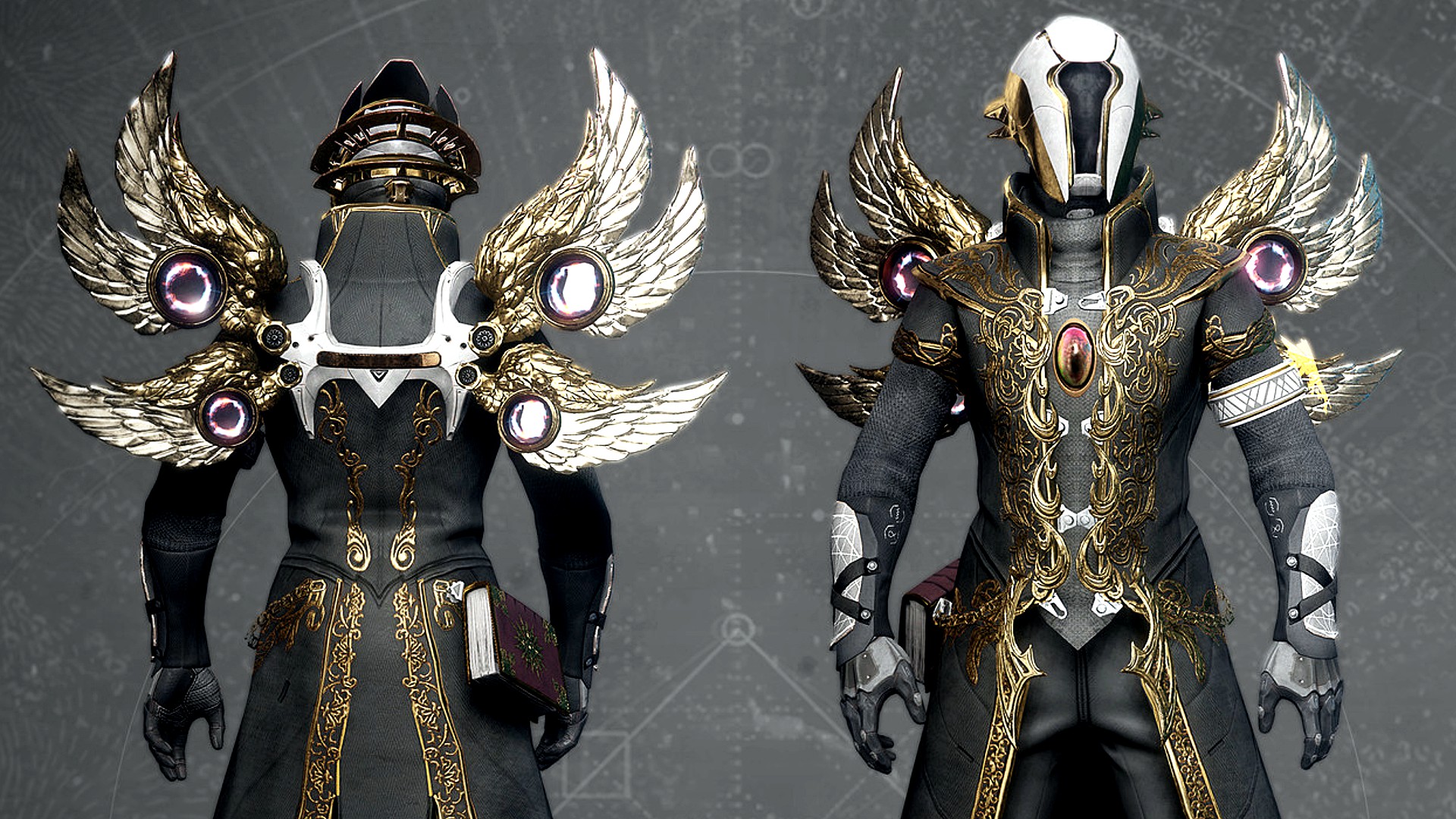
Wings of the Holy Dawn – Chest Protection
You might see these wings more often in Destiny 2 starting in Season 22
With this Exotic, the Warlock will become an “orbital weapon platform” in Season 22. Instead of the hovering state ending upon reloading, you can now compensate for that with your Solar weapons.
When you aim through the sights, kills will automatically trigger the reloading of Solar weapons, including the weapons you are currently using, directly from reserves.
Bungie recommends Warlocks try the Exotic weapon “Xenophage” with this.
Winter’s List – Arm Protection
The way to increase melee damage through melee kills has not made this Exotic a good choice so far. But in Season 22, Bungie will bring Stasis into play here.
The Exotic gains a benefit when using Stasis. If your opponents are enveloped by the Stasis melee “Penumbra Explosion”, they will automatically shatter after a short delay when you wear the Winter’s List Exotic.
On the next page, you will find the reworked Exotics for the Titan as well as the adjustments to the abilities that Bungie will also bring into the game in Season 22.
This is an AI-powered translation. Some inaccuracies might exist.
Some fans of the MMORPG ArcheAge have launched a private server that is based on an old version and aims to improve everything. However, at launch, there were several outages and the hardware had to be relocated. Additionally, there are criticisms regarding the funding, similar to those aimed at ArcheAge itself.
What kind of server is this? AA Classic is a private server run by players. It utilizes a modified version 3.0 and thus skips the later adjustments to the trading system and equipment, which are viewed critically by the ArcheAge community. Furthermore, they aim to avoid Pay2Win and take stronger actions against hacks and bots than the developer XL Games itself.
On August 4, the server launched – facing some problems that are also known from other MMORPG releases. There were:
Server crashes
Bogged-down queues
Exploits that caused server crashes.
The next day, the “proper release” took place, as the developers titled it in a blog post. However, there were severe lags. The developers changed the hardware during a “sleepless night” and managed to get the problem under control for now. Overall, the downtime during the release weekend was over 12 hours.
Is the rest of the game better? That depends on the perspective. The server makes the bonuses from the actual Patron subscription available for free, offers faster regeneration of work points, and avoids converting real money into in-game currency. Moreover, there have already been mass battles with almost 600 players, which were reported to run relatively smoothly.
Nevertheless, some criticize the pre-order packages costing up to 60 dollars and the real-money shop in the game. Some are additionally concerned that the server could be shut down at any time if the developers at XL Games wish to do so, which would lead to the loss of purchased advantages.
What are private servers and are they legal? Private servers are an unofficial version of the game hosted by individuals who do not work for the developer. These servers are illegal as they harm the studio and utilize content and assets that do not belong to them. For already shut down MMORPGs, studios sometimes turn a blind eye, like in the cases of Warhammer Online or Star Wars Galaxies. However, action is frequently taken against projects of ongoing games, as was the case in 2016 with WoW and the Nostalrius server. Playing on private servers is therefore always at one’s own risk.
You can check out the release trailer for ArcheAge here:
Start video
ArcheAge – Release Trailer
ArcheAge Classic is not Pay2Win but focuses on monetization
How is the server funded? Before the release, there were three pre-order packages, each containing a name reservation, a special title, and exclusive skins. These skins are said to be available only through the packages and cannot be purchased later in the shop. This heavily plays on FOMO (the fear of missing out).
With 20, 40, and 60 dollars, the packages are relatively expensive. They also all contain credits that can be exchanged later in the shop for additional items. Extra credits can be purchased with real money.
The server also offers a monthly subscription for 10 dollars, which allows access to the mailbox and warehouse from anywhere and reduces the casting time for teleports by 50%. The bonuses are not as strong as in the original ArcheAge, but they do exist.
How is the financing received? Some private servers completely forgo money, which is also relevant from a legal standpoint. Others rely on donations that players can make voluntarily. A real money shop, a subscription, and especially pre-order boxes are significant exceptions.
On Reddit, there are therefore some commentators who are very dissatisfied with the model:
Tooshortismus writes: “It’s a private server, they can make everything available to everyone. If they charge for anything, it’s illegal. The server can be shut down at any time, and all money spent is gone.”
PeliPal sees it similarly: “They have no right to sell such things. Whether it’s not Pay2Win doesn’t matter if the server gets shut down.”
Haardroncollider is even harsher: “So we are pre-ordering a game that has been released multiple times, and we are paying an unlicensed dealer? We are really desperate for new MMORPGs.”
Although there is already a private server for ArcheAge that has been running for 5 years and has not been shut down, such servers always remain a risk.
What do you think about the launch problems and generally about the version of ArcheAge? Is there even a need for a private server alongside the official ones?
The ability to save presets for equipping has been added, so you can gear up quickly. The player can name the preset, select the desired equipment, see its contents and weight, and compare it with other equipment sets;
The screen of the selected equipment set is divided into two tabs:
“Equipment” shows all available equipment slots
“Pockets” shows the contents of the equipment, the pockets, the backpack, and the secured container
The selected equipment set is assembled from the appropriate items from the player’s stash. If the player does not have enough items in the stash to assemble the set, the missing items can be purchased from traders or on the flea market;
After character creation, the player has access to 15 basic equipment sets;
The player can create up to 50 of their own equipment sets.
Random spawning of containers
Containers (weapon boxes, etc.) now spawn at random points. The number of spawn points for containers has been increased in all locations. Large wooden boxes, some TerraGroup boxes, large cash registers, and filing cabinets now always spawn at their respective locations.
Quick-swapping of sidearm
If the hotkey for the weapon in the holster is pressed twice (default key 1), the character swaps the weapon faster. This action consumes arm stamina, and if this is insufficient, the weapon shakes in the hands. With training in weapons handling and the corresponding weapon skill, the amount of stamina consumed during a quick weapon swap decreases, and the speed of the action increases.
Improvements to the peaceful behavior of the bots
Routes for looting containers by Scavs on the map “Streets of Tarkov” have been added;
The guns of the bots sway slightly up and down when walking peacefully. The peaceful routes of the bots now exhibit slight deviations from a straight line between points, mimicking the movement of the player. During combat or in danger, the bots return to “ready” mode;
The reload speed of low-difficulty bots has been decreased;
Bots can no longer turn immediately. To turn at a significant angle in the prone position, the bot now takes a sitting position and continues to fire;
Bots now search corpses and take weapons, gear, backpacks, and other items they like. If a bot has a backpack and gear, they will drop the backpack and gear next to the corpse. Items taken by bots are not refunded by insurance;
Bots can share an item with a player who is also playing as a scav by calling out something to them;
Enhanced visibility of bots in twilight. It now correctly corresponds to the changes in lighting conditions. The flashlight still offers better visibility at this time of day;
The spawn time for scav players on all maps has been corrected.
Bot groups
The system of AI Scavs has been improved. Now a group of Scavs that acts as a team will spawn with a certain probability. They will be better organized in combat and are essentially small gangs.
Commands for bots
If you play as a scav, new commands for bots are available to the player. The chance of a bot executing a command depends on your reputation with Fence.
All commands have a cooldown period.
“Help.” When this command is used, all bots will move to the player with a certain probability and engage in combat with the enemy;
“Swarm.” With a certain probability, the bots will take cover in a sensible radius and spread out over the area;
“Take cover.” With a certain probability, the bot will take the nearest cover next to the player;
“Quiet.” With a certain probability, the bots will stop talking in the reasonable radius and start listening;
“Stop.” With a certain probability, the bot will briefly pause next to the player, look at the player, and then continue moving;
Now the command “Follow” when playing as a scav can be given not only with a gesture but also with the phrase “Follow me”.
QoL
The user interface for the trade, quests, and Ragman services menu has been redesigned;
The player can now quickly equip an item or replace it with one of the available items in the stash by clicking on the character slot;
The FPS display no longer overlaps with the raid timer;
By double-clicking consumables, the item is automatically used. In terms of functionality, double-clicking corresponds to the “Use” option in the item’s context menu;
You can turn on the tactical device or helmet light by pressing the H key. You can switch the modes of the tactical devices by pressing the combination CTRL + H;
The list of available mods for the OpsCore helmet mounts and the 6B47 helmet has been expanded;
When pressing the hotkeys 4 to 0 while using the first aid kit and other medical aids, a dropdown list of body parts to be treated will now be displayed. When using the first aid kit, the list shows all of the character’s wounds. When using other medical items, only the body parts that can be healed with the item will be displayed. To activate this, the hotkey mode must be set to “Release”;
New images for the loading screens have been added.
Gun rack
A new “gun rack” module has been added to the hideout. The rack has 3 levels for upgrading. Each level can hold a certain number of weapons (Level 1 – 108 cells, Level 2 – 132 cells, Level 3 – 182 cells). Only weapons with all critical components can be placed on the shelves of the gun rack.
A quick sale of Scav’s equipment
A “sell equipment” button has been added to the SCAV’s equipment transfer screen. The player can sell all the equipment they possess after extraction as a SCAV, which means they still have it on their character, including the currency that Fence usually does not buy. Items that you have already taken into your stash are not affected.
Improved display of crafting process
The symbol of the module in which the crafting process is running will now be provided with an animation and a color display;
The finished craft will now be shown first in the module list;
If you click on the counter for the finished craft, you will go to the module where an item is ready to be collected.
Graphics and performance
The visual effect of stun has been changed;
A new technology for fog rendering has been implemented in Streets of Tarkov;
New culling system on the map Lighthouse
Improvement of the culling system in Streets of Tarkov, increasing the accuracy and performance of the system;
Optimization of resource consumption by the sound engine
Weapons and equipment
Weapons:
SVT-40 and AVT-40 rifles;
AK-12 assault rifle;
PKM and PKP light machine guns;
Ryzhy’s double-barreled shotgun (sawed-off);
PM and PB pistols updated.
Ammunition:
.300 Blackout CBJ;
12/70 Piranha;
4.6x30mm JSP SX;
7.62x39mm FMJ;
7.62x39mm SP;
7.62x39mm PP gzh;
7.62x54mm R FMJ;
7.62x54mm R HP BT;
7.62x54mm R SP BT;
9x19mm FMJ M882.
Several new weapon modifications and equipment models have also been added.
Changes to balancing
Various balancing changes to the properties of ammunition;
Various balancing changes to trading;
Various balancing changes to crafting.
Adjusted sizing for the following mods
JP Enterprises Flat-Top 30mm ring scope mount;
Recknagel Era-Tac 30mm ring scope mount;
Recknagel Era-Tac 34mm ring scope mount;
Nightforce Magmount 34mm ring scope mount with ruggedized accessory platform;
Burris AR-P.E.P.R. 30mm ring scope mount;
Steyr AUG 5.56×45 42-round magazine;
STANAG magazine adapter for HK G36;
HK G36 STANAG magazine well;
VPO-101 “Vepr-Hunter” stock;
VPO-101 “Vepr-Hunter” stock in SVD style.
Balancing changes to quests
The Huntsman Path – Trophy;
The Huntsman Path – Sellout;
The Huntsman Path – Woods Keeper;
Hunting Trip;
Tourists;
Psycho Sniper;
A Shooter Born in Heaven;
The Tarkov Shooter – Part 8;
Capturing Outposts;
The Stylish One;
Farming – Part 4;
Grenadier;
Crisis;
Insomnia;
Sew it Good – Part 3;
Test Drive – Part 1.
Shooting range in the hideout
Reduced requirements for building a level one module, new requirements:
Lighting: level 1;
Ruble: 20,000;
Nuts: 1 pcs;
Screws: 1 pcs;
Metal parts: 1 pcs.
Defective wall
New conditions for module construction:
Medblock: Level 1;
Water collector: level 1.
GYM
New conditions for module construction added:
Lighting: level 2;
Ventilation: level 2.
Fixes
The issue where the client got stuck after pressing the “Back” button while reconnecting has been fixed;
Incorrect display of player hands when using stationary weapons fixed;
Fixed a bug that caused soft locks when using grenade launchers under the barrel;
Missing sounds from explosions of grenades thrown by bots have been fixed in some cases;
Incorrect positions of Zryachiy and his guards at the beginning of the raid fixed;
A number of visual artifacts on the Streets of Tarkov have been fixed;
Some visual artifacts in the hideout fixed;
Incorrect calculation of visibility for targets through bushes and trees for bots fixed;
Visual artifacts in optics on Interchange fixed;
Fixing an unnatural angle when aiming with the perk “Berserker” (with the elite skill “Stress Resistance”);
Fixed issues when using flashlights, IR flashlights, NV, and thermal cameras;
Fixed bugs that caused some areas to take longer to load;
Fixed the missing sound when firing the RSP-30;
Fixed missing sound when looting containers in third person.
The stash upgrade that you will receive as a reward for the quest “The TerraGroup Trials” and for the ranking season prize will be released in August.
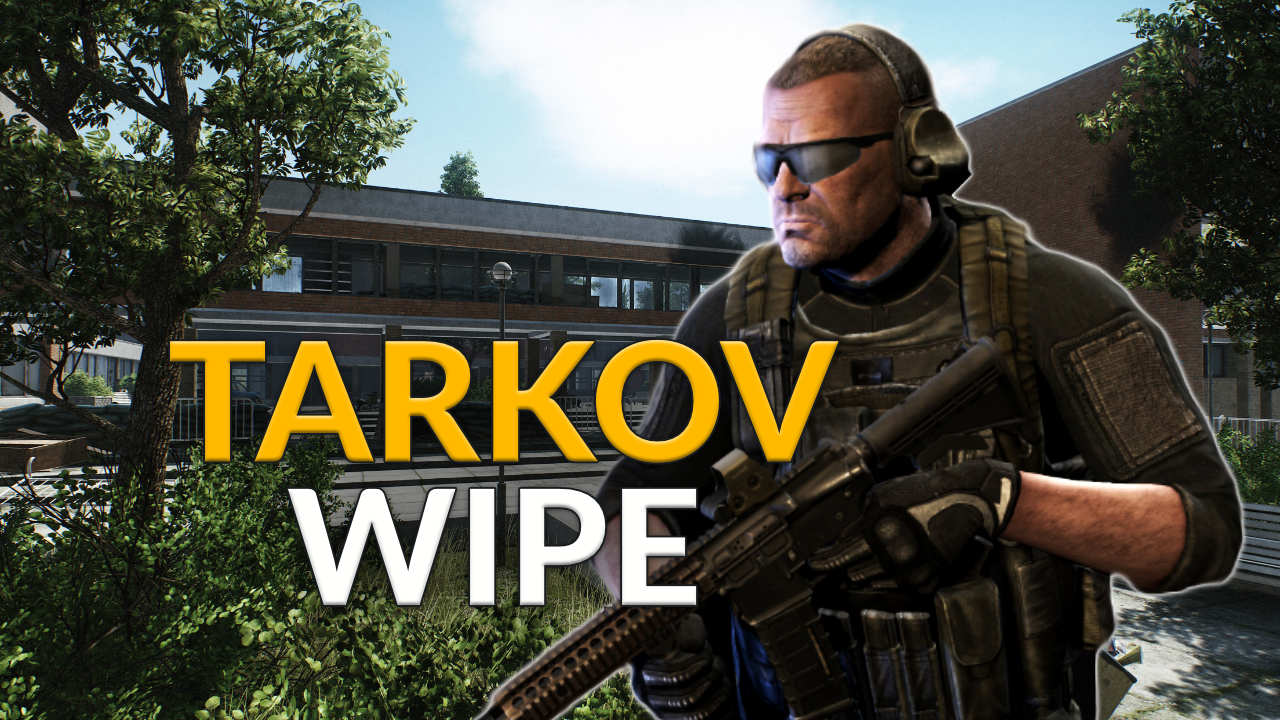
Escape from Tarkov regularly experiences a surge in popularity thanks to its wipes. The hardcore shooter has secured many fans with its ruthless approach, and many enjoy tuning in when a wipe is upcoming.
Additionally, it’s a great game to watch others as they crumble under the pressure or finish an epic loot run.
The new scav boss Kaban has been added. He once had a small legal business in Tarkov, but did not shy away from applying criminal methods to obtain money. After the general evacuation, he stayed in the city, and his gang has grown.
His size allows him to fire various heavy machine guns without having to rest the weapon, but this precisely restricts his mobility, and he either remains in position or moves slowly from point to point during combat. He has a large number of well-armed guards, some of whom are former military who have organized a strong defense for him.
The boss stays in the car repair area in “Streets of Tarkov.” The area is heavily defended, the entrances are secured with stationary machine guns and AGS, the paths are mined, and there are snipers on the roof of the car repair shop.
Kaban uses a custom-made device to store machine gun boxes, wears bulletproof vests under his clothes, and enjoys undisputed authority among his guards. Scavs nearby assist the boss in defense and participate in the fight for Kaban.
Presets for equipment
The ability to save presets for equipping has been added, so you can gear up quickly. The player can name the preset, select the desired equipment, see its contents and weight, and compare it with other equipment sets;
The screen of the selected equipment set is divided into two tabs:
“Equipment” shows all available equipment slots
“Pockets” shows the contents of the equipment, the pockets, the backpack, and the secured container
The selected equipment set is assembled from the appropriate items from the player’s stash. If the player does not have enough items in the stash to assemble the set, the missing items can be purchased from traders or on the flea market;
After character creation, the player has access to 15 basic equipment sets;
The player can create up to 50 of their own equipment sets.
Random spawning of containers
Containers (weapon boxes, etc.) now spawn at random points. The number of spawn points for containers has been increased in all locations. Large wooden boxes, some TerraGroup boxes, large cash registers, and filing cabinets now always spawn at their respective locations.
Quick-swapping of sidearm
If the hotkey for the weapon in the holster is pressed twice (default key 1), the character swaps the weapon faster. This action consumes arm stamina, and if this is insufficient, the weapon shakes in the hands. With training in weapons handling and the corresponding weapon skill, the amount of stamina consumed during a quick weapon swap decreases, and the speed of the action increases.
Improvements to the peaceful behavior of the bots
Routes for looting containers by Scavs on the map “Streets of Tarkov” have been added;
The guns of the bots sway slightly up and down when walking peacefully. The peaceful routes of the bots now exhibit slight deviations from a straight line between points, mimicking the movement of the player. During combat or in danger, the bots return to “ready” mode;
The reload speed of low-difficulty bots has been decreased;
Bots can no longer turn immediately. To turn at a significant angle in the prone position, the bot now takes a sitting position and continues to fire;
Bots now search corpses and take weapons, gear, backpacks, and other items they like. If a bot has a backpack and gear, they will drop the backpack and gear next to the corpse. Items taken by bots are not refunded by insurance;
Bots can share an item with a player who is also playing as a scav by calling out something to them;
Enhanced visibility of bots in twilight. It now correctly corresponds to the changes in lighting conditions. The flashlight still offers better visibility at this time of day;
The spawn time for scav players on all maps has been corrected.
Bot groups
The system of AI Scavs has been improved. Now a group of Scavs that acts as a team will spawn with a certain probability. They will be better organized in combat and are essentially small gangs.
Commands for bots
If you play as a scav, new commands for bots are available to the player. The chance of a bot executing a command depends on your reputation with Fence.
All commands have a cooldown period.
“Help.” When this command is used, all bots will move to the player with a certain probability and engage in combat with the enemy;
“Swarm.” With a certain probability, the bots will take cover in a sensible radius and spread out over the area;
“Take cover.” With a certain probability, the bot will take the nearest cover next to the player;
“Quiet.” With a certain probability, the bots will stop talking in the reasonable radius and start listening;
“Stop.” With a certain probability, the bot will briefly pause next to the player, look at the player, and then continue moving;
Now the command “Follow” when playing as a scav can be given not only with a gesture but also with the phrase “Follow me”.
QoL
The user interface for the trade, quests, and Ragman services menu has been redesigned;
The player can now quickly equip an item or replace it with one of the available items in the stash by clicking on the character slot;
The FPS display no longer overlaps with the raid timer;
By double-clicking consumables, the item is automatically used. In terms of functionality, double-clicking corresponds to the “Use” option in the item’s context menu;
You can turn on the tactical device or helmet light by pressing the H key. You can switch the modes of the tactical devices by pressing the combination CTRL + H;
The list of available mods for the OpsCore helmet mounts and the 6B47 helmet has been expanded;
When pressing the hotkeys 4 to 0 while using the first aid kit and other medical aids, a dropdown list of body parts to be treated will now be displayed. When using the first aid kit, the list shows all of the character’s wounds. When using other medical items, only the body parts that can be healed with the item will be displayed. To activate this, the hotkey mode must be set to “Release”;
New images for the loading screens have been added.
Gun rack
A new “gun rack” module has been added to the hideout. The rack has 3 levels for upgrading. Each level can hold a certain number of weapons (Level 1 – 108 cells, Level 2 – 132 cells, Level 3 – 182 cells). Only weapons with all critical components can be placed on the shelves of the gun rack.
A quick sale of Scav’s equipment
A “sell equipment” button has been added to the SCAV’s equipment transfer screen. The player can sell all the equipment they possess after extraction as a SCAV, which means they still have it on their character, including the currency that Fence usually does not buy. Items that you have already taken into your stash are not affected.
Improved display of crafting process
The symbol of the module in which the crafting process is running will now be provided with an animation and a color display;
The finished craft will now be shown first in the module list;
If you click on the counter for the finished craft, you will go to the module where an item is ready to be collected.
Graphics and performance
The visual effect of stun has been changed;
A new technology for fog rendering has been implemented in Streets of Tarkov;
New culling system on the map Lighthouse
Improvement of the culling system in Streets of Tarkov, increasing the accuracy and performance of the system;
Optimization of resource consumption by the sound engine
Weapons and equipment
Weapons:
SVT-40 and AVT-40 rifles;
AK-12 assault rifle;
PKM and PKP light machine guns;
Ryzhy’s double-barreled shotgun (sawed-off);
PM and PB pistols updated.
Ammunition:
.300 Blackout CBJ;
12/70 Piranha;
4.6x30mm JSP SX;
7.62x39mm FMJ;
7.62x39mm SP;
7.62x39mm PP gzh;
7.62x54mm R FMJ;
7.62x54mm R HP BT;
7.62x54mm R SP BT;
9x19mm FMJ M882.
Several new weapon modifications and equipment models have also been added.
Changes to balancing
Various balancing changes to the properties of ammunition;
Various balancing changes to trading;
Various balancing changes to crafting.
Adjusted sizing for the following mods
JP Enterprises Flat-Top 30mm ring scope mount;
Recknagel Era-Tac 30mm ring scope mount;
Recknagel Era-Tac 34mm ring scope mount;
Nightforce Magmount 34mm ring scope mount with ruggedized accessory platform;
Burris AR-P.E.P.R. 30mm ring scope mount;
Steyr AUG 5.56×45 42-round magazine;
STANAG magazine adapter for HK G36;
HK G36 STANAG magazine well;
VPO-101 “Vepr-Hunter” stock;
VPO-101 “Vepr-Hunter” stock in SVD style.
Balancing changes to quests
The Huntsman Path – Trophy;
The Huntsman Path – Sellout;
The Huntsman Path – Woods Keeper;
Hunting Trip;
Tourists;
Psycho Sniper;
A Shooter Born in Heaven;
The Tarkov Shooter – Part 8;
Capturing Outposts;
The Stylish One;
Farming – Part 4;
Grenadier;
Crisis;
Insomnia;
Sew it Good – Part 3;
Test Drive – Part 1.
Shooting range in the hideout
Reduced requirements for building a level one module, new requirements:
Lighting: level 1;
Ruble: 20,000;
Nuts: 1 pcs;
Screws: 1 pcs;
Metal parts: 1 pcs.
Defective wall
New conditions for module construction:
Medblock: Level 1;
Water collector: level 1.
GYM
New conditions for module construction added:
Lighting: level 2;
Ventilation: level 2.
Fixes
The issue where the client got stuck after pressing the “Back” button while reconnecting has been fixed;
Incorrect display of player hands when using stationary weapons fixed;
Fixed a bug that caused soft locks when using grenade launchers under the barrel;
Missing sounds from explosions of grenades thrown by bots have been fixed in some cases;
Incorrect positions of Zryachiy and his guards at the beginning of the raid fixed;
A number of visual artifacts on the Streets of Tarkov have been fixed;
Some visual artifacts in the hideout fixed;
Incorrect calculation of visibility for targets through bushes and trees for bots fixed;
Visual artifacts in optics on Interchange fixed;
Fixing an unnatural angle when aiming with the perk “Berserker” (with the elite skill “Stress Resistance”);
Fixed issues when using flashlights, IR flashlights, NV, and thermal cameras;
Fixed bugs that caused some areas to take longer to load;
Fixed the missing sound when firing the RSP-30;
Fixed missing sound when looting containers in third person.
The stash upgrade that you will receive as a reward for the quest “The TerraGroup Trials” and for the ranking season prize will be released in August.
Escape from Tarkov regularly experiences a surge in popularity thanks to its wipes. The hardcore shooter has secured many fans with its ruthless approach, and many enjoy tuning in when a wipe is upcoming.
Additionally, it’s a great game to watch others as they crumble under the pressure or finish an epic loot run.
The screen of the selected equipment set is divided into two tabs:
“Equipment” shows all available equipment slots
“Pockets” shows the contents of the equipment, the pockets, the backpack, and the secured container
The selected equipment set is assembled from the appropriate items from the player’s stash. If the player does not have enough items in the stash to assemble the set, the missing items can be purchased from traders or on the flea market;
After character creation, the player has access to 15 basic equipment sets;
The player can create up to 50 of their own equipment sets.
Random spawning of containers
Containers (weapon boxes, etc.) now spawn at random points. The number of spawn points for containers has been increased in all locations. Large wooden boxes, some TerraGroup boxes, large cash registers, and filing cabinets now always spawn at their respective locations.
Quick-swapping of sidearm
If the hotkey for the weapon in the holster is pressed twice (default key 1), the character swaps the weapon faster. This action consumes arm stamina, and if this is insufficient, the weapon shakes in the hands. With training in weapons handling and the corresponding weapon skill, the amount of stamina consumed during a quick weapon swap decreases, and the speed of the action increases.
Improvements to the peaceful behavior of the bots
Routes for looting containers by Scavs on the map “Streets of Tarkov” have been added;
The guns of the bots sway slightly up and down when walking peacefully. The peaceful routes of the bots now exhibit slight deviations from a straight line between points, mimicking the movement of the player. During combat or in danger, the bots return to “ready” mode;
The reload speed of low-difficulty bots has been decreased;
Bots can no longer turn immediately. To turn at a significant angle in the prone position, the bot now takes a sitting position and continues to fire;
Bots now search corpses and take weapons, gear, backpacks, and other items they like. If a bot has a backpack and gear, they will drop the backpack and gear next to the corpse. Items taken by bots are not refunded by insurance;
Bots can share an item with a player who is also playing as a scav by calling out something to them;
Enhanced visibility of bots in twilight. It now correctly corresponds to the changes in lighting conditions. The flashlight still offers better visibility at this time of day;
The spawn time for scav players on all maps has been corrected.
Bot groups
The system of AI Scavs has been improved. Now a group of Scavs that acts as a team will spawn with a certain probability. They will be better organized in combat and are essentially small gangs.
Commands for bots
If you play as a scav, new commands for bots are available to the player. The chance of a bot executing a command depends on your reputation with Fence.
All commands have a cooldown period.
“Help.” When this command is used, all bots will move to the player with a certain probability and engage in combat with the enemy;
“Swarm.” With a certain probability, the bots will take cover in a sensible radius and spread out over the area;
“Take cover.” With a certain probability, the bot will take the nearest cover next to the player;
“Quiet.” With a certain probability, the bots will stop talking in the reasonable radius and start listening;
“Stop.” With a certain probability, the bot will briefly pause next to the player, look at the player, and then continue moving;
Now the command “Follow” when playing as a scav can be given not only with a gesture but also with the phrase “Follow me”.
QoL
The user interface for the trade, quests, and Ragman services menu has been redesigned;
The player can now quickly equip an item or replace it with one of the available items in the stash by clicking on the character slot;
The FPS display no longer overlaps with the raid timer;
By double-clicking consumables, the item is automatically used. In terms of functionality, double-clicking corresponds to the “Use” option in the item’s context menu;
You can turn on the tactical device or helmet light by pressing the H key. You can switch the modes of the tactical devices by pressing the combination CTRL + H;
The list of available mods for the OpsCore helmet mounts and the 6B47 helmet has been expanded;
When pressing the hotkeys 4 to 0 while using the first aid kit and other medical aids, a dropdown list of body parts to be treated will now be displayed. When using the first aid kit, the list shows all of the character’s wounds. When using other medical items, only the body parts that can be healed with the item will be displayed. To activate this, the hotkey mode must be set to “Release”;
New images for the loading screens have been added.
Gun rack
A new “gun rack” module has been added to the hideout. The rack has 3 levels for upgrading. Each level can hold a certain number of weapons (Level 1 – 108 cells, Level 2 – 132 cells, Level 3 – 182 cells). Only weapons with all critical components can be placed on the shelves of the gun rack.
A quick sale of Scav’s equipment
A “sell equipment” button has been added to the SCAV’s equipment transfer screen. The player can sell all the equipment they possess after extraction as a SCAV, which means they still have it on their character, including the currency that Fence usually does not buy. Items that you have already taken into your stash are not affected.
Improved display of crafting process
The symbol of the module in which the crafting process is running will now be provided with an animation and a color display;
The finished craft will now be shown first in the module list;
If you click on the counter for the finished craft, you will go to the module where an item is ready to be collected.
Graphics and performance
The visual effect of stun has been changed;
A new technology for fog rendering has been implemented in Streets of Tarkov;
New culling system on the map Lighthouse
Improvement of the culling system in Streets of Tarkov, increasing the accuracy and performance of the system;
Optimization of resource consumption by the sound engine
Weapons and equipment
Weapons:
SVT-40 and AVT-40 rifles;
AK-12 assault rifle;
PKM and PKP light machine guns;
Ryzhy’s double-barreled shotgun (sawed-off);
PM and PB pistols updated.
Ammunition:
.300 Blackout CBJ;
12/70 Piranha;
4.6x30mm JSP SX;
7.62x39mm FMJ;
7.62x39mm SP;
7.62x39mm PP gzh;
7.62x54mm R FMJ;
7.62x54mm R HP BT;
7.62x54mm R SP BT;
9x19mm FMJ M882.
Several new weapon modifications and equipment models have also been added.
Changes to balancing
Various balancing changes to the properties of ammunition;
Various balancing changes to trading;
Various balancing changes to crafting.
Adjusted sizing for the following mods
JP Enterprises Flat-Top 30mm ring scope mount;
Recknagel Era-Tac 30mm ring scope mount;
Recknagel Era-Tac 34mm ring scope mount;
Nightforce Magmount 34mm ring scope mount with ruggedized accessory platform;
Burris AR-P.E.P.R. 30mm ring scope mount;
Steyr AUG 5.56×45 42-round magazine;
STANAG magazine adapter for HK G36;
HK G36 STANAG magazine well;
VPO-101 “Vepr-Hunter” stock;
VPO-101 “Vepr-Hunter” stock in SVD style.
Balancing changes to quests
The Huntsman Path – Trophy;
The Huntsman Path – Sellout;
The Huntsman Path – Woods Keeper;
Hunting Trip;
Tourists;
Psycho Sniper;
A Shooter Born in Heaven;
The Tarkov Shooter – Part 8;
Capturing Outposts;
The Stylish One;
Farming – Part 4;
Grenadier;
Crisis;
Insomnia;
Sew it Good – Part 3;
Test Drive – Part 1.
Shooting range in the hideout
Reduced requirements for building a level one module, new requirements:
Lighting: level 1;
Ruble: 20,000;
Nuts: 1 pcs;
Screws: 1 pcs;
Metal parts: 1 pcs.
Defective wall
New conditions for module construction:
Medblock: Level 1;
Water collector: level 1.
GYM
New conditions for module construction added:
Lighting: level 2;
Ventilation: level 2.
Fixes
The issue where the client got stuck after pressing the “Back” button while reconnecting has been fixed;
Incorrect display of player hands when using stationary weapons fixed;
Fixed a bug that caused soft locks when using grenade launchers under the barrel;
Missing sounds from explosions of grenades thrown by bots have been fixed in some cases;
Incorrect positions of Zryachiy and his guards at the beginning of the raid fixed;
A number of visual artifacts on the Streets of Tarkov have been fixed;
Some visual artifacts in the hideout fixed;
Incorrect calculation of visibility for targets through bushes and trees for bots fixed;
Visual artifacts in optics on Interchange fixed;
Fixing an unnatural angle when aiming with the perk “Berserker” (with the elite skill “Stress Resistance”);
Fixed issues when using flashlights, IR flashlights, NV, and thermal cameras;
Fixed bugs that caused some areas to take longer to load;
Fixed the missing sound when firing the RSP-30;
Fixed missing sound when looting containers in third person.
The stash upgrade that you will receive as a reward for the quest “The TerraGroup Trials” and for the ranking season prize will be released in August.
Escape from Tarkov regularly experiences a surge in popularity thanks to its wipes. The hardcore shooter has secured many fans with its ruthless approach, and many enjoy tuning in when a wipe is upcoming.
Additionally, it’s a great game to watch others as they crumble under the pressure or finish an epic loot run.
The new scav boss Kaban has been added. He once had a small legal business in Tarkov, but did not shy away from applying criminal methods to obtain money. After the general evacuation, he stayed in the city, and his gang has grown.
His size allows him to fire various heavy machine guns without having to rest the weapon, but this precisely restricts his mobility, and he either remains in position or moves slowly from point to point during combat. He has a large number of well-armed guards, some of whom are former military who have organized a strong defense for him.
The boss stays in the car repair area in “Streets of Tarkov.” The area is heavily defended, the entrances are secured with stationary machine guns and AGS, the paths are mined, and there are snipers on the roof of the car repair shop.
Kaban uses a custom-made device to store machine gun boxes, wears bulletproof vests under his clothes, and enjoys undisputed authority among his guards. Scavs nearby assist the boss in defense and participate in the fight for Kaban.
Presets for equipment
The ability to save presets for equipping has been added, so you can gear up quickly. The player can name the preset, select the desired equipment, see its contents and weight, and compare it with other equipment sets;
The screen of the selected equipment set is divided into two tabs:
“Equipment” shows all available equipment slots
“Pockets” shows the contents of the equipment, the pockets, the backpack, and the secured container
The selected equipment set is assembled from the appropriate items from the player’s stash. If the player does not have enough items in the stash to assemble the set, the missing items can be purchased from traders or on the flea market;
After character creation, the player has access to 15 basic equipment sets;
The player can create up to 50 of their own equipment sets.
Random spawning of containers
Containers (weapon boxes, etc.) now spawn at random points. The number of spawn points for containers has been increased in all locations. Large wooden boxes, some TerraGroup boxes, large cash registers, and filing cabinets now always spawn at their respective locations.
Quick-swapping of sidearm
If the hotkey for the weapon in the holster is pressed twice (default key 1), the character swaps the weapon faster. This action consumes arm stamina, and if this is insufficient, the weapon shakes in the hands. With training in weapons handling and the corresponding weapon skill, the amount of stamina consumed during a quick weapon swap decreases, and the speed of the action increases.
Improvements to the peaceful behavior of the bots
Routes for looting containers by Scavs on the map “Streets of Tarkov” have been added;
The guns of the bots sway slightly up and down when walking peacefully. The peaceful routes of the bots now exhibit slight deviations from a straight line between points, mimicking the movement of the player. During combat or in danger, the bots return to “ready” mode;
The reload speed of low-difficulty bots has been decreased;
Bots can no longer turn immediately. To turn at a significant angle in the prone position, the bot now takes a sitting position and continues to fire;
Bots now search corpses and take weapons, gear, backpacks, and other items they like. If a bot has a backpack and gear, they will drop the backpack and gear next to the corpse. Items taken by bots are not refunded by insurance;
Bots can share an item with a player who is also playing as a scav by calling out something to them;
Enhanced visibility of bots in twilight. It now correctly corresponds to the changes in lighting conditions. The flashlight still offers better visibility at this time of day;
The spawn time for scav players on all maps has been corrected.
Bot groups
The system of AI Scavs has been improved. Now a group of Scavs that acts as a team will spawn with a certain probability. They will be better organized in combat and are essentially small gangs.
Commands for bots
If you play as a scav, new commands for bots are available to the player. The chance of a bot executing a command depends on your reputation with Fence.
All commands have a cooldown period.
“Help.” When this command is used, all bots will move to the player with a certain probability and engage in combat with the enemy;
“Swarm.” With a certain probability, the bots will take cover in a sensible radius and spread out over the area;
“Take cover.” With a certain probability, the bot will take the nearest cover next to the player;
“Quiet.” With a certain probability, the bots will stop talking in the reasonable radius and start listening;
“Stop.” With a certain probability, the bot will briefly pause next to the player, look at the player, and then continue moving;
Now the command “Follow” when playing as a scav can be given not only with a gesture but also with the phrase “Follow me”.
QoL
The user interface for the trade, quests, and Ragman services menu has been redesigned;
The player can now quickly equip an item or replace it with one of the available items in the stash by clicking on the character slot;
The FPS display no longer overlaps with the raid timer;
By double-clicking consumables, the item is automatically used. In terms of functionality, double-clicking corresponds to the “Use” option in the item’s context menu;
You can turn on the tactical device or helmet light by pressing the H key. You can switch the modes of the tactical devices by pressing the combination CTRL + H;
The list of available mods for the OpsCore helmet mounts and the 6B47 helmet has been expanded;
When pressing the hotkeys 4 to 0 while using the first aid kit and other medical aids, a dropdown list of body parts to be treated will now be displayed. When using the first aid kit, the list shows all of the character’s wounds. When using other medical items, only the body parts that can be healed with the item will be displayed. To activate this, the hotkey mode must be set to “Release”;
New images for the loading screens have been added.
Gun rack
A new “gun rack” module has been added to the hideout. The rack has 3 levels for upgrading. Each level can hold a certain number of weapons (Level 1 – 108 cells, Level 2 – 132 cells, Level 3 – 182 cells). Only weapons with all critical components can be placed on the shelves of the gun rack.
A quick sale of Scav’s equipment
A “sell equipment” button has been added to the SCAV’s equipment transfer screen. The player can sell all the equipment they possess after extraction as a SCAV, which means they still have it on their character, including the currency that Fence usually does not buy. Items that you have already taken into your stash are not affected.
Improved display of crafting process
The symbol of the module in which the crafting process is running will now be provided with an animation and a color display;
The finished craft will now be shown first in the module list;
If you click on the counter for the finished craft, you will go to the module where an item is ready to be collected.
Graphics and performance
The visual effect of stun has been changed;
A new technology for fog rendering has been implemented in Streets of Tarkov;
New culling system on the map Lighthouse
Improvement of the culling system in Streets of Tarkov, increasing the accuracy and performance of the system;
Optimization of resource consumption by the sound engine
Weapons and equipment
Weapons:
SVT-40 and AVT-40 rifles;
AK-12 assault rifle;
PKM and PKP light machine guns;
Ryzhy’s double-barreled shotgun (sawed-off);
PM and PB pistols updated.
Ammunition:
.300 Blackout CBJ;
12/70 Piranha;
4.6x30mm JSP SX;
7.62x39mm FMJ;
7.62x39mm SP;
7.62x39mm PP gzh;
7.62x54mm R FMJ;
7.62x54mm R HP BT;
7.62x54mm R SP BT;
9x19mm FMJ M882.
Several new weapon modifications and equipment models have also been added.
Changes to balancing
Various balancing changes to the properties of ammunition;
Various balancing changes to trading;
Various balancing changes to crafting.
Adjusted sizing for the following mods
JP Enterprises Flat-Top 30mm ring scope mount;
Recknagel Era-Tac 30mm ring scope mount;
Recknagel Era-Tac 34mm ring scope mount;
Nightforce Magmount 34mm ring scope mount with ruggedized accessory platform;
Burris AR-P.E.P.R. 30mm ring scope mount;
Steyr AUG 5.56×45 42-round magazine;
STANAG magazine adapter for HK G36;
HK G36 STANAG magazine well;
VPO-101 “Vepr-Hunter” stock;
VPO-101 “Vepr-Hunter” stock in SVD style.
Balancing changes to quests
The Huntsman Path – Trophy;
The Huntsman Path – Sellout;
The Huntsman Path – Woods Keeper;
Hunting Trip;
Tourists;
Psycho Sniper;
A Shooter Born in Heaven;
The Tarkov Shooter – Part 8;
Capturing Outposts;
The Stylish One;
Farming – Part 4;
Grenadier;
Crisis;
Insomnia;
Sew it Good – Part 3;
Test Drive – Part 1.
Shooting range in the hideout
Reduced requirements for building a level one module, new requirements:
Lighting: level 1;
Ruble: 20,000;
Nuts: 1 pcs;
Screws: 1 pcs;
Metal parts: 1 pcs.
Defective wall
New conditions for module construction:
Medblock: Level 1;
Water collector: level 1.
GYM
New conditions for module construction added:
Lighting: level 2;
Ventilation: level 2.
Fixes
The issue where the client got stuck after pressing the “Back” button while reconnecting has been fixed;
Incorrect display of player hands when using stationary weapons fixed;
Fixed a bug that caused soft locks when using grenade launchers under the barrel;
Missing sounds from explosions of grenades thrown by bots have been fixed in some cases;
Incorrect positions of Zryachiy and his guards at the beginning of the raid fixed;
A number of visual artifacts on the Streets of Tarkov have been fixed;
Some visual artifacts in the hideout fixed;
Incorrect calculation of visibility for targets through bushes and trees for bots fixed;
Visual artifacts in optics on Interchange fixed;
Fixing an unnatural angle when aiming with the perk “Berserker” (with the elite skill “Stress Resistance”);
Fixed issues when using flashlights, IR flashlights, NV, and thermal cameras;
Fixed bugs that caused some areas to take longer to load;
Fixed the missing sound when firing the RSP-30;
Fixed missing sound when looting containers in third person.
The stash upgrade that you will receive as a reward for the quest “The TerraGroup Trials” and for the ranking season prize will be released in August.
Escape from Tarkov regularly experiences a surge in popularity thanks to its wipes. The hardcore shooter has secured many fans with its ruthless approach, and many enjoy tuning in when a wipe is upcoming.
Additionally, it’s a great game to watch others as they crumble under the pressure or finish an epic loot run.
The ability to save presets for equipping has been added, so you can gear up quickly. The player can name the preset, select the desired equipment, see its contents and weight, and compare it with other equipment sets;
The screen of the selected equipment set is divided into two tabs:
“Equipment” shows all available equipment slots
“Pockets” shows the contents of the equipment, the pockets, the backpack, and the secured container
The selected equipment set is assembled from the appropriate items from the player’s stash. If the player does not have enough items in the stash to assemble the set, the missing items can be purchased from traders or on the flea market;
After character creation, the player has access to 15 basic equipment sets;
The player can create up to 50 of their own equipment sets.
Random spawning of containers
Containers (weapon boxes, etc.) now spawn at random points. The number of spawn points for containers has been increased in all locations. Large wooden boxes, some TerraGroup boxes, large cash registers, and filing cabinets now always spawn at their respective locations.
Quick-swapping of sidearm
If the hotkey for the weapon in the holster is pressed twice (default key 1), the character swaps the weapon faster. This action consumes arm stamina, and if this is insufficient, the weapon shakes in the hands. With training in weapons handling and the corresponding weapon skill, the amount of stamina consumed during a quick weapon swap decreases, and the speed of the action increases.
Improvements to the peaceful behavior of the bots
Routes for looting containers by Scavs on the map “Streets of Tarkov” have been added;
The guns of the bots sway slightly up and down when walking peacefully. The peaceful routes of the bots now exhibit slight deviations from a straight line between points, mimicking the movement of the player. During combat or in danger, the bots return to “ready” mode;
The reload speed of low-difficulty bots has been decreased;
Bots can no longer turn immediately. To turn at a significant angle in the prone position, the bot now takes a sitting position and continues to fire;
Bots now search corpses and take weapons, gear, backpacks, and other items they like. If a bot has a backpack and gear, they will drop the backpack and gear next to the corpse. Items taken by bots are not refunded by insurance;
Bots can share an item with a player who is also playing as a scav by calling out something to them;
Enhanced visibility of bots in twilight. It now correctly corresponds to the changes in lighting conditions. The flashlight still offers better visibility at this time of day;
The spawn time for scav players on all maps has been corrected.
Bot groups
The system of AI Scavs has been improved. Now a group of Scavs that acts as a team will spawn with a certain probability. They will be better organized in combat and are essentially small gangs.
Commands for bots
If you play as a scav, new commands for bots are available to the player. The chance of a bot executing a command depends on your reputation with Fence.
All commands have a cooldown period.
“Help.” When this command is used, all bots will move to the player with a certain probability and engage in combat with the enemy;
“Swarm.” With a certain probability, the bots will take cover in a sensible radius and spread out over the area;
“Take cover.” With a certain probability, the bot will take the nearest cover next to the player;
“Quiet.” With a certain probability, the bots will stop talking in the reasonable radius and start listening;
“Stop.” With a certain probability, the bot will briefly pause next to the player, look at the player, and then continue moving;
Now the command “Follow” when playing as a scav can be given not only with a gesture but also with the phrase “Follow me”.
QoL
The user interface for the trade, quests, and Ragman services menu has been redesigned;
The player can now quickly equip an item or replace it with one of the available items in the stash by clicking on the character slot;
The FPS display no longer overlaps with the raid timer;
By double-clicking consumables, the item is automatically used. In terms of functionality, double-clicking corresponds to the “Use” option in the item’s context menu;
You can turn on the tactical device or helmet light by pressing the H key. You can switch the modes of the tactical devices by pressing the combination CTRL + H;
The list of available mods for the OpsCore helmet mounts and the 6B47 helmet has been expanded;
When pressing the hotkeys 4 to 0 while using the first aid kit and other medical aids, a dropdown list of body parts to be treated will now be displayed. When using the first aid kit, the list shows all of the character’s wounds. When using other medical items, only the body parts that can be healed with the item will be displayed. To activate this, the hotkey mode must be set to “Release”;
New images for the loading screens have been added.
Gun rack
A new “gun rack” module has been added to the hideout. The rack has 3 levels for upgrading. Each level can hold a certain number of weapons (Level 1 – 108 cells, Level 2 – 132 cells, Level 3 – 182 cells). Only weapons with all critical components can be placed on the shelves of the gun rack.
A quick sale of Scav’s equipment
A “sell equipment” button has been added to the SCAV’s equipment transfer screen. The player can sell all the equipment they possess after extraction as a SCAV, which means they still have it on their character, including the currency that Fence usually does not buy. Items that you have already taken into your stash are not affected.
Improved display of crafting process
The symbol of the module in which the crafting process is running will now be provided with an animation and a color display;
The finished craft will now be shown first in the module list;
If you click on the counter for the finished craft, you will go to the module where an item is ready to be collected.
Graphics and performance
The visual effect of stun has been changed;
A new technology for fog rendering has been implemented in Streets of Tarkov;
New culling system on the map Lighthouse
Improvement of the culling system in Streets of Tarkov, increasing the accuracy and performance of the system;
Optimization of resource consumption by the sound engine
Weapons and equipment
Weapons:
SVT-40 and AVT-40 rifles;
AK-12 assault rifle;
PKM and PKP light machine guns;
Ryzhy’s double-barreled shotgun (sawed-off);
PM and PB pistols updated.
Ammunition:
.300 Blackout CBJ;
12/70 Piranha;
4.6x30mm JSP SX;
7.62x39mm FMJ;
7.62x39mm SP;
7.62x39mm PP gzh;
7.62x54mm R FMJ;
7.62x54mm R HP BT;
7.62x54mm R SP BT;
9x19mm FMJ M882.
Several new weapon modifications and equipment models have also been added.
Changes to balancing
Various balancing changes to the properties of ammunition;
Various balancing changes to trading;
Various balancing changes to crafting.
Adjusted sizing for the following mods
JP Enterprises Flat-Top 30mm ring scope mount;
Recknagel Era-Tac 30mm ring scope mount;
Recknagel Era-Tac 34mm ring scope mount;
Nightforce Magmount 34mm ring scope mount with ruggedized accessory platform;
Burris AR-P.E.P.R. 30mm ring scope mount;
Steyr AUG 5.56×45 42-round magazine;
STANAG magazine adapter for HK G36;
HK G36 STANAG magazine well;
VPO-101 “Vepr-Hunter” stock;
VPO-101 “Vepr-Hunter” stock in SVD style.
Balancing changes to quests
The Huntsman Path – Trophy;
The Huntsman Path – Sellout;
The Huntsman Path – Woods Keeper;
Hunting Trip;
Tourists;
Psycho Sniper;
A Shooter Born in Heaven;
The Tarkov Shooter – Part 8;
Capturing Outposts;
The Stylish One;
Farming – Part 4;
Grenadier;
Crisis;
Insomnia;
Sew it Good – Part 3;
Test Drive – Part 1.
Shooting range in the hideout
Reduced requirements for building a level one module, new requirements:
Lighting: level 1;
Ruble: 20,000;
Nuts: 1 pcs;
Screws: 1 pcs;
Metal parts: 1 pcs.
Defective wall
New conditions for module construction:
Medblock: Level 1;
Water collector: level 1.
GYM
New conditions for module construction added:
Lighting: level 2;
Ventilation: level 2.
Fixes
The issue where the client got stuck after pressing the “Back” button while reconnecting has been fixed;
Incorrect display of player hands when using stationary weapons fixed;
Fixed a bug that caused soft locks when using grenade launchers under the barrel;
Missing sounds from explosions of grenades thrown by bots have been fixed in some cases;
Incorrect positions of Zryachiy and his guards at the beginning of the raid fixed;
A number of visual artifacts on the Streets of Tarkov have been fixed;
Some visual artifacts in the hideout fixed;
Incorrect calculation of visibility for targets through bushes and trees for bots fixed;
Visual artifacts in optics on Interchange fixed;
Fixing an unnatural angle when aiming with the perk “Berserker” (with the elite skill “Stress Resistance”);
Fixed issues when using flashlights, IR flashlights, NV, and thermal cameras;
Fixed bugs that caused some areas to take longer to load;
Fixed the missing sound when firing the RSP-30;
Fixed missing sound when looting containers in third person.
The stash upgrade that you will receive as a reward for the quest “The TerraGroup Trials” and for the ranking season prize will be released in August.
Escape from Tarkov regularly experiences a surge in popularity thanks to its wipes. The hardcore shooter has secured many fans with its ruthless approach, and many enjoy tuning in when a wipe is upcoming.
Additionally, it’s a great game to watch others as they crumble under the pressure or finish an epic loot run.
The new scav boss Kaban has been added. He once had a small legal business in Tarkov, but did not shy away from applying criminal methods to obtain money. After the general evacuation, he stayed in the city, and his gang has grown.
His size allows him to fire various heavy machine guns without having to rest the weapon, but this precisely restricts his mobility, and he either remains in position or moves slowly from point to point during combat. He has a large number of well-armed guards, some of whom are former military who have organized a strong defense for him.
The boss stays in the car repair area in “Streets of Tarkov.” The area is heavily defended, the entrances are secured with stationary machine guns and AGS, the paths are mined, and there are snipers on the roof of the car repair shop.
Kaban uses a custom-made device to store machine gun boxes, wears bulletproof vests under his clothes, and enjoys undisputed authority among his guards. Scavs nearby assist the boss in defense and participate in the fight for Kaban.
Presets for equipment
The ability to save presets for equipping has been added, so you can gear up quickly. The player can name the preset, select the desired equipment, see its contents and weight, and compare it with other equipment sets;
The screen of the selected equipment set is divided into two tabs:
“Equipment” shows all available equipment slots
“Pockets” shows the contents of the equipment, the pockets, the backpack, and the secured container
The selected equipment set is assembled from the appropriate items from the player’s stash. If the player does not have enough items in the stash to assemble the set, the missing items can be purchased from traders or on the flea market;
After character creation, the player has access to 15 basic equipment sets;
The player can create up to 50 of their own equipment sets.
Random spawning of containers
Containers (weapon boxes, etc.) now spawn at random points. The number of spawn points for containers has been increased in all locations. Large wooden boxes, some TerraGroup boxes, large cash registers, and filing cabinets now always spawn at their respective locations.
Quick-swapping of sidearm
If the hotkey for the weapon in the holster is pressed twice (default key 1), the character swaps the weapon faster. This action consumes arm stamina, and if this is insufficient, the weapon shakes in the hands. With training in weapons handling and the corresponding weapon skill, the amount of stamina consumed during a quick weapon swap decreases, and the speed of the action increases.
Improvements to the peaceful behavior of the bots
Routes for looting containers by Scavs on the map “Streets of Tarkov” have been added;
The guns of the bots sway slightly up and down when walking peacefully. The peaceful routes of the bots now exhibit slight deviations from a straight line between points, mimicking the movement of the player. During combat or in danger, the bots return to “ready” mode;
The reload speed of low-difficulty bots has been decreased;
Bots can no longer turn immediately. To turn at a significant angle in the prone position, the bot now takes a sitting position and continues to fire;
Bots now search corpses and take weapons, gear, backpacks, and other items they like. If a bot has a backpack and gear, they will drop the backpack and gear next to the corpse. Items taken by bots are not refunded by insurance;
Bots can share an item with a player who is also playing as a scav by calling out something to them;
Enhanced visibility of bots in twilight. It now correctly corresponds to the changes in lighting conditions. The flashlight still offers better visibility at this time of day;
The spawn time for scav players on all maps has been corrected.
Bot groups
The system of AI Scavs has been improved. Now a group of Scavs that acts as a team will spawn with a certain probability. They will be better organized in combat and are essentially small gangs.
Commands for bots
If you play as a scav, new commands for bots are available to the player. The chance of a bot executing a command depends on your reputation with Fence.
All commands have a cooldown period.
“Help.” When this command is used, all bots will move to the player with a certain probability and engage in combat with the enemy;
“Swarm.” With a certain probability, the bots will take cover in a sensible radius and spread out over the area;
“Take cover.” With a certain probability, the bot will take the nearest cover next to the player;
“Quiet.” With a certain probability, the bots will stop talking in the reasonable radius and start listening;
“Stop.” With a certain probability, the bot will briefly pause next to the player, look at the player, and then continue moving;
Now the command “Follow” when playing as a scav can be given not only with a gesture but also with the phrase “Follow me”.
QoL
The user interface for the trade, quests, and Ragman services menu has been redesigned;
The player can now quickly equip an item or replace it with one of the available items in the stash by clicking on the character slot;
The FPS display no longer overlaps with the raid timer;
By double-clicking consumables, the item is automatically used. In terms of functionality, double-clicking corresponds to the “Use” option in the item’s context menu;
You can turn on the tactical device or helmet light by pressing the H key. You can switch the modes of the tactical devices by pressing the combination CTRL + H;
The list of available mods for the OpsCore helmet mounts and the 6B47 helmet has been expanded;
When pressing the hotkeys 4 to 0 while using the first aid kit and other medical aids, a dropdown list of body parts to be treated will now be displayed. When using the first aid kit, the list shows all of the character’s wounds. When using other medical items, only the body parts that can be healed with the item will be displayed. To activate this, the hotkey mode must be set to “Release”;
New images for the loading screens have been added.
Gun rack
A new “gun rack” module has been added to the hideout. The rack has 3 levels for upgrading. Each level can hold a certain number of weapons (Level 1 – 108 cells, Level 2 – 132 cells, Level 3 – 182 cells). Only weapons with all critical components can be placed on the shelves of the gun rack.
A quick sale of Scav’s equipment
A “sell equipment” button has been added to the SCAV’s equipment transfer screen. The player can sell all the equipment they possess after extraction as a SCAV, which means they still have it on their character, including the currency that Fence usually does not buy. Items that you have already taken into your stash are not affected.
Improved display of crafting process
The symbol of the module in which the crafting process is running will now be provided with an animation and a color display;
The finished craft will now be shown first in the module list;
If you click on the counter for the finished craft, you will go to the module where an item is ready to be collected.
Graphics and performance
The visual effect of stun has been changed;
A new technology for fog rendering has been implemented in Streets of Tarkov;
New culling system on the map Lighthouse
Improvement of the culling system in Streets of Tarkov, increasing the accuracy and performance of the system;
Optimization of resource consumption by the sound engine
Weapons and equipment
Weapons:
SVT-40 and AVT-40 rifles;
AK-12 assault rifle;
PKM and PKP light machine guns;
Ryzhy’s double-barreled shotgun (sawed-off);
PM and PB pistols updated.
Ammunition:
.300 Blackout CBJ;
12/70 Piranha;
4.6x30mm JSP SX;
7.62x39mm FMJ;
7.62x39mm SP;
7.62x39mm PP gzh;
7.62x54mm R FMJ;
7.62x54mm R HP BT;
7.62x54mm R SP BT;
9x19mm FMJ M882.
Several new weapon modifications and equipment models have also been added.
Changes to balancing
Various balancing changes to the properties of ammunition;
Various balancing changes to trading;
Various balancing changes to crafting.
Adjusted sizing for the following mods
JP Enterprises Flat-Top 30mm ring scope mount;
Recknagel Era-Tac 30mm ring scope mount;
Recknagel Era-Tac 34mm ring scope mount;
Nightforce Magmount 34mm ring scope mount with ruggedized accessory platform;
Burris AR-P.E.P.R. 30mm ring scope mount;
Steyr AUG 5.56×45 42-round magazine;
STANAG magazine adapter for HK G36;
HK G36 STANAG magazine well;
VPO-101 “Vepr-Hunter” stock;
VPO-101 “Vepr-Hunter” stock in SVD style.
Balancing changes to quests
The Huntsman Path – Trophy;
The Huntsman Path – Sellout;
The Huntsman Path – Woods Keeper;
Hunting Trip;
Tourists;
Psycho Sniper;
A Shooter Born in Heaven;
The Tarkov Shooter – Part 8;
Capturing Outposts;
The Stylish One;
Farming – Part 4;
Grenadier;
Crisis;
Insomnia;
Sew it Good – Part 3;
Test Drive – Part 1.
Shooting range in the hideout
Reduced requirements for building a level one module, new requirements:
Lighting: level 1;
Ruble: 20,000;
Nuts: 1 pcs;
Screws: 1 pcs;
Metal parts: 1 pcs.
Defective wall
New conditions for module construction:
Medblock: Level 1;
Water collector: level 1.
GYM
New conditions for module construction added:
Lighting: level 2;
Ventilation: level 2.
Fixes
The issue where the client got stuck after pressing the “Back” button while reconnecting has been fixed;
Incorrect display of player hands when using stationary weapons fixed;
Fixed a bug that caused soft locks when using grenade launchers under the barrel;
Missing sounds from explosions of grenades thrown by bots have been fixed in some cases;
Incorrect positions of Zryachiy and his guards at the beginning of the raid fixed;
A number of visual artifacts on the Streets of Tarkov have been fixed;
Some visual artifacts in the hideout fixed;
Incorrect calculation of visibility for targets through bushes and trees for bots fixed;
Visual artifacts in optics on Interchange fixed;
Fixing an unnatural angle when aiming with the perk “Berserker” (with the elite skill “Stress Resistance”);
Fixed issues when using flashlights, IR flashlights, NV, and thermal cameras;
Fixed bugs that caused some areas to take longer to load;
Fixed the missing sound when firing the RSP-30;
Fixed missing sound when looting containers in third person.
The stash upgrade that you will receive as a reward for the quest “The TerraGroup Trials” and for the ranking season prize will be released in August.
Escape from Tarkov regularly experiences a surge in popularity thanks to its wipes. The hardcore shooter has secured many fans with its ruthless approach, and many enjoy tuning in when a wipe is upcoming.
Additionally, it’s a great game to watch others as they crumble under the pressure or finish an epic loot run.
The screen of the selected equipment set is divided into two tabs:
“Equipment” shows all available equipment slots
“Pockets” shows the contents of the equipment, the pockets, the backpack, and the secured container
The selected equipment set is assembled from the appropriate items from the player’s stash. If the player does not have enough items in the stash to assemble the set, the missing items can be purchased from traders or on the flea market;
After character creation, the player has access to 15 basic equipment sets;
The player can create up to 50 of their own equipment sets.
Random spawning of containers
Containers (weapon boxes, etc.) now spawn at random points. The number of spawn points for containers has been increased in all locations. Large wooden boxes, some TerraGroup boxes, large cash registers, and filing cabinets now always spawn at their respective locations.
Quick-swapping of sidearm
If the hotkey for the weapon in the holster is pressed twice (default key 1), the character swaps the weapon faster. This action consumes arm stamina, and if this is insufficient, the weapon shakes in the hands. With training in weapons handling and the corresponding weapon skill, the amount of stamina consumed during a quick weapon swap decreases, and the speed of the action increases.
Improvements to the peaceful behavior of the bots
Routes for looting containers by Scavs on the map “Streets of Tarkov” have been added;
The guns of the bots sway slightly up and down when walking peacefully. The peaceful routes of the bots now exhibit slight deviations from a straight line between points, mimicking the movement of the player. During combat or in danger, the bots return to “ready” mode;
The reload speed of low-difficulty bots has been decreased;
Bots can no longer turn immediately. To turn at a significant angle in the prone position, the bot now takes a sitting position and continues to fire;
Bots now search corpses and take weapons, gear, backpacks, and other items they like. If a bot has a backpack and gear, they will drop the backpack and gear next to the corpse. Items taken by bots are not refunded by insurance;
Bots can share an item with a player who is also playing as a scav by calling out something to them;
Enhanced visibility of bots in twilight. It now correctly corresponds to the changes in lighting conditions. The flashlight still offers better visibility at this time of day;
The spawn time for scav players on all maps has been corrected.
Bot groups
The system of AI Scavs has been improved. Now a group of Scavs that acts as a team will spawn with a certain probability. They will be better organized in combat and are essentially small gangs.
Commands for bots
If you play as a scav, new commands for bots are available to the player. The chance of a bot executing a command depends on your reputation with Fence.
All commands have a cooldown period.
“Help.” When this command is used, all bots will move to the player with a certain probability and engage in combat with the enemy;
“Swarm.” With a certain probability, the bots will take cover in a sensible radius and spread out over the area;
“Take cover.” With a certain probability, the bot will take the nearest cover next to the player;
“Quiet.” With a certain probability, the bots will stop talking in the reasonable radius and start listening;
“Stop.” With a certain probability, the bot will briefly pause next to the player, look at the player, and then continue moving;
Now the command “Follow” when playing as a scav can be given not only with a gesture but also with the phrase “Follow me”.
QoL
The user interface for the trade, quests, and Ragman services menu has been redesigned;
The player can now quickly equip an item or replace it with one of the available items in the stash by clicking on the character slot;
The FPS display no longer overlaps with the raid timer;
By double-clicking consumables, the item is automatically used. In terms of functionality, double-clicking corresponds to the “Use” option in the item’s context menu;
You can turn on the tactical device or helmet light by pressing the H key. You can switch the modes of the tactical devices by pressing the combination CTRL + H;
The list of available mods for the OpsCore helmet mounts and the 6B47 helmet has been expanded;
When pressing the hotkeys 4 to 0 while using the first aid kit and other medical aids, a dropdown list of body parts to be treated will now be displayed. When using the first aid kit, the list shows all of the character’s wounds. When using other medical items, only the body parts that can be healed with the item will be displayed. To activate this, the hotkey mode must be set to “Release”;
New images for the loading screens have been added.
Gun rack
A new “gun rack” module has been added to the hideout. The rack has 3 levels for upgrading. Each level can hold a certain number of weapons (Level 1 – 108 cells, Level 2 – 132 cells, Level 3 – 182 cells). Only weapons with all critical components can be placed on the shelves of the gun rack.
A quick sale of Scav’s equipment
A “sell equipment” button has been added to the SCAV’s equipment transfer screen. The player can sell all the equipment they possess after extraction as a SCAV, which means they still have it on their character, including the currency that Fence usually does not buy. Items that you have already taken into your stash are not affected.
Improved display of crafting process
The symbol of the module in which the crafting process is running will now be provided with an animation and a color display;
The finished craft will now be shown first in the module list;
If you click on the counter for the finished craft, you will go to the module where an item is ready to be collected.
Graphics and performance
The visual effect of stun has been changed;
A new technology for fog rendering has been implemented in Streets of Tarkov;
New culling system on the map Lighthouse
Improvement of the culling system in Streets of Tarkov, increasing the accuracy and performance of the system;
Optimization of resource consumption by the sound engine
Weapons and equipment
Weapons:
SVT-40 and AVT-40 rifles;
AK-12 assault rifle;
PKM and PKP light machine guns;
Ryzhy’s double-barreled shotgun (sawed-off);
PM and PB pistols updated.
Ammunition:
.300 Blackout CBJ;
12/70 Piranha;
4.6x30mm JSP SX;
7.62x39mm FMJ;
7.62x39mm SP;
7.62x39mm PP gzh;
7.62x54mm R FMJ;
7.62x54mm R HP BT;
7.62x54mm R SP BT;
9x19mm FMJ M882.
Several new weapon modifications and equipment models have also been added.
Changes to balancing
Various balancing changes to the properties of ammunition;
Various balancing changes to trading;
Various balancing changes to crafting.
Adjusted sizing for the following mods
JP Enterprises Flat-Top 30mm ring scope mount;
Recknagel Era-Tac 30mm ring scope mount;
Recknagel Era-Tac 34mm ring scope mount;
Nightforce Magmount 34mm ring scope mount with ruggedized accessory platform;
Burris AR-P.E.P.R. 30mm ring scope mount;
Steyr AUG 5.56×45 42-round magazine;
STANAG magazine adapter for HK G36;
HK G36 STANAG magazine well;
VPO-101 “Vepr-Hunter” stock;
VPO-101 “Vepr-Hunter” stock in SVD style.
Balancing changes to quests
The Huntsman Path – Trophy;
The Huntsman Path – Sellout;
The Huntsman Path – Woods Keeper;
Hunting Trip;
Tourists;
Psycho Sniper;
A Shooter Born in Heaven;
The Tarkov Shooter – Part 8;
Capturing Outposts;
The Stylish One;
Farming – Part 4;
Grenadier;
Crisis;
Insomnia;
Sew it Good – Part 3;
Test Drive – Part 1.
Shooting range in the hideout
Reduced requirements for building a level one module, new requirements:
Lighting: level 1;
Ruble: 20,000;
Nuts: 1 pcs;
Screws: 1 pcs;
Metal parts: 1 pcs.
Defective wall
New conditions for module construction:
Medblock: Level 1;
Water collector: level 1.
GYM
New conditions for module construction added:
Lighting: level 2;
Ventilation: level 2.
Fixes
The issue where the client got stuck after pressing the “Back” button while reconnecting has been fixed;
Incorrect display of player hands when using stationary weapons fixed;
Fixed a bug that caused soft locks when using grenade launchers under the barrel;
Missing sounds from explosions of grenades thrown by bots have been fixed in some cases;
Incorrect positions of Zryachiy and his guards at the beginning of the raid fixed;
A number of visual artifacts on the Streets of Tarkov have been fixed;
Some visual artifacts in the hideout fixed;
Incorrect calculation of visibility for targets through bushes and trees for bots fixed;
Visual artifacts in optics on Interchange fixed;
Fixing an unnatural angle when aiming with the perk “Berserker” (with the elite skill “Stress Resistance”);
Fixed issues when using flashlights, IR flashlights, NV, and thermal cameras;
Fixed bugs that caused some areas to take longer to load;
Fixed the missing sound when firing the RSP-30;
Fixed missing sound when looting containers in third person.
The stash upgrade that you will receive as a reward for the quest “The TerraGroup Trials” and for the ranking season prize will be released in August.
Escape from Tarkov regularly experiences a surge in popularity thanks to its wipes. The hardcore shooter has secured many fans with its ruthless approach, and many enjoy tuning in when a wipe is upcoming.
Additionally, it’s a great game to watch others as they crumble under the pressure or finish an epic loot run.
The ability to save presets for equipping has been added, so you can gear up quickly. The player can name the preset, select the desired equipment, see its contents and weight, and compare it with other equipment sets;
The screen of the selected equipment set is divided into two tabs:
“Equipment” shows all available equipment slots
“Pockets” shows the contents of the equipment, the pockets, the backpack, and the secured container
The selected equipment set is assembled from the appropriate items from the player’s stash. If the player does not have enough items in the stash to assemble the set, the missing items can be purchased from traders or on the flea market;
After character creation, the player has access to 15 basic equipment sets;
The player can create up to 50 of their own equipment sets.
Random spawning of containers
Containers (weapon boxes, etc.) now spawn at random points. The number of spawn points for containers has been increased in all locations. Large wooden boxes, some TerraGroup boxes, large cash registers, and filing cabinets now always spawn at their respective locations.
Quick-swapping of sidearm
If the hotkey for the weapon in the holster is pressed twice (default key 1), the character swaps the weapon faster. This action consumes arm stamina, and if this is insufficient, the weapon shakes in the hands. With training in weapons handling and the corresponding weapon skill, the amount of stamina consumed during a quick weapon swap decreases, and the speed of the action increases.
Improvements to the peaceful behavior of the bots
Routes for looting containers by Scavs on the map “Streets of Tarkov” have been added;
The guns of the bots sway slightly up and down when walking peacefully. The peaceful routes of the bots now exhibit slight deviations from a straight line between points, mimicking the movement of the player. During combat or in danger, the bots return to “ready” mode;
The reload speed of low-difficulty bots has been decreased;
Bots can no longer turn immediately. To turn at a significant angle in the prone position, the bot now takes a sitting position and continues to fire;
Bots now search corpses and take weapons, gear, backpacks, and other items they like. If a bot has a backpack and gear, they will drop the backpack and gear next to the corpse. Items taken by bots are not refunded by insurance;
Bots can share an item with a player who is also playing as a scav by calling out something to them;
Enhanced visibility of bots in twilight. It now correctly corresponds to the changes in lighting conditions. The flashlight still offers better visibility at this time of day;
The spawn time for scav players on all maps has been corrected.
Bot groups
The system of AI Scavs has been improved. Now a group of Scavs that acts as a team will spawn with a certain probability. They will be better organized in combat and are essentially small gangs.
Commands for bots
If you play as a scav, new commands for bots are available to the player. The chance of a bot executing a command depends on your reputation with Fence.
All commands have a cooldown period.
“Help.” When this command is used, all bots will move to the player with a certain probability and engage in combat with the enemy;
“Swarm.” With a certain probability, the bots will take cover in a sensible radius and spread out over the area;
“Take cover.” With a certain probability, the bot will take the nearest cover next to the player;
“Quiet.” With a certain probability, the bots will stop talking in the reasonable radius and start listening;
“Stop.” With a certain probability, the bot will briefly pause next to the player, look at the player, and then continue moving;
Now the command “Follow” when playing as a scav can be given not only with a gesture but also with the phrase “Follow me”.
QoL
The user interface for the trade, quests, and Ragman services menu has been redesigned;
The player can now quickly equip an item or replace it with one of the available items in the stash by clicking on the character slot;
The FPS display no longer overlaps with the raid timer;
By double-clicking consumables, the item is automatically used. In terms of functionality, double-clicking corresponds to the “Use” option in the item’s context menu;
You can turn on the tactical device or helmet light by pressing the H key. You can switch the modes of the tactical devices by pressing the combination CTRL + H;
The list of available mods for the OpsCore helmet mounts and the 6B47 helmet has been expanded;
When pressing the hotkeys 4 to 0 while using the first aid kit and other medical aids, a dropdown list of body parts to be treated will now be displayed. When using the first aid kit, the list shows all of the character’s wounds. When using other medical items, only the body parts that can be healed with the item will be displayed. To activate this, the hotkey mode must be set to “Release”;
New images for the loading screens have been added.
Gun rack
A new “gun rack” module has been added to the hideout. The rack has 3 levels for upgrading. Each level can hold a certain number of weapons (Level 1 – 108 cells, Level 2 – 132 cells, Level 3 – 182 cells). Only weapons with all critical components can be placed on the shelves of the gun rack.
A quick sale of Scav’s equipment
A “sell equipment” button has been added to the SCAV’s equipment transfer screen. The player can sell all the equipment they possess after extraction as a SCAV, which means they still have it on their character, including the currency that Fence usually does not buy. Items that you have already taken into your stash are not affected.
Improved display of crafting process
The symbol of the module in which the crafting process is running will now be provided with an animation and a color display;
The finished craft will now be shown first in the module list;
If you click on the counter for the finished craft, you will go to the module where an item is ready to be collected.
Graphics and performance
The visual effect of stun has been changed;
A new technology for fog rendering has been implemented in Streets of Tarkov;
New culling system on the map Lighthouse
Improvement of the culling system in Streets of Tarkov, increasing the accuracy and performance of the system;
Optimization of resource consumption by the sound engine
Weapons and equipment
Weapons:
SVT-40 and AVT-40 rifles;
AK-12 assault rifle;
PKM and PKP light machine guns;
Ryzhy’s double-barreled shotgun (sawed-off);
PM and PB pistols updated.
Ammunition:
.300 Blackout CBJ;
12/70 Piranha;
4.6x30mm JSP SX;
7.62x39mm FMJ;
7.62x39mm SP;
7.62x39mm PP gzh;
7.62x54mm R FMJ;
7.62x54mm R HP BT;
7.62x54mm R SP BT;
9x19mm FMJ M882.
Several new weapon modifications and equipment models have also been added.
Changes to balancing
Various balancing changes to the properties of ammunition;
Various balancing changes to trading;
Various balancing changes to crafting.
Adjusted sizing for the following mods
JP Enterprises Flat-Top 30mm ring scope mount;
Recknagel Era-Tac 30mm ring scope mount;
Recknagel Era-Tac 34mm ring scope mount;
Nightforce Magmount 34mm ring scope mount with ruggedized accessory platform;
Burris AR-P.E.P.R. 30mm ring scope mount;
Steyr AUG 5.56×45 42-round magazine;
STANAG magazine adapter for HK G36;
HK G36 STANAG magazine well;
VPO-101 “Vepr-Hunter” stock;
VPO-101 “Vepr-Hunter” stock in SVD style.
Balancing changes to quests
The Huntsman Path – Trophy;
The Huntsman Path – Sellout;
The Huntsman Path – Woods Keeper;
Hunting Trip;
Tourists;
Psycho Sniper;
A Shooter Born in Heaven;
The Tarkov Shooter – Part 8;
Capturing Outposts;
The Stylish One;
Farming – Part 4;
Grenadier;
Crisis;
Insomnia;
Sew it Good – Part 3;
Test Drive – Part 1.
Shooting range in the hideout
Reduced requirements for building a level one module, new requirements:
Lighting: level 1;
Ruble: 20,000;
Nuts: 1 pcs;
Screws: 1 pcs;
Metal parts: 1 pcs.
Defective wall
New conditions for module construction:
Medblock: Level 1;
Water collector: level 1.
GYM
New conditions for module construction added:
Lighting: level 2;
Ventilation: level 2.
Fixes
The issue where the client got stuck after pressing the “Back” button while reconnecting has been fixed;
Incorrect display of player hands when using stationary weapons fixed;
Fixed a bug that caused soft locks when using grenade launchers under the barrel;
Missing sounds from explosions of grenades thrown by bots have been fixed in some cases;
Incorrect positions of Zryachiy and his guards at the beginning of the raid fixed;
A number of visual artifacts on the Streets of Tarkov have been fixed;
Some visual artifacts in the hideout fixed;
Incorrect calculation of visibility for targets through bushes and trees for bots fixed;
Visual artifacts in optics on Interchange fixed;
Fixing an unnatural angle when aiming with the perk “Berserker” (with the elite skill “Stress Resistance”);
Fixed issues when using flashlights, IR flashlights, NV, and thermal cameras;
Fixed bugs that caused some areas to take longer to load;
Fixed the missing sound when firing the RSP-30;
Fixed missing sound when looting containers in third person.
The stash upgrade that you will receive as a reward for the quest “The TerraGroup Trials” and for the ranking season prize will be released in August.
Escape from Tarkov regularly experiences a surge in popularity thanks to its wipes. The hardcore shooter has secured many fans with its ruthless approach, and many enjoy tuning in when a wipe is upcoming.
Additionally, it’s a great game to watch others as they crumble under the pressure or finish an epic loot run.
The new scav boss Kaban has been added. He once had a small legal business in Tarkov, but did not shy away from applying criminal methods to obtain money. After the general evacuation, he stayed in the city, and his gang has grown.
His size allows him to fire various heavy machine guns without having to rest the weapon, but this precisely restricts his mobility, and he either remains in position or moves slowly from point to point during combat. He has a large number of well-armed guards, some of whom are former military who have organized a strong defense for him.
The boss stays in the car repair area in “Streets of Tarkov.” The area is heavily defended, the entrances are secured with stationary machine guns and AGS, the paths are mined, and there are snipers on the roof of the car repair shop.
Kaban uses a custom-made device to store machine gun boxes, wears bulletproof vests under his clothes, and enjoys undisputed authority among his guards. Scavs nearby assist the boss in defense and participate in the fight for Kaban.
Presets for equipment
The ability to save presets for equipping has been added, so you can gear up quickly. The player can name the preset, select the desired equipment, see its contents and weight, and compare it with other equipment sets;
The screen of the selected equipment set is divided into two tabs:
“Equipment” shows all available equipment slots
“Pockets” shows the contents of the equipment, the pockets, the backpack, and the secured container
The selected equipment set is assembled from the appropriate items from the player’s stash. If the player does not have enough items in the stash to assemble the set, the missing items can be purchased from traders or on the flea market;
After character creation, the player has access to 15 basic equipment sets;
The player can create up to 50 of their own equipment sets.
Random spawning of containers
Containers (weapon boxes, etc.) now spawn at random points. The number of spawn points for containers has been increased in all locations. Large wooden boxes, some TerraGroup boxes, large cash registers, and filing cabinets now always spawn at their respective locations.
Quick-swapping of sidearm
If the hotkey for the weapon in the holster is pressed twice (default key 1), the character swaps the weapon faster. This action consumes arm stamina, and if this is insufficient, the weapon shakes in the hands. With training in weapons handling and the corresponding weapon skill, the amount of stamina consumed during a quick weapon swap decreases, and the speed of the action increases.
Improvements to the peaceful behavior of the bots
Routes for looting containers by Scavs on the map “Streets of Tarkov” have been added;
The guns of the bots sway slightly up and down when walking peacefully. The peaceful routes of the bots now exhibit slight deviations from a straight line between points, mimicking the movement of the player. During combat or in danger, the bots return to “ready” mode;
The reload speed of low-difficulty bots has been decreased;
Bots can no longer turn immediately. To turn at a significant angle in the prone position, the bot now takes a sitting position and continues to fire;
Bots now search corpses and take weapons, gear, backpacks, and other items they like. If a bot has a backpack and gear, they will drop the backpack and gear next to the corpse. Items taken by bots are not refunded by insurance;
Bots can share an item with a player who is also playing as a scav by calling out something to them;
Enhanced visibility of bots in twilight. It now correctly corresponds to the changes in lighting conditions. The flashlight still offers better visibility at this time of day;
The spawn time for scav players on all maps has been corrected.
Bot groups
The system of AI Scavs has been improved. Now a group of Scavs that acts as a team will spawn with a certain probability. They will be better organized in combat and are essentially small gangs.
Commands for bots
If you play as a scav, new commands for bots are available to the player. The chance of a bot executing a command depends on your reputation with Fence.
All commands have a cooldown period.
“Help.” When this command is used, all bots will move to the player with a certain probability and engage in combat with the enemy;
“Swarm.” With a certain probability, the bots will take cover in a sensible radius and spread out over the area;
“Take cover.” With a certain probability, the bot will take the nearest cover next to the player;
“Quiet.” With a certain probability, the bots will stop talking in the reasonable radius and start listening;
“Stop.” With a certain probability, the bot will briefly pause next to the player, look at the player, and then continue moving;
Now the command “Follow” when playing as a scav can be given not only with a gesture but also with the phrase “Follow me”.
QoL
The user interface for the trade, quests, and Ragman services menu has been redesigned;
The player can now quickly equip an item or replace it with one of the available items in the stash by clicking on the character slot;
The FPS display no longer overlaps with the raid timer;
By double-clicking consumables, the item is automatically used. In terms of functionality, double-clicking corresponds to the “Use” option in the item’s context menu;
You can turn on the tactical device or helmet light by pressing the H key. You can switch the modes of the tactical devices by pressing the combination CTRL + H;
The list of available mods for the OpsCore helmet mounts and the 6B47 helmet has been expanded;
When pressing the hotkeys 4 to 0 while using the first aid kit and other medical aids, a dropdown list of body parts to be treated will now be displayed. When using the first aid kit, the list shows all of the character’s wounds. When using other medical items, only the body parts that can be healed with the item will be displayed. To activate this, the hotkey mode must be set to “Release”;
New images for the loading screens have been added.
Gun rack
A new “gun rack” module has been added to the hideout. The rack has 3 levels for upgrading. Each level can hold a certain number of weapons (Level 1 – 108 cells, Level 2 – 132 cells, Level 3 – 182 cells). Only weapons with all critical components can be placed on the shelves of the gun rack.
A quick sale of Scav’s equipment
A “sell equipment” button has been added to the SCAV’s equipment transfer screen. The player can sell all the equipment they possess after extraction as a SCAV, which means they still have it on their character, including the currency that Fence usually does not buy. Items that you have already taken into your stash are not affected.
Improved display of crafting process
The symbol of the module in which the crafting process is running will now be provided with an animation and a color display;
The finished craft will now be shown first in the module list;
If you click on the counter for the finished craft, you will go to the module where an item is ready to be collected.
Graphics and performance
The visual effect of stun has been changed;
A new technology for fog rendering has been implemented in Streets of Tarkov;
New culling system on the map Lighthouse
Improvement of the culling system in Streets of Tarkov, increasing the accuracy and performance of the system;
Optimization of resource consumption by the sound engine
Weapons and equipment
Weapons:
SVT-40 and AVT-40 rifles;
AK-12 assault rifle;
PKM and PKP light machine guns;
Ryzhy’s double-barreled shotgun (sawed-off);
PM and PB pistols updated.
Ammunition:
.300 Blackout CBJ;
12/70 Piranha;
4.6x30mm JSP SX;
7.62x39mm FMJ;
7.62x39mm SP;
7.62x39mm PP gzh;
7.62x54mm R FMJ;
7.62x54mm R HP BT;
7.62x54mm R SP BT;
9x19mm FMJ M882.
Several new weapon modifications and equipment models have also been added.
Changes to balancing
Various balancing changes to the properties of ammunition;
Various balancing changes to trading;
Various balancing changes to crafting.
Adjusted sizing for the following mods
JP Enterprises Flat-Top 30mm ring scope mount;
Recknagel Era-Tac 30mm ring scope mount;
Recknagel Era-Tac 34mm ring scope mount;
Nightforce Magmount 34mm ring scope mount with ruggedized accessory platform;
Burris AR-P.E.P.R. 30mm ring scope mount;
Steyr AUG 5.56×45 42-round magazine;
STANAG magazine adapter for HK G36;
HK G36 STANAG magazine well;
VPO-101 “Vepr-Hunter” stock;
VPO-101 “Vepr-Hunter” stock in SVD style.
Balancing changes to quests
The Huntsman Path – Trophy;
The Huntsman Path – Sellout;
The Huntsman Path – Woods Keeper;
Hunting Trip;
Tourists;
Psycho Sniper;
A Shooter Born in Heaven;
The Tarkov Shooter – Part 8;
Capturing Outposts;
The Stylish One;
Farming – Part 4;
Grenadier;
Crisis;
Insomnia;
Sew it Good – Part 3;
Test Drive – Part 1.
Shooting range in the hideout
Reduced requirements for building a level one module, new requirements:
Lighting: level 1;
Ruble: 20,000;
Nuts: 1 pcs;
Screws: 1 pcs;
Metal parts: 1 pcs.
Defective wall
New conditions for module construction:
Medblock: Level 1;
Water collector: level 1.
GYM
New conditions for module construction added:
Lighting: level 2;
Ventilation: level 2.
Fixes
The issue where the client got stuck after pressing the “Back” button while reconnecting has been fixed;
Incorrect display of player hands when using stationary weapons fixed;
Fixed a bug that caused soft locks when using grenade launchers under the barrel;
Missing sounds from explosions of grenades thrown by bots have been fixed in some cases;
Incorrect positions of Zryachiy and his guards at the beginning of the raid fixed;
A number of visual artifacts on the Streets of Tarkov have been fixed;
Some visual artifacts in the hideout fixed;
Incorrect calculation of visibility for targets through bushes and trees for bots fixed;
Visual artifacts in optics on Interchange fixed;
Fixing an unnatural angle when aiming with the perk “Berserker” (with the elite skill “Stress Resistance”);
Fixed issues when using flashlights, IR flashlights, NV, and thermal cameras;
Fixed bugs that caused some areas to take longer to load;
Fixed the missing sound when firing the RSP-30;
Fixed missing sound when looting containers in third person.
The stash upgrade that you will receive as a reward for the quest “The TerraGroup Trials” and for the ranking season prize will be released in August.
Escape from Tarkov regularly experiences a surge in popularity thanks to its wipes. The hardcore shooter has secured many fans with its ruthless approach, and many enjoy tuning in when a wipe is upcoming.
Additionally, it’s a great game to watch others as they crumble under the pressure or finish an epic loot run.
The hardcore shooter Escape from Tarkov is releasing the new update 0.13.5 on its servers today, August 10, bringing the popular wipe. All information about the update and the downtime can be found here on MeinMMO.
Update: The downtime is lasting longer than planned (via twitter.com)
What’s happening in Escape from Tarkov? Twice a year, the hardcore shooter celebrates Christmas with its wipe. Instead of giving players something, as is customary during the holidays, players lose everything. Only the base inventory remains, along with some bonuses that have been acquired.
The wipe comes hand in hand with the update 0.13.5, which brings new content and many changes to the game. This includes a new scav boss for the map Streets of Tarkov, presets for your loadouts, and random spawns for containers.
Further down is the schedule for the update, the complete patch notes in German, and here you can watch the trailer:
When is the update coming? At the time of the article, the servers of Escape from Tarkov are down, the developers are deploying the patch (via twitter.com).
The downtime is expected to last 6 hours. Therefore, the servers should be back online at 3:00 PM German time. However, the developers also warn: If it takes longer, it simply takes longer. With the last patch, it took a few hours longer.
What’s in the update? The developers have posted the patch notes on one of their websites. The original version in English is linked here: via escapefromtarkov.com.
Community member “Hummz21” has translated the patch notes (via escapefromtarkov.com). You can view the complete list in the spoiler box:
The user interface for the trade, quests, and Ragman services menu has been redesigned;
The player can now quickly equip an item or replace it with one of the available items in the stash by clicking on the character slot;
The FPS display no longer overlaps with the raid timer;
By double-clicking consumables, the item is automatically used. In terms of functionality, double-clicking corresponds to the “Use” option in the item’s context menu;
You can turn on the tactical device or helmet light by pressing the H key. You can switch the modes of the tactical devices by pressing the combination CTRL + H;
The list of available mods for the OpsCore helmet mounts and the 6B47 helmet has been expanded;
When pressing the hotkeys 4 to 0 while using the first aid kit and other medical aids, a dropdown list of body parts to be treated will now be displayed. When using the first aid kit, the list shows all of the character’s wounds. When using other medical items, only the body parts that can be healed with the item will be displayed. To activate this, the hotkey mode must be set to “Release”;
New images for the loading screens have been added.
Gun rack
A new “gun rack” module has been added to the hideout. The rack has 3 levels for upgrading. Each level can hold a certain number of weapons (Level 1 – 108 cells, Level 2 – 132 cells, Level 3 – 182 cells). Only weapons with all critical components can be placed on the shelves of the gun rack.
A quick sale of Scav’s equipment
A “sell equipment” button has been added to the SCAV’s equipment transfer screen. The player can sell all the equipment they possess after extraction as a SCAV, which means they still have it on their character, including the currency that Fence usually does not buy. Items that you have already taken into your stash are not affected.
Improved display of crafting process
The symbol of the module in which the crafting process is running will now be provided with an animation and a color display;
The finished craft will now be shown first in the module list;
If you click on the counter for the finished craft, you will go to the module where an item is ready to be collected.
Graphics and performance
The visual effect of stun has been changed;
A new technology for fog rendering has been implemented in Streets of Tarkov;
New culling system on the map Lighthouse
Improvement of the culling system in Streets of Tarkov, increasing the accuracy and performance of the system;
Optimization of resource consumption by the sound engine
Weapons and equipment
Weapons:
SVT-40 and AVT-40 rifles;
AK-12 assault rifle;
PKM and PKP light machine guns;
Ryzhy’s double-barreled shotgun (sawed-off);
PM and PB pistols updated.
Ammunition:
.300 Blackout CBJ;
12/70 Piranha;
4.6x30mm JSP SX;
7.62x39mm FMJ;
7.62x39mm SP;
7.62x39mm PP gzh;
7.62x54mm R FMJ;
7.62x54mm R HP BT;
7.62x54mm R SP BT;
9x19mm FMJ M882.
Several new weapon modifications and equipment models have also been added.
Changes to balancing
Various balancing changes to the properties of ammunition;
Various balancing changes to trading;
Various balancing changes to crafting.
Adjusted sizing for the following mods
JP Enterprises Flat-Top 30mm ring scope mount;
Recknagel Era-Tac 30mm ring scope mount;
Recknagel Era-Tac 34mm ring scope mount;
Nightforce Magmount 34mm ring scope mount with ruggedized accessory platform;
Burris AR-P.E.P.R. 30mm ring scope mount;
Steyr AUG 5.56×45 42-round magazine;
STANAG magazine adapter for HK G36;
HK G36 STANAG magazine well;
VPO-101 “Vepr-Hunter” stock;
VPO-101 “Vepr-Hunter” stock in SVD style.
Balancing changes to quests
The Huntsman Path – Trophy;
The Huntsman Path – Sellout;
The Huntsman Path – Woods Keeper;
Hunting Trip;
Tourists;
Psycho Sniper;
A Shooter Born in Heaven;
The Tarkov Shooter – Part 8;
Capturing Outposts;
The Stylish One;
Farming – Part 4;
Grenadier;
Crisis;
Insomnia;
Sew it Good – Part 3;
Test Drive – Part 1.
Shooting range in the hideout
Reduced requirements for building a level one module, new requirements:
Lighting: level 1;
Ruble: 20,000;
Nuts: 1 pcs;
Screws: 1 pcs;
Metal parts: 1 pcs.
Defective wall
New conditions for module construction:
Medblock: Level 1;
Water collector: level 1.
GYM
New conditions for module construction added:
Lighting: level 2;
Ventilation: level 2.
Fixes
The issue where the client got stuck after pressing the “Back” button while reconnecting has been fixed;
Incorrect display of player hands when using stationary weapons fixed;
Fixed a bug that caused soft locks when using grenade launchers under the barrel;
Missing sounds from explosions of grenades thrown by bots have been fixed in some cases;
Incorrect positions of Zryachiy and his guards at the beginning of the raid fixed;
A number of visual artifacts on the Streets of Tarkov have been fixed;
Some visual artifacts in the hideout fixed;
Incorrect calculation of visibility for targets through bushes and trees for bots fixed;
Visual artifacts in optics on Interchange fixed;
Fixing an unnatural angle when aiming with the perk “Berserker” (with the elite skill “Stress Resistance”);
Fixed issues when using flashlights, IR flashlights, NV, and thermal cameras;
Fixed bugs that caused some areas to take longer to load;
Fixed the missing sound when firing the RSP-30;
Fixed missing sound when looting containers in third person.
The stash upgrade that you will receive as a reward for the quest “The TerraGroup Trials” and for the ranking season prize will be released in August.
Escape from Tarkov regularly experiences a surge in popularity thanks to its wipes. The hardcore shooter has secured many fans with its ruthless approach, and many enjoy tuning in when a wipe is upcoming.
Additionally, it’s a great game to watch others as they crumble under the pressure or finish an epic loot run.
The screen of the selected equipment set is divided into two tabs:
“Equipment” shows all available equipment slots
“Pockets” shows the contents of the equipment, the pockets, the backpack, and the secured container
The selected equipment set is assembled from the appropriate items from the player’s stash. If the player does not have enough items in the stash to assemble the set, the missing items can be purchased from traders or on the flea market;
After character creation, the player has access to 15 basic equipment sets;
The player can create up to 50 of their own equipment sets.
Random spawning of containers
Containers (weapon boxes, etc.) now spawn at random points. The number of spawn points for containers has been increased in all locations. Large wooden boxes, some TerraGroup boxes, large cash registers, and filing cabinets now always spawn at their respective locations.
Quick-swapping of sidearm
If the hotkey for the weapon in the holster is pressed twice (default key 1), the character swaps the weapon faster. This action consumes arm stamina, and if this is insufficient, the weapon shakes in the hands. With training in weapons handling and the corresponding weapon skill, the amount of stamina consumed during a quick weapon swap decreases, and the speed of the action increases.
Improvements to the peaceful behavior of the bots
Routes for looting containers by Scavs on the map “Streets of Tarkov” have been added;
The guns of the bots sway slightly up and down when walking peacefully. The peaceful routes of the bots now exhibit slight deviations from a straight line between points, mimicking the movement of the player. During combat or in danger, the bots return to “ready” mode;
The reload speed of low-difficulty bots has been decreased;
Bots can no longer turn immediately. To turn at a significant angle in the prone position, the bot now takes a sitting position and continues to fire;
Bots now search corpses and take weapons, gear, backpacks, and other items they like. If a bot has a backpack and gear, they will drop the backpack and gear next to the corpse. Items taken by bots are not refunded by insurance;
Bots can share an item with a player who is also playing as a scav by calling out something to them;
Enhanced visibility of bots in twilight. It now correctly corresponds to the changes in lighting conditions. The flashlight still offers better visibility at this time of day;
The spawn time for scav players on all maps has been corrected.
Bot groups
The system of AI Scavs has been improved. Now a group of Scavs that acts as a team will spawn with a certain probability. They will be better organized in combat and are essentially small gangs.
Commands for bots
If you play as a scav, new commands for bots are available to the player. The chance of a bot executing a command depends on your reputation with Fence.
All commands have a cooldown period.
“Help.” When this command is used, all bots will move to the player with a certain probability and engage in combat with the enemy;
“Swarm.” With a certain probability, the bots will take cover in a sensible radius and spread out over the area;
“Take cover.” With a certain probability, the bot will take the nearest cover next to the player;
“Quiet.” With a certain probability, the bots will stop talking in the reasonable radius and start listening;
“Stop.” With a certain probability, the bot will briefly pause next to the player, look at the player, and then continue moving;
Now the command “Follow” when playing as a scav can be given not only with a gesture but also with the phrase “Follow me”.
QoL
The user interface for the trade, quests, and Ragman services menu has been redesigned;
The player can now quickly equip an item or replace it with one of the available items in the stash by clicking on the character slot;
The FPS display no longer overlaps with the raid timer;
By double-clicking consumables, the item is automatically used. In terms of functionality, double-clicking corresponds to the “Use” option in the item’s context menu;
You can turn on the tactical device or helmet light by pressing the H key. You can switch the modes of the tactical devices by pressing the combination CTRL + H;
The list of available mods for the OpsCore helmet mounts and the 6B47 helmet has been expanded;
When pressing the hotkeys 4 to 0 while using the first aid kit and other medical aids, a dropdown list of body parts to be treated will now be displayed. When using the first aid kit, the list shows all of the character’s wounds. When using other medical items, only the body parts that can be healed with the item will be displayed. To activate this, the hotkey mode must be set to “Release”;
New images for the loading screens have been added.
Gun rack
A new “gun rack” module has been added to the hideout. The rack has 3 levels for upgrading. Each level can hold a certain number of weapons (Level 1 – 108 cells, Level 2 – 132 cells, Level 3 – 182 cells). Only weapons with all critical components can be placed on the shelves of the gun rack.
A quick sale of Scav’s equipment
A “sell equipment” button has been added to the SCAV’s equipment transfer screen. The player can sell all the equipment they possess after extraction as a SCAV, which means they still have it on their character, including the currency that Fence usually does not buy. Items that you have already taken into your stash are not affected.
Improved display of crafting process
The symbol of the module in which the crafting process is running will now be provided with an animation and a color display;
The finished craft will now be shown first in the module list;
If you click on the counter for the finished craft, you will go to the module where an item is ready to be collected.
Graphics and performance
The visual effect of stun has been changed;
A new technology for fog rendering has been implemented in Streets of Tarkov;
New culling system on the map Lighthouse
Improvement of the culling system in Streets of Tarkov, increasing the accuracy and performance of the system;
Optimization of resource consumption by the sound engine
Weapons and equipment
Weapons:
SVT-40 and AVT-40 rifles;
AK-12 assault rifle;
PKM and PKP light machine guns;
Ryzhy’s double-barreled shotgun (sawed-off);
PM and PB pistols updated.
Ammunition:
.300 Blackout CBJ;
12/70 Piranha;
4.6x30mm JSP SX;
7.62x39mm FMJ;
7.62x39mm SP;
7.62x39mm PP gzh;
7.62x54mm R FMJ;
7.62x54mm R HP BT;
7.62x54mm R SP BT;
9x19mm FMJ M882.
Several new weapon modifications and equipment models have also been added.
Changes to balancing
Various balancing changes to the properties of ammunition;
Various balancing changes to trading;
Various balancing changes to crafting.
Adjusted sizing for the following mods
JP Enterprises Flat-Top 30mm ring scope mount;
Recknagel Era-Tac 30mm ring scope mount;
Recknagel Era-Tac 34mm ring scope mount;
Nightforce Magmount 34mm ring scope mount with ruggedized accessory platform;
Burris AR-P.E.P.R. 30mm ring scope mount;
Steyr AUG 5.56×45 42-round magazine;
STANAG magazine adapter for HK G36;
HK G36 STANAG magazine well;
VPO-101 “Vepr-Hunter” stock;
VPO-101 “Vepr-Hunter” stock in SVD style.
Balancing changes to quests
The Huntsman Path – Trophy;
The Huntsman Path – Sellout;
The Huntsman Path – Woods Keeper;
Hunting Trip;
Tourists;
Psycho Sniper;
A Shooter Born in Heaven;
The Tarkov Shooter – Part 8;
Capturing Outposts;
The Stylish One;
Farming – Part 4;
Grenadier;
Crisis;
Insomnia;
Sew it Good – Part 3;
Test Drive – Part 1.
Shooting range in the hideout
Reduced requirements for building a level one module, new requirements:
Lighting: level 1;
Ruble: 20,000;
Nuts: 1 pcs;
Screws: 1 pcs;
Metal parts: 1 pcs.
Defective wall
New conditions for module construction:
Medblock: Level 1;
Water collector: level 1.
GYM
New conditions for module construction added:
Lighting: level 2;
Ventilation: level 2.
Fixes
The issue where the client got stuck after pressing the “Back” button while reconnecting has been fixed;
Incorrect display of player hands when using stationary weapons fixed;
Fixed a bug that caused soft locks when using grenade launchers under the barrel;
Missing sounds from explosions of grenades thrown by bots have been fixed in some cases;
Incorrect positions of Zryachiy and his guards at the beginning of the raid fixed;
A number of visual artifacts on the Streets of Tarkov have been fixed;
Some visual artifacts in the hideout fixed;
Incorrect calculation of visibility for targets through bushes and trees for bots fixed;
Visual artifacts in optics on Interchange fixed;
Fixing an unnatural angle when aiming with the perk “Berserker” (with the elite skill “Stress Resistance”);
Fixed issues when using flashlights, IR flashlights, NV, and thermal cameras;
Fixed bugs that caused some areas to take longer to load;
Fixed the missing sound when firing the RSP-30;
Fixed missing sound when looting containers in third person.
The stash upgrade that you will receive as a reward for the quest “The TerraGroup Trials” and for the ranking season prize will be released in August.
Escape from Tarkov regularly experiences a surge in popularity thanks to its wipes. The hardcore shooter has secured many fans with its ruthless approach, and many enjoy tuning in when a wipe is upcoming.
Additionally, it’s a great game to watch others as they crumble under the pressure or finish an epic loot run.
The ability to save presets for equipping has been added, so you can gear up quickly. The player can name the preset, select the desired equipment, see its contents and weight, and compare it with other equipment sets;
The screen of the selected equipment set is divided into two tabs:
“Equipment” shows all available equipment slots
“Pockets” shows the contents of the equipment, the pockets, the backpack, and the secured container
The selected equipment set is assembled from the appropriate items from the player’s stash. If the player does not have enough items in the stash to assemble the set, the missing items can be purchased from traders or on the flea market;
After character creation, the player has access to 15 basic equipment sets;
The player can create up to 50 of their own equipment sets.
Random spawning of containers
Containers (weapon boxes, etc.) now spawn at random points. The number of spawn points for containers has been increased in all locations. Large wooden boxes, some TerraGroup boxes, large cash registers, and filing cabinets now always spawn at their respective locations.
Quick-swapping of sidearm
If the hotkey for the weapon in the holster is pressed twice (default key 1), the character swaps the weapon faster. This action consumes arm stamina, and if this is insufficient, the weapon shakes in the hands. With training in weapons handling and the corresponding weapon skill, the amount of stamina consumed during a quick weapon swap decreases, and the speed of the action increases.
Improvements to the peaceful behavior of the bots
Routes for looting containers by Scavs on the map “Streets of Tarkov” have been added;
The guns of the bots sway slightly up and down when walking peacefully. The peaceful routes of the bots now exhibit slight deviations from a straight line between points, mimicking the movement of the player. During combat or in danger, the bots return to “ready” mode;
The reload speed of low-difficulty bots has been decreased;
Bots can no longer turn immediately. To turn at a significant angle in the prone position, the bot now takes a sitting position and continues to fire;
Bots now search corpses and take weapons, gear, backpacks, and other items they like. If a bot has a backpack and gear, they will drop the backpack and gear next to the corpse. Items taken by bots are not refunded by insurance;
Bots can share an item with a player who is also playing as a scav by calling out something to them;
Enhanced visibility of bots in twilight. It now correctly corresponds to the changes in lighting conditions. The flashlight still offers better visibility at this time of day;
The spawn time for scav players on all maps has been corrected.
Bot groups
The system of AI Scavs has been improved. Now a group of Scavs that acts as a team will spawn with a certain probability. They will be better organized in combat and are essentially small gangs.
Commands for bots
If you play as a scav, new commands for bots are available to the player. The chance of a bot executing a command depends on your reputation with Fence.
All commands have a cooldown period.
“Help.” When this command is used, all bots will move to the player with a certain probability and engage in combat with the enemy;
“Swarm.” With a certain probability, the bots will take cover in a sensible radius and spread out over the area;
“Take cover.” With a certain probability, the bot will take the nearest cover next to the player;
“Quiet.” With a certain probability, the bots will stop talking in the reasonable radius and start listening;
“Stop.” With a certain probability, the bot will briefly pause next to the player, look at the player, and then continue moving;
Now the command “Follow” when playing as a scav can be given not only with a gesture but also with the phrase “Follow me”.
QoL
The user interface for the trade, quests, and Ragman services menu has been redesigned;
The player can now quickly equip an item or replace it with one of the available items in the stash by clicking on the character slot;
The FPS display no longer overlaps with the raid timer;
By double-clicking consumables, the item is automatically used. In terms of functionality, double-clicking corresponds to the “Use” option in the item’s context menu;
You can turn on the tactical device or helmet light by pressing the H key. You can switch the modes of the tactical devices by pressing the combination CTRL + H;
The list of available mods for the OpsCore helmet mounts and the 6B47 helmet has been expanded;
When pressing the hotkeys 4 to 0 while using the first aid kit and other medical aids, a dropdown list of body parts to be treated will now be displayed. When using the first aid kit, the list shows all of the character’s wounds. When using other medical items, only the body parts that can be healed with the item will be displayed. To activate this, the hotkey mode must be set to “Release”;
New images for the loading screens have been added.
Gun rack
A new “gun rack” module has been added to the hideout. The rack has 3 levels for upgrading. Each level can hold a certain number of weapons (Level 1 – 108 cells, Level 2 – 132 cells, Level 3 – 182 cells). Only weapons with all critical components can be placed on the shelves of the gun rack.
A quick sale of Scav’s equipment
A “sell equipment” button has been added to the SCAV’s equipment transfer screen. The player can sell all the equipment they possess after extraction as a SCAV, which means they still have it on their character, including the currency that Fence usually does not buy. Items that you have already taken into your stash are not affected.
Improved display of crafting process
The symbol of the module in which the crafting process is running will now be provided with an animation and a color display;
The finished craft will now be shown first in the module list;
If you click on the counter for the finished craft, you will go to the module where an item is ready to be collected.
Graphics and performance
The visual effect of stun has been changed;
A new technology for fog rendering has been implemented in Streets of Tarkov;
New culling system on the map Lighthouse
Improvement of the culling system in Streets of Tarkov, increasing the accuracy and performance of the system;
Optimization of resource consumption by the sound engine
Weapons and equipment
Weapons:
SVT-40 and AVT-40 rifles;
AK-12 assault rifle;
PKM and PKP light machine guns;
Ryzhy’s double-barreled shotgun (sawed-off);
PM and PB pistols updated.
Ammunition:
.300 Blackout CBJ;
12/70 Piranha;
4.6x30mm JSP SX;
7.62x39mm FMJ;
7.62x39mm SP;
7.62x39mm PP gzh;
7.62x54mm R FMJ;
7.62x54mm R HP BT;
7.62x54mm R SP BT;
9x19mm FMJ M882.
Several new weapon modifications and equipment models have also been added.
Changes to balancing
Various balancing changes to the properties of ammunition;
Various balancing changes to trading;
Various balancing changes to crafting.
Adjusted sizing for the following mods
JP Enterprises Flat-Top 30mm ring scope mount;
Recknagel Era-Tac 30mm ring scope mount;
Recknagel Era-Tac 34mm ring scope mount;
Nightforce Magmount 34mm ring scope mount with ruggedized accessory platform;
Burris AR-P.E.P.R. 30mm ring scope mount;
Steyr AUG 5.56×45 42-round magazine;
STANAG magazine adapter for HK G36;
HK G36 STANAG magazine well;
VPO-101 “Vepr-Hunter” stock;
VPO-101 “Vepr-Hunter” stock in SVD style.
Balancing changes to quests
The Huntsman Path – Trophy;
The Huntsman Path – Sellout;
The Huntsman Path – Woods Keeper;
Hunting Trip;
Tourists;
Psycho Sniper;
A Shooter Born in Heaven;
The Tarkov Shooter – Part 8;
Capturing Outposts;
The Stylish One;
Farming – Part 4;
Grenadier;
Crisis;
Insomnia;
Sew it Good – Part 3;
Test Drive – Part 1.
Shooting range in the hideout
Reduced requirements for building a level one module, new requirements:
Lighting: level 1;
Ruble: 20,000;
Nuts: 1 pcs;
Screws: 1 pcs;
Metal parts: 1 pcs.
Defective wall
New conditions for module construction:
Medblock: Level 1;
Water collector: level 1.
GYM
New conditions for module construction added:
Lighting: level 2;
Ventilation: level 2.
Fixes
The issue where the client got stuck after pressing the “Back” button while reconnecting has been fixed;
Incorrect display of player hands when using stationary weapons fixed;
Fixed a bug that caused soft locks when using grenade launchers under the barrel;
Missing sounds from explosions of grenades thrown by bots have been fixed in some cases;
Incorrect positions of Zryachiy and his guards at the beginning of the raid fixed;
A number of visual artifacts on the Streets of Tarkov have been fixed;
Some visual artifacts in the hideout fixed;
Incorrect calculation of visibility for targets through bushes and trees for bots fixed;
Visual artifacts in optics on Interchange fixed;
Fixing an unnatural angle when aiming with the perk “Berserker” (with the elite skill “Stress Resistance”);
Fixed issues when using flashlights, IR flashlights, NV, and thermal cameras;
Fixed bugs that caused some areas to take longer to load;
Fixed the missing sound when firing the RSP-30;
Fixed missing sound when looting containers in third person.
The stash upgrade that you will receive as a reward for the quest “The TerraGroup Trials” and for the ranking season prize will be released in August.
Escape from Tarkov regularly experiences a surge in popularity thanks to its wipes. The hardcore shooter has secured many fans with its ruthless approach, and many enjoy tuning in when a wipe is upcoming.
Additionally, it’s a great game to watch others as they crumble under the pressure or finish an epic loot run.
The new scav boss Kaban has been added. He once had a small legal business in Tarkov, but did not shy away from applying criminal methods to obtain money. After the general evacuation, he stayed in the city, and his gang has grown.
His size allows him to fire various heavy machine guns without having to rest the weapon, but this precisely restricts his mobility, and he either remains in position or moves slowly from point to point during combat. He has a large number of well-armed guards, some of whom are former military who have organized a strong defense for him.
The boss stays in the car repair area in “Streets of Tarkov.” The area is heavily defended, the entrances are secured with stationary machine guns and AGS, the paths are mined, and there are snipers on the roof of the car repair shop.
Kaban uses a custom-made device to store machine gun boxes, wears bulletproof vests under his clothes, and enjoys undisputed authority among his guards. Scavs nearby assist the boss in defense and participate in the fight for Kaban.
Presets for equipment
The ability to save presets for equipping has been added, so you can gear up quickly. The player can name the preset, select the desired equipment, see its contents and weight, and compare it with other equipment sets;
The screen of the selected equipment set is divided into two tabs:
“Equipment” shows all available equipment slots
“Pockets” shows the contents of the equipment, the pockets, the backpack, and the secured container
The selected equipment set is assembled from the appropriate items from the player’s stash. If the player does not have enough items in the stash to assemble the set, the missing items can be purchased from traders or on the flea market;
After character creation, the player has access to 15 basic equipment sets;
The player can create up to 50 of their own equipment sets.
Random spawning of containers
Containers (weapon boxes, etc.) now spawn at random points. The number of spawn points for containers has been increased in all locations. Large wooden boxes, some TerraGroup boxes, large cash registers, and filing cabinets now always spawn at their respective locations.
Quick-swapping of sidearm
If the hotkey for the weapon in the holster is pressed twice (default key 1), the character swaps the weapon faster. This action consumes arm stamina, and if this is insufficient, the weapon shakes in the hands. With training in weapons handling and the corresponding weapon skill, the amount of stamina consumed during a quick weapon swap decreases, and the speed of the action increases.
Improvements to the peaceful behavior of the bots
Routes for looting containers by Scavs on the map “Streets of Tarkov” have been added;
The guns of the bots sway slightly up and down when walking peacefully. The peaceful routes of the bots now exhibit slight deviations from a straight line between points, mimicking the movement of the player. During combat or in danger, the bots return to “ready” mode;
The reload speed of low-difficulty bots has been decreased;
Bots can no longer turn immediately. To turn at a significant angle in the prone position, the bot now takes a sitting position and continues to fire;
Bots now search corpses and take weapons, gear, backpacks, and other items they like. If a bot has a backpack and gear, they will drop the backpack and gear next to the corpse. Items taken by bots are not refunded by insurance;
Bots can share an item with a player who is also playing as a scav by calling out something to them;
Enhanced visibility of bots in twilight. It now correctly corresponds to the changes in lighting conditions. The flashlight still offers better visibility at this time of day;
The spawn time for scav players on all maps has been corrected.
Bot groups
The system of AI Scavs has been improved. Now a group of Scavs that acts as a team will spawn with a certain probability. They will be better organized in combat and are essentially small gangs.
Commands for bots
If you play as a scav, new commands for bots are available to the player. The chance of a bot executing a command depends on your reputation with Fence.
All commands have a cooldown period.
“Help.” When this command is used, all bots will move to the player with a certain probability and engage in combat with the enemy;
“Swarm.” With a certain probability, the bots will take cover in a sensible radius and spread out over the area;
“Take cover.” With a certain probability, the bot will take the nearest cover next to the player;
“Quiet.” With a certain probability, the bots will stop talking in the reasonable radius and start listening;
“Stop.” With a certain probability, the bot will briefly pause next to the player, look at the player, and then continue moving;
Now the command “Follow” when playing as a scav can be given not only with a gesture but also with the phrase “Follow me”.
QoL
The user interface for the trade, quests, and Ragman services menu has been redesigned;
The player can now quickly equip an item or replace it with one of the available items in the stash by clicking on the character slot;
The FPS display no longer overlaps with the raid timer;
By double-clicking consumables, the item is automatically used. In terms of functionality, double-clicking corresponds to the “Use” option in the item’s context menu;
You can turn on the tactical device or helmet light by pressing the H key. You can switch the modes of the tactical devices by pressing the combination CTRL + H;
The list of available mods for the OpsCore helmet mounts and the 6B47 helmet has been expanded;
When pressing the hotkeys 4 to 0 while using the first aid kit and other medical aids, a dropdown list of body parts to be treated will now be displayed. When using the first aid kit, the list shows all of the character’s wounds. When using other medical items, only the body parts that can be healed with the item will be displayed. To activate this, the hotkey mode must be set to “Release”;
New images for the loading screens have been added.
Gun rack
A new “gun rack” module has been added to the hideout. The rack has 3 levels for upgrading. Each level can hold a certain number of weapons (Level 1 – 108 cells, Level 2 – 132 cells, Level 3 – 182 cells). Only weapons with all critical components can be placed on the shelves of the gun rack.
A quick sale of Scav’s equipment
A “sell equipment” button has been added to the SCAV’s equipment transfer screen. The player can sell all the equipment they possess after extraction as a SCAV, which means they still have it on their character, including the currency that Fence usually does not buy. Items that you have already taken into your stash are not affected.
Improved display of crafting process
The symbol of the module in which the crafting process is running will now be provided with an animation and a color display;
The finished craft will now be shown first in the module list;
If you click on the counter for the finished craft, you will go to the module where an item is ready to be collected.
Graphics and performance
The visual effect of stun has been changed;
A new technology for fog rendering has been implemented in Streets of Tarkov;
New culling system on the map Lighthouse
Improvement of the culling system in Streets of Tarkov, increasing the accuracy and performance of the system;
Optimization of resource consumption by the sound engine
Weapons and equipment
Weapons:
SVT-40 and AVT-40 rifles;
AK-12 assault rifle;
PKM and PKP light machine guns;
Ryzhy’s double-barreled shotgun (sawed-off);
PM and PB pistols updated.
Ammunition:
.300 Blackout CBJ;
12/70 Piranha;
4.6x30mm JSP SX;
7.62x39mm FMJ;
7.62x39mm SP;
7.62x39mm PP gzh;
7.62x54mm R FMJ;
7.62x54mm R HP BT;
7.62x54mm R SP BT;
9x19mm FMJ M882.
Several new weapon modifications and equipment models have also been added.
Changes to balancing
Various balancing changes to the properties of ammunition;
Various balancing changes to trading;
Various balancing changes to crafting.
Adjusted sizing for the following mods
JP Enterprises Flat-Top 30mm ring scope mount;
Recknagel Era-Tac 30mm ring scope mount;
Recknagel Era-Tac 34mm ring scope mount;
Nightforce Magmount 34mm ring scope mount with ruggedized accessory platform;
Burris AR-P.E.P.R. 30mm ring scope mount;
Steyr AUG 5.56×45 42-round magazine;
STANAG magazine adapter for HK G36;
HK G36 STANAG magazine well;
VPO-101 “Vepr-Hunter” stock;
VPO-101 “Vepr-Hunter” stock in SVD style.
Balancing changes to quests
The Huntsman Path – Trophy;
The Huntsman Path – Sellout;
The Huntsman Path – Woods Keeper;
Hunting Trip;
Tourists;
Psycho Sniper;
A Shooter Born in Heaven;
The Tarkov Shooter – Part 8;
Capturing Outposts;
The Stylish One;
Farming – Part 4;
Grenadier;
Crisis;
Insomnia;
Sew it Good – Part 3;
Test Drive – Part 1.
Shooting range in the hideout
Reduced requirements for building a level one module, new requirements:
Lighting: level 1;
Ruble: 20,000;
Nuts: 1 pcs;
Screws: 1 pcs;
Metal parts: 1 pcs.
Defective wall
New conditions for module construction:
Medblock: Level 1;
Water collector: level 1.
GYM
New conditions for module construction added:
Lighting: level 2;
Ventilation: level 2.
Fixes
The issue where the client got stuck after pressing the “Back” button while reconnecting has been fixed;
Incorrect display of player hands when using stationary weapons fixed;
Fixed a bug that caused soft locks when using grenade launchers under the barrel;
Missing sounds from explosions of grenades thrown by bots have been fixed in some cases;
Incorrect positions of Zryachiy and his guards at the beginning of the raid fixed;
A number of visual artifacts on the Streets of Tarkov have been fixed;
Some visual artifacts in the hideout fixed;
Incorrect calculation of visibility for targets through bushes and trees for bots fixed;
Visual artifacts in optics on Interchange fixed;
Fixing an unnatural angle when aiming with the perk “Berserker” (with the elite skill “Stress Resistance”);
Fixed issues when using flashlights, IR flashlights, NV, and thermal cameras;
Fixed bugs that caused some areas to take longer to load;
Fixed the missing sound when firing the RSP-30;
Fixed missing sound when looting containers in third person.
The stash upgrade that you will receive as a reward for the quest “The TerraGroup Trials” and for the ranking season prize will be released in August.
Escape from Tarkov regularly experiences a surge in popularity thanks to its wipes. The hardcore shooter has secured many fans with its ruthless approach, and many enjoy tuning in when a wipe is upcoming.
Additionally, it’s a great game to watch others as they crumble under the pressure or finish an epic loot run.
The latest patch for Baldur’s Gate 3 has arrived – and that’s only because you all are doing too much in the game. The save files could not keep up with your decisions.
Just a few days after the release, Baldur’s Gate 3 published the third small patch. Hotfix 2.1 is already live and can therefore be downloaded. It addresses an issue that is rather atypical. Because the “guilt” for this hotfix lies with all of you. You simply made too many consequential decisions in the game that the save files couldn’t keep up.
What was the problem? Save files in Baldur’s Gate 3 had a maximum size. So how much could be saved was predetermined. But apparently, this size was not sufficient to account for all the actions and decisions in the game. Larian stated the following:
It seems that some of you did so much in Baldur’s Gate 3 that some of your personal “story” databases (where your decisions and actions are stored) became too large. We have now increased their size to infinite (or at least as infinite as your storage space on your drive allows) to account for all the things you all do on your journeys.
Recommended editorial content
At this point you will find external content from Twitter that complements the article.
I consent to external content being displayed to me. Personal data can be transmitted to third party platforms.
Read more about our privacy policy.
What else has the fix addressed? Overall, there are only two minor things that were fixed with the patch. The first thing is the mentioned increase in the maximum size of save files. The second change is the activation of “Larian Cloud” save data. This makes it possible to transfer save files, for example, from the PC to the PlayStation 5.
This is especially important because the PS5 launch is coming up soon and the feature must work flawlessly by then.
The next patch, “Hotfix 3,” is already underway and should also arrive in the next few days. Here, they intend to address a few more minor issues, but have not yet provided any concrete information.
Jon Bernthal played the cunning antagonist Shane Walsh in the zombie series “The Walking Dead.” However, when the actor had to leave the project due to his character’s death in the series, he cried.
Jon Bernthal portrayed the character Shane Walsh in the first two seasons of The Walking Dead. At first, he is an ally of Rick, but he then develops into a cold antagonist who turns against the group’s leader. In the end, this becomes his downfall, and Shane is murdered by Rick.
As the actor stated on October 19, 2022, to Team Coco, leaving the series was quite difficult for him. Although he appeared as an antagonist in The Walking Dead, he had grown fond of the other cast members.
Here you can see a trailer for the 11th and final season of The Walking Dead:
Start video
The Walking Dead – English Trailer for Season 11
“I clearly understood that I am no longer part of it”
The host Conan O’Brien addressed the actor about his character’s death in The Walking Dead and talked about the potential that arises when one is not bound to the same series for years.
Jon Bernthal agreed but also shared that he was very sad about leaving the well-known zombie series. Hardly had he managed to land a role in a series that was slowly gaining momentum when he was again dismissed from the project. This is how he felt about Shane’s ending.
However, the actor returned to the set after his character’s death to pick up his truck and say goodbye to his cast members. Meanwhile, the others were filming the first episode in which Shane no longer appeared.
Here you can watch the YouTube video in which Jon Bernthal talks about his departure from The Walking Dead:
Recommended editorial content
At this point you will find external content from YouTube that complements the article.
I consent to external content being displayed to me. Personal data can be transmitted to third party platforms.
Read more about our privacy policy.
“I wanted to go and say goodbye to everyone. Instead of saying goodbye, I just sat on this rock in the woods and watched this beautiful symphony [of the scene].”
The actor then gushed about all the different people and elements of the scene that he saw that day. At the same time, Jon Bernthal became aware that he was now definitely out of the project:
And these people, they were my family. And I saw them all working together. I clearly understood that I am no longer part of it. They are now doing their thing.
And I sat there and cried and felt sorry for myself, and I knew it was over.
When the actor now looks back at The Walking Dead, he feels nothing but gratitude for the opportunity to have played such a character. His cast members have also become not just colleagues but “lifetime friends” who taught him a lot.
Career-wise, the series and his exit from it were also “the best” thing that could have happened to Jon Bernthal.
After The Walking Dead, he received a major role in the Marvel universe in 2016 as Frank Castle aka The Punisher. In 2017, a series, Marvel’s The Punisher, even launched with his character at the center.
While The Walking Dead was the best thing that could have happened to Jon Bernthal, another Hollywood actor made a poor project choice:
An engaged player on Reddit has just completed the entire campaign after 80 hours of gameplay and shares with the community where you can find legendary weapons and armor – so you don’t miss them. He probably missed some things though. He emphasizes that he remains spoiler-free, especially regarding the legendary items from Act 3.
Here are 5 helpful tips for Baldur’s Gate 3:
Start video
5 helpful tips for Baldur’s Gate 3
These legendary items await you
The Blood of Lathander Act 1: An outstanding mace with AOE blind ability. The weapon is particularly suitable for paladins and clerics. It blinds certain types of enemies as they approach you. You can secure the mace before Act 2.
Follow the Githyanki after you leave the early access area via the bridge
Try turning some statues
The Blood of Lathander in detail
Lathander’s Blessing: Once per long rest, you regain 2-12 hit points when your hit points are reduced to 0. Allies within 9 m also regain 1-6 hit points.
Lathander’s Light: Emits holy light in a radius of 6m. In combat, fiends and undead within the light are blinded – unless they succeed on a Constitution saving throw.
1d6 bludgeoning damage
You also receive the spell: “Sunbeam” – a powerful 6th-level spell.
Selûne’s Night Spear Act 2: We have a companion connected to Shar and Selûne. You will receive this spear or its counterpart (also a legendary spear) soon.
Selûne’s Night Spear in detail
Selûne’s Blessing: You gain an advantage on Wisdom saving throws and Perception checks.
Darkvision: You can now see up to 12m in darkness.
1d8 (1d6) piercing damage
Weapon enchantment +3
Class action: “Moonmote”
Additionally, you unlock the powerful spell “Moonbeam”.
Sword of the Astral Plane Act 3: The great sword is best suited for a Githyanki. If you don’t have a Githyanki in your group, you can use the Mask of the Shapeshifter. Your character then turns into a Githyanki and you can cleverly utilize the benefits of the race. Just re-equip the sword after shapeshifting.
Sword of the Astral Plane in detail
When you equip the weapon with your Githyanki, you deal additional psychic damage.
Githyanki gain advantages on many saving throws, including: Intelligence, Wisdom, and Charisma.
They also benefit from resistance to psychic damage.
Hellfire Armor and Weapons Act 3: This armor is particularly useful as it does not require proficiency with heavy armor. You can give this armor to Gale or your own wizard – boom, you have a 22 AC wizard. To obtain the armor, you need to master some hellish home invasions.
Balduran’s Giant Slayer and Helm of Balduran Act 3: You will receive the great sword and the helm either by saving a noble or waiting for a Flame Blade soldier to speak with Wyll. Tip: In the prison of this wyrm, you need lightning damage.
Balduran’s Giant Slayer and Helm of Balduran in detail
Balduran’s Giant Slayer:
Advantage on attack rolls against large, giant, and colossal creatures.
Bloodthirsty Dagger and Legendary Short Sword Act 3: Encounter the psycho lady and kill her. Loot her before finishing off the adds. This way you can obtain both items.
Bloodthirsty Dagger and Legendary Short Sword in detail
Bloodthirsty Dagger:
Better critical chance
Cantrip: “True Strike”
Armor Class +1
1d4 piercing damage
Weapon enchantment +2
“Crimson Mischief” Short Sword:
The weapon deals more damage when the opponent’s health is below 50 percent.
Weapon enchantment +2
Only as main hand: When you attack with advantage, the opponent suffers additional piercing damage.
Duelist’s Rapier Act 3: Save the girl in the quest that will be given to you. Use only one rapier, not two. You get an additional melee attack as a bonus action.
Duels Rapier in detail
1d8 piercing damage
Weapon enchantment +3
Only as main hand: Critical hit possible on a roll of 19 – instead of 20.
Additionally, you gain an extra reaction each round.
Markoheshkir (Quarterstaff) Act 3: Go to the wizard accessory shop.
Viconia’s Wandering Fortress Act 3: Shield with +3 AC instead of just 2. You gain Guidance, Spell Resistance, and Protective Bond. Go on a mission with Shadowheart and murder a few people.
Viconia’s Wandering Fortress in detail
+3 to Armor Class
Advantage on saving throws against spells
Spell attack rolls against your character have a disadvantage.
If you are hit by a melee attack, you can deal additional energy damage and knock the opponent over.
No matter if you are a paladin, cleric, or wizard. For every play style and character, there seems to be a suitable legendary weapon or armor waiting for you on your adventure. You will encounter intriguing puzzles and defeat challenging foes.
Remember: It is not only about the stats of the weapons and armor but also about the stories and myths behind them. So dive into the adventure, explore the world, and be surprised by the hidden secrets of these legendary items.
Balduran’s Giant Slayer and Helm of Balduran Act 3: You will receive the great sword and the helm either by saving a noble or waiting for a Flame Blade soldier to speak with Wyll. Tip: In the prison of this wyrm, you need lightning damage.
Balduran’s Giant Slayer and Helm of Balduran in detail
Balduran’s Giant Slayer:
Advantage on attack rolls against large, giant, and colossal creatures.
Bloodthirsty Dagger and Legendary Short Sword Act 3: Encounter the psycho lady and kill her. Loot her before finishing off the adds. This way you can obtain both items.
Bloodthirsty Dagger and Legendary Short Sword in detail
Bloodthirsty Dagger:
Better critical chance
Cantrip: “True Strike”
Armor Class +1
1d4 piercing damage
Weapon enchantment +2
“Crimson Mischief” Short Sword:
The weapon deals more damage when the opponent’s health is below 50 percent.
Weapon enchantment +2
Only as main hand: When you attack with advantage, the opponent suffers additional piercing damage.
Duelist’s Rapier Act 3: Save the girl in the quest that will be given to you. Use only one rapier, not two. You get an additional melee attack as a bonus action.
Duels Rapier in detail
1d8 piercing damage
Weapon enchantment +3
Only as main hand: Critical hit possible on a roll of 19 – instead of 20.
Additionally, you gain an extra reaction each round.
Markoheshkir (Quarterstaff) Act 3: Go to the wizard accessory shop.
Viconia’s Wandering Fortress Act 3: Shield with +3 AC instead of just 2. You gain Guidance, Spell Resistance, and Protective Bond. Go on a mission with Shadowheart and murder a few people.
Viconia’s Wandering Fortress in detail
+3 to Armor Class
Advantage on saving throws against spells
Spell attack rolls against your character have a disadvantage.
If you are hit by a melee attack, you can deal additional energy damage and knock the opponent over.
No matter if you are a paladin, cleric, or wizard. For every play style and character, there seems to be a suitable legendary weapon or armor waiting for you on your adventure. You will encounter intriguing puzzles and defeat challenging foes.
Remember: It is not only about the stats of the weapons and armor but also about the stories and myths behind them. So dive into the adventure, explore the world, and be surprised by the hidden secrets of these legendary items.
After various trailers showcasing the gameplay and new features in EA Sports FC 24, the closed beta version starts today. In this, you have the opportunity to test selected game modes.
Unfortunately, not all of us will get the chance to play the FIFA successor in advance, as you need a code to play. But there is still hope for you.
What to expect in the closed beta and how you can still obtain an early access code can be found here.
Start video
EA Sports FC 24 shows its gameplay in the Deep Dive
Test yourselves through the game modes in the FC 24 Closed Beta
If you are among the lucky ones who received an FC 24 early access code, you can start testing the FIFA successor today, August 10, 2023, around 6:00 PM. This means you can be one of the first to report how the impressions from the Deep Dive trailer actually feel.
On reddit, there are already posts from players who happily showcased their code. If you now think that you have a chance to steal another player’s early access, we must disappoint you. The codes are tailored to the players’ accounts.
One of the chosen early testers is, for example, the user “paddylovescakes”, who double-checks in his subreddit whether he really received a closed beta code. His subreddit is titled: “I got a closed beta! Did I?”
Recommended editorial content
At this point you will find external content from Reddit that complements the article.
I consent to external content being displayed to me. Personal data can be transmitted to third party platforms.
Read more about our privacy policy.
How long can you play the closed beta? According to various notifications from EA, you can play the early version from August 10 until the end of the month, August 31. This totals three weeks.
Which modes can I play with early access? The emails state that players are allowed to play many of the modes known from FIFA. This includes classics like the kickoff mode and online seasons.
Not included are obviously the most popular game modes, Ultimate Team and the career mode.
Will my progress from the closed beta carry over to the official version of FC 24? Progress from online season or online co-op season will likely not be transferable to the official version.
Are there different early access codes with different content? In the image from another subreddit, a deviation from the usual code notifications can be seen. Unlike the typical “EA Sports FC Closed Beta” logo, the cover of the alternative email shows the text “EA Sports Pro”.
Recommended editorial content
At this point you will find external content from Reddit that complements the article.
I consent to external content being displayed to me. Personal data can be transmitted to third party platforms.
Read more about our privacy policy.
In the first sentences, it becomes clear that the user “u/jeesprr” is a participant in the online qualifiers. Unlike the email from “paddylovescakes” (see above), the game modes are not listed here, but it simply speaks of all game modes in FC 24.
Whether this includes the Ultimate Team mode or the career mode remains speculation.
A glimmer of hope remains, as we have the guide for you to snag such a code. First, log into your EA account on ea.com. Then make the following two account adjustments:
Adjust your email preferences: Under the “Frequency” tab, set it to “Anytime” to avoid missing notifications.
Additionally, add “EA Play”, “EA News” and “FIFA 23” for your respective consoles under your preferred games.
Sign up for Electronic Arts game tests: In this hub, you have the chance to register as a game tester for EA products. Follow the instructions on the website for this.
By completing these two steps, you increase your chances of grabbing one of the coveted codes.
In Pokémon GO you can expect different field research tasks in August that reward you with Pokémon encounters. We from MeinMMO will show you which quests you can solve and which monsters await you.
What are field researches? In Pokémon GO, you can receive small quests at PokéStops every day that reward you with items, stardust, or even Pokémon encounters.
This can be particularly worthwhile if you are looking for a strong specimen for your team, as the monsters from the researches are usually a bit stronger and some even belong to the best attackers in Pokémon GO.
However, Niantic changes the tasks and rewards every month. So there will also be new content in August. We have summarized what they are for you below.
All field researches in August 2023
What tasks are there? The field researches in Pokémon GO are very diverse. You can find tasks related to catching, throwing, fighting, or even interacting with friends or your buddy. This way, there is something for everyone.
In August, there will again be plenty of such tasks, behind which various Pokémon will be hiding. With the help of the overview from LeekDuck, we will show you all the content of the current month in the following graphic. Monsters that you can catch as Shiny with a bit of luck are marked with the Shiny stars.
Depending on the event, various tasks and rewards may also be added in Pokémon GO. These usually include themed Pokémon encounters and are marked in the game with the addition Event.
Where can you get the researches? To secure the tasks, you only need to spin the photo discs at your PokéStops. Afterwards, they will be displayed in your field view in the game, which you can access by clicking on the binoculars. However, please note that you can hold a maximum of 4 of these quests (including AR tasks).
If you want to get more tasks, you must either complete tasks or delete them to make room. If you have completed one of the quests on 7 days and collected the corresponding stamp for it, the so-called research breakthrough awaits you, which gives you another encounter with a Pokémon.
How long do you have? You have unlimited time to solve the tasks. You can leave them on your list for as long as you want. However, you will always receive the monster that is hidden behind it at the time of spinning.
What do you think of the tasks and rewards from August? What task will you secure for yourself? Let us know here at MeinMMO in the comments and exchange ideas with other trainers about it.
The “Long Rest” is one of the most important features in Baldur’s Gate 3. The problem is: you skip a long time in the game. This can be useful, but it also excludes preferred quest outcomes in some cases. MeinMMO explains when you should rest.
What is the long rest about?
A long rest restores all hit points and spell slots of characters. This feature is particularly useful for most spell classes in the game.
However, you need supplies to rest. You can find these in the game almost everywhere and you can even send them directly to the camp. Small tip: why not just rest with alcohol.
In some cases, a long rest is unavoidable, but you shouldn’t pause for every little thing, otherwise you might miss something.
However, the situation is different when it comes to quests. There are some tasks that have a time limit, which in some cases is mentioned very directly. If you rest while trying to complete such a quest, the following might happen:
that important NPCs are missing or even dead
something in the world changes that relates to the quest
you don’t reach the desired ending because of this
SPOILER: 3 examples from Act 1
Early in Act 1, you encounter a dwarf with 2 zealots of the Absolute. Here you learn directly something about the story of the game, but only on day 1 right after landing with the Nautiloid. If you sleep one night, the dwarf is dead and the believers have disappeared.
Later in Act 1, you visit the Underdark. There are at least 2 quests that can basically “fail” or have only a single possible outcome if you wait too long:
the True Soul Nere is dead if you don’t rescue him from the wreckage on the same day
the deep gnome among the mushroom beings needs an antidote on the same day, otherwise she dies
If you only want to regenerate hit points and rest a bit, it’s better to use a short rest. While it helps mages very little, they just have to be patient.
You can find the best classes in Baldur’s Gate 3 in our Tier List. In the video, we give you tips on leveling:
Start video
5 Tips to Level Up Your Characters Properly in Baldur’s Gate 3
When can I rest without issues?
The good news is that there is usually no “hidden” timer, as far as we could check. This means: as long as you don’t have a time-critical quest, you can rest as often as you want. Only once you know about the circumstances, time can run out for the NPCs.
To build relationships with companions, you also need a long rest. Many stories here are only continued when you go to sleep. However, if you only want to swap the group, it is enough to simply visit the camp. You do not need to rest.
Keep in mind that there are some situations where you need to rest. This happens when:
you change an area
a quest tells you to wait until the next morning
a quest triggers a long rest afterwards
If you want to make sure you don’t miss anything, you should rest as little as possible. But don’t make it harder for yourself by completely ignoring the long rest. Read quest texts carefully and consider whether what you might miss could even be possible with a weakened group. Or simply consider the right strategy: