

On PC, Apex Legends has a limit of 144 FPS for many players. With a trick, you can remove this limit. And it’s not about disabling V-Sync.

The FPS issue: Apex Legends is available for PC and consoles. Often, PCs have more powerful hardware and can theoretically achieve high FPS values. These are the frames displayed per second.
However, many players report, “More than 144 FPS is not possible. No matter how much I reduce the graphics settings.” At times, around 150 FPS is achieved. But the game always stabilizes around 144 FPS. These complaints come from players who can theoretically achieve much more FPS with their systems.
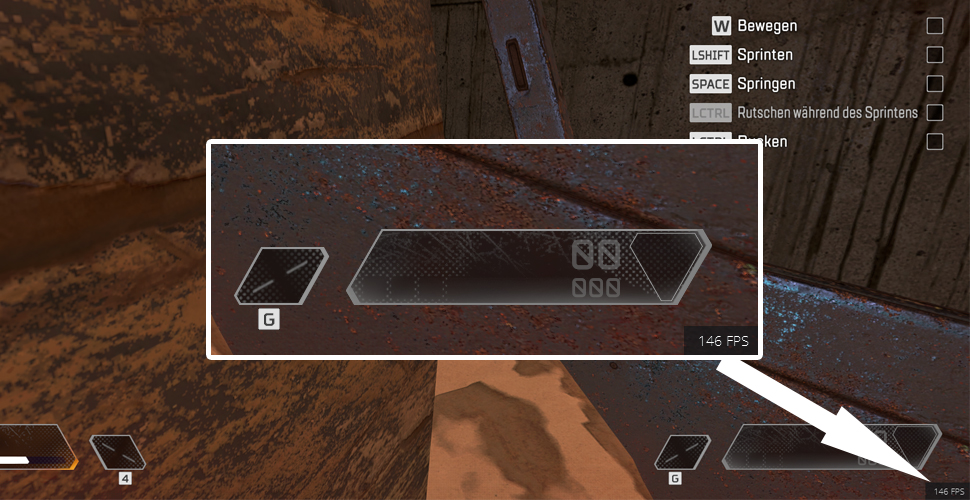
Why is the FPS limited? It is still unclear whether the developers at Respawn intentionally implemented this FPS cap.
How many FPS do PS4 and Xbox One achieve? The consoles run at a maximum of 60 FPS. There’s no simple trick to change that.
How to achieve maximum FPS in Apex Legends on PC (unlimited)
In the graphics settings of Apex Legends, you will find the slider for V-Sync. That is, the vertical synchronization. Players report that setting it to “Adaptive” or “Adaptive (1/2 Rate)” has already increased their FPS. However, this may bring increased input lag.
Curiously, disabling V-Sync should actually increase FPS – but that is not the case here.
On Reddit, players report another way to boost FPS. And they lift the 144 FPS limit.
Removing the FPS limitation
- Start Origin
- Once you have started Apex Legends, you must close it
- Select “My Game Library” in Origin
- Left-click on Apex Legends
- Click on Settings (the gear icon under “Play”)
- Select “Game Properties”
- Click on the tab “Advanced Launch Options”
- In Command Line Arguments, type “+fps_max unlimited” (without the quotes)
- Click Save and now start Apex Legends

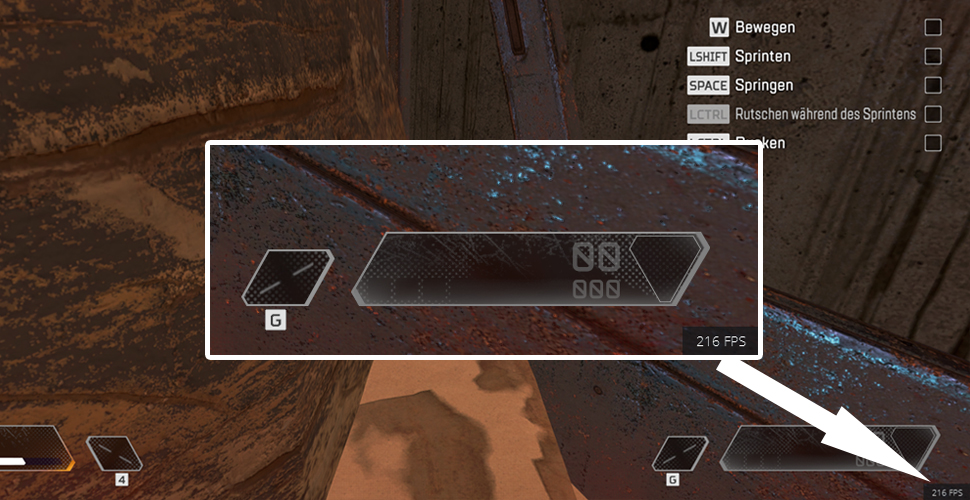
The result of the setting: After the setting, the FPS values in our test scenario look much better. Only the command line with +fps_max unlimited was changed.
With your boosted FPS, you can jump back into the fray. In the tier list, you will learn which legends you should play with:


Your opinion is important to us!
Do you like the article? Then let us know!
Comments