


In Monster Hunter Wilds, there will once again be the opportunity to explore the area on the back of a loyal mount. All information about features, abilities, and controls can be found here in the overview at MeinMMO.
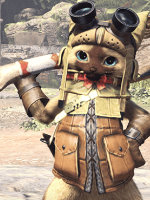
What is the Saikrii? A Saikrii (English: “Seikret”) is a new feathered monster that will be your loyal hunting companion. Just like in Monster Hunter Rise with the Palamutes, you can travel on their backs or escape dangerous situations.
Additionally, the mounts bring new features and possibilities that are intended to make your life as a monster hunter easier.
– Lion Saddle Blanket
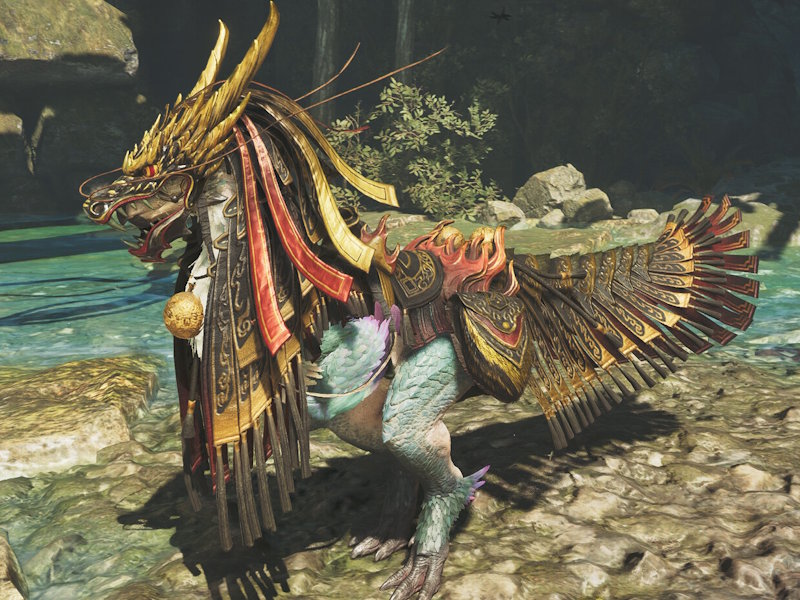
– Dragon Saddle Blanket
All about Saikrii customization
In Monster Hunter Wilds, it is possible to customize your own mount just like in Monster Hunter Rise. Here, you will learn how to unlock everything, what is possible, and how to get your Saikrii white despite a green tint.
Unlocking Saikrii customization
To fully customize your Saikrii, you must first defeat the Alpha Doshaguma and rescue Kunafa. Then speak to Nona in the village to unlock the complete customization menu.
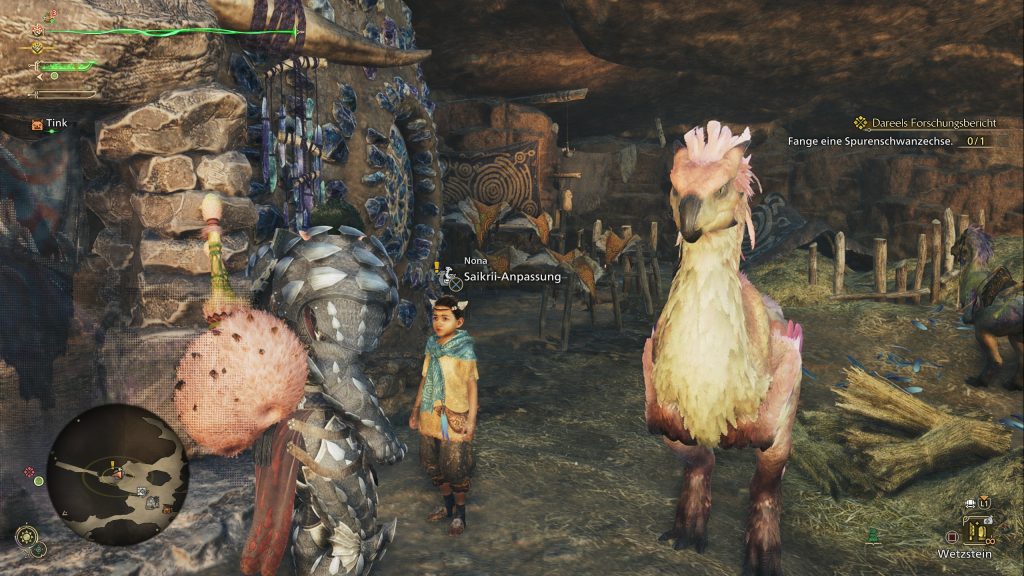
After that, you can customize and color your Saikrii at her location or in your tent when you select the last rider.
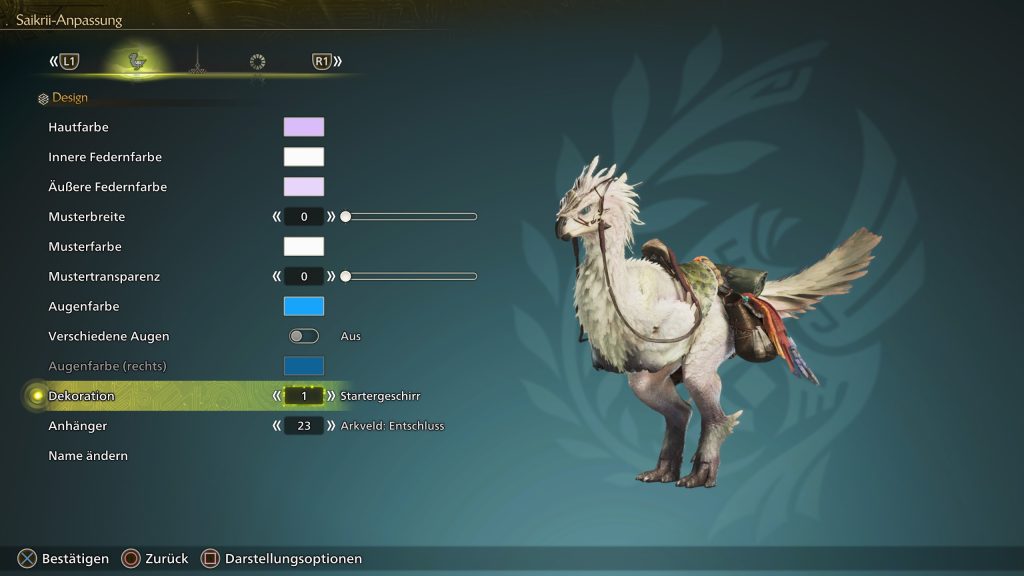
Customization options
You have the following customization options:
- Skin color
- Color of inner feathers
- Color of outer feathers
- Pattern width
- Pattern color
- Pattern opacity
- Eye color (each separately for left and right)
- Decoration type
- Pendant type
- Name
For the colors, you either have the option to select one from the existing ones or mix your desired color yourself.

How to best get a white Saikrii
If you try to dye your Saikrii white, you will quickly notice that a stronger green tint remains if you simply set all sliders to white.
However, if you want a as white as possible Saikrii, it helps to apply a bit of color theory and mix in some purple. The best result is achieved by setting the sliders as follows:
- Skin color: 270 – 25 – 100
- Inner feather color: 0 – 0 – 100
- Outer feather color: 270 – 15 – 100
Although you won’t completely get rid of the green tint, you will achieve an almost completely white Saikrii this way.
All harnesses for your Saikrii
Currently, there are 6 different harnesses with which you can equip your mount. These are purely cosmetic and do not affect the abilities of your Saikrii. Here is an overview:
Starter Harness
- Available from the start
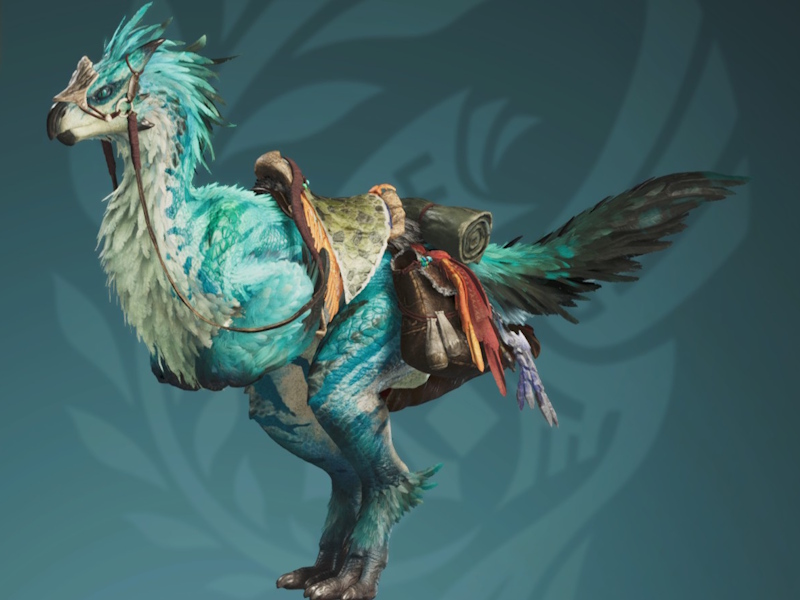
Iron Mask Harness
- Available from the start
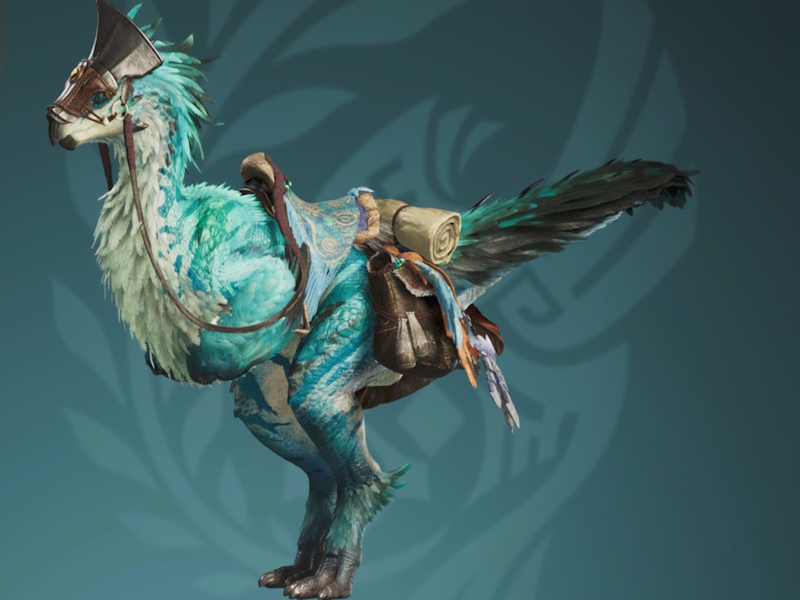
Wind Song Harness
- Unlocked during the story
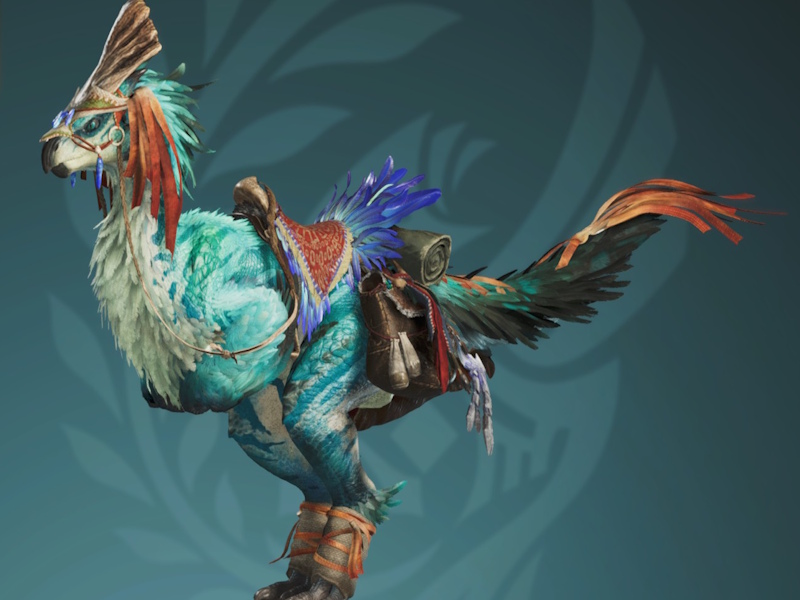
Ancient Harness
- Unlocked by completing low-rank quests
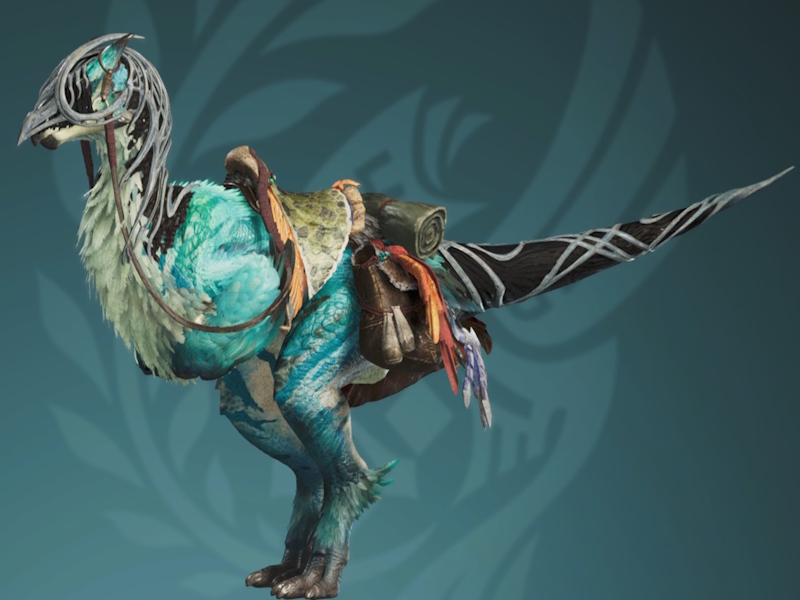
Soldier’s Saddle Blanket
- Paid DLC
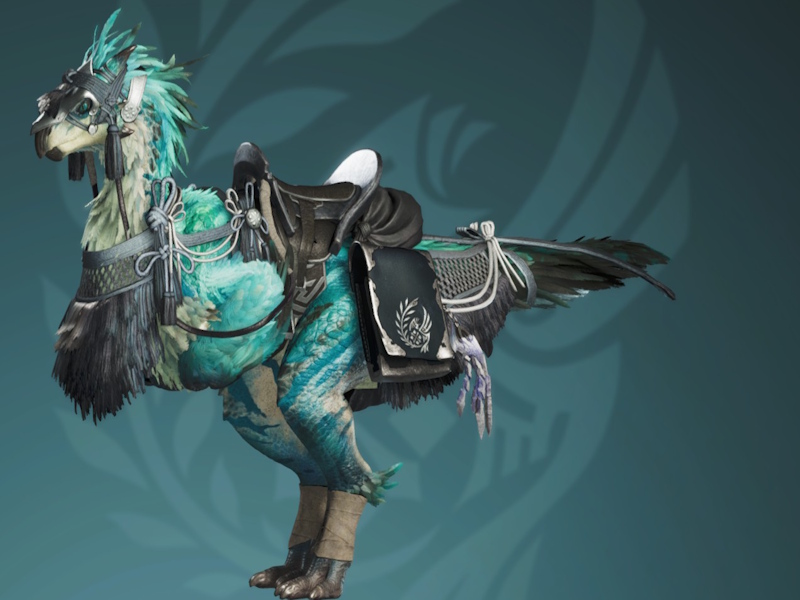
General’s Saddle Blanket
- Paid DLC
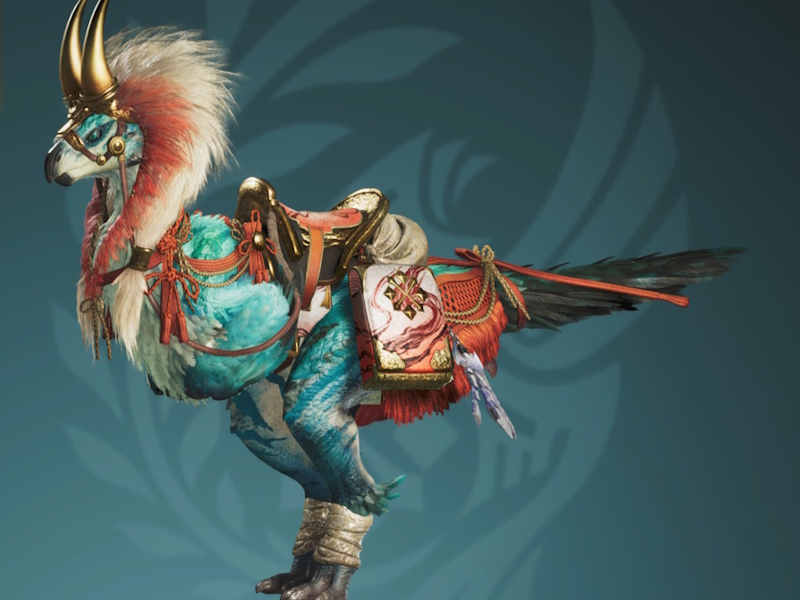
Reinhorn Saddle Blanket
- Paid DLC
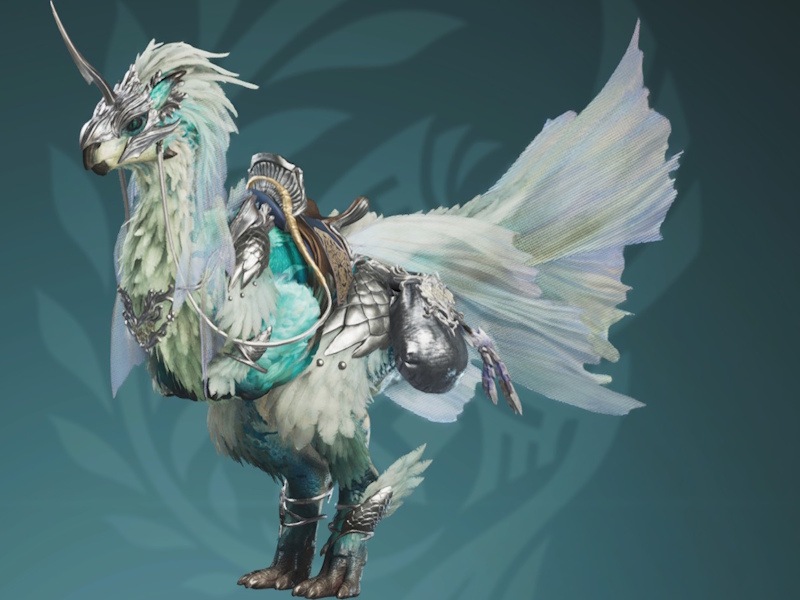
Dusk Horn Saddle Blanket
- Paid DLC
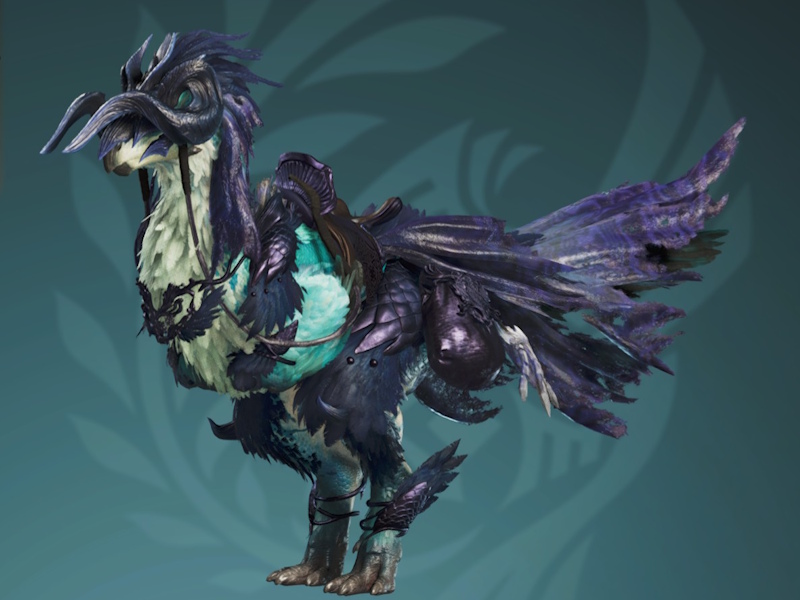
Lion Saddle Blanket
- Registration bonus during “Festival of Community: Floral Dance”
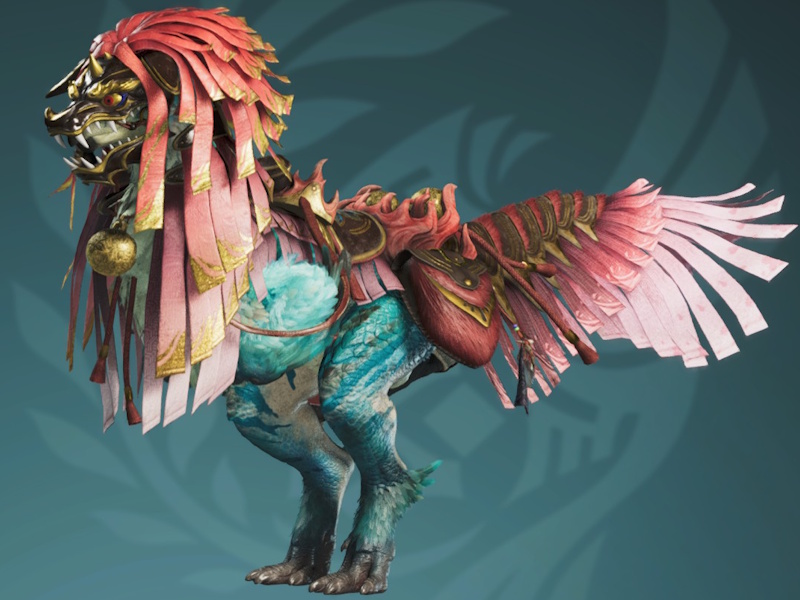
Dragon Saddle Blanket
- Paid DLC
All about features and abilities
With the Saikrii, several new possibilities will also support your hunter life. The following features are currently confirmed for the mount:
| Transport (Manual mode) | In the saddle of your Saikrii, you can move freely through the open world and get from point A to B quickly. In manual mode, you can control your mount yourself. |
| Navigation (Auto mode) | Saikriis have an acute sense of smell that allows them to bring you automatically to your desired destination. So you can mark a point or a monster on the map and simply be carried there without having to steer yourself. |
| Mounted Combat | The new mounts will also assist you in battle, allowing you to attack from their backs. You can either press a button to attack with your melee weapon or draw your ranged weapon and shoot from the back of your Saikrii. Additionally, the Saikrii can automatically dodge some monster attacks while you are sitting on its back. |
| Saddlebag with Weapon Holster | The weapon holster on the saddlebag allows you to carry a second weapon. You can also store various supplies in the bag and access them while riding. These supplies will replenish over time during a quest and often provide hunting-related items. |
| Weapon Switch | While riding, you can swap your active weapon for the weapon in the holster. This way, you can go hunting with two weapons without having to return to a camp. |
| Use Items While Riding | You can also access the saddlebag while riding. This is especially convenient if you let your Saikrii walk to your destination in auto mode and want to sharpen your weapon along the way. |
| Customizable Tack | There will be various equipment sets for your mount. However, these sets are purely cosmetic and do not affect abilities. You will also be able to attach pendants to the saddle. |
All about controls
Monster Hunter Wilds can be played with a controller or keyboard. It does not matter whether you have a PlayStation 5 or an Xbox controller.
You control your Saikrii with these buttons:
Controller
Summon Saikrii & amp; Mount:
– Hold [D-pad up] for Auto mode
– Hold [D-pad down] for Manual mode
Dismount / Jump off:
– Press [X] / [A] to dismount
– Left stick + [X] / [A] to jump in a specific direction
Auto mode:
– [D-pad up] to switch to Auto mode while riding
Manual mode:
– [D-pad down] to switch to Manual mode while riding
– Alternatively, hold the left stick forward/up
Speed:
– Press [R1] to accelerate
– Hold [R1] for full speed
Braking / Drifting / Stopping:
– Press [R2] to brake
– Hold [R1] + [R2] + Left stick to drift
– Hold [R2] to stop
Mounted Attack (Melee):
– [△] / [Y] for attack without dismounting
– [△] / [Y] + [◯] / [B] for dismount attack
Mounted Attack (Ranged):
– Draw weapon with [△] / [Y]
– Sheathe weapon with [□] / [X]
– [L2] to aim
– [R2] to fire
Weapon Switch:
– Press [D-pad right] to switch weapon
Saddlebag:
– Press [D-pad left] to access the saddlebag
Keyboard
Summon Saikrii & amp; Mount:
Hold [Tab] for Auto mode
Hold [Q] for Manual mode
Dismount:
Press [Spacebar]
Auto mode:
Press [Tab] in Manual mode
Manual mode:
Press [Q] in Auto mode or hold [W]
Speed:
Press left [Shift] key once to accelerate
Hold for full speed
Braking / Stopping:
Press [Z] once to brake
Hold [Z] to stop
Weapon Switch:
Press [X]
View Saddlebag:
Press [N]

These are all the known details about the new mount in Monster Hunter Wilds. Please note that we will update and revise this list over time as more information becomes available. You can find a comprehensive overview of Monster Hunter Wilds and its features here: Monster Hunter Wilds: Release, Crossplay, Demo, Features – Everything about the new Monster Hunter

Your opinion is important to us!
Do you like the article? Then let us know!