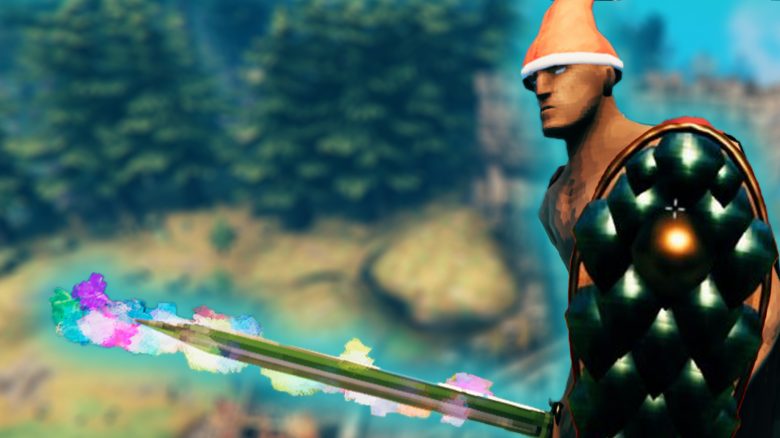
In Valheim, you can spawn weapons, armor, items, and even enemies as an admin. How this works and what commands are available can be found in the MeinMMO guide.
The console is a powerful tool in the survival game Valheim. In single-player mode, you can make survival a lot easier with console commands. Besides spawning items and enemies, you can change the time of day, skip time, and create stunning screenshots in free-fly mode.
Things to keep in mind: The cheats for Valheim only work in your own world. Once you join a friend’s game or a dedicated server, cheat mode is disabled. These are essentially admin commands that have been built in for developers to test and often found in survival games. They are not cheats or programs like you would know them from shooters.
You can also find out which admin commands work in co-op in this guide.
This is how the guide is structured: The guide is divided into several sections. You can quickly jump to the desired category through the table of contents.
How to activate cheats in Valheim
To use cheats and console commands in Valheim, you first need to open the console and activate cheat mode. Follow these steps in single-player mode:
- Right-click on Valheim in your Steam library
- Select “General” – “Launch Options”
- Enter “-console” in the field.
- Open the console with F5
- Type “devcommands” and press Enter
- To deactivate the mode, type “devcommands” again
How to activate debug mode
Valheim has a debug mode. With this, you can fly, kill all monsters in the area with a key press, and build without material costs.
To activate it, do the following:
- Open the console with F5
- Type “devcommands” and press Enter
- Type “debugmode” and confirm again with Enter
With the following key combinations, you can activate/deactivate the respective mode during gameplay:
- “K”: Kills all monsters in the area
- “B”: Deactivates building costs and unlocks all tools. Additionally, you can repair and craft all items
- “Z”: Activates free flight. Use space to ascend and CTRL to descend
Helpful admin commands in single-player
In single-player mode, you can make survival easier in Valheim. All commands listed below are entered without brackets.
Click here for a list of all admin commands in Valheim
- god – Activates God Mode
- goto [x,z] – Teleports to a specific location, example: goto 0 0
- location – Sets a spawn point
- killall – Kills all enemies nearby
- exploremap – Reveals the entire map
- resetmap – Resets the revealed areas of the map
- freefly – Free flight for the camera
- ffsmooth – Smooth free flight. Values: “0” to “1”
- stopevent – Stops a running event
- randomevent – Starts a random event
- removedrops – Removes all items you drop
- skiptime [seconds] – Skips as many seconds as entered
- sleep – Skips a day
- tod [0-1] – Changes the time (e.g. 0 for night, 0.5 for noon)
- tame – All tameable creatures nearby will be tamed
- ghost – All enemies ignore you
- heal – Heals you completely
- raiseskill [skill] [level] – Raises your skill level (example: raiseskill run 100)
- resetskill [skill] – Resets the specified skill to 0
- resetcharacter – Resets your character data
- beard [Beard1] – Switch to beard type 1 (example: beard Beard2)
- model 0 – Changes your model to “male”
- model 1 – Changes your model to “female”
- save – Forces saving the world
- removedrops – Removes all item drops in the area
- players [value] – Difficulty level (0 = Reset)
- wind [angle] [intensity] – Sets wind at the angle of 0-360° and the intensity. Intensity is a numerical value from 0 (little wind) to 1 (storm gusts)
- resetwind – Resets wind
- env [weather] – Sets the weather, for example: Clear, Twilight_Clear, Heath Clear, Misty, DeepForestMist, LightRain, Rain, Thunderstorm, Swamprain, Bonemass, Snow, Twilight_Snow, SnowStorm, Twilight_SnowStorm, Ashrain, Crypt, GDKing, Eikthyr, Goblinking, Moder
- resetenv – Resets the weather

Spawn cheats for personal equipment
In the following section, you will learn how to spawn weapons, armor, and tools. To do this, open the console and enter “imacheater”. Each spawn cheat is structured as follows:
- spawn – The spawn command itself
- item – The desired item you want to appear
Optional values:
- Amount – The first value determines the quantity, e.g. “5”
- Level – The second value is the desired level of the item, e.g. “3”
Practical example: Do you want to spawn the secret sword Dyrnwyn five times at level 3? To do this, enter the following command in the console: “spawn SwordIronFire 5 3”. Make sure to pay attention to capitalization because otherwise the commands will not work.
Cheat codes for shields
To defend yourself, you need shields. We have listed all shields with the appropriate English translation for you.
Click here for the list of all shields
- ShieldBanded – Banded Shield
- ShieldBlackmetal – Black Metal Shield
- ShieldBlackmetalTower – Black Metal Tower Shield
- ShieldBronzeBuckler – Bronze Buckler
- ShieldIronSquare – Iron Shield
- ShieldIronTower – Iron Tower Shield
- ShieldKnight – Knight Shield (no German translation available)
- ShieldSerpentscale – Serpent Scale Shield
- ShieldSilver – Silver Shield
- ShieldWood – Wooden Shield
- ShieldWoodTower – Wooden Tower Shield
Cheat codes for weapons
In Valheim, there are a variety of weapons. Battle axes, bows, and swords, to name a few. We have listed all weapons for you and also included the English translations. Note: The harpoon and axes can be found under tools.
Click here for the list of all armors
- AtgeirBlackmetal – Black Metal Atgeir
- AtgeirBronze – Bronze Atgeir
- AtgeirIron – Iron Atgeir
- Battleaxe – Battle Axe
- Bow – Bow
- BowDraugrFang – Draugr Fang
- BowFineWood– Fine Wood Bow
- BowHuntsman – Huntsman Bow
- KnifeBlackMetal – Black Metal Knife
- KnifeChitin – Abyssal Blade
- KnifeCopper – Copper Knife
- KnifeFlint – Flint Knife
- MaceBronze – Bronze Mace
- MaceIron – Iron Mace
- MaceNeedle – Needle
- MaceSilver – Frostner
- SledgeIron – Iron Sledge
- SledgeStagbreaker – Stag Breaker
- SpearBronze – Bronze Spear
- SpearElderbark – Elderbark Spear
- SpearFlint – Flint Spear
- SpearWolfFang – Wolf Fang Spear
- SwordBlackmetal – Black Metal Sword
- SwordBronze – Bronze Sword
- SwordCheat – Cheat Sword
- SwordIron – Iron Sword
- SwordIronFire – Dyrnwyn
- SwordSilver – Silver Sword
- Club – Club
Cheat codes for armors
Even more important than weapons are armors in Valheim. You can also spawn these via the console. The English translations are provided as well.
Click here for the list of all armors
- ArmorBronzeChest – Bronze Chest Armor
- ArmorBronzeLegs – Bronze Leg Armor
- ArmorIronChest – Iron Scale Armor
- ArmorIronLegs – Iron Greaves
- ArmorLeatherChest – Leather Chest Armor
- ArmorLeatherLegs – Leather Legs
- ArmorPaddedCuirass – Padded Cuirass
- ArmorPaddedGreaves – Padded Greaves
- ArmorRagsChest – Rags Shirt
- ArmorRagsLegs – Rags Pants
- ArmorTrollLeatherChest – Troll Leather Tunic
- ArmorTrollLeatherLegs – Troll Leather Pants
- ArmorWolfChest – Wolf Chest Protection
- ArmorWolfLegs – Wolf Leg Protection
- CapeDeerHide – Deer Hide Cape
- CapeLinen – Linen Cape
- CapeLox – Lox Cape
- CapeOdin – Odin’s Cape (only for Beta players)
- CapeTest – CAPE TEST (not translated)
- CapeTrollHide – Troll Hide Cape
- CapeWolf – Wolf Fur Cape
- HelmetBronze – Bronze Helmet
- HelmetDrake – Drake Helmet
- HelmetDverger – Dverger Cap
- HelmetIron – Iron Helmet
- HelmetLeather – Leather Helmet
- HelmetOdin – Odin’s Helmet (only for Beta players)
- HelmetPadded – Padded Helmet
- HelmetTrollLeather – Troll Leather Helmet
- HelmetYule – Yule Hat
Cheat codes for tools
You need tools in Valheim to chop down trees, prepare fields for harvesting, or to build impressive structures. With some tools, you can also fight. Here’s an overview of which ones you can spawn in Valheim:
Click here for the list of all tools
- AxeBronze – Bronze Axe
- AxeFlint – Flint Axe
- AxeIron – Iron Axe
- AxeStone – Stone Axe
- AxeBlackMetal – Black Metal Axe
- PickaxeAntler – Antler Pickaxe
- PickaxeBronze – Bronze Pickaxe
- PickaxeIron – Iron Pickaxe
- PickaxeStone – Stone Pickaxe
- Cultivator – Cultivator
- FishingRod – Fishing Rod
- Hammer – Hammer
- Hoe – Hoe
- SpearChitin – Harpoon
Spawn cheats for items and materials
In Valheim, there are plenty of resources, some of which have no function in the game yet. Here you will find all the resources you can create:
Click here for the list of all resources
- Amber
- AmberPearl
- AncientSeed
- Barley
- BarleyFlour
- BarleyWine
- BarleyWineBase
- BeechSeeds
- Bloodbag
- BronzeNails
- BoneFragments
- CarrotSeeds
- Chitin
- Coal
- Coins
- CryptKey
- Crystal
- Dandelion
- DeerHide
- DragonEgg
- DragonTear
- ElderBark
- Entrails
- Feathers
- FineWood
- FirCone
- FishingBait
- FishRaw
- Flax
- Flint
- FreezeGland
- GreydwarfEye
- Guck
- HardAntler
- IronNails
- LeatherScraps
- LinenThread
- LoxMeat
- LoxPelt
- Needle
- Obsidian
- Ooze
- PineCone
- QueenBee
- Ruby
- SerpentScale
- SharpeningStone
- SilverNecklace
- Stone
- SurtlingCore
- Thistle
- TrollHide
- TurnipSeeds
- WitheredBone
- WolfFang
- WolfPelt
- Wood
- YmirRemains
- NeckTail
- RawMeat
- Resin
- RoundLog
- SerpentMeat
- YagluthDrop
Spawn cheats for metals and ores
You can also spawn ores and bars in Valheim. Which exactly, you can also find in the list below. If you prefer to earn them honestly or want to know what you can do with them, you can find everything about the metals in our big ore guide for Valheim.
Click here for the list of all metals and ores
- BlackMetal
- BlackMetalScrap
- Bronze
- Copper
- CopperOre
- Flametal
- FlametalOre
- Iron
- IronOre
- IronScrap
- Silver
- SilverOre
- Tin
- TinOre
Spawn cheats for food
In Valheim, food significantly determines how strong your Viking is. MeinMMO author Benedict Grothaus explains to you in his guide, which is the best food in Valheim and how to prepare it. If you don’t want to prepare it yourself, you will find the spawn codes for all food items in Valheim below:
Click here for the list of all foods
- Bread
- BloodPudding
- Blueberries
- Carrot
- CarrotSoup
- Cloudberry
- CookedLoxMeat
- CookedMeat
- FishCooked
- FishWraps
- Honey
- LoxPie
- Mushroom
- MushroomBlue
- MushroomYellow
- NeckTailGrilled
- Raspberry
- QueensJam
- Sausages
- SerpentMeatCooked
- SerpentStew
- Turnip
- TurnipStew
Spawn cheats for enemies and bosses
Do you want to try out your new weapons on enemies? Or can’t find a certain boss? With the right commands, you can spawn enemies and bosses directly in front of you.
Click here for the list of all enemies
- Blob
- Boar
- Boar_piggy
- Crow
- Deathsquito
- Deer
- Draugr
- Fenring
- Ghost
- Goblin
- GoblinArcher
- GoblinBrute
- GoblinShaman
- Greydwarf
- Greydwarf_Shaman
- Leech
- Lox
- Neck
- Serpent
- Skeleton
- Surtling
- Troll
- Valkyrie (Note: Lets you see the intro again, including the flight to Valheim)
- Wolf
- Wraith
Click here for the list of all bosses
The order of the bosses has been defined by their appearance in the game.
- Eikthyr
- gd_king
- Bonemass
- Dragon
- GoblinKing
Admin commands for your Valheim server
Have you set up your own Valheim server and are playing on it, you won’t have as many options available.
These admin commands are available for Valheim:
- help – Shows all available commands
- kick [name/ip/userID] – Kicks the user
- ban [name/ip/userID] – Bans the user
- unban [ip/userID] – Reverses the ban of the user
- banned – Displays a list of all banned users
- ping – Sends a ping to the server to find out your latency
- lodbias [number] – Sets detail level (LOD) to the distance. Default set to 1.5
- info – Prints system information as PDF
Many players in Valheim are also very creative without admin commands. A Viking farms endless resources – in a creative and brutal way. He himself calls his creation the “Greydwarf Toaster 5000”.
Do you use admin commands in Valheim yourself? What’s your opinion on the use of these? Let us know in the comments.