


Crimson Desert is continuously being improved by the developers, and a recent update has implemented a setting that elevates your gaming experience in Pywel to a new level – you just have to set it up correctly.

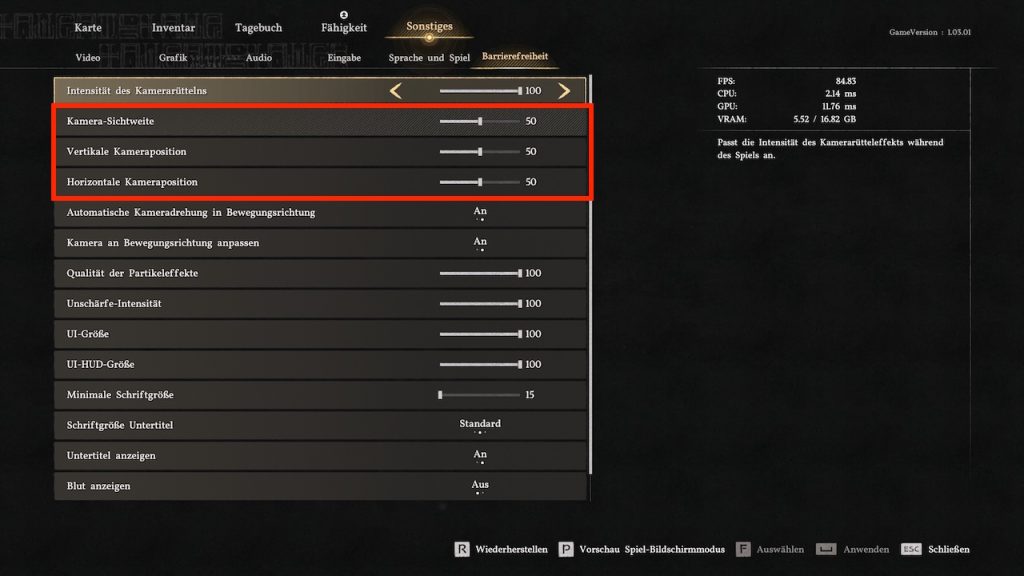
What setting is it about? The recently released Update 1.03.00, released on April 11, 2026, introduced new options in Crimson Desert that enhance gameplay. Primarily, it concerns camera settings, which include:
- Camera field of view
- Vertical camera position
- Horizontal camera position
- Automatic camera rotation in movement direction
- Adjust camera to movement direction
Since they are hidden under the options in the “Accessibility” section, some players may have missed them. At least you now know where to find them. But what do you need to set to immerse yourself better in Pywel? We will show you.
More immersion with just three options
What do I need to change? In the settings, go to “Accessibility” and change the following options to these values:
- Camera field of view: 65
- Vertical camera position: 15
- Horizontal camera position: 15
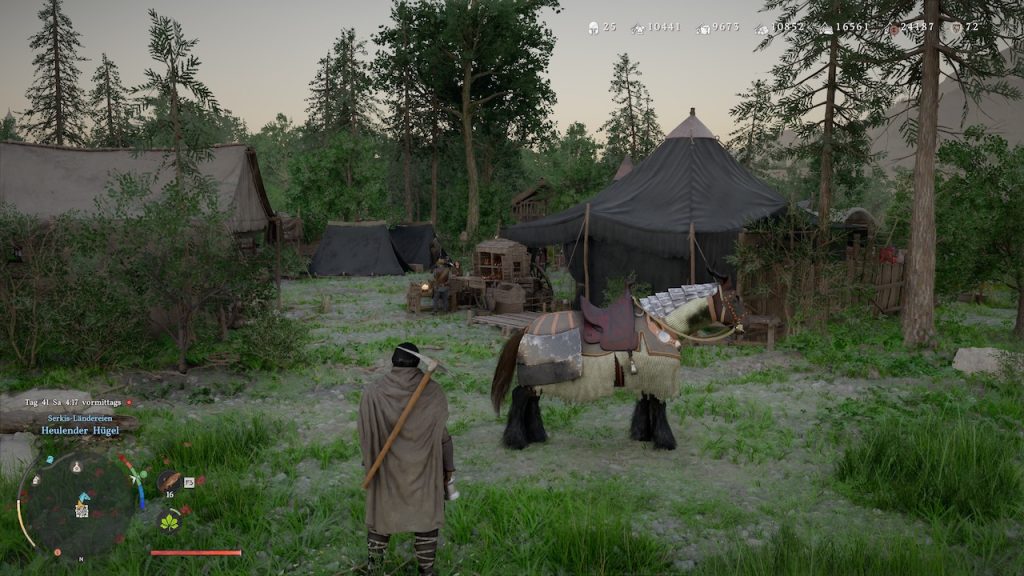
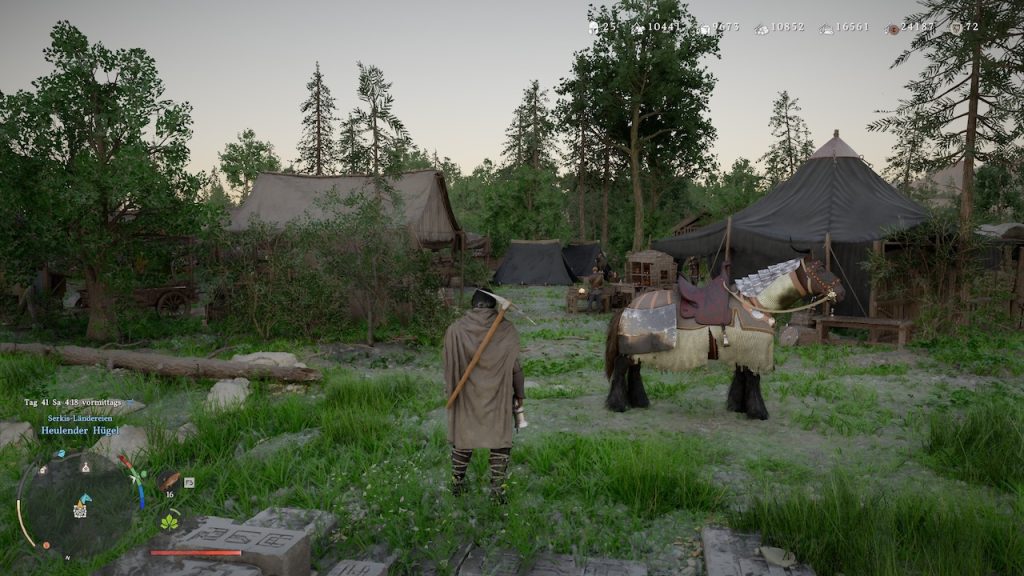
What do our parameters change? The camera field of view is essentially the FOV setting. With it, your field of view is expanded, making the image appear more realistic, as you can see much more in your view.
The vertical and horizontal camera positions are also set so that your characters are more centrally positioned in the image.
This way, you are in the center while still having enough distance in your field of view to perceive your surroundings perfectly. If you do not like these settings, feel free to experiment a bit. This allows for various versions that deliver more or less immersion.
If you want to squeeze out more FPS, feel free to check here:
These were all the important details on how you can improve your gaming experience in Crimson Desert with just three small adjustments. Do you have other parameters that you would suggest to the readers? Then feel free to write them in the comments. You can find more guides on Crimson Desert here: Crimson Desert: All guides, tips, and lists at a glance

Your opinion is important to us!
Do you like the article? Then let us know!