

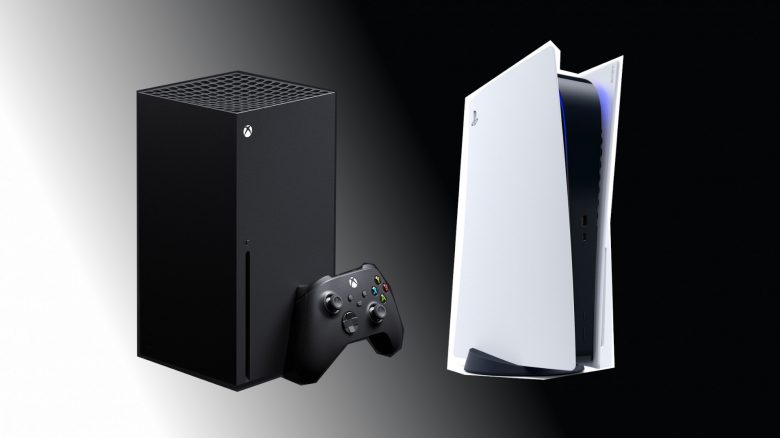
Are you thinking about buying a next-gen console? MeinMMO explains why you should consider buying an Xbox Series X instead of a PS5.
For many gamers, an Xbox Series X or a PS5 is a good alternative to a gaming PC. For 500 euros, you already get a powerful console that provides enough performance for all current top titles.
But what reasons are there to buy an Xbox Series X instead of a PS5? MeinMMO presents 8 reasons that speak for purchasing an Xbox Series X.
If you’re looking for a comparative analysis instead, check out our overview. Here we compare the two consoles along with their pros and cons:
Availability
Unlike the competition, the Xbox Series X is now almost continuously available. While you have to wait for a drop with the PS5, you can comparatively easily order the Xbox Series X from MediaMarkt, Amazon, etc.
For 499.99 euros, you get the Xbox Series X with a drive, while you can buy the Series S without a drive for around 270 euros. Unlike the PS5, you can also purchase the Xbox console as a subscription with Game Pass. MeinMMO explains to you, who might find the Xbox Series X subscription worth it.
If you are still looking for a PS5 and really want to buy one, check out our PS5 ticker here on MeinMMO. Here you can find all tips and tricks for buying a PS5:
Buy PS5 today – Watch out for these retailers
Game Pass
For around 10 euros, you can subscribe to the Xbox Game Pass. Here you get access to hundreds of games of very varying quality. Alongside many top titles like Elder Scrolls: Online or Age of Empires IV, there are also many indie titles.
For around 15 euros, you get Xbox Game Pass Ultimate, which also includes Xbox Live Gold and multiplayer functionality. Additionally, there is a trick to save a lot of money with the Xbox Game Pass.
Another advantage of Game Pass is that you can play many new games directly upon release at no additional cost. Games like Halo Infinite or Psychonauts 2 can be played right on the first day. This is especially exciting since you now pay 69.99 euros for next-gen games for PS5 or Xbox Series X.
By now, Sony has also revised its PS Plus subscription, and here you also get dozens of games in the subscription. However, it remains unlikely that Sony will provide you with exclusive titles for the PS5 for free directly in the subscription. Older top titles like Marvel’s Spider-Man can now be played for free in the expanded PS Plus subscription.
Smart Delivery Feature
“Smart Delivery” is a feature that you can only use on the Xbox. When you install a game with “Smart Delivery,” you automatically install the best version of the game. When you install a game on the Xbox Series X, you also install the version for Series X.
Furthermore, the Xbox will notify you as soon as a next-gen version is available for one of your installed games. Therefore, you are always up to date.
On the PS5, you need to be careful, not to accidentally install the PS4 version on the PS5. Because both versions are always available to you in the shop, which in many cases you can also download for free.
Design and Size
The Xbox Series X is the largest Xbox console that Microsoft has released so far. After the presentation of the console, there were many comments that the console looks like a refrigerator. By now, Microsoft has also explained why the Xbox Series X looks like a refrigerator.
Compared to the PS5, the Xbox Series X looks a bit more compact and smaller. And even on paper, the Xbox Series X is smaller than the PS5. The PS5 is rightly considered the largest next-gen console, which is mainly due to a single component in the PS5.
- Xbox Series X: 310 mm x 160 mm x 160 mm
- PS5: 390 mm x 260 mm x 104 mm
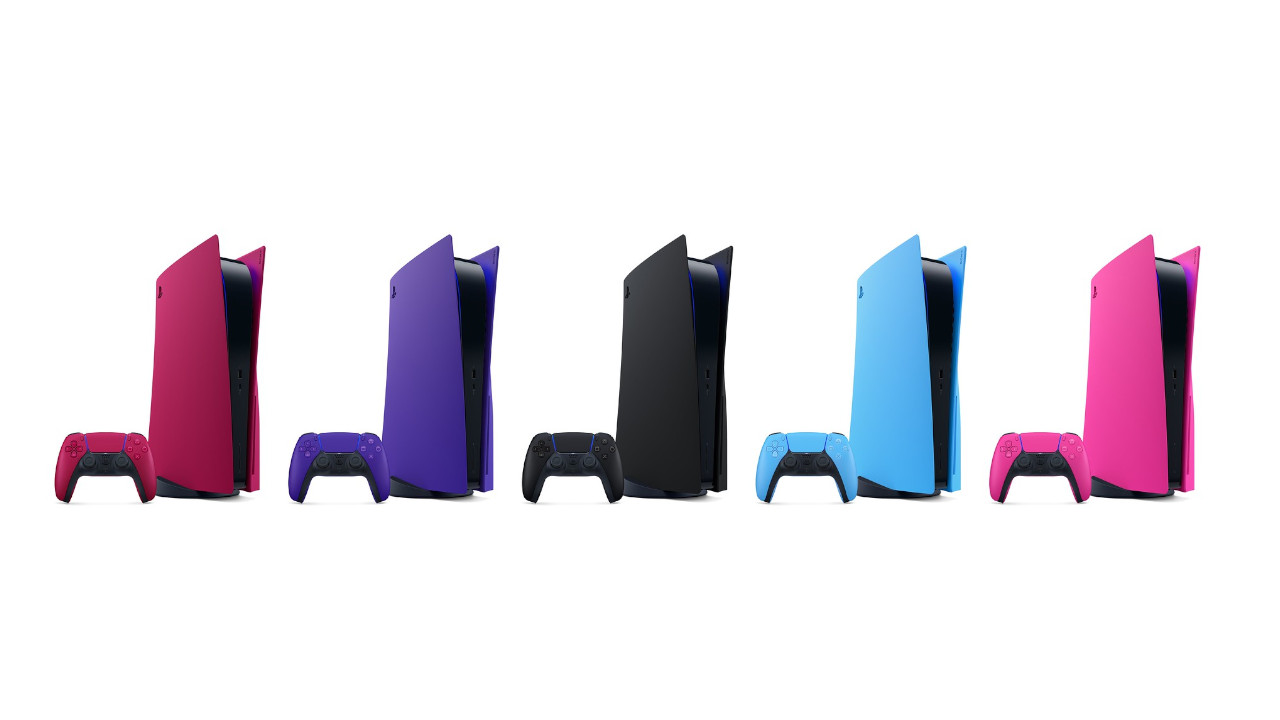
The design of both consoles is otherwise a matter of taste. Many gamers prefer a black design, which is why many complained about the white design of the PS5. However, you can now also buy official side plates that allow you to change the color of the PS5.
Sony finally presents colorful side plates for the PS5 – Here’s what you need to know
Backward Compatibility
The Xbox Series X and S offer extensive backward compatibility. You can not only play current titles on a Series X, but also use numerous Xbox 360 games, and for example, dig out your old Fable disc.
Therefore, you can also play very old games on your new Xbox. The Xbox then emulates the runtime environment of the old generation. So you can still play the Xbox-exclusive “Fable 2” on the Xbox Series X.
Some backward-compatible games are no longer available for sale. If you purchased a backward-compatible game on Xbox 360 or have a game DVD, you can also play these games on the Xbox Series X | S console. On the Series S, only digital games work.
On the PS5, you can only play backward-compatible PS4 games. This applies to both digital games and the physical discs you may have. PS3 games and games from even older generations can neither be purchased digitally nor played as discs. However, you can stream some older games with PS Plus.
Microsoft’s Major Purchases
Microsoft, the company behind Xbox, has acquired several major gaming companies in recent years:
- In 2020, Microsoft bought Bethesda, thus binding major brands like The Elder Scrolls, Doom, or Dishonored to itself.
- At the beginning of 2022, Microsoft announced its plan to acquire Activision Blizzard for 70 billion. Again, it is about major brands like Diablo, Warcraft, or Call of Duty.
Microsoft has at least explained that it will continue to honor existing contracts in the future and intends to continue releasing certain games like Call of Duty for the PlayStation consoles.
Nevertheless, with the purchase of Bethesda, it was already shown that Starfield will only be released for PC and Xbox and not for the PS5. For blockbuster titles like Starfield, you will therefore need either a powerful gaming PC or an Xbox Series X in the future.
The Xbox Series X Offers More Computing Power
Both the PS5 and Xbox Series X use roughly the same hardware. Both consoles are based on a chip from AMD. You can therefore use features like ray tracing on both consoles.
Nevertheless, there are a few small differences. The Xbox Series X offers slightly more computing power, as the CPU clock speed is faster, and the GPU offers more compute units (36 vs 52). Compute units are clusters of processing elements in the GPU. The more you have, the faster the GPU. The Xbox Series X delivers 12.15 TFLOPS, while the PS5 only achieves 10.28 TFLOPS. This difference sparked a major discussion about the teraflops of PS5 and Xbox Series X.
PS5 and Xbox Series X: Technical Details at a Glance
| PS5 | Xbox Series X | |
|---|---|---|
| Processor | Zen 2 processor with 8 cores, variable frequency up to 3.5 GHz | Zen 2 processor with 8 cores at 3.8 GHz (3.66 GHz with SMT) |
| GPU | RDNA 2 chip with 36 compute units at 2.23 GHz (10.28 TFLOPS) | RDNA 2 chip with 52 CUs at 1.825 GHz (12.15 TFLOPS) |
| RAM | 16 GB GDDR6 with 256-bit bus interface | 16 GB GDDR6 with 320-bit bus interface (10 GB with 560 GB/s, 6 GB with 336 GB/s) |
| Drive | Optical drive, Ultra HD Blu-ray | Optical drive 4K UHD Blu-ray drive |
If you absolutely want the currently fastest next-gen console, there is no way around the Xbox Series X. Whether you can practically feel that while gaming on the TV or gaming monitor is another question.
Larger Hard Drive and Faster Upgrade
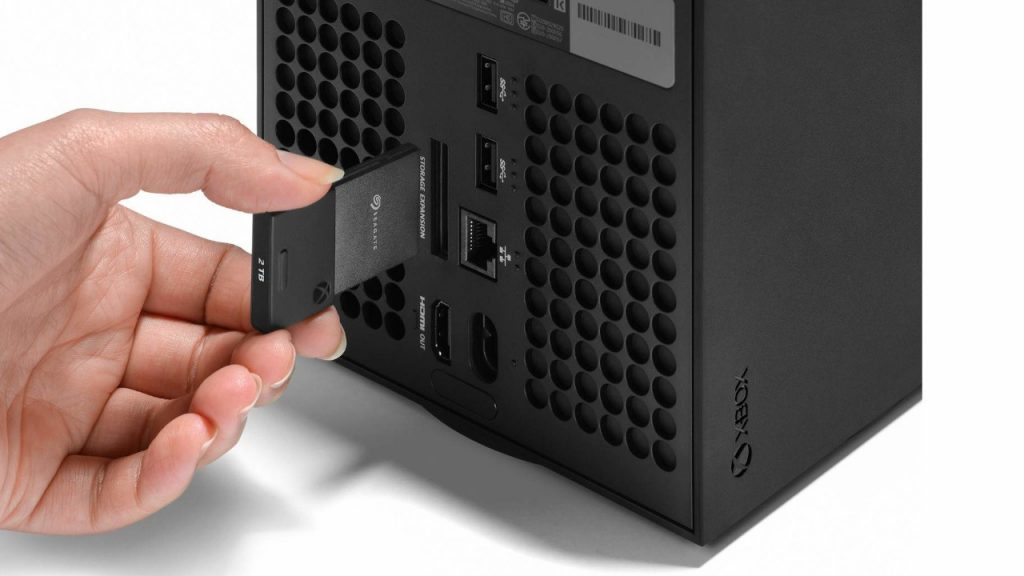
The Xbox Series X offers more storage space in the base configuration than the PS5. While the PS5 is equipped with an SSD of 825 GB, the Xbox Series X comes with a 1 TB SSD. Especially at a time when games like Call of Duty: Warzone or Elder Scrolls: Online easily occupy 100 GB or more on your hard drive, larger storage space matters.
Additionally, upgrading the internal storage on the Xbox Series X is much easier. If you purchase a storage module, you only need to slide it into the Xbox without having to awkwardly open the console. The system of the Xbox Series X | S is absolutely foolproof.
Other Recommendations: You have decided on a next-gen console but haven’t found the right television yet? Then take a look at our buying guide for 4K TVs. Here we explain what you need to consider when buying a television for your PS5 or Xbox:
4K TV for PS5 & Xbox Series X: Which gaming TV should I buy?

Your opinion is important to us!
Do you like the article? Then let us know!