

In Valorant, the controversial anti-cheat tool Vanguard is causing trouble. The software activates upon starting the PC and is difficult to remove. However, the developers have listened to player complaints and offered options for more transparency and, at least temporarily, deletion.

What is Vanguard? Vanguard is an anti-cheat tool developed by Riot. The program aims to prevent and detect cheat software in the Beta of Valorant. Therefore, it installs a driver with admin rights deep in the system and always starts with the computer. This means Vanguard stays active and ensures that no malicious cheat software is in use. If you somehow delete Vanguard, you cannot play Valorant.
Since Vanguard simply integrates itself into your system and could potentially do anything, many players inherently distrust the tool. Such invasive practices are typically associated with harmful malware and viruses. Therefore, some players even boycott Valorant, even though they would actually enjoy playing it.
Riot sticks to Vanguard but offers a compromise
This is how Riot responded: In previous statements regarding the anti-cheat, Riot has remained firm. Yes, they understand that players find Vanguard’s approach strange, but it has to be this way, otherwise the cheaters will win.
However, Riot had promised earlier to show more transparency. And that seems to have happened now.
This is how Vanguard works now: As of now, you can see Vanguard. Instead of silently infiltrating your system, there is now a large red icon in your Windows notification area. You can find the notification area at the bottom right next to the clock display.
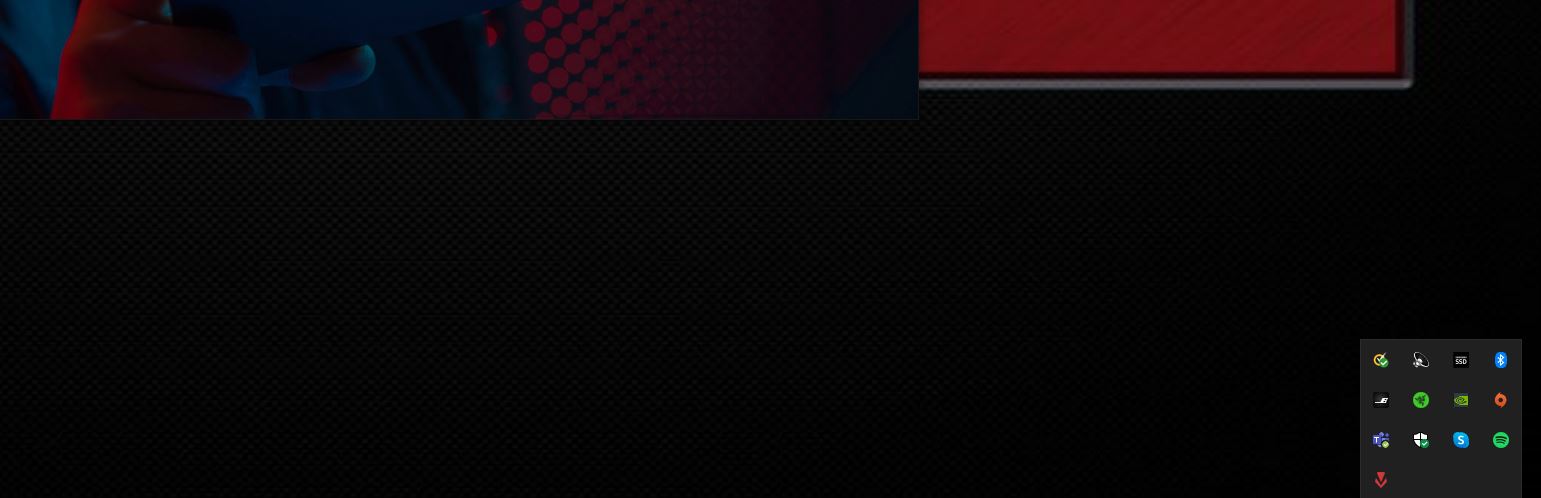
If you click on the icon, you have the following options:
- Hide Vanguard: You won’t see the icon anymore.
- End Vanguard: Vanguard is no longer active. However, you will also not be able to play Valorant until you restart your entire system.
- Uninstall Vanguard: If you don’t want Vanguard to start again after the next reboot, you can conveniently remove it completely from the disk. However, if you start Valorant, it will be downloaded again, and you will have to reboot your system to play. So, you won’t be rid of it here either if you want to keep playing.
Especially the last option is intended by Riot to ensure that during a longer Valorant break, Vanguard will definitely be removed from your disk and won’t mistakenly block harmless programs or even prevent you from charging your phone on the PC. This indeed happened to a former CS:GO pro in Valorant.

Your opinion is important to us!
Do you like the article? Then let us know!