

Playing your own Steam library on the living room TV without having a gaming PC there? It’s possible and quite simple. Perhaps you even have the right device at home. Our tech author Julian shows you how it works.
My bulky gaming PC is where most of them are: at the desk. With monitor, keyboard, and a mess of cables. A sight that is okay in the home office but one I cannot endure in the living room.
Nevertheless, I prefer to play certain Steam games on the big TV – relaxed with a controller on the sofa. The solution for me is not a second PC and no wild HDMI cable running through the apartment, but a small device that many associate more with Netflix: an Apple TV.
I use the Apple TV 4K from 2022 with an Ethernet connection. I have had this small streaming device for years. But until now, I have only used it for apps like Netflix, music, or photos – until I discovered the Steam Link app. The app streams my Steam games from the gaming PC to the Apple TV and thus to the TV. The games continue to run on your computer. So, the PC must be turned on and Steam must be running. The Apple TV serves only as a receiver. And it does that damn well.
Better than a gaming PC in the living room
For months, I have been playing my Steam games on the living room TV and enjoying the advantages: I don’t have to unplug anything, carry a heavy PC back and forth, and I can simply use my existing controllers. And it works quite smoothly.
I sit on the sofa, and within moments, everything is ready, and I can play relaxed and stress-free. For me, it even runs at 4K resolution and stable 60 frames per second.
And that’s exactly what I like about it: The setup doesn’t feel like a makeshift solution. The Apple TV is already at the TV, the app opens quickly, and suddenly the big TV is not just for movies anymore, but also for my Steam library.
The most convenient solution for my living room
Why an Apple TV in particular? Steam Link is not only available for Apple TV. Depending on the device, you can also use other streaming boxes or smart TVs. Devices like an Nvidia Shield TV or Amazon Fire TV products can also be an alternative. For me, Apple TV is the most convenient solution because it’s already hooked up to my TV. It’s small, fanless, quick to set up, and doesn’t feel like a makeshift solution in the living room.
Especially practical is that many common Bluetooth controllers can be directly paired with the device and are supported, including PlayStation and Xbox controllers.
Steam Link is also available as an app for my smart TV, but that ran disastrously and had no decent controller support. My MMOs colleague Dariusz also told me that his LG smart TV doesn’t even have the app and that his outdated Fire TV stick causes significant input lag. It ran significantly better on my Apple TV.
5 Requirements to Game in the Living Room
The setup of the Apple TV is surprisingly simple, but you need to fulfill a total of 5 requirements to game on your TV. You need:
- Apple TV or another device that runs Steam Link
- Television
- Gaming PC
- Controller, for example, Xbox or PlayStation controller
- A stable home network
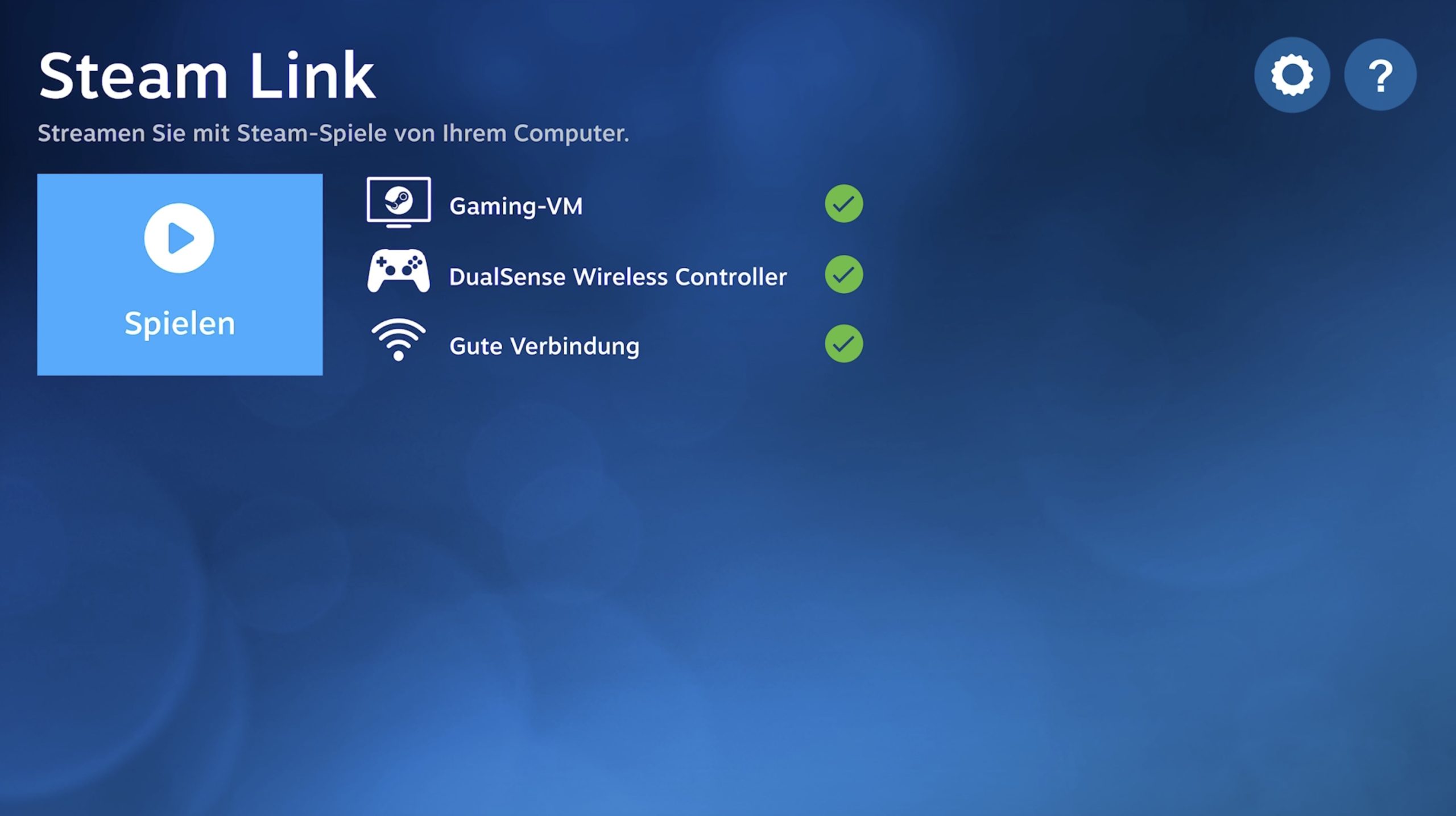
Setting it up isn’t much work. You start Steam on the PC, connect a controller to the Apple TV, launch the app, select the Steam instance, test the connection, and off you go. You find yourself immediately in Steam’s Big Picture Mode and can see, download, and start all your games there.
However, for a good and as lag-free gaming experience as possible, a stable internet connection is important. You can run the Apple TV and the gaming PC on Wi-Fi, but I wouldn’t recommend that.
You get the best experience if both the gaming PC and the Apple TV are connected via Ethernet cable to the home network. This way, I have had very few connection problems and felt minimal input lag – and I am usually super sensitive to that.
Not Suitable for All Games, but a Great Solution for Some
No matter how well your game streaming works, this solution is not suitable for all games. However, it works excellently for role-playing games, indie games, arcade racing games, platformers, and cozy games. So, games that are better with a controller anyway. Especially titles like Forza, Stardew Valley, Baldur’s Gate 3, or Hades fit very well into such a setup.
Games where every millisecond matters, I would not recommend. So no competitive shooters, fast multiplayer games, or generally games focused on mouse and keyboard. For relaxed sofa evenings, it’s great. But for a Counter-Strike ranked match with a pulse of 180, I wouldn’t use it.


Lag Can Be Quite Annoying
The Steam Link app is not perfect, however. As always with game streaming, annoying stutters and lags can occur. This happens, for example, when the network is under load or when Wi-Fi is used. Moreover, there will always be a slight input lag, no matter how good the connection is.
For cozy sofa gaming, this often doesn’t matter much. However, in fast multiplayer shooters, it can make a significant difference that can be annoying.
To reduce annoying stuttering, I recommend:
- Connect the PC via LAN
- Place the Apple TV as close to the router as possible or also via LAN
- • Use 5 GHz Wi-Fi if available
- Do not run large downloads in the background
- • Test Steam Link quality/latency
- • Prefer stable 1080p/60 over stuttering 4K
- Set the television to Game Mode to avoid additional lag

Game Streaming is Worth It, But Only If You Want to Play Relaxed Games
The setup is especially worthwhile if you already have an Apple TV or a similar device at your TV, your gaming PC is in another room, and you own a lot of controller-compatible games in your Steam library.
It is less sensible if you mainly play competitive shooters, have an unstable network, or want absolutely no additional delay while gaming. In that case, a directly connected PC or console remains the better choice.
Game streaming is not perfect and certainly not ideal for every gamer, but for relaxed gaming evenings on the sofa, it’s exactly the kind of technology I like: unobtrusive, convenient, and ready to go in a few seconds.
The Apple TV is not a new console or a replacement for a gaming PC, but as a small, inconspicuous receiver for Steam Link, it is an impressively elegant solution. My PC stays in the home office, my living room remains tidy, and still, many of my Steam games comfortably end up on the big TV.
Valve’s Steam Machine is supposed to make playing Steam games in the living room even better. But what exactly can we expect from it? A console, a gaming PC, or something completely different? And can I even play all my games? MeinMMO has gathered the most important questions for you and tried to answer them: Steam Machine: The most important questions and answers

Your opinion is important to us!
Do you like the article? Then let us know!