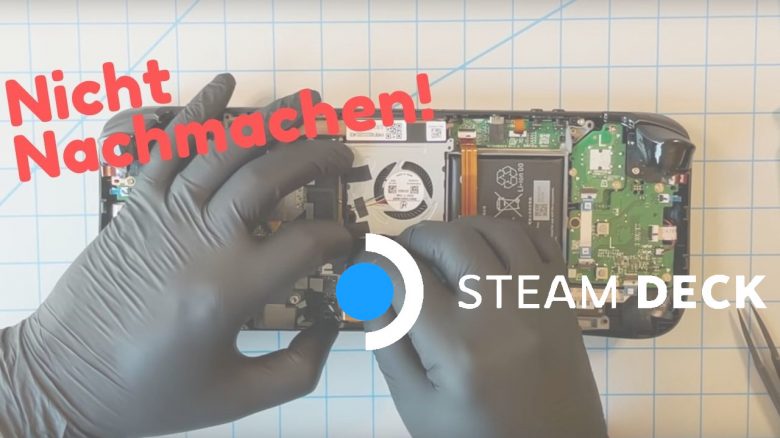
Valve has now shown how to disassemble the Steam Deck and explained what you can customize. Nevertheless, Valve also issues a clear warning to all users who want to do such things.
Valve aims to bring PC gaming to handheld with the Steam Deck and takes a different approach than Nintendo’s Switch, which is seen as direct competition. There are significant differences between the Steam Deck and Nintendo Switch, which we have already shown you at MeinMMO. By now, there are even first unofficial benchmarks of the Steam Deck that show the performance of the handheld.
Why you shouldn’t do it: Valve has now extensively presented in a video how to take the Steam Deck apart and exchange various components. However, Valve warns against disassembling the console yourself.
- On one hand, you could damage sensitive components like the battery. And damaged lithium-ion batteries can explode.
- On the other hand, Valve explains that damage caused by you is not covered by the warranty and the guarantee. So if you really want to open the device, it is entirely your risk, as Valve makes clear again.
Valve shows the inside of the Steam Deck and explains how it works
Valve explains in its video that many components inside are specifically tailored to the Steam Deck. This means you need very specific parts that fit exactly there.
At the same time, Valve explained that it intends to offer spare parts like an SSD or thumbsticks in the future. Furthermore, it was stated in the video that additional components might be offered in the future as well.
In the video, the technician removes both the left thumbstick and the internal SSD. Also clearly visible during the presentation is the CPU with graphics chip (APU), whose heat pipes are connected to the cooling system.
- All components are specifically manufactured for the Steam Deck; you cannot install “normal” hardware.
- If you still want to install other hardware, you need to be aware, according to Valve, that you could damage the Steam Deck’s ecosystem.
- Valve clearly explains here what you need to pay attention to when installing and removing components.
The approximately 6-minute long video from Valve can be watched on YouTube. We have embedded the video here for you again:
Valve receives a lot of praise for the detailed video
These are the reactions: Many users praise Valve for presenting this video. Because Valve clearly shows how to open the console and that you can also modify it – if you are aware of the risks. A user writes under the YouTube video:
A big shout out to Valve for actually making this video instead of claiming that it is impossible or trying to hide the information.
Another user also expresses a positive opinion, as Valve explains exactly where you need to be careful when disassembling the console.
Basically, [Valve] says: “You shouldn’t do it, but it’s yours and you can do it. Here are some of the traps and pitfalls to watch out for.” I think this is very repair-friendly. Since we know some problems may arise, we can look for specific SSDs and other components that fit and do not disturb.
What do you think of the video and the possibility to disassemble the Steam Deck? Are you excited that you can replace parts or does this play only a (minor) role for you?
Other manufacturers have also publicly demonstrated how to disassemble next-gen hardware. For example, Sony released an extensive video on how to take apart the PS5. Here, too, there was the recommendation not to try it yourself.