

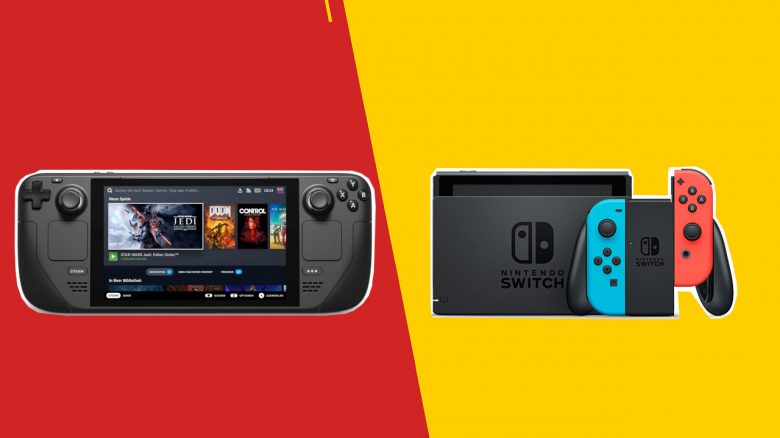
The Steam Deck is seen by some users as a competitor to the Nintendo Switch. MeinMMO presents you the differences and similarities of the consoles.
With the Steam Deck, Valve surprisingly introduced a handheld console. Many immediately stated, that the Steam Deck is the right Switch Pro, as it offers better hardware and more features.
But where do the similarities and differences between the two handheld consoles lie? MeinMMO presents you the similarities and differences of the consoles and looks at the end whether the Steam Deck really wants to be a competitor to the Switch.
The technical specifications in comparison
In this section, we will look into the technical specifications of the two consoles. We compare what the consoles can offer on paper and where the differences lie.
Steam Deck
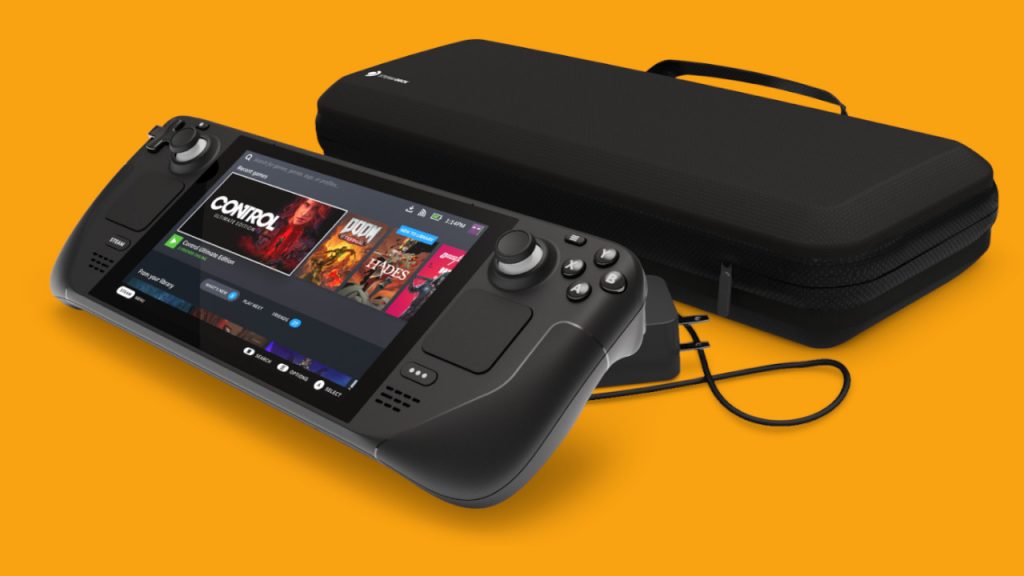
Valve relies on AMD for the Steam Deck. For the processor, they use AMD’s Zen 2, while the graphics card employs RDNA 2. Combined, this is paired with 16 GB LPDDR RAM. This is memory designed to consume particularly little power (LP stands for Low Power) and is mainly used in mobile devices like phones, consoles, and laptops.
For the display, Valve opts for a 7-inch LCD display with a resolution of 1280×800. You can choose from three different storage sizes (64 Gb, 256 GB, and 512 GB) for the Steam Deck. Additionally, you can expand the storage.
Nintendo Switch
Nintendo uses Nvidia and its “Tegra X1” chip for its handheld console, which is responsible for both processing and graphics performance. Additionally, it comes with 4 GB LPDDR4 RAM.
For the display, Nintendo opts for 7 inches with LCD technology and a resolution of 1280×720. You get 64 GB of storage, but you can easily expand it with an additional memory card.
Differences between Switch and Steam Deck
In the technical comparison, the Steam Deck has the upper hand over the competition. The Steam Deck uses an AMD chip (Zen 2, RDNA 2), which we already know from the PlayStation 5, albeit with less power.
Another difference can be observed in the battery life. With the Steam Deck, you have a maximum of 2 hours under full load, while the Nintendo Switch lasts for at least 4.5 hours. However, it also depends on which games you are playing and how long the battery ultimately lasts.
The performance difference is not surprising, as the Nintendo Switch is now also 4 years old and Nintendo has not yet released a revised version with faster hardware. With the Nintendo Switch OLED, at least a model with an improved display has been introduced.
The specs at a glance:
| Steam Deck | Nintendo Switch | |
|---|---|---|
| Processor | AMD Zen 2 | NVIDIA Tegra X1 |
| Graphics Chip | AMD RDNA 2 (8 CUs) | NVIDIA Tegra X1 |
| Performance (in TeraFlops) | up to 1.6 | up to 1 |
| RAM | 16 GB LPDDR5 RAM | 4 GB LPDDR4 RAM |
| Internal Storage | 64 GB eMMC (PCIe Gen 2 ×1) 256 GB NVMe-SSD (PCIe Gen 3 ×4) 512 GB NVMe-SSD (PCIe Gen 3 ×4) | 64 GB |
| Display Size | 7 inches | 6.2 inches 7 inches in OLED version |
| Display Type | LCD | LCD |
| Resolution | 1280 x 800 4K@120 Hz, 8K@60Hz (via USB-C) | 1280 x 720 1920 x 1080 (via Dock) |
| Battery | 40 WHr | 4310 mAh |
| Battery Life | 2 to 8 hours | 4.5 to 9 hours |
| Size | 298 mm × 117 mm × 49 mm | 102 mm x 242 mm x 13.9 mm (with Joy-Cons) thickest point (sticks) 28.4 mm |
| Weight | 669 grams | 320 grams 420 grams (with Joy-Cons) |
| Price | 419 Euro (64 GB) 549 Euro (256 GB) 679 Euro (512 GB) | 359.99 Euro |
Hardware and Software
In this section, we will address the differences in hardware and software:
- How are the two consoles built and what functions do they offer.
- What does the software of the consoles look like and what can you do with it.
Steam Deck
The Steam Deck is based on an open platform. Theoretically, any user can install whatever they want on their device. If you do not want Steam OS, which is based on Linux, you can easily install Windows as well. Valve itself states in its official announcement: “The Steam Deck is a PC on which you can install third-party software and operating systems.”
You can install games directly from the Steam Store and generally also from other providers like GoG and others.
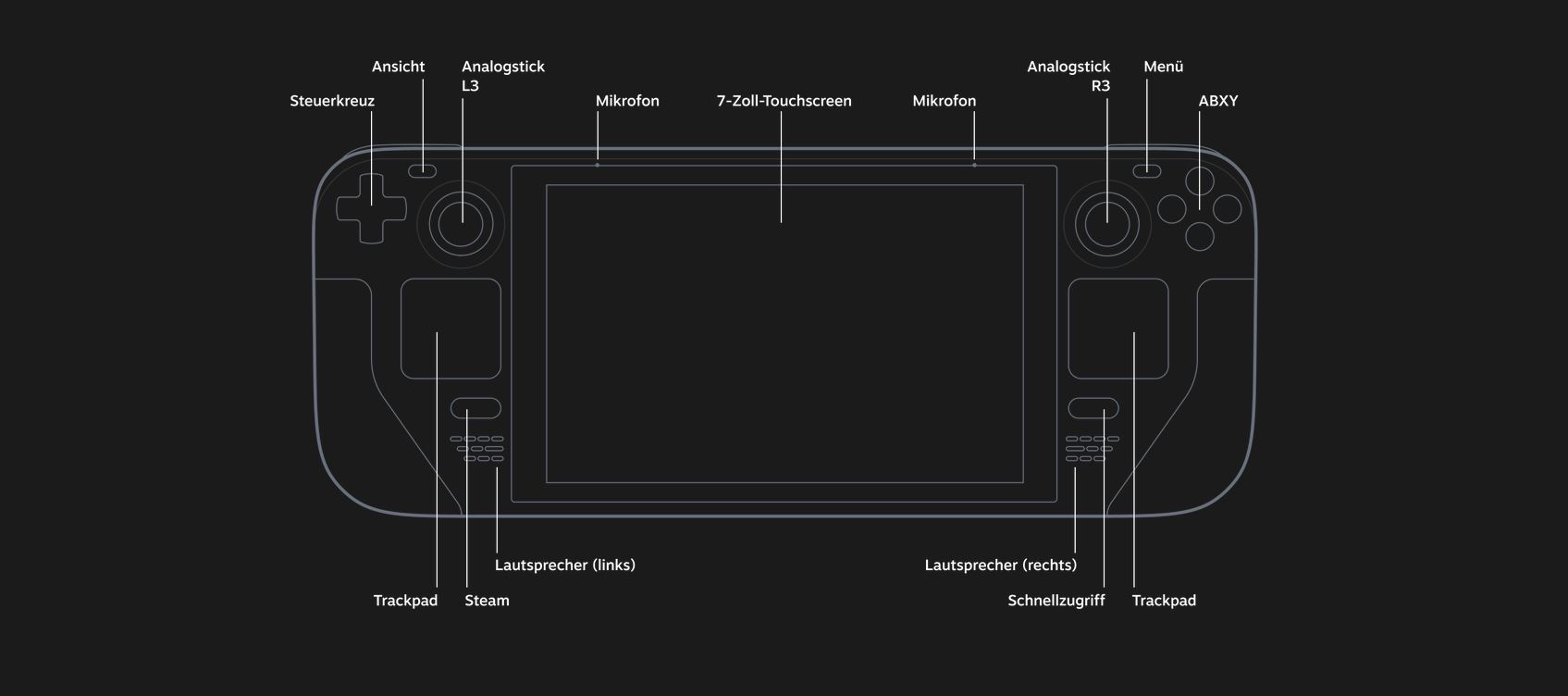
In terms of design, the Steam Deck features fixed buttons and controllers. There is also supposed to be a docking station with additional features available at release, but nothing is known about it yet.
Nintendo Switch
If you want to use the Switch, you have a given framework. You must use the existing, pre-installed system. It is officially not allowed to install another operating system.
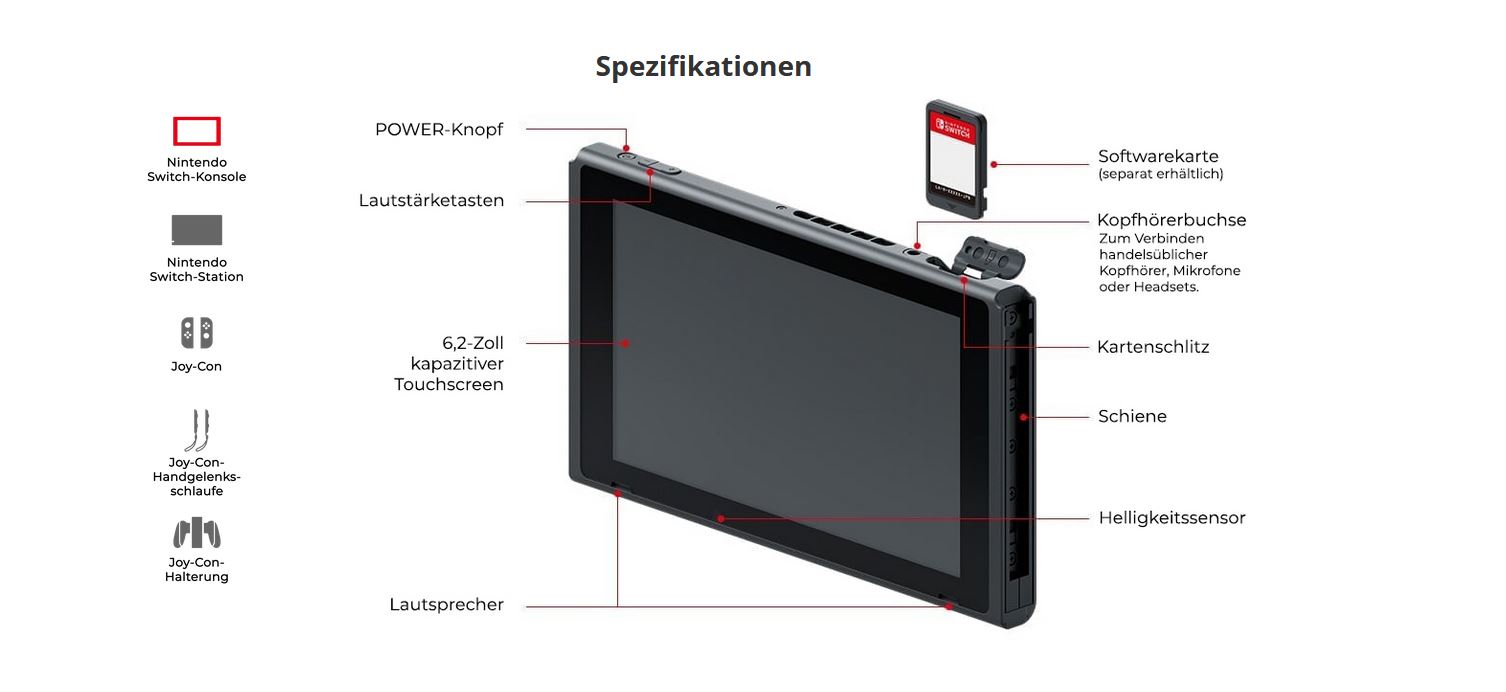
The Nintendo Switch uses so-called Joy-Cons, which are controllers that you can attach to the console, but you can also use without the console. The full-fledged Nintendo Switch offers you, unlike the Lite version, also a docking station that provides you with a higher resolution while gaming.
If you want to install games, you can either rely on physical Switch games via cartridge or purchase them from the in-house eShop. There are no other options.
Differences between Switch and Steam Deck
With the Nintendo Switch, you get a console that operates within a clear framework. With the Steam Deck, on the other hand, you get more of a mini-PC, which you theoretically do not have to use just for gaming.
This naturally has advantages and disadvantages regarding usability. The software of the Switch appears overall more accessible and tailored to a younger audience. With the Steam Deck, you have significantly more options available, which may not please everyone.
Steam Deck vs Nintendo Switch – What games are available?
What games do Nintendo Switch and Steam Deck offer in comparison? Can you play the same games on both devices, or does one of the consoles have an advantage over the competition? We present the differences and specialties here.
Steam Deck
With Valve’s console, you can access your entire Steam library. Which games run well on the console is still unknown.
Additionally, you can officially install Windows on the console alongside SteamOS and thereby use other game launchers.
Nintendo Switch
The Switch mainly offers you games that are exclusively tailored for the Nintendo Switch. These include titles like the Pokemon games, Zelda, or Animal Crossing. In addition, there are also ports of well-known games that you can also play on the Switch. Other games outside of Switch are not planned.
Differences between Switch and Steam Deck
The Switch mainly relies on exclusive games that you can only play on the Nintendo Switch. There are also no ports for other platforms. All games you can play on the Steam Deck are also available on the desktop PC.

Price
How much do the two handheld consoles, often seen in direct competition, actually cost? We present you the prices of the consoles and explain where the differences lie.
Steam Deck
This is the cost of the Steam Deck: The Steam Deck is available in three different price categories. The price depends on which configuration you choose. The current prices for pre-orders of the Steam Deck are:
- 419 Euro (64 GB)
- 549 Euro (256 GB)
- 679 Euro (512 GB)
Valve’s head Gabe Newell recently explained that the price of the Steam Deck is “painful” for Valve. By the way, the current price does not include a docking station. If anything changes here, we will update the article for you.
Nintendo Switch
The Nintendo Switch currently costs around 330 Euro. The price is quite stable and hardly fluctuates. The price includes not only the Nintendo Switch and the Joy-Cons but also the docking station.
The weaker Switch Lite is already available for 229 Euro, but you have to forgo the docking mode.
Differences between Switch and Steam Deck
In price comparison, the Steam Deck is significantly more expensive than the Nintendo Switch. However, for the higher price, you also receive faster and more modern hardware with the Steam Deck than with the Switch.
Currently, there are only two versions of the Nintendo Switch, and an OLED version is expected to arrive by the end of the year, which will be priced higher than the standard Switch version.
A possible Nintendo Switch Pro is being hotly debated, but Nintendo has not yet presented or announced anything in this direction:

Target Audience: Who are the Switch and Steam Deck aimed at?
When comparing the Steam Deck and Switch, you also have to ask the question of who the consoles are actually aimed at. Especially when comparing the target audiences, the differences between the Steam Deck and Nintendo Switch become clearly visible.
Steam Deck
Valve targets mobile gamers and wants to bring the gaming PC to the mobile device. Instead of sitting at the desktop PC, you can now sit on the couch or in bed and game from there.
Valve wants to appeal particularly to users with the open system who are willing to engage with the device.
Nintendo Switch
The Nintendo Switch relies on a simple system without additional options, making it significantly more accessible. Many games that you can play on the Nintendo Switch are also aimed at a younger audience. With a price of around 300 Euro for the standard Switch, it targets a broad audience.
Differences between Switch and Steam Deck
Both Valve and Nintendo are targeting two different markets. While Valve primarily wants to appeal to PC gamers, Nintendo focuses more on a younger and generally broader audience.
Also regarding the offer of games and software, they are targeting significantly different user groups. While Steam offers every type of game, which is not necessarily suitable for children, the games on the Nintendo Switch are overall more family-friendly, and there are clear guidelines for release on Nintendo’s platform.
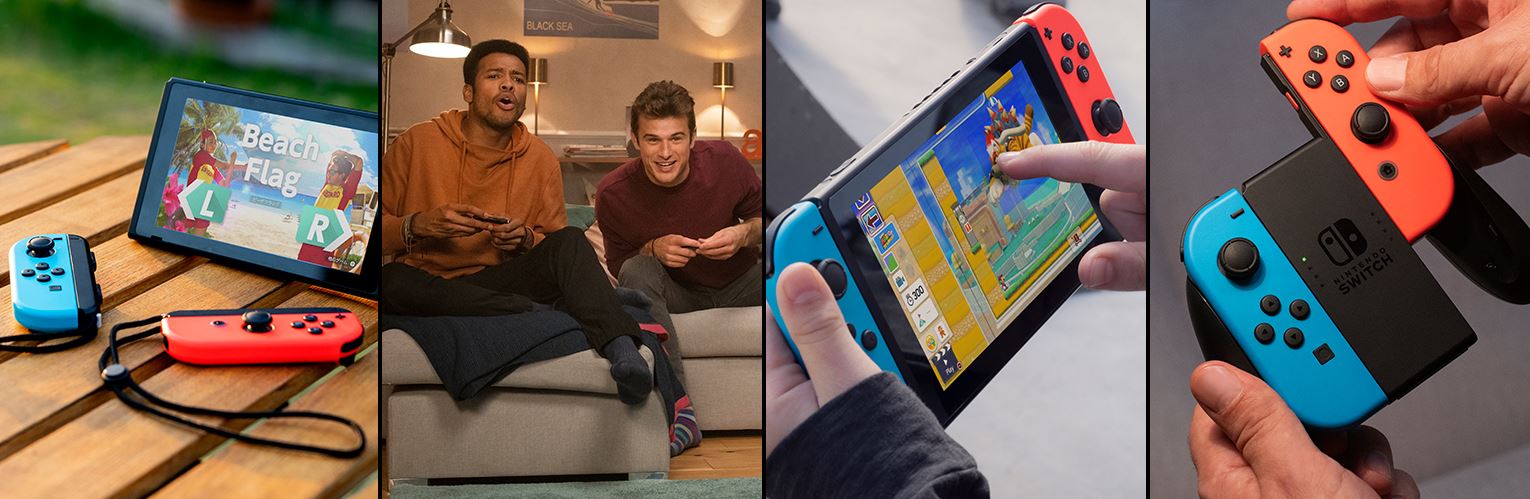
Nintendo has been very successful with its Switch so far, while Valve still has to establish itself in the market. With its previous hardware like Steam Controller or Steam Machines, Valve has been relatively unsuccessful. In the end, the question will mainly be whether you prefer to game on a PC or rather enjoy the “console feeling.”
What do you think? Would you buy a Steam Deck or have you already presented it? Do you see the Switch and Steam Deck as competitors or are they consoles that do not need to fear mutual competition?
Steam Deck officially presented: All the info you need to know

Your opinion is important to us!
Do you like the article? Then let us know!
Comments