


In The Division, players on PC have the ability to collect loot from a distance.

In the PC version of Ubisoft’s MMO shooter, you don’t have to run to the items to pick them up quickly: there is also the option to “loot” drops from a distance. This method works in the open world, in missions, and even in the Dark Zone.
However, only items that exhibit an “Item Box” can be recovered from a distance. This does not include Phoenix Credits, DZ currency, regular credits, or medkits.
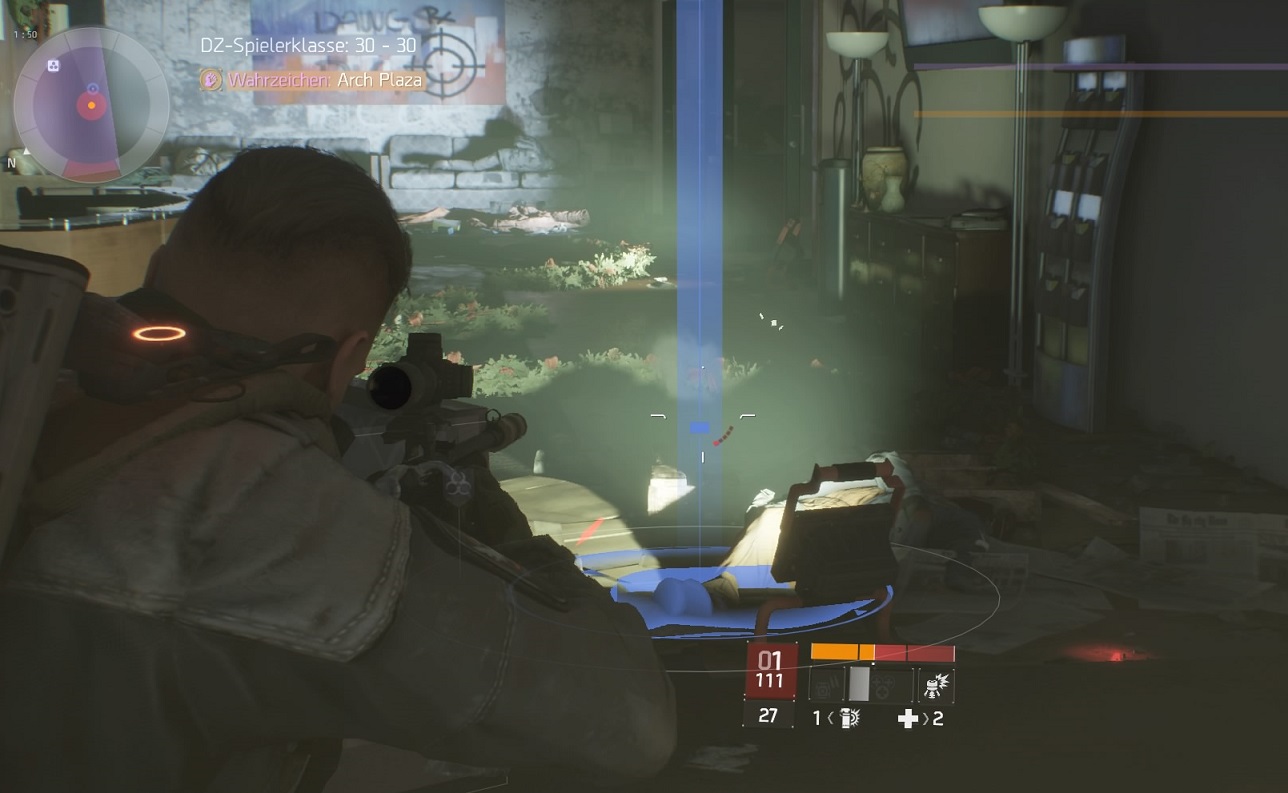
The “Item Box” can be found amidst a drop, hovering slightly above the ground. It is displayed as a small, square box:
This is how you collect loot from a distance in The Division
And this is how the fun works on PC:
- Aim with a weapon at the Item Box of the drop you want to pick up.
- Double-click the left mouse button on the Item Box. If you aim correctly, you should “loot” the item. If not, you’ll just be firing a few rounds from your weapon instead. If you have a “double-click button” on your mouse, this action becomes even easier. And just like that, you have picked up the item from a distance.
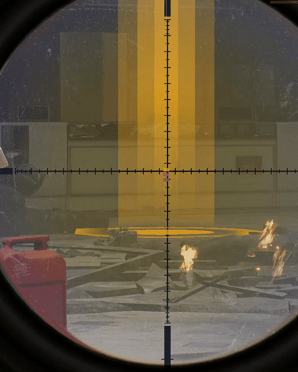
Tip: With precision rifles, you can aim at the Item Box even better.
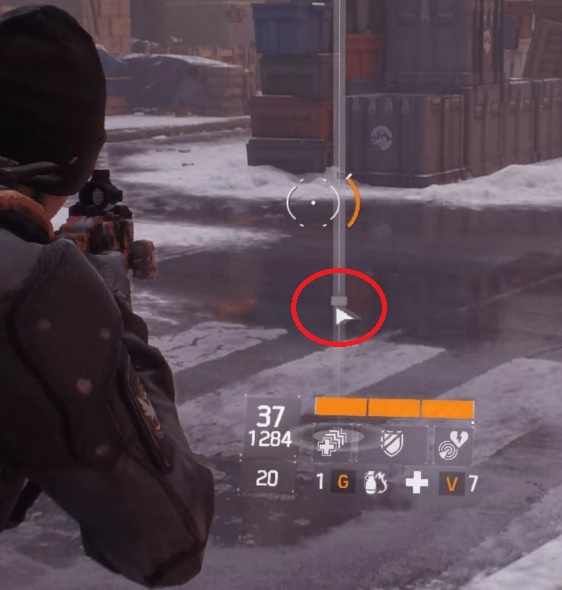
There is a second way to collect items from a distance:
- Focus on the drop.
- Hold down the “Alt key” on your keyboard to activate the cursor.
- Double-click on the box with the mouse cursor, and you will have picked up the item.
Note: This method seems to only work on PC. On consoles, it is reportedly not possible. I personally tried it on the PS4 and can confirm that you cannot collect items from a distance – no matter how many times you shoot at the Item Box.
For all the information about the upcoming Update 1.1 “Incursions”, click here.

Your opinion is important to us!
Do you like the article? Then let us know!
Comments