

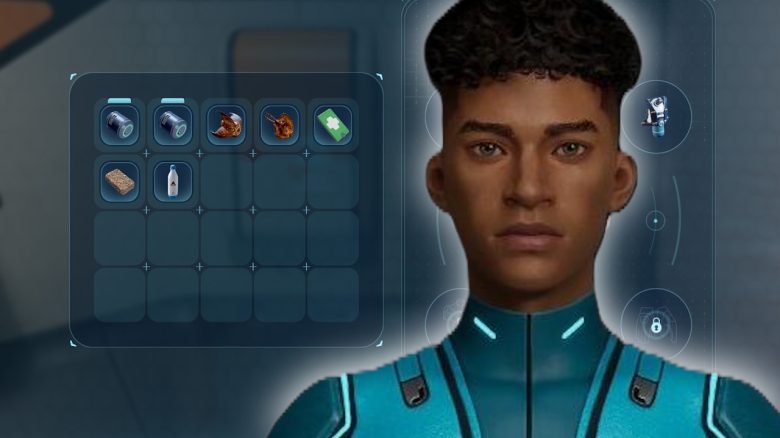
At the beginning, inventory space and hotbar slots are limited in Subnautica 2. We will show you how to increase your inventory.

How do you expand the inventory and hotbar? To enlarge both, you need to interact with the terminals at the bio-beds of past pioneers. You will usually find black boxes nearby that you should activate.
Currently, there are 5 ways to expand your mobile storage. This takes some time, but it is worth it, so you should focus on this early on.
Where can you find the upgrades? You should visit the following locations if you want to secure the upgrades:
| Bio-bed | Location |
|---|---|
| 1 | – About 150 meters to the northeast of your escape pod – You will find a visible current nearby, let yourself be carried by it – There is a tunnel with red seaweed nearby, where you will find the bio-bed |
| 2 | – Near the waypoint “Old Base” – Look for a blue glowing stick in the ground – Near Chap’s black box |
| 3 | – About 240 meters to the southeast of your escape pod – Swim down the rock column to the bottom, where you will find the entrance |
| 4 | – About 270 meters to the southwest of your escape pod – Swim down the rock wall until you find an entrance |
| 5 | – About 500 meters to the east of your escape pod – The entrance is located right next to a rock Warning: For this upgrade, you need the modification “Heat Resistance” |
Are there any other options? Yes, you can also use portable lockers to relieve your storage on the go. You have to hold it in your hand and keep picking it up and putting it down, but it can be worthwhile, especially for farm tours for ores and such.
You can often find such lockers in old bases and caves or craft them later.
Finding the necessary resources in Subnautica 2 can sometimes be difficult. However, there are a few tips you can follow to navigate the deep ocean without a map and reliably locate what you need: Subnautica 2: Finding Resources & Respawn – Tips & Tricks you should know

Your opinion is important to us!
Do you like the article? Then let us know!