
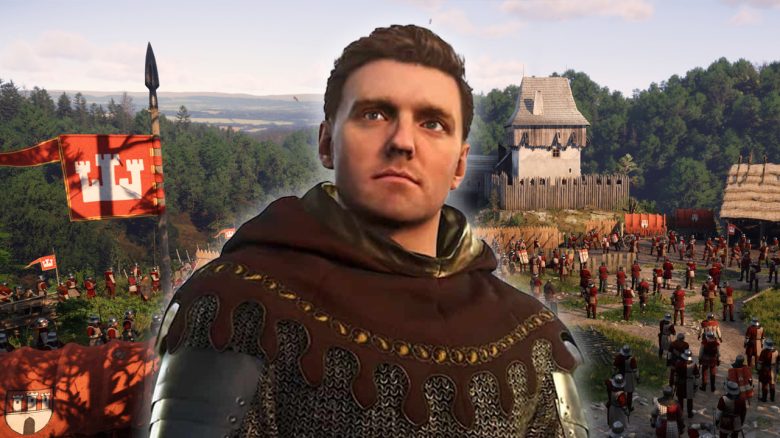
Kingdom Come Deliverance 2 has launched on Steam. MeinMMO presents you the best graphics settings for PC and the Steam Deck so you can jump directly into medieval Bohemia.
With Kingdom Come: Deliverance 2, a breathtaking RPG has launched on Steam. However, the system requirements are surprisingly high, especially if you want to enjoy the game with many details.
MeinMMO presents graphics settings and reveals where you can save performance, especially if you don’t have an RTX 5090 in your PC or want to play on the Steam Deck.
- The best graphics settings for PC
- The best graphics settings for the Steam Deck
- Experimental graphics settings in detail
- Tips for better performance
The best graphics settings for PC
Below we present you the best graphics settings that offer both stable performance and a beautiful graphical experience. However, please note that it depends on your hardware how well the game actually runs.
Depending on your processor and graphics card, you may need to adjust certain settings. You’ll find more details and tips further down where you can make adjustments as needed.
General graphics settings (PC)
- Resolution: (depending on your monitor)
- Window mode: Fullscreen
- Overall image quality: Custom
- Show FPS: Off. For monitoring, you can display the FPS, but it disrupts the immersion of the game world.
- VSync: Off if you have a monitor with VRR, G-Sync, or FreeSync. Otherwise, On.
- Framerate limit: 120 FPS, for a more stable value we recommend 60 FPS. However, it also depends on your graphics card.
- Gamma correction: –
- Horizontal field of view:
Resolution scaling
- Technology: DLSS (Nvidia) or FSR (AMD)
- Mode: Quality
- Sharpening: Switch all the way to the right, otherwise the image will appear blurry.
Camera effects
- Motion Blur: Object
- Near depth of field: On
Advanced graphics settings (PC)
- Antialiasing: SMAA2TX
- Object quality: Ultra
- Particles: High
- Light: High
- Global illumination: High
- Post-processing quality: Medium
- Shader quality: High
- Shadows: Medium
- Textures: Ultra for graphics cards with at least 12 GB of video memory, maximum High for 8 GB VRAM or less.
- Volumetric effects: High
- Vegetation details: High
- Character details: High
The best graphics settings for the Steam Deck
You can easily play Kingdom Come: Deliverance 2 on the Steam Deck, but you’ll need to reduce the graphics settings accordingly. With reduced details, you can play the game smoothly at 30 to 40 FPS and have about 1.5 to 2 hours of battery life. It’s not perfect, but it’s quite usable for gaming on the go.
General graphics settings (Steam Deck)
- Resolution: 1280×900
- Window mode: Fullscreen
- Overall image quality: Custom
- Show FPS: Off
- Framerate limit: 60 FPS.
- Gamma correction: –
- Horizontal field of view: 90
Resolution scaling
- Technology: FSR (AMD)
- Mode: Quality
- Sharpening: Switch all the way to the right, otherwise the image will appear blurry.
Camera effects
- Motion Blur: Off
- Near depth of field: Off
Advanced graphics settings (Steam Deck)
- Antialiasing: SMAA2TX
- Object quality: Medium
- Particles: Low
- Light: Low
- Global illumination: Medium
- Post-processing quality: Low
- Shader quality: Medium
- Shadows: Low
- Textures: Medium or High
- Volumetric effects: Low
- Vegetation details: Medium
- Character details: Medium
What is in the Experimental
settings
What are experimental graphics settings? The developer or the game indicates that the experimental level in the settings is intended for next-generation hardware, i.e., for graphics cards from the “RTX 5000” family and newer. Generally, we advise you to avoid “Experimental” settings unless you have at least an Nvidia RTX 4070 Ti, an AMD RX 7800 XT, or a better card in your PC.
As an example: With an RX 6700 XT, you can achieve around 25 FPS on experimental
settings with FSR, while with an RTX 3070, it’s still 40 FPS in Full HD (via PCGamesHardware.de).
Our tips for better performance
You want to play Kingdom Come: Deliverance 2 on your PC, but you still can’t achieve a stable frame rate? Here are a few tips and settings to help you save performance without compromising the game’s visual quality.
Textures: If you have a low video memory graphics card, such as the GeForce GTX 1060 (6 GB) or AMD Radeon RX 580 (4 or 8 GB), we recommend lowering the texture settings. The higher the setting, the more video memory is used. If you’re playing at high resolutions (WQHD or higher), we also recommend lowering the textures if you don’t have at least the recommended graphics card (RTX 4070 or RX 7800 XT).
Shadows and shader quality: Shadows consume a lot of performance as expected but also create a realistic image. If your PC is struggling, reduce the shadows. By reducing them, you can gain between 10 to 15% more performance.
Object quality and character details: Especially in large towns with many people and objects, it can be advisable to reduce the quality of objects.
DLSS and FSR: The game runs even without “fake frames,” but for a significantly more stable framerate, we recommend activating the upscalers. Usually, Quality is sufficient, but if you still encounter issues, switch to Performance. DLSS and FSR generally provide better performance than the native
resolution.
Vegetation details: Running through a dense forest or over a grain field with many details puts your graphics card to work. If you’re having performance issues, we advise you to consciously reduce the settings.


What you need to know about the pre-download, release time, roadmap, price, previous tests, and gameplay duration of Kingdom Come: Deliverance 2 before purchasing can be found in our overview directly on MeinMMO: Kingdom Come Deliverance 2: All about release, start time, preload, and reviews.


