


In Elden Ring, some players see the error “Inappropriate behavior detected.” MyMMO tells you what is behind it and how to solve the problem.

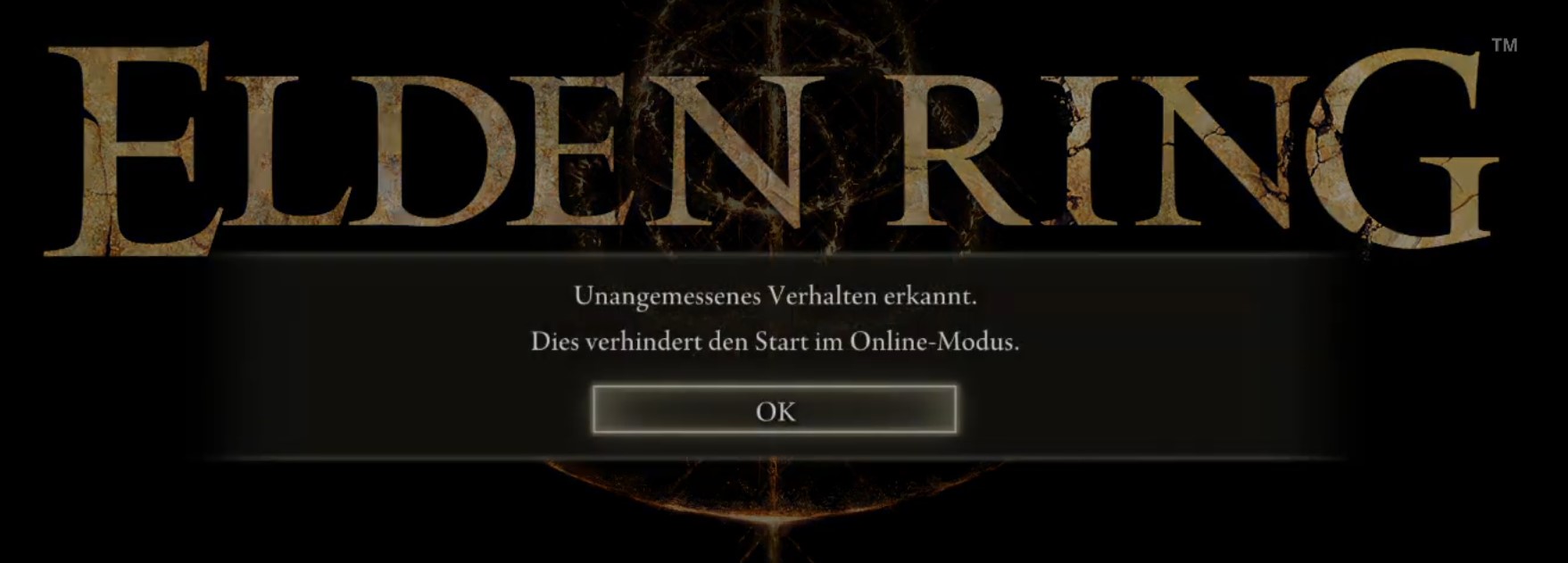
This is the problem: Some players in Elden Ring who want to log in receive the following error in the main menu: “Inappropriate behavior detected. This prevents starting in online mode.”
This sounds very serious and frightening at first glance. The game does not mention the reason or possible solutions. But don’t worry: normally, you are not completely banned with this. Therefore, we will tell you what you can do to work around the error.
While you are waiting for your PC to implement the solutions, you can browse through our detailed weapon tier list for Elden Ring:

Solution 1: Restart the game on Steam or your PC
The first attempt to solve the issue is the simplest and often already sufficient. If you receive the error “Inappropriate behavior detected” and have no explanation for it, it may simply be a bug.
In that case, restart the game and try again. If that doesn’t work, restart Steam as well. As a last resort, you should also try restarting the entire PC. If none of that works, try one of the other solutions.
Solution 2: Disable all cheats and mods you are using
If you are using cheats or mods in online mode, you will receive the error “Inappropriate behavior detected.” Disable these cheats and mods to start Elden Ring without this error.
Restart the game once you have disabled everything, and Elden Ring should start in online mode as usual.
If you want to play Elden Ring with the popular new co-op mod, make sure you have it installed correctly or are using it correctly. You need to start this mod with the file “launch_elden_ring_seamless_coop.exe”. You can find the exact instructions on Nexus Mods.
Solution 3: Check the game files for errors
You should also check the game files for errors. You can do this in the Steam library. Here’s how:
- Open your library in Steam.
- Search for Elden Ring in the list.
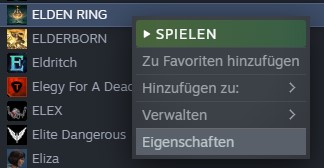
- Right-click on Elden Ring and go to “Properties”
- Select “Local Files” on the left.
- Now click on “Verify integrity of game files…”.
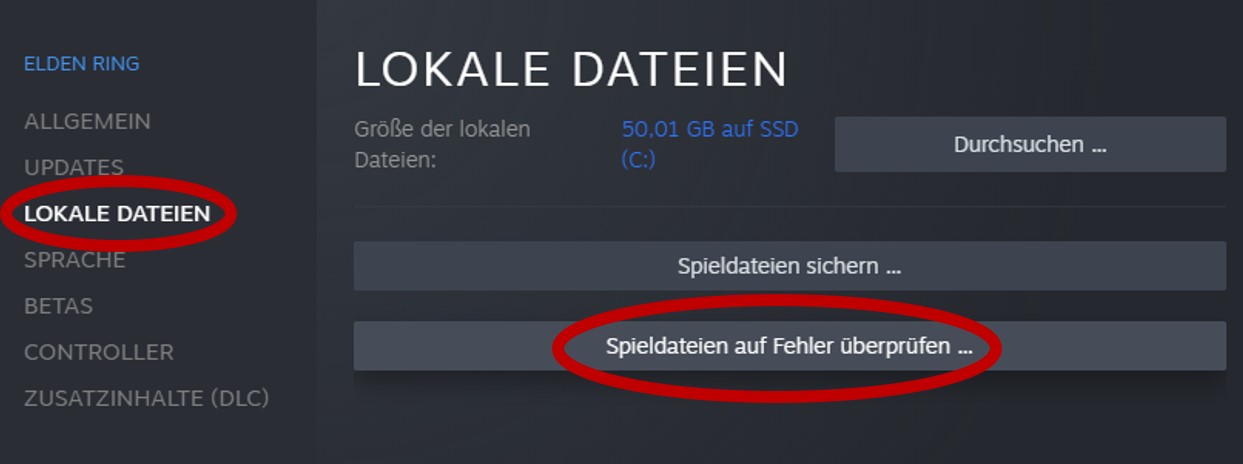
Steam will now check the game for any faulty files and repair them automatically.
Solution 4: Repair the “Easy Anti Cheat” files
Another possible source of the error is Easy Anti Cheat. Here, you need to repair the data from the anti-cheat program. Here’s how to do it:
- Open your library in Steam.
- Search for Elden Ring in the list.
- Right-click on Elden Ring and go to “Properties”
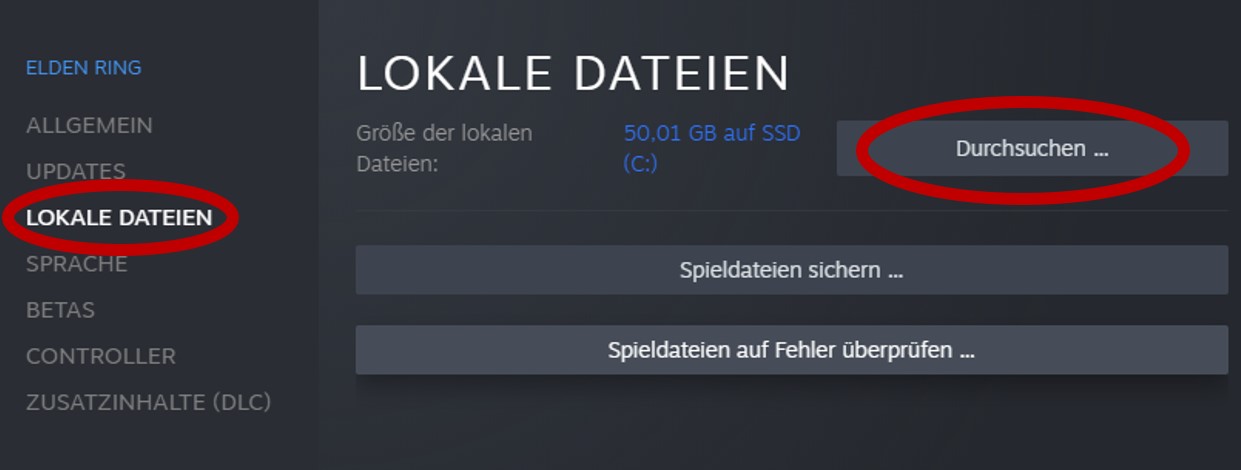
- Select “Local Files” on the left.
- Now click on “Browse”.
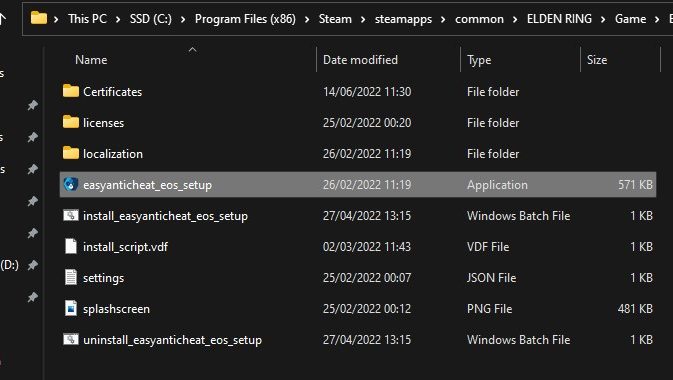
- Open the “Game” folder and then the “EasyAntiCheat” folder
- Double-click on the file “easyanticheat_eos_setup”
- If that doesn’t work, right-click on the file and open it as administrator.
- Select Elden Ring, and click on “Repair Service”
Solution 5: Turn off your VPN.
If you are using a VPN service while playing Elden Ring, it could cause the error “Inappropriate behavior detected”.
So disable the VPN service and restart Elden Ring.



Normally, one of these options should have solved the problem. If you continue to have trouble, you can try reinstalling the game or contacting Bandai Namco support. However, we hope that you were successful with our guide and can play Elden Ring again! You can find more information about the release of the new DLC and how to prepare before the launch in our overview: Elden Ring DLC: Everything about the release, preparation, preload, prices, and editions

Your opinion is important to us!
Do you like the article? Then let us know!