For Ultimate Team in EA FC 25, there is finally a long-awaited feature that saves you a lot of time. At MeinMMO, we explain how the new SBC storage works and how you can make the most of this innovation.
What is the SBC storage? This is a separate storage space for your duplicate players in Ultimate Team. This applies to all tradeable and untradeable duplicates.
These can now be stored on a separate list that has space for up to 100 players. You will mostly deal with the SBC storage when you open packs, as this is where you have the chance to receive untradeable duplicates.
The following example image shows a possible scenario after opening a professional pack:
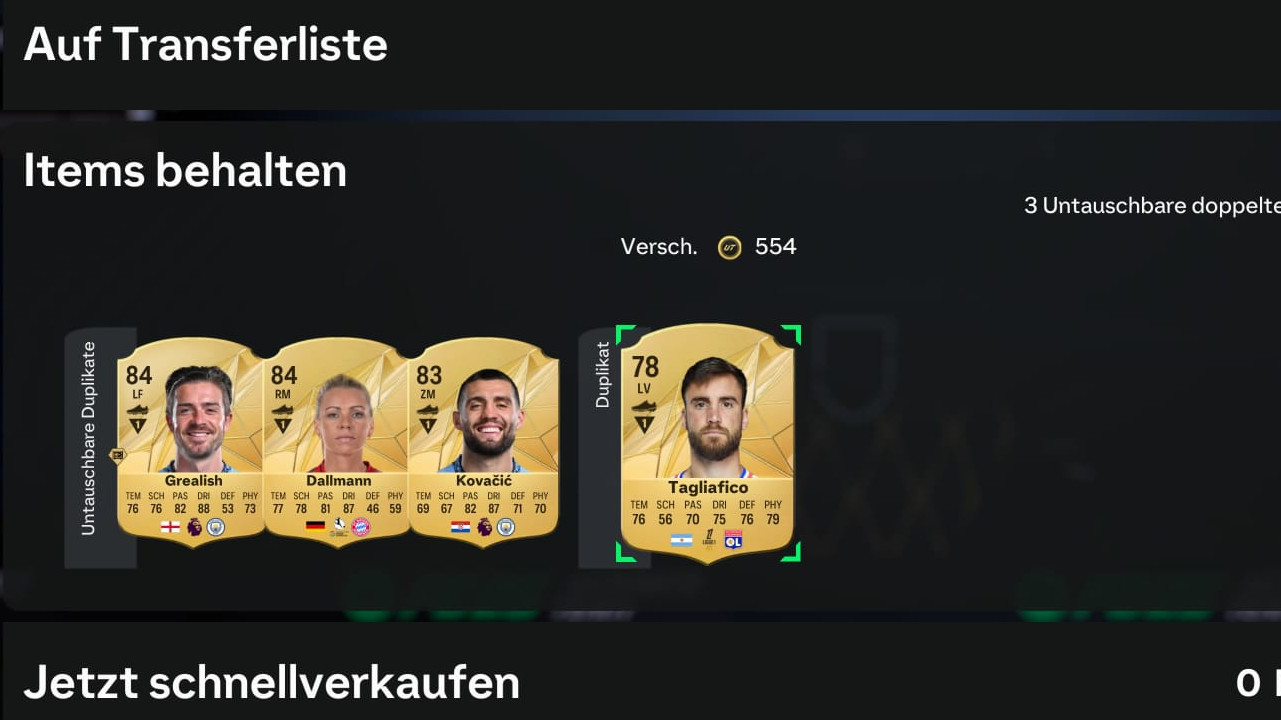
For the tradeable duplicates, you can still choose whether to add them to the transfer list (up) or to sell them with “Quick Sell Now” (down) for their discard price (see image).
This is how the SBC storage works for untradeable duplicates: The remaining untradeable duplicates will be automatically added to the SBC storage with a click of R2 (PlayStation) or RT (Xbox). This way, you don’t have to personally manage your duplicates, as you did in FC 24, to continue opening packs. The SBC storage now takes care of this task for you.
You can directly continue opening more packs. Or you can use your duplicates profitably in Squad Building Challenges (SBCs).
Using duplicates from SBC storage for upgrade packs
While the SBC storage is primarily intended for storing duplicates, its true purpose is fulfilled when it is used in Squad Building Challenges.
Weaker untradeable duplicates can be used for upgrade packs, stronger duplicates for player SBCs, ensuring they don’t get forgotten uselessly in your storage.
This is how you use the SBC storage for upgrade packs or players: You just need to select the SBC you want and go to the team building menu. At the top of the screen, you can choose between the transfer market, team, club, and SBC storage from left to right.
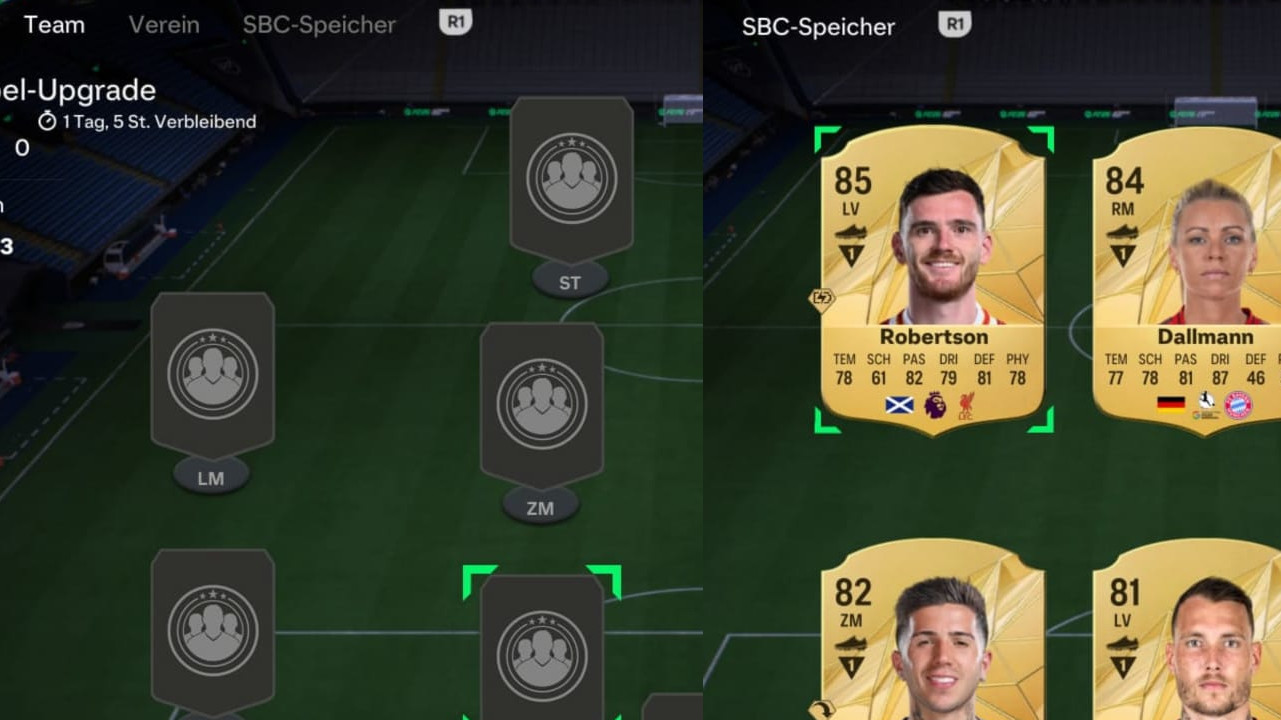
When you are in the team building menu, you can access the SBC storage by pressing R1 (PlayStation) or RB (Xbox) twice. Once in the SBC storage, your untradeable duplicates will appear sorted in descending order by rating.
Now you can select the players you want to exchange for completing the SBC as you wish.
What benefits does the SBC storage provide? Previously, in FC 24, you had to look for which SBC you could quickly dispose of your high-rated duplicates to avoid financial loss, but you no longer feel this pressure with the SBC storage. The storage gives you ample time with a capacity of 100 players.


Since the SBC storage can be activated with just one button press after opening packs, it is an easy-to-use and useful feature. Additionally, with the selection option SBC storage in the team building menu, you can find the duplicate players that no longer provide any value to you or your club within seconds. For more helpful tips to get started with FC 25, you can read the following article on MeinMMO: EA FC 25: 7 tips for getting started that will immediately improve your game