


For Crimson Desert there are free items that you can obtain through Twitch Drops. What they are and how to get them can be found here.

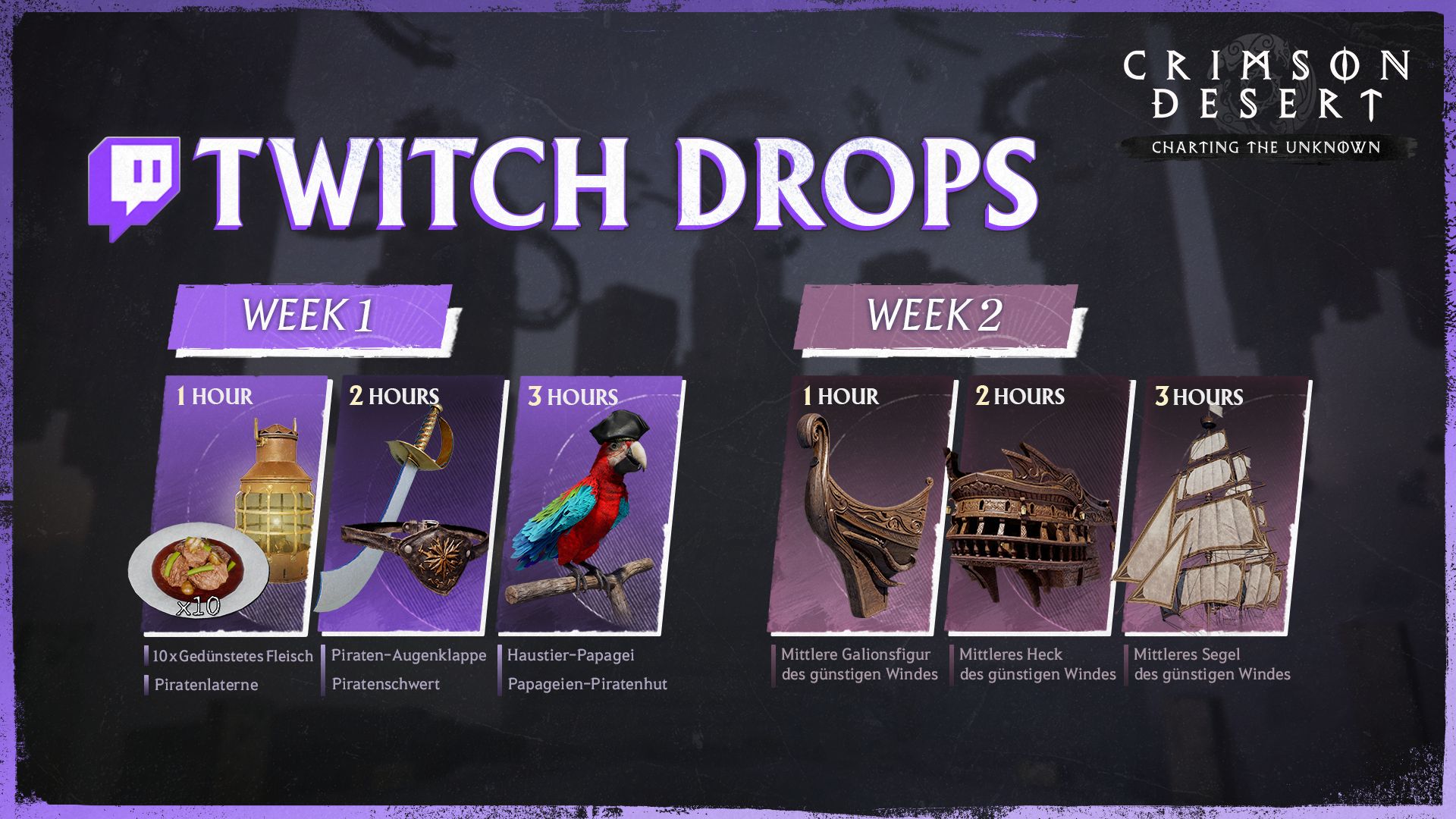
Which Twitch Drops are available? To celebrate the new DLC, you can earn new Twitch Drops:
- Week 1
- October 29, 11:00 PM – November 5, 12:59 AM (CET)
- Week 2
- November, 01:00 AM – November 12, 12:59 AM (CET)
Note: The rewards of the first week can be obtained and used by anyone who owns the main game “Crimson Desert Enhanced”. However, the rewards of the second week can only be used if you own the DLC “Charting the Unknown”.
The following rewards are currently up for grabs:
Week 1
- 1 Hour
- 10 x Steamed Meat
- Pirate Lantern
- 2 Hours
- Pirate Eye Patch
- Pirate Sword
- 3 Hours
- Pet Parrot
- Parrot Pirate Hat
Next week you can receive the following:
Week 2
- 1 Hour
- Medium Figurehead of the Favorable Wind
- 2 Hours
- Medium Stern of the Favorable Wind
- 3 Hours
- Medium Sail of the Favorable Wind
This is what the items will look like:
What are Twitch Drops? Twitch Drops are rewards that you can earn just by watching streams on the Twitch platform. Usually, these are exclusive in-game items that can only be unlocked in this way.
To get them, you need to watch selected streams of Crimson Desert for a certain period. The sound does not need to be turned on – you can leave the stream running in the background.
What Twitch Drops are currently available for Crimson Desert and how to unlock them, we will show you here.
If you want to succeed in Crimson Desert, our YouTube video with 30 tips for starting is just right for you:
How to get Twitch Drops and redeem codes – Here’s how
Although there are currently no official announcements on how you can secure the rewards, all Twitch Drops work very similarly, allowing us to at least provide you with a rough process. As soon as the exact details are available, we will of course update our post for you.
The following steps usually need to be followed:
- You first need an account on Twitch with which to watch the streams.
- Choose a stream that is about Crimson Desert and marked with the label “Drops Enabled”. Suitable streams can be found here.
- Watch it for the designated period.
- Your secured Drops will then automatically appear in your inventory where you can also track your progress.
- Claim them within 24 hours. Select your desired platform.
- Redeem the received codes on the respective platform – Note: On Steam, you will receive the rewards directly in the game.
If everything worked out, you will automatically receive the items in the game and can use them.



If you are still unsure whether to get Crimson Desert, there are a few things to consider. Both the choice of platform and some gameplay preferences can play a decisive role here. What you should know about it and what can help you in your decision can be found here: Crimson Desert: Everything important that you need to know before buying on Steam, PS5, or Xbox

Your opinion is important to us!
Do you like the article? Then let us know!