
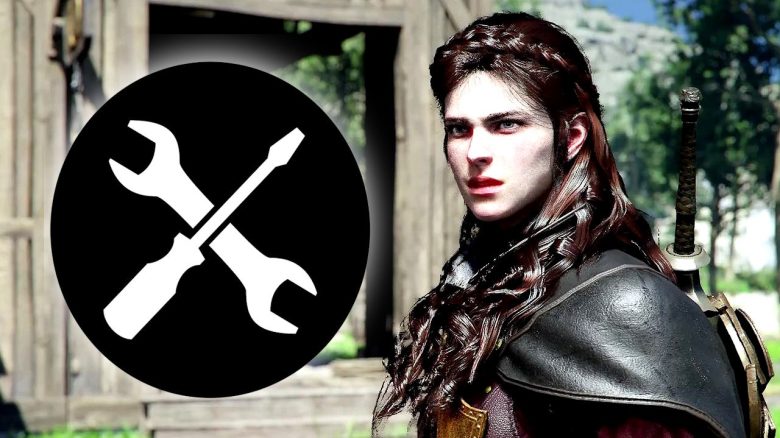
On April 11, 2026, a new update for Crimson Desert was released. What you can look forward to can be found here in the highlights and the full patch notes.
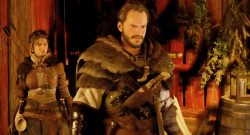
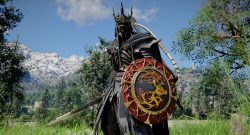
What highlights does patch 1.03.00 have in store for you? One of the biggest highlights of the new update is the new abilities for the two playable characters Damiane and Oongka. They now align their skills more with those of protagonist Kliff to make them more useful in the open world.
To that end, they are receiving abilities that correspond to Kliff’s “Power Fist” and more, so that you will have fewer disadvantages should you prefer to roam Pywel with Damiane or Oongka.
Further highlights of the patch include:
- Teleportation is now significantly more flexible and works while swimming, climbing, or mounting a steed.
- In the settings, you can now choose whether the character’s weapons are hidden. You can set melee and ranged weapons independently and also decide when you want to see them.
- Exploration is now clearer, as visited caves and completed abysses are now marked with different icons on the map, making Abyss-Nexus easier to find.
- Puzzles have been made more user-friendly, so mechanical hints for tools like the lantern or the power fist are now clearer.
- Banking is now also possible during an active bounty event, but depositing gold bars or adjusting investments is restricted.
The patch is already available on all platforms – only Mac players will have to wait a bit longer, but they should also soon enjoy the changes.
What else awaits you in the patch can be found in the patch notes further down.
Update 1.03.00 for Crimson Desert – Full Patch Notes from April 11, 2026
Content
- The camp of the Greymanes has been improved.
- The positions of important NPCs in the Pailune camp have been improved.
- The farm and livestock farm in the Pailune camp have been expanded.
- Various comfort features throughout the Pailune camp have been improved.
- Issues that occurred when completing certain quests during an active bounty event have been fixed.
- Issues that occurred when liberating Pailune during an active bounty event have been fixed.
- A problem has been corrected where the bounty was displayed as 0.
- A problem has been fixed where the dispatch of some Greymanes was not possible.
- A problem has been fixed where the invested bank balance was not updated.
- The fast-forward function has been improved, so it is now also available for standard dialogues that do not take place in letterbox format. You can adjust the fast-forward speed using the new option “Fast-Forward Speed” under “Other > Language and Game”.
- Abyss-Nexus can now be found more easily.
- The user-friendliness of some Abyss puzzles has been improved. It is now clearer that certain tricks can be activated with the power fist.
- The lantern and the ability “Reflect Light” have been improved to provide more hints.
- Access to the top of the ascent has been improved.
- The terrain of some abysses has been improved.
- Using the bank is now also possible during an active bounty event, but gold bars cannot be deposited and investment amounts cannot be updated.
- A problem has been fixed where quests could not be completed at certain steps when totems were destroyed after completing chapter 9 (Sanctum of the Castei).
- A problem has been fixed where certain quests could not be completed if the corresponding quest item was obtained before the quest was activated.
- A problem has been fixed where after certain quests, the NPCs Gunter (Equipment), Harry (Blacksmith), Bronton (Stable) and Lola (Clothing) in Pailune City were replaced by other NPCs.
- With patch 1.01.00, three new pieces of standard battle music have been added on the continent of Pywel (except for the Red Desert and some regions).
- With this patch, another music piece has been added for the loading screen.
Controls and Combat
- You can now also teleport over the world map while mounting a steed, falling, swimming, or climbing.
- Targeting in boss fights has been improved. Targeting has been enhanced for bosses so that it remains effective at greater distances.
- For certain large bosses, the “Target” function has been disabled.
- Kliff now has the new ability “Sky Strike of the Crow”. Prerequisite abilities: “Focus” Lv. 3, “Flight” Lv. 2, “Crow Rush”.
- You can activate the ability by pressing the dodge button while flying after using “Focus”.
- Damiane and Oongka have been equipped with additional useful abilities for the open world. For Damiane and Oongka, “Power of Axioms”, “Veil of Wind”, and associated abilities have been added.
- Damiane’s “Shield Throw” and Oongka’s “Spread Shot” have been improved to achieve the same effect as Kliff’s “Power Fist”.
- The controls for Damiane’s “Sky Step” and Oongka’s “Vertical Flight” have been changed.
- The transition to the next combo after a blocked hit has been made smoother.
- A problem has been fixed where the character sometimes moved abnormally fast with certain ability combinations.
- A problem has been fixed where the ability “Reflect Light” was not maintained while moving on a steed.
- A problem has been fixed where the scythe could not be drawn in the safety zone.
- The interaction with objects such as walls, switches, and cranks has been improved, so that a specific animation now plays when these cannot be further moved or operated.
- [Keyboard/Mouse] The control of the Power of Axioms has been improved.
- [Controller] A problem has been fixed where the ability “Veil of Wind” was triggered by simply moving the right stick in any direction while a focus ability was in use.
UI Adjustments and Improvements
- The color of the faction quest icon has been changed.
- When using the Vision, the display has been optimized so that only the list of already obtained memory fragments is shown.
- A function has been added that allows all items in the list to be processed simultaneously when grouping or viewing items in the inventory.
- Items can now be examined while they are in storage.
- Improvements have been made to the “Manage Greymanes” list, so the selected Greymane is now marked with a checkmark symbol.
- A problem has been fixed where the values for attack and critical hit chance of certain equipment items (e.g., necklaces or capes) were incorrectly displayed as doubled when you accessed the character information using the “Examine” function in the inventory or quick access.
- Opened treasure chests are now marked with their own icons on the world map and minimap for easier differentiation.
- Visited caves are now marked with their own icons on the world map for easier differentiation from unvisited caves.
- Restored abysses are now marked with their own icons on the world map for easier differentiation from unrecovered abysses.
- A problem has been fixed where markers set on the world map would not be retained upon first re-logging.
Graphics and Settings
- [PC] Support for Intel Arc GPUs has been added. Compatibility and performance on various Intel GPUs are gradually being optimized.
- [PC] Under “Settings > Video > Upscaling Mode”, the option “Intel XeSS 3.0” has been added.
- [PC] Under “Settings > Video”, the option “Intel XeSS Frame Generation” has been added. Using “Intel XeSS 3.0” or “Intel XeSS Frame Generation” on Intel Arc A-series GPUs may result in rendering errors.
- [PC] Under “Settings > Video”, the option “AMD Radeon™ Anti-Lag 2” has been added.
- [PC] Under “Settings > Graphics”, the option “Displacement Strength” has been added.
- [PC] Under “Settings > Graphics”, the option “Detailed Decoration Meshes” has been added.
- [PC] A problem has been fixed where using DLSS-RR could result in visual noise in combination with screen distortion effects.
- [PlayStation 5 Base / Xbox Series X] Under “Settings > Video”, the option “Improved Ray Tracing” has been added.
- [PlayStation 5 Pro] Under “Settings > Video”, the option “PSSR Image Sharpening” has been added.
- [General] The quality of indoor lighting has been improved.
- [General] The rendering of reflections on the water surface has been improved.
- [General] A problem has been fixed where rain appeared excessively bright from certain angles.
- Under “Other > Language and Game”, the option to display weapon appearance has been added.
- Display of melee weapons: All / Only selected weapons
- Display of ranged weapons: Permanent / Only when used
- Under “Other > Accessibility”, the option for minimum font size has been added. This option will take effect after restarting the game.
- Under “Other > Language and Game”, the option for setting fast-forward speed has been added. Fast-forward speed can be set to a maximum of 4 times.
- Under “Other > Accessibility”, the following options have been added:
- Camera View Distance
- Vertical Camera Position
- Horizontal Camera Position
- Automatic Camera Rotation in Movement Direction
- Camera Adapt to Movement Direction
Performance, Stability, and Game Start
- General stabilization measures have been carried out on PC, Mac, and consoles, and some crash issues have been fixed.
Localization
- Localization errors in all languages have been fixed, and the overall quality of localization has been improved.
Miscellaneous
- A problem has been fixed where the game crashed when using the Helm of Knowledge with Damiane/Oongka.
- A problem has been fixed where there was no sales quantity limit for corn in certain stores.
- Additionally, various other bugs in the game have been fixed.
What adjustments and improvements in this update were your highlights? Or are you still waiting for that one change that would make everything better for you? Let us know in the comments! If you are looking for more tips and tricks, check out our guide overview for Crimson Desert!

Your opinion is important to us!
Do you like the article? Then let us know!