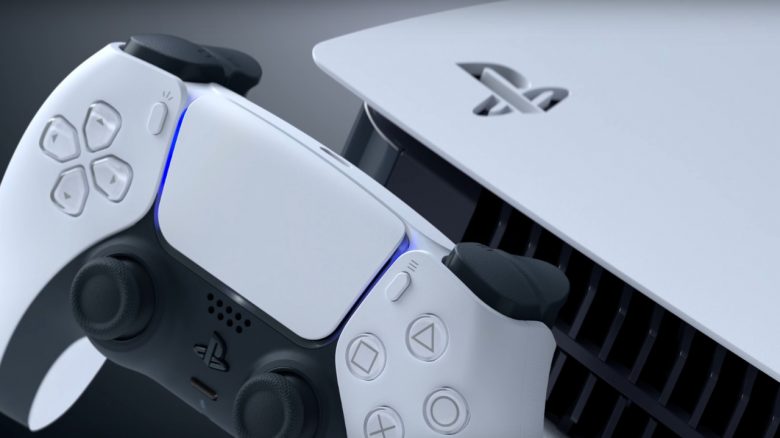
The PS5 is almost 2 years old. We present you 6 features that not everyone knows about and that you should definitely try out.
The PS5 has been around since 2020 and has brought a lot of new features and possibilities for players compared to the PS4. Sony also regularly introduces new features to make games feel smoother and faster on the PS5.
However, not all features of the PS5 are immediately visible or known to everyone. Some are cleverly hidden, while others have simply been forgotten. MeinMMO presents you with 6 features that you should know about if you play on a PS5.
Stream PS5 games to your phone or other devices
What is this feature? You want to play on your PS5, but another family member wants to watch a series on the TV or prefers to play on the Switch? Thanks to PS Remote, you can also stream your games from the PS5 to your phone. However, a fast internet connection is required.
How to use the feature: First, you need to activate “Remote Play” in the settings of your PS5. Next, you need to install the app on your PC or your phone. In the next step, just follow the instructions of the app and connect your PS5 to your other device. You can also connect your PS5 controller to your phone or PC via Bluetooth.
Sony itself recommends a speed of 5 Mbit/s, but for better quality, it should be at least 15 Mbit/s.
Turn off spoilers on the PS5
What is this feature? You’re playing a new game like Elden Ring, but you don’t want to be spoiled? If you want to block screenshots or other content on your home screen that you don’t want to see, you can enable the spoiler function.
How to use the feature: Go to settings and then to Saved Data and Game/App Settings. Here you select the option “Warn before game spoilers”. You can then also set how much should be blocked:
- Either only content that has been marked as spoilers by the developers is blocked.
- Or you block all content that you haven’t seen yet.
However, the function has one disadvantage: The spoiler warning only works with PS5 games and not with PS4 games that you play on the PS5 thanks to backward compatibility.
Turn off notifications
What is this feature? You’re currently playing a tough match or just want to enjoy the story? Then turn off the annoying notifications. This includes hints about games, invitations, or trophies that you are currently collecting.
How to use the feature: Go to Settings and then to Notifications. Here you can deactivate the function “Allow Popup Notifications”. You can also refine what notifications you want to see.
Customize Control Center
What is this feature? The Control Center is something you encounter most often on the PS5. Did you know that you can also configure the menu and adapt it to your own needs?
How to use the feature: When you navigate through the individual elements of the menu with the controller, you can press the option button on the controller. Then you can select from a list which elements should be displayed and how they should be arranged. You can also hide things that you don’t use anyway.
You can also set whether you want to display specific things while gaming. This includes challenges or activities.
Download games from a PC or phone
What is this feature? You’re on the go but have discovered a great deal in the PS Store that you want to buy and play right away? Thanks to this feature, you can tell your console to start the download while you’re away.
How to use the feature: If you bought a game through the PlayStation app, you can download the game directly to the PS5. Select your profile in the app, click on the game library, and select the game you want to install. Then click on “Download to PS5”.
For this to work, the PS5 must be in rest mode. If it is completely turned off, it will download the game as soon as you turn on the console.
Use 3D audio without a gaming headset
What is this feature? The PS5 relies on a special audio feature, namely 3D audio. This is supposed to make the sound and music sound even more realistic and better. Officially, you need a headset that supports the function. But you can also test 3D audio experimentally without a headset. At the PS5 release the function was completely missing on TVs.
How to use the feature: Go to settings on the PS5 and then select Sound. Here you can activate 3D audio in the audio output. After that, the PS5 will ask you to calibrate the system. This can be quite uncomfortable for a short time. If you are not convinced by 3D audio afterwards, you can simply turn the function off again.
| Preview | Product | Rating | Price | |
|---|---|---|---|---|

|
Playstation Sony Pulse 3D-Wireless Headset 5* | Zu Amazon |
*Affiliate-Links. Wir erhalten bei einem Kauf eine kleine Provision von Amazon. Vielen Dank für Eure Unterstützung!
If you’re still looking for the perfect TV for your PS5, you’ll also find it on MeinMMO: In our buying guide, we present the best TVs and explain what you need to consider when buying a TV for the PS5:
4K TV for PS5 & Xbox Series X: Which gaming TV should I buy?