

MeinMMO gathers tips and tricks for Call of Duty: Warzone 2 in this article – we regularly update the list, so check back often.
Call of Duty: Warzone 2 is a relentless battle royale with many small mechanics that often aren’t immediately obvious.
That’s why we show you tips and explain mechanics that might give you the crucial advantage to win the next fight.
You can find tips for the DMZ mode of Warzone 2 here, and here we embed a video with 3 mistakes you should avoid as a beginner:
Tip 1: Open parachute manually
A good match start is balm for the soul of Warzone and directly energizes your gameplay. Therefore, you should definitely set your settings to open your parachute manually.
Otherwise, Warzone will automatically open the parachute much too high above the ground, and you will arrive on the ground later than opponents who have the same goal as you. Here you can find the setting in the menu:
- Automatic parachute deployment: Off
- Console: Controller – Advanced
- PC: Keyboard & Mouse – Gameplay – Advanced Movement Settings – Posture
Tip 2: Disable image filters
Image filters like blur settings have no place in a competitive environment. However, they are enabled by default in Call of Duty.
Such effects are nice for the campaign, but as soon as it comes to fighting against enemy players, they are a disadvantage that hinders your vision. Adjust the following settings:
- World motion blur: Off
- Weapon motion blur: Off
- Image noise: 0.00
- Depth of field: Off
- Console: Graphics – Post Processing
- PC: Graphics – Quality – Post Processing
If you want more setting recommendations, then check here:
Tip 3: Fortresses often provide a loadout
Fortresses have a designated place in the gameplay of Warzone 2 – these are buildings or areas guarded by NPCs. Once you enter the fortress, you need to complete a small mission and receive your loadout including your own weapons at the end.
However, the fortresses are not completely useless to you after the first looting if another team has been inside. You can clear the area again, and after a certain number of NPC kills in the area, you will still get your loadout.
You can also recognize what is happening in the fortresses by the symbols on the map. If the symbol is red, another team is currently clearing the area.
Tip 4: Watch for orange flags – Inactive fortresses
If you see an orange flag at a house in Warzone 2, it indicates a strong NPC presence. Often these are fortress areas that are inactive in this match. Each match provides only 3 fortresses that grant you a loadout.
Nevertheless, even the “inactive” fortresses are worth a look. There is plenty of loot and valuable crates that drop strong items. However, you may also be unlucky and the inactive fortress has already been looted.
Tip 5: Interrogate enemies
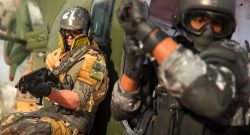
If you have knocked an enemy down, you can interrogate the downed enemy. Run over to the opponent, and you will receive an action suggestion on your screen.
Hold the button down and squeeze information out of your enemy. You will then see the remaining team members of the downed opponent on the minimap for a few seconds.
If you are directly close, you can even see the enemies through walls.
Tip 6: Take items from the Gulag
In the Gulag, you will find many items lying around on the ground. You can pick up the items and use them directly in the Gulag.
But also remember that you take all that stuff into your next match. You will mainly find armor plates and grenades on the Gulag floor, but also potentially very strong items like an armor plate vest for a third plate.
A glance at the ground loot can definitely pay off.
Tip 7: Be cautious with silencers
In Warzone 1, silencers were attached to most weapons; in Warzone 2, these parts are not as strong. In fact, they only prevent your gunfire from appearing in the enemy’s compass.
However, they can also actively hinder you. The gas release when firing is significantly intensified with a silencer on the barrel. If you’re having trouble identifying your enemies while shooting, it could be due to the silencer – test it out at the shooting range.
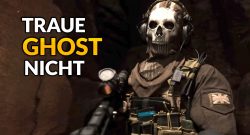
By the way, you should also not trust the “Ghost” perk as much anymore:
Tip 8: Share your gas masks
The backpack mechanic is excellent for storing strong items. With a large backpack, you can even carry a 3rd weapon.
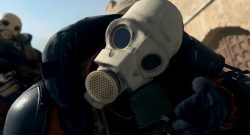
However, you should not stow away gas masks – they wear out in the backpack even if you don’t use them. You will consequently use multiple gas masks at once. It’s better to remove the mask and share it with your teammates.
This is likely not a bug. It probably aims to prevent well-equipped players from hiding too long in the gas and “waiting out” the victory.
Tip 9: Invite enemies
If one of your teammates gets knocked out or if you’re playing with randoms and someone leaves the match, you can still fill your squad back up.
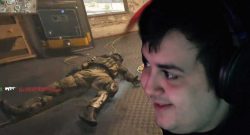
Use the proximity chat and the emote wheel for that.
If you see an enemy, cautiously ask over the chat in English if they might be interested in joining your squad. Often, you won’t get a reply, but with a bit of luck, you’ll fill your squad back to full strength.
The proximity chat also allows for other strategies:
Tip 10: Ammunition depots are better now
Everywhere in Al Mazrah, you will find large ammunition depots standing on pallets. Warzone veterans may already know these things – a quick interaction, and you get a supply of ammunition for your inventory.
In Warzone 2, however, the depots are significantly better. On one hand, they completely refill your ammunition reserves, and on the other hand, they now have a cooldown of one minute after use.
Previously, you received only 2 measly magazines, and the depot was locked for the remainder of the match.
Those were our tips for Warzone 2. We keep an eye out daily for new little gameplay tricks and regularly update the article. Check back often for the latest small tricks of the battle royale.
Of course, the choice of weapons and an overview of the meta is also important. Here we have the right article for you: CoD Warzone 2: The best weapon with setup shortly after release

Your opinion is important to us!
Do you like the article? Then let us know!