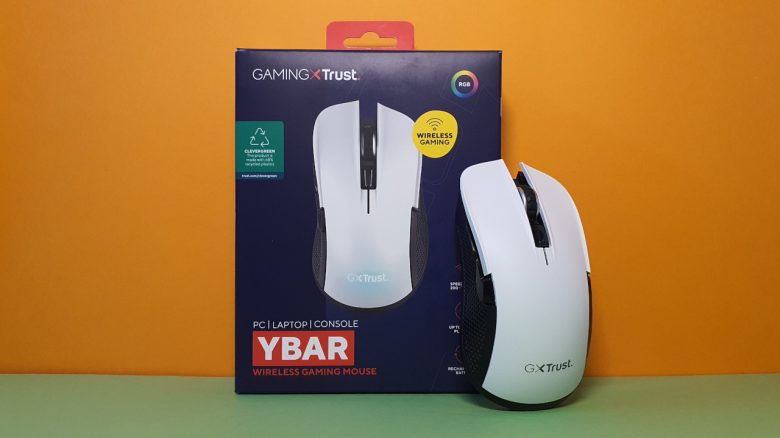
With the Ybar, the manufacturer Trust offers an affordable mouse for gamers. MeinMMO editor Benedikt Schlotmann was able to test the mouse for you.
With the Ybar, the manufacturer Trust offers an affordable gaming mouse in the entry-level segment. With its relatively few buttons, it feels like a lightweight shooter mouse. However, in the same segment, there are already good gaming mice from Logitech, Razer, and Roccat.
If the gaming mouse from Trust can convince and what alternatives there are, you can read in my test on MeinMMO.
Who tested it?
I currently own over 20 gaming mice and have tested over 15 keyboards. Personally, I also own over 10 sets of in-ear headphones. At MeinMMO, I have been testing hardware for our readers since 2019. Besides the PC and the PS5, I am also using the Steam Deck.
The manufacturer provided me with the Ybar for testing. I have addressed the sensor issues with the manufacturer. However, this is not a defect, as I initially assumed, as confirmed by Trust.

Benedikt Schlotmann
Hardware Editor MeinMMO
Technical Details:
| Sensor | Not specified |
| Resolution | Up to 7,200 |
| Switches | Not specified |
| Buttons | 6 buttons |
| Design | White or black mouse. RGB lighting on the manufacturer’s symbol |
| Gliding feet | 2 |
| Cable | Detachable 2.0m USB-C cable |
| Weight | 96 grams |
| Price (RRP) | 32.99 euros |
Scope of delivery, design, and construction
What does the scope of delivery look like? In addition to the gaming mouse, there is also a charging cable and a manual in the box. The wireless adapter is located inside the mouse itself.
How is the mouse constructed? You can purchase the mouse in either white or black; I am using the white model for testing.
- On the top side of the mouse, there are the main buttons and between them the two-way scroll wheel. On the top, in front of the scroll wheel, there is a small switch to toggle the DPI.
- On the underside, there is the switch to turn it on and off.
- Also on the underside is a compartment for the wireless adapter.
- The sides of the mouse are slightly textured, but there is no rubber coating or grip tape.

Processing
The entire mouse is made of plastic. During shaking and pressure tests, nothing creaks, and overall the mouse appears to be well-made. The adapter can be securely stored and does not come loose during transport.
The USB-C input on the front is wide enough that I can also use cables from other manufacturers. This definitely speaks in favor of the mouse.

Software
The Ybar gaming mouse offers a so-called “driver” software. At least on the official product page of Trust, you can only download the manual and the driver. With the driver, the mouse hub from Trust is then installed.
The Trust mouse hub can be installed on my system, but remains empty. With it, I can neither set up a mouse nor do anything else.
However, it should be noted that the mouse can be used without software without any issues. In many games, the additional buttons can also be assigned directly through the game’s menus, for example in Apex Legends.

On the next page, you can read everything about weight, ergonomics, and battery life.
- 1
- 2