In the Closed Beta of Valorant there is no apparent way to change the language at first glance. But it is possible. We will explain here how you can change the language to English, German, French, or another language with a simple trick.
Where do you set the language in Valorant? In the Closed Beta of Valorant you can no longer change the language in the game itself. You can only adjust some texts in the game, but the voice output and other texts remain fixed and seemingly unchangeable.
But that doesn’t mean you can’t change anything at all. Because the language setting for the entire game actually exists, but it is not found in the game itself. Rather, you need to open the launcher, and there, in the settings, there is also a button that allows you to choose languages like English, German, French, Russian, Chinese, Spanish, Italian, Polish, and Turkish.
But how do you even access the launcher?
Find the launcher and change the language
How do you open the launcher? The Valorant launcher is known to only a few players, as once logged in, they usually don’t see it again so quickly. Because after a one-time login, clicking on the launcher icon immediately opens the game directly and skips the launcher. Only during updates might you see the launcher again.
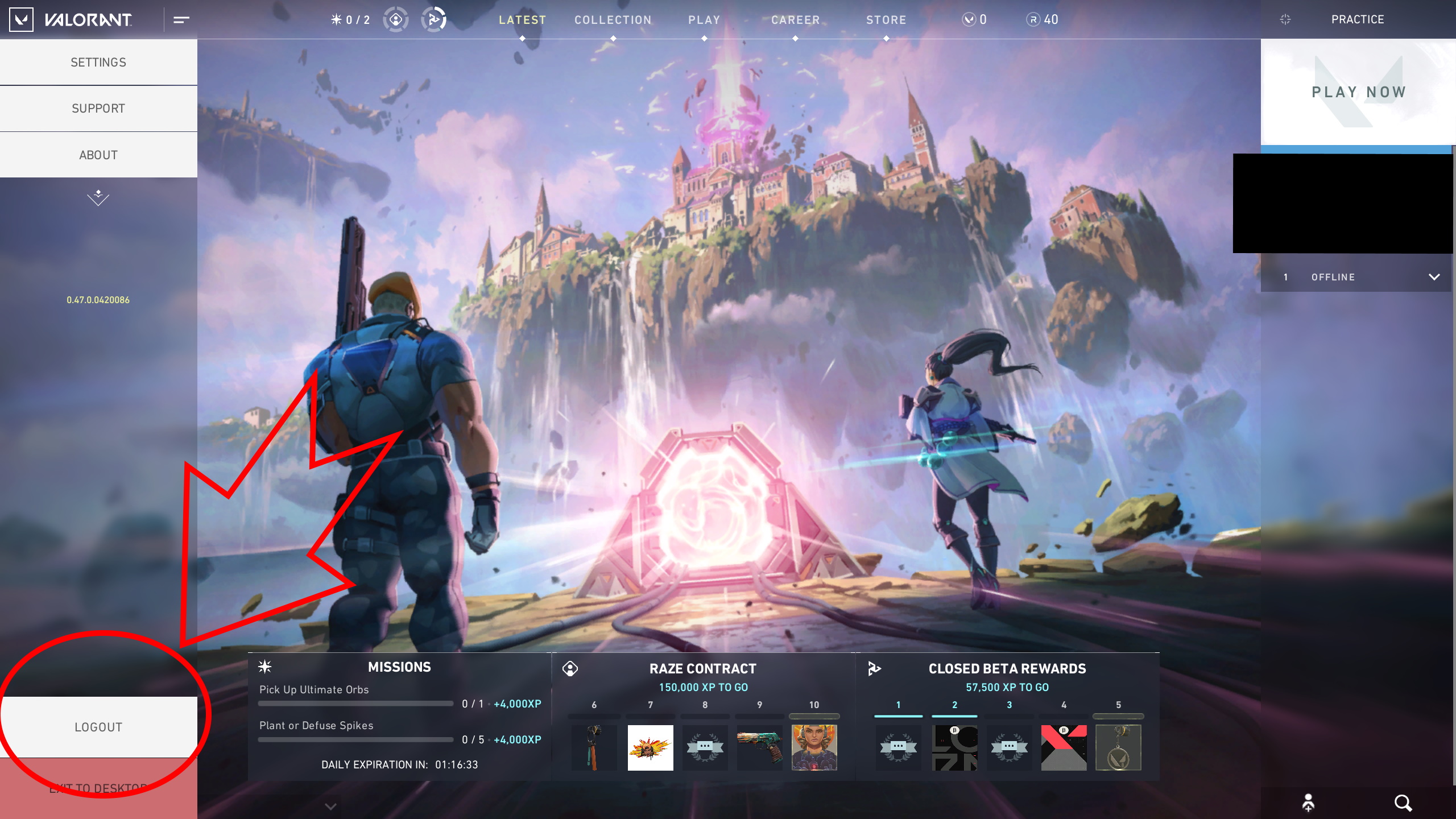
But with a simple trick, you can still open the launcher. Go into the game and log out again using the button on the left. Important: You need to log out, do not just switch back to the desktop.
If you double-click on the Valorant icon again now, a login window should appear. Once you have entered your credentials there, the launcher should appear.
Where can I find the language settings in the launcher? It’s simple. You just need to click on the gear icon. This will take you to an options menu where you can adjust the language as you like. After restarting the client and a small download of the necessary files, the newly set language should be available in the game.

However, keep in mind that Valorant is still in beta and may not have completed translations 100%. But if you want to play in English anyway, then everything should be fine. If you are struggling with the friends list in Valorant after changing the language, we have something for you here as well. Read here how to add friends in Valorant.