We present 4 useful addons for The Elder Scrolls Online that make your life in Tamriel easier with useful features. With these tools, for example, you can more easily find all Sky Shards or the missing books.
Since the release, it has been possible to modify the MMORPG The Elder Scrolls Online (ESO) through expansions. This allows, for example, to display the damage caused in colorful numbers or to specifically hunt for books to increase the rank within the Mage’s Guild. In this article, I want to introduce you to some expansions that I also use and which, in my opinion, add practical features to the game.
Modifications have been viewed critically by some MMO players for a long time because they can give players unfair advantages over others. For some players, mods are nothing but cheats. Therefore, it should be stated upfront: None of the expansions listed here provides you with a significant advantage in PVP.
Combat Cloud: The essential tool for maximizing healing and damage
If you miss the extra breeze of Diablo in The Elder Scrolls Online, this expansion is indispensable. Do you want to know how much damage you do with which ability or how to keep your group alive most effectively? Then the modders Sideshow and Garkin provide you with the right tool with “Combat Cloud”.
You can make fine adjustments and change the size of the displayed text or the color, for example. It will also show you when to dodge and counter. However, this function can naturally be turned off.
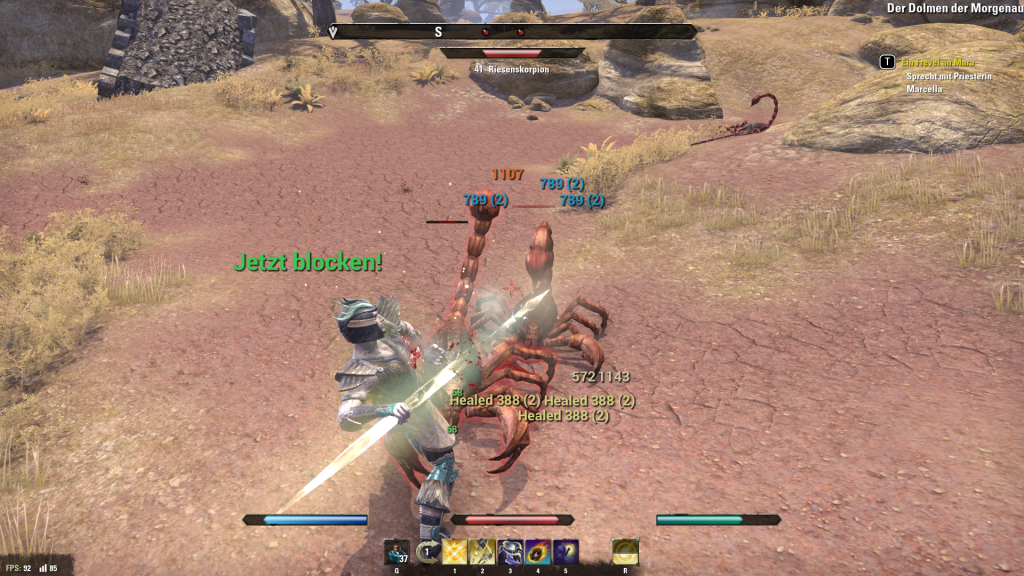
In addition, the tool will display warnings when you have low health, mana, or stamina. As soon as your ultimate ability is ready, you will also receive a notification at the bottom of the screen.
All in all, you have a powerful tool here to optimize your character and your equipment. Additionally, it is possible to improve your skills in combat. Whether you consider this necessary is, of course, your own decision.
You can download the Combat Cloud expansion here at ESO UI.
Lore Books: For all book collectors in The Elder Scrolls Online
The “Lore Books” expansion helps you find the important books, documents, and manuscripts for the Mage’s Guild. Furthermore, you can quickly and efficiently increase your rank in the guild and thus unlock the coveted skills (and the great quests with Sheogorath).
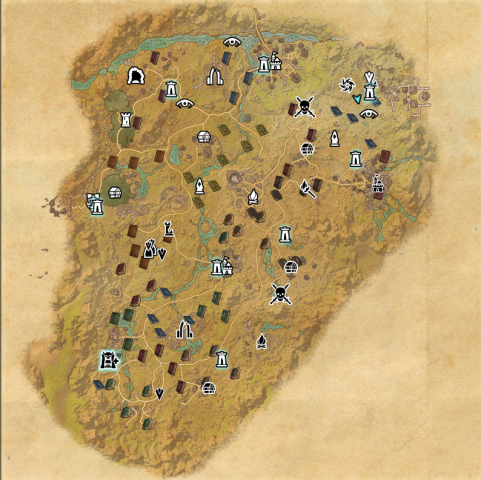
After activation, all unlocated books will be displayed on the map. It quickly becomes apparent that many books have been placed multiple times on the map. Therefore, initially, the multitude of book symbols on the map can be misleading. In the tool’s settings, you can set whether already found books should be displayed and at what distance books should appear on the compass.
You can download the expansion by Garkin and Ayantir here.
Sky Shards: How to find all Sky Shards in The Elder Scrolls Online
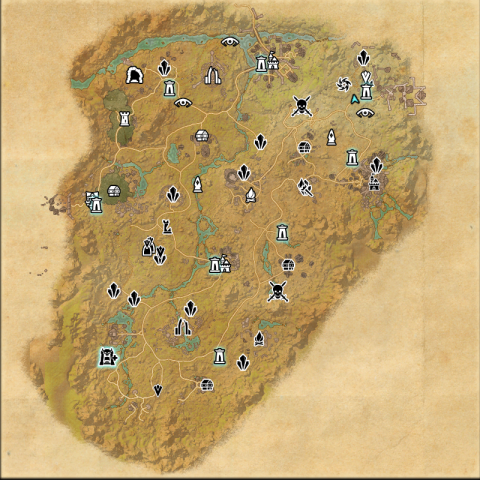
As the name of the expansion indicates, it is all about the titular Sky Shards. Basically, the entire concept works similarly to the “Lore Books” expansion. On the map, you can display all the shards not yet found. Especially when you want to level up a new character, it doesn’t hurt to have additional skill points.
If you hover over the symbols of the Sky Shards with the mouse pointer, it will show you whether the shard is in a dungeon or in the open lands of Tamriel. It is also possible to change the symbols of the Sky Shards.
You can download the expansion by Garkin and Ayantir here.
Undiscovered: The expansion shows you quests, events, bosses
“Undiscovered” marks important points on the map where quests, events, or bosses still hide. This way, you can see at a glance where a detour on the map is worthwhile. In addition, already explored areas are marked with a white square.
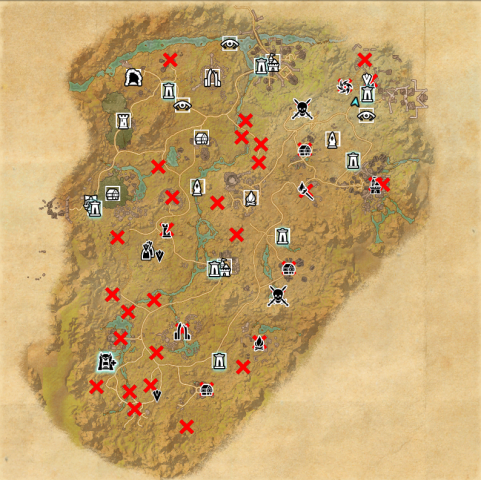
This expansion is also modifiable. The symbols of undiscovered areas can be adjusted and you can change the size of the red crosses.
You can download the expansion by dwot here at ESO UI.
How to install the expansions?
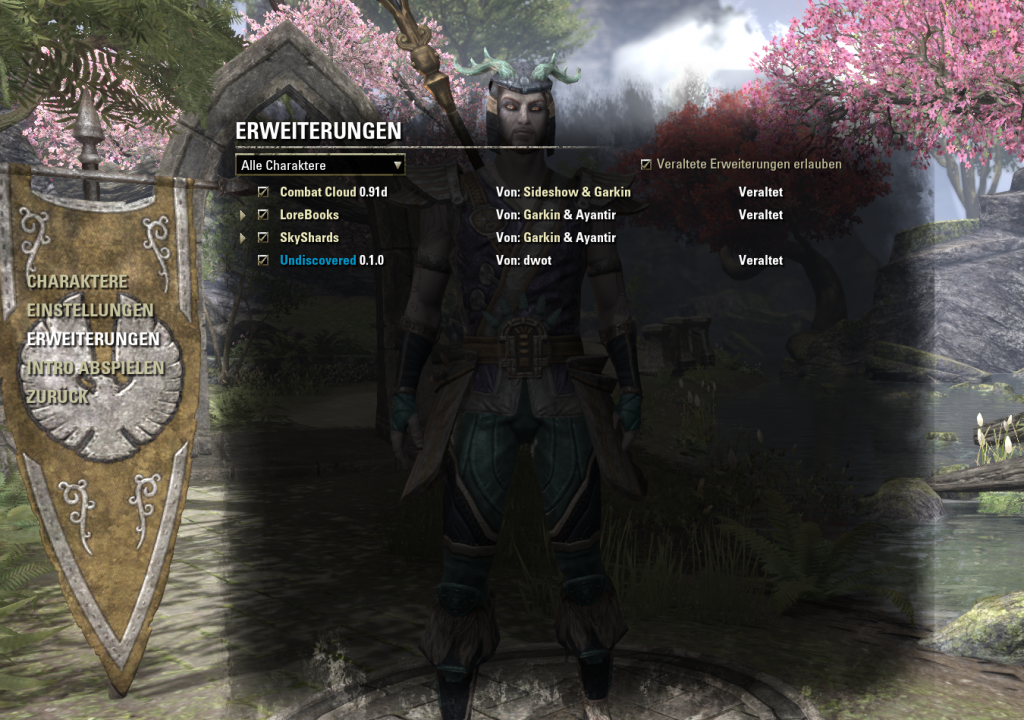
The installation can be divided into four steps:
- You download the expansion of your choice from the internet.
- Now open the download folder (by default, this is on Windows C:UsersUsernameDownloads) and extract the .rar file with Winrar (64-bit: http://www.chip.de/downloads/WinRAR-64-Bit_37666786.html or 32-bit: http://www.chip.de/downloads/WinRAR-32-Bit_12994655.html) or a similar program. If you are unsure whether your computer can run 64-bit programs, install the 32-bit version.
- Then copy the folder to the directory C:UsersUsernameDocumentsElder Scrolls OnlineliveeuAddOns
- Finally, start TESO and activate the modification in the character screen under the expansions tab by checking the box. You may also need to check a box for “Allow outdated expansions” at the top of the window. You can also choose whether expansions are only enabled for certain characters if you have multiple.
I wish you lots of fun trying out the expansions.
This guest contribution comes from our reader Lucas Kaczynski.