
In The Division 2, new information about clans is known: This is how the clan system works, how to create, found, and search for clans.
Join together in clans: In The Division 2, you have the opportunity to establish clans and roam together as a clan through the post-apocalypse in Washington D.C.
According to Massive, the clan feature was designed so that you can quickly team up with like-minded agents. This way, strong communities can be formed that pursue common goals.
Create, search and establish a clan – This is the maximum number of members
This many players fit into a clan: Up to 50 accounts can connect in a clan. Each account can contribute up to four agents.
When can I create a clan? You cannot use the clan feature directly at the start of The Division 2. However, according to Massive, the clan functions will be unlocked early in the story progression.
You can find all information about creating a clan here.
Clan requirements: Once you have unlocked the clan feature, anyone can create a clan. However, you need at least three other agents to advance the clan development. Clan progression starts with at least four clan members.

This is how you find a clan in The Division 2
The entire clan management takes place directly in-game. It is designed to be user-friendly and clear. Right in the game, you can search for a new clan if you don’t want to create one yourself.
Search settings: During the clan search, you can set several criteria that you have for the clan. This way, you find the right community that suits you. You can search by these criteria:
- Activities: Do you only play PvP or PvE – or both?
- Your playtimes: At what times of day are you usually active?
- Clan atmosphere: Do you want a relaxed easy-going clan or an engaged clan that wants to be competitive in PvP?
- Microphone as a requirement
- Language
- Region
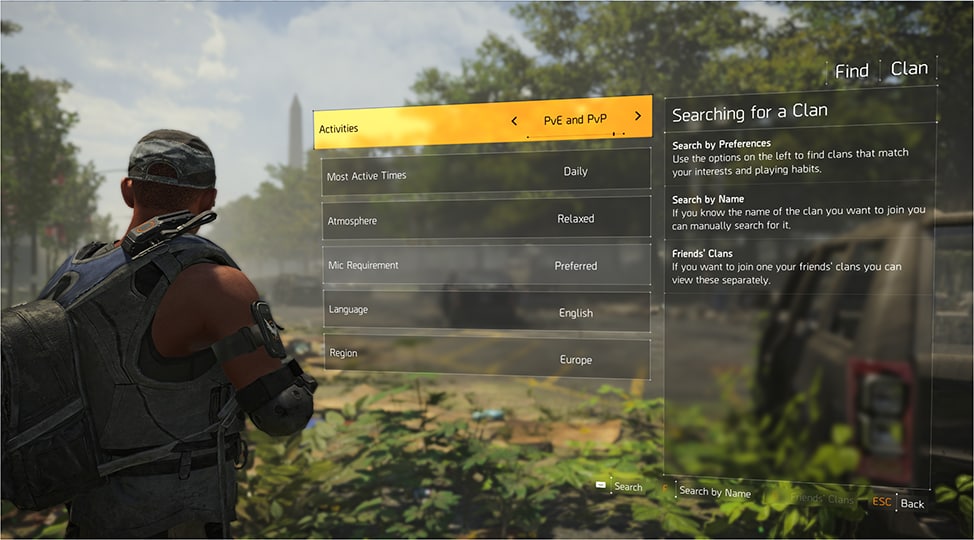
Clan management in The Division 2
Create a clan emblem: One of the first things in creating a clan is creating a badge. This emblem represents you outwardly in The Division 2.
Several icons, backgrounds, and frames are available for you to create a personalized clan badge.
Choose a clan name: Your clan needs a name. This must be between 4 and 15 characters long. Additionally, you choose a clan tag consisting of three uppercase letters that is directly visible to all other players. Furthermore, you can write a short clan introduction.
Clan privacy: Furthermore, you determine whether your clan
- Open – meaning searchable and open to all players,
- Invite only – meaning searchable, but clan leadership must approve the request, or
- Private – meaning not searchable. Clan leaders can only send invites to selected players.
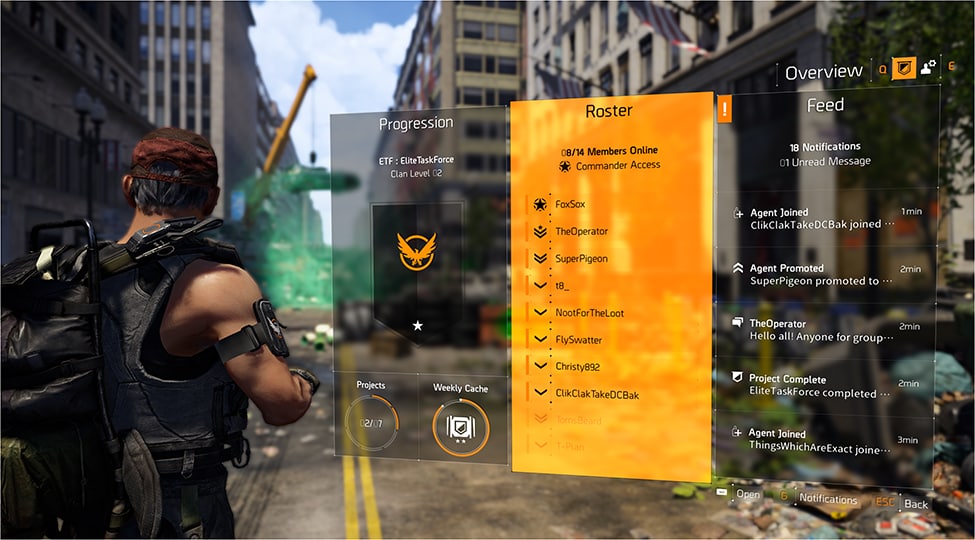
Clan structure: Your clan members are divided into four ranks, so your clan is organized and structured. The hierarchy is as follows:
- Commander: The clan leader who has access to all administrative functions
- Lieutenant: The “officer” who can send invites, promote and demote members, and moderate the clan feed.
- Agent: An established clan member who can invite potential recruits into the clan.
- Recruit: A new clan member with very limited clan rights.
For clan requests, commanders and lieutenants can inspect the character of the requester, including their gear, to make the right decision for the clan.
The clan progression system
Earn clan XP: All in-game actions where clan members earn experience points also grant you additional clan XP (CXP). You collect CXP as a clan to achieve common goals in The Division 2.
What clan XP brings: With CXP, your clan levels up – up to a maximum of level 30. For each level, clan members receive certain benefits. Additionally, you unlock further customization options for your badge, so you can show the world how experienced your clan is.
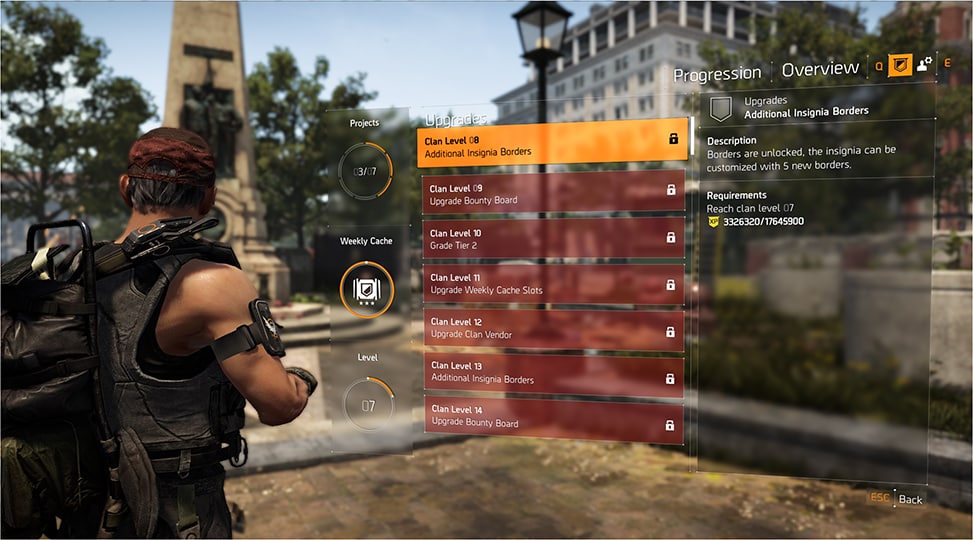
Rewards and tasks for clan members: As a clan, you have goals in the form of weekly projects and an upgradeable clan container. Both yield rewards for all clan members upon successful completion.
- The weekly clan container requires a weekly CXP goal, achieved through several sub-goals. There are 3 reward tiers: Bronze, Silver, and Gold. When you reach the Bronze tier, guaranteed rewards are unlocked. The Silver and Gold tiers further improve the weekly rewards.
- Clan projects are weekly tasks that provide a CXP boost upon completion. Each of these tasks targets a specific area of the game. If your clan succeeds in completing all weekly projects, the clan receives an additional significant amount of CXP.

The clan social space in the White House
A place for your clan: The east wing of the White House serves as the home for your clan. There you can meet and reorganize. You will also find the clan container where you collect the weekly rewards.
In this clan quarter, there is a clan vendor. The higher your clan level, the better items he offers. Certain clan levels also unlock cosmetic items at this vendor.
Honoring those who deserve it: Additionally, this social space displays your three best clan members who have collected the most CXP during the week. This way, they are honored for their effort – and all other clan members can see this.
According to Massive, there will be more to discover in your social space that you can explore at launch.
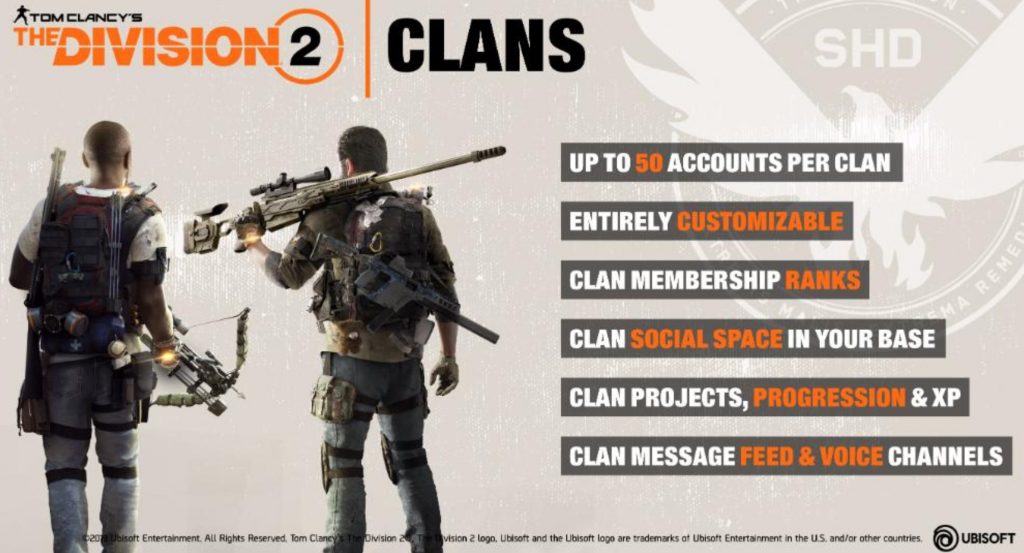
More information about clans in The Division 2
- There is a clan feed through which you can communicate. There you can write messages, or clan leaders can leave important announcements. This clan feed also informs you about clan activity and clan development.
- Additionally, each clan has access to two voice channels, each of which can accommodate up to 25 members speaking simultaneously, regardless of where you are in the game or what activity you are engaged in.