

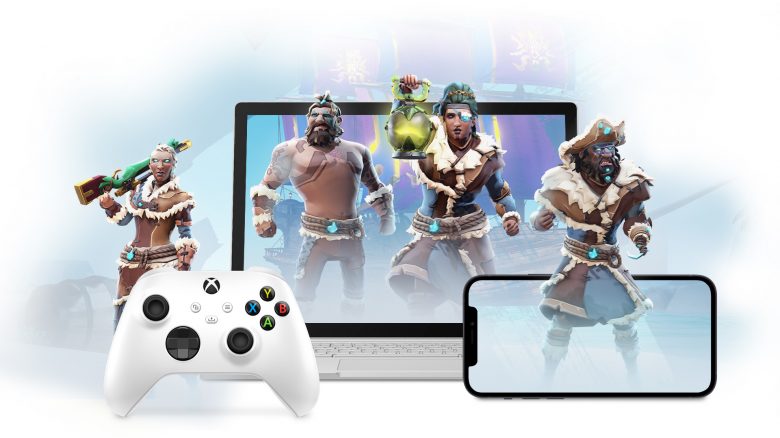
Microsoft has introduced the open beta for Xbox Cloud Gaming. This is especially beneficial for those who couldn’t buy a fast graphics card but still want to play with decent details. However, a good internet connection is also required for this.
What is changing? Until now, Xbox Cloud Gaming was accessible for Android and a handful of beta testers on Windows PC. But that is changing now.
Microsoft has now released the open beta for Xbox Cloud Gaming. Now all users with a subscription to Xbox Game Pass Ultimate gain access to the cloud service. The beta access is included for free.
This access is valid for all users with iOS, Android devices, as well as Windows PCs.
Which devices are officially supported? Currently, the following systems are supported:
- Android 6.0 or higher
- iOS 14.4 or higher
- Windows 10, October 2020 Update or later
How can I use Cloud Gaming?
- If you are on Windows 10, go to the Xbox.com/play page and log in with your Microsoft account. Supported browsers are Chrome and Microsoft Edge.
- For Apple devices, you must also go through the browser. Here, go to Xbox.com/play and log in with your Microsoft account. The Safari browser is officially supported.
- On Android, you have two options. Either you download the Xbox Game Pass app for Android or go to Xbox.com/play with your Android device and log in with your Microsoft account.
You can try the cloud service on Windows 10 in the Google Chrome browser or in Edge. There is currently no direct integration into Windows, but that could change with the release of Windows 11. Microsoft has many interesting ideas to make Windows 11 the “best Windows for gamers”:
Cloud Gaming requires a fast internet connection, but no high-end hardware
What you need: Microsoft recommends a fast internet connection, depending on which device you use and if you want to play in Full HD. If you want to play over Wi-Fi, Microsoft recommends a 5GHz connection, otherwise there may be delays:
- 7 mbps on an Android smartphone
- 10 mbps on an iPhone
- 20 mbps on an iPad
- 20 mbps on a Windows PC
By comparison, to watch Netflix in Full HD, you need 5 megabits per second. This is about a quarter of the performance needed for Xbox Cloud Gaming on Windows PCs.
What about latency? Latency is the biggest enemy for players, especially for those who want to play competitively. Latency means that there is a delay of several milliseconds when you press a key and the action is executed on the screen. Especially in competitive gaming or fast-paced games, these milliseconds can matter a lot.
Microsoft has explained that you should rely on 5GHz Wi-Fi, as this minimizes latency. Additionally, they have upgraded their data centers with Xbox hardware:
We have upgraded Microsoft data centers around the globe with the fastest and most powerful Xbox hardware to provide you with faster load times, improved frame rates, and a next-generation gaming experience. To ensure the lowest latency and the highest quality across a range of devices, we will be streaming at 1080p and up to 60 FPS.
(via News.Xbox.com)
You should definitely try Xbox Cloud Gaming
Xbox Cloud Gaming is free of additional charges. If you already subscribed to Xbox Game Pass Ultimate, you can access it at no extra cost and you should definitely give the service a chance.
That’s why it’s worth it for low-end hardware: Instead of playing games on your hardware, you can now easily stream games on your Windows PC. Save games are synchronized with the cloud and can be continued on any device.
Instead of using your hardware, you play on the Microsoft server and not on your graphics card. Theoretically, you could also play demanding games on your low-end laptop, provided your internet connection allows it.
How does this look in practice? Currently, you can only play in Full HD and 60 FPS in the cloud. This is still far from 144 FPS, which is important for competitive players, but if your graphics card can’t handle the combination anymore, you should take a look at it. If you want to see how it looks in practice beforehand, you can check out Xbox Cloud Gaming in the video from our colleagues at GameStar:
What can you play? With ARK: Survival Evolved or Black Desert Online, you have two really good MMOs and online games that you could try in the cloud, which can already challenge regular computer hardware substantially.
If you are looking for more games to try in the cloud, we present you here with additional games: The best 10 MMOs and MMORPGs that you can play with Xbox Cloud Gaming.

Your opinion is important to us!
Do you like the article? Then let us know!