

If you like playing MMOs, what you primarily need is a good mouse with interesting additional features. We present you with good gaming mice for MMO players in 2023.
What are the best MMO mice in 2023? There are currently many well-known manufacturers like Razer, Logitech, SteelSeries, and Roccat producing good gaming mice. But which mouse is best suited for which user?
How did we choose? We have personally tested all the mentioned gaming mice. Therefore, personal experiences are also included in our recommendations to provide you with the best possible advice. The order is chosen arbitrarily. In this comparison, we ensured that the selection is suitable for MMOs in general, online shooters, MOBAs, and MMORPGs.
We also present a suitable keyboard for the mice (or check out the best gaming keyboards of 2023). We have preferably chosen keyboards from the manufacturer of the respective mouse, as these devices can often be paired or combined with each other.
Best Gaming Mouse 2023 at a Glance
- Best Allrounder Mouse: Logitech G 502X (Lightspeed)
- Allrounder Alternative: SteelSeries Rival 5
- Best Gaming Mouse for Shooters: Razer Viper V2 Pro
- Best Gaming Mouse for Ambidextrous Users: Razer Lancehead
- Best Innovative Mouse with Haptic Feedback: Rival 710 by SteelSeries
- Best Wireless Mouse and for E-Sports Players: Logitech G Pro X Superlight
- Best Mouse for MMORPGs and MOBAs: Razer Naga V2 Pro
- Best Ergonomic Gaming Mouse: Roccat Kone XP (Air)
- Best Gaming Mouse for Large Hands: Corsair IronClaw
- Best Gaming Mouse for under €20: Redragon M910K Ranger
Are we missing a mouse? Then let us know in the comments and tell us why it is missing for you, and we’ll be happy to take a look at your mouse recommendations.
Logitech G 502X – Best Allrounder
DPI: Up to 25,000 | Sensor: Optical | Buttons: 11 programmable buttons | Weight: 121g | Special Feature: Opto-mechanical switches under the buttons | Price range (according to Geizhals): 45 – 130 Euros (Wired); 116 – 190 Euros (Wireless) |
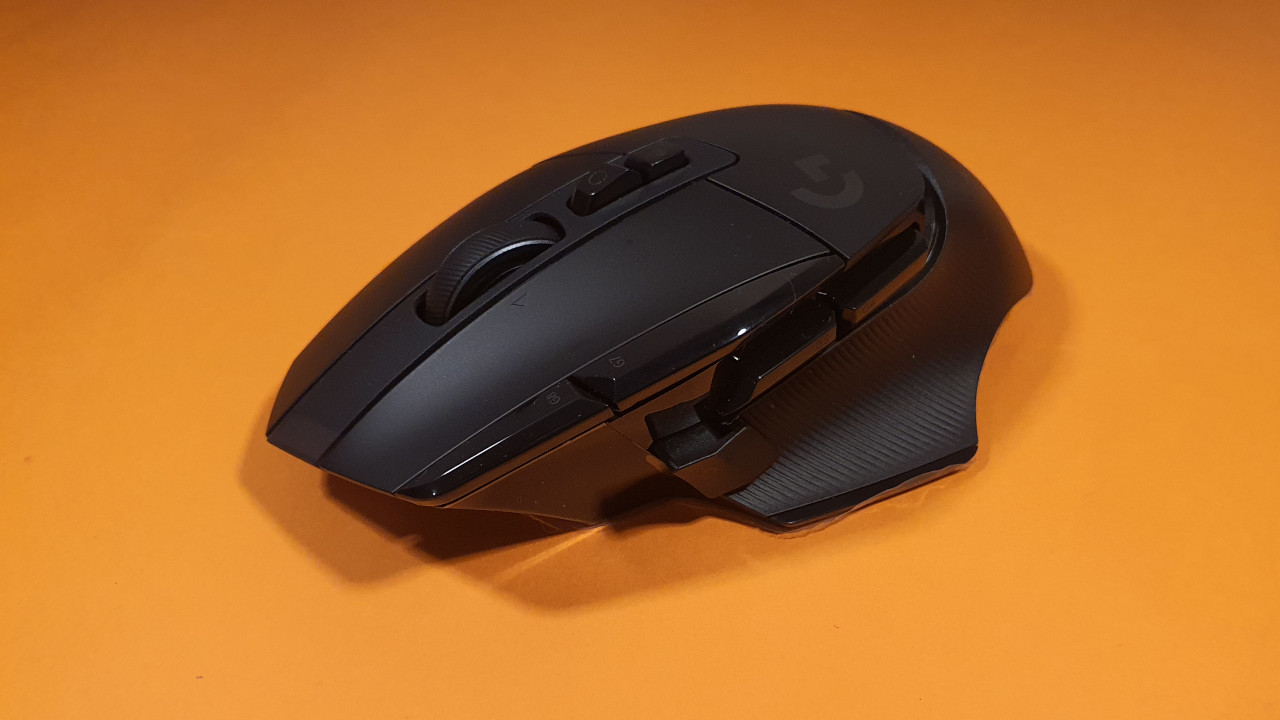
Who is the mouse suitable for? The G502X represents a good allrounder if you’re looking for a mouse for various genres. The mouse is suitable for both fast shooters as well as casual strategy games.
What the G502X offers: The G502X from Logitech is the successor of the G502 Hero and primarily offers newer technology. The sensor resolves up to 25,000 DPI and instead of the old Omron switches, opto-mechanical switches are now used under the mouse buttons. These are noticeably audible but also more durable.
In comparison to the old G502 series, Logitech has omitted internal weights in the X models. The G502X is also significantly lighter at 89 grams compared to the original (121 grams).
The G 502X is available in both wired and wireless versions, which uses Lightspeed technology. This means you should not lag behind a wired connection in terms of latency.
We quickly adapted to the initially unfamiliar additional buttons and even came to appreciate them over time. We found it cool that the mouse wheel can also be used without stepping via a switch.
Care should be taken regarding ergonomics. With a palm grip and a relatively small hand, we had the issue of naturally reaching the sniper button with the thumb. Another tester in our editorial team, however, has very large hands and found it too small. Therefore, the recommendation: test in the market or order online to potentially make use of the return policy.
User reviews: The mouse is rated 4.4 stars on Amazon. Buyers praise the precision and the ability to save different mapping profiles for the buttons. However, some users criticize the mediocre quality. Additionally, the mouse does not fit well in every hand depending on the grip.
Tip for a suitable keyboard: The wireless mechanical keyboard G613 from Logitech offers everything a gamer needs. This includes a pleasant key press and long durability. However, some users criticize the noise level of the keys.
The keyboard can be connected via USB, Bluetooth, or Lightspeed. Logitech’s Lightspeed technology is supposed to ensure that data is transmitted to the PC without delay in just a few moments. Additionally, the keyboard can be connected to an Android smartphone via Bluetooth.
Alternative to the G502 Hero: SteelSeries Rival 5
DPI: 18,000 | Sensor: Optical | Buttons: 9 programmable buttons | Weight: 85g | Special Feature: Sniper button | Price range (according to Geizhals): 75 – 90 Euros
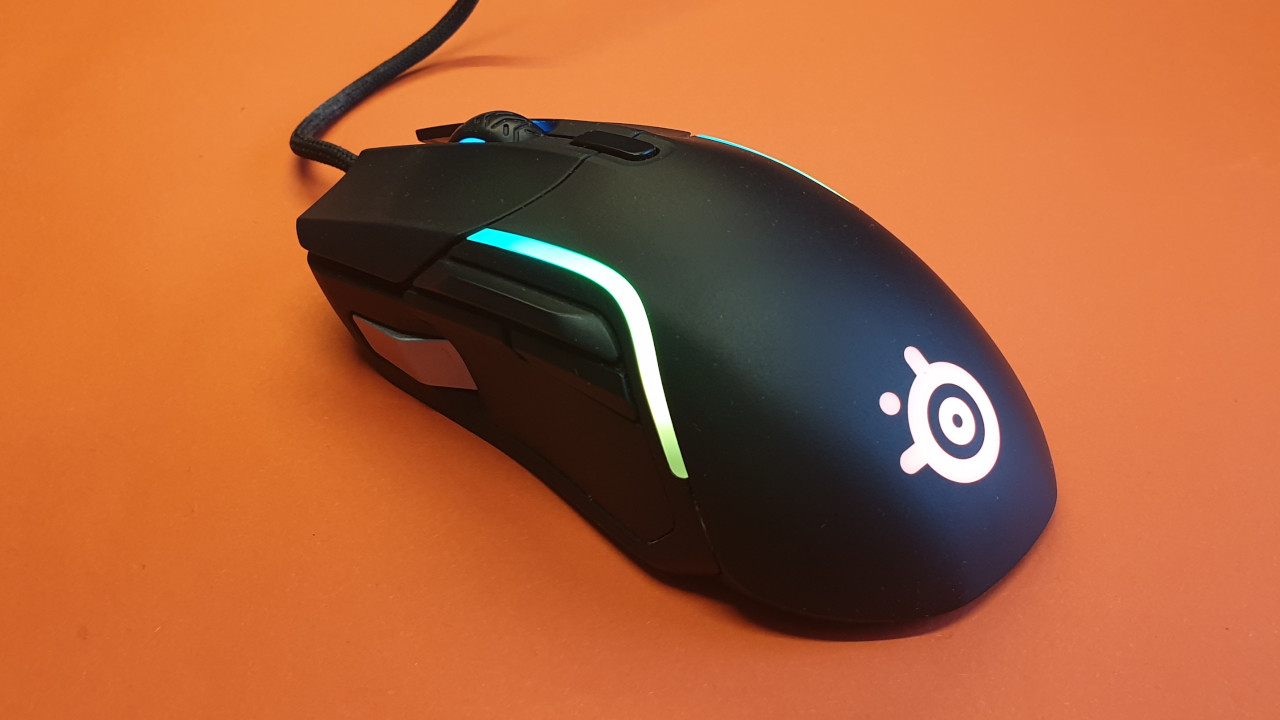
Who is the mouse suitable for? Similar to the Logitech G502 Hero, the Rival 5 is an allrounder that is suitable for many players alike. If the G502 Hero was too heavy for you, then you will get a successful alternative with the Rival 5. The SteelSeries Aerox 5 (for test) is the wireless model of the Rival 5 and also a recommendation.
What the Rival 5 offers: The Rival 5 weighs 85 grams, has 10-zone RGB, and is equipped with the optical TrueMove Air sensor. This sensor is a proprietary development by SteelSeries. The sensor is currently also used in the SteelSeries Aerox 3 Wireless and the Rival 3 Wireless. A maximum of 18,000 DPI is possible with the Rival 5.
In our test, we compared the Rival 5 with the Logitech G502. We really liked the design and weight, and thanks to the reduced weight, the Rival 5 feels good in hand. SteelSeries uses a very good sensor and you can adjust the mouse to your individual needs with the extensive software.
However, the ergonomics turn out to be a disadvantage, as the Sniper button is positioned very far forward on the mouse and is difficult to reach for smaller hands. Therefore, we would recommend testing the mouse beforehand or buying it on a trial basis. If you don’t need the Sniper button or can do without it, the Rival 5 from SteelSeries is an all-around excellent mouse.
Razer Viper V2 Pro – Best Gaming Mouse for Shooters
DPI: 30,000 | Sensor: Optical | Buttons: 5 programmable buttons | Weight: 58 grams | Price range (according to Geizhals): 116 – 160 Euros
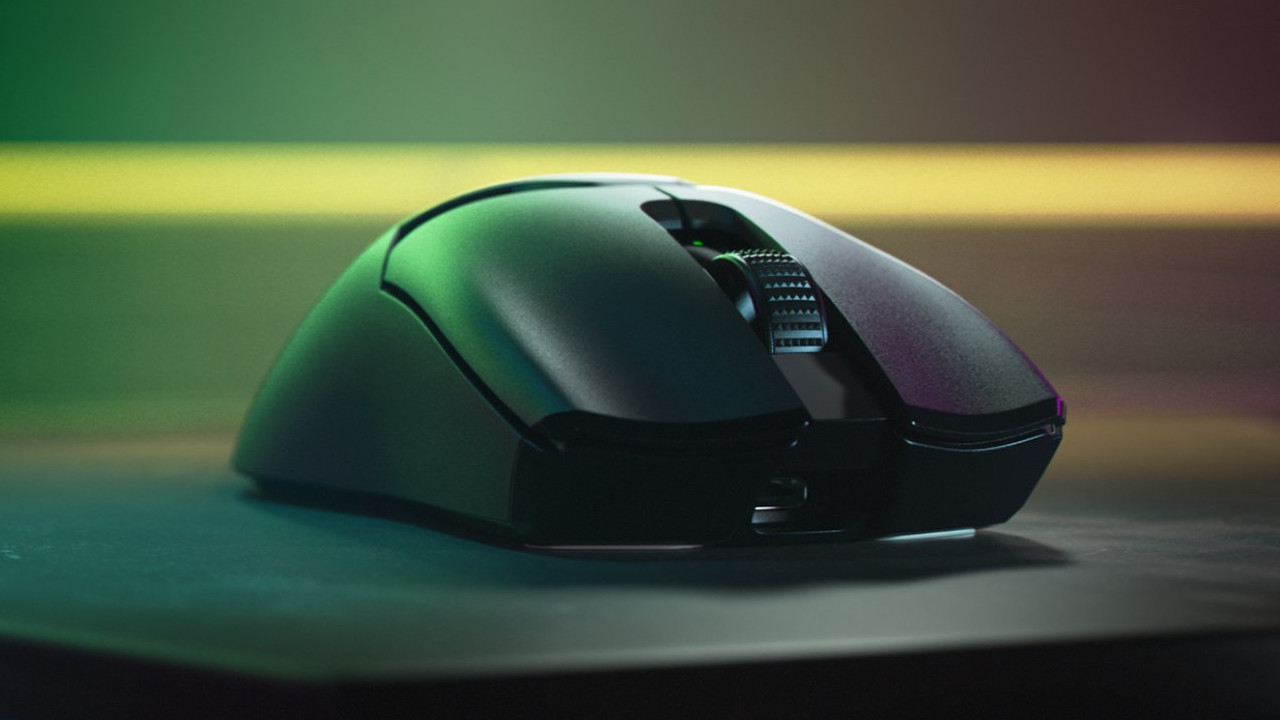
Who is the mouse suitable for? If you are looking for a powerful gaming mouse with a high-end sensor and decent build quality, then the Viper V2 Pro is a good recommendation for you.
What the Razer Viper V2 Pro offers: With the Viper V2 Pro, you get the latest version of Razer’s Viper series. The mouse offers you the best sensor currently available from Razer, combined with optical switches and a low weight of 58 grams. The battery life, according to the manufacturer, is 80 hours.
Online magazine rtings.com lists the Viper V2 Pro among the currently best shooter mice you can buy and rates the mouse for FPS games 9.3 out of 10 points.
Tip for a suitable keyboard: The K55 RGB keyboard from Corsair is priced similarly to the M65 Elite. Therefore, the keyboard is made of plastic and not a mechanical keyboard. The keyboard offers a total of 6 macro keys that can be configured as desired.
The keyboard can be paired via iCue software. However, if you have more room in your wallet, you should also check out the mechanical Corsair keyboards K70 and K95.
Razer Lancehead – Best Mouse for Ambidextrous Users
DPI: 16,000 | Sensor: Optical | Buttons: 9 programmable buttons | Weight: 111g | Special Feature: Configurations are stored in the mouse and via cloud, an account is required for configuration | Price range (according to Geizhals): 99 – 199 Euros (Wired); 80 – 149 Euros (Wireless) |

Who is the mouse suitable for? Are you looking for a mouse that can be used equally with both hands? Are you playing with a friend or partner at the same workstation, but you don’t want to make compromises as a left or right-handed person? The Lancehead from Razer is a good alternative for those who have other Razer products and want to connect them together.
What the Razer Lancehead can do: The Lancehead from manufacturer Razer is an ambidextrous mouse. This means both left and right-handed users can easily use the mouse without needing to adjust. The mouse offers only nine programmable buttons, unlike Logitech’s G 502 Hero, but provides a precise dual sensor with high accuracy. Disadvantage: The ambidextrous mouse is relatively expensive.
With the Razer Lancehead, you can’t go wrong. And as expected from Razer, the RGB lighting on this mouse looks particularly good. We found the additional buttons on the other side to be useful, although they did not feel as natural as additional buttons in the familiar positions. Overall, we think it’s a nice, well-made mouse, but if you’re just a right-handed user and not using the Razer ecosystem, you’ll find good alternatives on this list.
User reviews: The mouse is rated 4.3 stars on Amazon. Many praise the great sensor and emphasize the good design of the Razer Lancehead. However, some users criticize that the form of the mouse designed for ambidextrous use is not very comfortable over long periods. Additionally, the mouse’s software sometimes causes issues like faulty mouse clicks.
Tip for a suitable keyboard: The Blackwidow Elite from Razer is a mechanical gaming keyboard that delivers excellent feedback. Similar to Roccat, Razer also allows the mouse and keyboard to be paired and macros to be created using its software. Synapse provides cloud storage for the keyboard like it does for the mouse. A significant advantage is the USB 2.0 and a 3.5mm audio jack on the keyboard.
SteelSeries Rival 710 – Best Innovative Mouse with Haptic Feedback
DPI: 12,000 | Sensor: Optical | Buttons: 7 programmable buttons | Weight: 120g | Special Feature: Modular mouse with interchangeable modules, customizable OLED display, and vibration function | Price range (according to Geizhals): 94 – 120 Euros
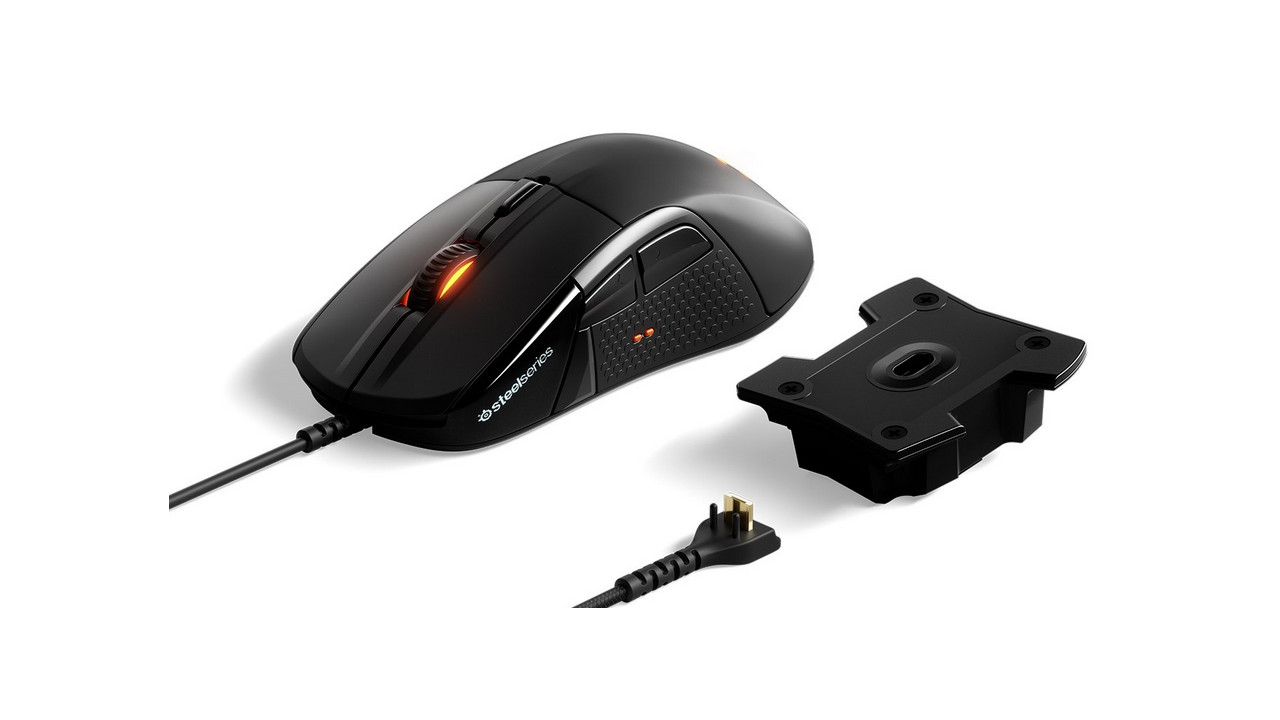
Who is the mouse suitable for? The Rival 710 is particularly popular among MOBA players. This is primarily due to the outstanding haptic feedback of the mouse, which makes it very popular during long gaming sessions. If you game a lot and for extended periods, you should definitely check out the Rival 710 from SteelSeries.
What the Rival 710 can do: The most interesting feature of the Rival 710 is its modularity: you can disassemble the mouse into its individual parts and replace each module with another. This makes the mouse extremely flexible. Additionally, it offers a vibration function— a rarity among mice— that can be freely customized.
The mouse is wired; however, the cable is easily detachable and replaceable. The manufacturer includes two cables of different lengths with the mouse.
The Rival 710 uses a custom sensor called TrueMove3, which was designed in collaboration with Pixart. This is more precise than Pixart’s own high-performance sensors, which Razer, for example, uses in its Trinity or Roccat in its Kone Aimo; however, the DPI rate is lower at 12000.
The mouse’s OLED display is an interesting idea. It can display sensitivity levels, Discord notifications, or any logo. There are also a few supported games that can display things like health points. Unfortunately, this idea is not yet fully realized and ready for mass production.
The biggest downside to the Rival 710 is the price. While the modular design is nice, the modules themselves, like the mouse, are also very expensive.
User reviews: The mouse is rated 3.9 stars on Amazon. Many users praise the high-quality construction of the mouse and the ability to control both sensors separately. Additionally, every button can be configured as desired. Users complain about the glue that holds the mouse together, which negatively impacts durability.
Alternative: SteelSeries Rival 600
DPI: 12,000 | Sensor: Optical | Buttons: 7 programmable buttons | Weight: 96 – 128 g | Special Feature: Adjustable weight, RGB lighting | Price range (according to Geizhals): 72.97 – 97.99 Euros
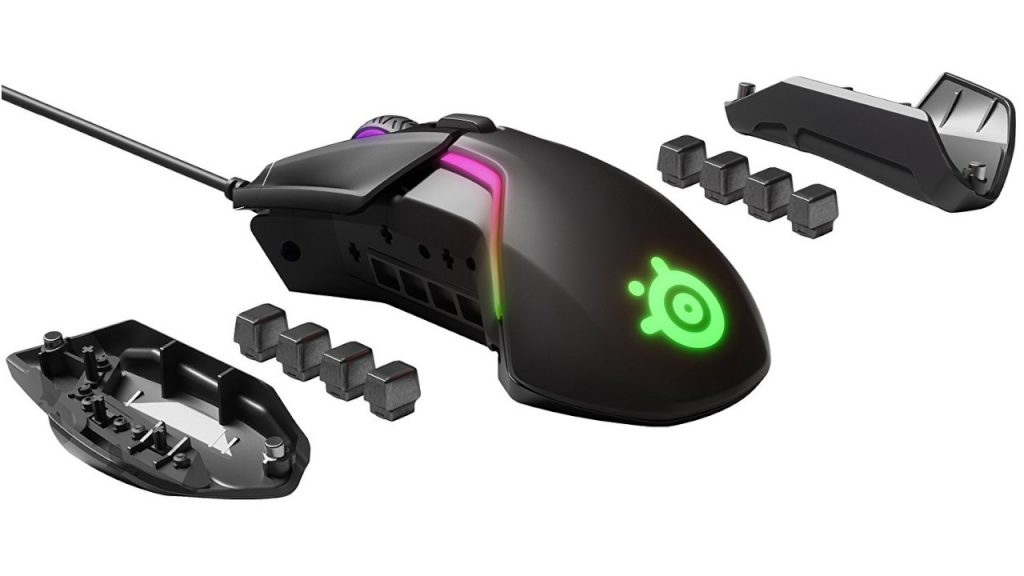
Who is the mouse suitable for? Since the SteelSeries Rival 710 is no longer available everywhere, the SteelSeries Rival 600 is a sensible alternative if you can do without haptic feedback.
What the SteelSeries Rival 600 can do: The mouse offers you a precise sensor with the TrueMove 3 sensor by SteelSeries. Thanks to the straightforward software, you can customize the mouse to your needs, and the mouse can store up to 5 profiles. In addition, you can adjust the weight of the mouse on both sides using weights. You can increase the weight from a base weight of 96 grams up to 128 grams. The durable Omron switches also promise high durability, and the cable is removable.
The mouse is only suitable for right-handed users since the special buttons are not mirrored. The build quality of the mouse is only average, as the side parts are glued to the casing with cheap glue.
User reviews: The mouse is rated 4.3 out of 5 stars on Amazon based on 2,138 reviews. It is praised for its good ergonomics and the precise sensor. However, reviewers criticize the average build quality of the mouse and the poorly made glide feet.
Tip for a suitable keyboard: The Apex M750, also from SteelSeries, is a mechanical gaming keyboard. The keyboard is made of aluminum, making it particularly durable.
Particularly advantageous is the borderless design: it makes cleaning the keyboard very easy and dust can hardly accumulate.
Using SteelSeries Engine software, you can still configure the keyboard. A disadvantage of the keyboard is that it is quite loud.
Logitech G Pro X Superlight – Best Wireless Mouse and for E-sport Players
DPI: 25,000 | Sensor: Optical | Buttons: 5 programmable buttons | Weight: 63 grams | Special Feature: | Battery life: 70 hours | Price range: 110 – 180 Euros
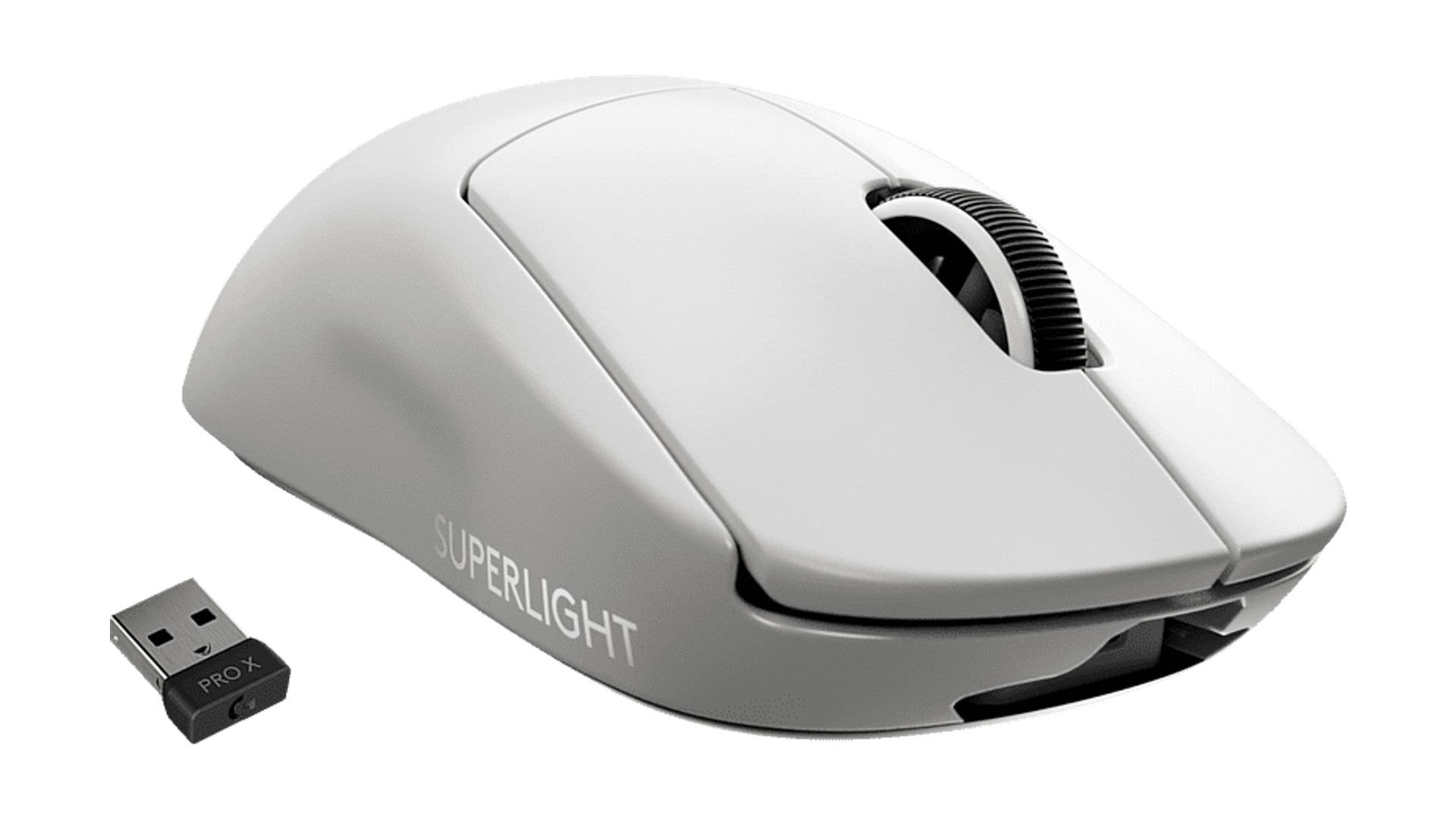
Who is the mouse suitable for? The mouse is small and very light, making it ideal for e-sports. Additionally, it has an extremely low latency, making it better than the wired version of the G Pro X. If you’re just looking for a good wireless gaming mouse, you will also find it here.
What the G Pro X Superlight offers: With the Superlight version of the G Pro X Superlight, Logitech offers you a robust and very lightweight gaming mouse for competitive gaming. The Superlight model is another 20 grams lighter than the normal G Pro (63 vs 81 grams).
The mouse is very popular among e-sports players: if you look at the settings of various e-sport organizations, for example, at prosettings.com, you will find that the G Pro X and the Superlight are popular among many esports teams.
User reviews: The mouse is rated 4.6 stars on Amazon. Many buyers praise the appearance, build quality, extensive features, and ergonomics, which receive a top score of 4.7 stars on Amazon. The precision of the mouse is also appreciated. A few users have reported a “double-click problem” with the mouse, although this only occurs sporadically.
Tip for a suitable keyboard: If you’re looking for a suitable gaming keyboard for the “Logitech G Pro Wireless,” you should take a look at the mechanical keyboard from the G Pro series by Logitech.
The keyboard has a compact design without a numpad, allowing for more space on the desk, and is designed specifically for gaming.
Razer Naga V2 Pro – Best Gaming Mouse for MMORPGs and MMOs
DPI: 30,000 | Sensor: Optical | Buttons: up to 19 programmable buttons | Weight: Up to 134 grams | Special Feature: Three interchangeable side parts with 2-, 7-, and 12-button configurations | Price range (according to Geizhals): 78 – 150 Euros.
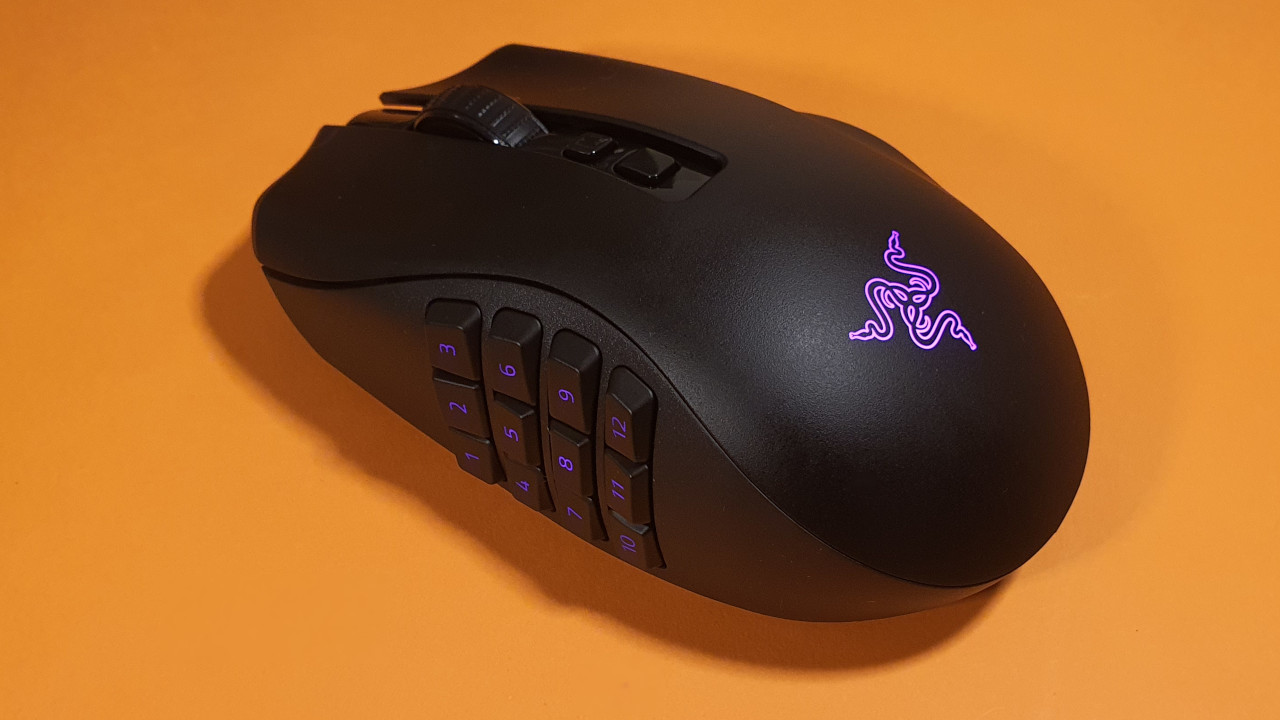
Who is the mouse suitable for? The Naga V2 Pro offers you a plethora of customization options and interchangeable side parts. Additionally, you can use the mouse wirelessly. With its many buttons, the mouse is particularly recommended for MMORPGs and MMOs.
A more affordable yet still recommendable option remains the Razer Naga Trinity, which you can now purchase for around 60 Euros.
What the Naga V2 Pro offers: The Naga V2 Pro comes with several detail improvements compared to the Naga Pro. The core functions remain the same: the mouse allows for easy switching between shooters, MOBAs, and MMORPGs by changing the side parts.
Particularly the 12-button module makes the mouse highly recommended for players of MMORPGs and MOBAs. Under the buttons, optical switches are used, which provide a clearer, more precise click than regular mechanical switches.
Razer has loosened its mandatory registration requirement for the “Razer Synapse” software: you can use key functions with a guest account. However, if you want to store your profiles in the cloud, you must register.
In the MeinMMO test of the Razer Naga Pro, we tested the mouse over several days. The gaming mouse feels good in the hand, the buttons and mouse wheel feel pleasant, and switching between the different parts takes only a few moments.
Especially compared to the Trinity, Razer has noticeably improved its gaming mouse. Those who have previously held the Razer Naga Trinity will immediately notice the improvements in quality and handling.
Affordable Alternative: EVGA X15 MMO Mouse
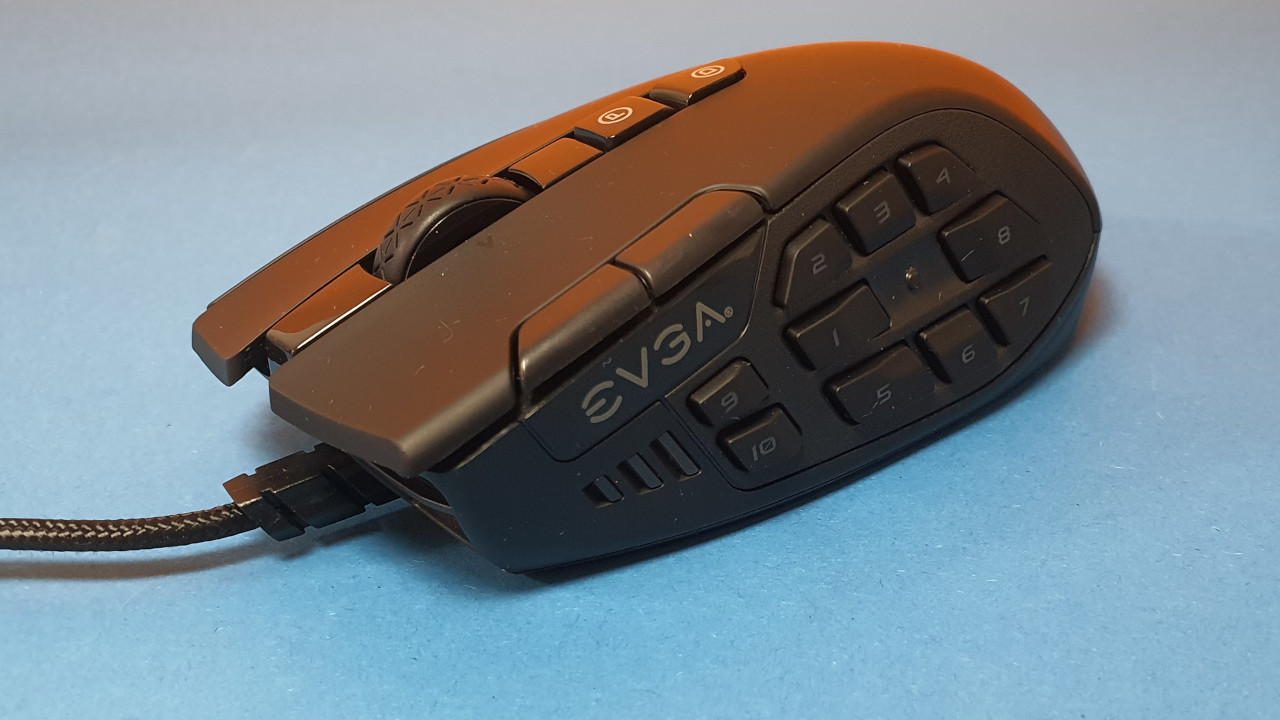
This is what the EVGA X15 offers: With the X15 from EVGA, you get an MMO mouse with many buttons for only 50 Euros. The arrangement of the buttons may take some getting used to initially, but it quickly becomes second nature. However, some buttons are barely reachable for large hands.
EVGA’s software is leaner than Razer’s, but offers hardly fewer features than Razer’s popular “MMO king.” If you are looking for a good mouse with many buttons and can do without interchangeable side parts, then you should give the X15 a chance.
Tip for a suitable keyboard: The Razer Ornata Chroma gaming keyboard is a good combination with the Naga Trinity and also with the new Naga Pro.
The keyboard combines rubber domes with mechanical keys, aiming to prevent fatigue during long gaming sessions. The lighting of each individual key is freely configurable, but like the Naga Trinity, it requires Razer Synapse’s online service. If this doesn’t bother you, you’ll get a good gaming keyboard for your money.
Roccat Kone XP – Gaming Mouse with Excellent Ergonomics
DPI: 19,000 | Sensor: Optical | Buttons: 15 (29 programmable button functions) | Weight: 103g | Special Feature: Many additional buttons and Easy-Shift | Price range (according to Geizhals): 69 – 90 Euros
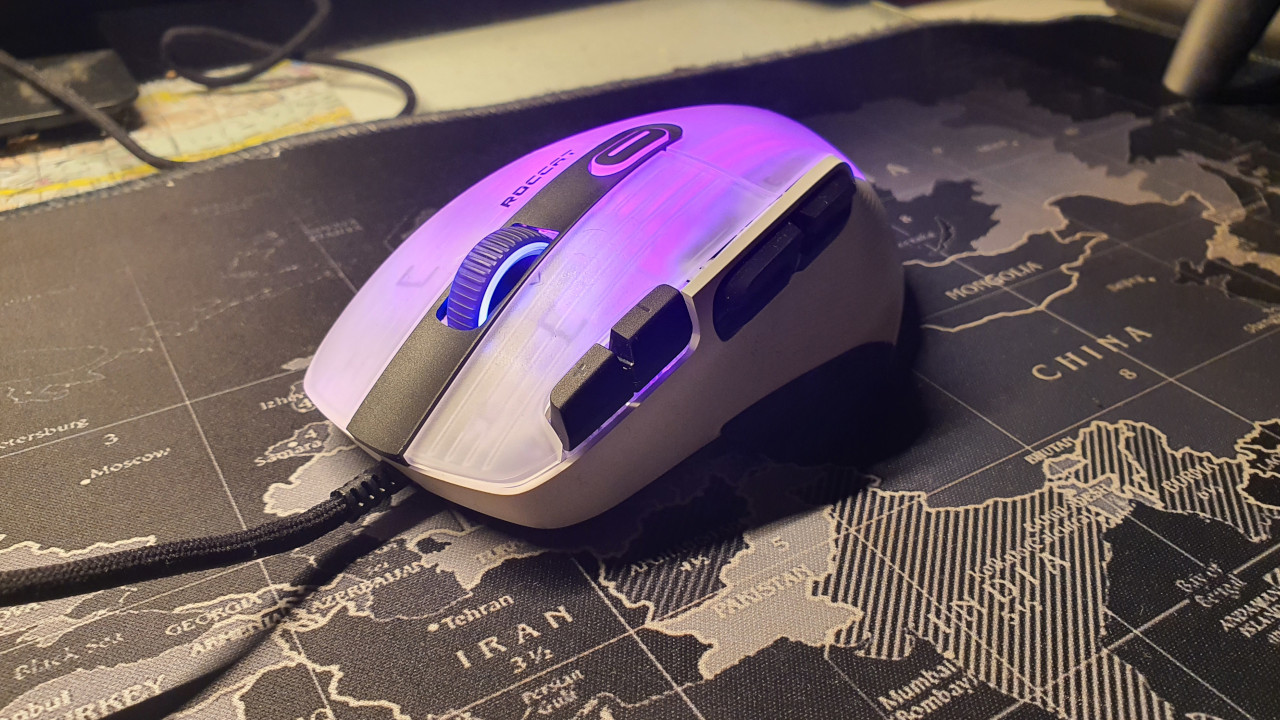
Who is the mouse suitable for? The Kone Aimo Remastered was our long-standing recommendation, and with the Kone XP, there is now a successor. If you are looking for a good all-rounder with a playful design, then you should check out the Kone XP. There is also a very good wireless version, the Kone XP Air (for test).
What the Kone XP offers: The Kone XP is a completely renewed successor to the Aimo Remastered. Inside, there is a new sensor, and Roccat has equipped the gaming mouse with additional buttons in the thumb and index finger area. We still found the ergonomics of the old Kone Aimo Remastered to be a bit better; the new ergonomics of the XP are still “very good.”
The Kone XP had to give up some weight compared to the Aimo Remastered: whereas the Aimo Remastered weighs 127 grams, the XP weighs only 103 grams, which is noticeable in daily use.
In the test, we compared the Kone XP with the Kone Aimo Remastered. While we prefer the ergonomics of the old mouse, the new model only makes progress in practice: the scroll wheel is finally better, and the buttons and the mouse body continue to feel “good.”
Tip for a suitable keyboard: If you are searching for the right keyboard for the Roccat mouse, you should check out the Vulcan 121 from the same manufacturer. Roccat provides a mechanical keyboard with high quality, prestigious material, and good workmanship with the Vulcan 121. The design is a true eye-catcher, and these factors have led it to be among the top 3 best-selling keyboards on Amazon (as of January 12, 2020).
It is advantageous that both the mouse and the keyboard are part of the AIMO devices. They can thus be connected via software. For example, lighting can be synchronized.
Alternatively, you can also look at Roccat’s Vulcan TKL Pro, which offers you more space on your desk with its tenkeyless format. You can read how the keyboard performs in the test here on MeinMMO:
Corsair IronClaw – Best Gaming Mouse for Large Hands
DPI: 18,000 | Sensor: Optical | Buttons: 7 buttons | Weight: 105g | Special Feature: Particularly durable material; 2-zone RGB lighting control | Price range: 51 – 64 Euros
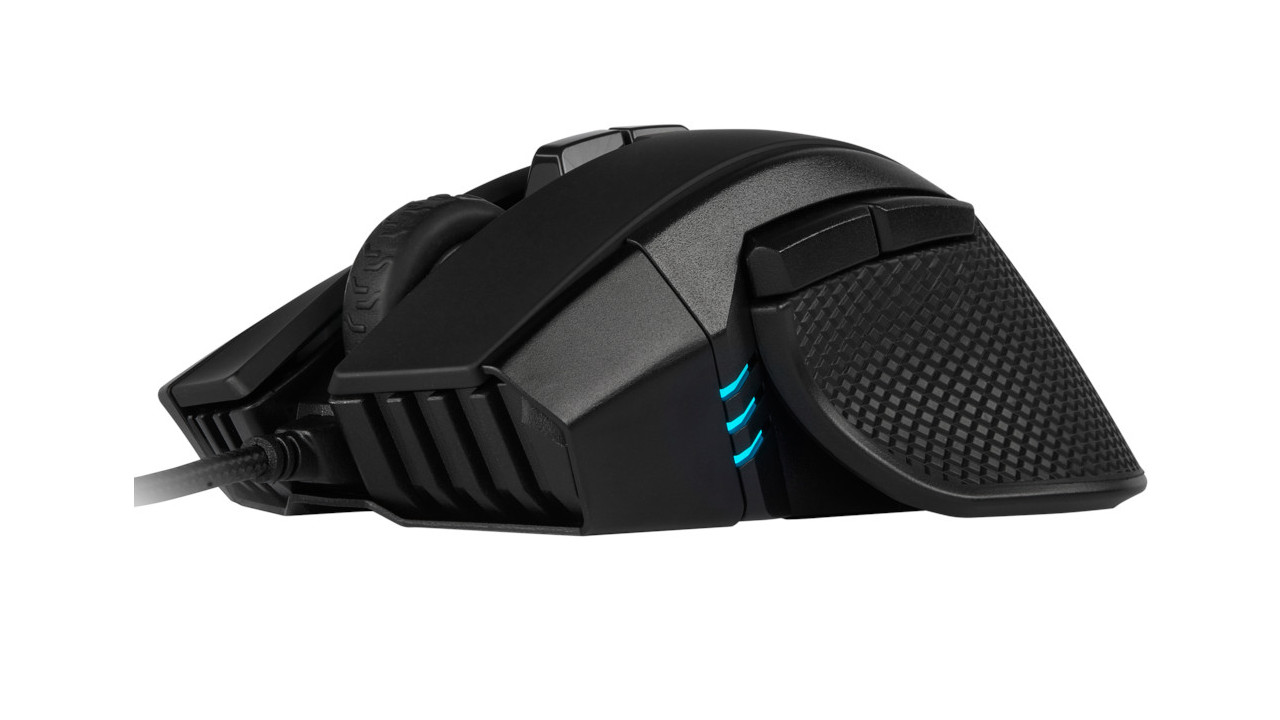
Who is the mouse suitable for? The mouse is very large and specifically designed for people with large hands, making it suitable for users who prefer palm grip, meaning they like to grasp the mouse with their entire hand. If you use other Corsair products, you can synchronize your mouse with other products using iCue.
What the Corsair Ironclaw offers: The Corsair Ironclaw offers 7 programmable buttons that can be configured as desired. Macros and profiles can be stored in the internal memory of the mouse and are not tied to a PC or software.
With the Pixart PMW3391, a powerful sensor is built-in that delivers fast and precise performance. Additionally, Omron switches are used under the mouse buttons, which are said to withstand up to 50 million clicks and be very durable.
Despite its size, the mouse is relatively lightweight and offers a good grip due to rubberized side surfaces, preventing it from slipping out of the hand too easily.
The mouse is also available in a wireless version. However, it can also be used in wired mode with the provided or any other cable.
User reviews: The mouse is rated 3.7 stars on Amazon. Most users praise the ergonomics of the mouse: it feels great in hand, the buttons provide good feedback, and the scroll wheel is excellent. However, some users criticize the large amount of plastic that negatively affects durability.
Tip for a suitable keyboard: If you’re looking for a suitable gaming keyboard for the Corsair IronClaw, you should check out the Corsair K95 RGB Platinum. This is a mechanical keyboard also from Corsair.
The keyboard is made from aluminum, and the cable is reinforced. All keys can be freely assigned and also illuminated individually. The iCue software from Corsair is also included here.
The Best Lightweight Gaming Mice Under 70 Grams
In the following section, we present you with three recommendations among gaming mice that weigh less than 70 grams. The prices range from 30 to 90 Euros depending on the mouse.
SteelSeries Prime Mini – Price Tip
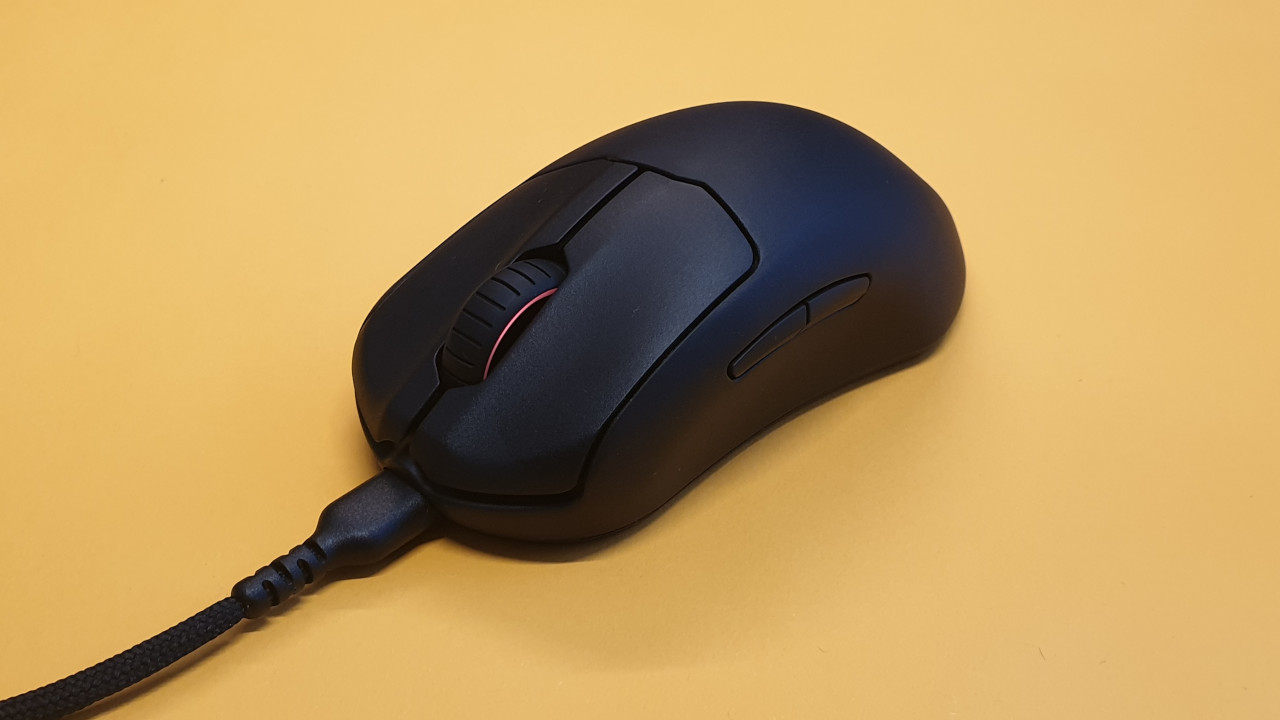
DPI: 18,000 | Sensor: Optical | Buttons: 5 programmable buttons | Weight: 61g | Price range (according to Geizhals): 29 – 40 Euros
Who is the mouse suitable for? The SteelSeries Prime Mini opts for a simple, understated design and good quality. With its low weight of only 61 grams, it appeals mainly to players who want to move their mouse a lot.
What the Prime Mini offers: SteelSeries uses its “TrueMove Pro” sensor, which can compete easily with the sensors from Razer or Logitech. The opto-mechanical switches under the buttons feel clicky and precise, and they convinced us in the test of the Prime Mini.
The Prime Mini is available in both wired and wireless versions. Overall, the gaming mouse is quite small and is therefore particularly suitable for players with small hands or gamers who predominantly play with fingertip or claw grip. For players who prefer to use palm grip, the mouse may be almost too small.
HyperX Pulsefire Haste Wireless – Tip Under 100 Euros
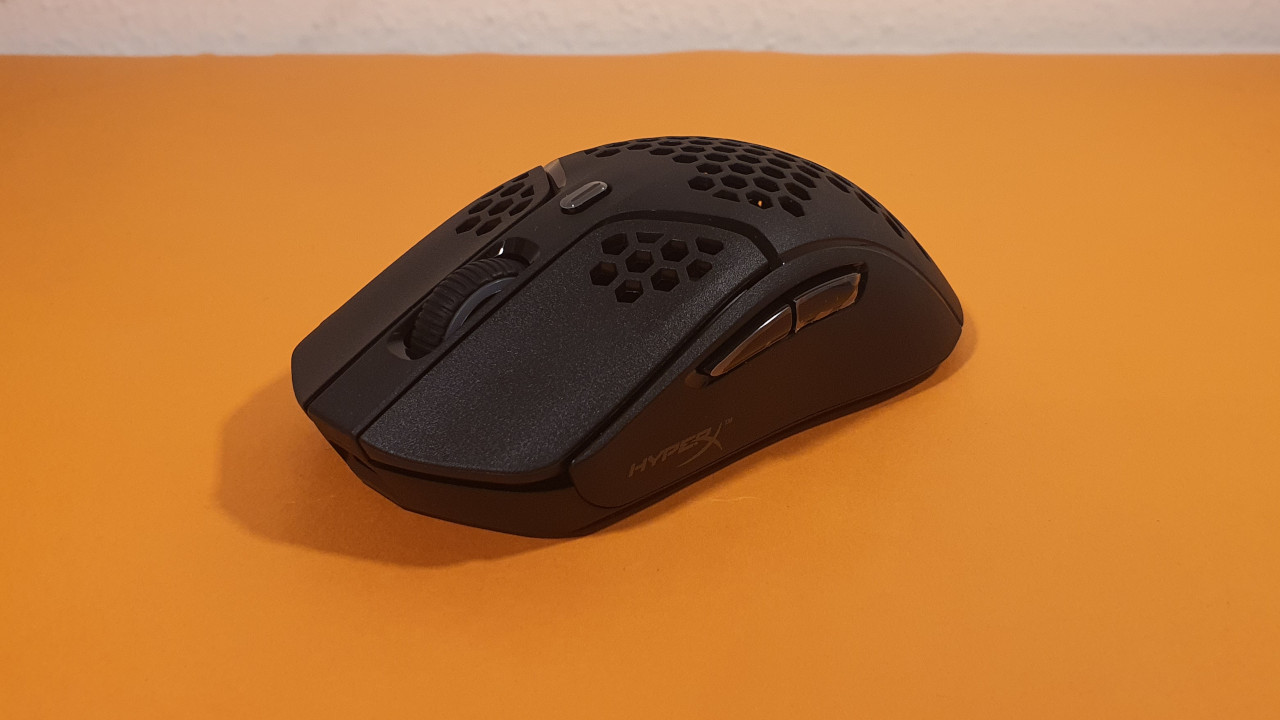
DPI: 16,000 | Sensor: Optical | Buttons: 6 programmable buttons | Weight: 61g | Price range (according to Geizhals): 80 – 100 Euros
Who is the mouse suitable for? The HyperX Pulsefire Haste Wireless is a wireless gaming mouse that also opts for a simple design. The build quality impressed us in the test of the Pulsefire Haste Wireless.
What the Pulsefire Haste Wireless offers: With the Pixart 3335, HyperX has integrated a well-known and reliable sensor into its gaming mouse. The mouse charges via USB-C and offers a total of 6 buttons that can be configured using the software.
Notably, the included package contains not only additional mouse feet but also optional grip tape. If you find the mouse too slippery or smooth, you can cover your mouse with it. The ergonomics are easily suitable for both small and larger hands.
By the way, the software did not convince us, as it has annoying bugs and does not work smoothly.
AOC GM510
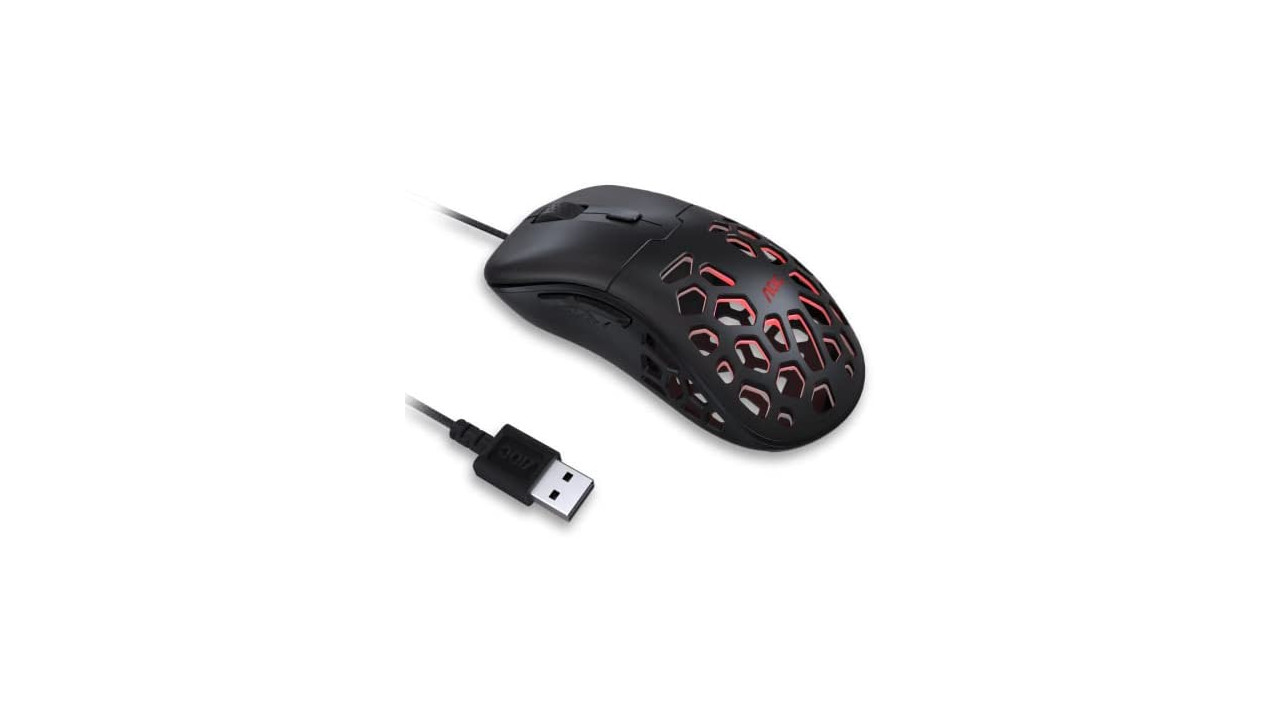
DPI: 16,000 | Sensor: Optical | Buttons: 6 programmable buttons | Weight: 58g | Price range (according to Geizhals): around 40 Euros
Who is the mouse suitable for? If you’re looking for a lightweight gaming mouse without much fuss, you’ll find it in the AOC GM510. The mouse is a good recommendation for casual gamers who need few features.
What the AOC GM510 offers: Inside, the PixArt 3389 is used, which is one of PixArt’s currently best sensors. The mouse has an asymmetrical right-hand design and provides you with two buttons in the thumb area on the left side. There is no sniper button. Additionally, there is an extra button on the top of the mouse in front of the scroll wheel, which you can use to adjust the DPI level.
The ergonomics are not perfect, as in the test, the curvature of the mouse felt a bit too strong. This can cause wrist fatigue during long gaming sessions. For 40 Euros, you get a good wired gaming mouse if you have no high demands.
Redragon M910K Ranger – Best Mouse for under 20 Euros
DPI: 8,000 | Sensor: Optical | Buttons: 8 buttons | Weight: 92 grams | Price range (according to Geizhals): 20 – 25 Euros
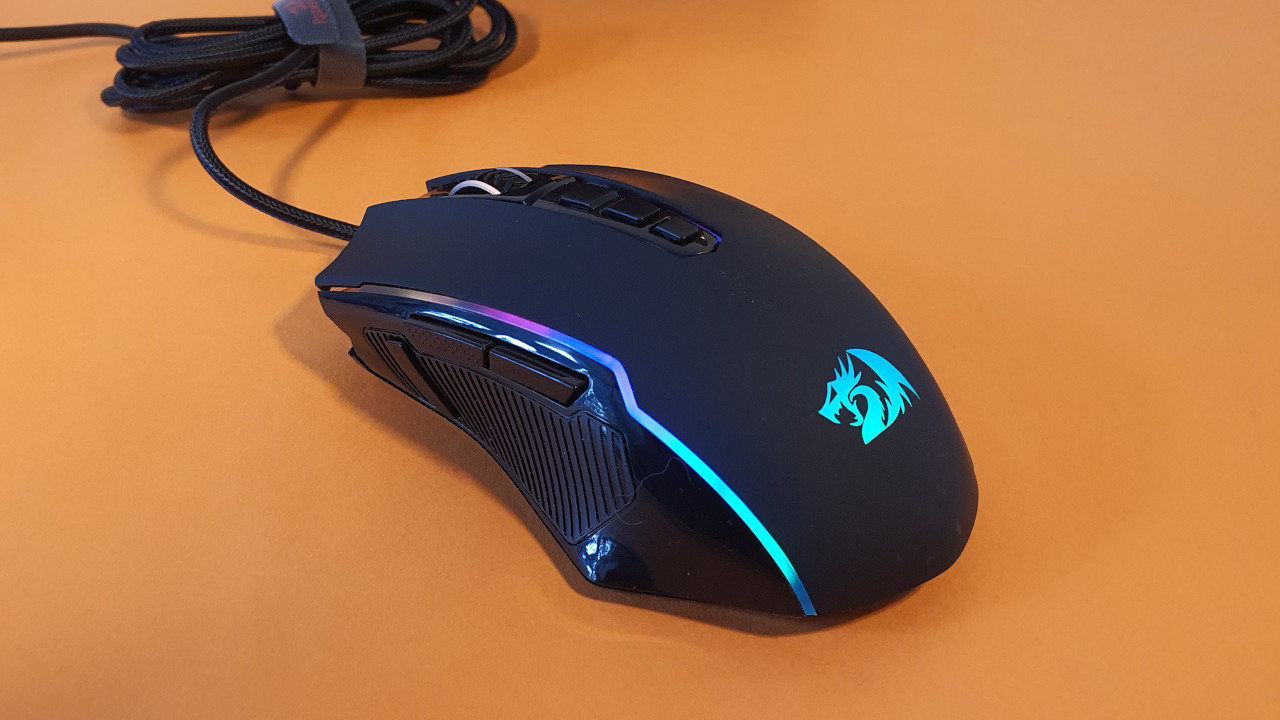
Who is the mouse suitable for? If you’re looking for an affordable gaming mouse and don’t want to spend more than 20 or 25 Euros, then you should check out the M910K from Redragon. If you’re just starting out in gaming and are looking for a good entry-level mouse, you’ll find a solid beginner model here.
What does the Redragon M910K Ranger offer? RedDragon uses entry-level hardware in its affordable mouse. The sensor is sufficient for simple games and casual strategy games. However, once games become very hectic or require precise clicks, the sensor is too weak. The build quality convinced us, as did the feel of the gaming mouse.
While the mouse may not compare to more expensive models, it is indeed adequate for an affordable entry.
More hardware recommendations on MeinMMO: Are you looking for more good gaming devices for your PC or console? Here we present you the best gaming headsets that you can currently purchase.
The offers listed here are equipped with so-called affiliate links. By purchasing through one of these links, you support MeinMMO: without affecting the price, we receive a small commission from the provider.

Your opinion is important to us!
Do you like the article? Then let us know!