

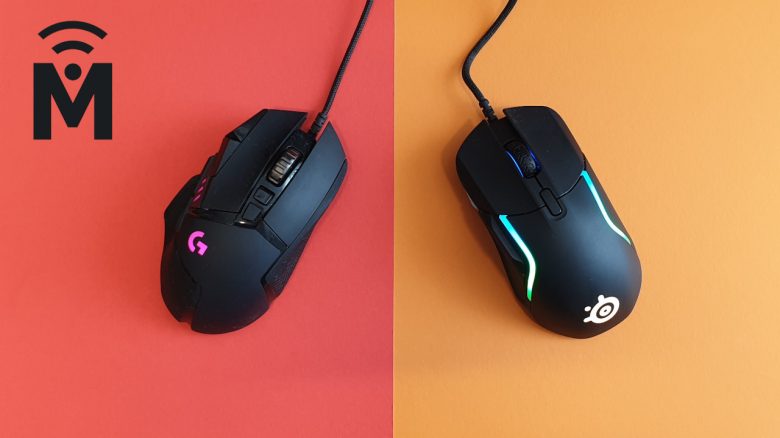
Software: Two Mice with Completely Different Software
In this section, we will look at the software for the mouse. How quickly can you access the most important settings, how is the software structured, and how useful are additional functions?
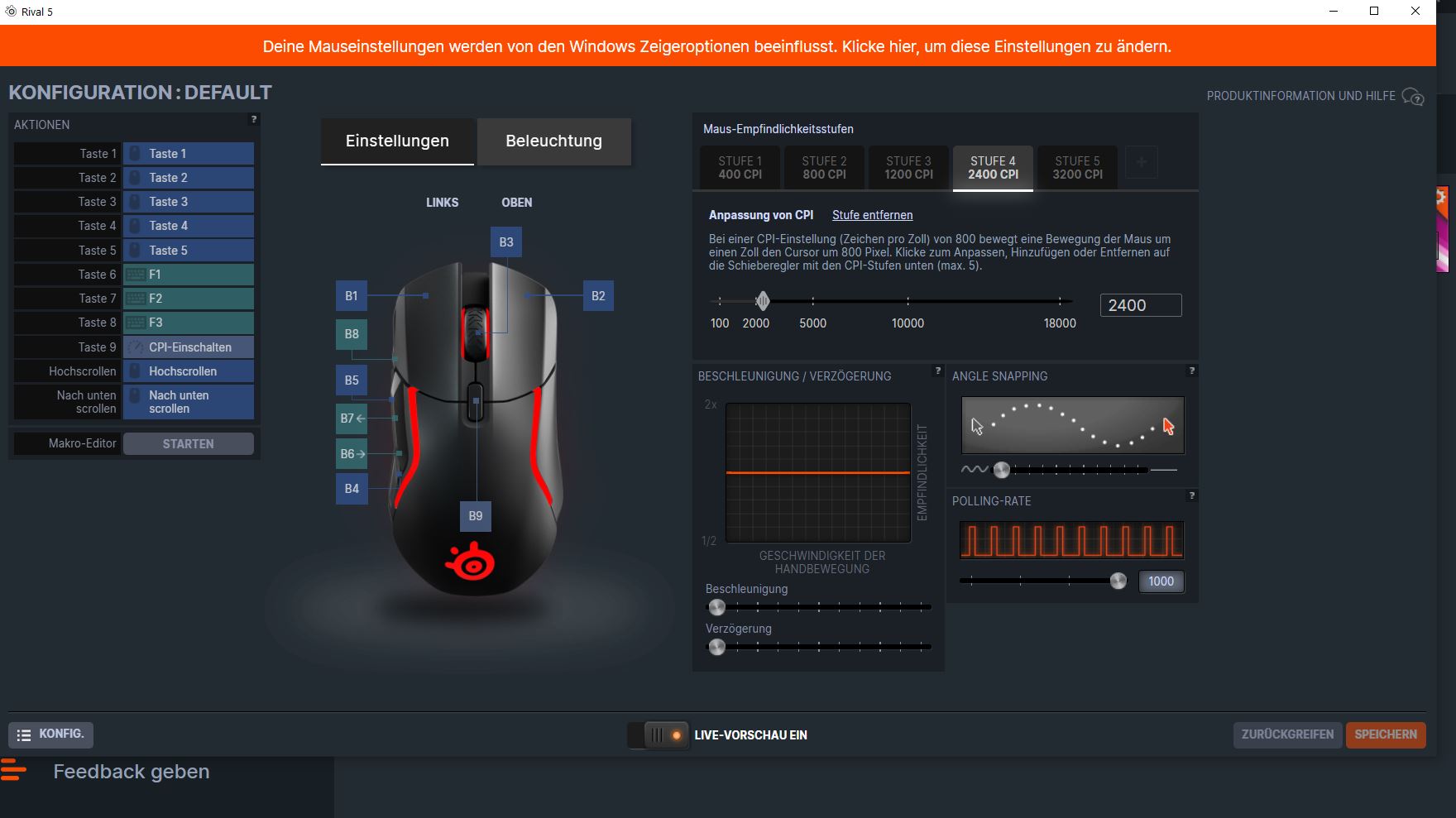
SteelSeries Rival 5
This is what the software for the Rival 5 offers: SteelSeries aims to provide a complete package for gamers with its engine. You can control not only your gaming devices like mouse, keyboard, and headset, but you can also save streams and add your games to a library.
If you only want to configure your mouse, you need at least three clicks.
Additionally, the software runs almost in full screen and opens another window for mouse settings. In terms of functionality, Rival 5 feels almost like Razer’s Synapse, which also offers you many additional features.

Logitech G502 Hero
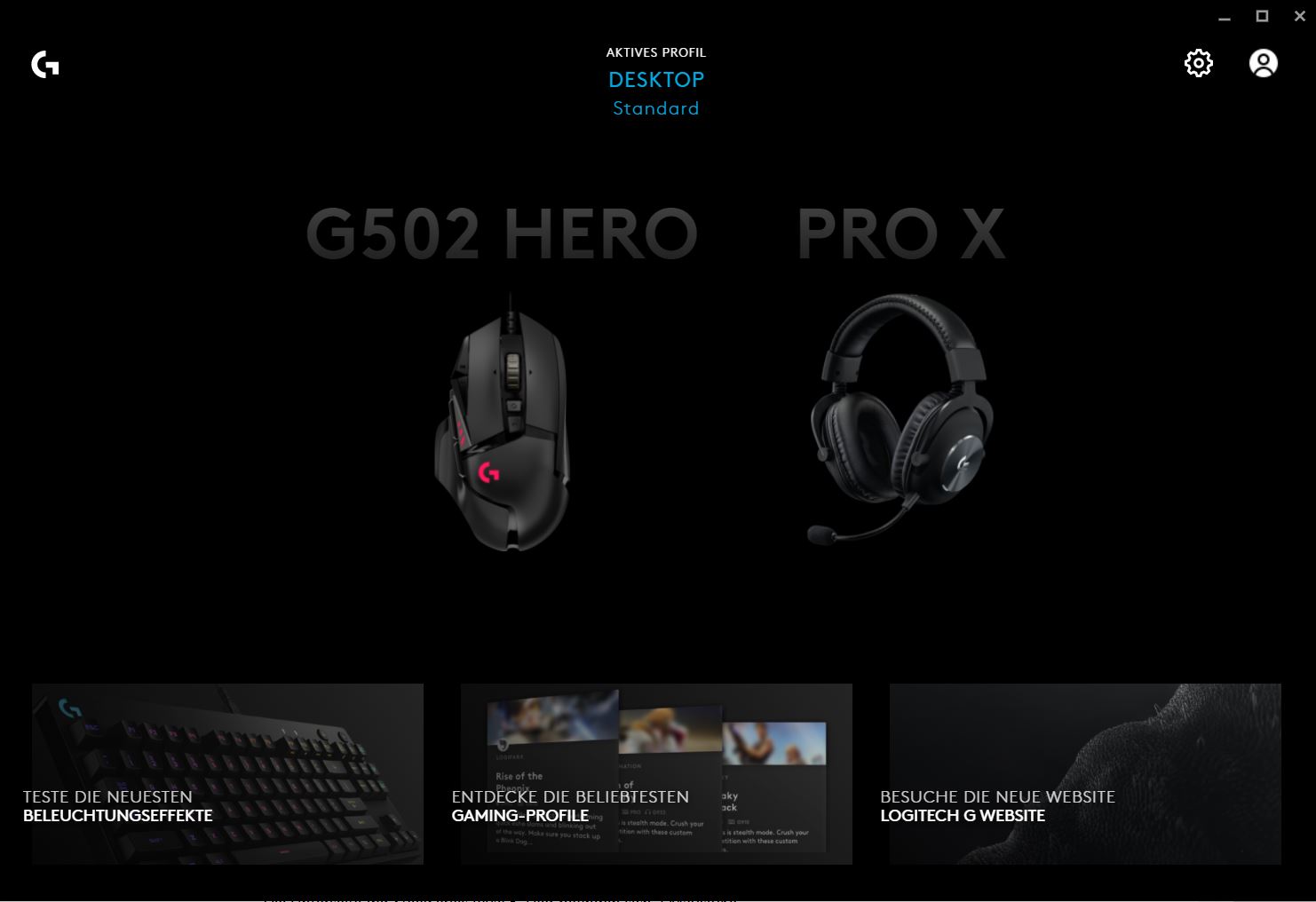
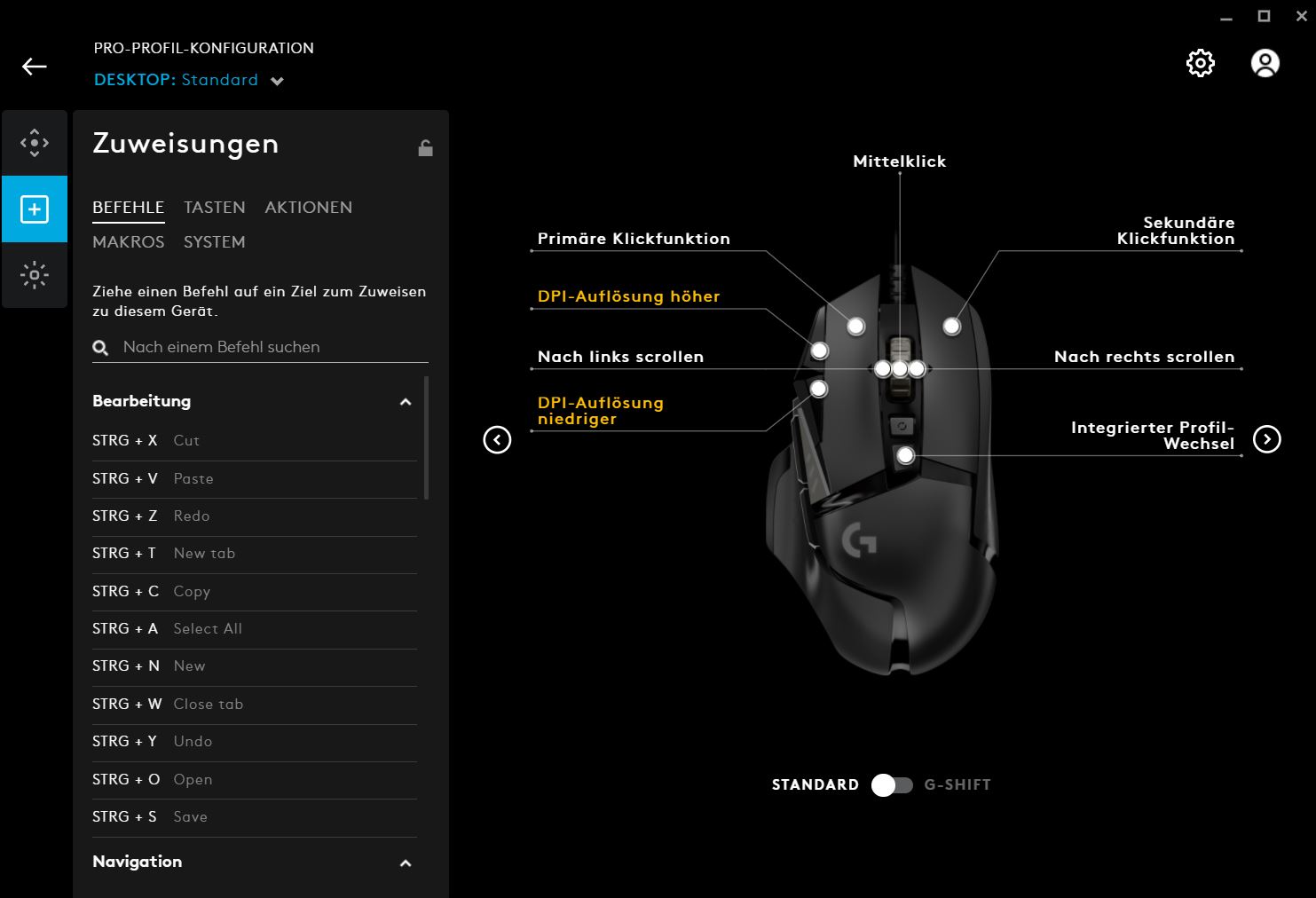
This is what the software for the G502 Hero offers: For the Logitech G502 Hero, you need the G-Hub software. The software suite appears neat and organized at first glance, as there is neither a news feed nor any additional gaming functions.
With one click, you land directly in the settings of your mouse and can apply settings or use preset profiles.
Conclusion on Software
This is our impression: Logitech can score points with its “G Hub” primarily for clarity and preset profiles. SteelSeries’ engine software appears less intuitive and memorable and offers many additional features that likely few gamers will actually use. The G-Hub software is also significantly smaller on the hard drive than the competition.
Logitech clearly has the upper hand in terms of software. Even Razer’s Swarm software, often criticized for its clutter, performs better here than SteelSeries’ engine.
Winner: Logitech G502 Hero
Sliding Properties
The sliding properties are important for a mouse when you want to move the mouse quickly over the mousepad. Alongside the weight, the mouse cable and the feet on the underside of the mouse also play a significant role in this.
SteelSeries Rival 5
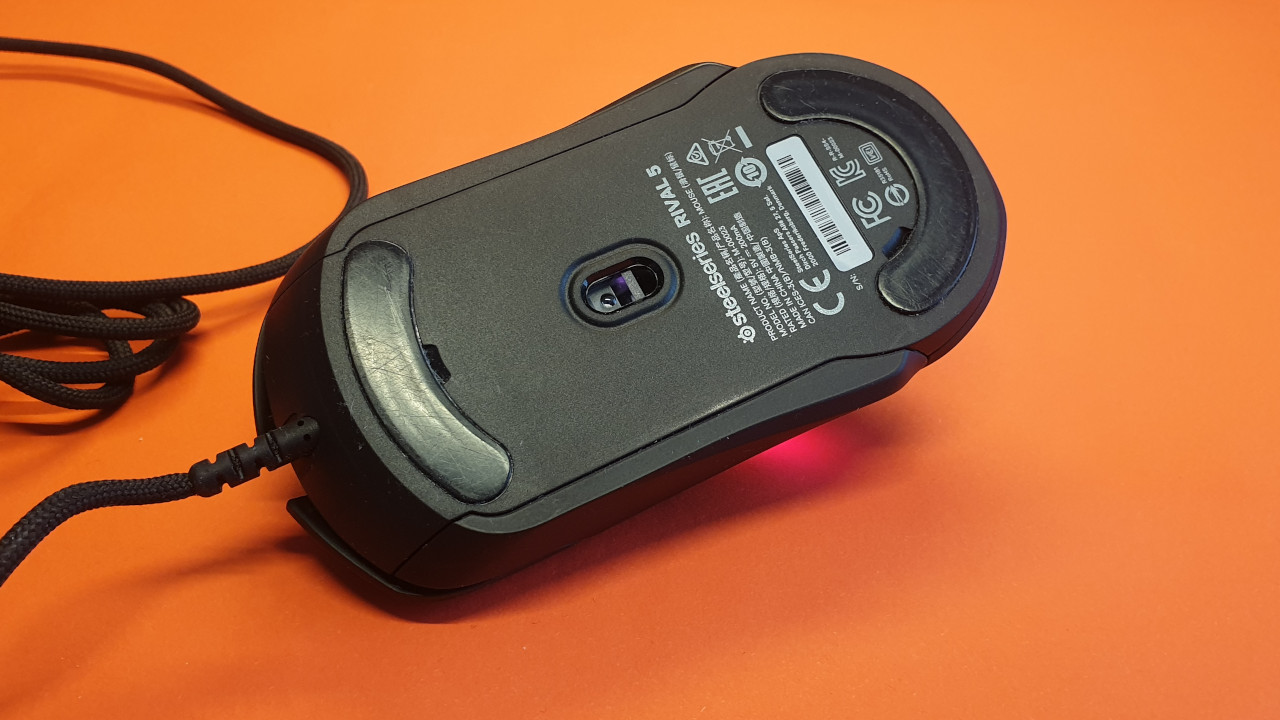
How well does the Rival 5 glide over the mousepad? SteelSeries opts for two large mouse feet on the underside of the mouse. Additionally, the lightweight design and a thin, minimally obstructive cable contribute to the mouse experiencing hardly any resistance and gliding comfortably and quickly over the mousepad.
Logitech G502 Hero
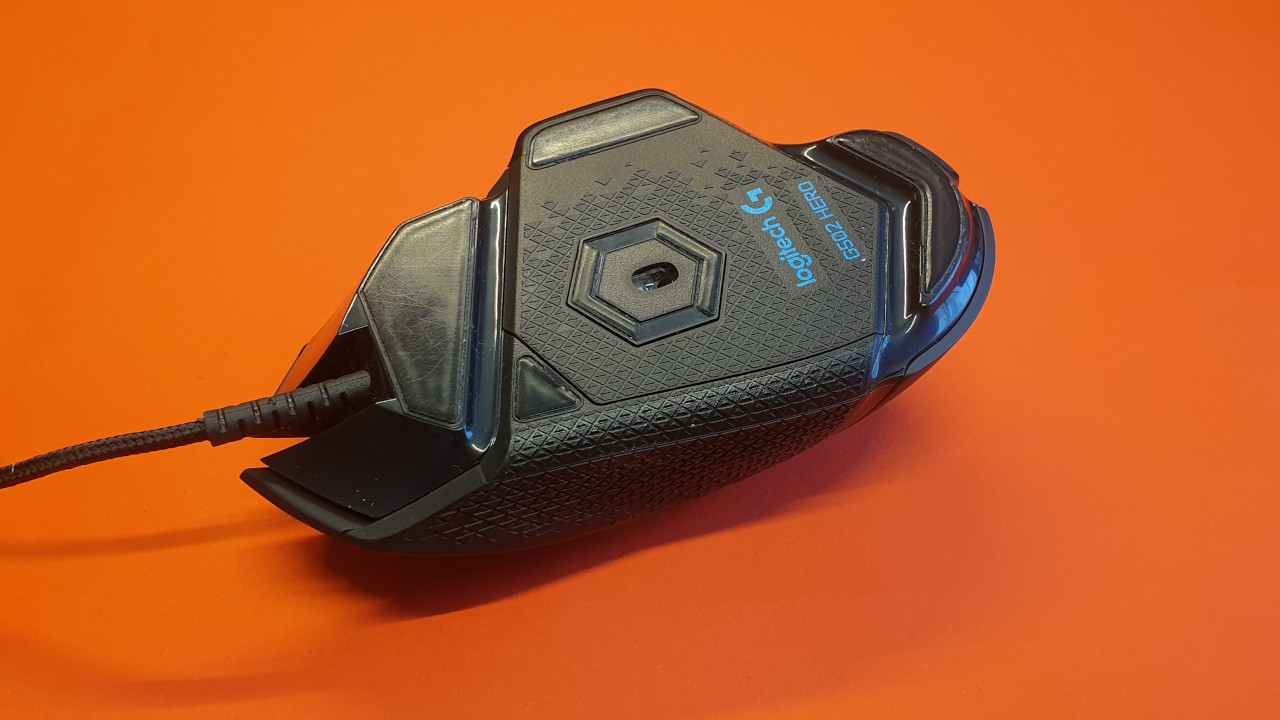
How well does the G502 Hero glide over the mousepad? Logitech features 5 differently sized glide feet that are asymmetrically arranged on the back of the mouse. The weight is noticeably higher than that of the Rival 5, necessitating more force for movement. The mouse cable is elastic enough on the G502 Hero and does not hinder movements.
Conclusion on Sliding Properties
This is our impression: Both mice offer very good sliding properties on various mousepads. The Rival 5 feels a bit lighter in practice, and the movements are smoother than with the G502 Hero. The cable of the Rival 5 feels a bit softer, and the lower weight is an advantage here.
Winner: SteelSeries Rival 5
Ergonomics
In this section, we will focus on the ergonomics of the two gaming mice. We will explore how the mouse feels in hand, explain the various buttons and their accessibility, and emphasize how comfortably the mouse feels during long evenings.
SteelSeries Rival 5
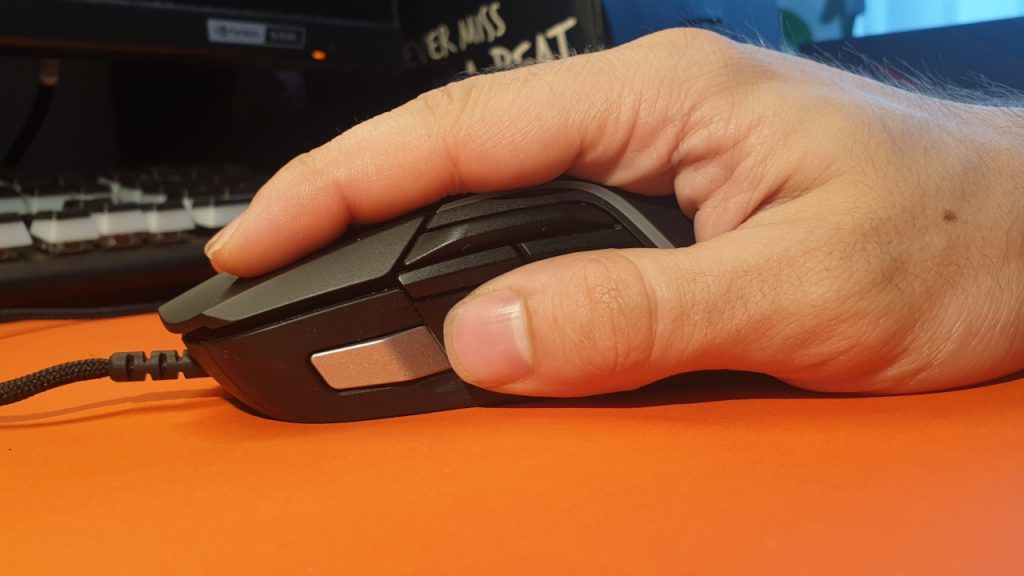
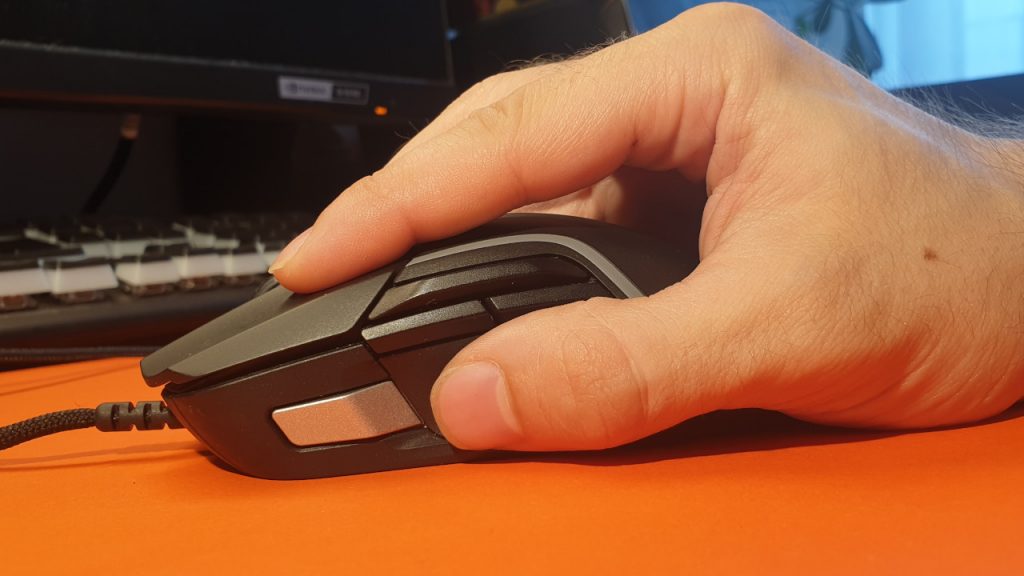
How does the Rival 5 feel in the hand? The biggest problem of the mouse is the sniper button that is too far forward: When you place your hand on the mouse, you intuitively try to grip the mouse so that you can also reach the sniper button. This makes the mouse lie awkwardly and unnaturally in hand. If you then adjust your grip, the mouse lies more naturally in the hand, but the thumb button is no longer accessible. If you hold the mouse in the unnatural position for too long, your palm will cramp over time. This is neither practical nor healthy.
Overall, larger hands are advantageous, as larger hands can press the sniper button much better and more naturally than smaller hands.
Fundamentally, the mouse feels secure in hand, and the shape of the mouse overall is decent. If you ignore the sniper button and play with the other buttons, the ergonomics can be considered quite successful.
Logitech G502 Hero
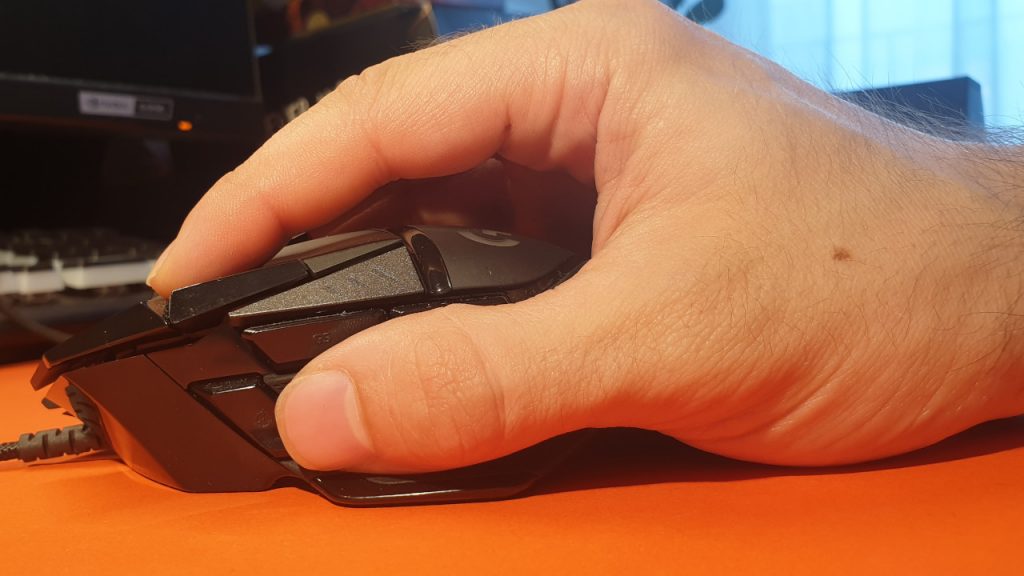
How does the G502 Hero feel in the hand? The G502 Hero overall offers a few more buttons than the Rival 5. All buttons are easily reachable for relatively large hands. Both the sniper button and the two buttons underneath the index finger are easily accessible. However, for smaller hands, the sniper button is already more difficult to reach.
The ergonomics of the G502 are comfortable for our hand, and Logitech’s gaming mouse feels good in the right hand. The ergonomics of the G502 Hero appear natural, and the hand instinctively knows how to grasp the mouse. Furthermore, the slightly broader thumb rest ensures that the thumb rests directly on the mouse rather than on the mousepad.
Conclusion on Ergonomics
This is our impression: The G502 Hero appears to be a more ergonomic right-handed mouse compared to the Rival 5. At first glance, the Rival 5 seems more like an ambidextrous mouse, without actually providing buttons for left-handed users. For this reason, the pinky of the right hand rests better on the G502 Hero than on the Rival 5. Otherwise, the grip on the G502 feels more natural: The hand knows exactly how to grasp the mouse. In contrast, with the Rival 5, it takes a moment for the hand to settle in position correctly.
Although I have large hands, the sniper button of the Rival 5 was disadvantageous to reach. Conversely, I never had issues with the G502.
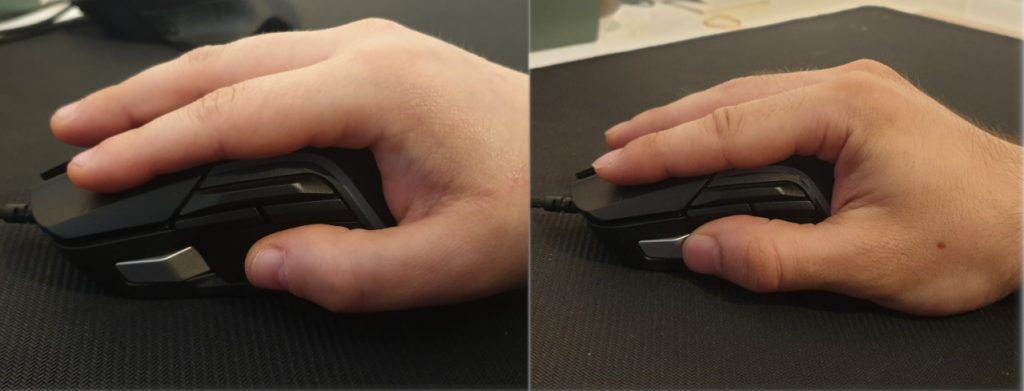
I conducted the comparison test with my girlfriend, and here the problem becomes exemplarily clear once again: For my girlfriend with smaller hands, it was nearly impossible to reach the sniper button of the Rival 5 properly without straining.
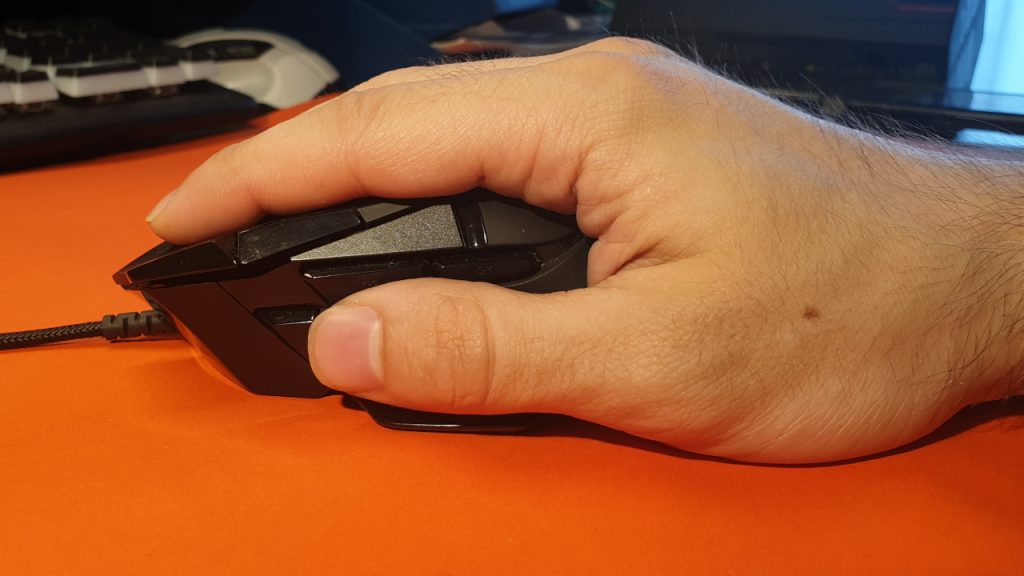
While my hand is quite large at 19 centimeters, my girlfriend’s hand, at just under 16 centimeters, is significantly smaller. You can clearly see the difference in grip in the picture.
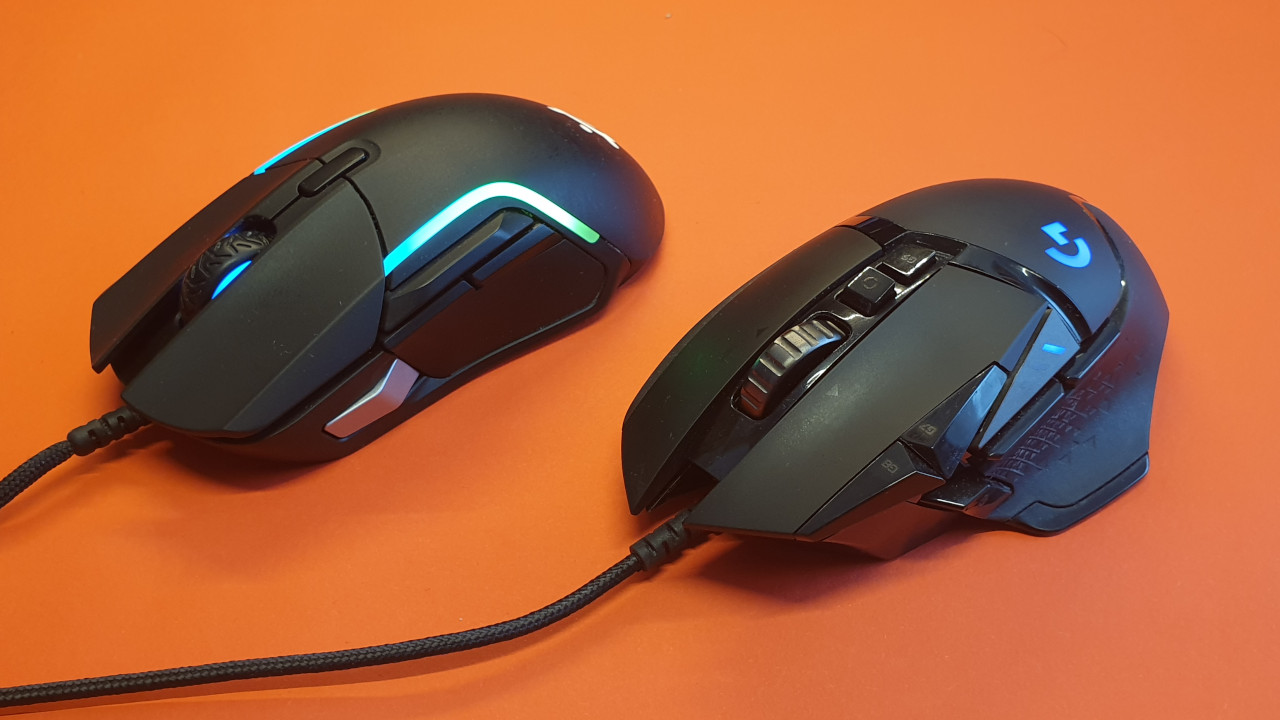
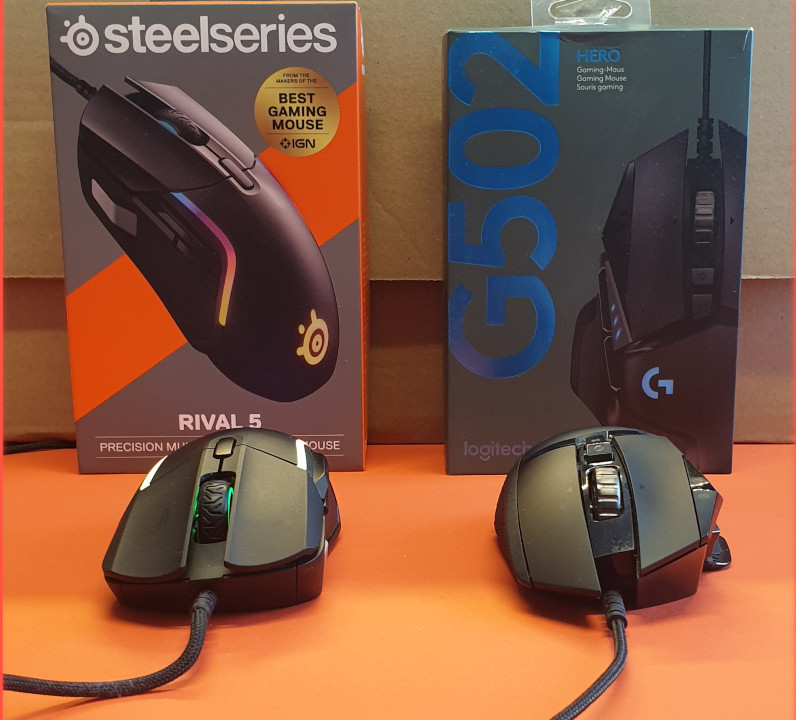
The thumb rest of the Logitech G502 Hero also appears more ergonomic and comfortable over time than the flat left side of the Rival 5. Overall, the G502 Hero feels a bit more ergonomic, primarily due to its construction and tilt angle. When looking at both mice from the front, you can see that the G502 Hero is more tilted.
With large hands, the buttons of the Rival 5 are much more accessible. The sniper button, in particular, is located too far forward and is not easily reachable with smaller hands. Here, the G502 Hero is better positioned.
Winner: Logitech G502 Hero
Grip Type
In this section, we will explore which grips work best with the mice. We tested both mice with the same grips and examined how well and comfortably they can be controlled. The three most important grip types for gaming mice are also detailed here on MeinMMO.
SteelSeries Rival 5
Which grip type is the Rival 5 suitable for? The SteelSeries Rival 5 can be used in both palm and claw grip styles. Especially in the claw grip, the lower weight of the Rival 5 is particularly noticeable, as less strain is placed on the wrist.
However, smaller hands have great difficulty reaching the sniper button comfortably. Even in the claw grip, we also had difficulties with large hands comfortably reaching the sniper button on the left side of the Rival 5. It’s manageable, but it doesn’t feel healthy.
Logitech G502 Hero
Which grip type is the G502 Hero suitable for? The mouse can be used comfortably and pleasantly in both palm and claw grip styles. All buttons are easily reachable, and even in the claw grip, the sniper button of the G502 Hero is easily accessible.
Smaller hands can also reach all buttons comfortably in palm grip, but in claw grip, the sniper button is more difficult to reach.
Conclusion on Grip Type
This is our impression: Both mice can be operated effortlessly in palm grip and generally feel good in hand. However, the buttons on the G502 Hero are overall easier to reach than those on the Rival 5. The sniper button, especially, is hardly reachable in certain situations.
Overall, large hands can take better advantage of the Rival 5’s features than small hands.
Winner: Logitech G502 Hero
Price
The recommended retail price of the G502 Hero was about 90 euros at release. You can now get the gaming mouse for about 55 euros in the wired version and for 80 euros in the wireless variant (Lightspeed).
The recommended retail price of the Rival 5 is 69.99 euros, but you can also get it for around 60 euros.
This is our impression: In the price comparison, you currently get the Logitech G502 slightly cheaper; if you pay a bit more, you can also get the wireless version on sale.
Winner: Draw
SteelSeries Rival 5 vs. Logitech G502 Hero: Who is the Winner?
We prefer the Rival 5, especially regarding design, weight, and sliding properties.
The G502 Hero is significantly better in terms of software and ergonomics. While smaller hands face problems with the Rival 5, the G502 Hero addresses the positioning with the thumb button better.
Overall, Logitech’s G502 Hero has a slight edge, especially when it comes to ergonomics. Ultimately, it is also a matter of taste as to which gaming mouse is the better option, depending on which games you want to play and the size of your hand.
Particularly the better ergonomics and the superior sniper button allow the G502 Hero to win the duel in the end.
| SteelSeries Rival 5 | Logitech G502 Hero | |
|---|---|---|
| Design | Winner | |
| Haptik und Technik | ||
| Gewicht | Winner | |
| Software | Winner | |
| Gleiteigenschaften | Winner | |
| Ergonomie | Winner | |
| Grifftypus | Winner | |
| Preis |
Rival 5 vs G502 Hero: Which Mouse is Suitable for Whom?
Especially the significantly lower weight is a strong selling point in favor of the Rival 5. Additionally, its pleasant, rough surface gives the device a secure position in hand.
For the G502 Hero, I particularly appreciate the “real” thumb rest, and the ergonomics are somewhat better. This is primarily due to the more strongly tilted shape of the G502 Hero. The Rival 5 is slightly less tilted and almost looks like an ambidextrous mouse from above, just without an option for left-handed users.
The additional features of the G502 Hero, such as the “infinite” mouse wheel or the extra weights, sound good on paper, but in practice, they rarely play a decisive role.
However, it is surprising that you can only save a single button profile on the Rival 5, while on the G502, you can store up to 5 profiles in the mouse’s memory.
Logitech G502 Hero
Who should opt for Logitech’s G502 Hero? If you often play shooters and need the sniper button, you should opt for the G502 Hero instead. Here, the button is easier to reach. With its 11 programmable buttons, the mouse is also extremely flexible and can be used in almost any genre.
Logitech’s gaming mouse feels good in hand and is easily usable in both palm and claw grips. If you also want to completely avoid a cable, there is also no way around the Logitech mouse. The wireless version is, by the way, lighter than the wired G502 Hero.
SteelSeries Rival 5
Who should opt for SteelSeries Rival 5? If you never use the sniper button or miss it, then the Rival 5 might be the perfect option for you, especially due to its lower weight. You will feel the relief on your hand during long sessions. Especially in claw grip, when the hand does not fully rest on the mouse, the lower weight offers you a competitive advantage.
Additionally, the sliding properties are even better than with the G502. Thus, the mouse is especially suitable for players who play with low DPI numbers and want to move the mouse widely.
More gaming mice on MeinMMO: If you are not convinced by the Rival 5 or by the G502 Hero, but are looking for a mouse that fits you? Then check out our buying guide on gaming mice. Here, we present the currently best gaming mice that you can buy:
The best gaming mice for MMOs available right now

Your opinion is important to us!
Do you like the article? Then let us know!